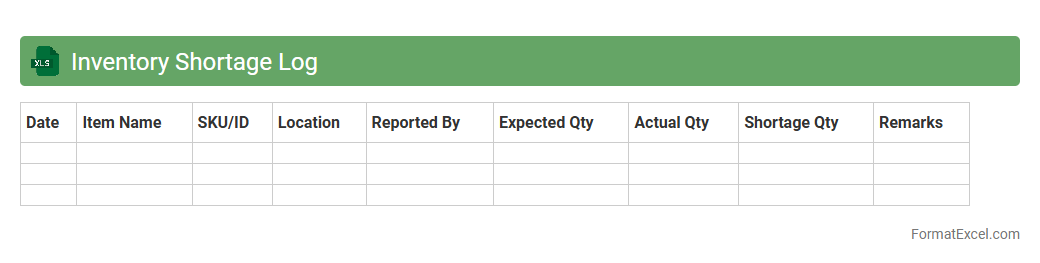
Inventory Shortage Log
An
Inventory Shortage Log Excel document systematically records instances where stock levels fall below the required amount, helping businesses to quickly identify and address gaps in inventory. By tracking shortages over time, this tool enables efficient inventory management, reducing the risk of lost sales and improving order fulfillment accuracy. Analyzing trends within the log supports data-driven decisions for procurement and demand forecasting, ultimately enhancing operational efficiency.
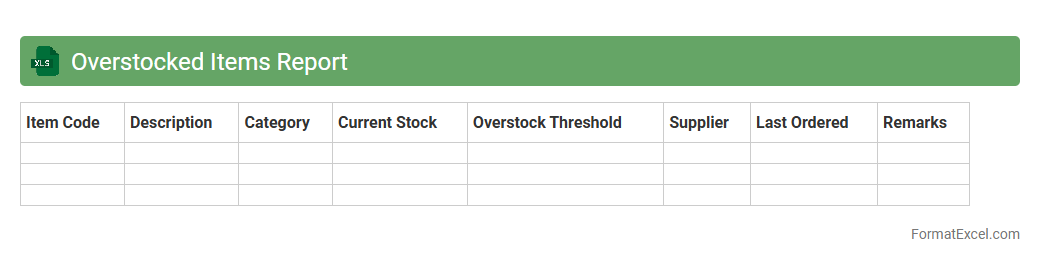
Overstocked Items Report
The
Overstocked Items Report Excel document provides a detailed analysis of inventory levels, highlighting products with excess stock beyond optimal quantities. This report helps businesses identify slow-moving or excess products, reducing holding costs and minimizing potential losses due to obsolescence. Utilizing this data allows for better inventory management, improved cash flow, and informed purchasing decisions.
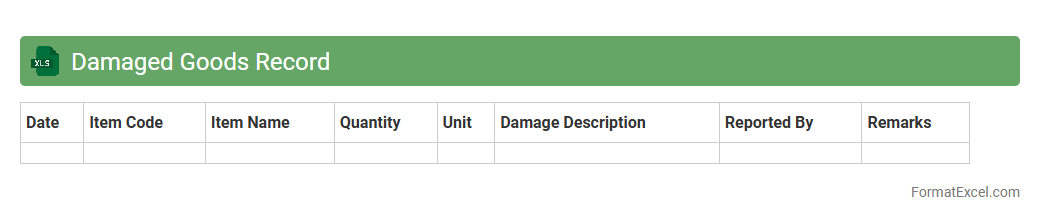
Damaged Goods Record
A
Damaged Goods Record Excel document is a spreadsheet designed to systematically track and document items that have been received, stored, or shipped in a damaged condition. This record helps businesses maintain accurate inventory control, assess the extent of product loss, and identify patterns or recurring issues in the supply chain. Using this document enhances accountability, streamlines the claims process with suppliers or insurers, and supports informed decision-making to reduce future damage.
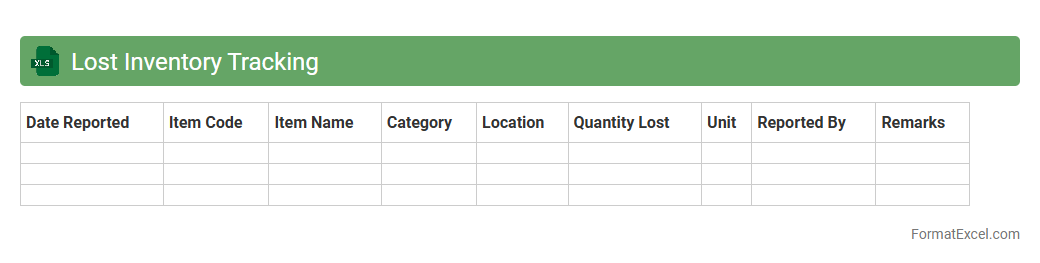
Lost Inventory Tracking
The
Lost Inventory Tracking Excel document helps businesses monitor and manage items that go missing from stock, enabling accurate record-keeping and accountability. It provides detailed data on lost inventory incidents, facilitating analysis of patterns and causes to reduce future losses. Using this tool enhances inventory control, improves financial accuracy, and supports operational efficiency by minimizing shrinkage.
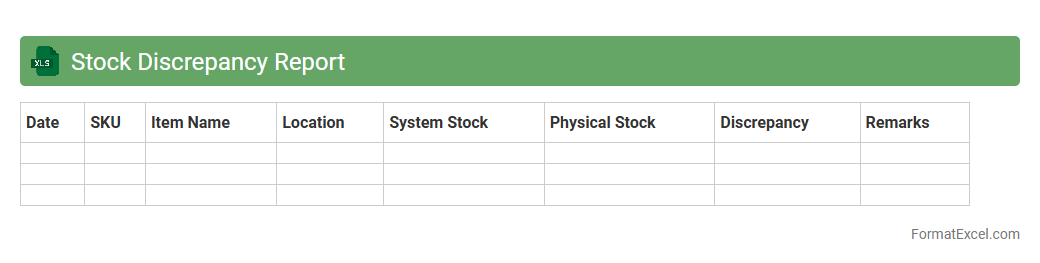
Stock Discrepancy Report
A
Stock Discrepancy Report Excel document identifies variances between recorded inventory and actual stock levels, enabling accurate tracking of discrepancies. It helps businesses pinpoint errors in stock management, prevent losses, and maintain reliable inventory data. Using this report improves decision-making related to procurement, stock replenishment, and financial auditing.
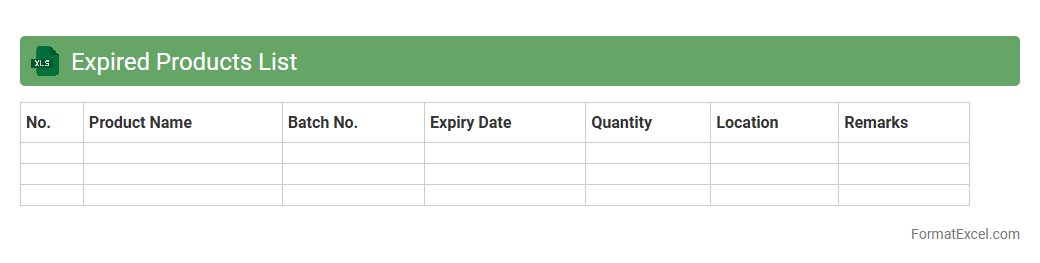
Expired Products List
The
Expired Products List Excel document is a structured spreadsheet that tracks products past their expiration dates, helping businesses manage inventory efficiently and minimize losses. It enables quick identification of expired items, ensuring timely removal or discounting, which maintains compliance with safety regulations. This tool improves decision-making by providing clear visibility into product shelf life and aids in optimizing stock rotation.
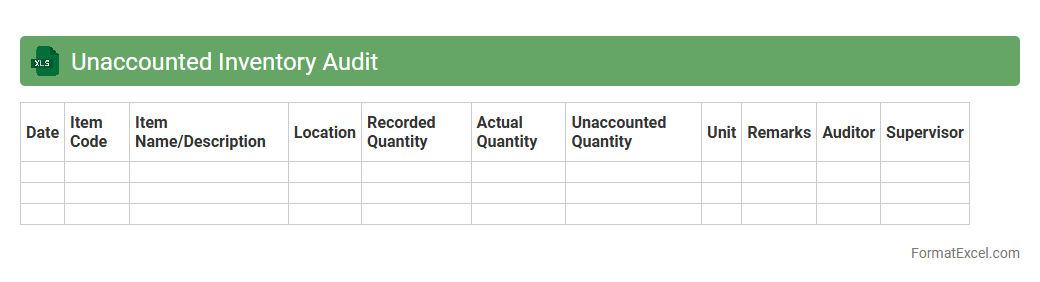
Unaccounted Inventory Audit
The
Unaccounted Inventory Audit Excel document is a detailed spreadsheet designed to track and identify discrepancies between recorded inventory and actual stock levels. It helps organizations pinpoint missing or unrecorded items, ensuring accurate inventory management and reducing losses. Utilizing this audit tool improves accountability, streamlines stock control processes, and supports strategic decision-making based on reliable inventory data.
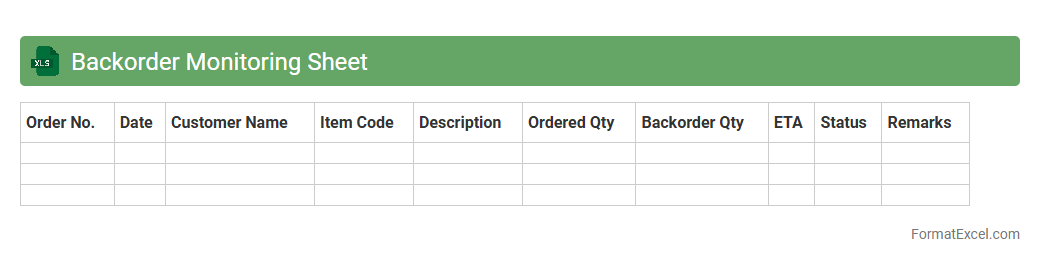
Backorder Monitoring Sheet
A
Backorder Monitoring Sheet in Excel is a powerful tool designed to track and manage outstanding customer orders that cannot be fulfilled immediately due to stock shortages. It enables businesses to monitor inventory levels, prioritize order fulfillment, and improve supply chain efficiency by identifying bottlenecks in real-time. Using this sheet helps reduce customer wait times and enhances communication between sales, warehouse, and procurement teams.
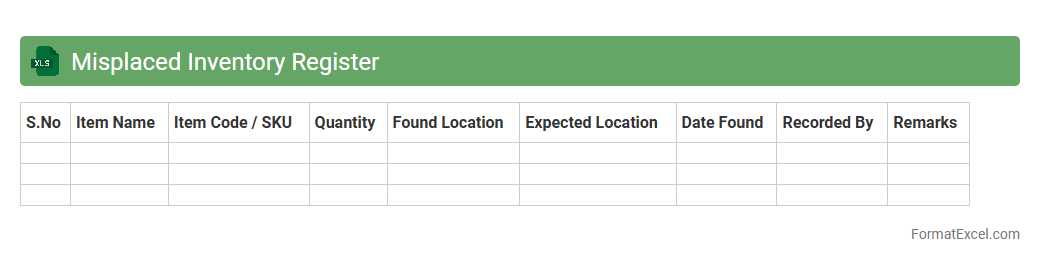
Misplaced Inventory Register
A
Misplaced Inventory Register Excel document is a systematic tool used to track and document items that have been incorrectly stored or lost within a warehouse or storage facility. It helps businesses quickly identify inventory discrepancies, streamline stock management, and reduce losses by pinpointing the exact location of misplaced goods. Using this register enhances operational efficiency and ensures accurate inventory control for improved supply chain performance.
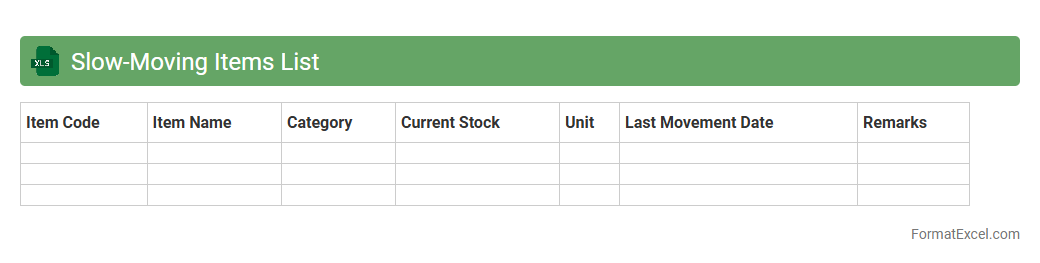
Slow-Moving Items List
The
Slow-Moving Items List Excel document tracks inventory products with low sales velocity, helping businesses identify stock that isn't selling quickly. It enables efficient inventory management by highlighting items that may tie up capital, allowing for better decision-making on stock clearance or reordering. This tool improves cash flow and reduces storage costs by optimizing inventory levels based on sales trends.
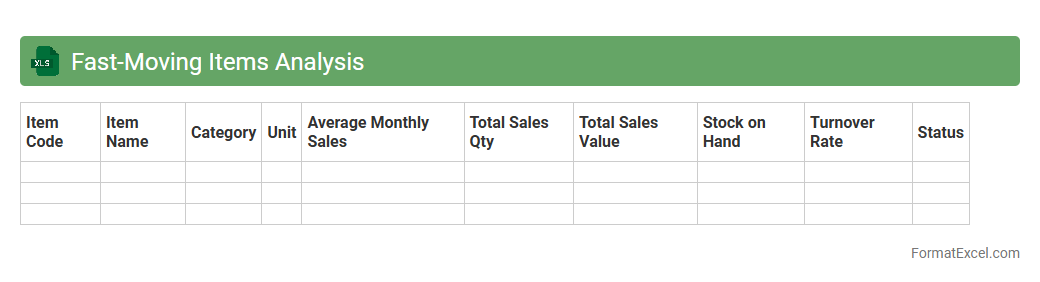
Fast-Moving Items Analysis
The
Fast-Moving Items Analysis Excel document tracks and identifies products with high sales velocity, helping businesses optimize inventory management and reduce stockouts. By analyzing sales frequency and volume, it enables data-driven decisions for replenishment, marketing strategies, and resource allocation. This tool supports increased profitability by focusing on items that drive revenue growth and customer satisfaction.
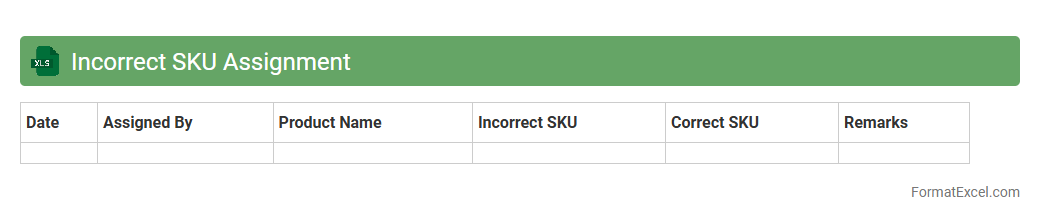
Incorrect SKU Assignment
An
Incorrect SKU Assignment Excel document is a detailed report that identifies mismatches between product SKUs and their assigned categories or inventory locations. This document helps businesses quickly pinpoint errors in SKU labeling, ensuring accurate inventory management and reducing discrepancies in order fulfillment. By using this file, companies can enhance data accuracy, streamline stock tracking, and improve overall operational efficiency.
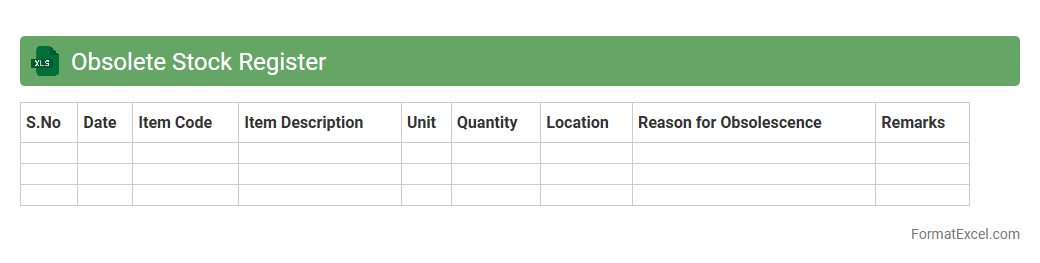
Obsolete Stock Register
An
Obsolete Stock Register Excel document is a specialized spreadsheet used to track inventory items that are no longer in demand or have become outdated. It helps businesses identify and manage excess or obsolete stock, enabling better inventory control and reducing carrying costs. By analyzing this register, companies can make informed decisions on stock liquidation, improve storage space utilization, and optimize cash flow.
Returns and Replacements Log
The
Returns and Replacements Log Excel document systematically records customer product returns and replacement requests, tracking reasons, dates, and resolution status. This log helps businesses identify patterns in defective products, streamline the refund or exchange process, and improve customer satisfaction. Access to organized data in the log supports inventory management and informs quality control initiatives.
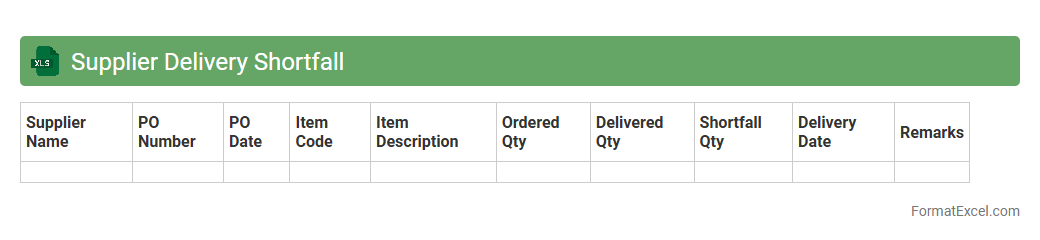
Supplier Delivery Shortfall
The
Supplier Delivery Shortfall Excel document tracks discrepancies between ordered and delivered quantities from suppliers, enabling detailed analysis of supply chain performance. It helps identify patterns of delays or shortages, ensuring timely corrective actions to maintain inventory levels and prevent production disruptions. By providing clear visibility into supplier reliability, this tool supports informed decision-making and strengthens procurement efficiency.
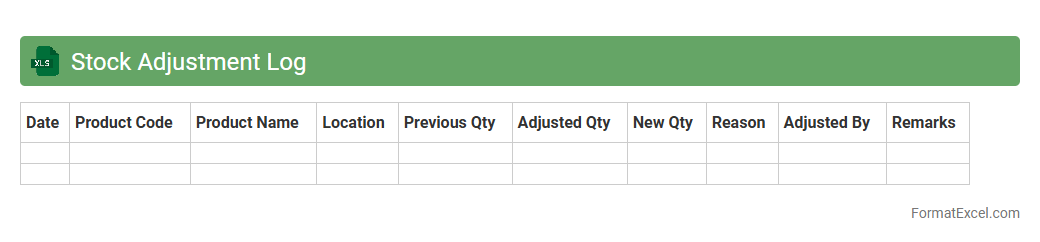
Stock Adjustment Log
A
Stock Adjustment Log Excel document systematically records changes in inventory levels, including additions, removals, and discrepancies. This log enhances inventory management by providing clear audit trails and helping identify patterns that affect stock accuracy. Tracking stock adjustments in this format supports better decision-making, reduces errors, and improves overall supply chain efficiency.
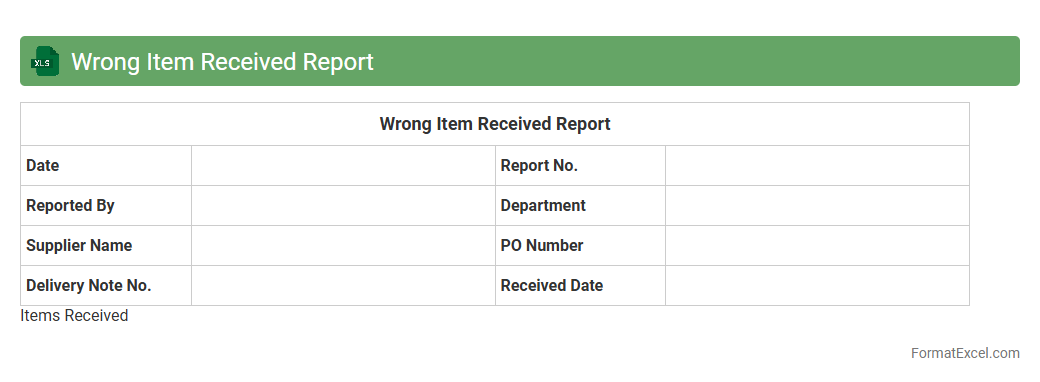
Wrong Item Received Report
A
Wrong Item Received Report Excel document is a structured file used to record discrepancies between ordered and delivered products, including details such as item codes, quantities, and reasons for errors. It helps businesses track and analyze errors in shipments, facilitating faster resolution through suppliers or logistics teams. This report enhances inventory accuracy, improves supplier accountability, and streamlines the claims process, ultimately reducing operational disruptions and costs.
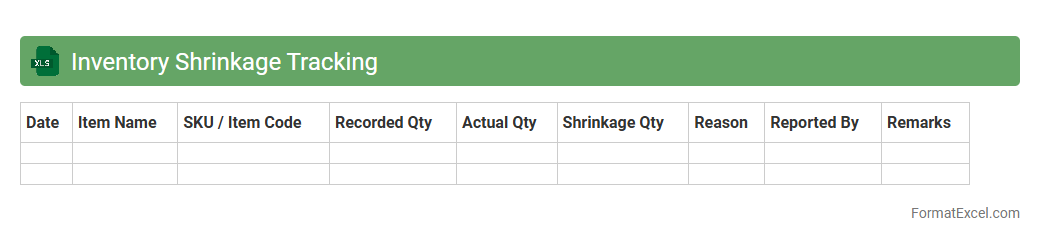
Inventory Shrinkage Tracking
Inventory Shrinkage Tracking excel document is a tool designed to monitor and analyze the difference between recorded inventory and actual stock. It helps businesses identify losses due to theft, damage, or administrative errors, providing clear insights into product discrepancies. Using this
inventory shrinkage tracking method allows companies to optimize inventory management, reduce financial losses, and improve overall operational efficiency.
Warehouse Space Utilization
The
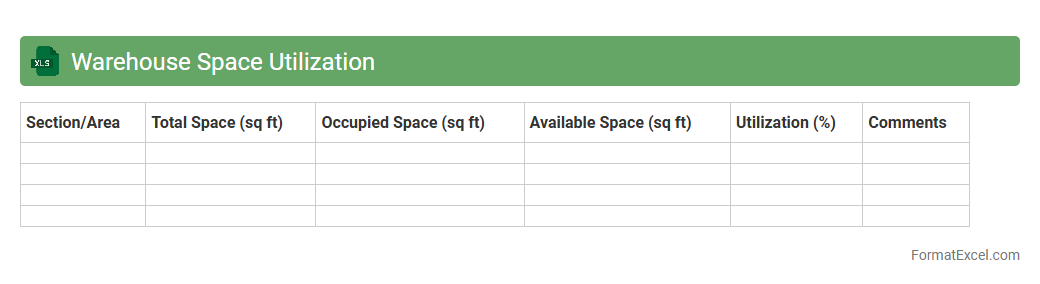
Warehouse Space Utilization Excel document is a powerful tool designed to track and analyze the efficient use of storage space within a warehouse. It helps in monitoring inventory levels, identifying underused areas, and optimizing layout to maximize capacity and reduce operational costs. This document enables warehouse managers to make data-driven decisions that improve storage efficiency and overall workflow.
Cycle Count Variance Sheet
A
Cycle Count Variance Sheet Excel document tracks discrepancies between actual and recorded inventory levels during periodic cycle counts. It enables businesses to identify inventory inaccuracies, pinpoint potential issues like shrinkage or data entry errors, and maintain accurate stock records. Utilizing this sheet improves inventory control, reduces stockouts or overstock situations, and enhances overall supply chain efficiency.
Inventory Holding Cost Tracker
An
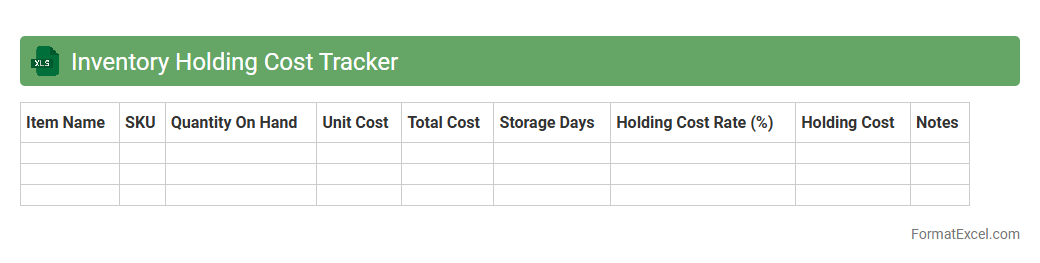
Inventory Holding Cost Tracker Excel document is a tool designed to monitor and calculate the expenses associated with storing unsold goods, including warehousing, insurance, depreciation, and obsolescence. It helps businesses identify cost patterns, optimize stock levels, and improve cash flow by minimizing excess inventory. Using this tracker enables efficient inventory management, reducing waste and enhancing profitability.
Goods-In-Transit Register
A
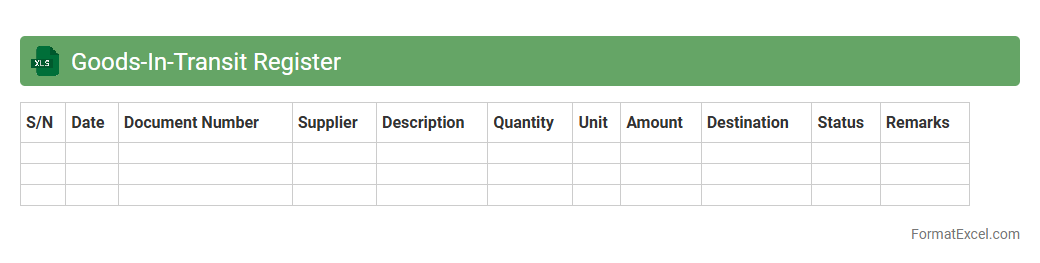
Goods-In-Transit Register Excel document is a detailed log that tracks shipments and inventory items currently en route to their destination, capturing essential data such as dispatch dates, carrier details, and expected arrival times. This register helps businesses maintain accurate inventory records, ensures timely follow-up on delayed shipments, and supports efficient supply chain management by providing real-time visibility into goods movement. Using this document reduces the risk of stock discrepancies and improves overall operational planning and financial accounting accuracy.
Bin Location Mismatch Report
The
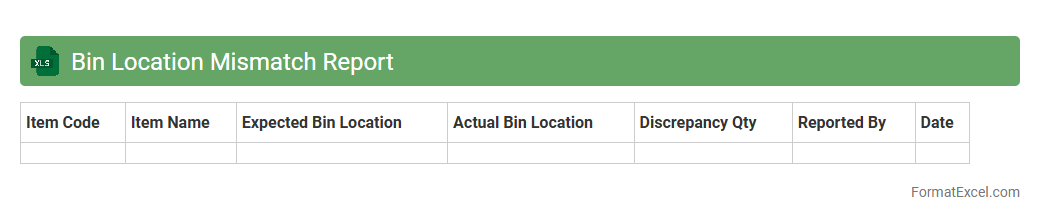
Bin Location Mismatch Report Excel document identifies discrepancies between recorded inventory locations and actual storage bin assignments within a warehouse management system. This report helps organizations quickly spot and correct inventory placement errors, improving stock accuracy and operational efficiency. Utilizing this data reduces picking errors, enhances inventory audits, and supports optimal warehouse layout planning.
Product Recall List
A
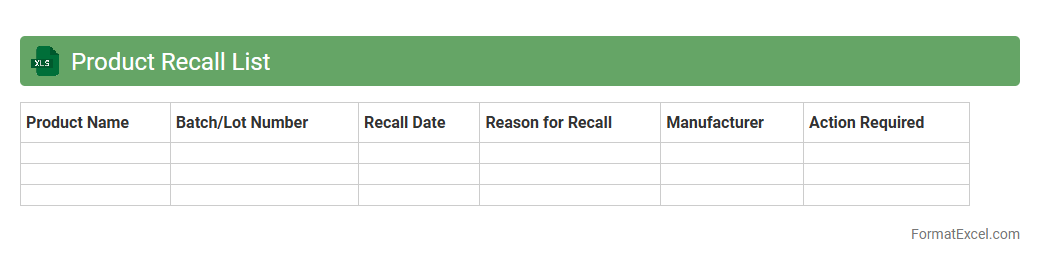
Product Recall List Excel document is a structured file that tracks details of recalled products, including product names, batch numbers, recall dates, and reasons for recall. It helps businesses and consumers quickly identify and manage affected items, ensuring compliance with safety standards and reducing potential risks. Using this document enhances inventory control, supports regulatory reporting, and facilitates efficient communication during recall events.
Stock Level Alert Record
The
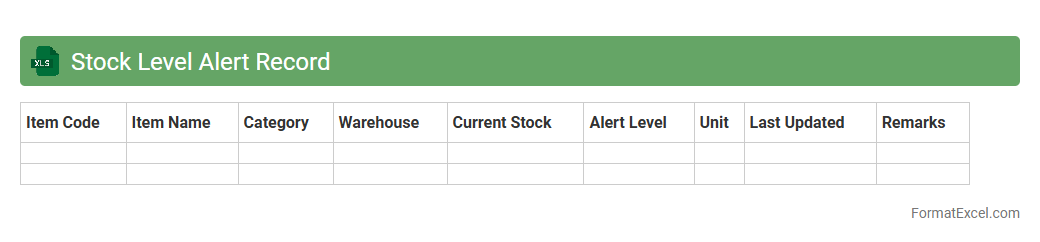
Stock Level Alert Record Excel document is a crucial tool that tracks inventory quantities and signals when stock reaches predefined minimum or maximum thresholds. This enables businesses to maintain optimal inventory levels, preventing both stockouts and overstock situations that can disrupt operations or increase costs. By providing real-time alerts and transparent stock movement data, the document supports efficient supply chain management and informed decision-making.
Introduction to Inventory Issue Formats in Excel
Inventory issue formats in Excel are structured spreadsheets designed to document and manage the release or dispatch of inventory items. These formats help in maintaining a clear record of inventory movements, ensuring accurate stock control. Understanding the inventory issue format is essential for efficient inventory management.
Benefits of Tracking Inventory Issues in Excel
Tracking inventory issues in Excel improves accuracy, reduces errors, and provides real-time insight into stock levels. It enables businesses to monitor item usage, prevent stockouts, and optimize reorder processes. Utilizing Excel for inventory tracking enhances overall inventory visibility and operational efficiency.
Essential Elements of an Inventory Issue Format
An effective inventory issue format includes key components such as item description, issue date, quantity issued, and recipient details. These elements ensure all relevant data is captured for precise stock management. Incorporating these essential elements guarantees comprehensive record-keeping.
Step-by-Step Guide to Setting Up Inventory Issue Sheets
Begin by creating columns for date, item code, description, quantity issued, and remarks. Next, format cells for data consistency and add dropdown lists where applicable to minimize errors. Following this step-by-step guide helps create a reliable inventory issue sheet.
Key Columns to Include in Your Inventory Issue Format
Important columns include Issue Date, Item Code, Item Name, Quantity Issued, Issued By, and Purpose of Issue. These fields provide detailed tracking for transparency and accountability. Selecting the right key columns is critical for effective inventory tracking.
Sample Inventory Issue Format Templates in Excel
Sample templates offer pre-built formats with structured columns and formulas to simplify inventory management. They provide a foundation that can be customized to suit specific business needs. Using sample templates can save time and improve accuracy.
Automating Inventory Issue Tracking with Excel Formulas
Excel formulas like SUMIF, VLOOKUP, and conditional formatting automate calculations and highlight discrepancies in inventory data. Automation reduces manual entry errors and enhances data analysis. Leveraging Excel formulas streamlines inventory issue tracking efficiently.
Best Practices for Managing Inventory Issue Records
Maintain consistent data entry, regularly update records, and conduct frequent audits to ensure accuracy. Secure your inventory files and keep backup copies to prevent data loss. Following best practices helps maintain reliable inventory documentation.
Common Mistakes to Avoid in Inventory Issue Tracking
Avoid neglecting date accuracy, omitting key details, and failing to reconcile stock regularly. Errors like inconsistent units or missing approvals can lead to stock discrepancies. Steering clear of these common mistakes ensures precise inventory control.
Downloadable Inventory Issue Format Excel Templates
Downloadable templates provide ready-made inventory issue formats compatible with various Excel versions. These templates can be adapted for different industries and inventory types. Utilizing downloadable templates accelerates setup and improves inventory tracking processes.