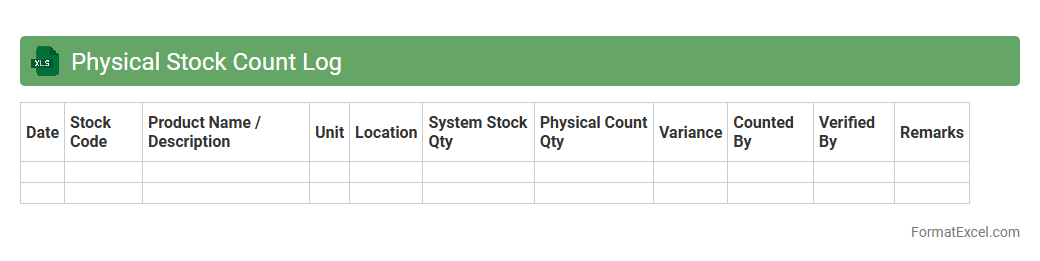
Physical Stock Count Log
The
Physical Stock Count Log Excel document is a systematic record used to track inventory quantities during physical stocktaking processes. It allows businesses to accurately compare actual stock on hand with recorded inventory levels, identifying discrepancies and minimizing errors in inventory management. This log enhances operational efficiency, supports accurate financial reporting, and improves decision-making related to procurement and stock control.
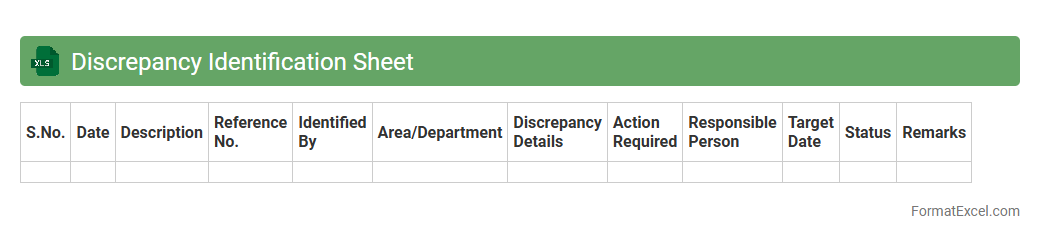
Discrepancy Identification Sheet
A
Discrepancy Identification Sheet in Excel is a structured document designed to systematically record, track, and analyze discrepancies found in processes, products, or data. It enhances quality control by providing clear visibility of issues, enabling teams to prioritize corrective actions and improve overall accuracy and compliance. This tool supports effective communication across departments and fosters a proactive approach to resolving inconsistencies, ultimately driving operational excellence.
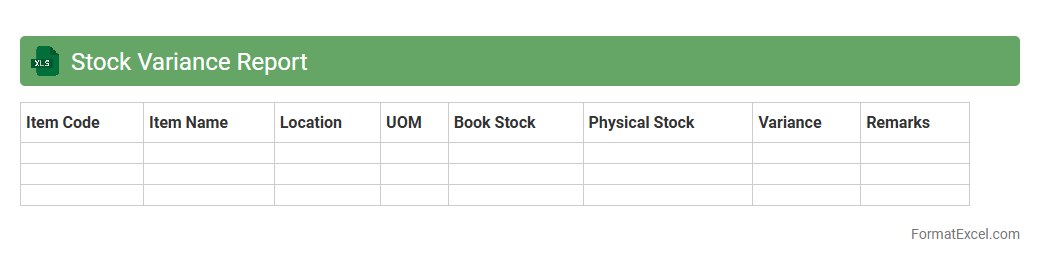
Stock Variance Report
A
Stock Variance Report Excel document tracks discrepancies between recorded inventory levels and actual stock on hand, providing detailed insights into stock losses, theft, or mismanagement. This report enables businesses to pinpoint the causes of inventory variances, optimize stock control processes, and reduce carrying costs. By regularly analyzing stock variances, companies can improve accuracy in inventory forecasting and enhance overall operational efficiency.
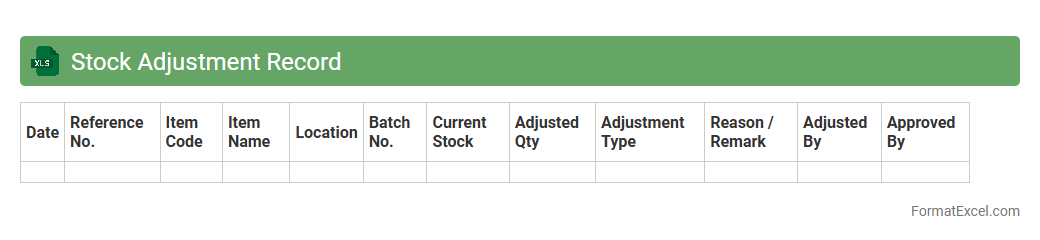
Stock Adjustment Record
A
Stock Adjustment Record Excel document is a spreadsheet used to track changes in inventory levels, including additions, removals, and corrections. It provides a clear and organized way to monitor stock movements, helping businesses maintain accurate inventory counts and minimize discrepancies. This tool supports efficient inventory management, reduces errors in stock data, and aids in timely decision-making for ordering and stock control.
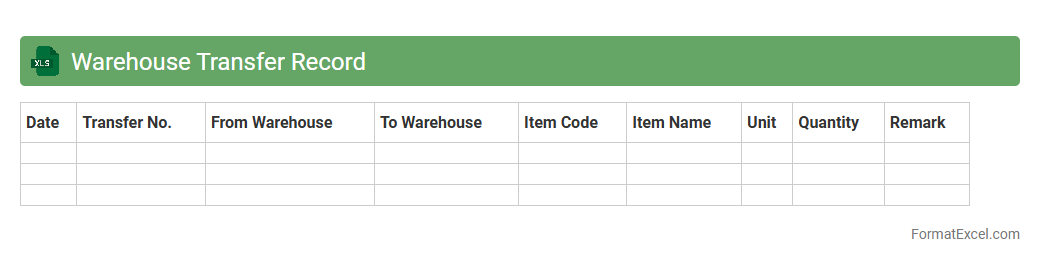
Warehouse Transfer Record
A
Warehouse Transfer Record Excel document is a detailed log used to track the movement of inventory between different warehouse locations. It helps maintain accurate stock levels, reduces discrepancies, and ensures transparency in inventory management. This record is essential for optimizing supply chain efficiency and facilitating timely order fulfillment.
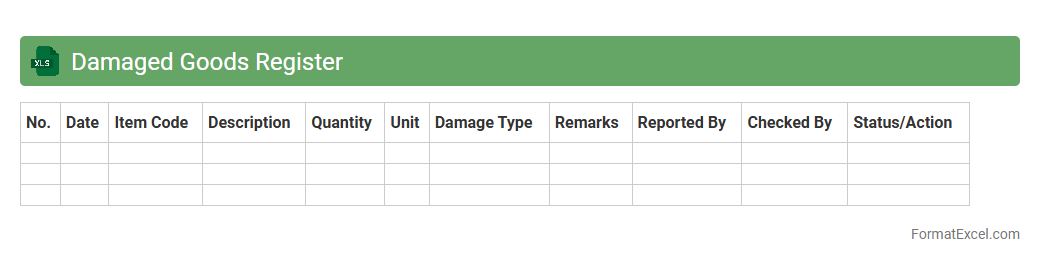
Damaged Goods Register
The
Damaged Goods Register Excel document is a structured inventory tool used to record and track damaged items within a business or warehouse. It helps in identifying trends, calculating loss value, and improving inventory management by providing clear visibility of product conditions. This register supports decision-making processes related to returns, replacements, and quality control measures, enhancing overall operational efficiency.
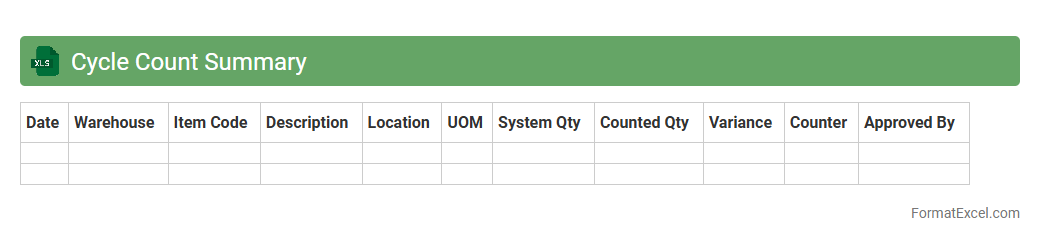
Cycle Count Summary
A
Cycle Count Summary Excel document provides a detailed overview of inventory audits conducted within a specific period, highlighting discrepancies between recorded and actual stock levels. It helps businesses identify inventory accuracy, uncover potential shrinkage, and maintain optimal stock control by tracking variances and trends. This summary supports efficient inventory management decisions, ensuring better resource allocation and minimizing stockouts or overstock situations.
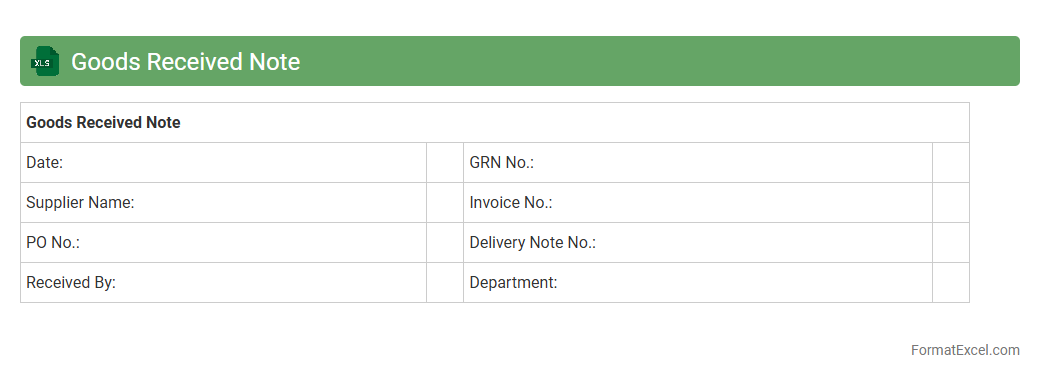
Goods Received Note
A
Goods Received Note (GRN) Excel document is a detailed record used in inventory management to document the receipt of goods from suppliers. It helps track quantities, descriptions, and condition of delivered items, ensuring accuracy in stock updates and aiding in the verification process against purchase orders. Using this document improves accountability, prevents discrepancies, and streamlines inventory control in business operations.
Goods Issued Note
A
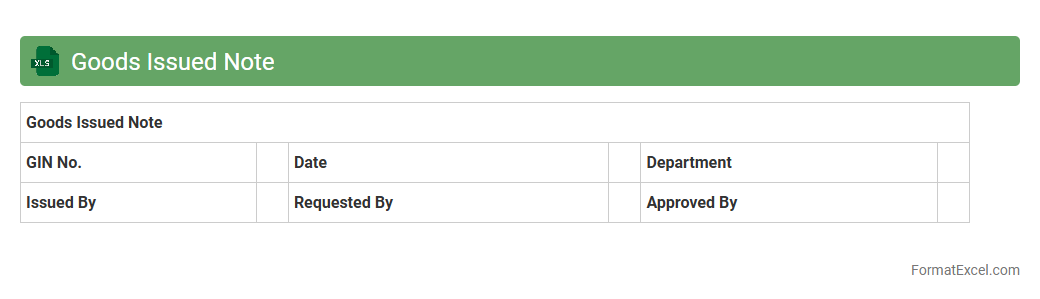
Goods Issued Note Excel document is a detailed record used to track the release of inventory items from a warehouse or store, facilitating accurate stock management and accountability. It helps businesses maintain a clear audit trail by documenting quantities, dates, and recipients of issued goods, which prevents discrepancies in inventory levels. This tool enhances operational efficiency by streamlining inventory control and enabling real-time updates on stock movement.
Stock Movement Register
A
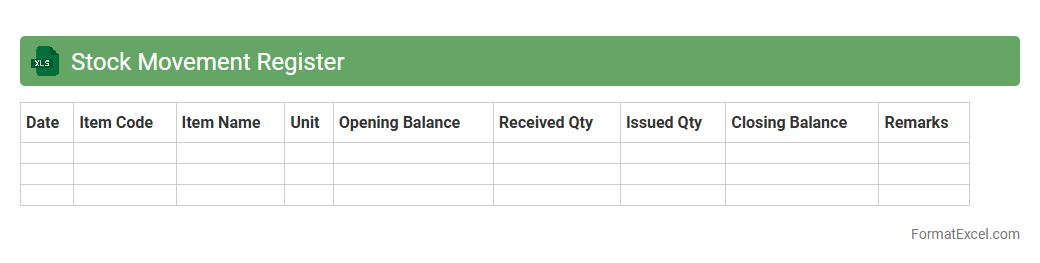
Stock Movement Register Excel document is a detailed spreadsheet that tracks the inflow and outflow of inventory items within a business, recording quantities, dates, and transaction types. It helps maintain accurate inventory levels, preventing stockouts or overstock situations by providing real-time data on stock status. This tool enhances inventory management efficiency, aids in financial reporting, and supports decision-making processes for procurement and sales.
Bin Card Summary
A
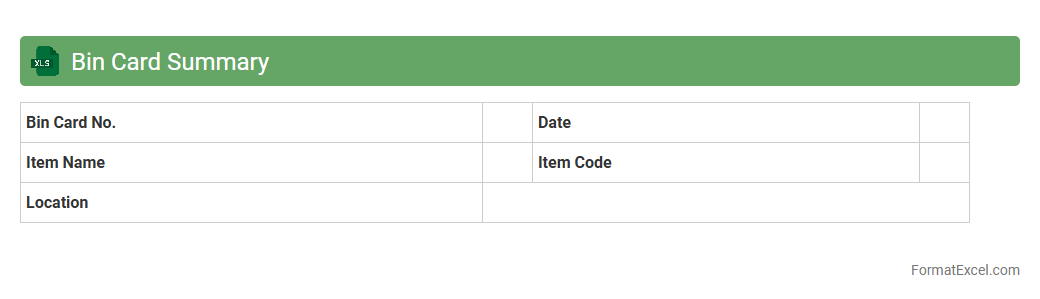
Bin Card Summary Excel document is a detailed inventory tracking tool that records quantities of stock items received, issued, and balance in hand for each bin or storage location. It streamlines inventory management by providing real-time updates on stock levels, reducing errors, and facilitating accurate stock audits. This document is essential for maintaining organized warehouse operations, minimizing stockouts, and optimizing reorder planning.
Stock Ageing Report
A
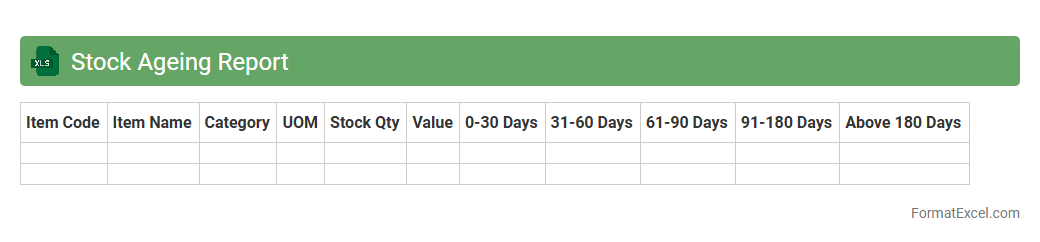
Stock Ageing Report Excel document categorizes inventory based on the length of time items have been in stock, providing a clear view of product turnover and obsolescence. This report helps businesses identify slow-moving or obsolete inventory, enabling effective stock management and reducing holding costs. By analyzing stock age, companies can make informed decisions about purchasing, sales strategies, and inventory clearance to optimize cash flow and storage efficiency.
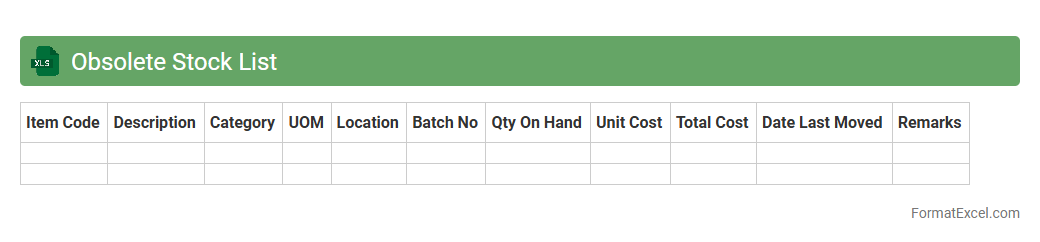
Obsolete Stock List
The
Obsolete Stock List Excel document is a comprehensive inventory file that tracks items no longer in demand or usable within a business. It helps identify excess or outdated stock, enabling efficient inventory management and reducing holding costs. This tool supports better decision-making by highlighting assets that can be sold off, recycled, or written off, improving overall supply chain efficiency.
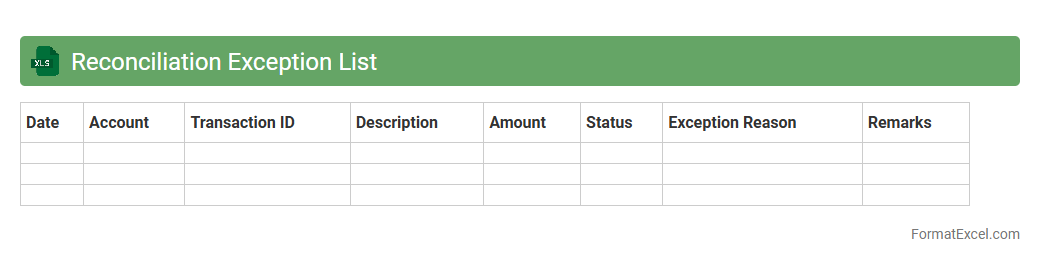
Reconciliation Exception List
The
Reconciliation Exception List Excel document highlights discrepancies between two sets of financial records, enabling users to identify and investigate differences efficiently. This tool streamlines the audit process by organizing unmatched transactions, reducing errors and saving time in financial reviews. Utilizing this list improves accuracy in financial reporting and supports compliance with accounting standards.
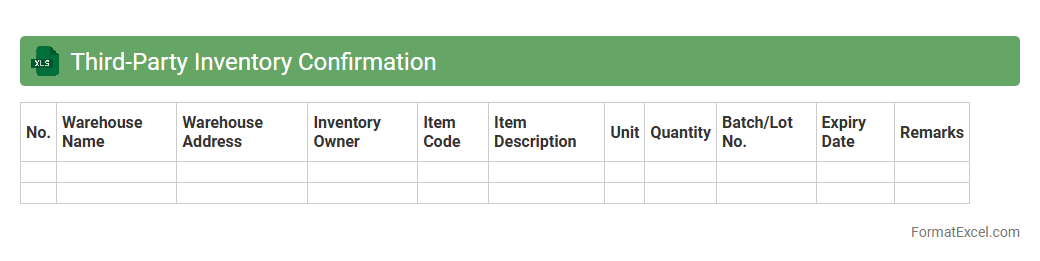
Third-Party Inventory Confirmation
A
Third-Party Inventory Confirmation Excel document is a tool used to verify stock levels held by an external warehouse or supplier, ensuring accuracy and transparency in inventory reporting. It helps businesses reconcile discrepancies between internal records and actual inventory, reducing the risk of stockouts or overstocking. This document streamlines audit processes and enhances trust between trading partners by providing clear, verifiable inventory data.
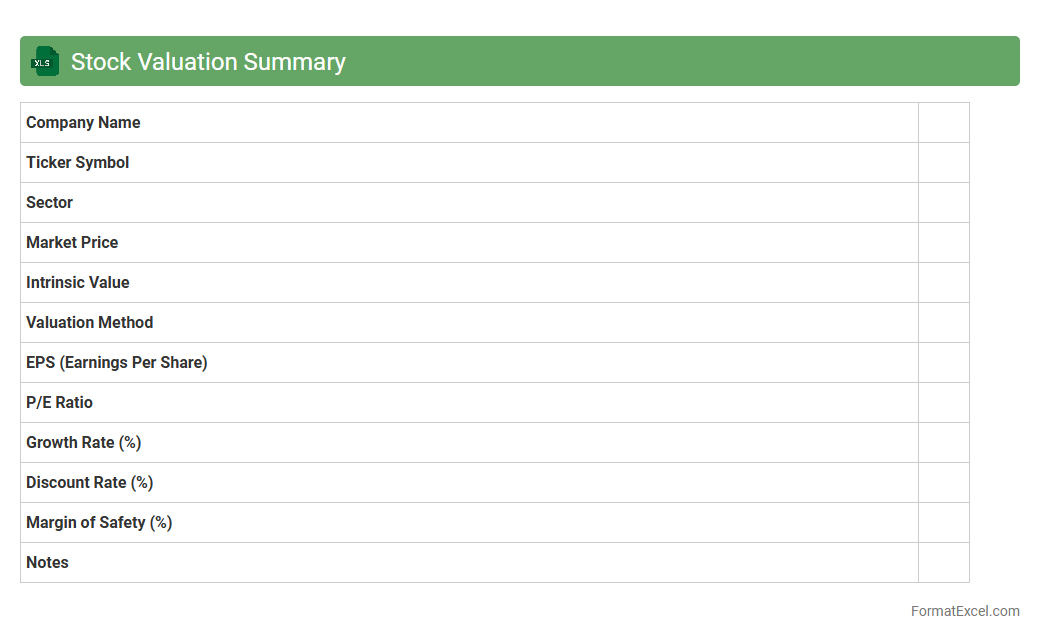
Stock Valuation Summary
A
Stock Valuation Summary Excel document consolidates key financial metrics such as price-to-earnings ratio, dividend yield, and intrinsic value estimates to assess the fair price of stocks. It enables investors to analyze multiple stocks quickly, compare valuation methods, and make informed decisions based on quantitative data. This tool is essential for optimizing portfolio management and identifying undervalued investment opportunities.
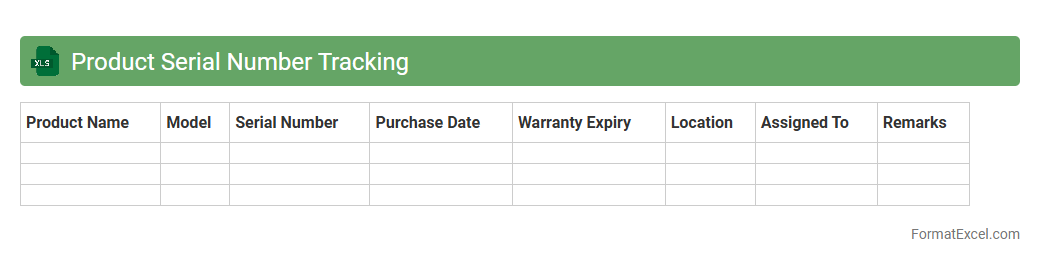
Product Serial Number Tracking
A
Product Serial Number Tracking Excel document is a tool designed to monitor and manage unique identification codes assigned to individual products throughout their lifecycle. It helps businesses maintain accurate inventory records, streamline warranty claims, and improve quality control by easily tracing each product's history and status. This system enhances accountability, reduces errors in product management, and supports efficient after-sales service.
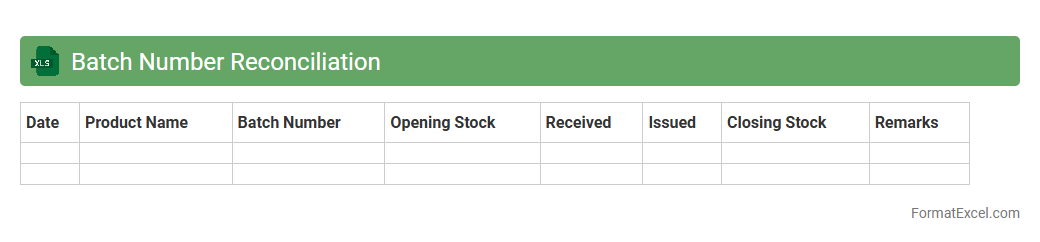
Batch Number Reconciliation
Batch Number Reconciliation Excel document is a crucial tool used to match and verify batch numbers across different records and systems, ensuring data accuracy and consistency in inventory management. It helps in identifying discrepancies, tracking product batches for quality control, and maintaining compliance with regulatory standards. Using a
Batch Number Reconciliation Excel document streamlines the auditing process and minimizes errors in product traceability and reporting.
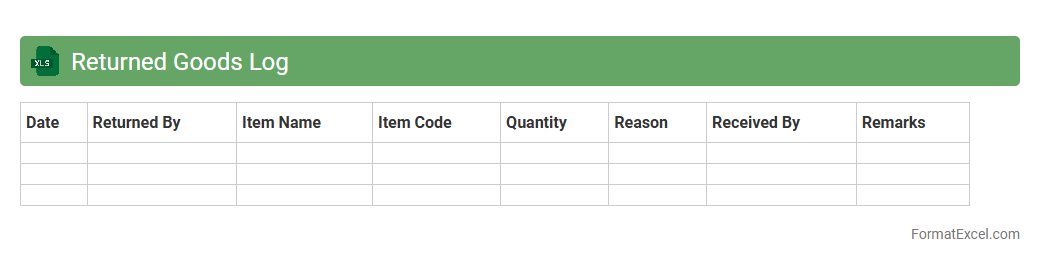
Returned Goods Log
The
Returned Goods Log Excel document is a detailed record of products sent back by customers due to defects, damages, or order inaccuracies. It helps businesses track return trends, identify recurring issues, and streamline inventory management by providing clear insights into the quantity and reasons for returns. Using this log enhances operational efficiency and supports data-driven decisions to improve product quality and customer satisfaction.
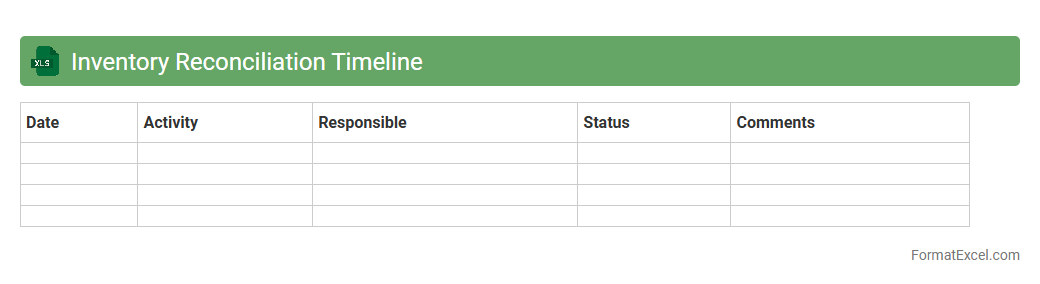
Inventory Reconciliation Timeline
Inventory Reconciliation Timeline excel document tracks inventory discrepancies over specific periods, ensuring accurate stock records and timely resolution of issues. It helps streamline inventory audits by providing a clear visual timeline of stock adjustments, enabling efficient identification of inconsistencies and root causes. Using this tool enhances inventory management, reduces losses, and supports informed decision-making through comprehensive data analysis.
Inventory Reconciliation Timeline is essential for maintaining accurate stock control and operational efficiency.
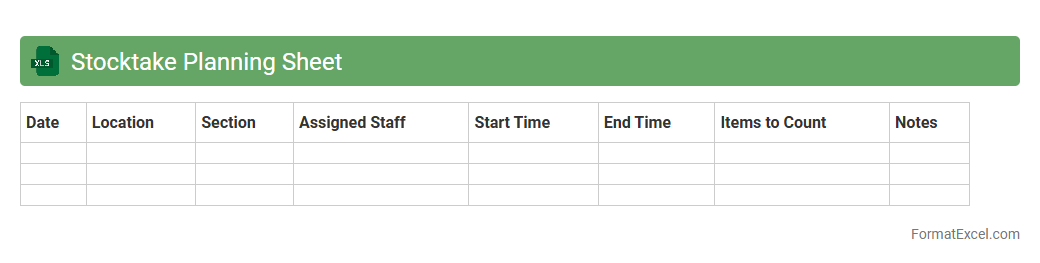
Stocktake Planning Sheet
A
Stocktake Planning Sheet Excel document is a structured tool designed to organize and streamline inventory counting processes. It helps businesses track stock levels accurately, plan stocktake schedules, assign responsibilities, and record discrepancies efficiently. Utilizing this sheet minimizes errors, saves time, and ensures inventory data integrity for better decision-making and resource management.
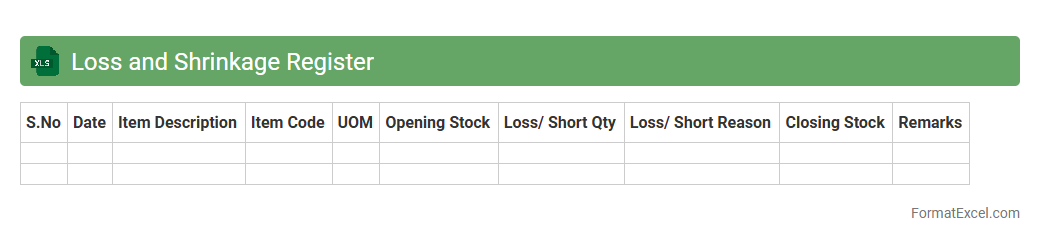
Loss and Shrinkage Register
A
Loss and Shrinkage Register Excel document systematically tracks inventory discrepancies, including lost, damaged, or stolen goods, enabling precise monitoring of business assets. It helps identify patterns of shrinkage, streamlining audit processes and improving inventory management accuracy. Utilizing this register supports informed decision-making to reduce financial losses and optimize stock control strategies.
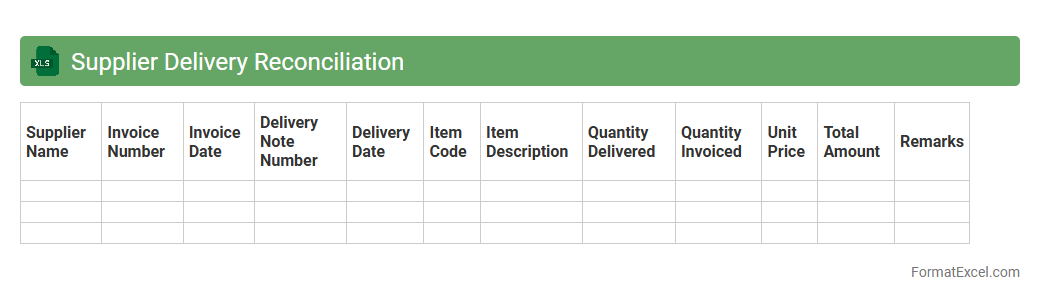
Supplier Delivery Reconciliation
The
Supplier Delivery Reconciliation Excel document is a detailed record used to compare and verify supplier shipment data against purchase orders and received goods. It helps identify discrepancies in quantities, prices, or delivery dates, ensuring accuracy in inventory and financial records. This process improves supply chain transparency and streamlines payment approvals by confirming that supplier invoices match actual deliveries.
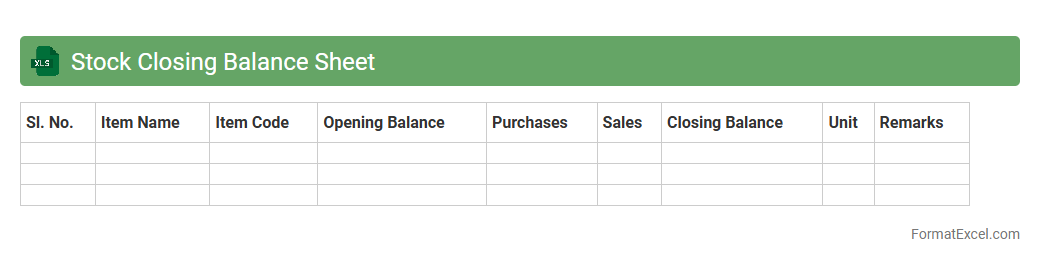
Stock Closing Balance Sheet
A
Stock Closing Balance Sheet Excel document systematically records the ending inventory values and financial position of stock at the close of an accounting period. It provides clear visibility into stock quantities, valuation, and helps track cost of goods sold, enabling accurate financial reporting and inventory management. This tool is essential for businesses to optimize stock levels, reduce holding costs, and ensure compliance with accounting standards.
Stock Reconciliation Checklist
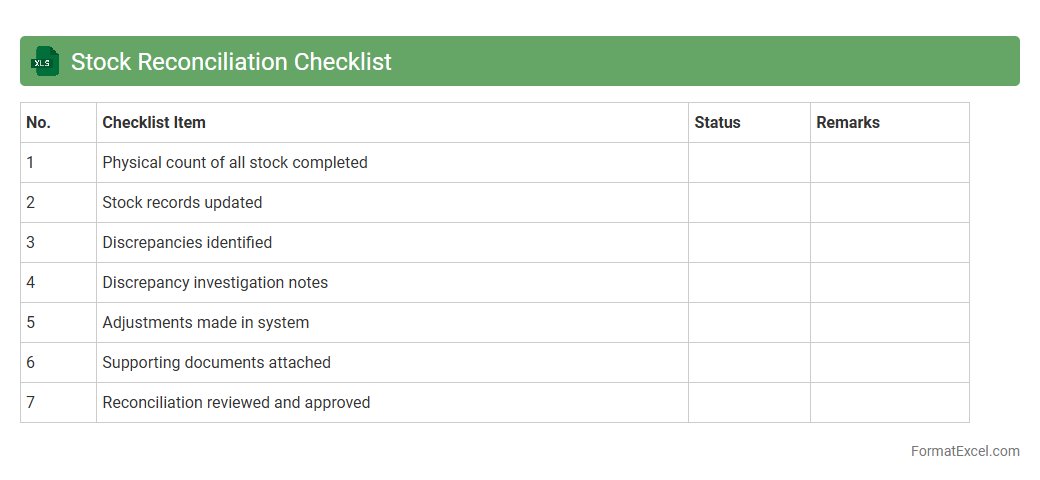
A
Stock Reconciliation Checklist Excel document serves as a systematic tool to compare physical inventory with recorded stock levels, identifying discrepancies and ensuring accurate inventory management. It streamlines the auditing process by providing a clear format for tracking stock counts, adjustments, and variances, enhancing accountability and reducing errors. Businesses use this checklist to maintain financial accuracy, optimize stock control, and prevent losses due to mismanagement or theft.
Introduction to Inventory Reconciliation in Excel
Inventory reconciliation in Excel involves comparing physical stock counts with recorded data to ensure consistency. This process helps identify discrepancies and maintain accurate inventory records. Using Excel makes it accessible and customizable for various business needs.
Importance of Accurate Inventory Records
Accurate inventory records are vital for effective stock management and financial reporting. Errors in records can lead to overstocking, stockouts, or financial losses, impacting business operations. Maintaining accurate inventory data ensures reliable decision-making and improved profitability.
Key Components of an Inventory Reconciliation Format
An effective inventory reconciliation format includes item details, stock quantities, and variance calculations. It also tracks dates and responsible personnel for accountability. The heart of this format is the variance data that highlights discrepancies.
Essential Columns for Excel Inventory Templates
Essential columns include Item Name, SKU, System Quantity, Physical Count, Variance, and Comments. These columns provide a thorough overview for tracking inventory accuracy. Incorporating variance calculation columns is crucial for identifying stock differences.
Steps to Create an Inventory Reconciliation Sheet in Excel
Start by listing all inventory items with their system quantities and physical counts. Use formulas to calculate variances and highlight discrepancies automatically. Following these steps ensures a reliable reconciliation sheet that's easy to update.
Sample Inventory Reconciliation Format in Excel
A sample format typically showcases columns for Item ID, Description, Recorded Quantity, Actual Quantity, Variance, and Remarks. It provides a clear structure for quick reconciliation and audit purposes. Utilizing a sample template accelerates the setup process for new users.
Best Practices for Inventory Data Entry
Ensure data is entered promptly and accurately to avoid reconciliation errors. Double-check quantities during count entry and utilize dropdown lists to minimize input mistakes. Consistent data entry practices enhance the reliability of inventory records.
Common Errors in Inventory Reconciliation and How to Avoid Them
Common errors include data entry mistakes, forgotten adjustments, and miscounts. Avoid these by implementing thorough checks and using automated formulas. Being mindful of these common errors reduces reconciliation time and inaccuracies.
Tips for Automating Inventory Reconciliation in Excel
Leverage Excel features like formulas, conditional formatting, and macros to automate calculations and highlight issues. Automation reduces manual work and increases accuracy during the reconciliation process. Employing Excel automation tools streamlines inventory management.
Downloadable Inventory Reconciliation Excel Templates
Various websites offer free and premium downloadable Excel templates designed for inventory reconciliation. These templates save time and provide standardized formats with built-in formulas. Utilizing a downloadable template can simplify and enhance inventory tracking efforts.