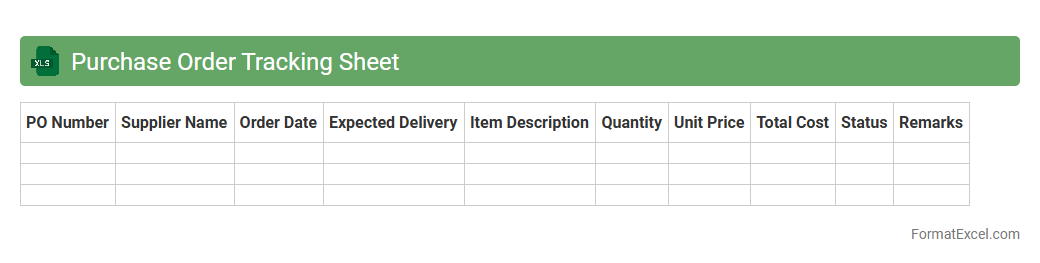
Purchase Order Tracking Sheet
A
Purchase Order Tracking Sheet Excel document is a tool designed to organize and monitor purchase orders, capturing key details such as order numbers, vendor information, delivery dates, and payment status. It improves financial control and supply chain efficiency by providing real-time insights into order progress and outstanding payments. Businesses leverage this tracking system to minimize errors, enhance communication with suppliers, and ensure timely order fulfillment.
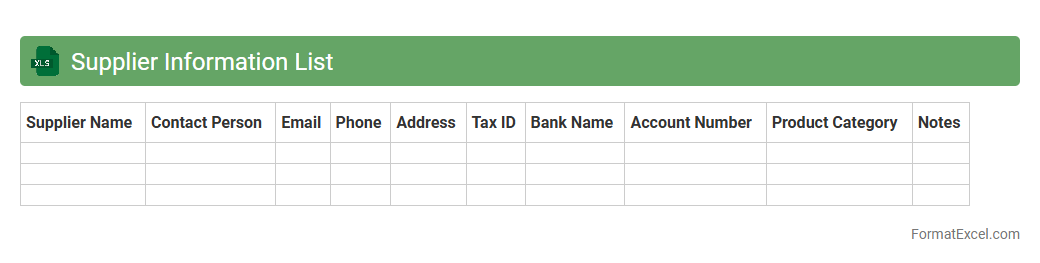
Supplier Information List
A
Supplier Information List Excel document is a structured file that compiles essential details about suppliers, such as contact information, product offerings, payment terms, and performance ratings. This centralized dataset enhances procurement efficiency by enabling quick access to verified supplier data, streamlining vendor evaluation, and facilitating informed decision-making. Using this list improves supply chain management by ensuring consistency in supplier communications and tracking supplier reliability over time.
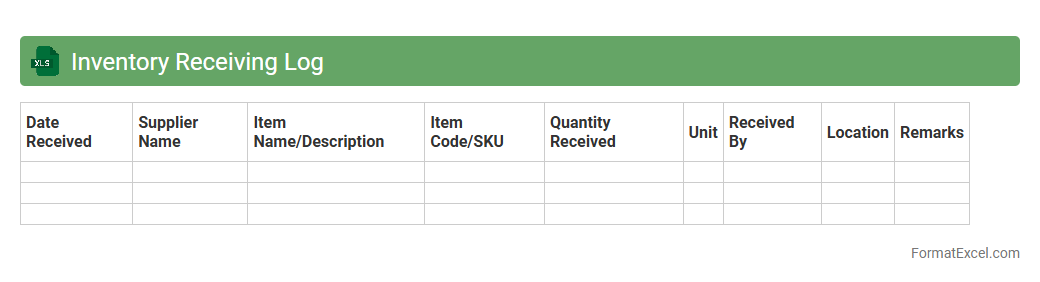
Inventory Receiving Log
An
Inventory Receiving Log Excel document is a structured spreadsheet used to record details of incoming inventory shipments, including quantities, item descriptions, delivery dates, and supplier information. It enhances accuracy and efficiency in tracking stock levels, ensuring timely updates for inventory management systems. This log helps prevent discrepancies, supports audit trails, and improves overall supply chain visibility.
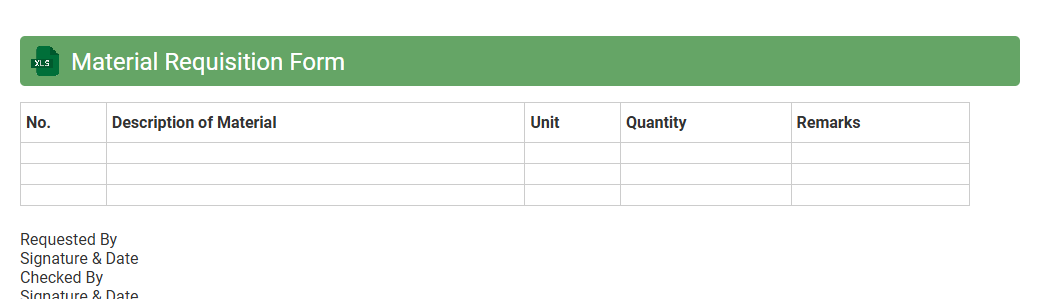
Material Requisition Form
A
Material Requisition Form Excel document is a structured template used to request and track materials needed for projects or production processes. It streamlines inventory management by ensuring accurate recording of material quantities, specifications, and requisition dates, minimizing errors and delays. This form enhances communication between departments and supports efficient procurement planning, reducing downtime and controlling costs effectively.
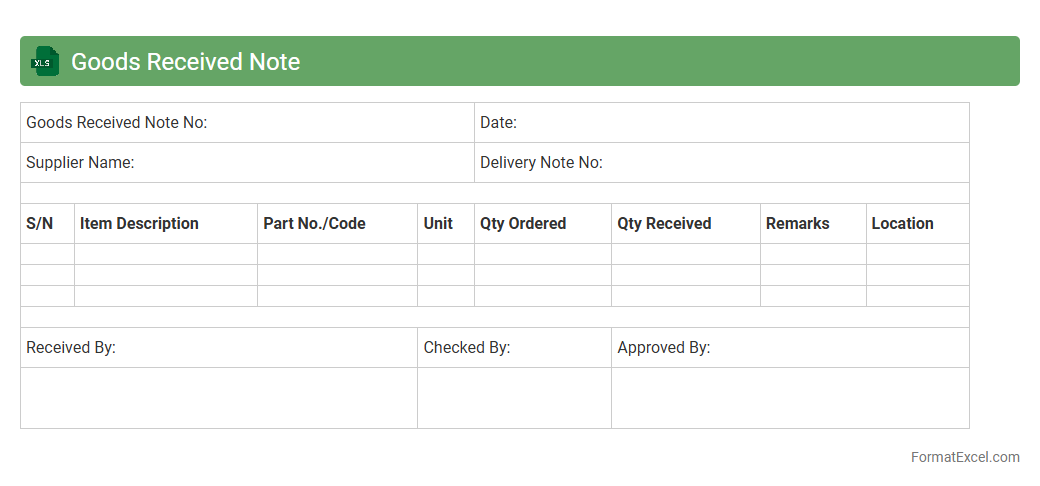
Goods Received Note
A
Goods Received Note (GRN) Excel document is a digital form used to record the receipt of goods from suppliers, ensuring accurate verification against purchase orders and delivery notes. It helps businesses track inventory updates, manage stock levels, and maintain accountability by documenting quantities, descriptions, and conditions of received items. Utilizing a GRN Excel sheet streamlines the receiving process, reduces errors, and supports efficient supply chain management and auditing practices.
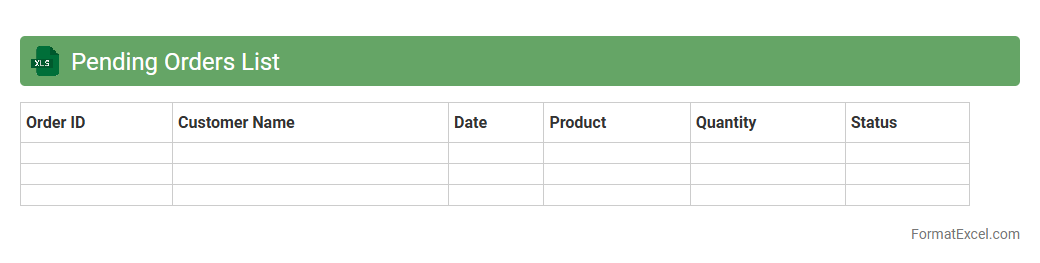
Pending Orders List
The
Pending Orders List Excel document tracks all outstanding purchase or sales orders that have not yet been fulfilled or processed. It facilitates efficient order management by providing a clear overview of pending transactions, allowing teams to prioritize tasks, monitor delivery timelines, and avoid delays. This organized data helps businesses improve customer satisfaction and optimize inventory control.
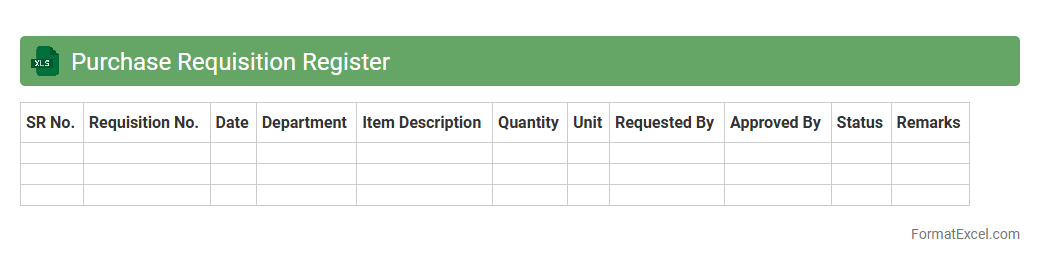
Purchase Requisition Register
A
Purchase Requisition Register Excel document is a structured tool used to record and track all purchase requests within an organization. It allows for efficient monitoring of procurement needs, approval statuses, and budget allocations, ensuring transparency and control over purchasing activities. This register helps streamline inventory management and enhances communication between departments, leading to better financial planning and resource utilization.
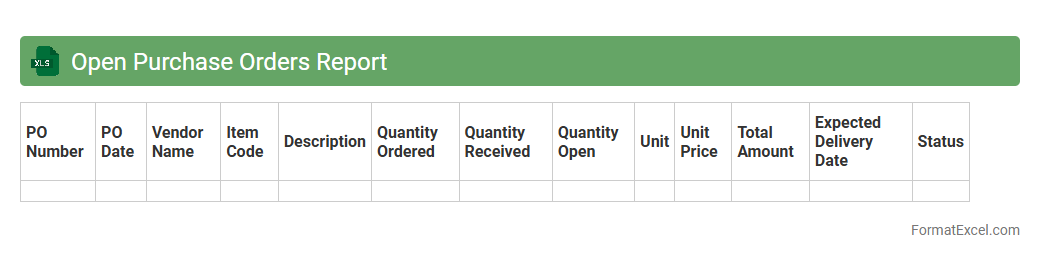
Open Purchase Orders Report
The
Open Purchase Orders Report Excel document provides a detailed overview of all pending purchase orders that have not yet been fulfilled or received. It helps businesses track outstanding orders, manage vendor relationships, and monitor budget commitments effectively. By analyzing this report, organizations can improve inventory planning, avoid stockouts, and ensure timely payments.
Stock Receipt Register
A
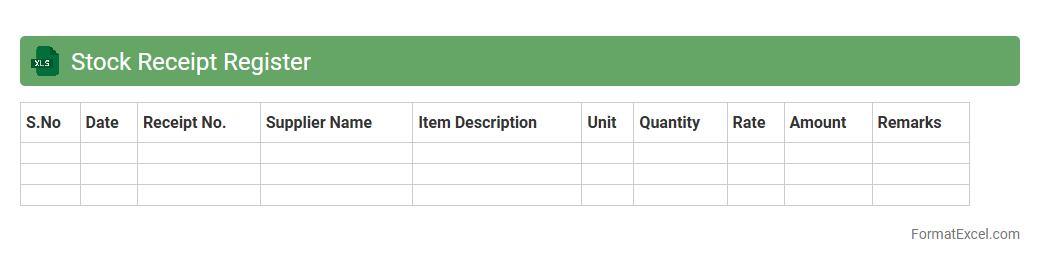
Stock Receipt Register Excel document is a detailed record that tracks the receipt of inventory items into a business's stock. It helps monitor quantities, dates, suppliers, and invoice details, ensuring accuracy in inventory management and preventing stock discrepancies. This register enhances operational efficiency by providing clear visibility of incoming stock, supporting timely audits and replenishment decisions.
Invoice Matching Sheet
An
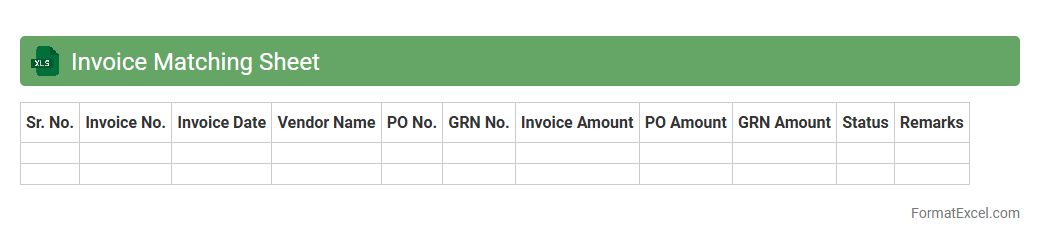
Invoice Matching Sheet in Excel is a structured document used to compare and verify invoices against purchase orders and delivery receipts, ensuring accuracy in billing and payments. It helps identify discrepancies such as incorrect quantities, prices, or missing items before processing payments, reducing errors and preventing fraud. This tool streamlines accounting workflows, enhances financial control, and improves audit readiness by maintaining transparent records of matched transactions.
Vendor Performance Record
A
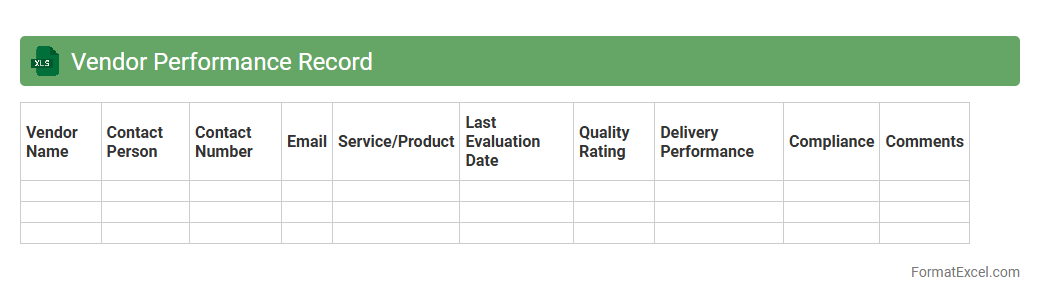
Vendor Performance Record Excel document is a structured tool used to track and evaluate the efficiency, reliability, and quality of vendors over time. It compiles critical metrics such as delivery times, product quality, compliance rates, and communication effectiveness, enabling businesses to make informed decisions regarding supplier management. This document is essential for improving procurement strategies, identifying top-performing vendors, and mitigating risks associated with subpar supplier performance.
Backorder Tracking Log
A
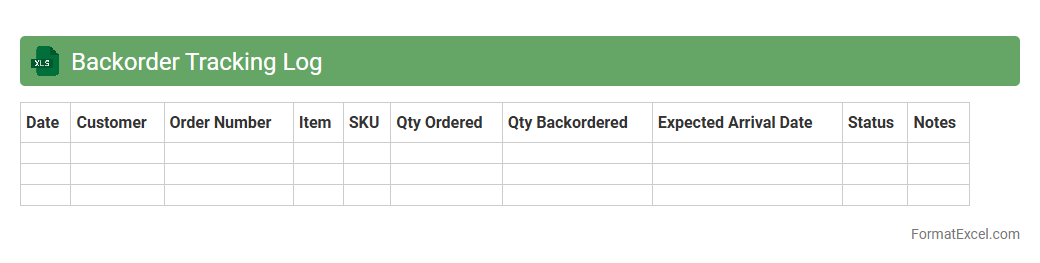
Backorder Tracking Log Excel document records and monitors pending customer orders that cannot be fulfilled immediately due to inventory shortages. This tool helps businesses efficiently track order status, manage stock levels, and prioritize fulfillment to improve customer satisfaction. By providing clear visibility into backorders, it supports better decision-making and streamlines supply chain operations.
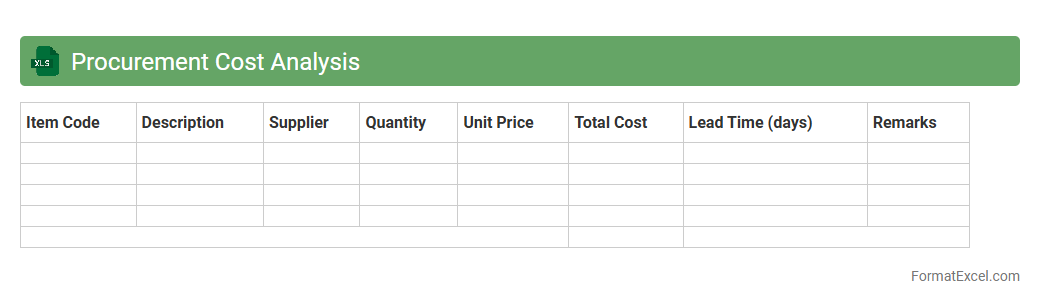
Procurement Cost Analysis
Procurement Cost Analysis Excel document is a comprehensive tool that helps organizations track, evaluate, and manage expenses associated with purchasing goods and services. It enables detailed comparison of supplier prices, identification of cost-saving opportunities, and optimization of procurement budgets. Using this
cost analysis spreadsheet improves decision-making by providing clear insights into spending patterns and vendor performance.
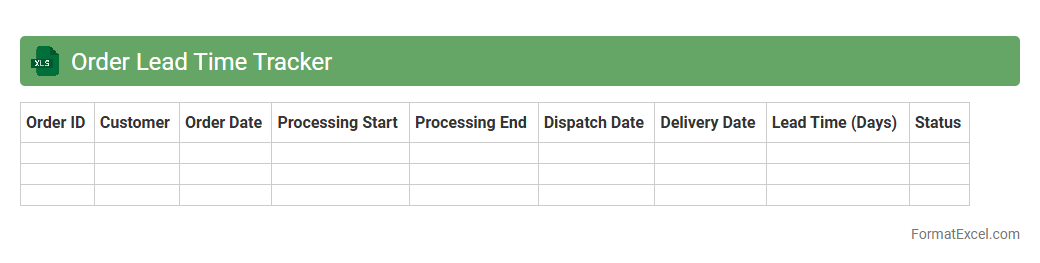
Order Lead Time Tracker
The
Order Lead Time Tracker Excel document is a tool designed to monitor and analyze the time taken from order placement to delivery, providing critical insights into supply chain efficiency. It helps businesses identify bottlenecks, optimize inventory management, and improve customer satisfaction by ensuring timely order fulfillment. Utilizing this tracker enables better decision-making through accurate lead time data, ultimately enhancing operational productivity and reducing delays.
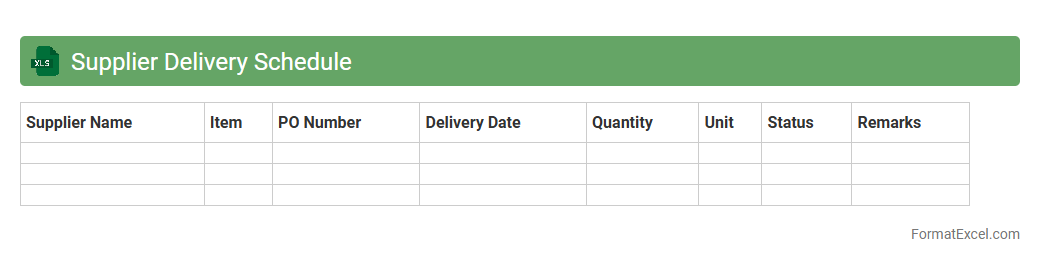
Supplier Delivery Schedule
A
Supplier Delivery Schedule Excel document is a tool used to plan, track, and manage the timeline of deliveries from suppliers to ensure timely receipt of materials. It provides a clear overview of order quantities, delivery dates, and supplier performance, enhancing supply chain coordination and inventory management. This document helps reduce delays, avoid stockouts, and improve communication between procurement teams and suppliers.
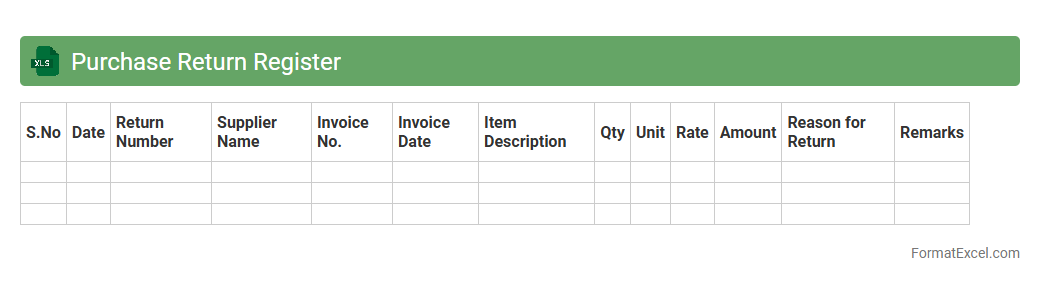
Purchase Return Register
The
Purchase Return Register Excel document records all returned purchases systematically, enabling clear tracking of products sent back to suppliers. It helps in maintaining accurate financial records, managing inventory adjustments, and reconciling accounts payable efficiently. This document is essential for businesses to monitor return trends, identify discrepancies, and streamline return processes.
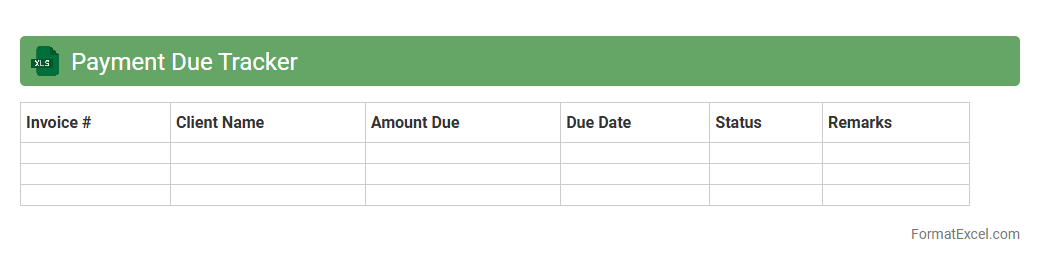
Payment Due Tracker
The
Payment Due Tracker Excel document is a powerful tool designed to monitor and manage outstanding payments efficiently. It helps users keep track of due dates, amounts, and client information, reducing the risk of missed or late payments. By organizing payment schedules and automating reminders, this tracker improves cash flow management and enhances financial accountability.
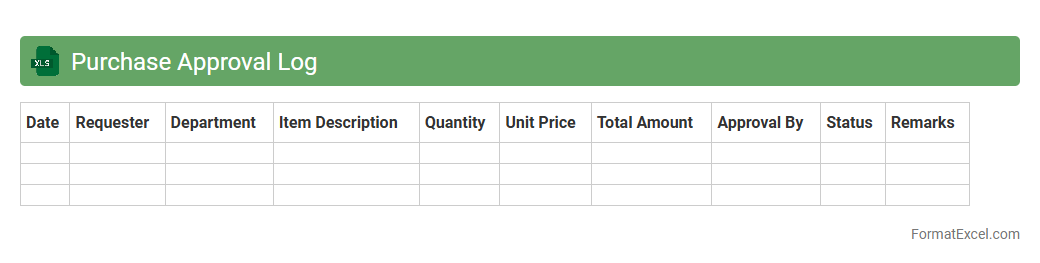
Purchase Approval Log
A
Purchase Approval Log Excel document is a detailed record tracking all purchase requests and their approval statuses within an organization. It provides transparency and control over expenditures by documenting dates, approvers, amounts, and vendor details, which helps streamline the procurement process. This log improves accountability, facilitates budget management, and ensures compliance with company purchasing policies.
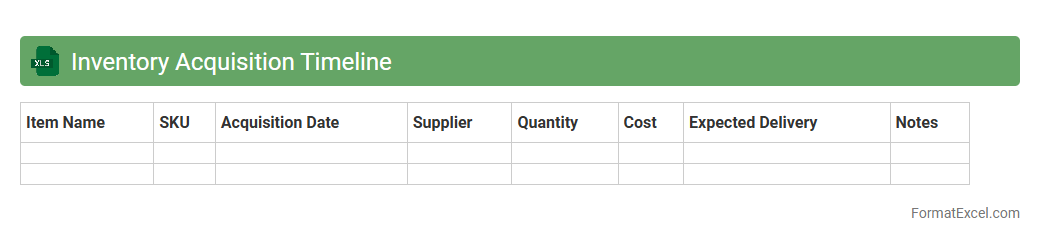
Inventory Acquisition Timeline
The
Inventory Acquisition Timeline Excel document tracks the chronological order of acquiring inventory items, detailing purchase dates, quantities, and supplier information. This tool enhances inventory management by providing clear visibility into stock replenishment schedules, ensuring timely procurement and reducing stockouts. Businesses use this timeline to optimize supply chain operations, improve forecasting accuracy, and maintain balanced inventory levels.
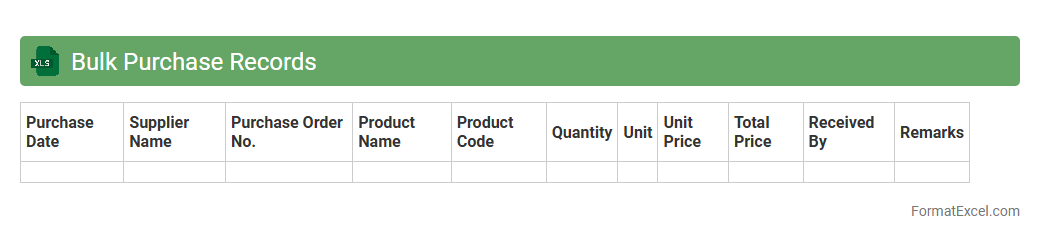
Bulk Purchase Records
A
Bulk Purchase Records Excel document is a structured spreadsheet used to systematically track and manage large volume transactions of goods or services. It consolidates essential data such as item details, quantities, supplier information, purchase dates, and costs, enabling efficient analysis and oversight of procurement activity. This document proves invaluable for optimizing inventory control, ensuring accurate financial reporting, and streamlining vendor management.
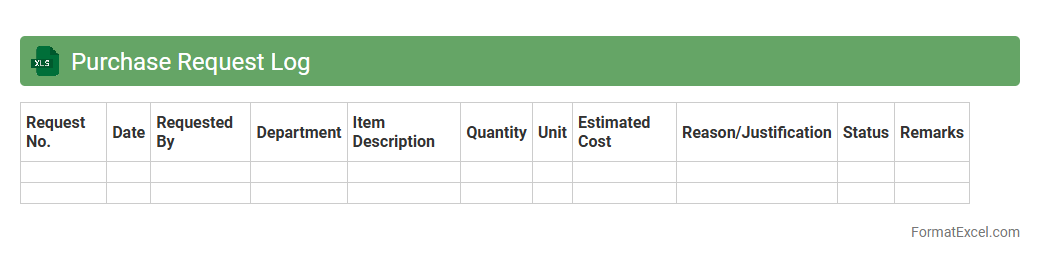
Purchase Request Log
A
Purchase Request Log Excel document is a structured spreadsheet used to record and track all purchase requests within an organization, including details like request dates, item descriptions, quantities, and approval statuses. It streamlines procurement processes by providing clear visibility on pending and completed requests, enabling efficient budget management and timely order fulfillment. This log enhances accountability and communication between departments, reducing errors and ensuring compliance with company purchasing policies.
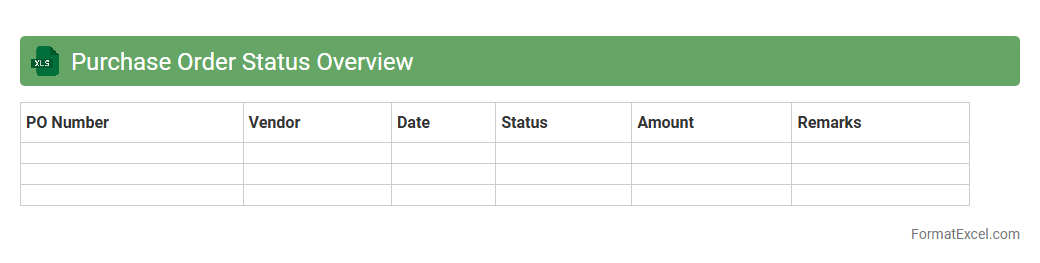
Purchase Order Status Overview
The
Purchase Order Status Overview Excel document provides a comprehensive snapshot of all purchase orders, tracking their current stages from creation to fulfillment. It enables efficient monitoring of order progress, payment status, and delivery timelines, facilitating better inventory management and vendor communication. This tool enhances decision-making by offering real-time insights into procurement activities, reducing delays and improving overall supply chain efficiency.
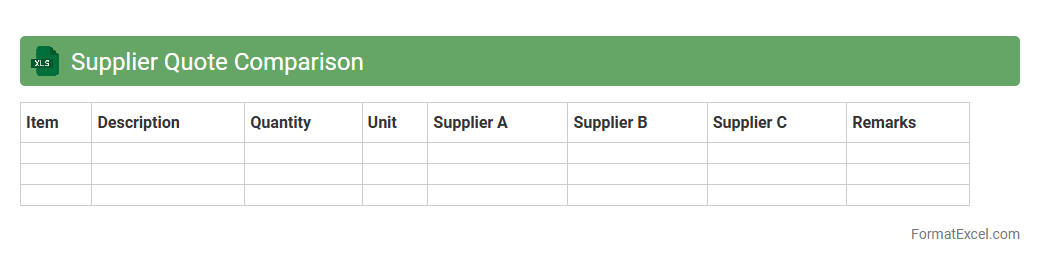
Supplier Quote Comparison
A
Supplier Quote Comparison Excel document systematically organizes and compares pricing, terms, and conditions from multiple suppliers, enabling businesses to make informed purchasing decisions. This tool enhances cost-efficiency by highlighting the best value offers and helps streamline vendor selection processes with clear, side-by-side data analysis. Utilizing this document improves budget management and supports strategic sourcing by ensuring transparent evaluation criteria are consistently applied.
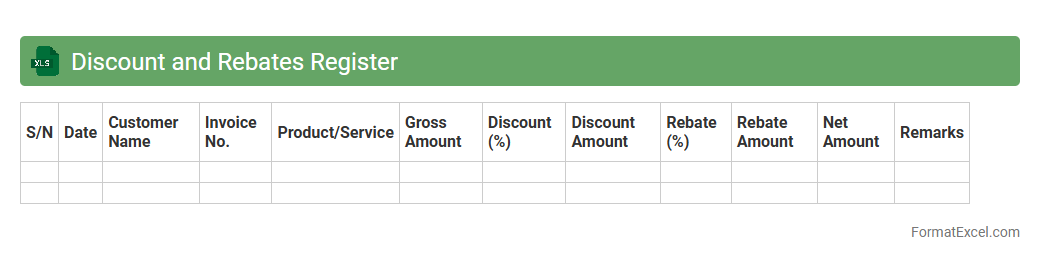
Discount and Rebates Register
The
Discount and Rebates Register Excel document is a comprehensive tool used to systematically track all discount offers and rebate transactions associated with sales and purchases. This register helps businesses maintain accurate records of reduced prices and earned rebates, enabling better financial management and forecasting. It streamlines the process of monitoring promotional activities, ensuring transparency and aiding in optimizing profit margins.
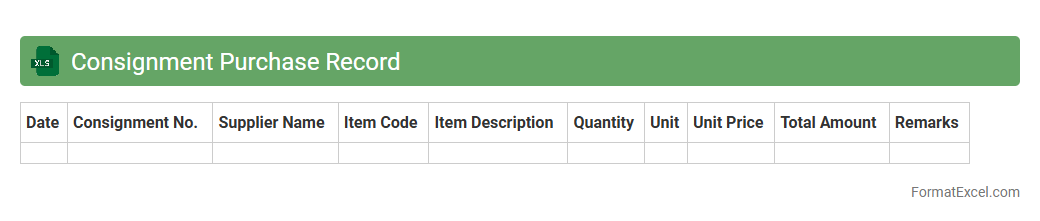
Consignment Purchase Record
A
Consignment Purchase Record Excel document is a structured spreadsheet used to track inventory items purchased on consignment, detailing quantities, costs, supplier information, and payment status. It helps businesses maintain accurate records of consigned goods, monitor stock levels, and manage financial transactions efficiently. This tool ensures transparency and simplifies reconciliation between buyers and suppliers by providing organized data for decision-making and auditing purposes.
Introduction to Inventory Purchase Formats
An Inventory Purchase Format is a structured template used to record and track purchases of stock efficiently. It enables businesses to maintain accurate records of goods bought over time. Utilizing such formats helps streamline inventory management processes.
Importance of Structured Inventory Management
Structured Inventory Management ensures that companies maintain optimal stock levels and avoid overstocking or shortages. It improves financial accuracy and operational efficiency. Proper management is critical for meeting customer demands timely.
Key Components of an Inventory Purchase Format
The format typically includes purchase order number, item description, quantity, unit price, vendor details, and purchase date. These components provide comprehensive information for inventory tracking. Including all key elements is essential for transparency and accountability.
Benefits of Using Excel for Inventory Purchases
Excel offers a user-friendly platform with customizable templates ideal for inventory purchases. It supports formulas for automatic calculations and easy data analysis. Excel integration also simplifies report generation and data sharing.
Essential Columns in an Inventory Purchase Template
Important columns to include are Item Code, Description, Quantity, Unit Price, Total Cost, Supplier, and Purchase Date. Each column plays a vital role in capturing necessary purchase details accurately. Proper column structure enhances data clarity and usability.
Step-by-Step Guide to Creating an Excel Inventory Purchase Format
Start by designing column headers, then input sample data and incorporate formulas for totals. Add dropdown lists for consistent supplier names and apply formatting for readability. Regularly update the sheet to ensure accuracy and efficiency.
Sample Inventory Purchase Format in Excel
A sample format might list items purchased, quantities, unit prices, and calculate individual and total costs automatically. Including supplier information and purchase dates ensures thorough record-keeping. This example serves as a practical starting point for customization.
Tips for Customizing Your Inventory Purchase Excel Sheet
Customize by adding columns like payment status or delivery dates based on business needs. Use conditional formatting to highlight low stock or overdue payments. Tailoring your sheet makes inventory management more responsive and effective.
Common Mistakes to Avoid in Inventory Purchase Documentation
Avoid errors such as omitting purchase dates, inaccurate quantities, and inconsistent supplier names. These mistakes can lead to inventory discrepancies and financial loss. Maintaining precise and consistent records is crucial for reliable inventory control.
Downloadable Inventory Purchase Format Templates in Excel
Many websites provide free or premium Excel inventory purchase templates for immediate use. These templates save time and offer pre-built structures suited for various industries. Always select templates that align with your specific inventory tracking requirements.