Stock Inward Register
A
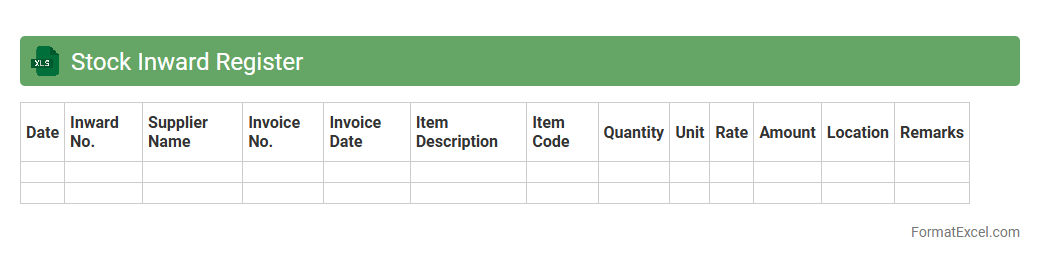
Stock Inward Register Excel document is a structured spreadsheet used to record and track incoming inventory items, including quantities, dates, supplier details, and product descriptions. This tool helps businesses maintain accurate records of stock inflows, reducing errors and improving inventory management efficiency. It enables timely stock reconciliation, better procurement planning, and enhanced overall supply chain visibility.
Stock Outward Register
The
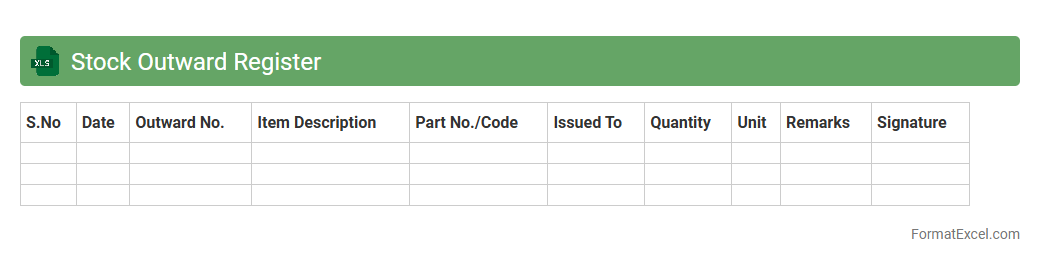
Stock Outward Register Excel document is a detailed record that tracks the quantity, date, and destination of goods leaving inventory, ensuring accurate stock management. It helps businesses monitor outgoing shipments, prevent stock discrepancies, and maintain real-time inventory levels. Utilizing this register improves supply chain transparency and supports timely reordering decisions.
Stock Balance Register
A
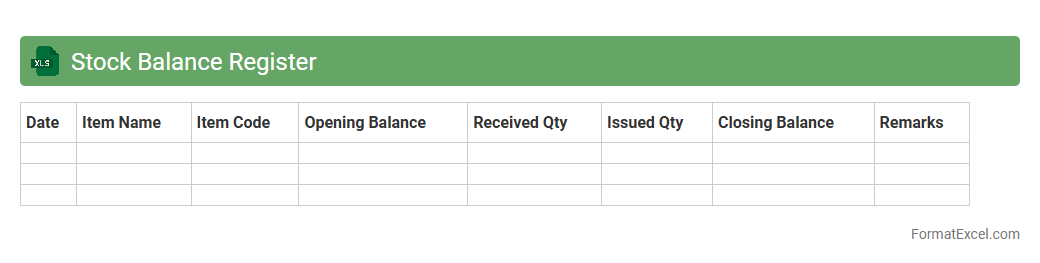
Stock Balance Register Excel document is a detailed record that tracks the quantity and value of inventory items within a business, updated regularly to reflect stock inflows and outflows. It helps maintain accurate stock levels, prevents overstocking or stockouts, and supports efficient inventory management for cost control and operational planning. This tool is invaluable for businesses aiming to optimize supply chain management and streamline procurement processes.
Material Issue Register
A
Material Issue Register Excel document is a digital tool used to systematically record, track, and manage the issuance of materials within a project or organization. It helps ensure accurate inventory control, minimizes wastage, and provides real-time visibility of material usage and stock levels. This register enhances project efficiency by facilitating timely procurement decisions and enabling effective resource allocation.
Material Receipt Register
The
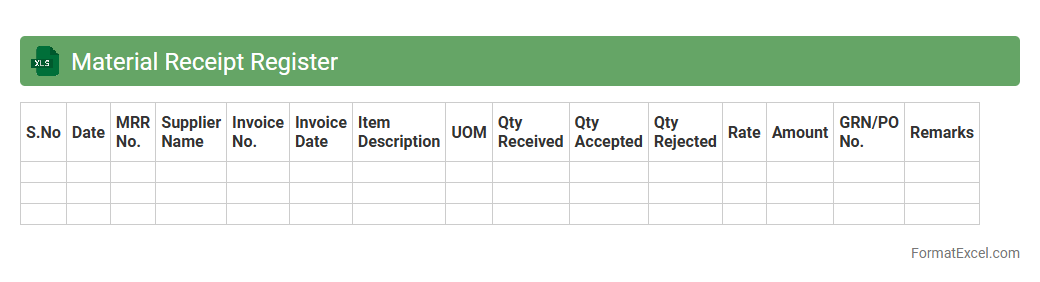
Material Receipt Register Excel document is a structured record-keeping tool that tracks the receipt of materials in inventory management systems. It captures essential data such as item descriptions, quantities received, dates, supplier information, and purchase order references, ensuring accurate monitoring of materials entering the warehouse. This document enhances inventory control, reduces discrepancies, and streamlines procurement auditing processes for businesses.
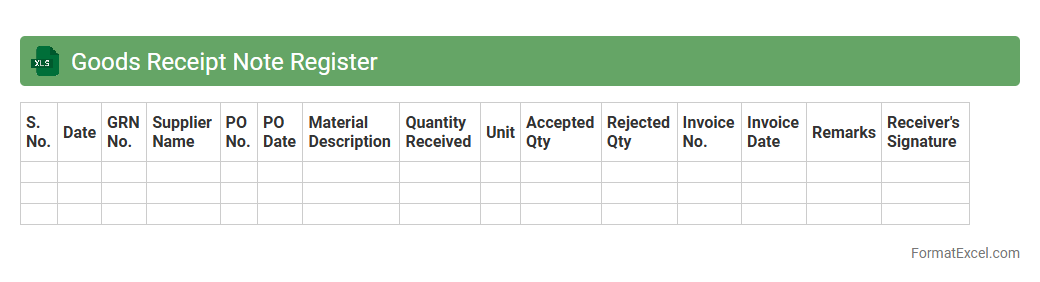
Goods Receipt Note Register
A
Goods Receipt Note Register Excel document is a structured record used to track the receipt of goods into inventory, capturing details such as item descriptions, quantities, delivery dates, and supplier information. This document improves inventory management by providing a clear, organized log that facilitates accurate stock updates and helps identify discrepancies between ordered and received items. Using this register enhances accountability and streamlines the auditing process, ensuring efficient supply chain operations.
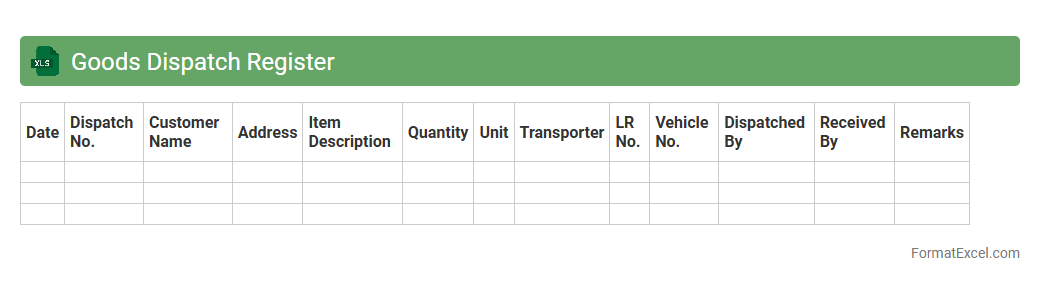
Goods Dispatch Register
A
Goods Dispatch Register Excel document is a structured digital record used to track the details of goods dispatched from a company or warehouse, including dates, quantities, item descriptions, and recipient information. This register helps streamline inventory management by providing real-time data on outbound shipments, reducing errors, and enhancing accountability. Using this document facilitates efficient logistics control, timely order fulfillment, and improved communication across supply chain teams.
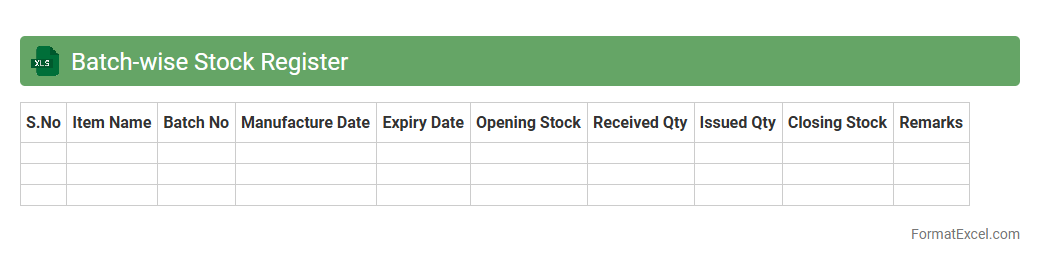
Batch-wise Stock Register
A
Batch-wise Stock Register Excel document systematically records inventory quantities along with their respective batch numbers, enabling precise tracking of stock movement and expiry dates. It facilitates efficient inventory management by providing clear visibility of available batches, helping to prevent stockouts and reduce waste due to expired products. This tool is essential for businesses needing detailed batch-level control to ensure quality compliance and accurate stock valuation.
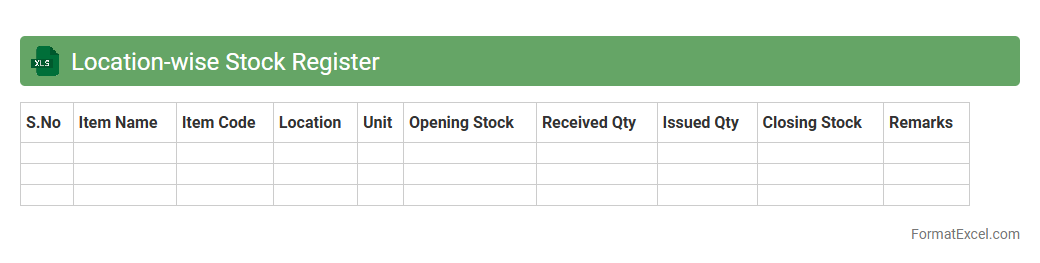
Location-wise Stock Register
A
Location-wise Stock Register Excel document systematically tracks inventory levels across multiple storage sites, enabling precise monitoring of stock availability by location. It helps businesses optimize warehouse management, reduce stockouts, and improve demand forecasting by providing real-time insights into inventory distribution. This tool supports efficient resource allocation and enhances decision-making for procurement and supply chain operations.
Item-wise Stock Register
An
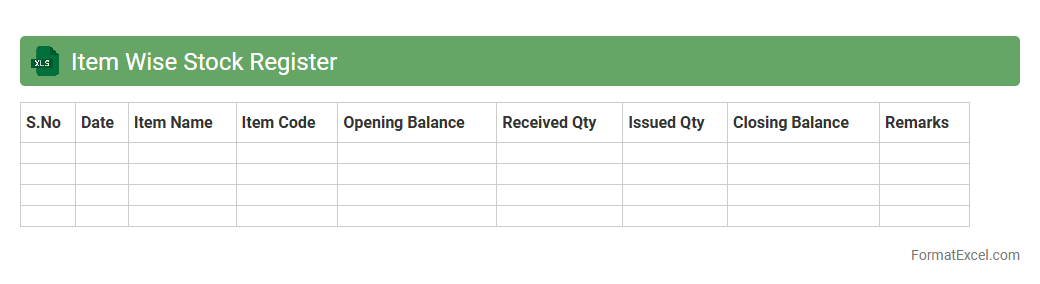
Item-wise Stock Register Excel document is a detailed inventory management tool that tracks the quantity, movement, and status of individual items in stock. It helps businesses maintain accurate records of stock levels, monitor stock inflows and outflows, and identify discrepancies for better inventory control. This document improves decision-making by providing clear insights into stock availability, reducing stockouts, and optimizing reorder processes.
Daily Stock Register
A
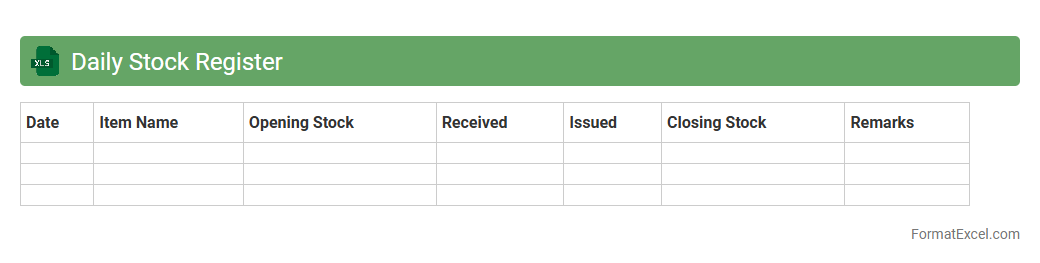
Daily Stock Register Excel document is a systematic tool used to record and track inventory transactions on a daily basis, including stock additions, removals, and balances. It helps businesses maintain accurate inventory levels, avoid stockouts or overstocks, and ensures effective monitoring of stock movements. This organized record-keeping supports efficient inventory management, facilitates auditing processes, and aids in making informed purchasing decisions.
Monthly Stock Register
A
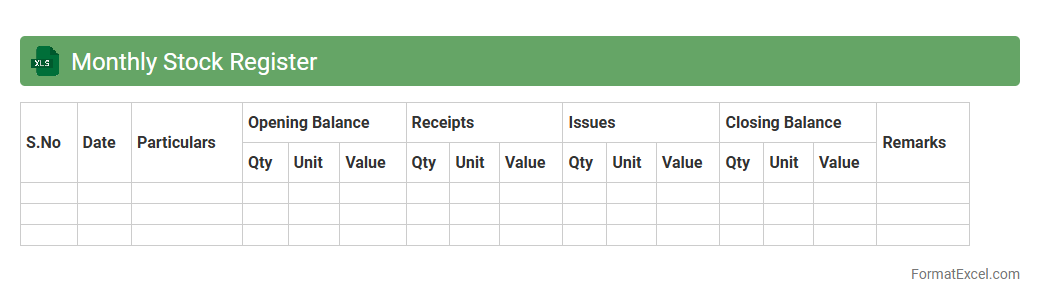
Monthly Stock Register Excel document is a systematic tool used to record and track inventory levels, purchases, sales, and stock movements on a monthly basis. This document helps businesses maintain accurate inventory control, identify stock discrepancies, and optimize order management. Utilizing this register enhances transparency, improves financial reporting, and supports efficient supply chain operations.
Stock Adjustment Register
The
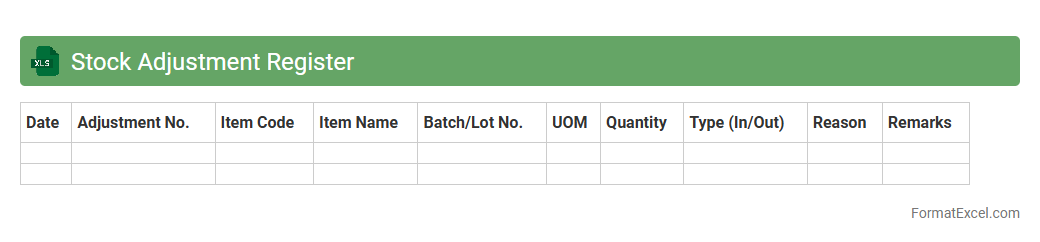
Stock Adjustment Register Excel document is a comprehensive tool used to record and track inventory changes, including additions, removals, and corrections in stock levels. It helps businesses maintain accurate inventory data by providing detailed entries for stock adjustments, which ensures efficient inventory management and minimizes discrepancies. This register supports better decision-making by offering clear insights into stock movements and enabling regular reconciliation of physical and recorded inventory.
Physical Stock Verification Register
The
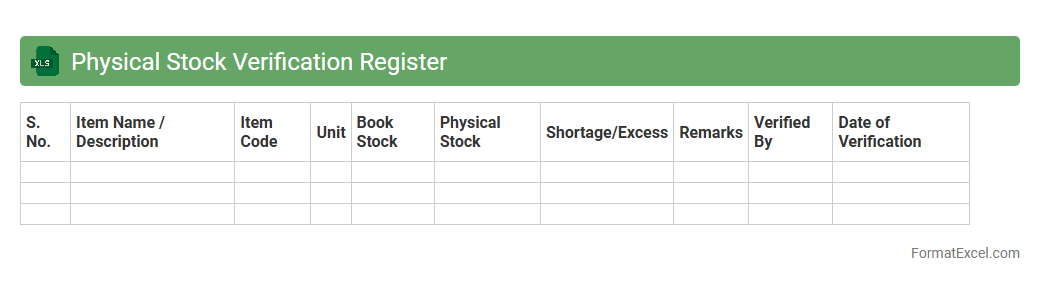
Physical Stock Verification Register Excel document is a structured digital ledger used to track and record inventory counts during physical stock verification processes. It enables businesses to maintain accurate inventory data by comparing actual stock levels against recorded balances, helping to identify discrepancies, prevent losses, and ensure financial accuracy. This document streamlines inventory audits, supports effective stock management, and enhances overall operational efficiency.
Damaged Stock Register
The
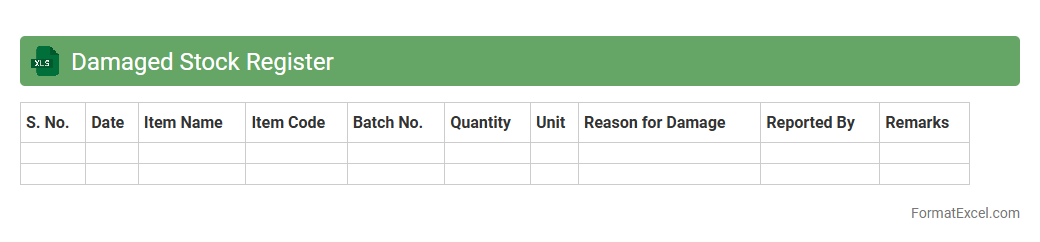
Damaged Stock Register Excel document is a specialized record-keeping tool used to track inventory items that are damaged or unsellable. It helps businesses maintain accurate records of stock condition, quantify losses, and facilitate efficient inventory management by identifying discrepancies in stock levels. This document is crucial for auditing purposes, cost control, and improving overall supply chain transparency.
Returnable Gate Pass Register
The
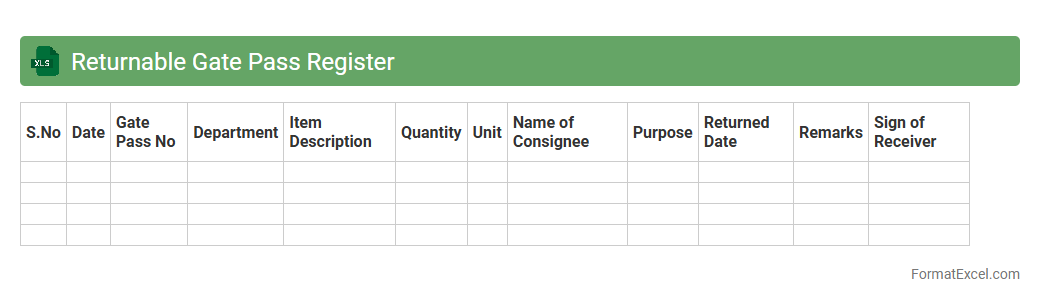
Returnable Gate Pass Register Excel document is a comprehensive tracking system designed to monitor items leaving and returning to a facility, ensuring accountability and organized record-keeping. It helps businesses maintain security by recording details such as item descriptions, quantities, issue dates, return dates, and the responsible personnel. This systematic approach reduces loss, improves asset management, and facilitates easy retrieval of gate pass information when needed.
Non-returnable Gate Pass Register
A
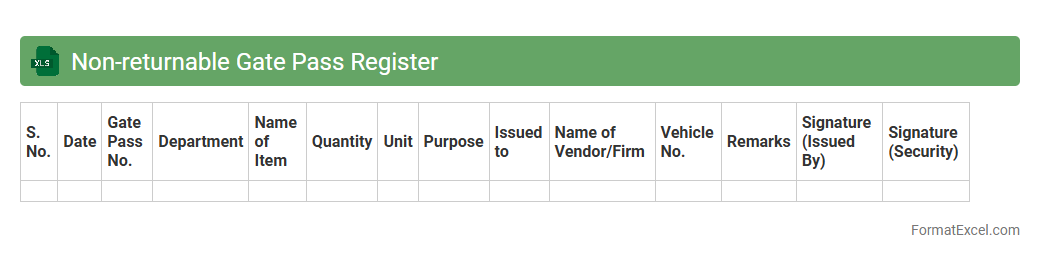
Non-returnable Gate Pass Register Excel document is a record-keeping tool used to track materials or items leaving a facility that are not expected to be returned. It helps organizations maintain accountability by documenting item descriptions, quantities, recipient details, and dates of issue. This register enhances inventory control, prevents unauthorized removal, and supports audit trails for compliance and security purposes.
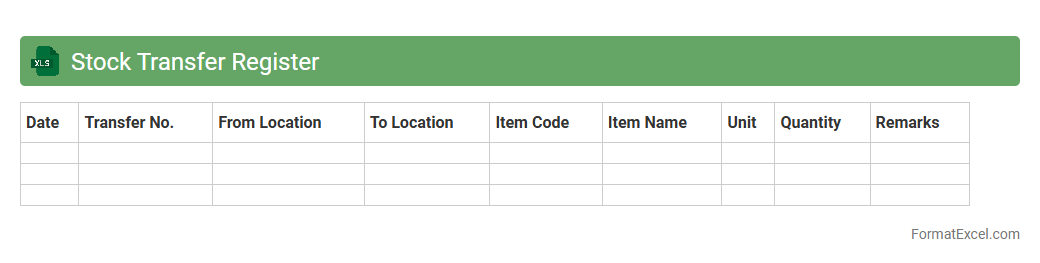
Stock Transfer Register
A
Stock Transfer Register Excel document is a detailed record used to track the movement of inventory between different locations within a company or between business partners. It helps businesses maintain accurate inventory levels, reduce discrepancies, and streamline logistics by providing clear visibility into stock transfers. This tool is essential for optimizing supply chain management, improving accountability, and ensuring efficient resource allocation.
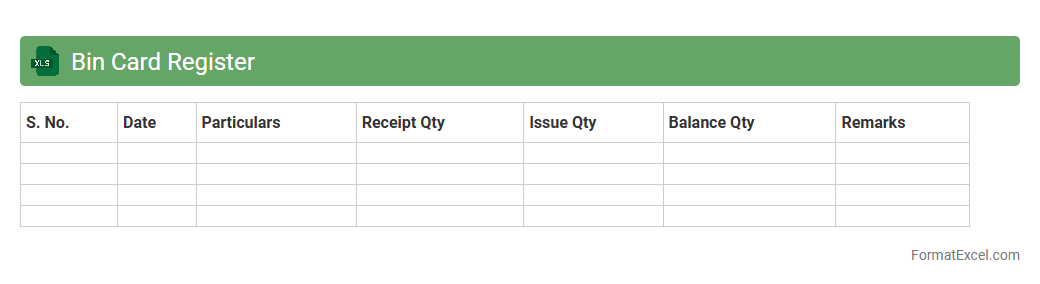
Bin Card Register
A
Bin Card Register Excel document is a digital inventory management tool that tracks the quantity, movement, and storage location of materials or products within a warehouse or storage facility. It helps maintain accurate stock levels by recording receipts, issues, and balances in real-time, which reduces errors in inventory control. This document streamlines stock audits and improves decision-making by providing easy access to organized and up-to-date inventory data.
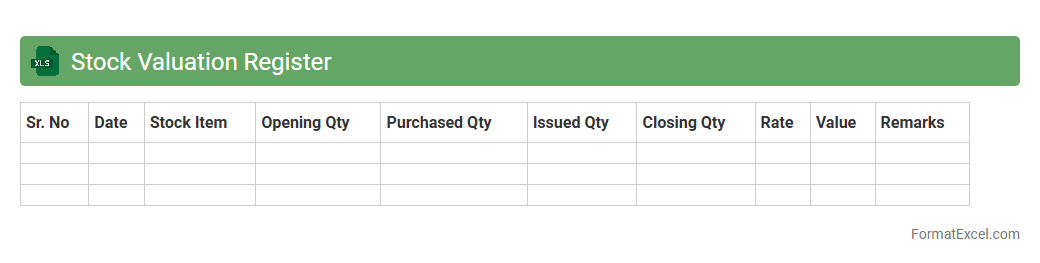
Stock Valuation Register
A
Stock Valuation Register Excel document is a spreadsheet tool used to record, track, and calculate the value of inventory items over time. It helps businesses monitor stock quantities, unit costs, and total values, facilitating accurate financial reporting and inventory management. By using this register, companies can optimize stock levels, reduce carrying costs, and improve decision-making related to purchasing and sales strategies.
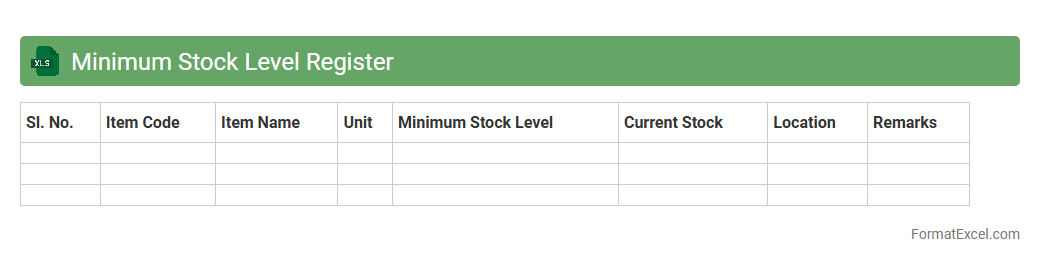
Minimum Stock Level Register
The
Minimum Stock Level Register Excel document is a tool used to monitor and maintain optimal inventory levels by recording the minimum quantity of stock that must be available at all times. It helps prevent stockouts and overstock situations by providing real-time insights into stock availability, enabling efficient reorder planning. This document improves supply chain management, reduces carrying costs, and ensures smooth business operations through timely replenishment.
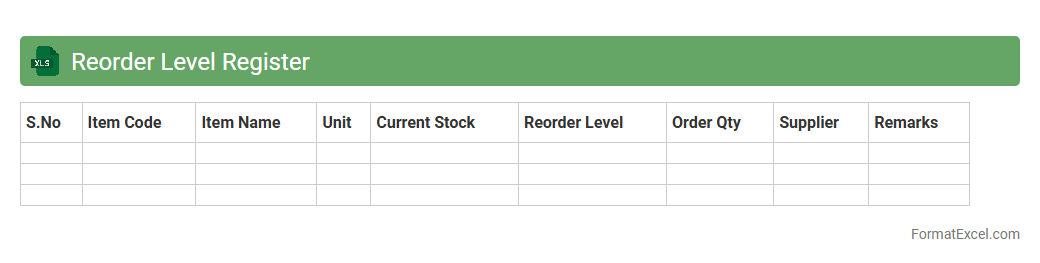
Reorder Level Register
The
Reorder Level Register Excel document is a vital inventory management tool that helps track stock levels and identify the minimum quantity at which new orders should be placed to avoid stockouts. By maintaining accurate reorder levels, businesses can optimize inventory, reduce carrying costs, and ensure smooth production or sales processes. This register enables proactive restocking decisions, improving overall operational efficiency and customer satisfaction.
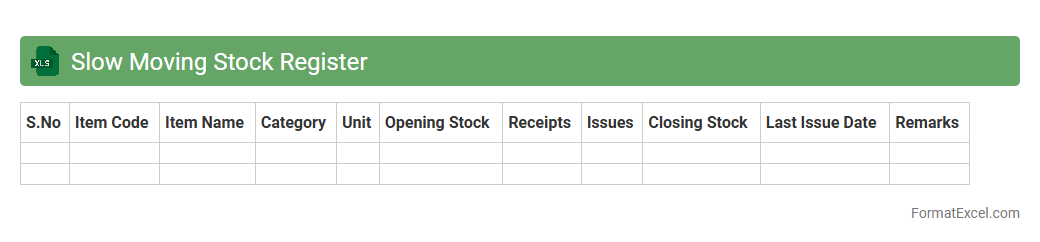
Slow-moving Stock Register
A
Slow-moving Stock Register Excel document tracks inventory items that have low sales frequency over a specific period, helping businesses identify products that are not selling quickly. This tool aids in optimizing stock levels, reducing holding costs, and improving cash flow management. By maintaining this register, companies can make informed decisions on inventory clearance, procurement, and demand forecasting.
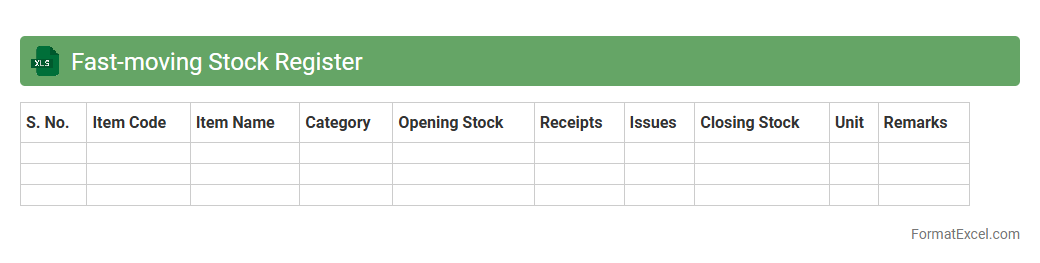
Fast-moving Stock Register
A
Fast-moving Stock Register Excel document is a tool used to track inventory items that are frequently sold or used within a business. It helps in identifying high-demand products, optimizing reorder levels, and minimizing stockouts by providing real-time data on movement rates. This register enhances inventory management efficiency, reduces holding costs, and supports better decision-making for procurement and sales strategies.
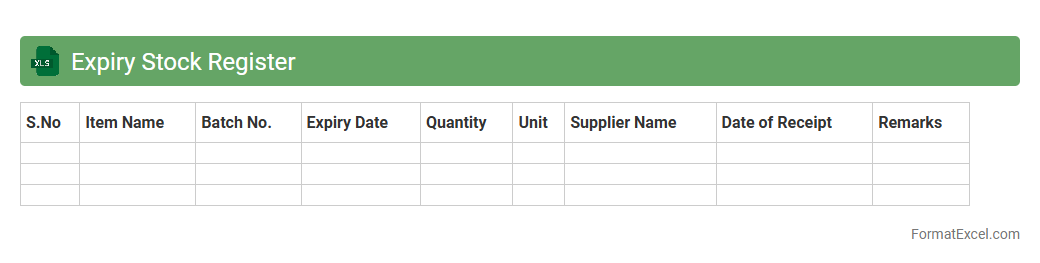
Expiry Stock Register
The
Expiry Stock Register Excel document systematically tracks the shelf life and expiration dates of inventory items, enabling businesses to manage perishable goods effectively. It helps in minimizing losses by highlighting items nearing expiration, ensuring timely usage or disposal. This tool also supports compliance with safety regulations and improves inventory rotation efficiency.
Introduction to Stock Register Format in Excel
The Stock Register Format in Excel is a structured template used to record and track inventory details efficiently. Excel's flexibility allows businesses to maintain accurate stock data, aiding in smooth operations. With customizable features, Excel serves as a powerful tool for stock management.
Importance of Maintaining a Stock Register
Maintaining a stock register ensures proper inventory control, preventing overstocking or stockouts. It helps in efficient resource planning and financial accuracy. Regular updates contribute to improved decision-making and operational transparency.
Key Components of a Stock Register
A typical stock register includes vital components like item description, quantity, unit price, and transaction dates. The key components provide a snapshot of stock movement and balance. These elements are essential for accurate inventory tracking and reporting.
Designing an Effective Excel Stock Register Template
To design an effective template, focus on clarity, simplicity, and relevant data fields. Using Excel features like data validation and conditional formatting enhances usability. A well-structured Excel stock register template minimizes errors and improves efficiency.
Essential Columns for Stock Tracking
Essential columns often include Item Name, Stock In, Stock Out, Balance, and Date of Transaction. Including a balance column is crucial for real-time inventory status. Accurate columns support seamless stock monitoring and control.
Step-by-Step Guide to Creating a Stock Register in Excel
Start by setting up columns with headers, then input stock data systematically. Use formulas to calculate balances and automate updates. Following the step-by-step guide ensures consistent and organized stock records.
Tips for Customizing Your Stock Register Format
Customize your stock register by adding filters, drop-down menus, and color coding for better data visualization. Tailor the template based on your business needs and stock types. These customization tips improve functionality and user experience.
Benefits of Using Excel for Stock Management
Excel provides a cost-effective and accessible platform for managing inventory with powerful analytical tools. It supports data accuracy through formulas and allows easy data sharing. The benefits of Excel include flexibility, scalability, and real-time tracking.
Common Mistakes to Avoid in Excel Stock Registers
Avoid common errors such as incorrect formulas, inconsistent data entry, and lack of backups. Neglecting template updates can lead to inaccurate stock information. Preventing these common mistakes safeguards the integrity of your stock records.
Downloadable Stock Register Excel Templates
Many websites offer downloadable stock register Excel templates that save time and effort in manual design. Choose templates that fit your inventory size and complexity for optimal results. These ready-made formats help streamline initial setup and ongoing management.