Daily Cash Register Summary
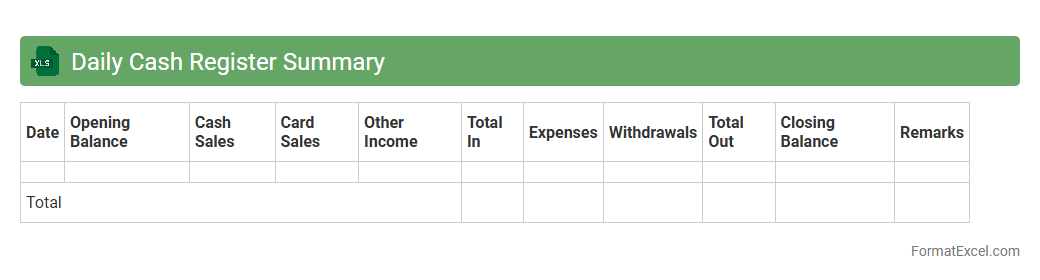
The
Daily Cash Register Summary Excel document is a vital financial tool that tracks daily cash transactions, including sales, expenses, and cash inflows and outflows. It enables businesses to maintain accurate records, monitor cash flow, and quickly identify discrepancies or cash shortages. Utilizing this summary enhances financial transparency and supports effective cash management for better decision-making.
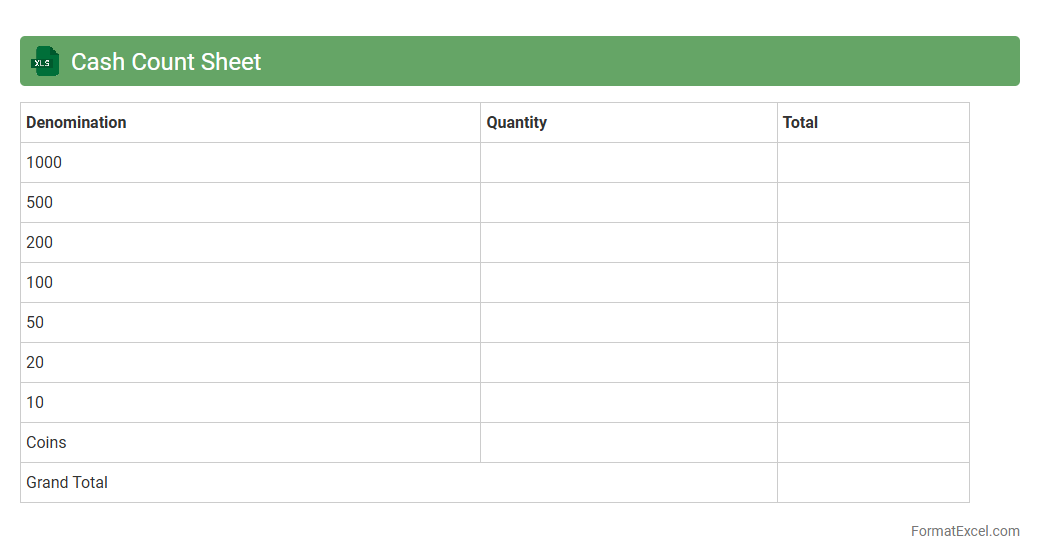
Cash Count Sheet
A
Cash Count Sheet Excel document is a tool designed to accurately record and verify the amount of physical cash on hand at any given time. It helps businesses maintain precise financial records by tracking denominations, identifying discrepancies, and ensuring accountability during cash handling processes. Utilizing this sheet streamlines cash management, reduces errors, and supports efficient reconciliation in daily operations.
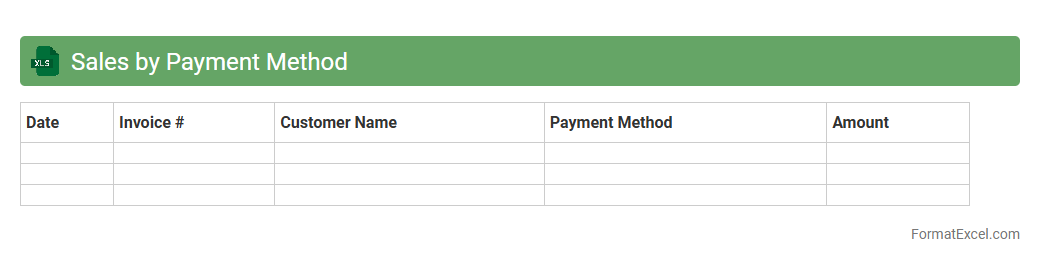
Sales by Payment Method
The
Sales by Payment Method Excel document categorizes and records sales transactions based on different payment options such as credit cards, cash, and digital wallets. This detailed breakdown enables businesses to analyze consumer payment preferences, track revenue streams accurately, and optimize payment processing strategies. Utilizing this data helps improve financial reporting, enhances cash flow management, and supports informed decision-making for targeted marketing efforts.
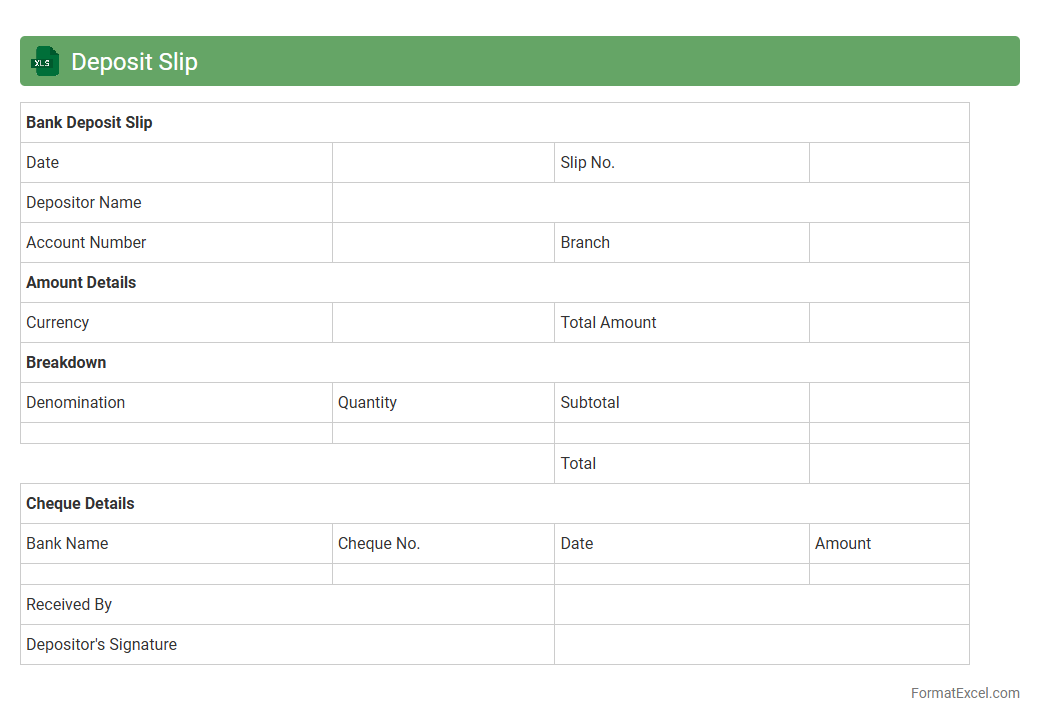
Deposit Slip
A
Deposit Slip Excel document is a digital template designed to record and organize bank deposit information efficiently. It allows users to input transaction details such as date, amount, account number, and payer information, enabling accurate tracking of deposits. This tool helps streamline financial record-keeping, reduces errors in manual entries, and facilitates easy reconciliation with bank statements.
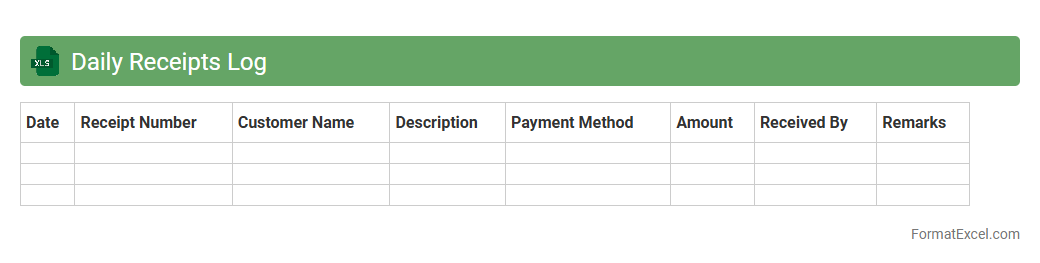
Daily Receipts Log
The
Daily Receipts Log Excel document is a structured tool designed to record and track daily cash inflows, providing a clear overview of all incoming payments and sales transactions. It enhances financial accuracy by organizing data such as dates, amounts, payment sources, and receipt numbers in one centralized sheet, enabling easy reconciliation and audit trails. This log is essential for maintaining transparent financial records, improving cash flow management, and supporting budgeting and forecasting processes.
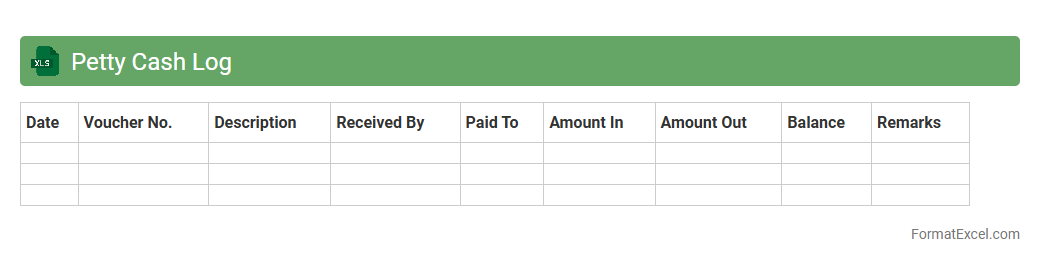
Petty Cash Log
A
Petty Cash Log Excel document is a digital tool designed to accurately record and track small cash transactions within an organization. It streamlines expense management by providing a clear, organized record of expenditures, helping prevent discrepancies and ensuring accountability. This log enhances financial transparency and simplifies reconciliation processes for businesses of all sizes.
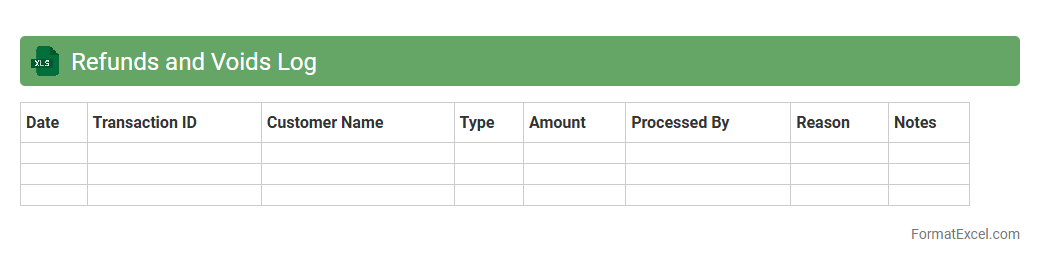
Refunds and Voids Log
The
Refunds and Voids Log Excel document tracks all transaction reversals, including refunded payments and voided orders, providing a clear audit trail for financial accuracy. It helps businesses identify patterns, prevent fraud, and ensure compliance with accounting standards by maintaining detailed records of each action. By using this log, organizations can streamline financial reconciliation, improve transparency, and enhance overall transaction management.
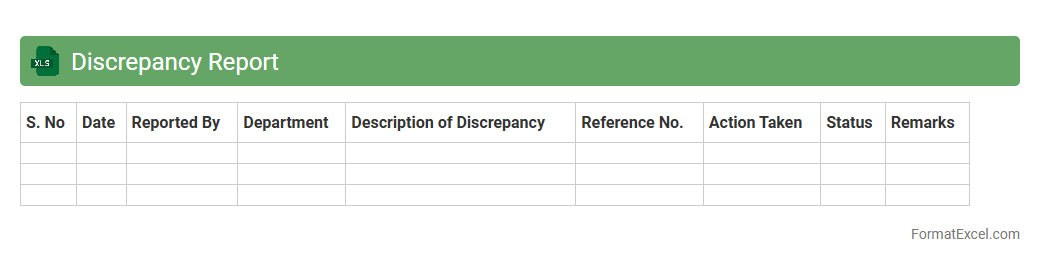
Discrepancy Report
A
Discrepancy Report Excel document is a structured tool used to identify and record inconsistencies or deviations between expected and actual data in various processes. It helps organizations monitor quality control, track errors, and facilitate timely resolution by highlighting specific areas needing attention. Utilizing this report improves accuracy in operations and supports informed decision-making through organized data management.
Daily Cash Over/Short Report
A
Daily Cash Over/Short Report Excel document tracks discrepancies between actual cash on hand and the expected cash balance based on sales transactions. It helps businesses identify cash handling errors, theft, or record-keeping mistakes by providing daily insights into cash variances. This report is essential for maintaining accurate financial controls and improving cash management efficiency.
Cash Drawer Reconciliation
A
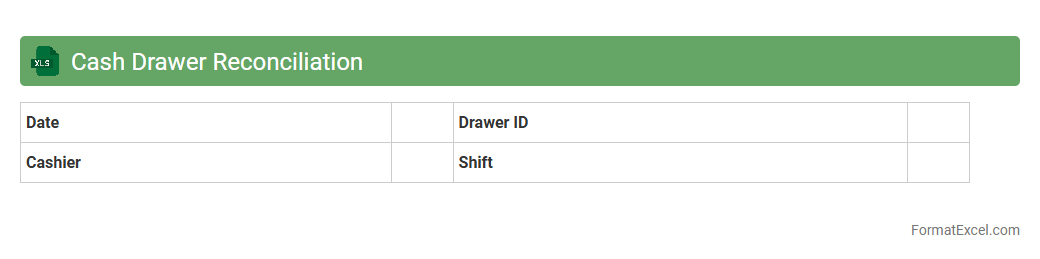
Cash Drawer Reconciliation Excel document is a digital tool designed to track and verify cash transactions against recorded sales, ensuring accuracy in cash handling and reducing discrepancies. This document helps businesses maintain financial integrity by comparing starting cash, sales, cash payments, and ending cash balances daily or shift-wise. Utilizing this tool streamlines audit processes, prevents theft or errors, and provides clear, organized financial records for efficient cash management.
Daily Transaction Log
A
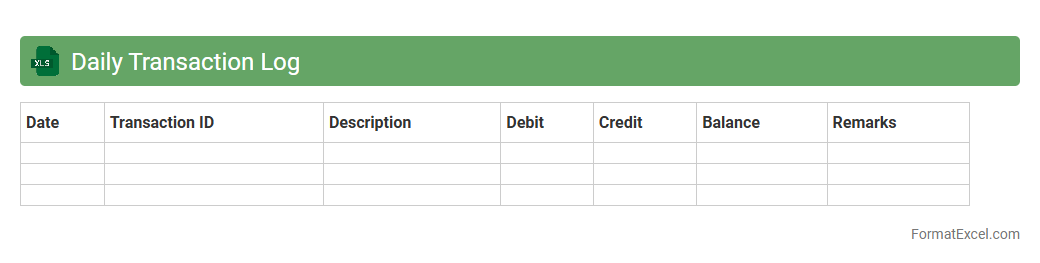
Daily Transaction Log Excel document systematically records all financial transactions within a specific timeframe, providing clear and organized data for review. This log helps track income, expenses, and payments, facilitating accurate financial monitoring and budget management. It enhances transparency and supports efficient auditing by maintaining a detailed and accessible transaction history.
Drawer Opening Balance
A
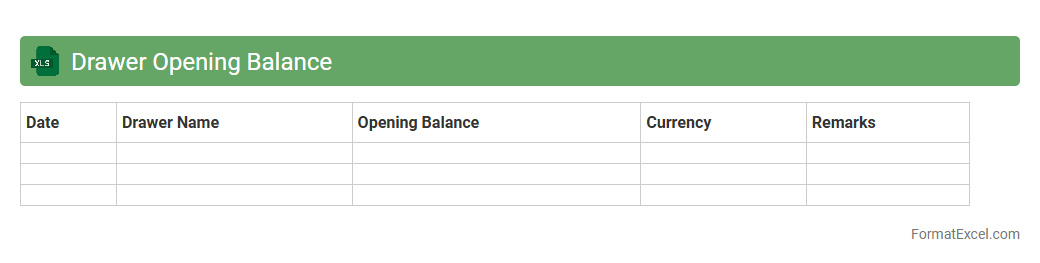
Drawer Opening Balance Excel document is a financial tool used to record the initial cash amount available in a cash drawer at the start of a business day or shift. It ensures accurate tracking of cash flow, helping businesses monitor daily transactions and reconcile cash balances efficiently. This document is essential for maintaining transparency, preventing cash discrepancies, and supporting smooth financial management in retail or service environments.
Drawer Closing Balance
A
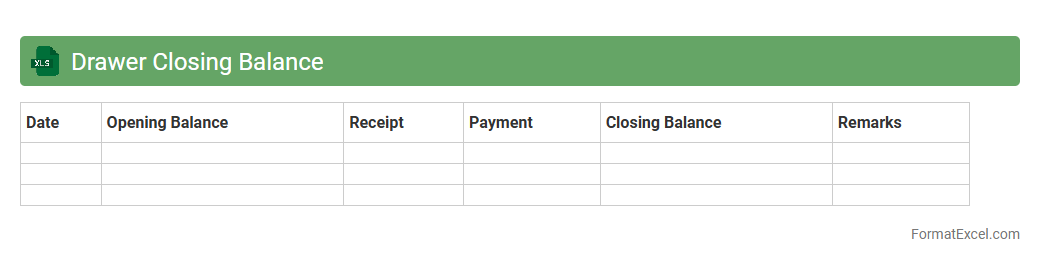
Drawer Closing Balance Excel document tracks the end-of-day cash amount remaining in a cash drawer, ensuring accurate financial monitoring for businesses. It helps in reconciling daily cash transactions, identifying discrepancies, and maintaining transparency in cash management. This tool is essential for accountants and cashiers to prevent financial errors and improve accountability.
Credit Card Batch Settlement
A
Credit Card Batch Settlement Excel document organizes and summarizes transactions processed in a single batch for payment reconciliation. It streamlines financial tracking by consolidating transaction details such as amounts, dates, and merchant information, enabling efficient verification and dispute resolution. This tool enhances accounting accuracy, supports cash flow management, and accelerates the settlement process between merchants and payment processors.
Daily Sales by Item
The
Daily Sales by Item Excel document tracks individual product sales on a daily basis, providing detailed insights into revenue and inventory patterns. It enables businesses to monitor sales trends, identify top-performing products, and make data-driven decisions to optimize stock levels and marketing strategies. This tool enhances financial forecasting and improves overall sales management efficiency.
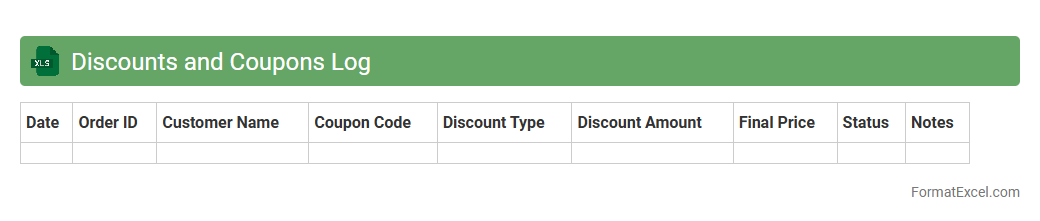
Discounts and Coupons Log
A
Discounts and Coupons Log Excel document is a structured spreadsheet that records details of various promotional offers such as discount codes, coupon values, expiration dates, and usage terms. It helps businesses and consumers track available savings, manage marketing campaigns efficiently, and maximize cost benefits by organizing all discount information in one accessible format. Using this log enhances budget management and ensures no savings opportunities are overlooked during purchase decisions.
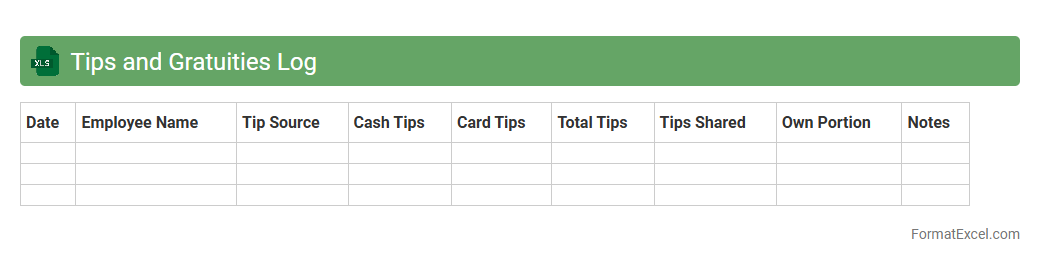
Tips and Gratuities Log
A
Tips and Gratuities Log Excel document is a systematic record-keeping tool designed to track financial tips and gratuities received over a specific period. It is useful for ensuring accurate income reporting, simplifying tax calculations, and providing transparent documentation for employers and employees in service industries. This log helps monitor earnings trends, manage payroll compliance, and maintain accountability in tip distribution.
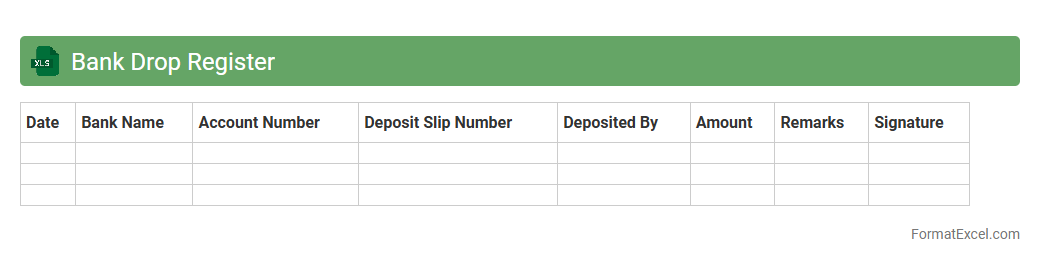
Bank Drop Register
A
Bank Drop Register Excel document is a financial tracking tool used to record and organize bank deposit details, including dates, amounts, and sources of funds. It helps businesses and individuals maintain accurate records for reconciliation, cash flow management, and audit purposes. By providing a clear overview of all bank transactions, this register streamlines financial monitoring and improves accountability.
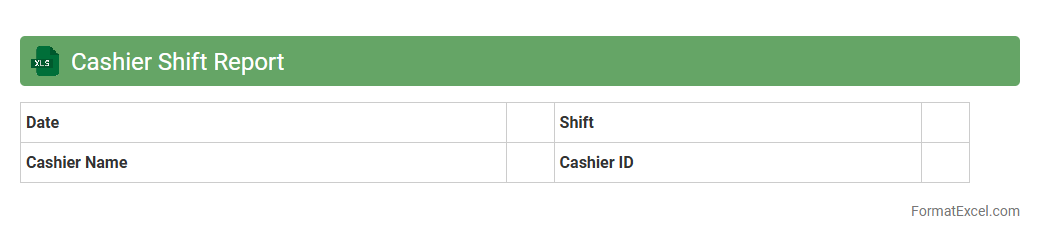
Cashier Shift Report
A
Cashier Shift Report Excel document is a structured spreadsheet used to record and summarize all financial transactions during a cashier's shift, including cash sales, card payments, refunds, and cash drops. It helps in accurately tracking daily revenue, identifying discrepancies, and ensuring accountability by providing a clear audit trail for each shift. This report streamlines financial reconciliation and supports effective cash management and operational transparency.
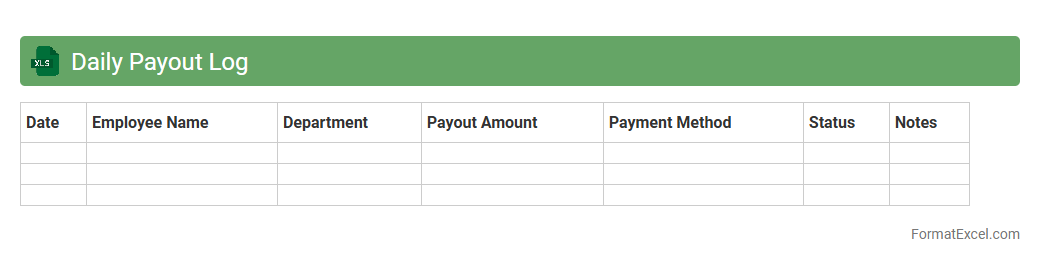
Daily Payout Log
The
Daily Payout Log Excel document is a comprehensive record that tracks daily financial transactions, specifically the disbursement of payments. It helps businesses maintain accurate and up-to-date documentation of payouts, ensuring transparency and facilitating easy reconciliation of accounts. By organizing payment information systematically, it improves financial management efficiency and aids in detecting discrepancies early.
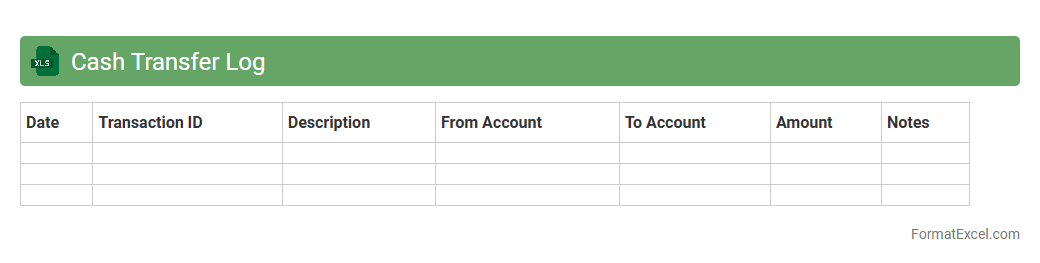
Cash Transfer Log
A
Cash Transfer Log Excel document systematically records every cash transaction, including amounts, dates, and recipient details, ensuring accurate financial tracking. This log enhances transparency and accountability, helping businesses prevent discrepancies and streamline audits. It serves as a vital tool for managing cash flow and maintaining organized financial records.
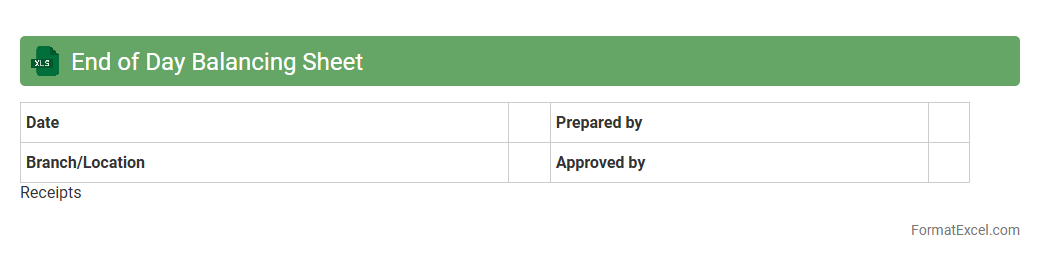
End of Day Balancing Sheet
An
End of Day Balancing Sheet Excel document is a financial tool used to reconcile and verify all transactions, cash inflows, and outflows recorded during a business day. It helps ensure accuracy in accounting by providing a clear snapshot of daily financial performance, preventing discrepancies between actual cash and recorded amounts. This document is essential for efficient financial management, enabling businesses to track liquidity, manage cash flow, and prepare accurate reports for decision-making.
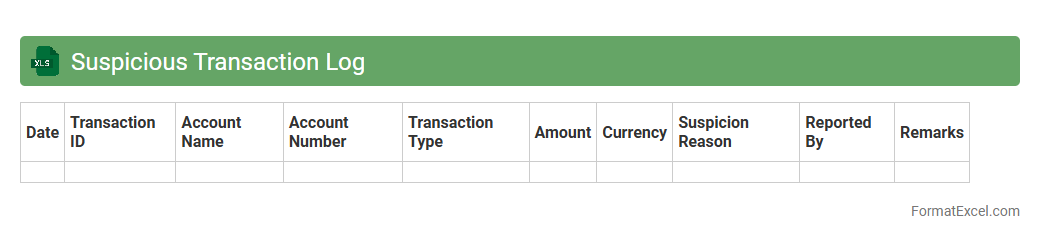
Suspicious Transaction Log
A
Suspicious Transaction Log Excel document records details of financial activities that deviate from normal patterns, potentially indicating fraud or money laundering. This log helps compliance teams efficiently track, analyze, and report unusual transactions to regulatory authorities, ensuring adherence to anti-money laundering (AML) laws. By systematically organizing transaction data, it enhances risk management and supports timely decision-making in financial monitoring.
Foreign Currency Transaction Log
A
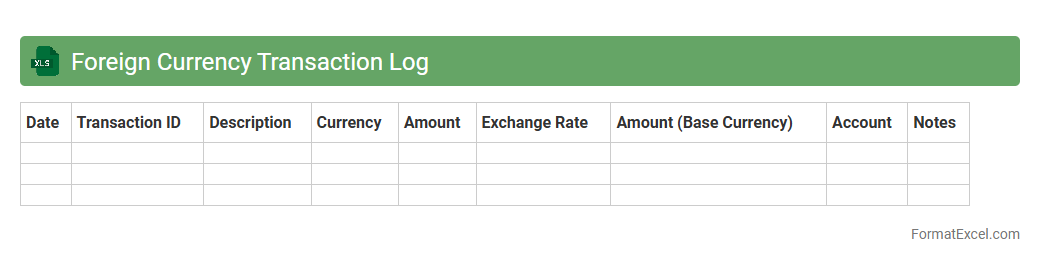
Foreign Currency Transaction Log Excel document is a spreadsheet designed to record and monitor all transactions conducted in different currencies, helping businesses and individuals track exchange rates, transaction dates, and amounts accurately. This tool allows users to manage currency fluctuations effectively and ensures precise accounting for international payments and receipts. By maintaining this log, financial reporting becomes more transparent, reducing errors and improving decision-making in foreign exchange operations.
Cash Register Z-Readout
The
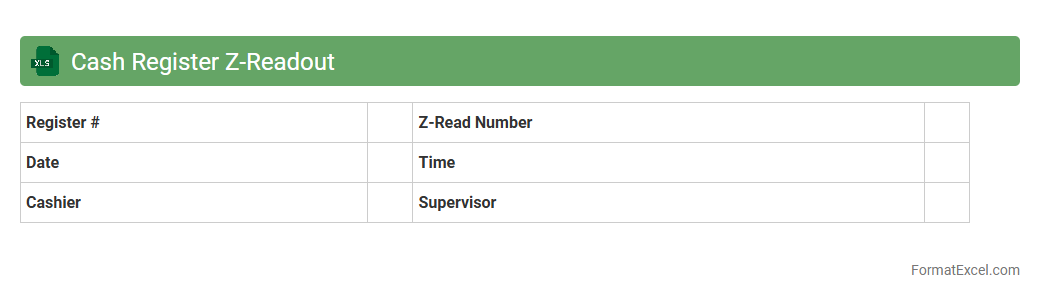
Cash Register Z-Readout Excel document provides a detailed summary of daily sales, returns, and cash transactions recorded by a cash register. This report helps businesses reconcile cash drawer balances, identify discrepancies, and maintain accurate financial records. Utilizing this document enhances accounting accuracy, streamlines end-of-day closing procedures, and supports informed decision-making for inventory and cash flow management.
Introduction to Daily Cash Register Formats
A daily cash register format is a structured template used to record all cash transactions within a business. It helps track inflows and outflows of cash systematically every day. Using a standardized format ensures accuracy and consistency in financial records.
Importance of Maintaining a Cash Register
Maintaining a cash register is crucial for monitoring cash flow and detecting discrepancies early. It supports financial transparency and aids in effective budget management. Accurate records also simplify auditing and tax preparation processes.
Key Components of a Cash Register Sheet
A comprehensive cash register sheet includes dates, transaction descriptions, cash received, cash paid out, and balance. Adding columns for payment methods and reference numbers enhances traceability. These elements form the backbone of effective cash management.
Setting Up Your Excel Cash Register Template
Excel offers a flexible platform to create a customizable cash register template easily adjustable to business needs. Begin by structuring columns clearly and formatting cells for currency. Adding data validation minimizes entry errors and improves accuracy.
Step-by-Step Guide to Creating a Cash Register in Excel
Start by creating headers for Date, Description, Cash In, Cash Out, and Balance columns. Use formulas to calculate daily balances automatically. Validate input to ensure all transactions are recorded correctly and consistently.
Essential Columns for Accurate Record-Keeping
The most vital columns include Date, Description, Cash In, Cash Out, and Running Balance for precise tracking. Including Payment Method and Receipt Number columns adds clarity and auditability. These ensure every transaction is fully documented.
Customizing Your Daily Cash Register for Business Needs
Customize your cash register by adding specific categories relevant to your operations, such as expense types or customer names. Tailoring the template improves reporting and helps identify spending patterns. Flexibility allows better decision-making based on actual data.
Tips for Automating Calculations in Excel
Leverage Excel functions like SUM and IF to automate totals and conditional calculations in your cash register. Using formulas for running balances simplifies daily reconciliation. Automation reduces human error and saves valuable time.
Common Mistakes to Avoid in Cash Register Management
Avoid common errors such as skipping entries, incorrect calculations, and failing to reconcile daily balances. Always double-check formulas and validate data inputs. Consistent maintenance of the cash register ensures financial accuracy.
Downloadable Daily Cash Register Excel Template
Accessing a downloadable cash register Excel template can kickstart your record-keeping process with pre-built formulas and layouts. These templates are often customizable to fit various business models. Utilize them to streamline your daily financial tracking efficiently.