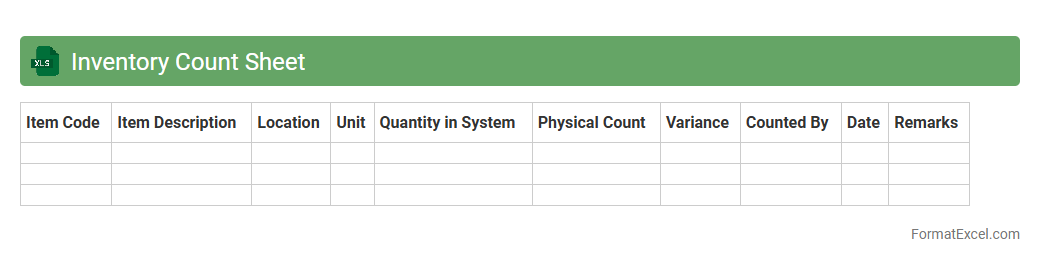
Inventory Count Sheet
An
Inventory Count Sheet Excel document is a structured spreadsheet designed to track and record the quantities of items in stock, facilitating accurate inventory management. It helps businesses maintain up-to-date records, identify discrepancies during physical counts, and optimize stock levels to prevent overstocking or stockouts. Utilizing this tool improves overall operational efficiency and supports better decision-making related to purchasing and sales strategies.
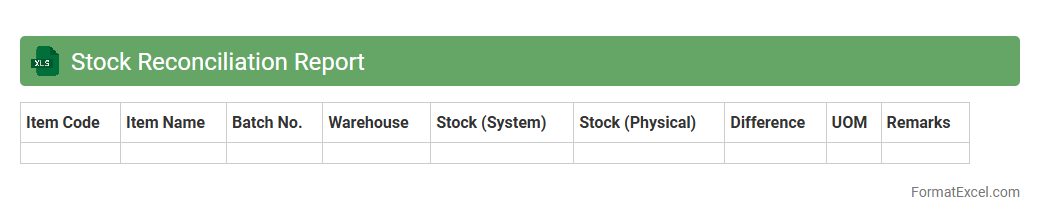
Stock Reconciliation Report
A
Stock Reconciliation Report Excel document is a detailed record that compares physical inventory with recorded stock levels to identify discrepancies. This report helps businesses maintain accurate inventory data, preventing stockouts or overstock situations and ensuring efficient supply chain management. Regular use of this document enhances decision-making by providing clear visibility into inventory status and aids in auditing and financial accountability.
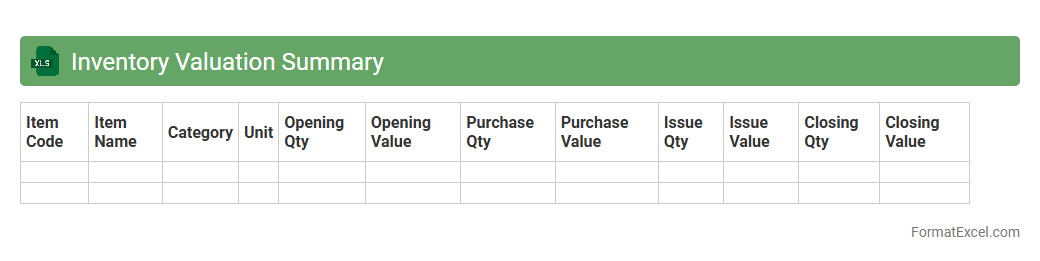
Inventory Valuation Summary
An
Inventory Valuation Summary Excel document provides a detailed overview of the monetary value of a company's inventory at a specific point in time, combining quantities, unit costs, and total value for each item. This summary is useful for accurate financial reporting, ensuring compliance with accounting standards, and assisting in effective inventory management decisions. It helps businesses track inventory costs, analyze profitability, and identify trends in stock movement to optimize purchasing and reduce holding costs.
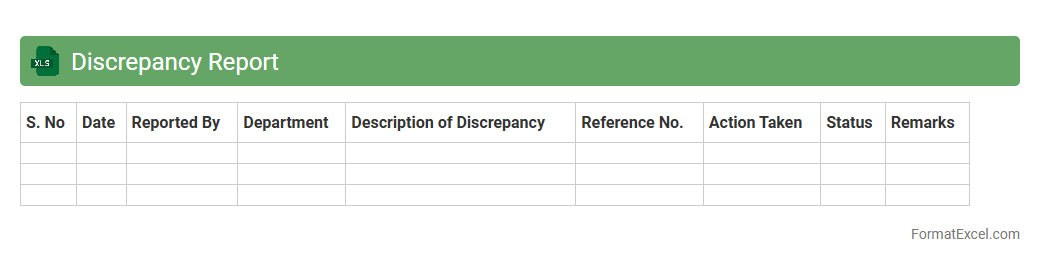
Discrepancy Report
A
Discrepancy Report Excel document is a structured spreadsheet used to identify, track, and analyze inconsistencies or errors in data, transactions, or processes. It helps organizations quickly pinpoint deviations from expected results, enabling timely corrective actions and improving overall accuracy in financial, inventory, or operational management. By systematically documenting discrepancies, this tool enhances transparency, accountability, and decision-making efficiency across departments.
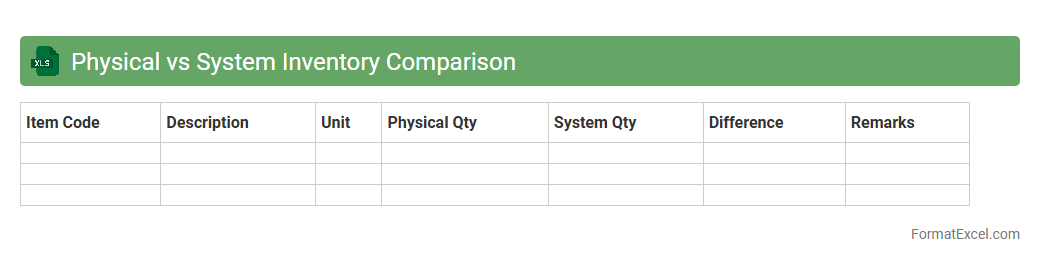
Physical vs System Inventory Comparison
The
Physical vs System Inventory Comparison Excel document is a crucial tool for identifying discrepancies between actual stock on hand and recorded inventory in the system. It helps businesses ensure accurate inventory records, minimize stockouts or overstocking, and improve overall inventory management efficiency. By highlighting differences, it enables timely investigations and corrective actions, leading to optimized supply chain operations.
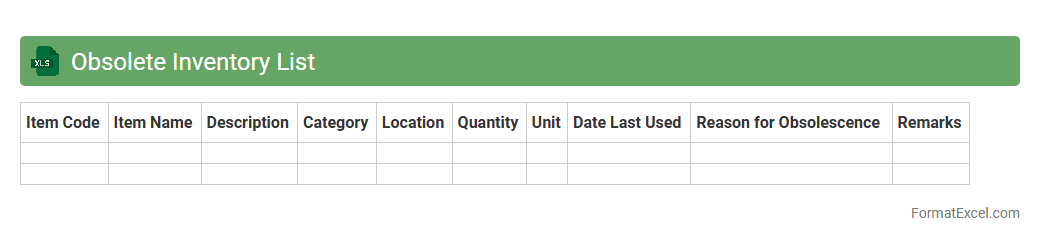
Obsolete Inventory List
An
Obsolete Inventory List Excel document identifies products or materials that are no longer usable or sellable, helping businesses manage excess stock efficiently. It enables accurate tracking of obsolete items, supports cost reduction by avoiding unnecessary storage expenses, and aids in making informed decisions on inventory write-offs or disposal. Utilizing this document improves inventory turnover and enhances overall supply chain management effectiveness.
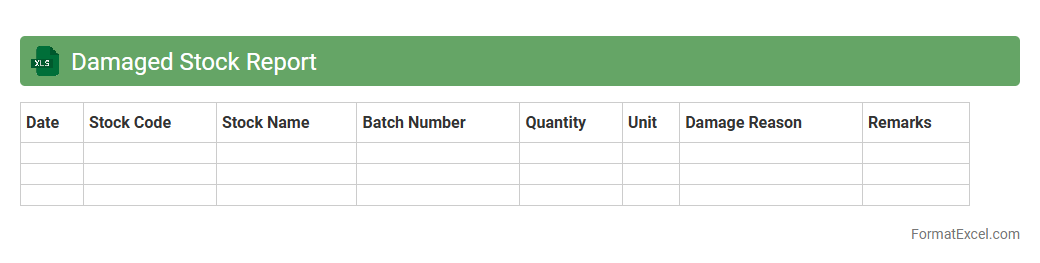
Damaged Stock Report
The
Damaged Stock Report Excel document is a detailed inventory management tool that tracks goods compromised due to defects, mishandling, or expiration. It helps businesses identify the quantity, value, and reasons for damage, enabling precise loss assessment and effective inventory control. Utilizing this report optimizes stock replenishment strategies and minimizes financial impact by highlighting areas needing quality improvement.
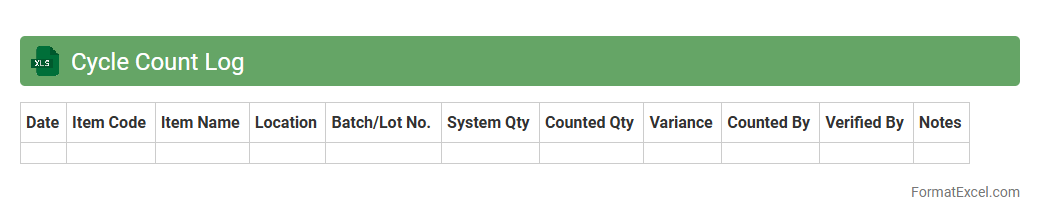
Cycle Count Log
A
Cycle Count Log Excel document is a systematic record used to track inventory counts at scheduled intervals to maintain accurate stock levels. It helps identify discrepancies by comparing physical counts with system records, improving inventory accuracy and reducing stockouts or overstock situations. This tool is essential for efficient inventory management, enabling businesses to make informed decisions and streamline supply chain processes.
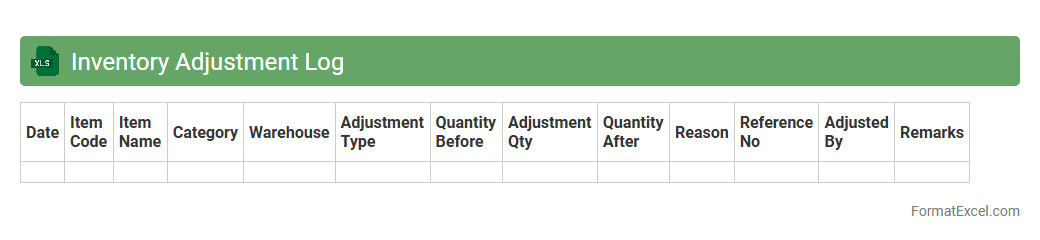
Inventory Adjustment Log
An
Inventory Adjustment Log Excel document tracks changes in stock levels, capturing details such as item codes, quantities adjusted, reasons for adjustments, and dates. This log helps maintain accurate inventory records by reflecting discrepancies caused by damages, theft, or miscounts. Efficient inventory management through this tool reduces losses and improves decision-making by providing real-time data on stock variations.
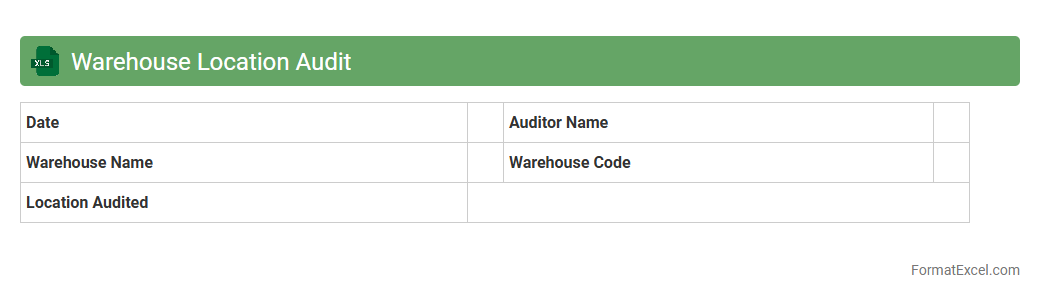
Warehouse Location Audit
A
Warehouse Location Audit Excel document is a detailed tool designed to systematically verify and record the accuracy of inventory placement within a warehouse. It ensures the alignment of physical stock with inventory records by tracking location codes, item quantities, and discrepancies, which enhances operational efficiency and reduces errors. This audit process supports better inventory management, streamlined retrieval, and improved warehouse space utilization.
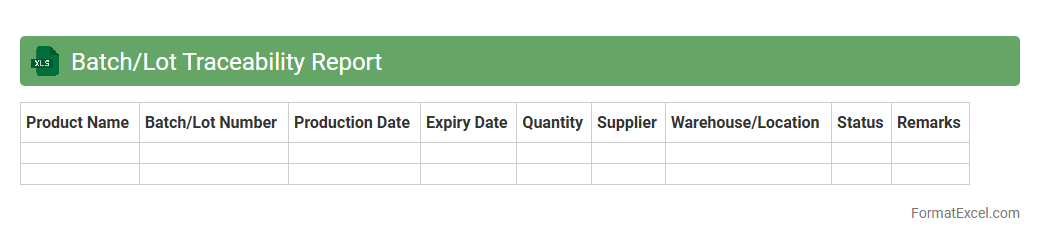
Batch/Lot Traceability Report
A
Batch/Lot Traceability Report Excel document records detailed information about product batches or lots, including production dates, ingredients, suppliers, and quality control results. This report is essential for tracking the origin and history of each batch, enabling quick identification of issues in the supply chain or manufacturing process. It enhances compliance with regulatory standards, supports recall management, and improves overall product quality control.
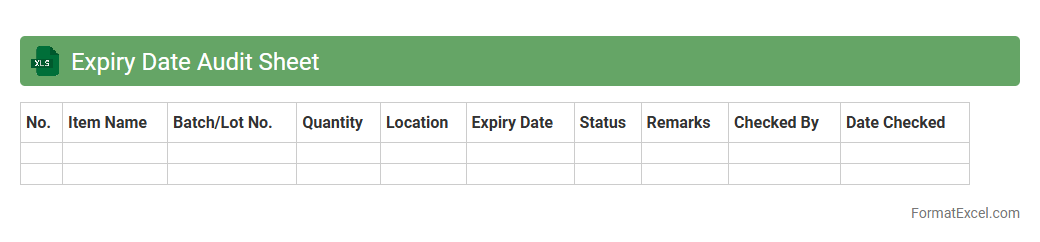
Expiry Date Audit Sheet
An
Expiry Date Audit Sheet in Excel is a document designed to track and manage product expiration dates efficiently. It helps organizations monitor inventory, reducing waste and ensuring compliance with safety regulations by alerting teams before items expire. This proactive approach improves stock rotation, enhances quality control, and supports timely decision-making in supply chain management.
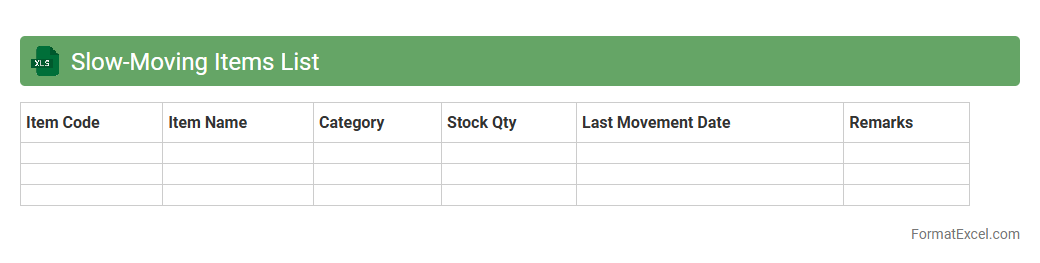
Slow-Moving Items List
The
Slow-Moving Items List Excel document is a spreadsheet that tracks inventory items with low sales velocity over a specified period. It helps businesses identify stock that ties up capital without generating revenue, allowing for better inventory management and optimization. By analyzing this list, companies can make informed decisions on discounting, replenishment, or discontinuation to improve cash flow and reduce holding costs.
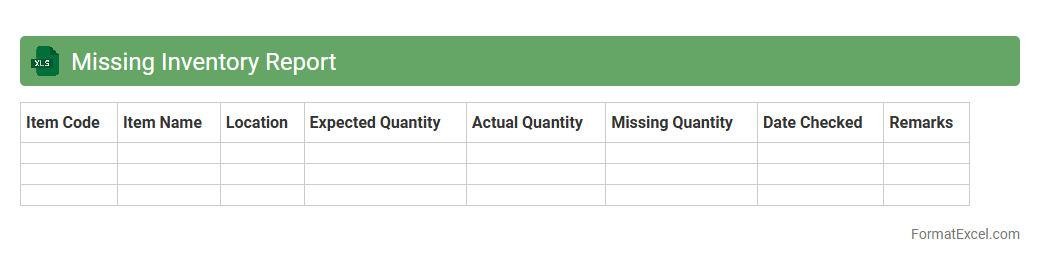
Missing Inventory Report
The
Missing Inventory Report Excel document is a detailed record that identifies discrepancies between recorded stock levels and actual physical inventory. It helps businesses quickly pinpoint lost, misplaced, or unaccounted-for items, enabling efficient inventory management and reducing financial losses. By highlighting these gaps, the report supports better decision-making and improves overall supply chain accuracy.
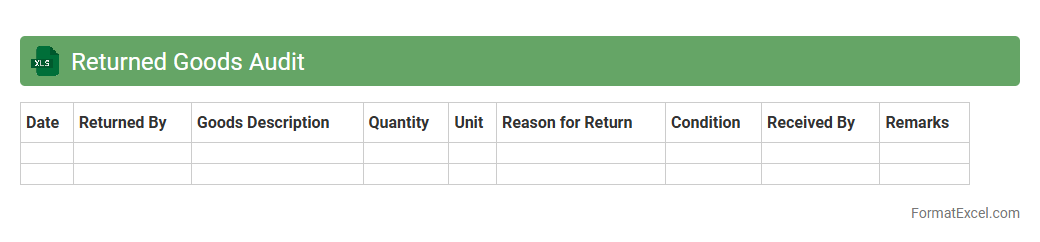
Returned Goods Audit
A
Returned Goods Audit Excel document is a structured spreadsheet used to track and analyze products returned by customers. It helps businesses identify patterns in returns, assess the reasons for product defects or dissatisfaction, and improve inventory management. Utilizing this document enables efficient decision-making to reduce return rates and enhance overall customer satisfaction.
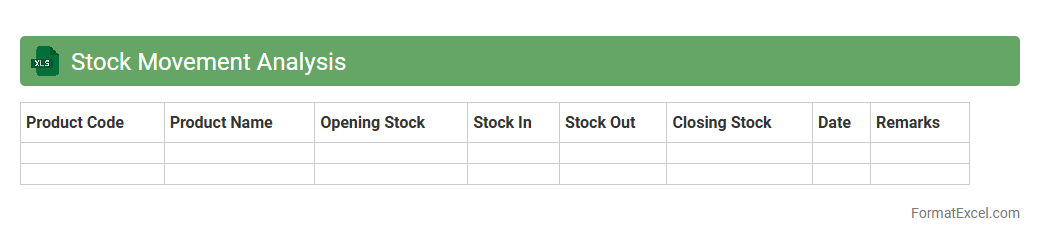
Stock Movement Analysis
A
Stock Movement Analysis Excel document tracks inventory changes by recording stock additions, sales, and transfers over time. It helps businesses identify trends, manage stock levels efficiently, and prevent stockouts or overstock situations. Utilizing this analysis enhances decision-making for procurement and sales strategies, leading to optimized inventory management.
Inventory Turnover Report
An
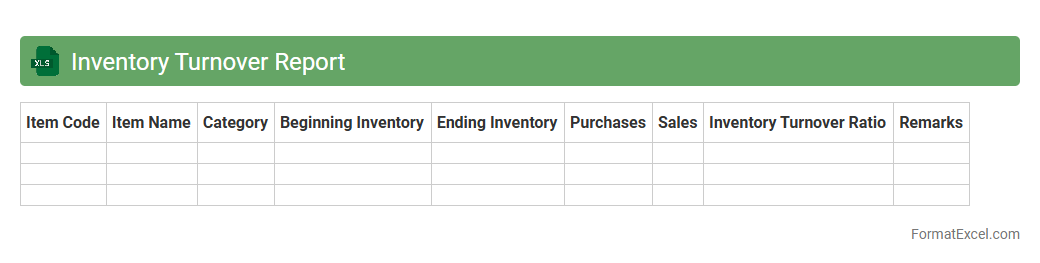
Inventory Turnover Report Excel document tracks the rate at which inventory is sold and replaced over a specific period, providing insights into product demand and stock management efficiency. It helps businesses identify slow-moving items, optimize stock levels, and reduce holding costs, leading to improved cash flow and profitability. By analyzing turnover ratios, companies can make informed decisions on purchasing, marketing, and sales strategies to enhance overall inventory performance.
Shrinkage Analysis
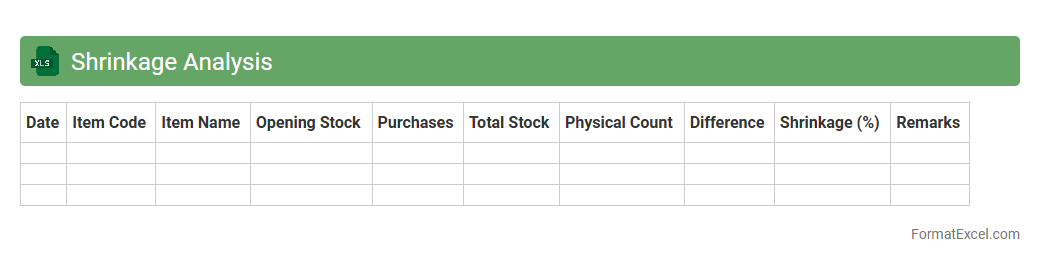
Shrinkage Analysis Excel document is a powerful tool designed to evaluate the reduction in inventory or materials over a specific period due to factors like theft, damage, or errors. It helps businesses identify patterns and quantify losses, enabling more accurate inventory management and cost control. Utilizing
Shrinkage Analysis ensures better decision-making by providing clear insights into operational inefficiencies and areas for improvement.
Goods-in-Transit Audit
The
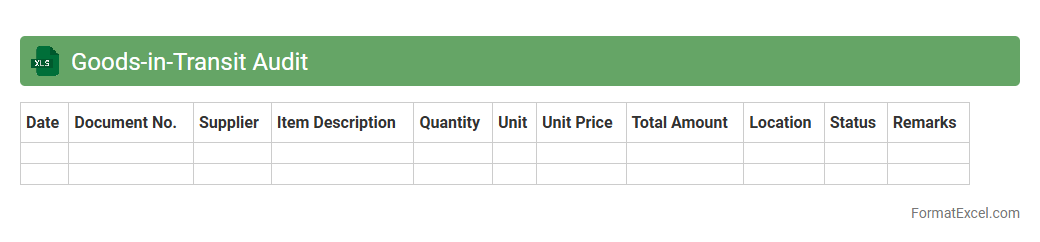
Goods-in-Transit Audit Excel document is a tool designed to track and verify shipments between the point of dispatch and receipt, ensuring accuracy and accountability. It helps identify discrepancies between shipped and received quantities, reducing inventory losses and improving supply chain transparency. By systematically recording transit data, this audit document enhances operational efficiency and supports timely decision-making.
Sample Inventory Sheet
A
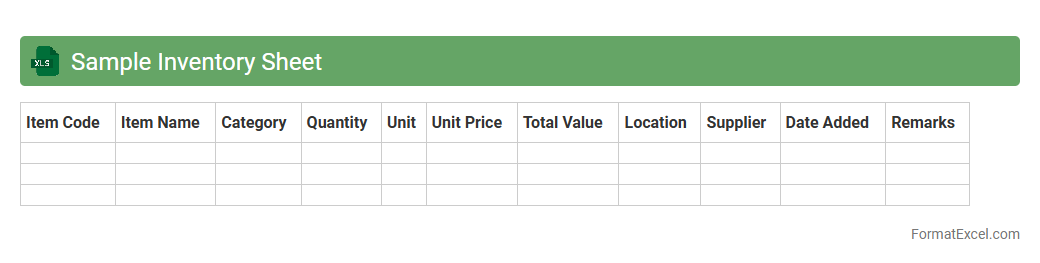
Sample Inventory Sheet Excel document is a structured spreadsheet designed to track and manage stock levels, product details, and inventory transactions efficiently. It helps businesses maintain accurate records of available items, monitor reorder points, and reduce stockouts or overstock situations. By using this tool, organizations can streamline inventory control, improve decision-making, and enhance overall operational productivity.
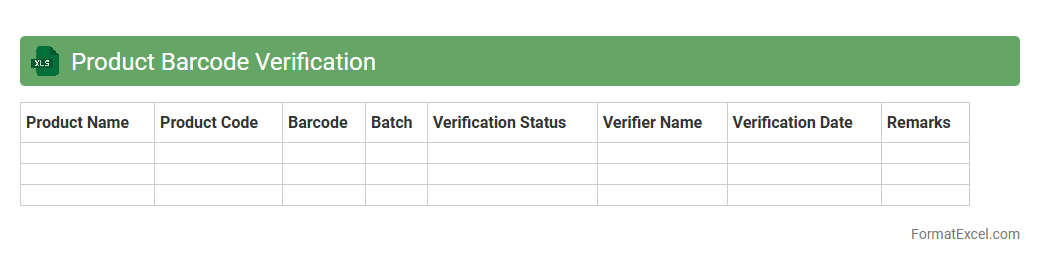
Product Barcode Verification
A
Product Barcode Verification Excel document is a structured spreadsheet used to record, verify, and validate barcode data for various products, ensuring accuracy in inventory management, pricing, and sales processes. It helps detect errors or inconsistencies in barcode numbers, facilitating seamless scanning and reducing discrepancies during checkout or stock audits. This tool enhances operational efficiency by enabling quick identification of invalid or duplicate barcodes, supporting improved data integrity within supply chain management.
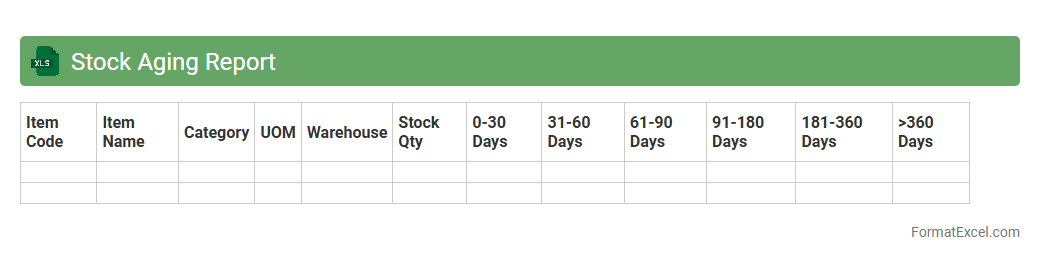
Stock Aging Report
A
Stock Aging Report Excel document categorizes inventory based on the length of time items have been in stock, helping businesses identify slow-moving or obsolete products. It aids in optimizing inventory management, reducing holding costs, and improving cash flow by highlighting items that may require discounting or disposal. This report is essential for maintaining a balanced inventory, ensuring timely restocking, and enhancing overall supply chain efficiency.
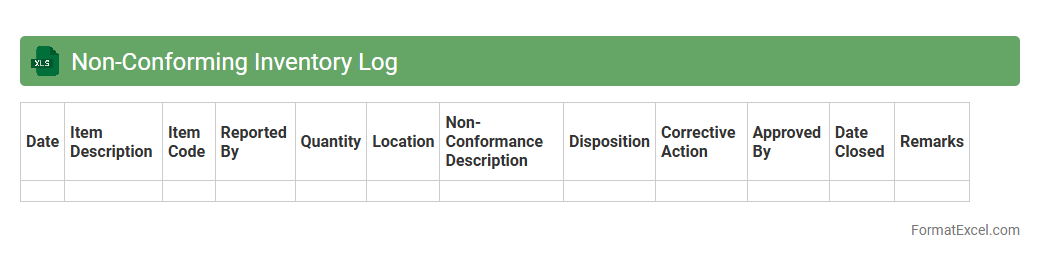
Non-Conforming Inventory Log
A
Non-Conforming Inventory Log Excel document systematically records inventory items that do not meet quality standards or specifications. It helps organizations track, manage, and analyze defective or substandard products, enabling timely corrective actions and reducing potential losses. This log improves quality control processes and enhances overall inventory accuracy and compliance.
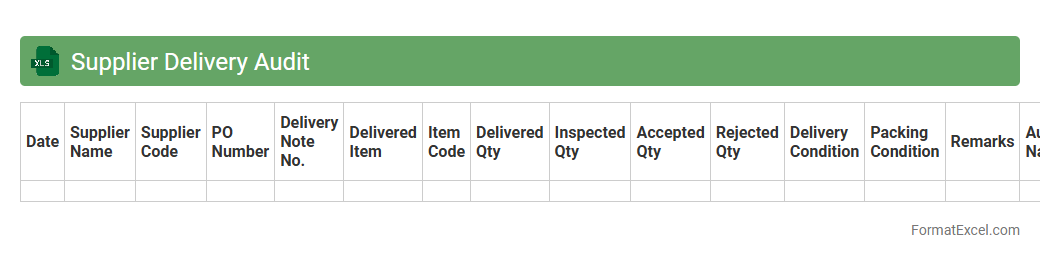
Supplier Delivery Audit
The
Supplier Delivery Audit Excel document is a structured tool designed to systematically track and evaluate the timeliness, accuracy, and quality of deliveries from suppliers. It helps organizations identify discrepancies between expected and actual deliveries, ensuring compliance with contract terms and improving supply chain reliability. By using this audit, companies can optimize inventory management, reduce risks of stockouts, and enhance supplier performance through data-driven insights.
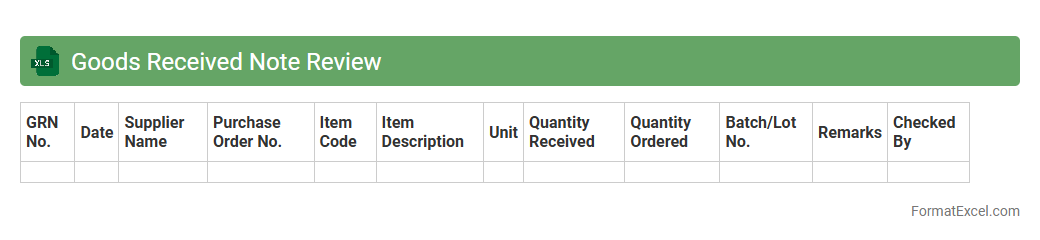
Goods Received Note Review
A
Goods Received Note Review Excel document is a structured spreadsheet used to verify and track the receipt of goods against purchase orders and delivery notes. It allows businesses to systematically record item quantities, delivery dates, and supplier details, ensuring accuracy and accountability in inventory management. This document helps streamline the auditing process, reduce discrepancies, and maintain up-to-date records for financial and operational reporting.
Introduction to Inventory Audit Formats
Inventory audit formats are structured documents designed to track and verify stock levels efficiently. Using an Inventory Audit Format helps businesses maintain accurate records and streamline stock management processes. Excel is a popular tool for creating flexible and customizable audit formats.
Importance of an Inventory Audit in Excel
Conducting an inventory audit in Excel ensures precise monitoring of inventory discrepancies and stock valuation. Excel's features enable quick data entry and real-time updates, enhancing audit accuracy. A well-maintained inventory audit in Excel supports better decision-making and financial reporting.
Key Components of an Inventory Audit Template
An effective inventory audit template includes columns for item description, quantity, location, and condition. Additional fields such as audit date, auditor's name, and discrepancy notes are vital for comprehensive tracking. These components form the foundation of a reliable inventory audit.
Step-by-Step Guide to Creating an Excel Inventory Audit
Start by setting up a clear table structure with predefined headers for your inventory data. Input formulas to calculate totals and variances automatically to enhance efficiency. Following this step-by-step approach ensures an organized and functional audit sheet.
Essential Excel Formulas for Inventory Auditing
Formulas like SUM, IF, VLOOKUP, and COUNTIF are crucial to automate calculations in inventory audits. They help detect discrepancies, compute totals, and generate alerts for stock imbalances. These Excel formulas boost accuracy and save time during audits.
Sample Inventory Audit Format in Excel
A sample inventory audit format typically features columns for SKU, quantity on hand, counted quantity, and variance. It may also include conditional formatting to highlight errors or mismatches. This sample format acts as a helpful template for auditors.
Best Practices for Maintaining Inventory Audit Sheets
Regular updates, consistent data entry, and periodic reviews are essential to maintain audit sheet accuracy. Protecting the file with appropriate permissions helps prevent unauthorized changes. Following these best practices sustains the integrity of inventory data.
Common Mistakes to Avoid in Inventory Audit Templates
Avoid issues like missing data fields, incorrect formulas, and inconsistent formatting in inventory audit templates. Neglecting to update the template regularly can lead to inaccurate stock counts. Preventing these common mistakes improves the audit's reliability.
Benefits of Using Excel for Inventory Audits
Excel offers flexibility, ease of use, and powerful data analysis tools for conducting inventory audits effectively. It allows integration with other business systems for seamless inventory management. Leveraging Excel benefits enhances operational efficiency and accuracy.
Free Downloadable Inventory Audit Template in Excel
Many websites provide free downloadable Excel inventory audit templates tailored to various industries and needs. These templates save time by offering ready-to-use formats with built-in formulas and layouts. Accessing a free downloadable template accelerates the audit preparation process.