Inventory Opening Balance
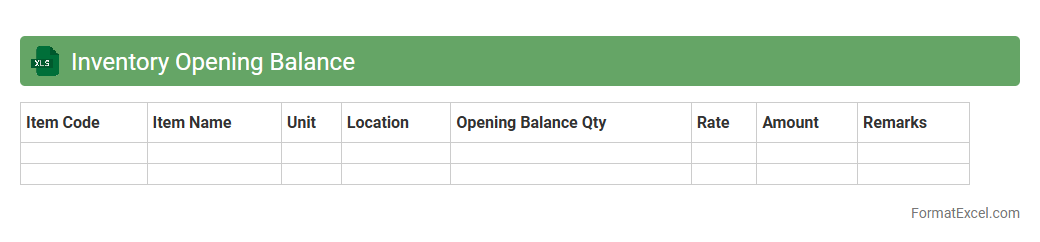
An
Inventory Opening Balance Excel document records the initial quantity and value of stock items at the beginning of an accounting period. This essential tool helps businesses maintain accurate tracking of inventory levels, eliminate discrepancies, and support efficient stock management. By providing a clear snapshot of available resources, it aids in financial reporting, budgeting, and operational decision-making.
Stock Receipts Log
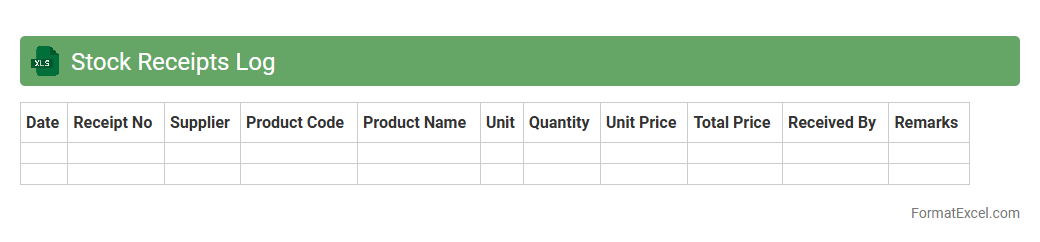
The
Stock Receipts Log Excel document is a detailed record-keeping tool used to track incoming inventory items, including quantities, dates, suppliers, and item descriptions. It helps businesses monitor stock levels, ensure accurate inventory management, and streamline supply chain operations by maintaining organized and accessible data. Using this log reduces errors, improves order accuracy, and supports timely restocking decisions for optimal inventory control.
Goods Issued Log
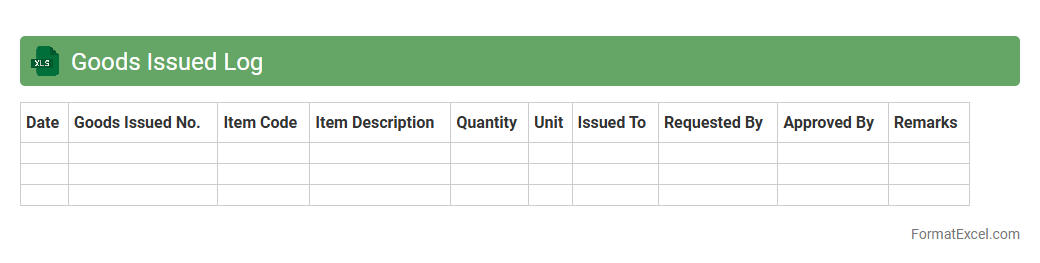
Goods Issued Log Excel document is a detailed record that tracks the movement of inventory items from storage to various departments or customers, ensuring accurate inventory management. This log helps businesses monitor stock levels, reduce discrepancies, and enhance accountability by providing real-time updates on goods dispatched. Maintaining a
Goods Issued Log streamlines operations, supports audit trails, and improves overall supply chain transparency.
Stock Adjustments
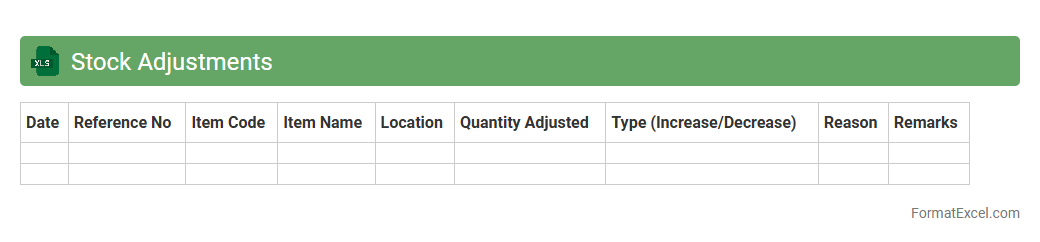
A
Stock Adjustments Excel document is a tool designed to track and manage inventory changes, including additions, removals, and corrections in stock levels. It provides a clear and organized way to monitor stock discrepancies, ensuring accurate inventory records and reducing errors in supply chain management. By using this document, businesses can optimize stock control, enhance reporting accuracy, and improve decision-making related to procurement and sales.
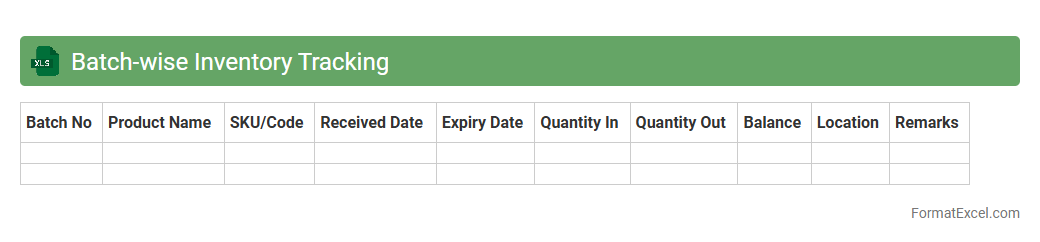
Batch-wise Inventory Tracking
The
Batch-wise Inventory Tracking Excel document is designed to monitor and manage inventory based on specific production batches, enabling precise control over stock levels and expiration dates. It helps businesses track the movement and status of items batch-by-batch, ensuring accountability and reducing errors in stock management. This tool improves efficiency in inventory audits, supports compliance with quality standards, and minimizes losses due to outdated or misplaced products.
Lot Number Tracking
Lot Number Tracking in an Excel document is a powerful tool for managing inventory by recording and monitoring specific batch numbers associated with products. This system ensures traceability, allowing businesses to quickly identify the origin, production date, and expiration of items, which is essential for quality control and regulatory compliance. Using
Lot Number Tracking helps prevent inventory errors, streamlines recalls, and improves overall supply chain transparency.
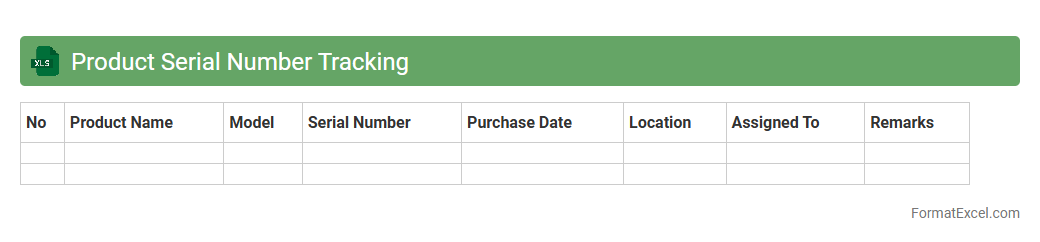
Product Serial Number Tracking
A
Product Serial Number Tracking Excel document is a structured spreadsheet used to record and monitor the unique serial numbers assigned to individual products. It helps businesses efficiently manage inventory, track warranty statuses, and streamline product recalls by providing precise identification of each item. Utilizing such a tool enhances customer service and reduces errors in product management through organized data tracking.
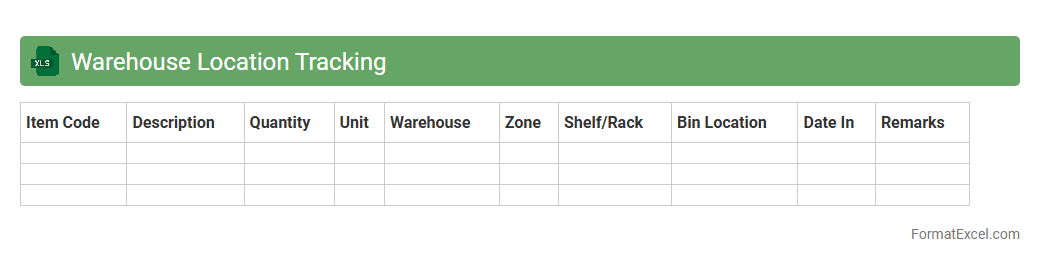
Warehouse Location Tracking
A
Warehouse Location Tracking Excel document is a tool used to monitor and manage the precise locations of inventory within a warehouse. It helps streamline operations by recording aisle, shelf, and bin positions, improving accuracy in stock retrieval and reducing time spent on locating items. This document is essential for optimizing warehouse space, enhancing inventory control, and supporting efficient order fulfillment processes.
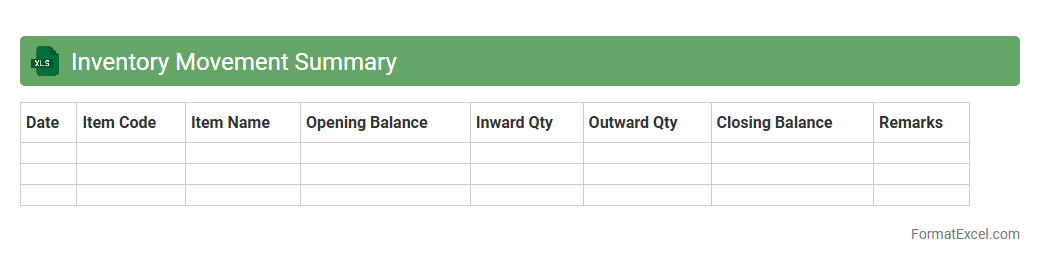
Inventory Movement Summary
An
Inventory Movement Summary Excel document tracks and records the inflow and outflow of inventory items over a specific period, providing a clear overview of stock levels, adjustments, and trends. It helps businesses monitor product availability, identify discrepancies, and optimize inventory management to reduce costs and avoid stockouts. By analyzing inventory movements, companies can make informed decisions on purchasing, production planning, and sales strategies.
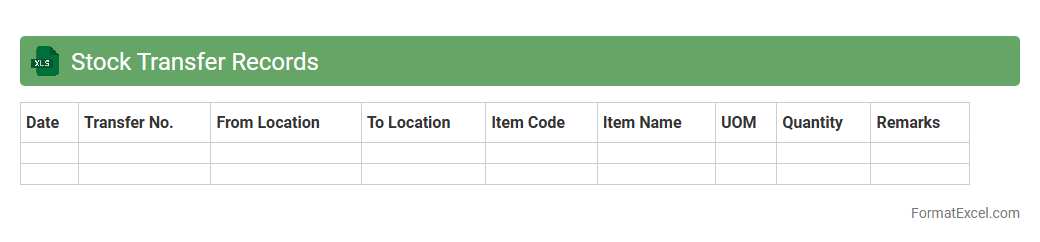
Stock Transfer Records
A
Stock Transfer Records Excel document is a detailed spreadsheet used to track the movement of inventory between different locations or departments within a company. It records essential data such as transfer dates, item descriptions, quantities, and receiving locations, enabling accurate inventory management. This document helps businesses maintain real-time stock levels, improve accountability, and streamline supply chain operations.
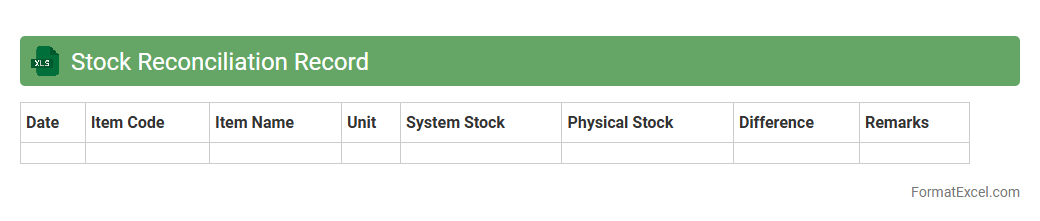
Stock Reconciliation Record
A
Stock Reconciliation Record Excel document is a detailed spreadsheet used to compare physical inventory counts with recorded stock levels, identifying discrepancies. It helps businesses maintain accurate inventory data, prevent stockouts or overstocking, and streamline audit processes. By regularly updating this record, companies can enhance inventory management efficiency and improve financial accuracy.
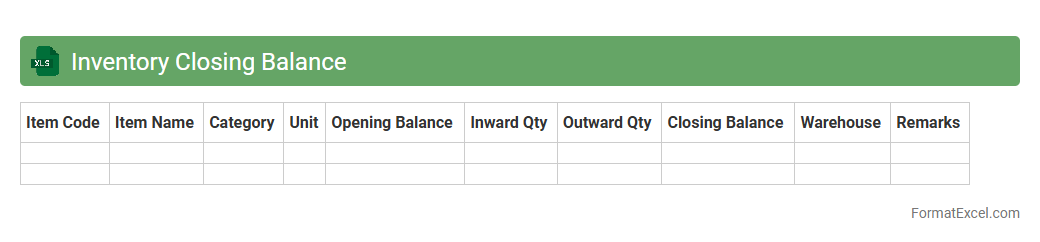
Inventory Closing Balance
The
Inventory Closing Balance Excel document tracks the remaining stock of products at the end of a specific accounting period, providing accurate data on quantities and values of inventory items. It helps businesses manage supply levels, prevent stockouts, and make informed decisions on purchasing and production. Regularly updating this document ensures optimized inventory control and financial reporting accuracy.
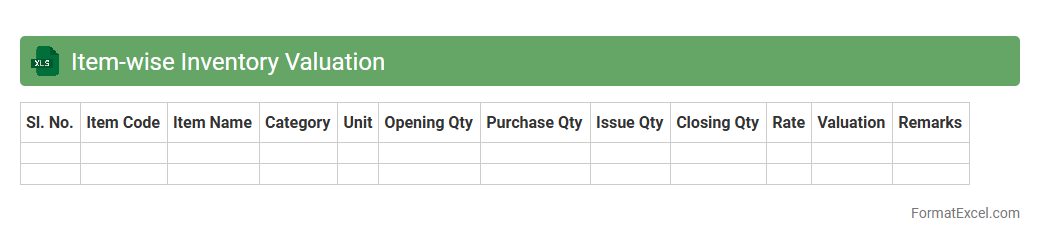
Item-wise Inventory Valuation
The
Item-wise Inventory Valuation Excel document provides a detailed breakdown of inventory costs associated with each specific item, enabling accurate tracking of stock value. It helps businesses monitor their inventory levels, manage cash flow, and optimize procurement by identifying high-value or slow-moving items. Using this tool ensures precise financial reporting and supports informed decision-making for inventory control and budgeting.
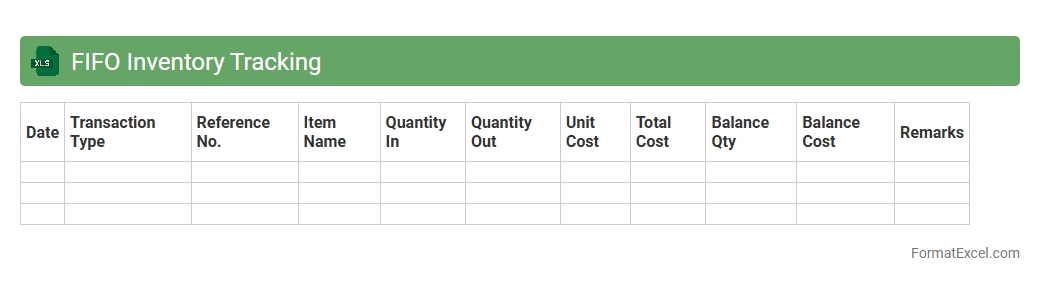
FIFO Inventory Tracking
FIFO Inventory Tracking Excel document is a valuable tool for managing stock by implementing the
First-In, First-Out method, ensuring the oldest inventory items are used or sold first. It helps businesses minimize waste, reduce storage costs, and maintain product quality by accurately recording purchase and usage dates. This system enhances financial reporting and inventory accuracy, making demand forecasting and stock replenishment more efficient.
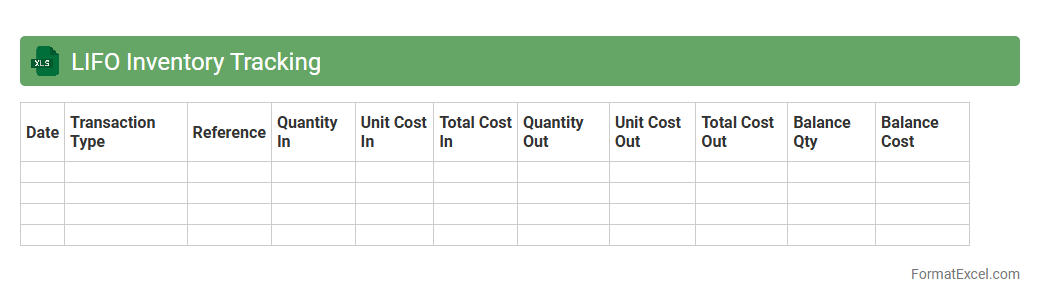
LIFO Inventory Tracking
A
LIFO Inventory Tracking Excel document records and manages stock valuing the most recent purchases first when calculating inventory costs, aligning with the Last-In, First-Out accounting method. It helps businesses maintain accurate inventory records, optimize stock management, and comply with financial reporting standards. Using this system, companies can analyze cost flow, control expenses, and improve decision-making regarding inventory purchases and sales.
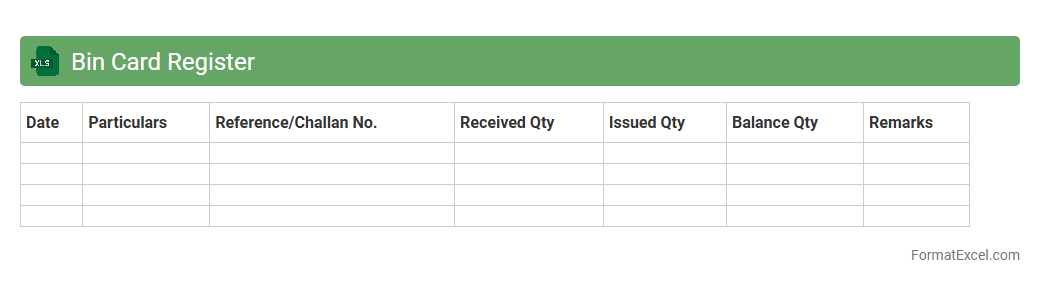
Bin Card Register
A
Bin Card Register Excel document is a digital tool used to systematically record and track inventory items stored in bins or storage locations. It helps maintain accurate stock levels by logging item details, quantities received, issued, and balance on hand, facilitating efficient inventory management. This document enhances organization, reduces errors, and improves the speed of stock audits and replenishment processes.
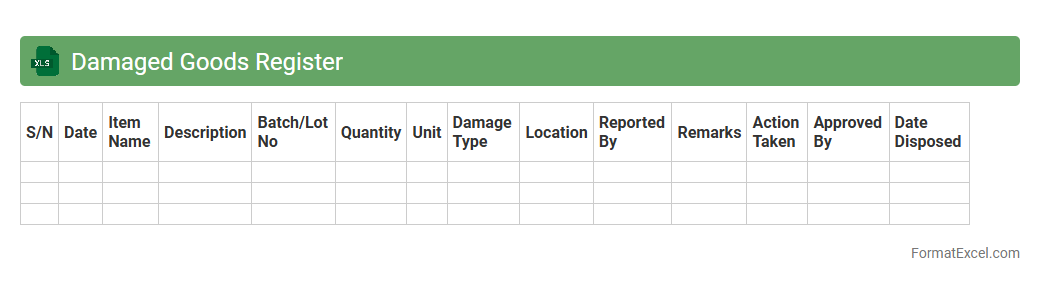
Damaged Goods Register
The
Damaged Goods Register Excel document is a detailed record used to track inventory items that have been damaged, including specifics such as item description, quantity, date of damage, and reason for damage. It is useful for businesses to monitor losses, manage stock accurately, and streamline the process of claims or disposal. Keeping an updated register helps in identifying patterns of damage, reducing future occurrences, and maintaining financial accountability.
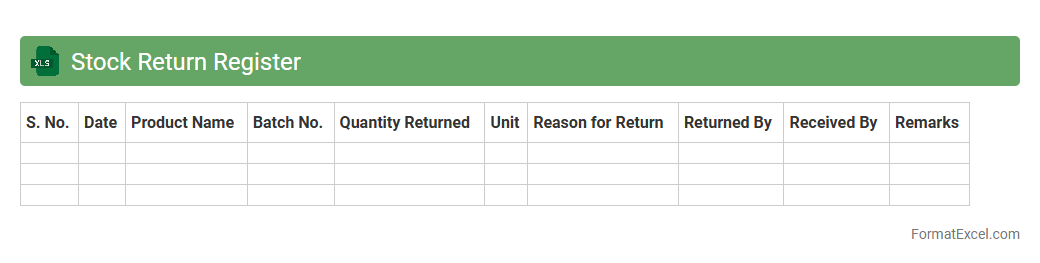
Stock Return Register
A
Stock Return Register Excel document is a structured spreadsheet used to record and track the return of stocks or inventory items in a business. It helps maintain accurate records of returned goods by capturing details such as return date, item description, quantity, reason for return, and financial adjustments. This tool is essential for improving inventory management, reducing losses, and facilitating precise financial reporting.
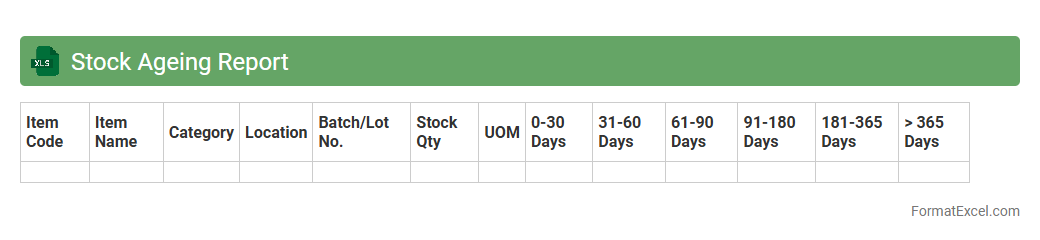
Stock Ageing Report
A
Stock Ageing Report Excel document categorizes inventory based on the length of time items have been in stock, helping businesses track product shelf-life and identify slow-moving or obsolete goods. This report aids in optimizing inventory management by highlighting items that require discounting or replenishment, reducing holding costs and enhancing cash flow. Accurate stock ageing analysis ultimately supports informed decision-making for procurement and sales strategies.
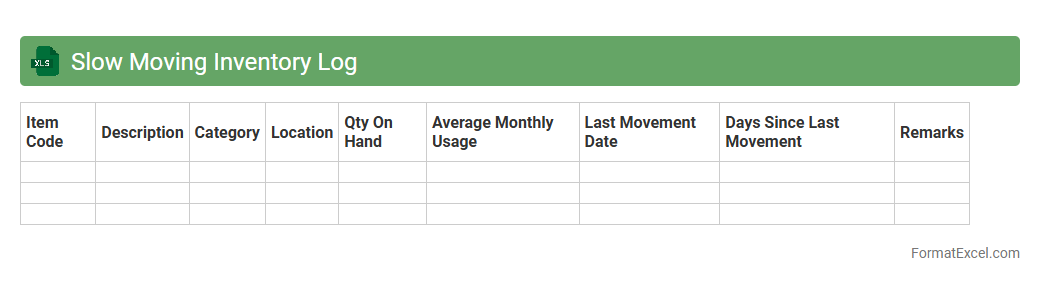
Slow Moving Inventory Log
A
Slow Moving Inventory Log Excel document is a spreadsheet designed to track and analyze inventory items that have low turnover rates over a specific period. It helps businesses identify products that are not selling quickly, enabling better decision-making for inventory management, such as considering discounts, promotions, or discontinuation to reduce holding costs. This log improves cash flow and optimizes warehouse space by focusing on high-demand items and minimizing excess stock.
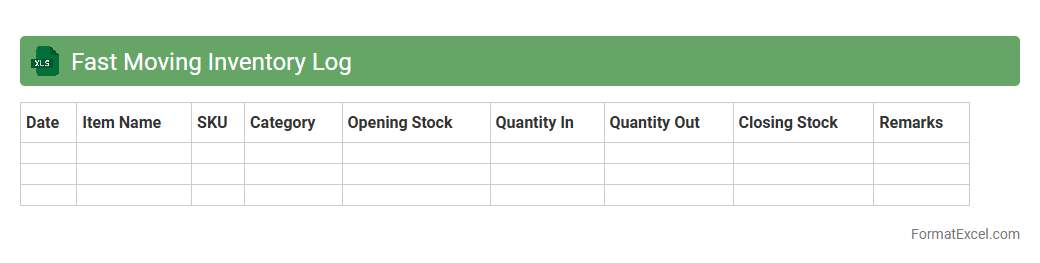
Fast Moving Inventory Log
The
Fast Moving Inventory Log Excel document is a powerful tool for tracking high-demand products that sell quickly within a specified period. It helps businesses analyze sales velocity, optimize stock levels, and reduce the risk of stockouts or overstocking by providing real-time data on inventory turnover. This log enhances decision-making by identifying trends, improving supply chain efficiency, and ensuring timely replenishment of fast-moving items.
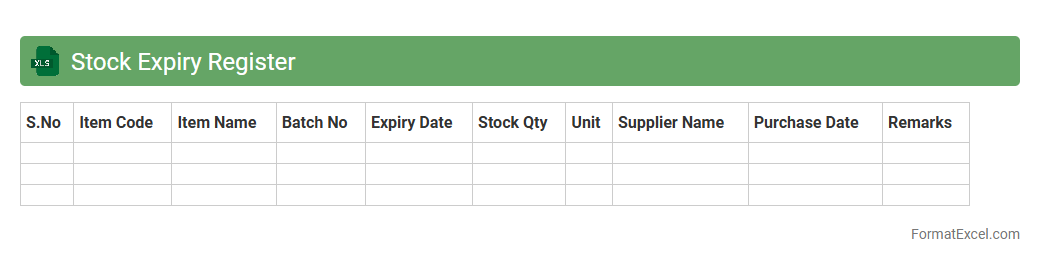
Stock Expiry Register
A
Stock Expiry Register Excel document is a specialized spreadsheet designed to track the expiry dates of inventory items, ensuring timely management of perishable goods. It helps businesses minimize losses by providing alerts before stock expires, allowing for strategic sales or disposal decisions. This register improves inventory accuracy, reduces waste, and enhances overall supply chain efficiency.
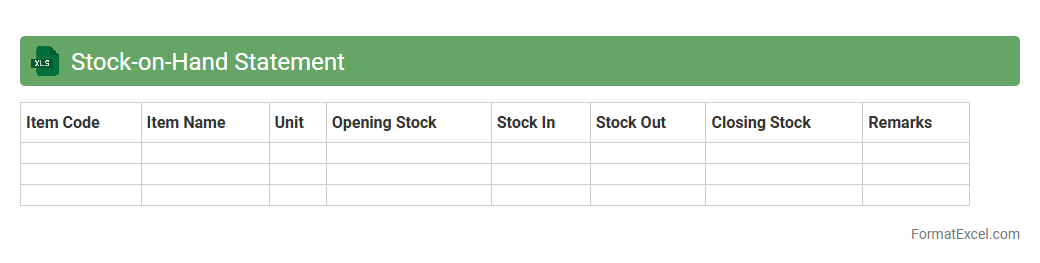
Stock-on-Hand Statement
A
Stock-on-Hand Statement Excel document is a detailed inventory report that tracks the quantity, value, and status of items currently available in stock. It provides real-time data essential for effective inventory management, ensuring accurate stock levels to prevent overstocking or stockouts. This document helps businesses optimize purchasing decisions, improve demand forecasting, and maintain efficient supply chain operations.
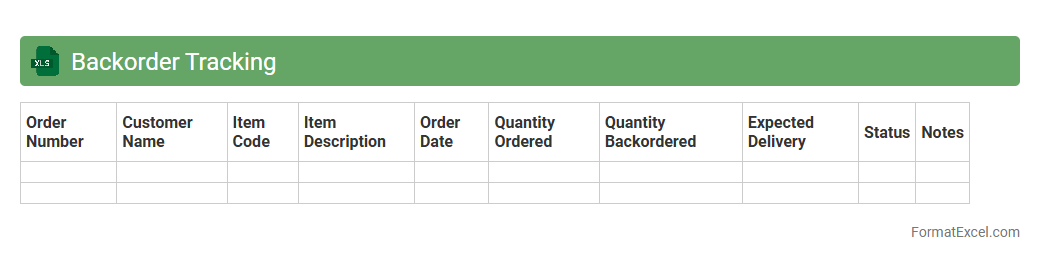
Backorder Tracking
A
Backorder Tracking Excel document is a spreadsheet designed to monitor and manage pending customer orders that cannot be fulfilled immediately due to inventory shortages. It enables businesses to track product availability, expected restock dates, and prioritize order fulfillment efficiently. By streamlining backorder management, this tool helps improve customer satisfaction and optimize supply chain operations.
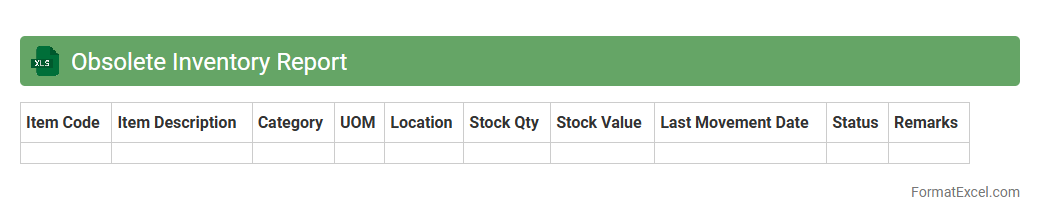
Obsolete Inventory Report
An
Obsolete Inventory Report Excel document identifies products or materials that have not been used or sold for an extended period, highlighting excess or outdated stock. This report helps businesses minimize carrying costs, optimize warehouse space, and improve cash flow by enabling strategic decisions on inventory clearance or write-offs. Tracking obsolete inventory supports accurate financial reporting and reduces the risk of inventory obsolescence affecting profitability.
Understanding the Importance of an Inventory Ledger
An inventory ledger is crucial for tracking stock levels, purchases, and sales accurately. It helps businesses maintain optimal inventory, reduce costs, and improve cash flow. Proper management ensures timely replenishment and prevents stockouts or overstocking.
Key Components of an Inventory Ledger Format
Essential components include item description, quantity, unit price, date of transaction, and balance. A well-structured ledger also records purchase and sales details for comprehensive tracking. These columns form the backbone of an effective inventory ledger.
Essential Excel Functions for Inventory Management
Functions like SUM, IF, VLOOKUP, and COUNTIF streamline calculation and data analysis in Excel. They automate stock calculations, update balances, and generate alerts for low inventory. Utilizing these Excel functions enhances accuracy and saves time.
Step-by-Step Guide to Creating an Inventory Ledger in Excel
Start by listing all inventory items and defining relevant columns such as quantity and price. Enter transactions chronologically and use formulas to update stock balances automatically. Following this systematic approach ensures reliable inventory tracking.
Sample Inventory Ledger Template in Excel
A sample template includes predefined headers, formulas, and conditional formatting for clarity. It serves as a starting point to customize according to business needs. Using a template speeds up ledger setup and improves consistency.
Customizing Columns for Your Business Needs
Adjust columns to include product codes, supplier info, expiry dates, or batch numbers as needed. Tailoring the ledger ensures it captures all relevant data for your specific industry. Custom columns allow precise inventory control.
Automating Calculations in Your Ledger Sheet
Leverage Excel formulas to automatically update stock levels and calculate total values. Automation minimizes manual errors and improves efficiency in inventory management. Implementing automated calculations is key to a dynamic ledger.
Tips for Accurate Stock Tracking in Excel
Regularly update the ledger with all inventory transactions and perform periodic reconciliations. Use data validation and drop-down lists to maintain consistent entries. Following these best practices ensures reliable stock tracking.
Common Mistakes to Avoid in Inventory Ledgers
Avoid incomplete entries, incorrect formulas, and inconsistent data formats. Failure to update records timely can lead to inaccurate inventory status. Being mindful of these common errors is essential for effective ledger management.
Downloadable Inventory Ledger Format in Excel
Downloadable templates offer a ready-to-use solution with customizable features for different business models. They save time and ensure adherence to best inventory practices. Use a downloadable format to jumpstart your inventory management process.