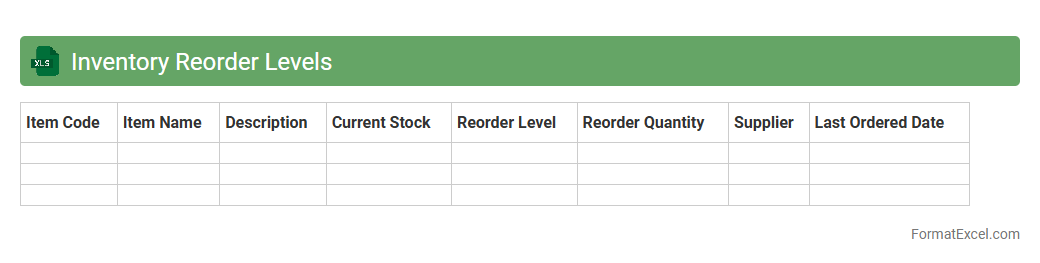
Inventory Reorder Levels
An
Inventory Reorder Levels Excel document is a tool that helps track stock thresholds to trigger timely replenishment orders, preventing inventory shortages or overstock. It organizes data on minimum stock levels, current inventory, and supplier lead times to ensure optimal inventory management. By using this document, businesses can maintain efficient supply chains, reduce carrying costs, and improve order accuracy.
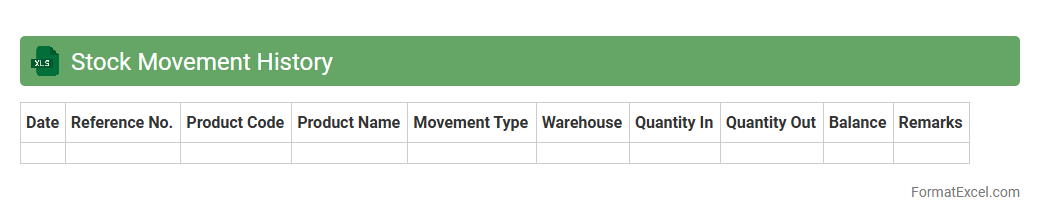
Stock Movement History
A
Stock Movement History Excel document records detailed transactions of inventory items, tracking quantities received, issued, and remaining over time. This document helps businesses monitor stock levels, identify trends in inventory usage, and prevent shortages or overstock situations. By analyzing historical stock data, companies can make informed purchasing decisions and optimize supply chain management.
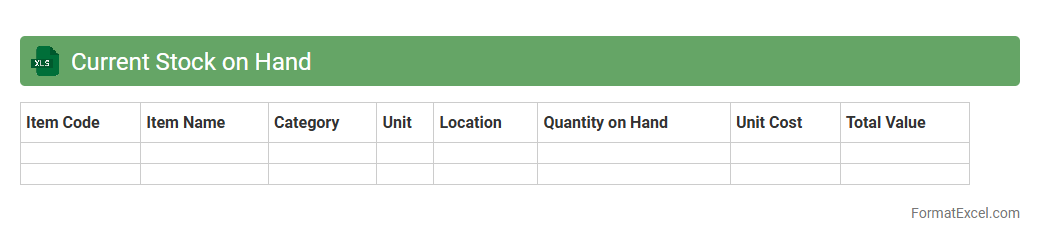
Current Stock on Hand
A
Current Stock on Hand Excel document is a detailed inventory tracker that records the quantity of products or materials available at a specific point in time. It helps businesses monitor their stock levels accurately, preventing overstocking or stockouts, which optimizes inventory management and reduces carrying costs. By providing real-time data on available stock, this document supports efficient order planning, replenishment scheduling, and overall supply chain operations.
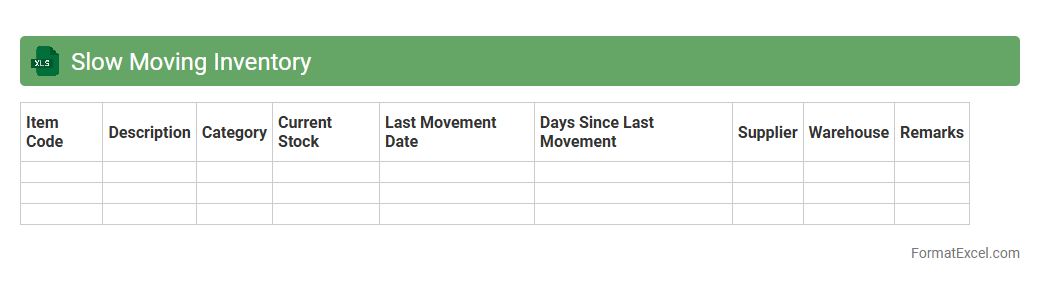
Slow Moving Inventory
A
Slow Moving Inventory Excel document is a tool used to track and analyze inventory items that have low sales velocity over a specific period. By identifying products that remain unsold or have minimal turnover, businesses can optimize stock levels, reduce holding costs, and improve cash flow management. This document assists in making informed decisions about promotions, markdowns, or discontinuing outdated stock, enhancing overall inventory efficiency.
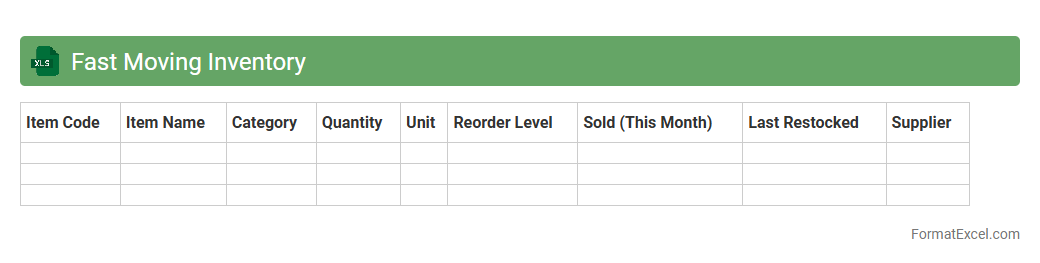
Fast Moving Inventory
A
Fast Moving Inventory Excel document is a spreadsheet tool designed to track and analyze products with high turnover rates, helping businesses identify items that sell quickly. It optimizes inventory management by highlighting fast-moving SKUs, reducing stockouts, and minimizing holding costs. This document aids in making data-driven decisions for restocking and sales strategies, improving overall operational efficiency.
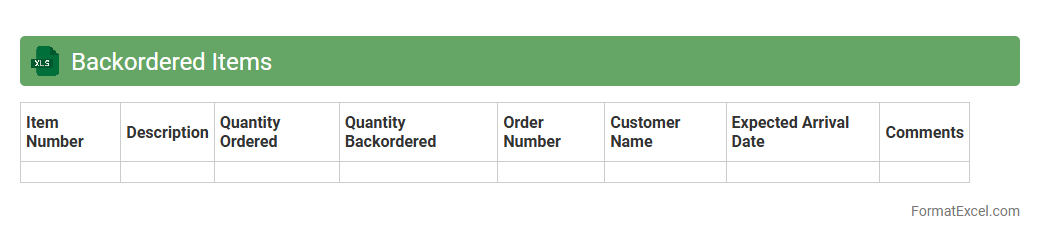
Backordered Items
A
Backordered Items Excel document tracks products that are temporarily out of stock but have pending customer orders. It helps businesses manage inventory by providing real-time visibility into demand versus supply, enabling timely restocking decisions. This document streamlines communication across sales, procurement, and warehouse teams, improving order fulfillment and customer satisfaction.
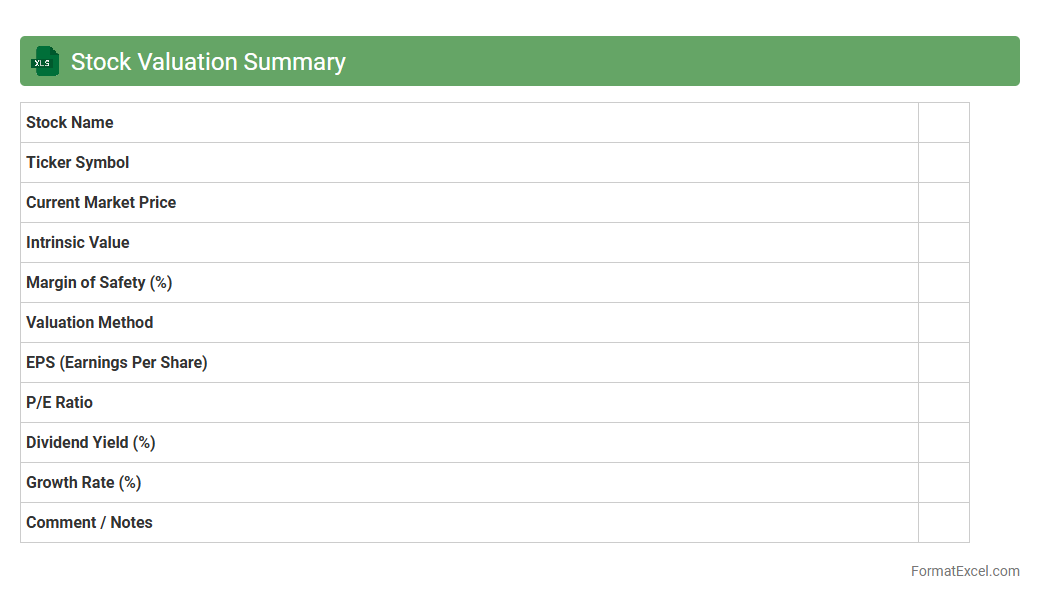
Stock Valuation Summary
The
Stock Valuation Summary Excel document provides a structured overview of a company's stock value by consolidating key financial metrics like price-to-earnings ratio, earnings per share, dividend yield, and market capitalization. It helps investors and financial analysts quickly assess the intrinsic value of stocks, compare different investment options, and make informed decisions on buying, holding, or selling shares. This tool streamlines complex financial data into a clear format, enhancing accuracy in portfolio management and investment strategy planning.
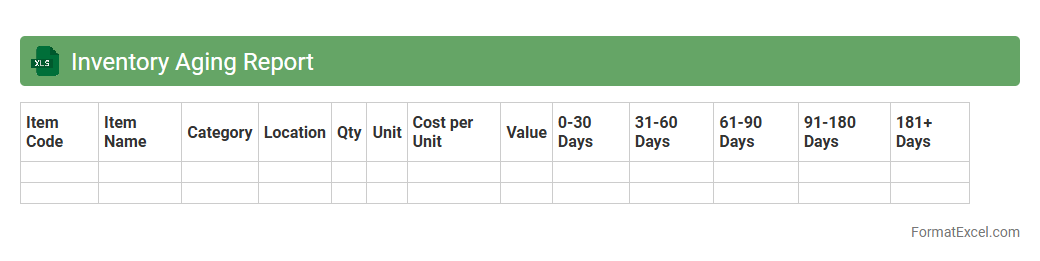
Inventory Aging Report
An
Inventory Aging Report Excel document categorizes stock based on the length of time items have been held in inventory, highlighting aging or obsolete products. It helps businesses identify slow-moving or excess inventory, enabling better decision-making for stock management, reducing holding costs, and optimizing cash flow. This report is crucial for maintaining efficient supply chain operations and improving profitability by minimizing waste and markdowns.
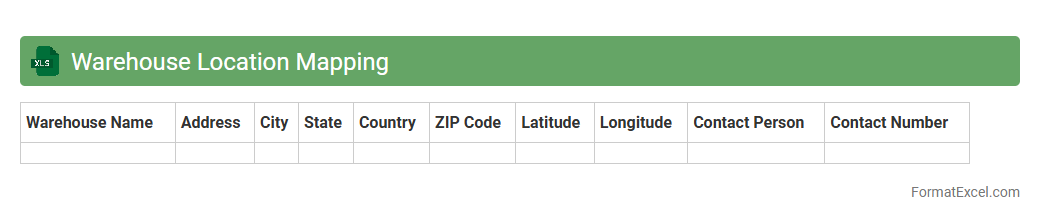
Warehouse Location Mapping
A
Warehouse Location Mapping Excel document is a structured spreadsheet that records and organizes the precise locations of inventory within a warehouse environment. It enhances operational efficiency by enabling quick identification of product positions, reducing search time, and minimizing errors during picking and restocking processes. This tool supports better space management and inventory control, ultimately improving order fulfillment accuracy and warehouse productivity.
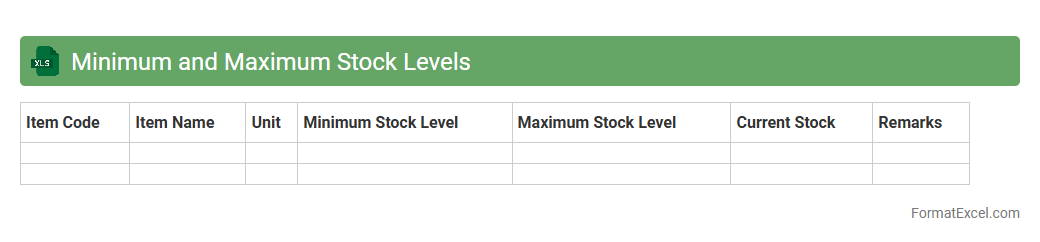
Minimum and Maximum Stock Levels
The
Minimum and Maximum Stock Levels Excel document is a crucial inventory management tool that helps track optimal stock quantities to prevent overstocking and stockouts. It provides a clear framework for maintaining efficient inventory by setting threshold limits that trigger reordering processes, ensuring consistent product availability. Utilizing this document enhances cost control, reduces storage expenses, and supports seamless supply chain operations.
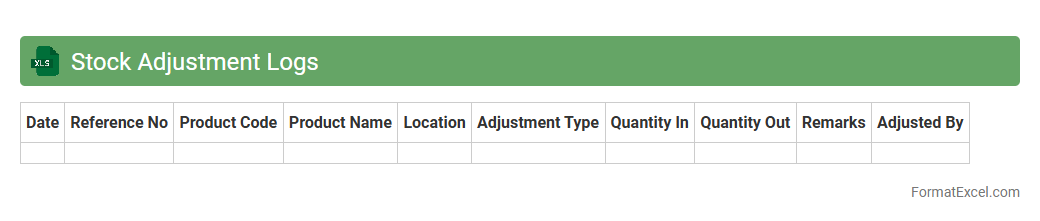
Stock Adjustment Logs
Stock Adjustment Logs Excel document tracks changes in inventory levels, documenting stock increases, decreases, and corrections with timestamps and reasons. This log helps maintain accurate inventory records, reduces discrepancies, and supports efficient stock management. By analyzing these adjustments, businesses can identify patterns in stock movement and optimize ordering and storage processes.
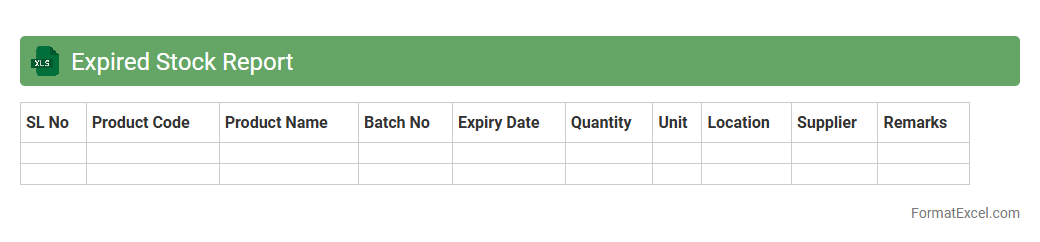
Expired Stock Report
The
Expired Stock Report Excel document is a detailed inventory tool that tracks products past their expiration dates, enabling businesses to manage stock effectively. It helps identify obsolete items quickly, reducing financial losses and ensuring compliance with safety standards. By regularly reviewing this report, companies can optimize inventory turnover and maintain product quality.
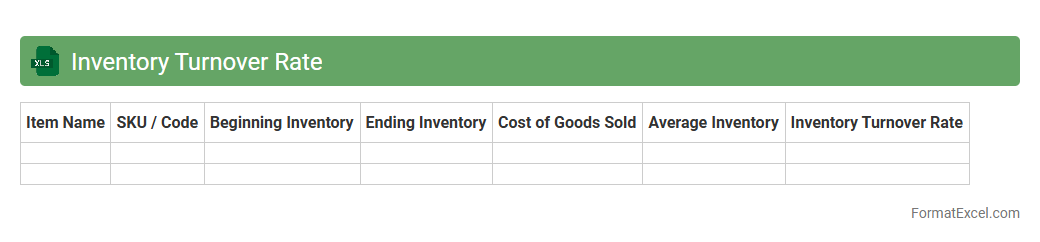
Inventory Turnover Rate
The
Inventory Turnover Rate Excel document is a powerful tool that calculates how many times a company's inventory is sold and replaced over a specific period, using data like cost of goods sold and average inventory. It helps businesses optimize stock levels, reduce holding costs, and improve cash flow by identifying slow-moving or excess inventory. This document streamlines financial analysis and inventory management, enabling informed decisions that enhance operational efficiency and profitability.
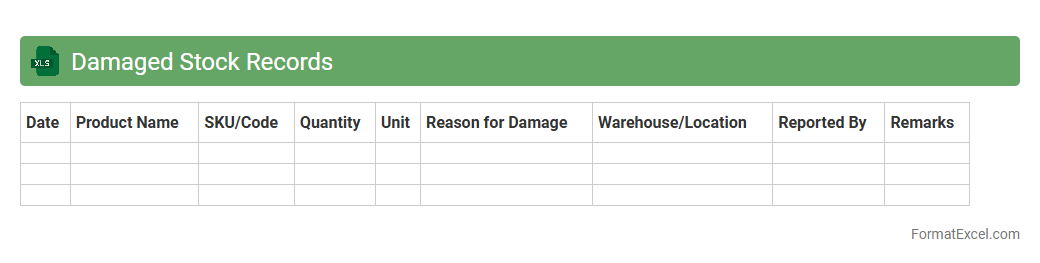
Damaged Stock Records
A
Damaged Stock Records Excel document is a structured spreadsheet used to track inventory items that are broken, defective, or unsellable. It helps businesses maintain accurate records of damaged goods, monitor losses, and streamline the process for reporting and disposal. Keeping detailed damaged stock data improves inventory management, supports financial audits, and aids in decision-making to minimize future damages.
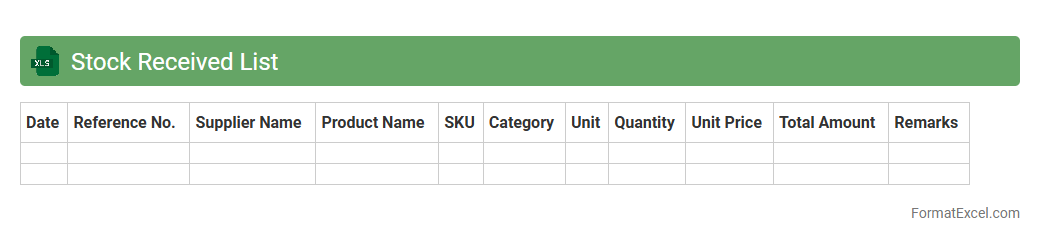
Stock Received List
The
Stock Received List Excel document is a detailed record that tracks all incoming inventory items, including quantities, dates, and supplier information. It helps businesses maintain accurate stock control, streamline inventory management, and ensure timely reconciliation between received goods and purchase orders. This tool improves operational efficiency by minimizing errors and facilitating quick audits.
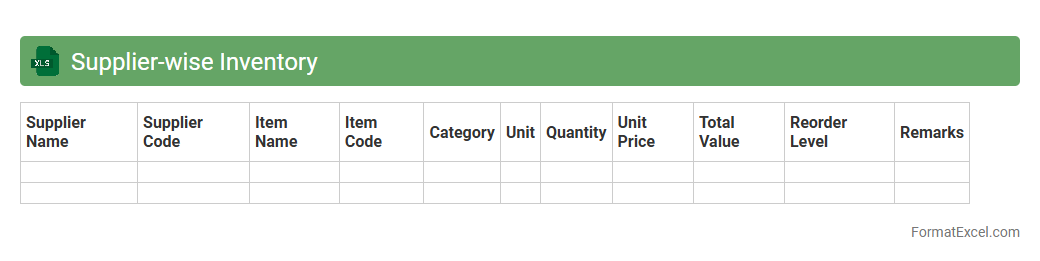
Supplier-wise Inventory
A
Supplier-wise Inventory Excel document organizes inventory data by each supplier, enabling efficient tracking of stock levels, purchase history, and delivery schedules. It helps businesses manage vendor relationships, optimize reorder points, and reduce stockouts by providing clear visibility into supplier-specific inventory metrics. This tool supports informed decision-making in procurement and inventory control, ultimately enhancing supply chain efficiency.
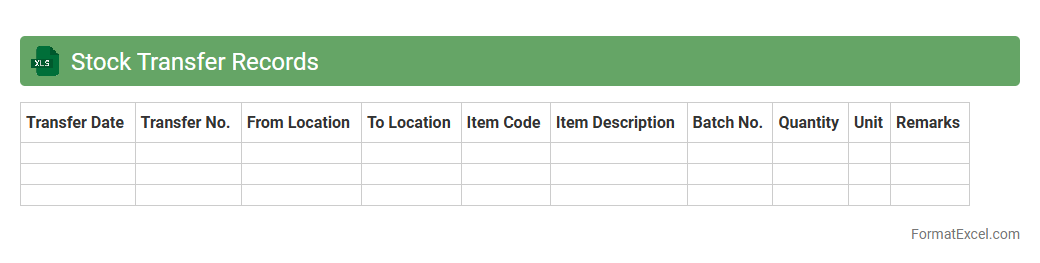
Stock Transfer Records
A
Stock Transfer Records Excel document tracks the movement of inventory between different locations or departments within an organization. It provides detailed information such as item descriptions, quantities transferred, transfer dates, and receiving parties, ensuring accurate inventory management. This document helps businesses maintain up-to-date stock levels, reduce discrepancies, and streamline internal logistics processes.
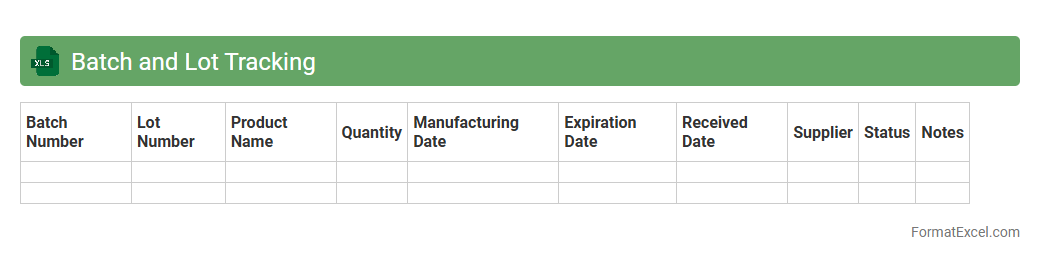
Batch and Lot Tracking
A
Batch and Lot Tracking Excel document is a tool used to monitor and record production batches or lots, enabling efficient inventory management and product traceability. It helps businesses track key details such as batch numbers, manufacturing dates, expiration dates, and quantities, ensuring compliance with quality standards and regulatory requirements. This document enhances operational accuracy, facilitates quick recall processes if necessary, and supports better decision-making by providing clear visibility into product flow and stock levels.
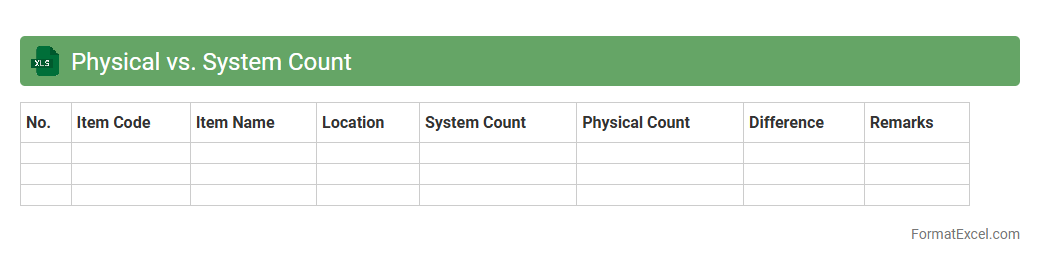
Physical vs. System Count
The
Physical vs. System Count Excel document is a comparative tool that tracks the actual inventory (physical count) against the recorded inventory in the system (system count). It helps identify discrepancies between what is physically present and what the system records, enabling accurate inventory management and loss prevention. This document is crucial for businesses to maintain inventory integrity, enhance operational efficiency, and support auditing processes.
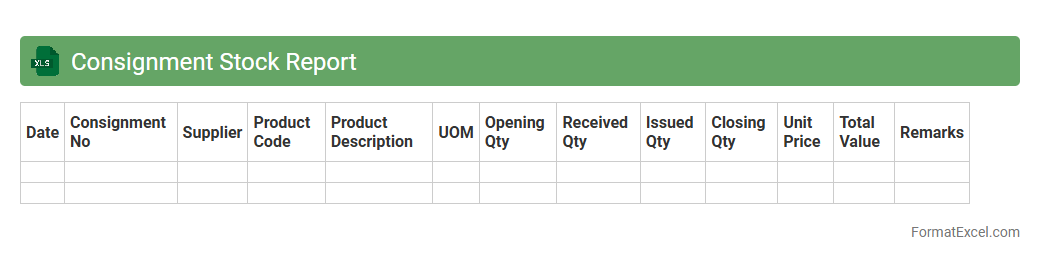
Consignment Stock Report
A
Consignment Stock Report Excel document tracks inventory held by a vendor but stored at the buyer's location, providing clear visibility of stock quantities, movements, and values. It helps businesses manage consigned goods efficiently, ensuring accurate accounting and timely replenishment without owning the inventory outright. This report improves supply chain transparency, reduces stockouts or overstock situations, and supports effective vendor relationship management.
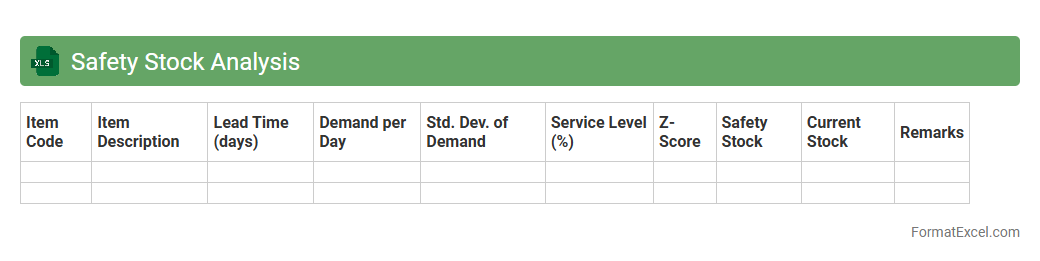
Safety Stock Analysis
Safety Stock Analysis Excel document is a powerful tool designed to calculate and monitor
safety stock levels to prevent stockouts and ensure smooth inventory management. It helps businesses identify optimal buffer stock by analyzing demand variability and lead times, reducing the risk of disruptions in supply chain operations. Using this document enhances decision-making accuracy, improves customer service levels, and minimizes excess inventory costs.
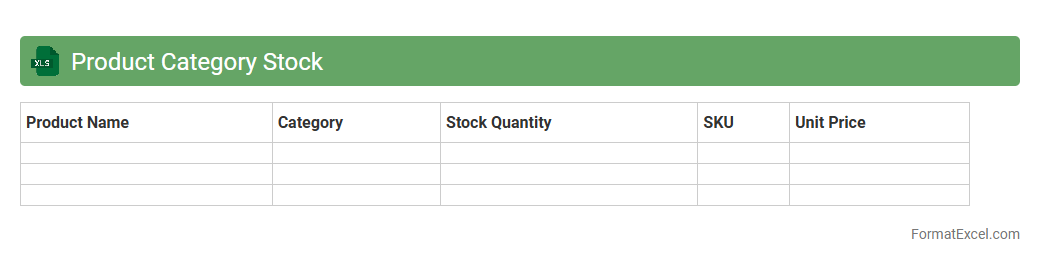
Product Category Stock
The
Product Category Stock Excel document is a structured spreadsheet designed to track and manage inventory levels across various product categories efficiently. It enables businesses to monitor stock quantities, assess demand trends, and optimize reorder schedules to prevent stockouts or overstocking. Using this document enhances decision-making by providing clear visibility into inventory status, improving supply chain management and operational productivity.
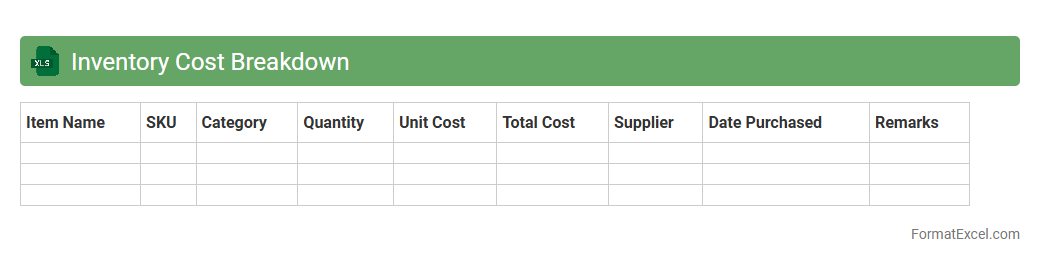
Inventory Cost Breakdown
The
Inventory Cost Breakdown Excel document organizes detailed expenses related to managing stock, including purchase costs, storage fees, and handling charges. This tool allows businesses to analyze and control inventory-related expenditures efficiently, leading to improved budgeting and cost-saving strategies. By providing a clear overview of all inventory costs, it supports informed decision-making and optimizes resource allocation.
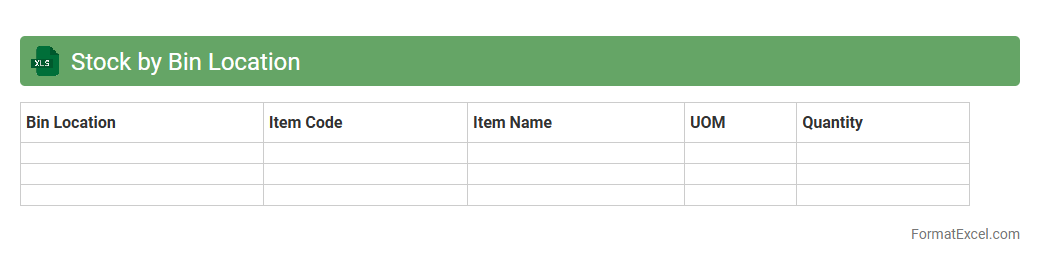
Stock by Bin Location
The
Stock by Bin Location Excel document is a detailed inventory management tool that organizes stock quantities according to their specific storage locations within a warehouse. It enables efficient tracking of product availability, reduces picking errors, and facilitates faster order fulfillment by providing clear insights into product distribution. This document helps businesses optimize warehouse operations and improve overall supply chain accuracy.
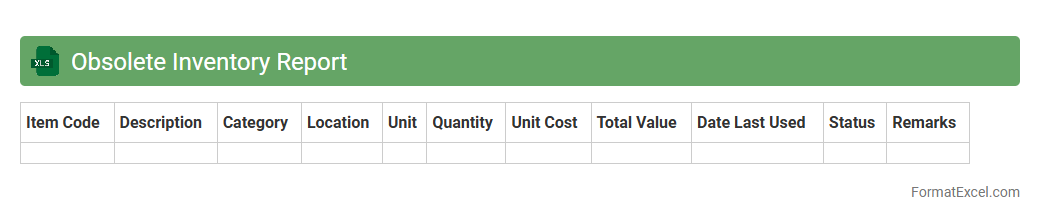
Obsolete Inventory Report
An
Obsolete Inventory Report Excel document identifies products or materials that are no longer in demand or usable, helping businesses minimize carrying costs and reduce waste. It provides detailed data on inventory items flagged as obsolete based on criteria such as last usage date, sales trends, or product lifecycle status. This report supports efficient inventory management by enabling informed decisions on stock clearance, write-offs, or recycling initiatives.
Introduction to Inventory Stock Format in Excel
Inventory Stock Format in Excel is a structured template designed to help businesses efficiently track their stock levels. It streamlines inventory management by organizing data clearly and systematically. Using Excel for this purpose reduces errors and improves overall control.
Key Features of an Effective Excel Inventory Template
An effective Excel inventory template includes features such as automated calculations, dynamic filtering, and conditional formatting to highlight low stock items. It should also allow easy data entry and provide real-time updates. Integrating these functionalities ensures enhanced inventory accuracy.
Essential Columns for Inventory Stock Management
Key columns to include are Item Name, SKU, Quantity, Unit Price, Supplier, and Reorder Level. These fields capture critical data necessary for tracking and decision-making. Properly defined columns are fundamental to creating a robust inventory management system.
Step-by-Step Guide to Creating an Inventory Sheet in Excel
Start by setting up your columns with clear headers, then input your initial stock data. Next, use Excel's features like data validation and conditional formatting to maintain data integrity. This step-by-step setup results in a functional and user-friendly inventory sheet.
Useful Excel Formulas for Inventory Tracking
Formulas such as SUMIF, VLOOKUP, and IF statements help automate stock calculations and status checks. These formulas aid in calculating total stock, identifying reorder needs, and tracking sales. Mastering these Excel formulas significantly simplifies inventory management.
Sample Layouts for Inventory Stock Format
Sample layouts typically display data in a tabular format with clear separation of categories and totals. Including color-coded status indicators helps users quickly assess stock conditions. A well-designed layout boosts inventory readability and efficiency.
Automating Inventory Updates with Excel Functions
Excel functions like macros and pivot tables can automate stock updates and generate summary reports. This automation reduces manual entry errors and saves time. Leveraging these automation functions enhances inventory management workflow.
Tips for Customizing Your Inventory Template
Customize your template by adding formulas that fit your tracking needs and modifying columns to suit specific products. Use conditional formatting to highlight critical data points such as low stock items. Personalization improves the template's usability and relevance.
Common Mistakes to Avoid in Excel Inventory Sheets
Avoid inconsistent data entry, lack of backup, and ignoring formula errors. These mistakes can lead to inaccurate stock information and operational disruptions. Addressing them ensures reliable and effective inventory tracking.
Downloadable Inventory Stock Excel Templates
There are numerous downloadable Excel templates available that can jumpstart your inventory management process. Choose templates that are customizable, user-friendly, and equipped with necessary formulas. Using a pre-built template saves time and enhances accuracy.