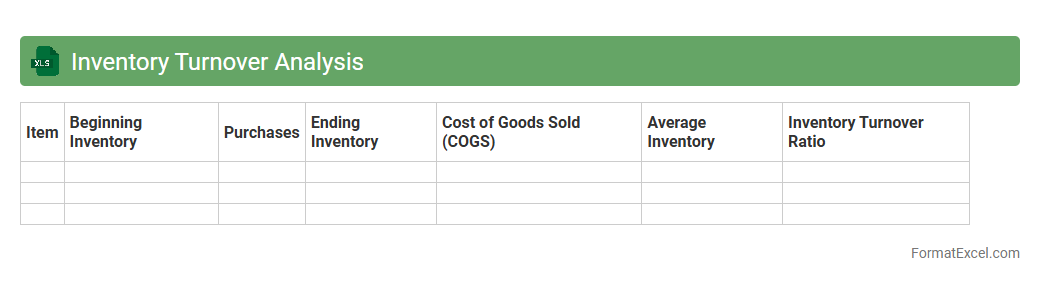
Inventory Turnover Analysis
Inventory Turnover Analysis Excel document is a powerful tool that tracks how often inventory is sold and replaced over a specific period, helping businesses understand the efficiency of their stock management. By calculating the
inventory turnover ratio, it enables companies to identify slow-moving products, optimize inventory levels, and reduce holding costs. This analysis improves cash flow management and supports better purchasing decisions, ultimately enhancing overall operational performance.
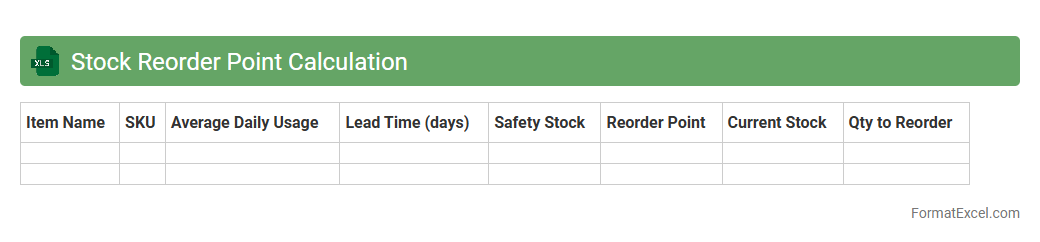
Stock Reorder Point Calculation
A
Stock Reorder Point Calculation Excel document automates the process of determining the optimal inventory level at which new stock should be ordered to prevent shortages and overstocking. It uses data such as average daily usage, lead time, and safety stock to calculate precise reorder points, enhancing inventory management efficiency. This tool is essential for businesses aiming to minimize holding costs while ensuring consistent product availability.
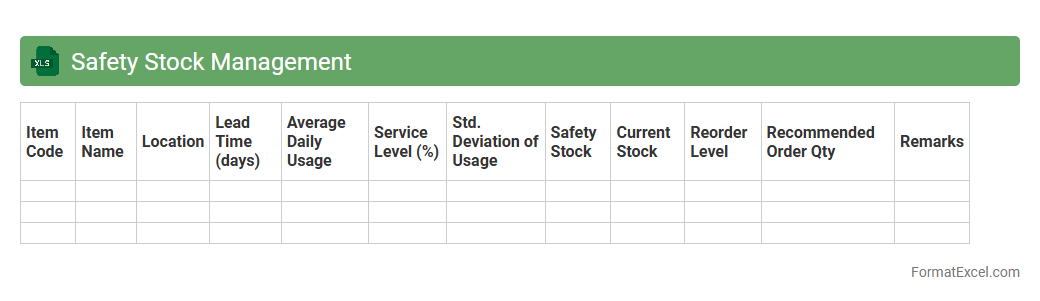
Safety Stock Management
A
Safety Stock Management Excel document helps businesses maintain optimal inventory levels to prevent stockouts and overstock situations by calculating buffer stock based on demand variability and lead time. It uses historical sales data and supplier lead times to generate accurate safety stock values, ensuring product availability while minimizing holding costs. This tool enhances supply chain efficiency, supports better decision-making, and improves customer satisfaction by maintaining reliable stock levels.
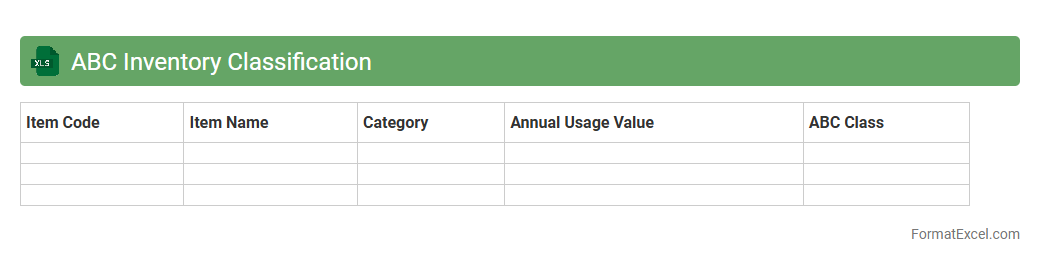
ABC Inventory Classification
The
ABC Inventory Classification Excel document is a tool used to categorize inventory items based on their value and importance, typically dividing them into three groups: A (high value), B (moderate value), and C (low value). This classification helps businesses prioritize inventory management efforts, optimize stock levels, and improve resource allocation. By focusing more on high-value items and reducing excess stock of low-value items, companies can enhance operational efficiency and reduce carrying costs.
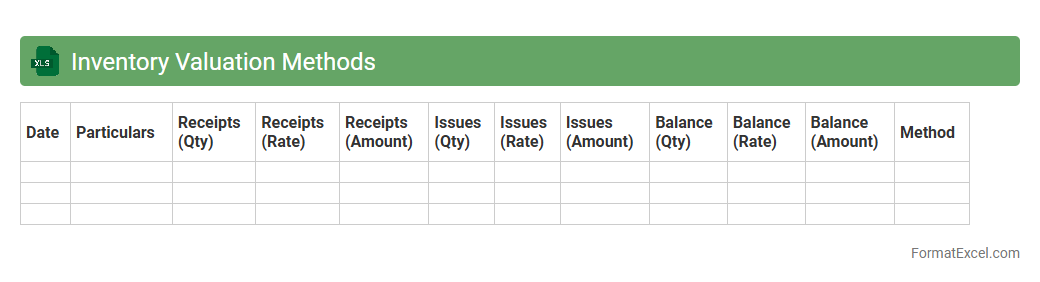
Inventory Valuation Methods
An
Inventory Valuation Methods Excel document is a spreadsheet tool designed to calculate the value of inventory using various accounting methods such as FIFO, LIFO, and Weighted Average. It helps businesses accurately assess inventory costs, manage stock levels, and determine cost of goods sold for financial reporting. Utilizing this document improves decision-making by providing clear insights into inventory valuation and its impact on profit margins.
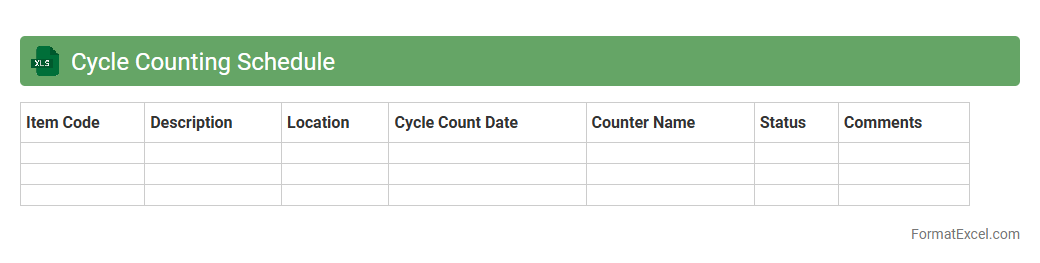
Cycle Counting Schedule
A
Cycle Counting Schedule Excel document is a tool designed to plan and track inventory cycle counts systematically, ensuring accurate stock management. It helps identify discrepancies between physical inventory and system records, reducing errors and preventing stockouts or overstock situations. This organized approach enhances inventory accuracy, streamlines audit processes, and supports efficient resource allocation in supply chain management.
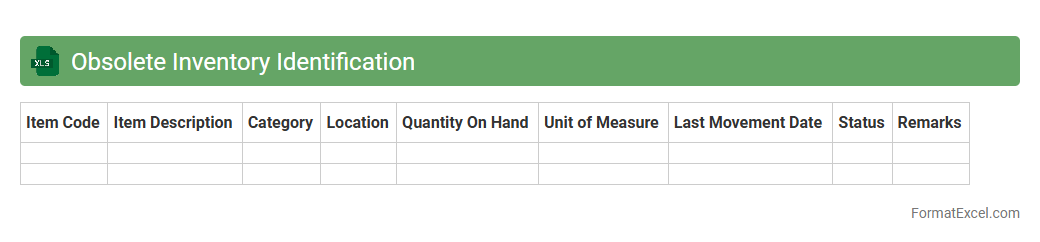
Obsolete Inventory Identification
The
Obsolete Inventory Identification Excel document is a specialized tool designed to track and analyze inventory items that are no longer in demand or have become outdated. It helps businesses identify slow-moving or non-sellable stock, allowing for effective inventory management and reducing carrying costs. By using this document, companies can optimize storage space, improve cash flow, and make informed decisions about markdowns, write-offs, or inventory liquidation strategies.
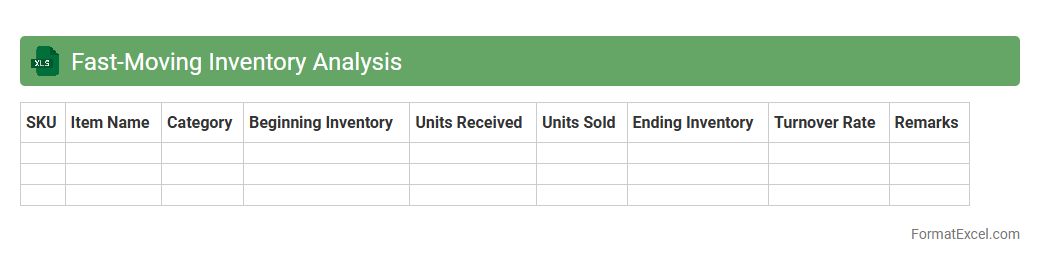
Fast-Moving Inventory Analysis
Fast-Moving Inventory Analysis is an Excel document designed to track and evaluate items with the highest turnover rates within a given period. It helps businesses identify products that sell quickly, optimize stock levels, and reduce holding costs by focusing on
fast-moving inventory. This analysis supports informed decision-making for purchasing, pricing strategies, and inventory management to boost profitability and operational efficiency.
Slow-Moving Inventory Analysis
The
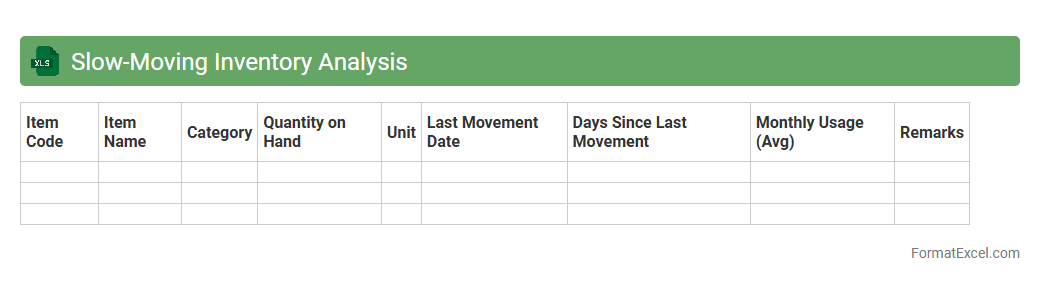
Slow-Moving Inventory Analysis Excel document identifies products that have low sales velocity, helping businesses optimize stock levels and reduce carrying costs. By tracking inventory turnover rates and aging stock, it enables efficient decision-making for purchasing and clearance strategies. This analysis supports improved cash flow management and minimizes losses associated with obsolete inventory.
Stock Ageing Report
The
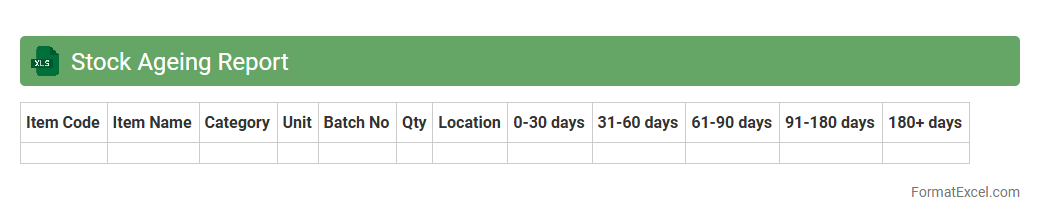
Stock Ageing Report Excel document categorizes inventory based on the duration items have been in stock, helping businesses identify slow-moving or obsolete products. This report aids in optimizing inventory management by highlighting items at risk of becoming unsellable, enabling better purchasing and sales strategies. Using this tool improves cash flow and reduces storage costs by prompting timely actions on aging stock.
Physical vs System Stock Reconciliation
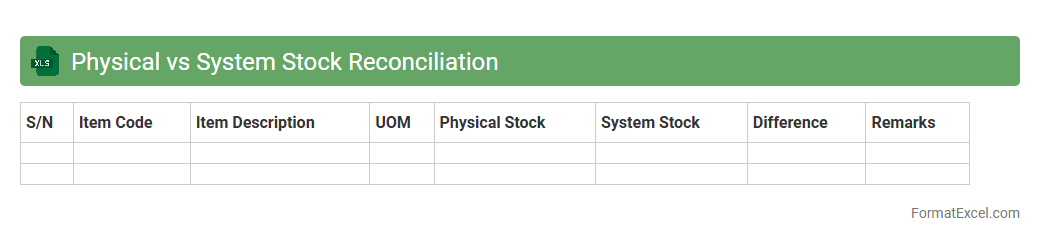
Physical vs System Stock Reconciliation excel document is a crucial tool for comparing actual inventory quantities recorded during physical stock counts with the quantities registered in the inventory management system. This process helps identify discrepancies caused by theft, damage, data entry errors, or misplacement, ensuring data accuracy and improved inventory control. Using such a document enhances operational efficiency, reduces financial losses, and supports informed decision-making by maintaining an accurate
inventory reconciliation process.
Supplier Lead Time Tracking
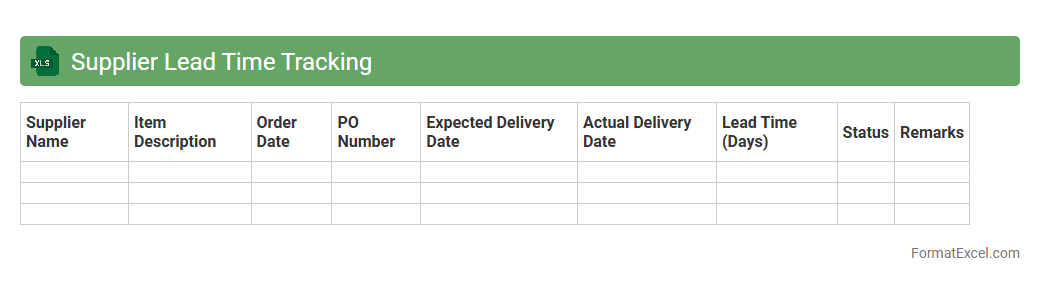
Supplier Lead Time Tracking Excel document is a tool designed to monitor and record the time taken by suppliers to fulfill orders from the date of purchase to delivery. It provides critical insights into supply chain efficiency, helping businesses identify delays and optimize inventory management. By using this document, companies can enhance their procurement planning, reduce stockouts, and improve overall operational performance through accurate
lead time analysis.
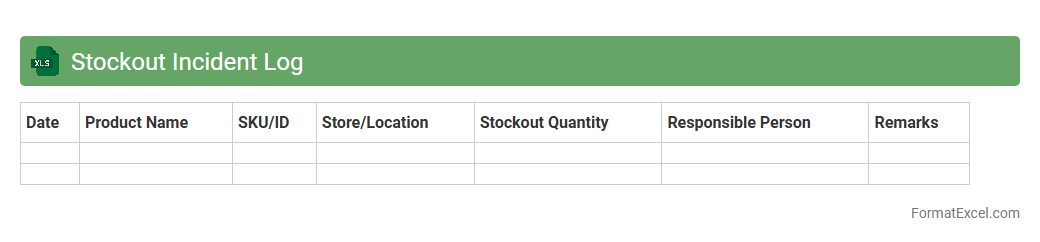
Stockout Incident Log
The
Stockout Incident Log Excel document systematically records occurrences of inventory shortages, capturing critical data such as item details, date, duration, andYuan Yin . This log helps businesses analyze patterns, identify root causes, and implement strategies to prevent future stockouts. By maintaining accurate records, companies enhance supply chain efficiency and improve customer satisfaction through better product availability.
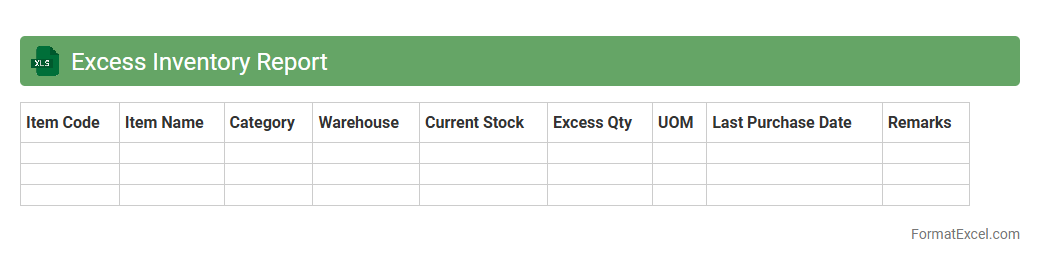
Excess Inventory Report
The
Excess Inventory Report Excel document identifies stock items that exceed current demand or sales forecasts, helping businesses manage overstock effectively. It provides critical insights into slow-moving or obsolete inventory, allowing companies to optimize storage costs and improve cash flow. Using this report supports informed decision-making on discounting, liquidation, or adjusting future purchase orders to prevent unnecessary capital tie-up.
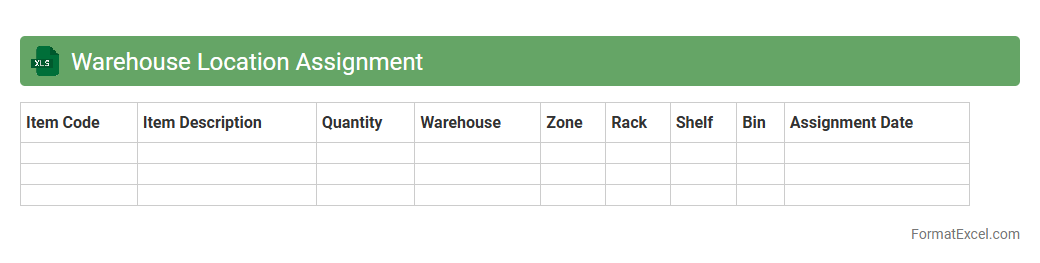
Warehouse Location Assignment
A
Warehouse Location Assignment Excel document organizes and maps product items to specific storage locations within a warehouse, optimizing space utilization and inventory management. It enables efficient tracking, reduces picking errors, and enhances overall operational productivity by providing clear location assignments and easy access to inventory data. This tool supports data-driven decisions for layout planning, stock replenishment, and resource allocation in warehousing operations.
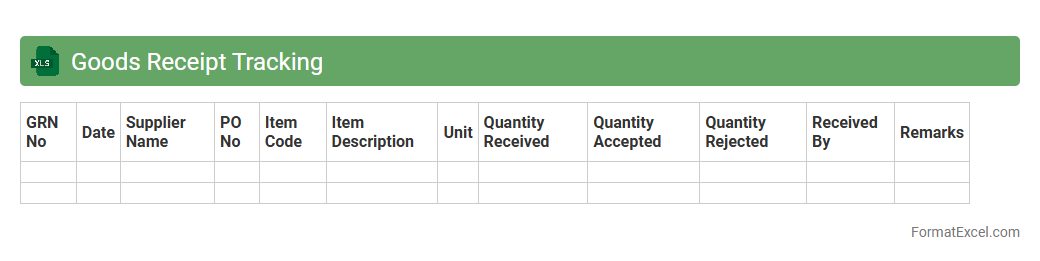
Goods Receipt Tracking
A
Goods Receipt Tracking Excel document is a detailed spreadsheet used to record and monitor the receipt of goods in inventory management. It helps businesses maintain accurate records of incoming shipments, verify quantities against purchase orders, and identify discrepancies promptly. This tool enhances operational efficiency by streamlining inventory updates, improving accountability, and facilitating timely reporting for procurement and warehouse teams.
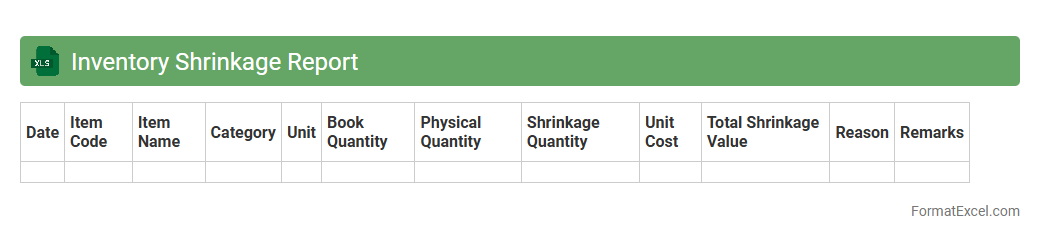
Inventory Shrinkage Report
An
Inventory Shrinkage Report Excel document tracks discrepancies between recorded inventory and actual stock levels, identifying losses due to theft, damage, or errors. It helps businesses monitor inventory accuracy, improve loss prevention strategies, and optimize stock management. Using this report enables timely decision-making to reduce shrinkage costs and enhance overall operational efficiency.
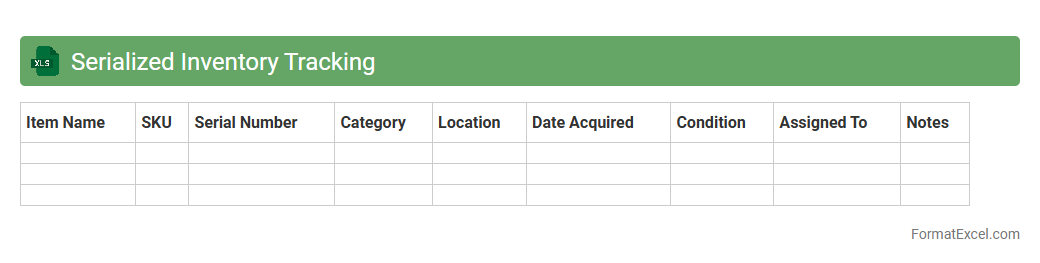
Serialized Inventory Tracking
A
Serialized Inventory Tracking Excel document is a powerful tool designed to manage and monitor inventory items by assigning unique serial numbers to each product. This system enables precise tracking of individual units, improving accuracy in stock management, warranty claims, and product recalls. Utilizing serialized tracking enhances operational efficiency by reducing errors, preventing theft, and ensuring compliance with industry regulations.
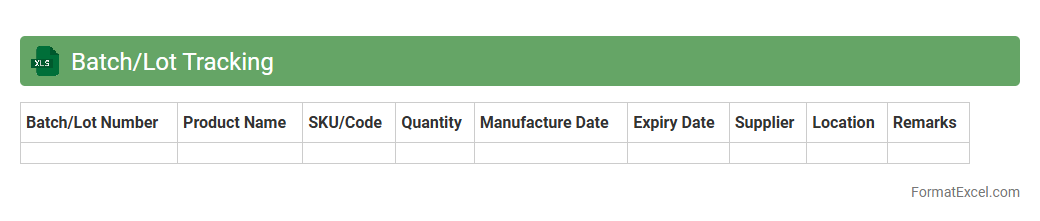
Batch/Lot Tracking
Batch/Lot Tracking Excel documents enable precise monitoring of production or inventory batches by recording key details such as batch numbers, production dates, expiration dates, and quantities. This system ensures traceability, improves quality control, and facilitates efficient recall management when needed. Using a
Batch/Lot Tracking spreadsheet helps businesses maintain compliance with industry standards and enhances operational transparency.
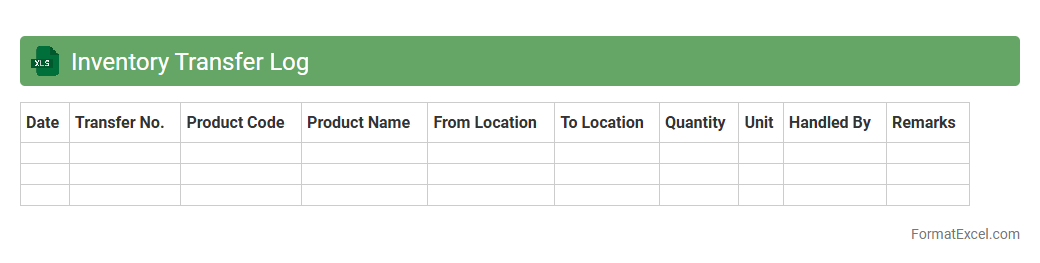
Inventory Transfer Log
An
Inventory Transfer Log Excel document systematically records the movement of stock between different locations or departments within an organization. This log helps in maintaining accurate inventory levels, preventing stock discrepancies, and ensuring traceability of transferred goods. It enhances operational efficiency by providing clear visibility into inventory flow, facilitating better inventory management and decision-making.
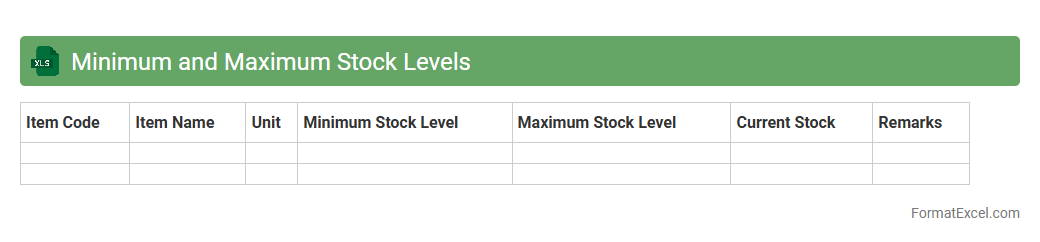
Minimum and Maximum Stock Levels
The
Minimum and Maximum Stock Levels Excel document is a tool designed to help businesses manage inventory by setting predefined thresholds for stock quantities. It ensures efficient stock control by alerting when inventory falls below the minimum level, preventing stockouts, or exceeds the maximum level, avoiding overstocking and excess holding costs. This document streamlines order planning, optimizes cash flow, and supports maintaining balanced inventory levels to meet demand without waste.
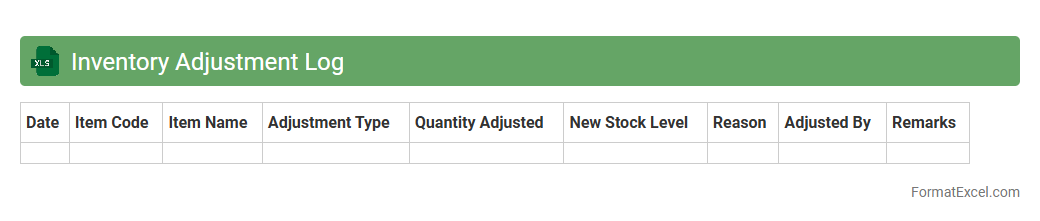
Inventory Adjustment Log
An
Inventory Adjustment Log Excel document systematically records all changes made to stock levels, including additions, removals, and corrections. This tool enhances accuracy by tracking discrepancies between physical inventory and system records, facilitating efficient reconciliation and audit processes. Businesses benefit from streamlined inventory management, reduced errors, and improved decision-making through real-time data analysis.
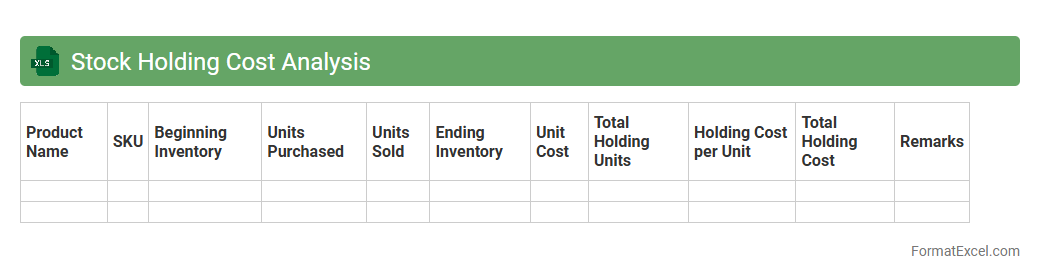
Stock Holding Cost Analysis
Stock Holding Cost Analysis Excel document is a powerful tool designed to calculate and monitor the expenses associated with maintaining inventory, including storage, insurance, depreciation, and opportunity costs. It enables businesses to identify inefficiencies and optimize stock levels, reducing unnecessary financial burdens while ensuring product availability. Using this analysis improves decision-making for inventory management and enhances overall cost-effectiveness in supply chain operations.
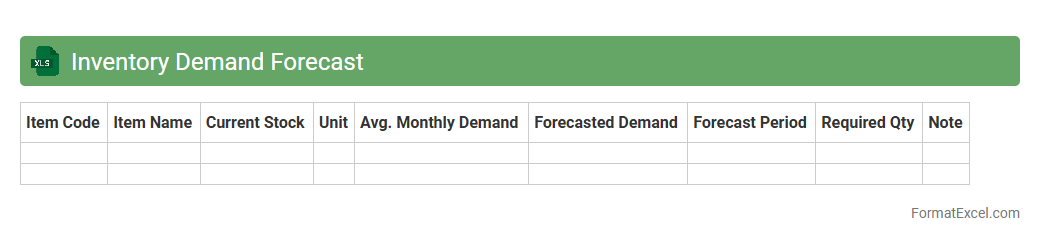
Inventory Demand Forecast
An
Inventory Demand Forecast Excel document is a spreadsheet tool designed to predict future product demand based on historical sales data and market trends. It helps businesses minimize stockouts and overstock situations by providing accurate inventory level recommendations. Using this forecast enhances supply chain efficiency, reduces holding costs, and improves customer satisfaction through better product availability.
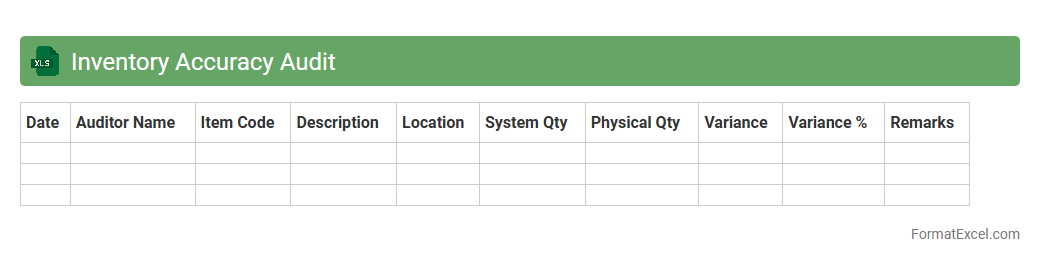
Inventory Accuracy Audit
The
Inventory Accuracy Audit Excel document is a structured tool designed to track and verify the precise quantities of stock items in a warehouse or retail environment. It enables businesses to identify discrepancies between physical inventory and recorded data, improving overall stock management. This audit process helps reduce errors, prevent stockouts or overstock situations, and supports more accurate financial reporting.
Introduction to Inventory Control in Excel
Inventory control in Excel allows businesses to efficiently track stock levels and manage orders using a customizable spreadsheet. This easy-to-use tool helps enhance visibility and reduce errors in inventory management. Understanding inventory control is essential for optimizing supply chain operations.
Benefits of Using Excel for Inventory Management
Excel offers flexibility, affordability, and accessibility, making it a popular choice for small to medium-sized enterprises. Users can customize spreadsheets to fit specific inventory needs without complex software. The cost-effective advantage of Excel helps streamline inventory processes efficiently.
Essential Features of an Inventory Control Format
An effective inventory control format includes data sorting, filtering, and dynamic updating capabilities. It should provide clear visibility into stock status and reordering needs. Incorporating data validation and conditional formatting improves accuracy and usability.
Key Components of an Excel Inventory Template
Important components such as product IDs, descriptions, quantities, and reorder levels are fundamental to a functional template. Including supplier details and pricing can enhance tracking and budgeting efforts. A well-structured Excel template simplifies inventory tracking and decision-making.
Step-by-Step Guide to Creating an Inventory Format in Excel
Start by defining columns for product details and quantities, then input relevant data. Use formulas like SUM and IF to automate calculations and manage reorder alerts. This structured method ensures a reliable and easy-to-maintain inventory sheet.
Must-Have Columns for Inventory Control Sheets
Crucial columns include Item Name, SKU, Quantity On Hand, Reorder Level, and Supplier. These columns provide essential information for monitoring stock levels and replenishment. Including a date column helps track inventory movement over time.
Sample Inventory Control Format in Excel
A sample format typically features organized tables with clear headers and formula-driven calculations. It enables quick updates and real-time stock insights. Using pre-built templates can save time and ensure accuracy in management.
Tips for Automating Inventory Tracking with Formulas
Incorporate formulas like VLOOKUP, SUMIF, and COUNTIF to automate stock updates and alerts. Setting conditional formatting highlights low stock, prompting timely reorder actions. Automation reduces errors and enhances the efficiency of inventory management.
Best Practices for Maintaining Inventory Accuracy
Conduct regular audits, update records immediately, and train staff on proper data entry techniques. Utilize version control and backup spreadsheets frequently to avoid data loss. Maintaining data integrity is critical to reliable inventory tracking and reporting.
Downloadable Inventory Control Excel Templates
Numerous downloadable templates offer ready-made solutions tailored to various industries and inventory sizes. These templates often include built-in formulas and customizable formats for ease of use. Accessing a free Excel inventory template can jumpstart efficient inventory control.