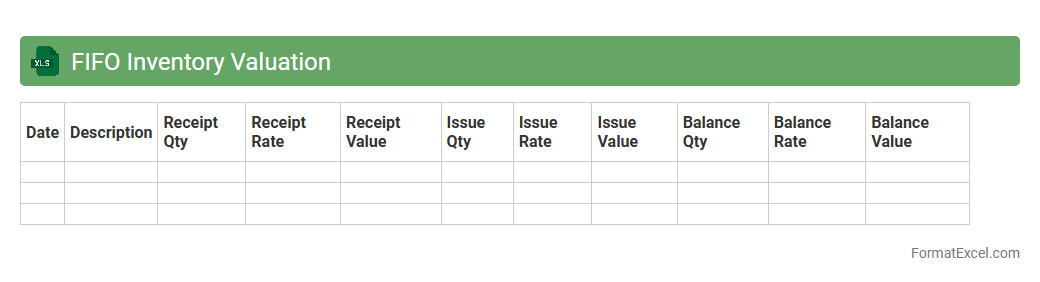
FIFO Inventory Valuation
The
FIFO Inventory Valuation Excel document is a tool that calculates inventory costs based on the First-In, First-Out method, ensuring accurate tracking of goods sold and remaining stock. It helps businesses maintain precise cost accounting by assigning older inventory costs to sold items and current costs to remaining inventory. This improves financial reporting accuracy and supports better decision-making in inventory management.
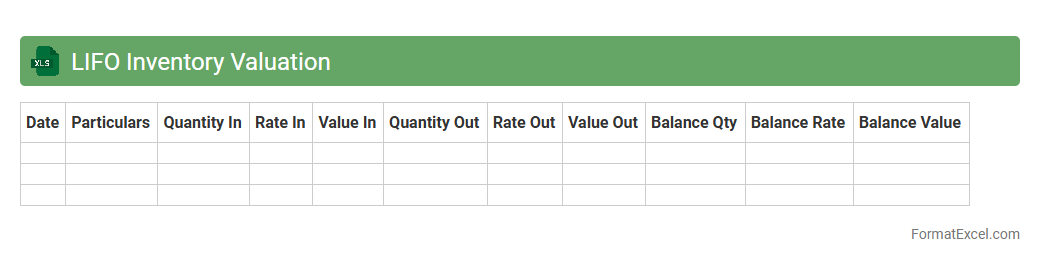
LIFO Inventory Valuation
The
LIFO Inventory Valuation Excel document helps businesses calculate the value of their ending inventory and cost of goods sold using the Last-In, First-Out method. This approach assumes the most recently acquired inventory items are sold first, which can affect tax calculations and financial reporting during periods of inflation. Using this tool enhances accuracy in inventory management and supports strategic decision-making by reflecting current market conditions more effectively.
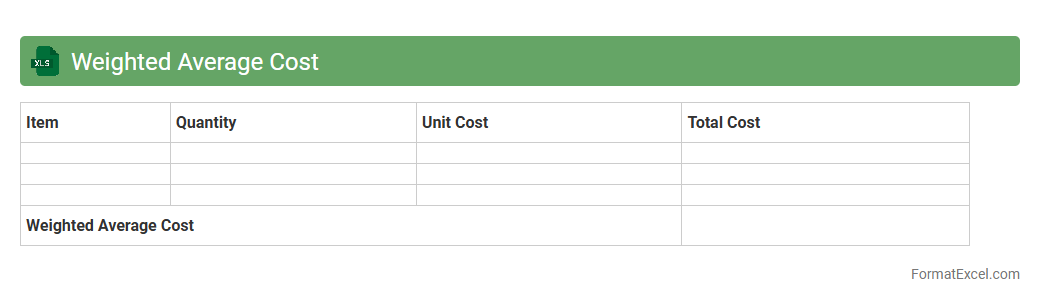
Weighted Average Cost
A
Weighted Average Cost Excel document calculates the average cost of multiple items by assigning weights based on their quantities or values, providing a precise measure of overall cost efficiency. It is useful for inventory management, financial analysis, and budgeting by enabling businesses to understand the true cost structure of products or projects. This tool helps in making informed decisions on pricing, cost control, and profitability assessment.
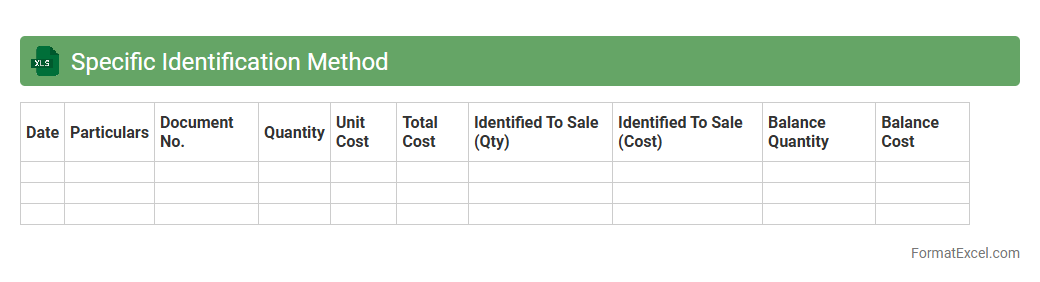
Specific Identification Method
The
Specific Identification Method Excel document is a tool designed to track and manage inventory by assigning costs to specific items sold or remaining in stock, allowing precise profit and loss calculation. It is useful for businesses with unique or high-value items, such as jewelry or electronics, ensuring accurate inventory valuation and financial reporting. This method enhances decision-making by providing detailed cost allocation and preventing inventory valuation errors.
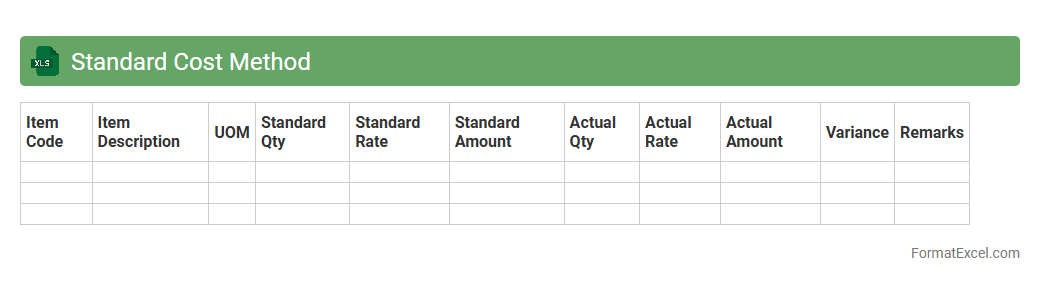
Standard Cost Method
The
Standard Cost Method Excel document is a spreadsheet tool designed to calculate and analyze the predetermined costs of production, including materials, labor, and overhead. It helps businesses compare actual expenses against standard costs to identify variances, enabling precise cost control and budgeting. This method streamlines financial planning and enhances decision-making by providing clear visibility into cost efficiency and profitability.
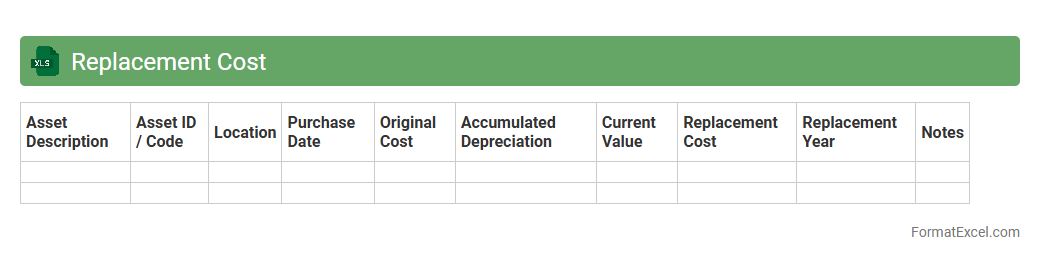
Replacement Cost
A
Replacement Cost Excel document is a spreadsheet tool designed to calculate the current expense required to replace an asset or property at today's market prices. It helps businesses and individuals estimate accurate budgeting for repairs, insurance claims, or asset management by tracking depreciation and market fluctuations. Using this document ensures precise financial planning and risk assessment by providing a clear overview of replacement values.
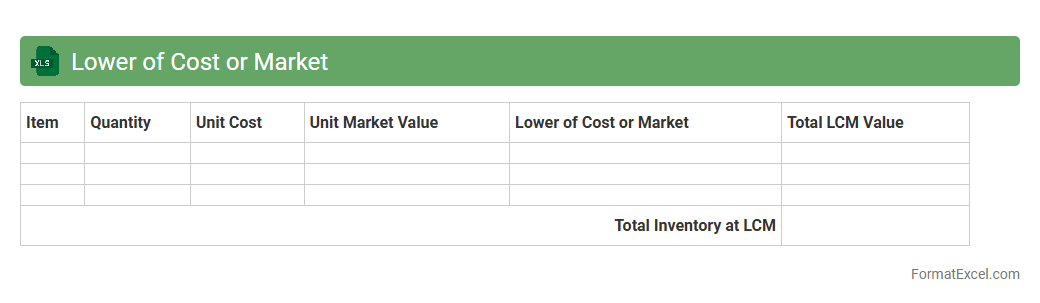
Lower of Cost or Market
The
Lower of Cost or Market (LCM) Excel document is a financial tool used to evaluate inventory values by comparing the original cost and its current market price, selecting the lower amount for accurate reporting. This method ensures compliance with accounting standards by preventing overstatement of assets and reflecting potential losses on inventory. Businesses benefit from the LCM Excel document by enhancing transparency and facilitating timely decision-making regarding inventory management and financial analysis.
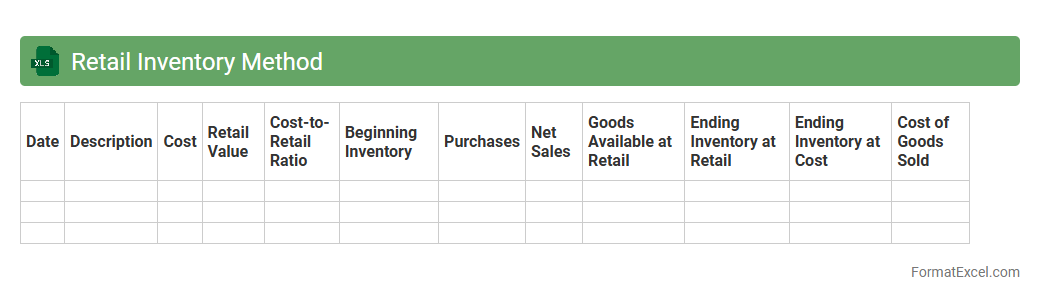
Retail Inventory Method
The
Retail Inventory Method Excel document is a tool designed to estimate ending inventory and cost of goods sold using retail and cost values. It helps businesses maintain accurate inventory records without performing physical counts, saving time and reducing errors. This method improves financial reporting accuracy and assists in making informed purchasing and pricing decisions.
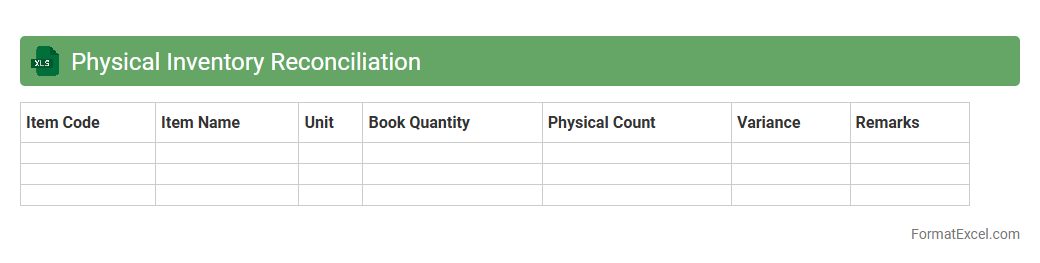
Physical Inventory Reconciliation
A
Physical Inventory Reconciliation Excel document is a tool used to compare actual stock counts with recorded inventory levels to identify discrepancies. It helps businesses maintain accurate inventory records, reduce losses caused by theft, damage, or errors, and improve financial reporting accuracy. By streamlining inventory audits, this document enhances operational efficiency and supports informed decision-making.
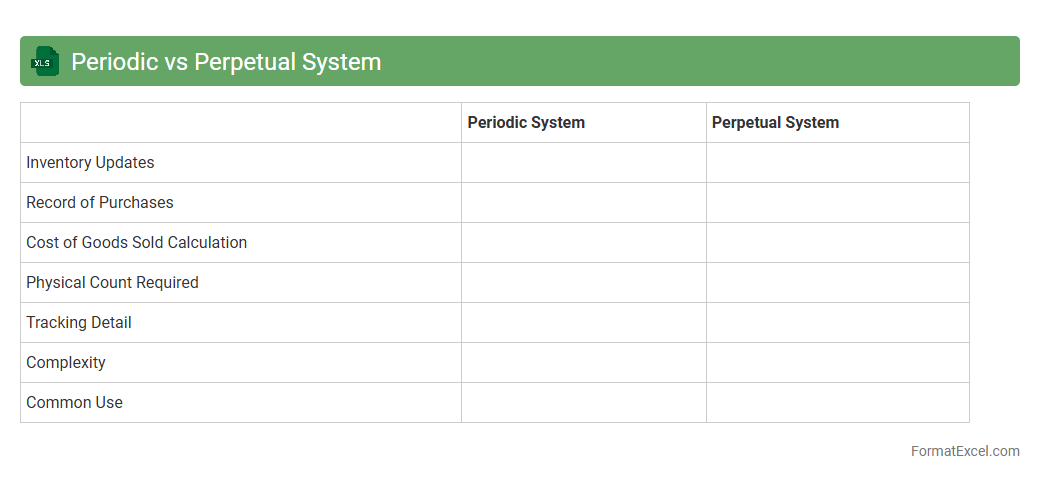
Periodic vs Perpetual System
The
Periodic vs Perpetual System Excel document is a practical tool designed to help businesses track inventory accounting methods by comparing the Periodic system, which updates inventory at specific intervals, with the Perpetual system, which continuously records inventory changes in real-time. This document facilitates accurate financial reporting, improves inventory management efficiency, and enables users to analyze the impact of each system on cost of goods sold and stock levels. By using this Excel tool, organizations can make informed decisions on inventory control and streamline their accounting processes effectively.
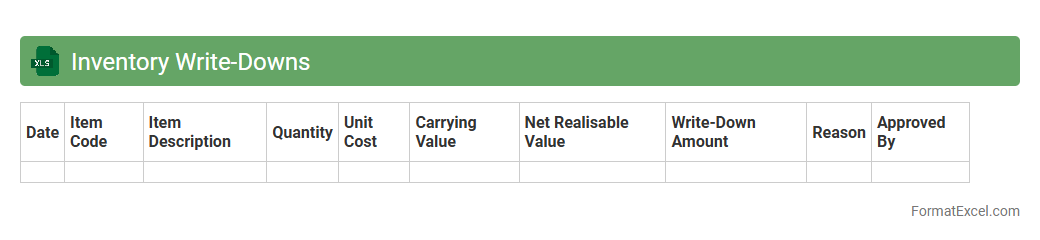
Inventory Write-Downs
An
Inventory Write-Downs Excel document tracks the reduction in the value of inventory due to obsolescence, damage, or decreased market value. This tool helps businesses accurately adjust financial statements, ensuring compliance with accounting standards and providing a clear picture of current asset value. By maintaining updated inventory write-down records, companies can make informed decisions on inventory management and cost control.
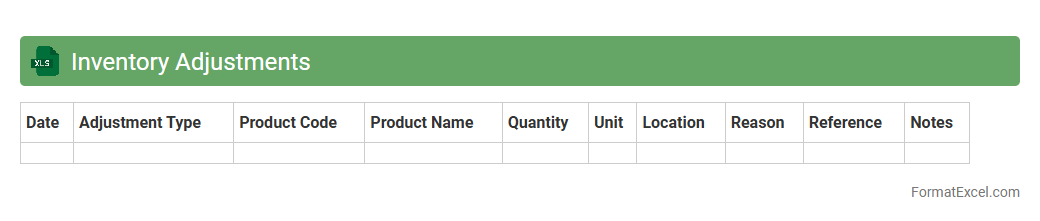
Inventory Adjustments
An
Inventory Adjustments Excel document is a spreadsheet designed to track and record changes in stock levels, such as additions, removals, or corrections. It provides a clear overview of discrepancies between actual inventory and recorded amounts, helping businesses maintain accurate stock data. This tool improves inventory management by minimizing errors, preventing stockouts, and supporting better decision-making based on real-time inventory status.
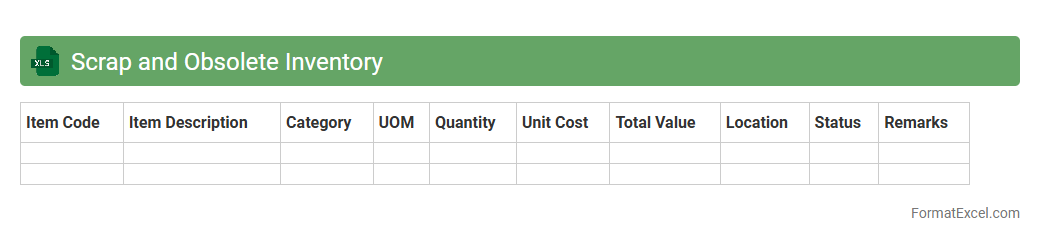
Scrap and Obsolete Inventory
The
Scrap and Obsolete Inventory Excel document is a structured spreadsheet used to track and manage inventory items that are no longer usable or have lost their value due to damage, expiration, or technological obsolescence. This document helps businesses identify excess inventory, reduce carrying costs, and make informed decisions about write-offs or disposal. Maintaining this record improves financial accuracy and supports effective inventory control by highlighting items that require attention or clearance.
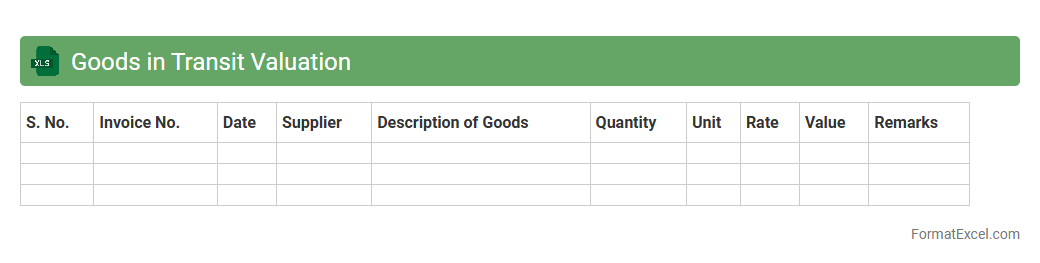
Goods in Transit Valuation
The
Goods in Transit Valuation Excel document is a specialized tool designed to accurately calculate the value of inventory currently being transported between locations. It enables businesses to monitor the cost and quantity of goods in transit, ensuring accurate financial reporting and inventory management. This document aids in minimizing discrepancies, optimizing logistics decisions, and improving overall supply chain efficiency.
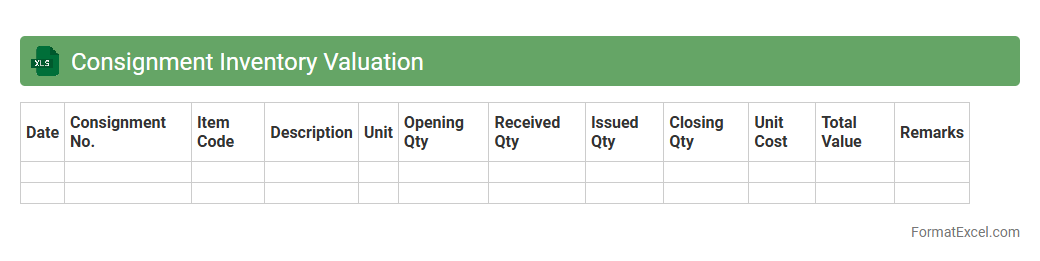
Consignment Inventory Valuation
The
Consignment Inventory Valuation Excel document is a specialized tool designed to track and evaluate inventory held on consignment, providing accurate valuation reports that reflect ownership and financial responsibility. It helps businesses maintain clear records of consigned goods, calculate their value based on agreed terms, and manage payment schedules efficiently. This document enhances inventory transparency, supports financial accounting accuracy, and aids in optimizing stock management decisions.
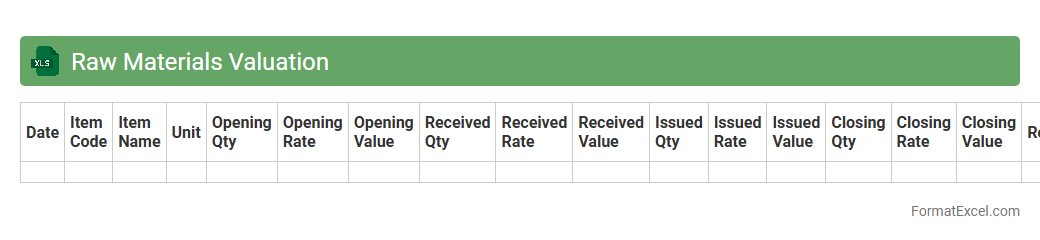
Raw Materials Valuation
The
Raw Materials Valuation Excel document is a specialized spreadsheet designed to track, calculate, and analyze the cost and quantity of raw materials used in production. It helps businesses maintain accurate inventory records, assess material costs, and optimize purchasing decisions by providing real-time data on material valuation. This tool enhances financial planning, cost control, and inventory management efficiency across manufacturing and supply chain operations.
Work-in-Process Valuation
A
Work-in-Process Valuation Excel document is a tool used to calculate the value of partially completed goods in manufacturing or production environments. It helps track the cost of raw materials, labor, and overhead applied to the work that is not yet finished, providing accurate inventory valuation for financial reporting and inventory management. This document improves decision-making by offering real-time insight into production efficiency and cost control.
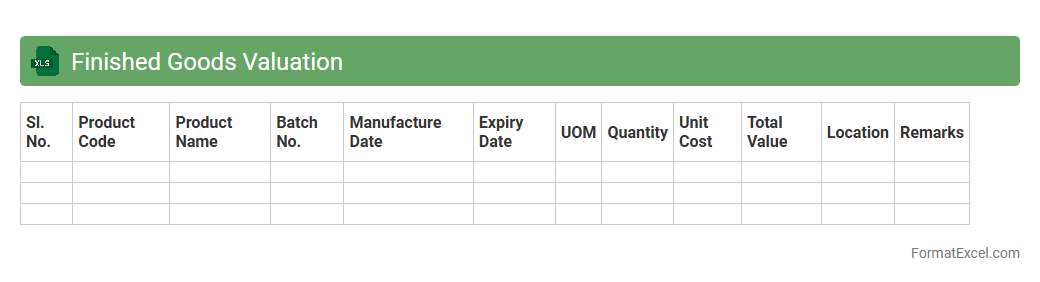
Finished Goods Valuation
A
Finished Goods Valuation Excel document is a specialized tool used to calculate the value of completed products ready for sale, incorporating costs such as raw materials, labor, and overhead. This valuation helps businesses accurately assess inventory worth, optimize pricing strategies, and improve financial reporting. Utilizing this document ensures precise cost tracking and enhances decision-making in production and inventory management.
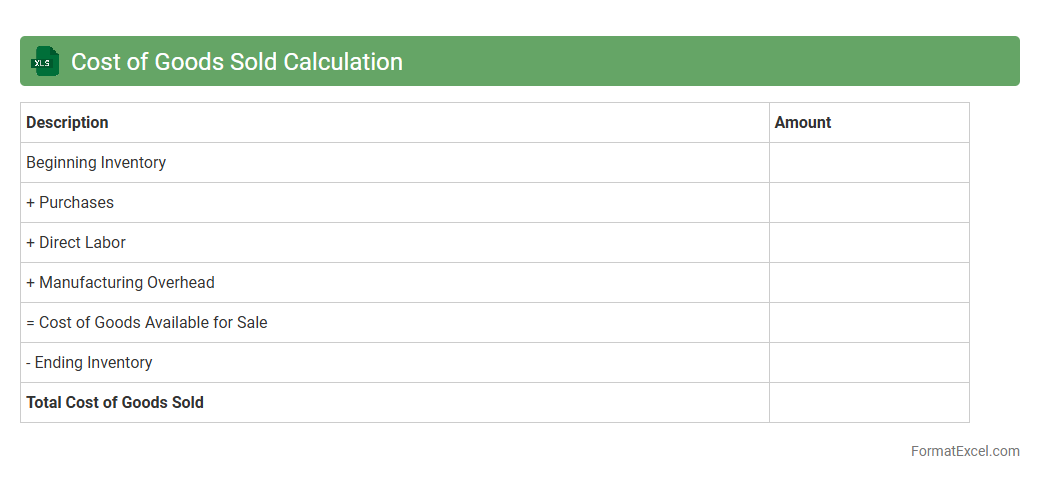
Cost of Goods Sold Calculation
A
Cost of Goods Sold (COGS) Calculation Excel document is a spreadsheet tool designed to accurately track and compute the direct costs associated with producing goods sold by a business. It organizes expenses such as raw materials, labor, and manufacturing overhead, enabling precise financial analysis and inventory valuation. This document is useful for improving cost control, enhancing profit margin assessment, and supporting budgeting decisions.
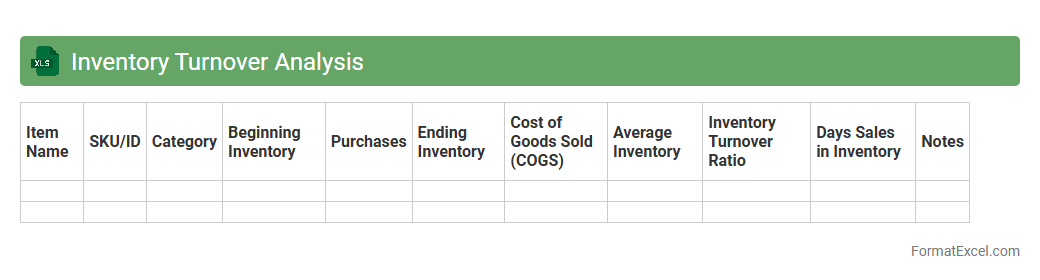
Inventory Turnover Analysis
Inventory Turnover Analysis Excel document is a powerful tool designed to measure how efficiently a company manages its inventory by calculating the rate at which stock is sold and replaced over a specific period. This analysis helps businesses identify slow-moving or obsolete inventory, optimize stock levels, and improve cash flow management. Using
Inventory Turnover Analysis enables companies to make data-driven decisions that enhance supply chain efficiency and reduce holding costs.
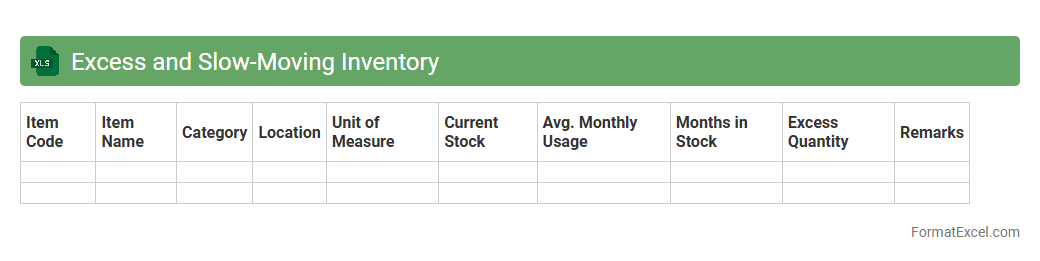
Excess and Slow-Moving Inventory
The
Excess and Slow-Moving Inventory Excel document is a powerful tool designed to track and analyze inventory that is not selling as quickly as expected or has accumulated beyond demand. It helps businesses identify and categorize surplus stock, enabling informed decisions to reduce holding costs and optimize inventory turnover. Using this document improves financial efficiency by highlighting areas where inventory management can be enhanced to free up cash flow and storage space.
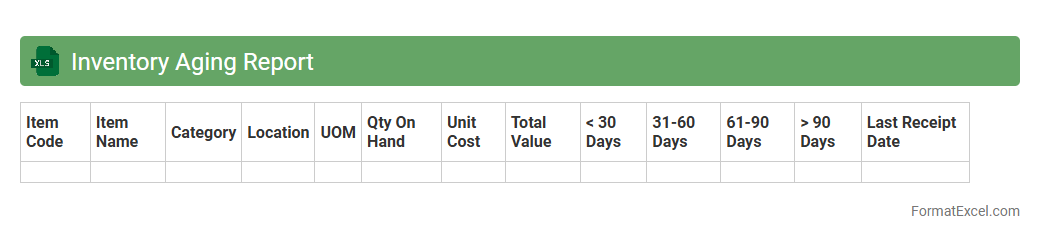
Inventory Aging Report
An
Inventory Aging Report Excel document categorizes stock based on the duration items have been held in inventory, highlighting slow-moving or obsolete products. It enables businesses to optimize inventory turnover, reduce holding costs, and improve cash flow management by identifying items that require discounting, liquidation, or replenishment. This report is essential for maintaining efficient stock levels and making informed purchasing decisions.
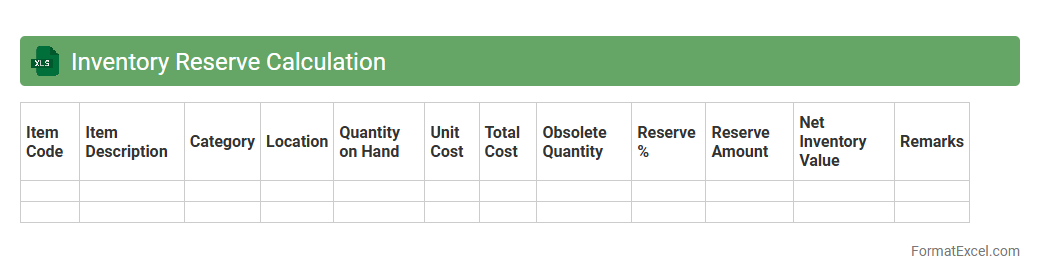
Inventory Reserve Calculation
Inventory Reserve Calculation excel document is a financial tool designed to estimate and track the
inventory reserve, which represents the amount set aside to cover potential losses from obsolete, damaged, or unsellable stock. It helps businesses maintain accurate accounting records by adjusting the value of inventory to reflect realistic market conditions and potential risks. Using this document improves decision-making, enhances financial reporting accuracy, and supports effective inventory management.
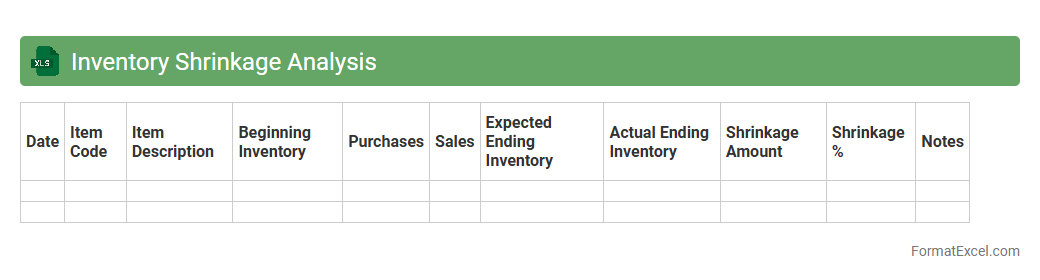
Inventory Shrinkage Analysis
Inventory Shrinkage Analysis excel document is a powerful tool designed to identify and quantify discrepancies between recorded inventory and actual stock levels, revealing losses due to theft, damage, or errors. By tracking shrinkage rates and patterns, this spreadsheet enables businesses to implement targeted loss prevention strategies and improve inventory accuracy. Utilizing
Inventory Shrinkage Analysis helps optimize supply chain efficiency, reduce financial losses, and enhance overall inventory management.
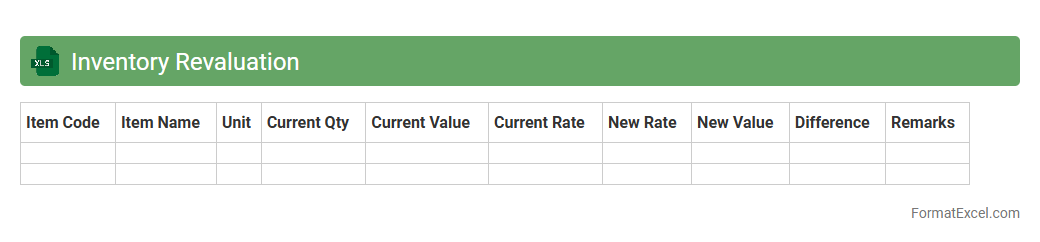
Inventory Revaluation
An
Inventory Revaluation Excel document is a spreadsheet tool designed to adjust the recorded value of inventory based on current market prices or updated cost information. It helps businesses maintain accurate financial records by reflecting true inventory worth, which is crucial for financial reporting and decision-making. Using this document ensures compliance with accounting standards and enables better inventory management by highlighting changes in asset valuation.
Introduction to Inventory Valuation in Excel
Inventory valuation is a crucial process in accounting for businesses to determine the worth of their stock. Using Excel for inventory valuation helps streamline data management and improves accuracy in calculations. This tool allows companies to maintain a clear record of inventory costs and values.
Importance of Accurate Inventory Valuation
Accurate inventory valuation affects financial statements and tax calculations directly. It helps businesses in making informed decisions regarding purchasing, pricing, and profitability. Maintaining precise inventory records ensures compliance and operational efficiency.
Common Inventory Valuation Methods
The most widely used methods include FIFO (First-In-First-Out), LIFO (Last-In-First-Out), and Weighted Average Cost. Each method affects financial results and tax outcomes differently. Choosing the appropriate valuation method is critical for accurate reporting.
Essential Excel Functions for Inventory Calculation
Key functions like SUM, IF, VLOOKUP, and SUMPRODUCT aid in calculating quantities and costs efficiently. These functions enable dynamic and automated inventory valuation processes. Mastering Excel formulas enhances accuracy and saves time.
Step-by-Step Guide to Creating an Inventory Valuation Template
Start by setting up columns for item names, quantities, unit costs, and total values. Use formulas to automate calculations of inventory value based on chosen valuation methods. Proper template design is essential for accurate and easy inventory tracking.
Sample Inventory Valuation Format in Excel
A basic format includes headers for SKU, Description, Quantity, Unit Cost, and Total Value. Incorporating dropdowns or data validation ensures consistent data entry. This template format serves as a foundation for detailed inventory assessment.
Automating Calculations with Excel Formulas
Formulas like =SUMPRODUCT and conditional IF statements automate the valuation of inventory per your selected method. Automation reduces manual errors and increases efficiency in managing stock data. Utilizing dynamic Excel formulas streamlines inventory workflows.
Tips for Maintaining Accurate Inventory Records
Regularly update inventory data to reflect purchases, sales, and adjustments. Use Excel features like data validation and conditional formatting to minimize errors. Consistency in record-keeping promotes reliable inventory accuracy.
Downloadable Inventory Valuation Excel Template
Pre-made Excel templates provide a quick start for businesses to implement inventory tracking. These templates often include built-in formulas and structured layouts. Accessing a downloadable template saves preparation time and ensures correctness.
Frequently Asked Questions on Excel Inventory Valuation
Common queries include how to select valuation methods, use formulas, and update inventory regularly. Understanding these FAQs aids in effective Excel inventory management. Addressing concerns ensures efficient inventory valuation practices.