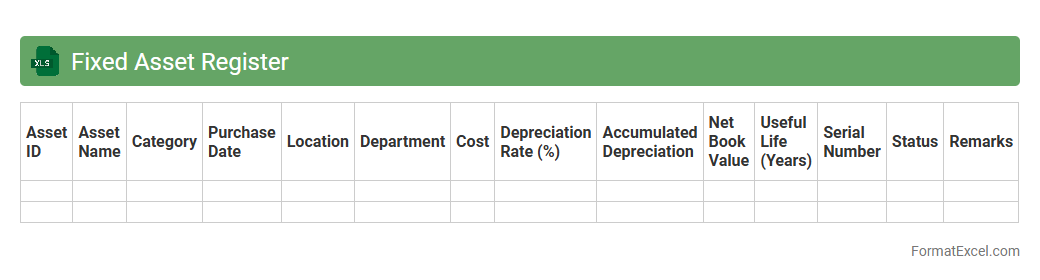
Fixed Asset Register
A
Fixed Asset Register Excel document is a detailed spreadsheet that tracks all the tangible assets owned by a business, including purchase date, cost, depreciation, and current value. It is useful for maintaining accurate asset records, facilitating efficient financial reporting, and ensuring compliance with accounting standards. This tool also aids in asset management by providing visibility into asset lifecycle and helping in budgeting for replacements or disposals.
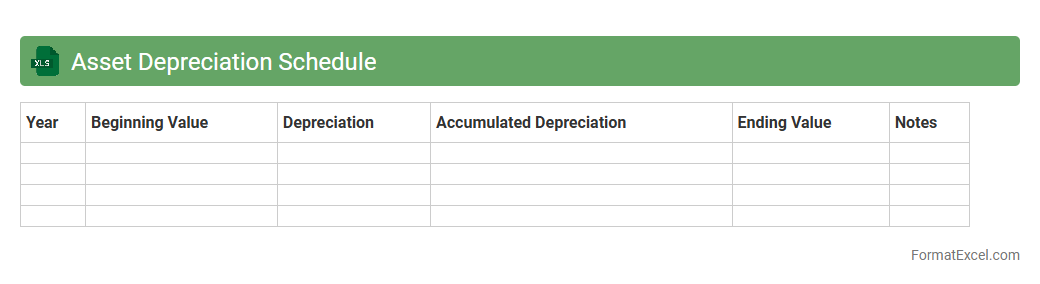
Asset Depreciation Schedule
An
Asset Depreciation Schedule Excel document is a detailed spreadsheet that tracks the depreciation of fixed assets over time, calculating their decreasing value based on methods like straight-line or declining balance. It helps businesses accurately record asset value reductions for financial reporting, tax deductions, and budgeting purposes. This tool enhances decision-making by providing clear insights into asset lifespan, residual value, and expense allocation.
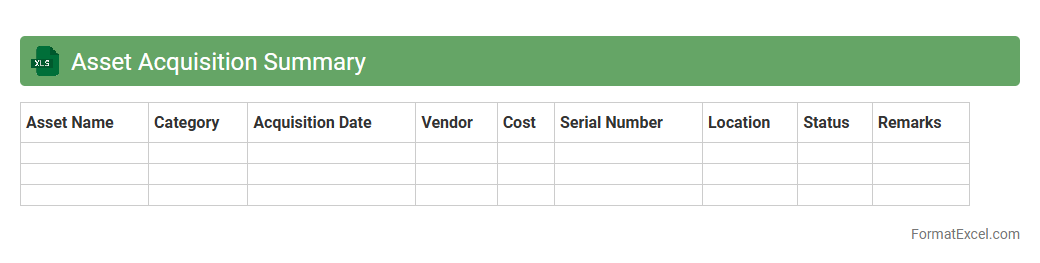
Asset Acquisition Summary
An
Asset Acquisition Summary Excel document consolidates key information about the purchase of assets, including acquisition dates, costs, and vendor details. It streamlines asset tracking and financial analysis, enabling efficient monitoring of investment performance. This tool supports informed decision-making by providing a clear overview of asset expenditures in one organized spreadsheet.
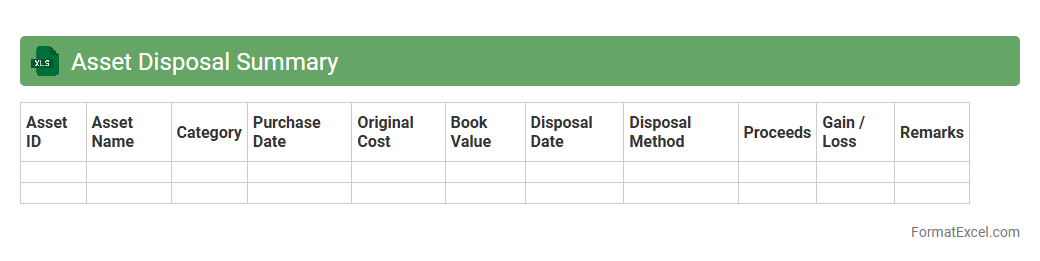
Asset Disposal Summary
An
Asset Disposal Summary Excel document provides a detailed record of assets that have been sold, retired, or otherwise removed from an organization's inventory. It helps track disposal dates, proceeds, book values, and gains or losses, facilitating accurate financial reporting and compliance with accounting standards. This summary enhances decision-making by offering clear insights into asset lifecycle management and capital recovery.
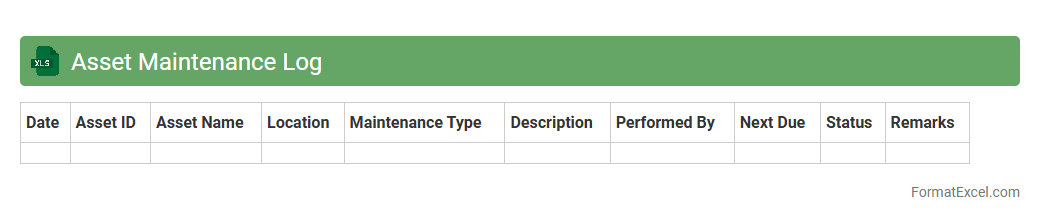
Asset Maintenance Log
An
Asset Maintenance Log Excel document is a structured file used to track and schedule maintenance activities for physical assets such as machinery, equipment, or vehicles. It provides detailed records of service dates, maintenance types, and costs, helping organizations optimize asset lifespan and reduce downtime. By maintaining accurate data, businesses can plan preventive maintenance, ensure compliance, and improve operational efficiency.
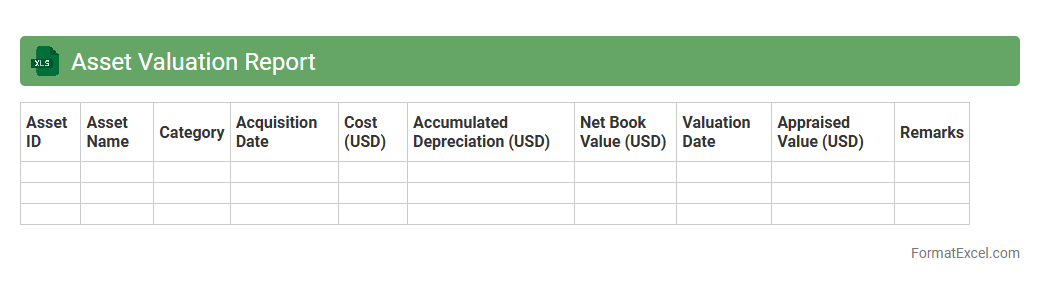
Asset Valuation Report
An
Asset Valuation Report Excel document systematically organizes and presents the current market value of assets, enabling accurate financial assessments and informed decision-making. It helps businesses monitor asset performance, plan depreciation, and support investment strategies by providing detailed, customizable data summaries. Using this report optimizes resource allocation and ensures compliance with accounting standards.
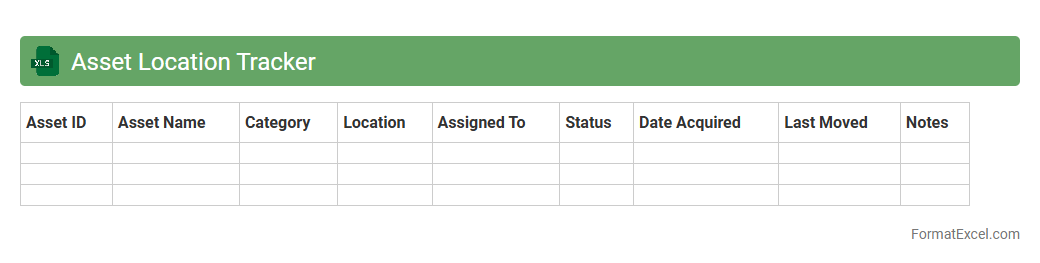
Asset Location Tracker
An Asset Location Tracker Excel document is a powerful tool designed to monitor and manage the physical whereabouts of valuable assets within an organization. It allows users to record, update, and analyze asset locations in real time, ensuring efficient resource allocation and preventing loss or theft. Utilizing a
centralized asset management system through Excel enhances operational transparency and supports informed decision-making.
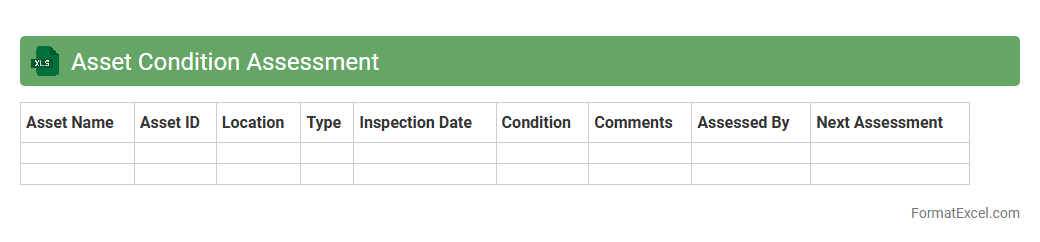
Asset Condition Assessment
An
Asset Condition Assessment Excel document systematically records and evaluates the physical state of assets, providing vital data on wear, performance, and maintenance needs. It helps in tracking asset health over time, identifying potential failures early, and optimizing maintenance schedules to extend asset lifespan and reduce downtime. Organizations use this tool to enhance decision-making and allocate resources efficiently, ensuring operational reliability and cost savings.
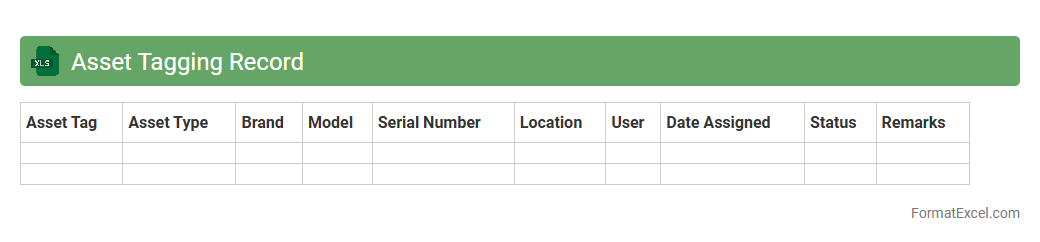
Asset Tagging Record
An
Asset Tagging Record Excel document is a structured spreadsheet used to catalog and track physical or digital assets within an organization by assigning unique identification tags. This document enhances inventory management, facilitates asset audits, and ensures accurate tracking of asset location, status, and value over time. Using this tool reduces asset loss, optimizes resource allocation, and supports compliance with financial and operational policies.
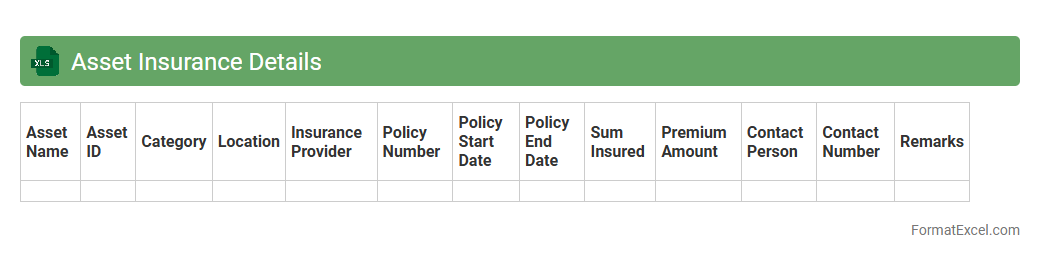
Asset Insurance Details
An
Asset Insurance Details Excel document is a structured spreadsheet that records comprehensive information about insured assets, including policy numbers, coverage types, premium amounts, and renewal dates. It enables efficient tracking and management of insurance policies to ensure assets are adequately protected against loss or damage. This document supports risk assessment, budget planning, and timely policy renewals, minimizing the chances of uninsured liabilities.
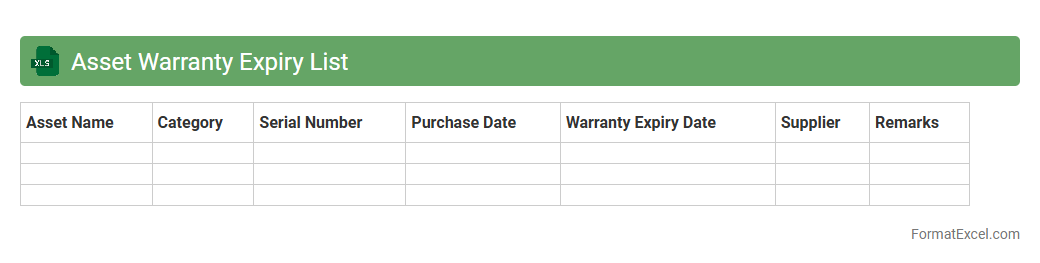
Asset Warranty Expiry List
The
Asset Warranty Expiry List Excel document tracks the expiration dates of warranties for various company assets, enabling timely maintenance and replacement decisions. This tool helps prevent costly downtime by ensuring that assets are serviced or replaced before warranty coverage ends. It provides a clear overview of warranty statuses, supporting efficient asset management and budget planning.
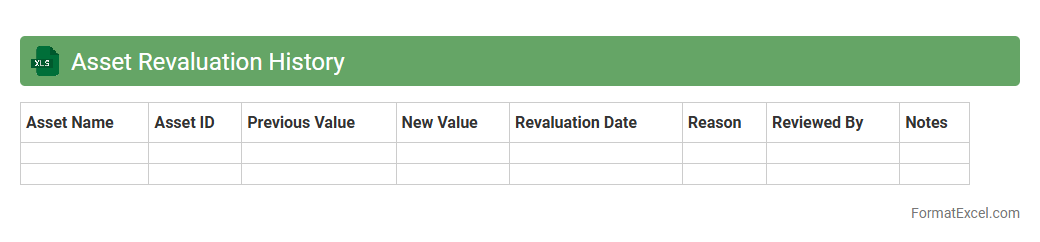
Asset Revaluation History
The
Asset Revaluation History Excel document records changes in the valuation of company assets over time, capturing details such as revaluation dates, previous values, updated values, and reasons for adjustments. This document is useful for maintaining accurate financial records, ensuring compliance with accounting standards, and providing insights into asset performance and depreciation trends. By tracking asset revaluations, businesses can make informed decisions regarding asset management and financial reporting.
Asset Transfer Log
An
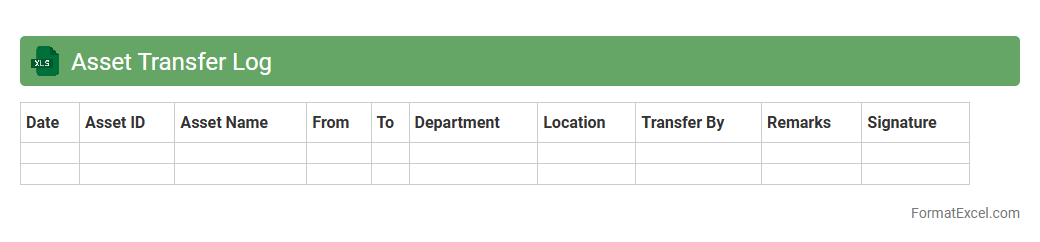
Asset Transfer Log Excel document systematically records the movement of assets between locations or departments, ensuring accurate tracking and accountability. It captures essential data such as asset ID, transfer dates, previous and new custodians, and condition status, facilitating efficient inventory management and audit compliance. This log helps prevent asset loss, supports financial reporting, and improves operational transparency.
Capital Work-in-Progress Report
The
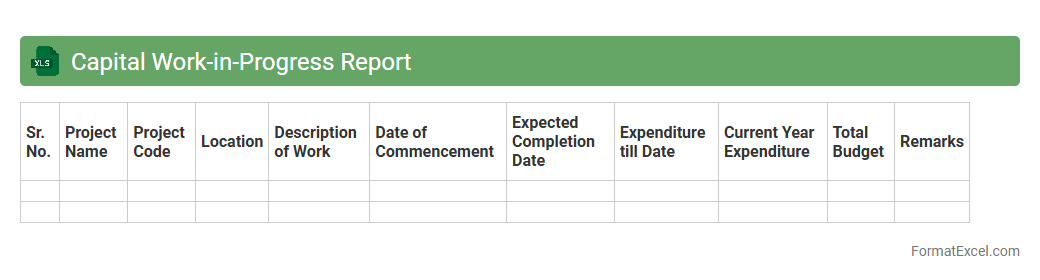
Capital Work-in-Progress Report Excel document tracks ongoing capital projects and expenditures before asset capitalization, ensuring clear visibility of costs incurred and project status. It helps organizations monitor budget adherence, allocate resources effectively, and prepare accurate financial statements by distinguishing between capitalized assets and expenses in progress. This report enhances decision-making and financial control by providing a detailed snapshot of uncompleted capital work at any given period.
Asset Impairment Report
An
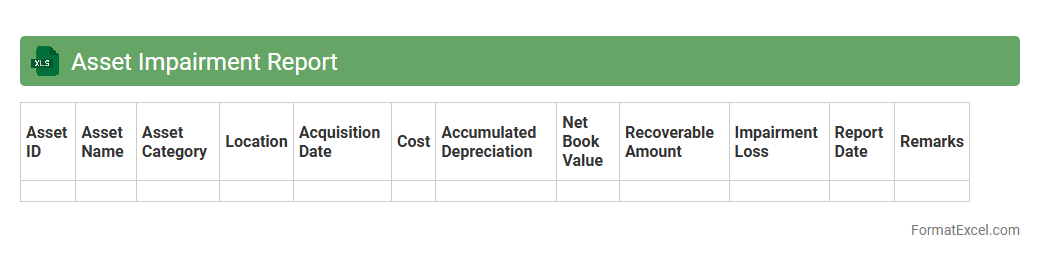
Asset Impairment Report Excel document is a specialized financial tool designed to track and analyze the reduction in value of company assets over time. It provides detailed insights into asset conditions, calculates impairment losses, and supports compliance with accounting standards such as IFRS and GAAP. This document is essential for accurate financial reporting, asset management, and decision-making to avoid overstated asset values on the balance sheet.
Leased Asset Register
A
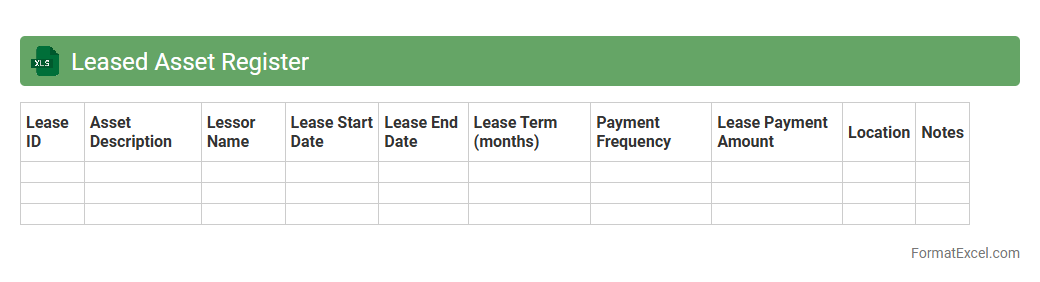
Leased Asset Register Excel document is a structured spreadsheet used to track and manage leased assets efficiently, ensuring compliance with accounting standards like IFRS 16 or ASC 842. This register records critical details including lease terms, asset descriptions, payment schedules, and lease liabilities, enabling accurate financial reporting and lease management. It streamlines asset monitoring, helps avoid missed payments, and supports informed decision-making for lease renewals or terminations.
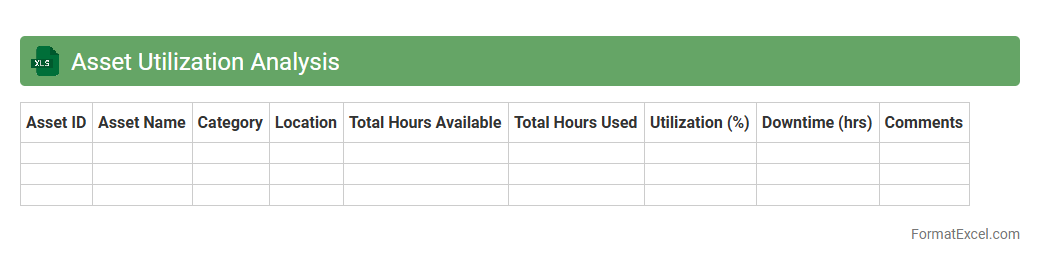
Asset Utilization Analysis
Asset Utilization Analysis Excel document is a powerful tool designed to measure the efficiency of asset use within an organization by tracking key metrics such as asset downtime, operational capacity, and return on investment. It enables businesses to identify underperforming assets, optimize maintenance schedules, and maximize productivity by providing clear visualizations and detailed reports. Using this
data-driven approach helps companies reduce costs, improve resource allocation, and enhance overall operational performance.
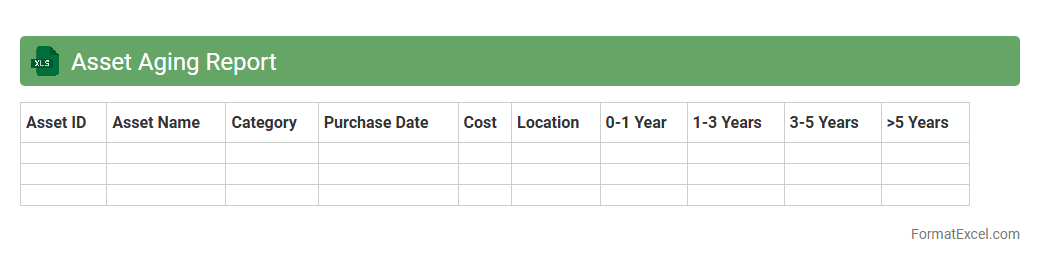
Asset Aging Report
An
Asset Aging Report Excel document tracks the age and depreciation status of an organization's fixed assets, categorizing them based on acquisition dates and useful life periods. This report helps in identifying assets that may require maintenance, replacement, or disposal, ensuring accurate financial reporting and compliance with accounting standards. Using this tool improves asset management efficiency, optimizes budgeting decisions, and supports strategic planning for capital expenditures.
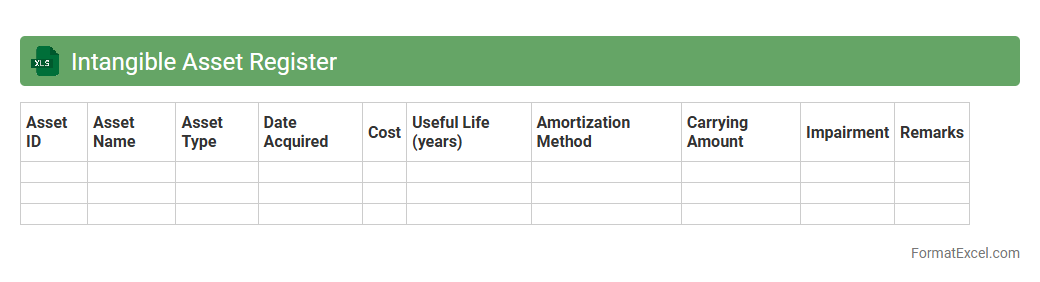
Intangible Asset Register
An
Intangible Asset Register Excel document is a structured spreadsheet used to record and manage intangible assets such as patents, trademarks, copyrights, and goodwill. It helps businesses track asset details, valuation, amortization schedules, and legal status, ensuring accurate financial reporting and compliance. Utilizing this register improves asset management efficiency and supports strategic decision-making related to intellectual property and other non-physical resources.
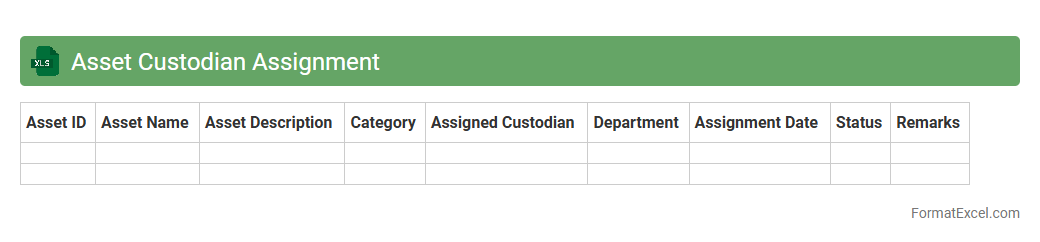
Asset Custodian Assignment
The
Asset Custodian Assignment Excel document is a structured tool used to designate responsibility for company assets, linking each asset to its assigned custodian. It ensures accountability by providing a clear record of who is managing specific assets, which aids in tracking, auditing, and maintenance processes. Utilizing this document improves asset management efficiency, reduces loss risks, and supports compliance with organizational policies.
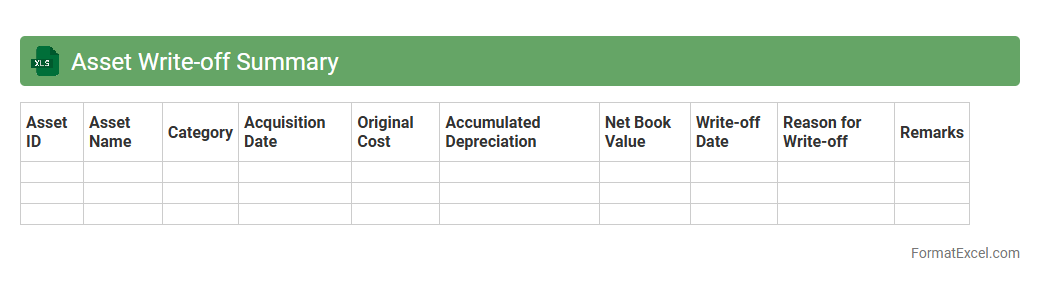
Asset Write-off Summary
An
Asset Write-off Summary Excel document consolidates information on assets that have been fully depreciated or deemed obsolete, streamlining the tracking and reporting of asset write-offs. This summary aids businesses in maintaining accurate financial records, ensuring compliance with accounting standards, and making informed decisions about asset management. By organizing write-off data clearly, it enhances transparency and simplifies audits or financial reviews.
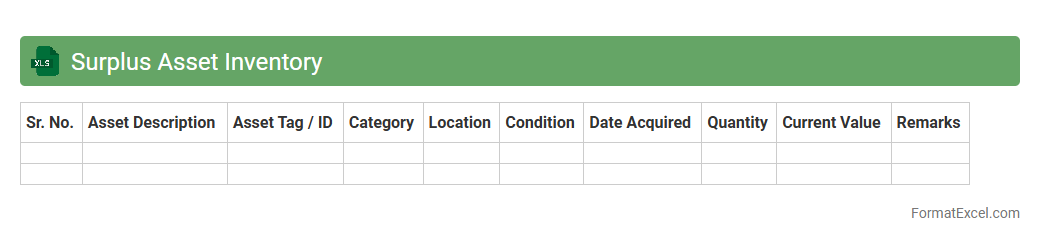
Surplus Asset Inventory
A
Surplus Asset Inventory Excel document is a structured spreadsheet used to record, track, and manage excess or obsolete company assets. It helps organizations identify items that are no longer needed, facilitating efficient asset disposal, resale, or redistribution to optimize resource allocation. This tool increases transparency, reduces storage costs, and supports compliance with internal policies and regulatory requirements.
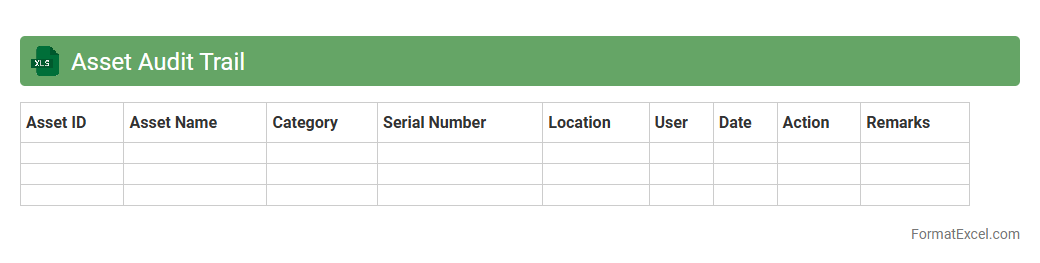
Asset Audit Trail
An
Asset Audit Trail Excel document systematically records every transaction and movement related to assets, providing a detailed log of asset history, including acquisitions, transfers, and disposals. This comprehensive tracking enhances accountability, helps in reconciling discrepancies, and supports compliance with financial and regulatory standards. It serves as a critical tool for asset management teams to monitor lifecycle events and improve decision-making based on accurate, real-time data.
Idle Asset Report
An
Idle Asset Report Excel document is a structured spreadsheet used to track and analyze assets that are currently not in use within an organization. It helps identify underutilized equipment or resources, enabling better decision-making for asset management and cost reduction. By monitoring idle assets, companies can optimize inventory, improve financial efficiency, and plan maintenance or redeployment effectively.
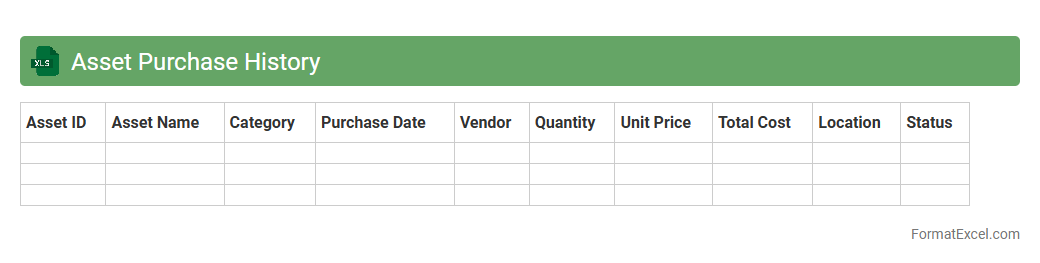
Asset Purchase History
An
Asset Purchase History Excel document is a detailed record that tracks all acquisitions of assets within an organization, including purchase dates, costs, vendors, and asset specifications. It helps streamline financial management by providing clear visibility into capital expenditures and asset lifecycle, facilitating budgeting, auditing, and compliance processes. By maintaining this document, businesses can optimize asset utilization and make informed decisions regarding asset maintenance, replacement, and depreciation.
Introduction to Asset Report Format in Excel
An Asset Report Format in Excel helps organize and monitor company assets effectively. It provides a clear structure for tracking item details, values, and locations. Using Excel allows for easy updates and data management.
Key Components of an Asset Report
The report should include asset identifiers such as Asset ID, Description, Purchase Date, and Value. Including Location, Condition, and Depreciation details enhances accuracy. These components ensure comprehensive asset tracking.
Benefits of Using Excel for Asset Reporting
Excel offers flexibility, ease of use, and powerful data analysis tools for asset management. It supports customized reports, filtering, and sorting for efficient data handling. Additionally, Excel is widely accessible and familiar to many users.
Essential Columns for Asset Tracking
Important columns include Asset Tag, Description, Purchase Date, Cost, Current Value, and Location. Including Responsible Person and Status columns helps maintain accountability. These ensure all critical asset information is recorded.
Step-by-Step Guide to Creating an Asset Report in Excel
Start by setting up columns for asset details and input your data systematically. Use Excel functions to calculate totals and depreciation for a dynamic report. Finally, format the spreadsheet for clear readability.
Customizing Asset Report Templates in Excel
Adjust columns, add formulas, and insert conditional formatting to fit your specific needs. You can include drop-down lists and data validation for improved data integrity. Custom templates help streamline repeated asset reporting.
Best Practices for Data Entry and Accuracy
Consistently input data using predefined formats and validate entries to minimize errors. Regularly update the report to maintain accurate asset records. Back up your Excel files to prevent data loss.
Visualizing Asset Data with Excel Charts
Use bar charts, pie charts, or trend lines to represent asset distribution and depreciation visually. Visualizations enhance understanding of asset conditions and values. They support better decision-making through clear insights.
Tips for Automating Asset Reports in Excel
Leverage Excel macros, PivotTables, and formulas to automate repetitive tasks and updates. Automation saves time and reduces manual entry mistakes for efficient reporting. Schedule regular updates for ongoing asset monitoring.
Downloadable Asset Report Excel Templates
Pre-made Excel templates provide a quick start for asset reporting with built-in columns and formulas. Many templates are customizable to fit different organizational needs. Using templates improves setup speed and ensures consistency.