Candidate Sourcing Summary
The
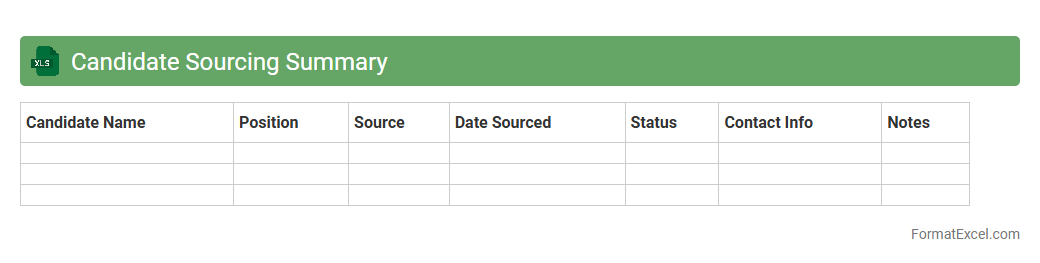
Candidate Sourcing Summary Excel document consolidates information about potential job candidates, including their skills, experience, and sourcing channels, enabling efficient tracking and comparison. This document streamlines the recruitment process by providing recruiters with clear insights into candidate pools, helping identify the most qualified individuals quickly. It facilitates data-driven hiring decisions and improves communication among hiring teams through organized and accessible candidate data.
Applicant Tracking Log
An
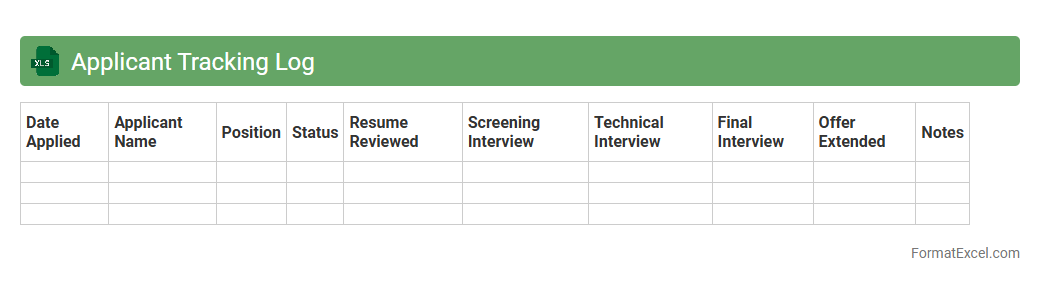
Applicant Tracking Log Excel document is a structured spreadsheet used to organize and monitor job applicants throughout the hiring process. It helps in maintaining detailed records such as candidate names, contact information, application status, interview dates, and hiring decisions. This tool enhances recruitment efficiency by streamlining communication, ensuring no applicant is overlooked, and providing clear visibility into the progress of each candidate.
Job Vacancy Status Report
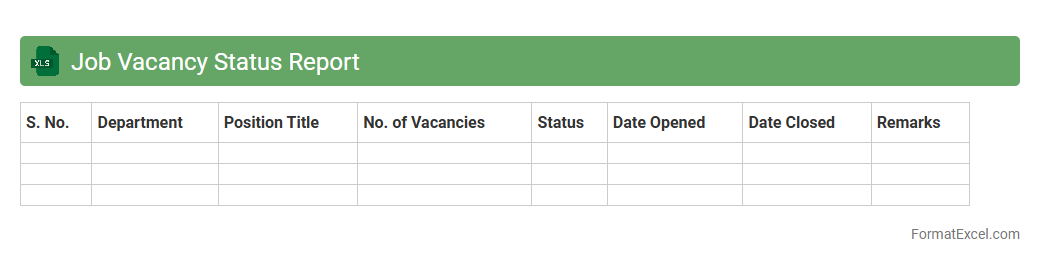
A Job Vacancy Status Report Excel document provides a detailed overview of current open positions within an organization, tracking metrics such as job titles, departments, hiring stages, and application counts. This report is useful for streamlining recruitment workflows, identifying hiring bottlenecks, and ensuring timely filling of vacancies to maintain operational efficiency. Using a
Job Vacancy Status Report helps HR teams make data-driven decisions and effectively manage workforce planning.
Interview Scheduling Tracker
The
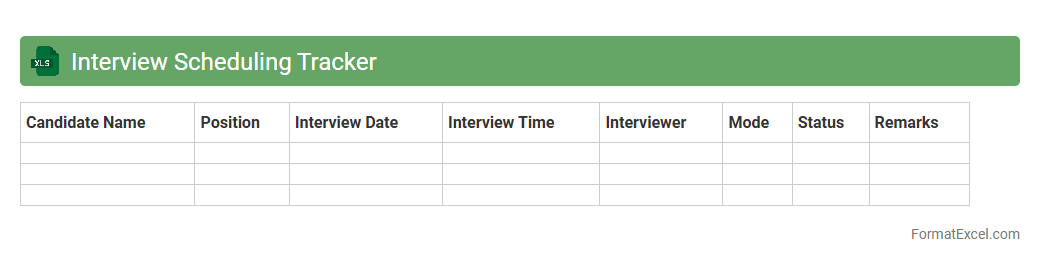
Interview Scheduling Tracker Excel document is a tool designed to organize and monitor interview appointments efficiently. It allows users to input candidate details, interview dates, times, and feedback in one centralized location, ensuring smooth communication and preventing scheduling conflicts. This tracker enhances recruitment workflow by saving time, improving candidate experience, and enabling better decision-making through clear visualization of the interview process.
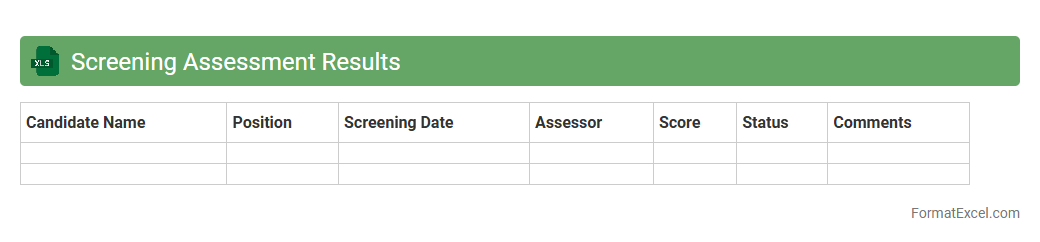
Screening Assessment Results
The
Screening Assessment Results Excel document compiles data from various screening tests, enabling clear visualization and comparison of individual or group performance metrics. This tool helps pinpoint strengths and areas needing improvement, assisting educators and recruiters in making informed decisions based on quantitative evidence. It streamlines tracking progress over time and supports data-driven strategies for enhancing outcomes in academic or professional settings.
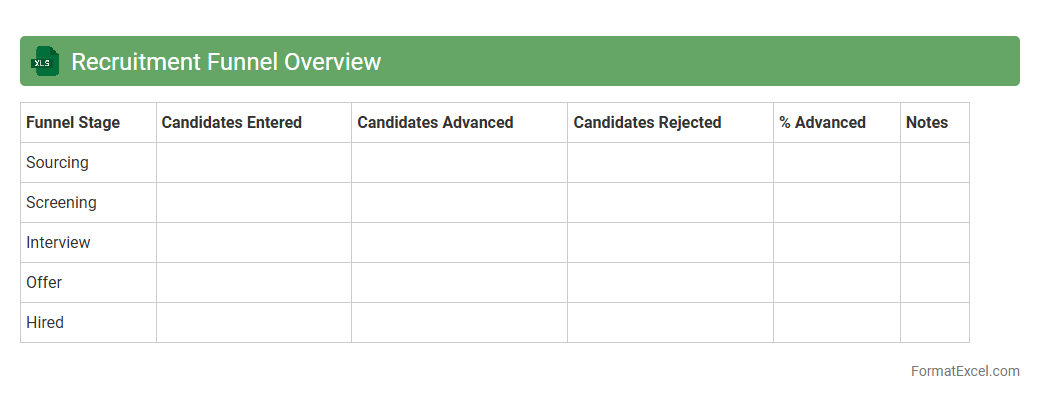
Recruitment Funnel Overview
The
Recruitment Funnel Overview Excel document visualizes each stage of the hiring process, tracking candidate progress from application to final selection. It helps identify bottlenecks, optimize recruitment strategies, and improve overall hiring efficiency by providing clear metrics on candidate conversion rates. Organizations leverage this tool to streamline talent acquisition and ensure timely fulfillment of job openings.
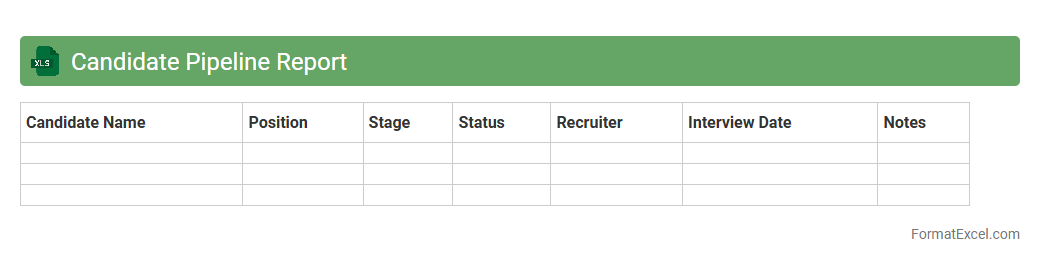
Candidate Pipeline Report
The
Candidate Pipeline Report Excel document tracks the progression of job applicants through various stages of the hiring process, providing clear visibility into recruitment metrics. It helps HR teams identify bottlenecks, forecast hiring timelines, and improve decision-making by consolidating candidate data in a structured format. This report enhances recruitment efficiency by enabling targeted follow-ups and strategic resource allocation.
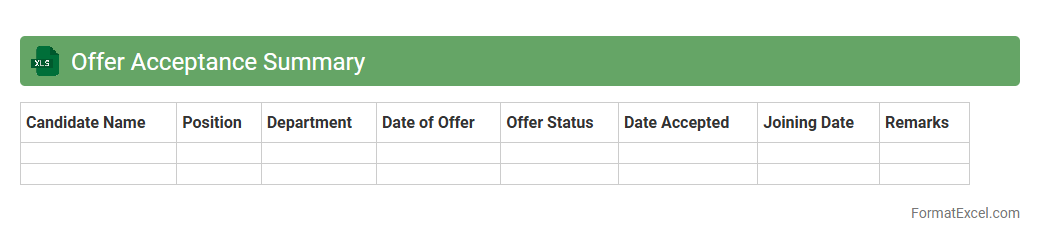
Offer Acceptance Summary
The
Offer Acceptance Summary Excel document consolidates key data on job offer responses, tracking acceptance rates, candidate details, and offer statuses for efficient recruitment management. It streamlines hiring workflows by providing a clear overview of accepted, declined, and pending offers, enabling data-driven decision-making and timely follow-ups. This summary improves communication between HR teams and hiring managers, ensuring transparency and optimizing the talent acquisition process.
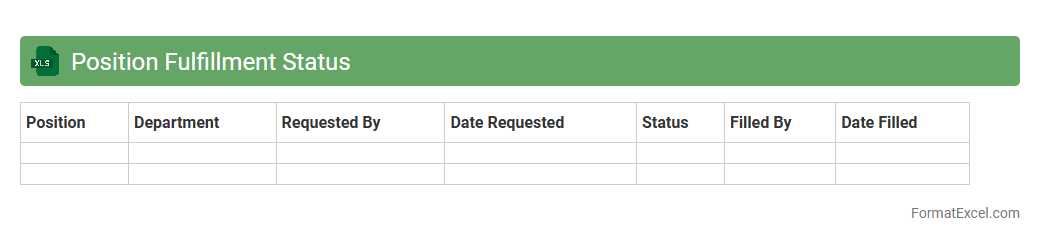
Position Fulfillment Status
The
Position Fulfillment Status Excel document tracks the progress of job openings from posting to hiring, providing a clear overview of recruitment stages for each position. It allows HR teams to monitor vacancy status, candidate pipelines, and time-to-fill metrics, enhancing workforce planning and resource allocation. By consolidating this data, organizations can make informed decisions, streamline hiring processes, and improve overall talent acquisition efficiency.
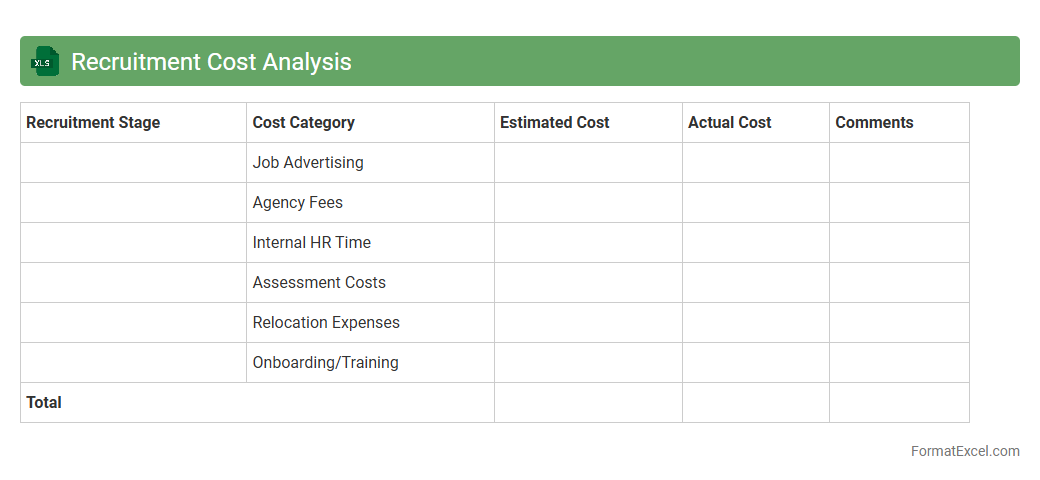
Recruitment Cost Analysis
Recruitment Cost Analysis Excel document is a powerful tool designed to track, calculate, and evaluate expenses associated with hiring processes, including advertising, agency fees, and onboarding costs. It enables HR teams to identify the
total recruitment expenditure per hire and pinpoint cost-saving opportunities by analyzing recruitment channels and strategies. This approach improves budgeting accuracy, enhances decision-making, and ultimately optimizes recruitment efficiency for organizations.
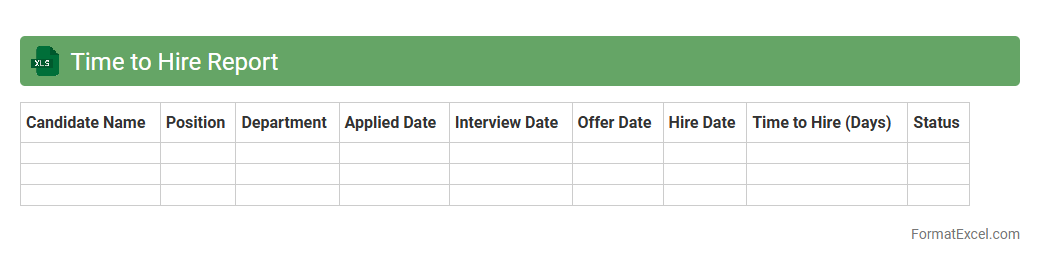
Time to Hire Report
The
Time to Hire Report Excel document tracks the duration from job posting to candidate acceptance, providing clear insights into recruitment efficiency. It helps HR teams identify bottlenecks in the hiring process, enabling data-driven decisions to reduce overall hiring time. By analyzing this report, organizations can improve candidate experience and optimize resource allocation in recruitment strategies.
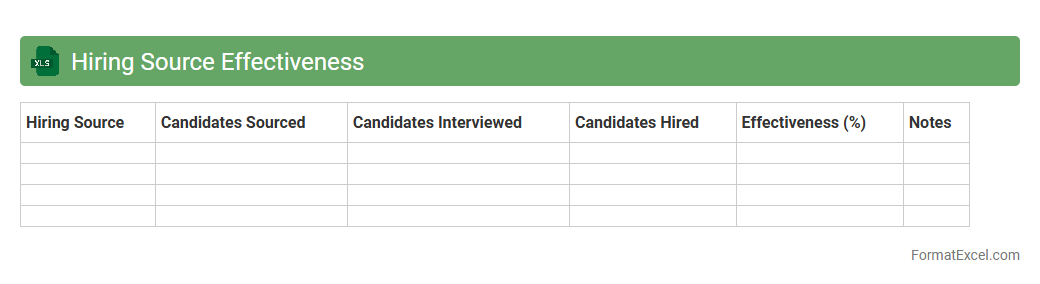
Hiring Source Effectiveness
The
Hiring Source Effectiveness Excel document tracks and analyzes recruitment channels to measure their impact on hiring success, including metrics like candidate quality, time-to-hire, and cost-per-hire. This data-driven tool helps organizations identify the most efficient sources for talent acquisition, enabling more strategic allocation of recruitment budgets. Using this document enhances decision-making by highlighting which hiring sources deliver the best returns on investment and improve overall recruitment performance.
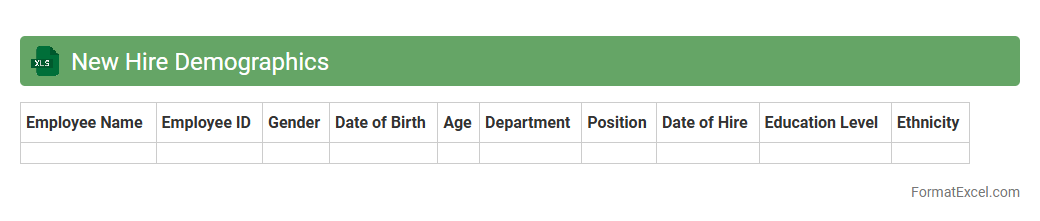
New Hire Demographics
The
New Hire Demographics Excel document compiles detailed data on employee attributes such as age, gender, education level, and department affiliation at the time of hiring. This information allows HR teams to analyze workforce diversity, track hiring trends, and ensure compliance with equal opportunity policies. Utilizing this document improves strategic recruitment decisions and enhances organizational planning by identifying demographic patterns within new hires.
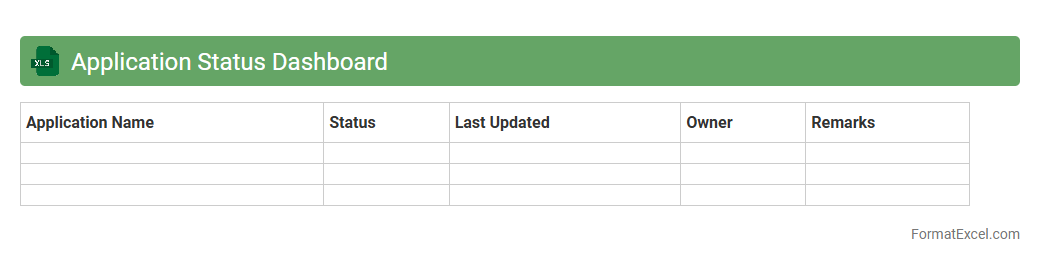
Application Status Dashboard
The
Application Status Dashboard Excel document is a centralized tool designed to track and visualize the progress of various applications in real-time. It consolidates data such as submission dates, review stages, approval statuses, and key deadlines, enabling efficient monitoring and timely decision-making. This dashboard enhances transparency, improves workflow management, and helps teams quickly identify bottlenecks or delays in the application process.
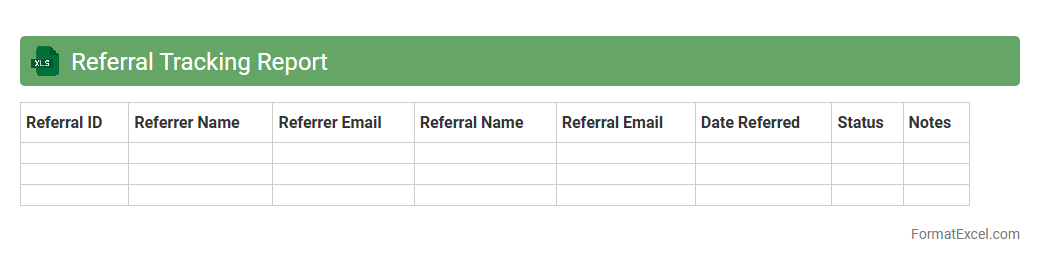
Referral Tracking Report
A
Referral Tracking Report Excel document is a digital tool designed to record, monitor, and analyze referral sources and their performance. It helps businesses identify which referral channels generate the most leads or sales, enabling data-driven marketing decisions. By consolidating referral data into a clear format, this report enhances understanding of referral effectiveness and supports strategic growth.
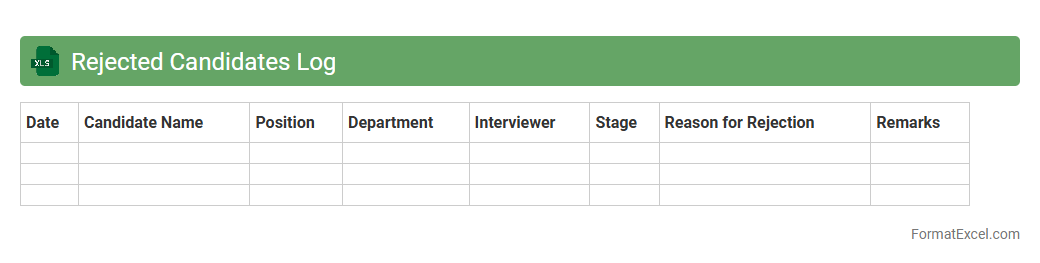
Rejected Candidates Log
The
Rejected Candidates Log Excel document is a structured record that tracks all candidates who were not selected during the recruitment process, including details such as application dates, reasons for rejection, and interview feedback. This log helps streamline hiring by providing transparency, identifying common disqualification factors, and ensuring compliance with organizational hiring policies. By maintaining this document, HR teams can improve recruitment strategies, reduce biases, and quickly reference past candidate decisions for future audits or reviews.
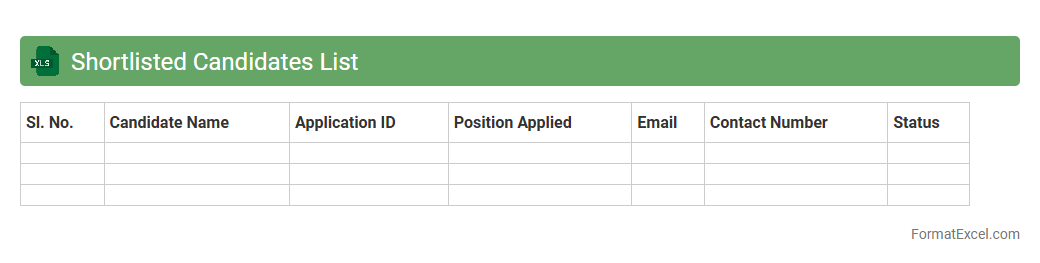
Shortlisted Candidates List
The
Shortlisted Candidates List Excel document is a structured file used to organize and manage the details of applicants selected for further recruitment stages. It allows HR teams to efficiently track candidate information such as names, contact details, qualifications, and interview statuses in a single, accessible location. This document enhances the hiring process by improving data accuracy, facilitating swift decision-making, and enabling clear communication among recruitment stakeholders.
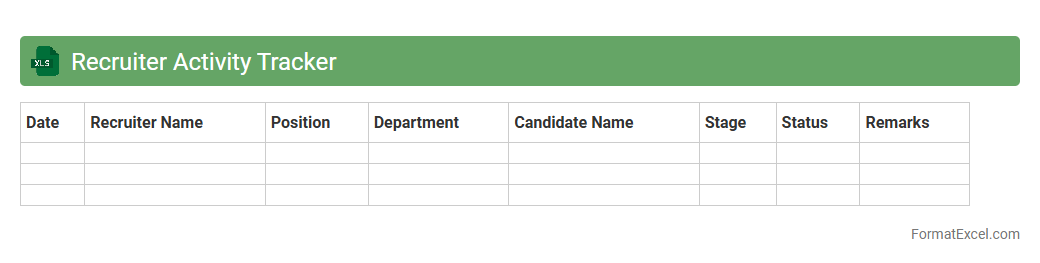
Recruiter Activity Tracker
The
Recruiter Activity Tracker Excel document is a tool designed to monitor and manage recruitment tasks, such as candidate outreach, interview scheduling, and follow-ups. It helps streamline the hiring process by providing clear visibility into recruiter performance and daily activities. This tracker improves efficiency by enabling data-driven decision-making and ensuring timely completion of recruitment milestones.
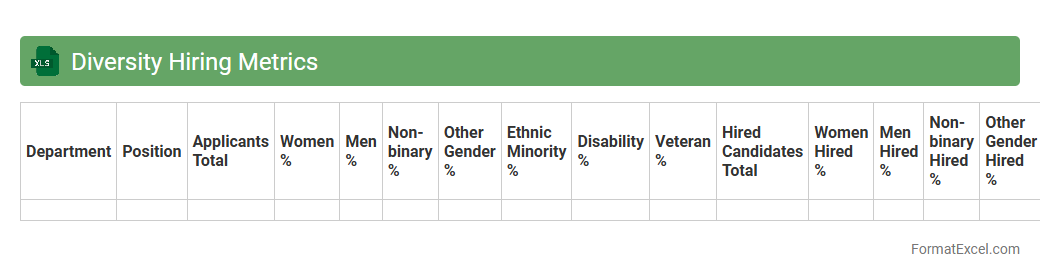
Diversity Hiring Metrics
The
Diversity Hiring Metrics Excel document tracks key performance indicators such as gender, ethnicity, and disability representation throughout the recruitment process. It enables organizations to analyze hiring patterns, identify gaps, and ensure compliance with diversity goals and legal requirements. Using this data-driven approach fosters a more inclusive workforce and improves decision-making in talent acquisition strategies.
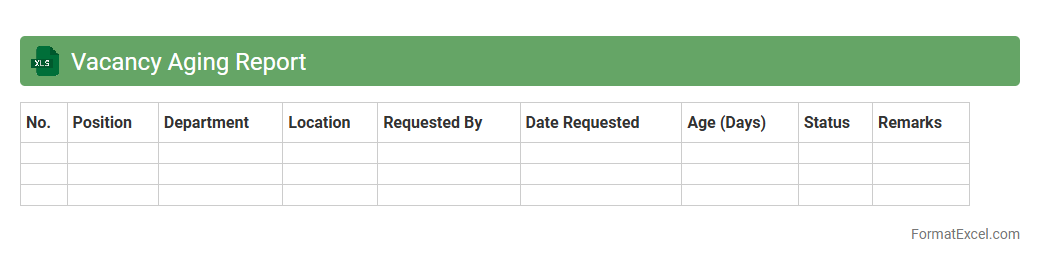
Vacancy Aging Report
A
Vacancy Aging Report Excel document tracks the duration that job vacancies remain open within an organization, highlighting positions that have been unfilled over specific time periods. This report enables HR teams and recruiters to identify bottlenecks in the hiring process, prioritize long-standing vacancies, and improve workforce planning. By analyzing vacancy aging data, organizations can enhance recruitment efficiency and reduce time-to-fill metrics.
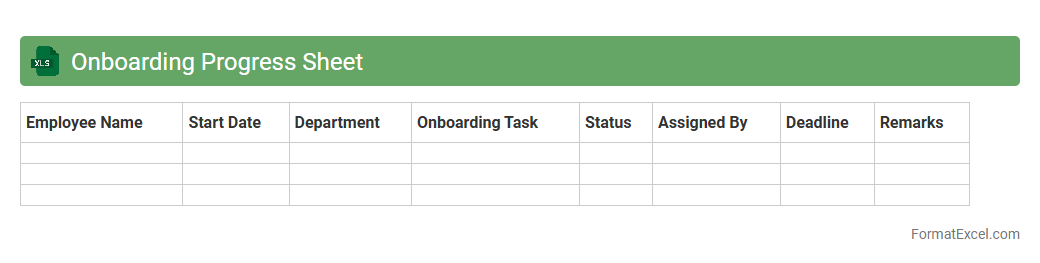
Onboarding Progress Sheet
The
Onboarding Progress Sheet Excel document is a structured tool used to track and manage the status of new employee integration within an organization. It allows HR teams and managers to monitor completion of essential onboarding tasks, such as training sessions, document submissions, and orientation activities, ensuring a smooth and efficient transition for new hires. By providing real-time visibility into each employee's progress, this sheet helps improve coordination, reduces onboarding delays, and enhances overall workforce productivity.
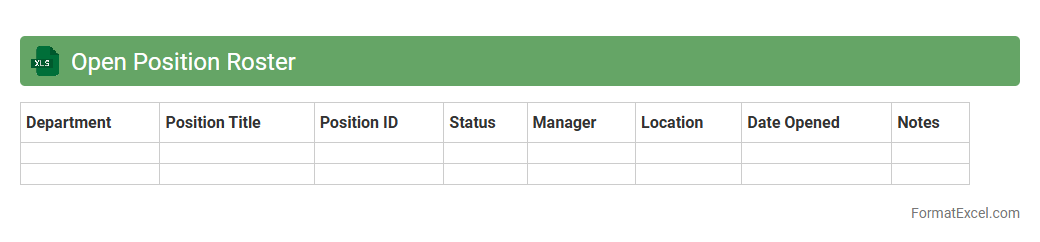
Open Position Roster
The
Open Position Roster Excel document is a comprehensive tool that tracks all unfilled job vacancies within an organization, detailing roles, departments, and hiring statuses. It helps human resources and management teams monitor recruitment progress, prioritize hiring needs, and allocate resources efficiently. By centralizing vacancy data, this roster enhances workforce planning and supports informed decision-making to close talent gaps swiftly.
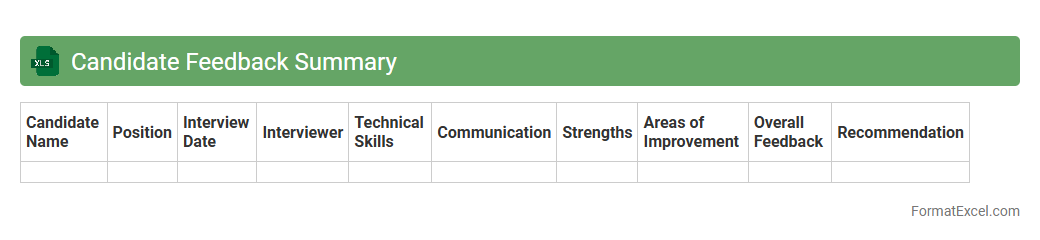
Candidate Feedback Summary
The
Candidate Feedback Summary Excel document consolidates evaluations and comments from interviewers, providing a structured overview of each candidate's strengths and areas for improvement. This centralized data enables recruiters and hiring managers to make informed decisions quickly by comparing candidates side-by-side based on standardized criteria. It streamlines communication within hiring teams and ensures a transparent, efficient recruitment process.
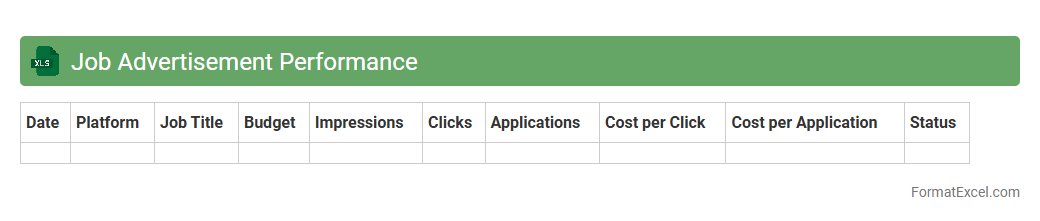
Job Advertisement Performance
A
Job Advertisement Performance Excel document tracks key metrics such as click-through rates, application numbers, and cost per hire, enabling recruiters to evaluate the effectiveness of their job postings. It helps identify which platforms or ad formats generate the most qualified candidates, allowing for data-driven budget allocation and strategy adjustments. Utilizing this tool improves recruitment efficiency and ensures better return on investment in talent acquisition efforts.
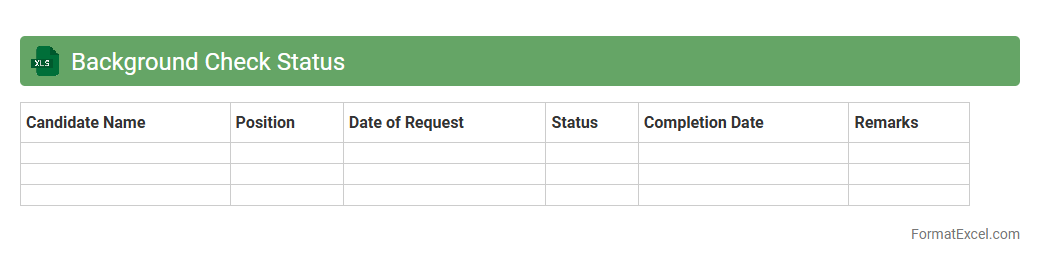
Background Check Status
A
Background Check Status Excel document tracks and organizes the progress and results of employee or candidate background verifications, including identity, criminal history, and employment records. It provides a centralized, easily accessible format for HR teams and hiring managers to monitor compliance and ensure timely completion of background checks. This tool improves decision-making efficiency and reduces the risk of overlooking critical information in the hiring process.
Understanding the Importance of a Recruitment Report
A recruitment report is essential for tracking hiring progress and evaluating recruitment strategies. It provides insight into candidate sources, application status, and time-to-hire metrics. Such reports help decision-makers optimize the recruitment process efficiently.
Key Components of a Recruitment Report Format in Excel
The report should include candidate details, application dates, interview outcomes, and hiring status. Including source tracking and recruitment stages ensures comprehensive monitoring. Clear and concise data organization enhances report utility.
Setting Up Your Recruitment Report Template
Begin by creating a structured Excel sheet with labeled headers for each recruitment phase. Use consistent formatting and data validation to maintain accuracy. This setup forms the foundation for an effective recruitment report template.
Essential Columns to Include in Excel Recruitment Reports
Include columns for Candidate Name, Position Applied, Application Date, Interview Date, Status, and Source. Adding columns for Comments and Recruiter Name offers deeper insights. These essential fields facilitate thorough candidate tracking.
Step-by-Step Guide to Creating a Recruitment Report in Excel
Start by entering raw data, then organize it with tables and filters. Next, apply conditional formatting to highlight key results. Followed by creating summary sections, ensures an intuitive report creation process.
Using Formulas and Functions for Data Analysis
Leverage formulas like COUNTIF, SUMIF, and VLOOKUP to analyze recruitment data efficiently. These functions help in calculating conversion rates, time-to-fill, and source effectiveness. Mastering Excel formulas enhances report insights.
Visualizing Recruitment Data with Excel Charts
Utilize bar charts, pie charts, and line graphs to visually represent recruitment metrics. Visuals simplify complex data, making trends and bottlenecks easy to identify. Effective data visualization improves report communication.
Recruitment Metrics to Track in Your Excel Report
Track metrics such as Time to Hire, Cost per Hire, Source of Hire, and Candidate Quality. Monitoring these KPIs ensures recruitment objectives are met. Focus on recruitment metrics drives continuous improvement.
Tips for Maintaining and Updating Recruitment Reports
Regularly update the report with fresh candidate data to keep insights relevant. Backup files and use version control to avoid data loss. Consistent maintenance practices ensure report accuracy and reliability.
Sample Recruitment Report Format in Excel (Free Template)
Download free Excel templates that include pre-built columns and formulas for instant use. These templates save setup time and guarantee professional reporting standards. Accessing a sample recruitment report simplifies your workflow.