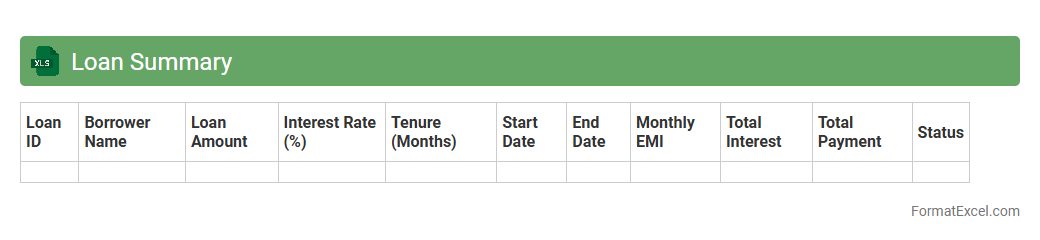
Loan Summary
A
Loan Summary Excel document is a structured spreadsheet that consolidates key loan information such as principal amounts, interest rates, repayment schedules, and outstanding balances. It helps users efficiently track loan statuses, calculate total payments, and manage multiple loans in one centralized file. This tool is essential for financial planning, budgeting, and ensuring timely loan repayments.
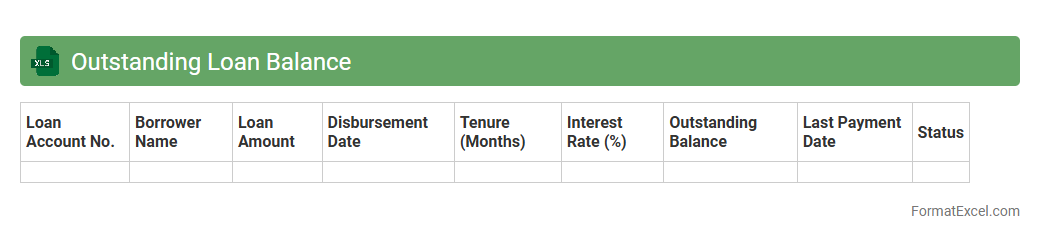
Outstanding Loan Balance
An
Outstanding Loan Balance Excel document is a spreadsheet designed to track the remaining amount owed on loans over time, helping users monitor repayment progress accurately. It consolidates key loan details such as principal, interest rates, payment schedules, and balances, providing clear visibility into financial obligations. This tool is useful for budgeting, forecasting, and managing debt effectively, ensuring better control over personal or business finances.
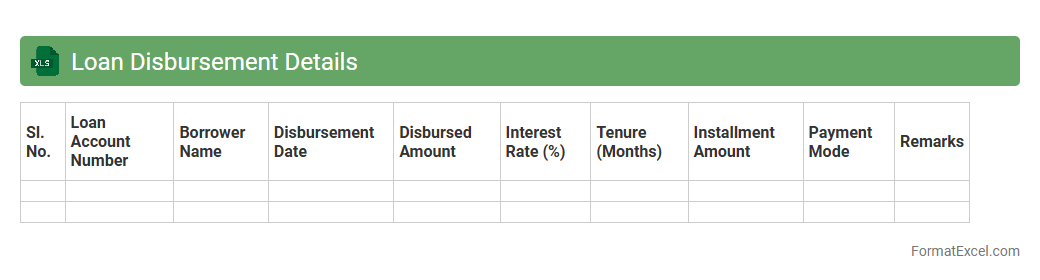
Loan Disbursement Details
The
Loan Disbursement Details Excel document is a comprehensive record that tracks the release of loan funds to borrowers, including dates, amounts, and repayment schedules. It is useful for monitoring financial flows, ensuring accurate accounting, and facilitating timely follow-ups on repayments. This document aids lenders and financial institutions in maintaining transparency and improving loan management efficiency.
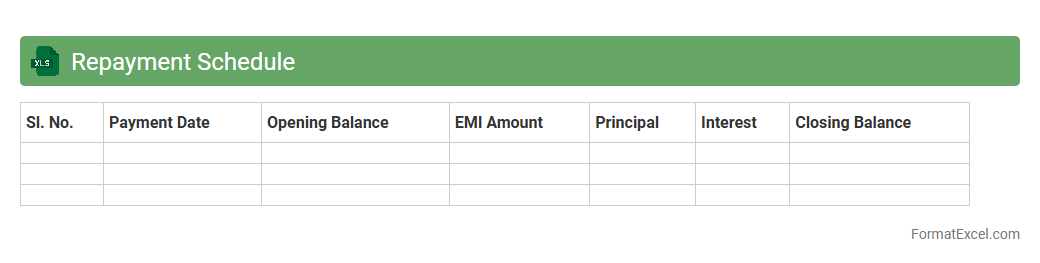
Repayment Schedule
A
Repayment Schedule Excel document is a structured spreadsheet designed to track loan repayments over time, detailing principal amounts, interest, payment dates, and balances. It helps users manage financial obligations by providing a clear timeline of upcoming payments, ensuring timely settlements and accurate budgeting. This tool is essential for individuals and businesses aiming to maintain transparency and control over debt management.
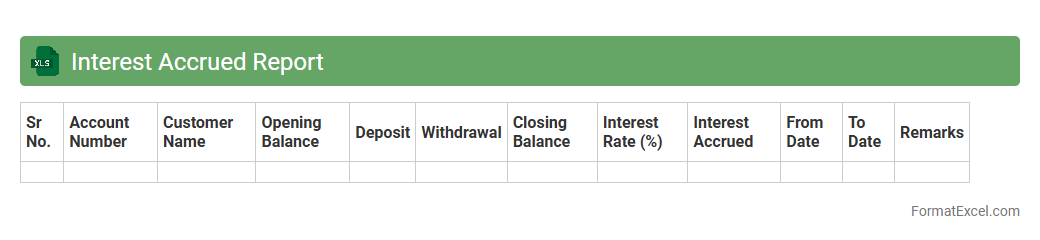
Interest Accrued Report
The
Interest Accrued Report Excel document tracks the accumulated interest on investments, loans, or deposits over a specified period, providing a clear summary of earned or payable interest. It helps businesses and individuals monitor financial performance, forecast cash flows, and ensure accurate accounting records for interest-related transactions. This report streamlines financial analysis by consolidating interest data, making it easier to manage portfolios and comply with regulatory requirements.
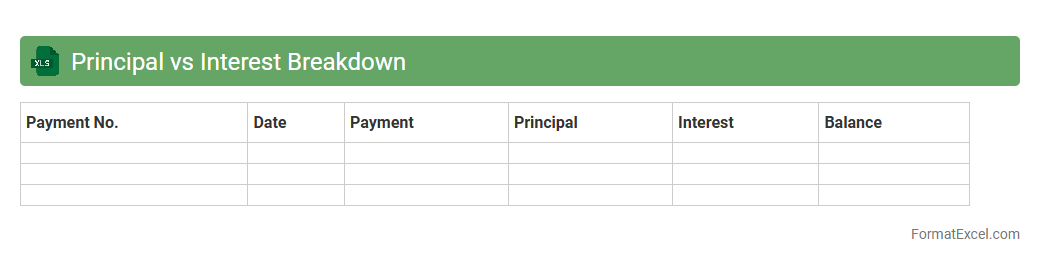
Principal vs Interest Breakdown
A
Principal vs Interest Breakdown Excel document provides a detailed analysis of loan payments, separating each payment into the portion that goes toward the principal balance and the portion that covers interest. This breakdown is essential for borrowers to understand how their loan amortizes over time and track progress in reducing debt. It assists in budgeting, financial planning, and making informed decisions about refinancing or early loan repayment.
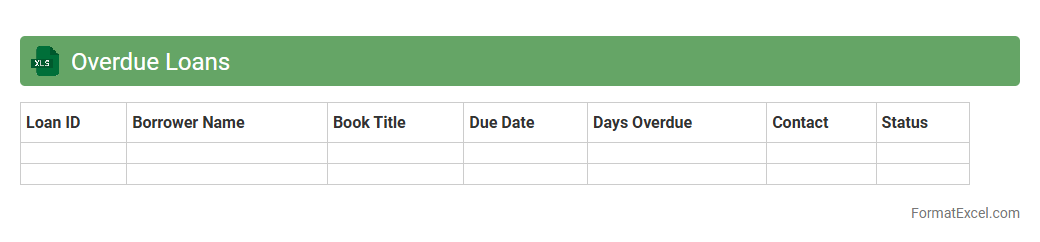
Overdue Loans
The
Overdue Loans excel document is a detailed and organized spreadsheet designed to track and manage loan accounts that have missed payment deadlines. It helps financial institutions and individuals monitor outstanding payments, calculate interest penalties, and assess credit risk efficiently. Using this document improves loan recovery processes and ensures timely follow-up actions to minimize financial losses.
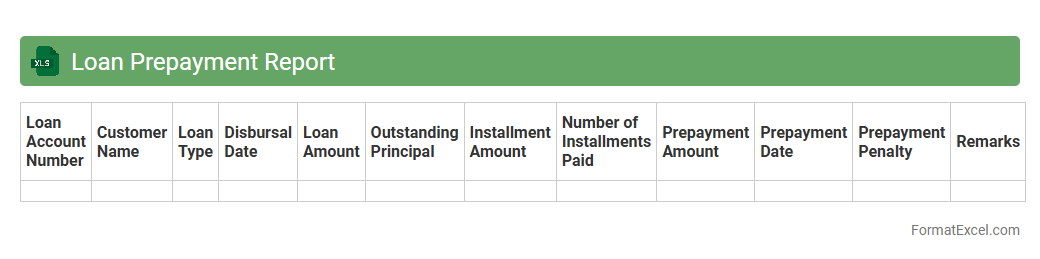
Loan Prepayment Report
A
Loan Prepayment Report Excel document tracks and analyzes early loan repayments, providing detailed insights into borrower behavior and loan performance. It helps lenders identify trends, manage risk, and optimize cash flow by highlighting prepayment patterns and amounts. This report is essential for financial institutions aiming to improve loan portfolio management and forecasting accuracy.
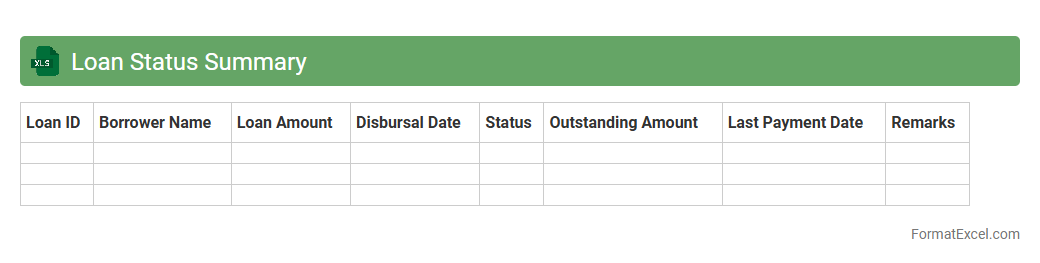
Loan Status Summary
The
Loan Status Summary Excel document provides a comprehensive snapshot of all active and completed loans, detailing repayment schedules, outstanding balances, interest rates, and payment history. This tool enables financial analysts and loan officers to track loan performance efficiently, identify delinquent accounts, and forecast cash flows. By organizing critical loan data in a structured format, it supports informed decision-making and enhances portfolio management.
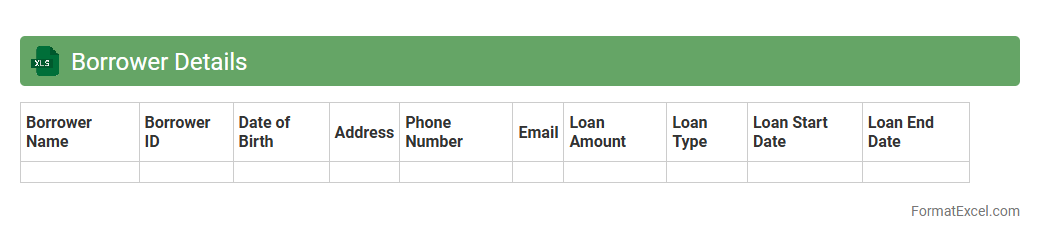
Borrower Details
The
Borrower Details Excel document is a comprehensive spreadsheet that organizes key information about loan applicants, including personal data, loan amounts, repayment schedules, and credit history. It helps financial institutions efficiently track and analyze borrower profiles, enabling better risk assessment and streamlined loan management. This document facilitates quick access to vital borrower metrics, improving decision-making accuracy and operational efficiency.
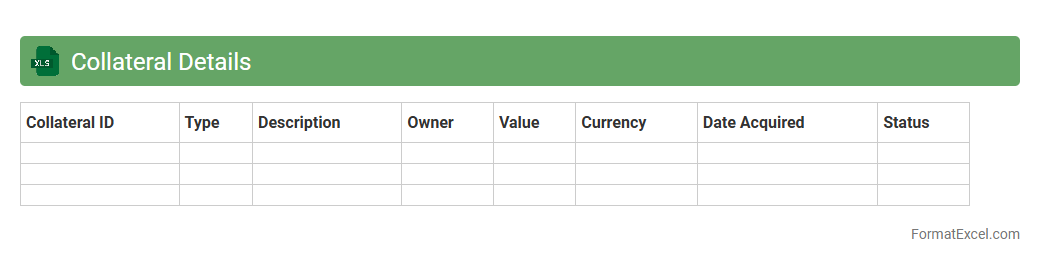
Collateral Details
The
Collateral Details Excel document is a structured spreadsheet that captures comprehensive data about assets pledged as security for loans or obligations. It helps organizations track asset types, values, ownership, and status, ensuring accurate assessment and management of collateral risks. Using this document improves transparency, supports compliance with lending policies, and facilitates quicker decision-making in financial operations.
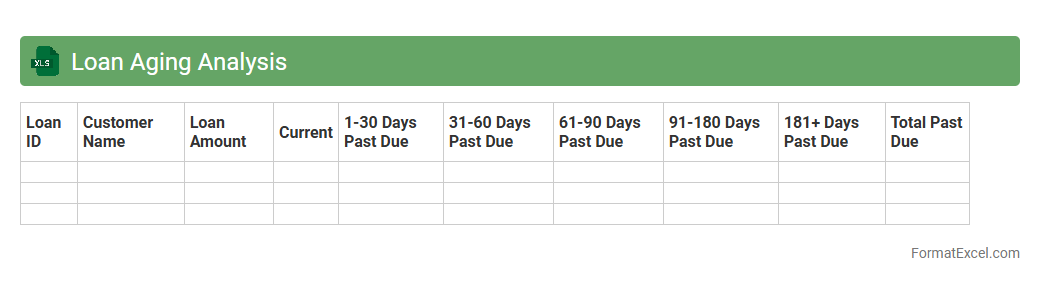
Loan Aging Analysis
Loan Aging Analysis Excel document categorizes loans based on the duration overdue, helping financial institutions track
loan repayment performance efficiently. By organizing loans into aging brackets such as 30, 60, and 90 days past due, it highlights delinquency trends and potential credit risks. This tool supports better decision-making in credit management and enhances the accuracy of financial reporting.
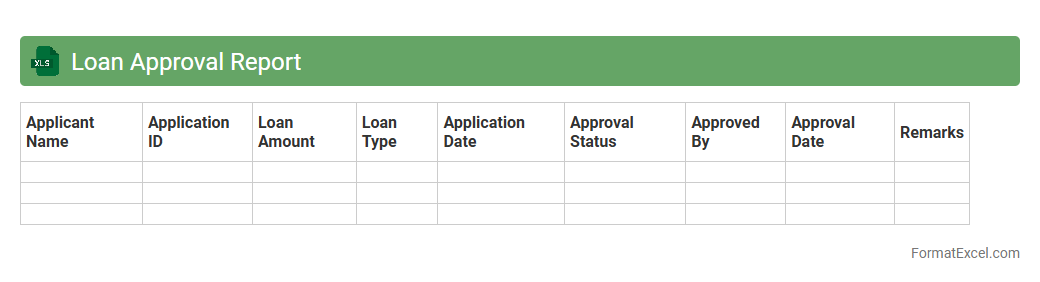
Loan Approval Report
A
Loan Approval Report Excel document is a structured spreadsheet that consolidates and analyzes key financial data related to loan applications, including applicant details, credit scores, risk assessments, and approval status. It streamlines the decision-making process by providing clear visibility into loan eligibility and repayment capacity, helping financial institutions manage risks and ensure compliance. This report is essential for tracking loan approvals, improving workflow efficiency, and enabling data-driven lending strategies.
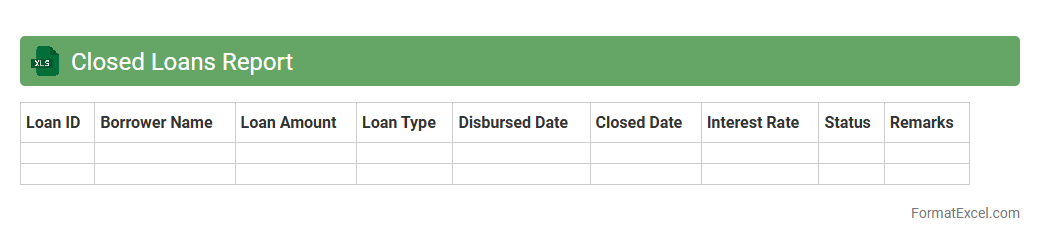
Closed Loans Report
The
Closed Loans Report Excel document provides a comprehensive record of all finalized loan transactions within a specific timeframe, detailing borrower information, loan amounts, interest rates, and repayment statuses. It enables financial institutions and loan officers to efficiently track loan closure trends, evaluate portfolio performance, and ensure compliance with regulatory requirements. By analyzing this data, businesses can improve decision-making related to credit risk management and optimize future lending strategies.
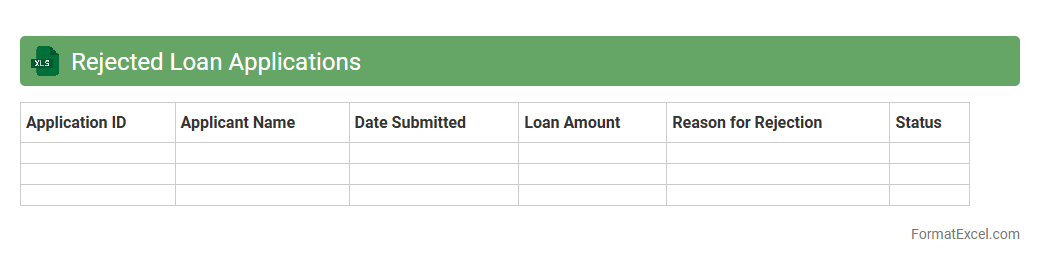
Rejected Loan Applications
The
Rejected Loan Applications Excel document is a detailed record of loan requests denied by financial institutions, capturing crucial data such as applicant details, reasons for rejection, and loan types. This document helps financial analysts and loan officers identify common rejection patterns, assess risk factors, and improve future loan approval processes. By analyzing this data, organizations can enhance credit evaluation criteria and reduce the rate of loan application denials.
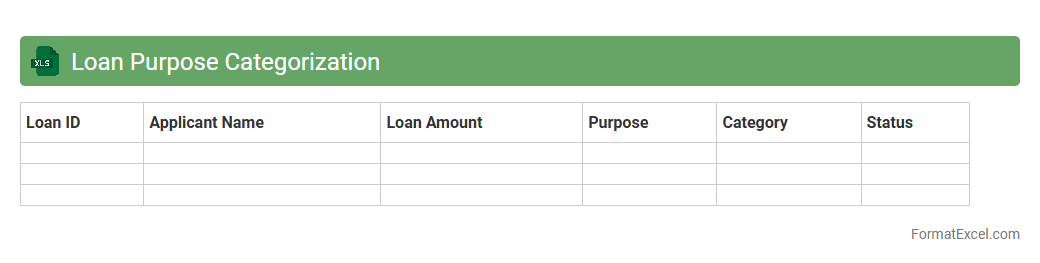
Loan Purpose Categorization
The
Loan Purpose Categorization Excel document organizes and classifies loans based on their intended use, such as personal, business, or educational purposes. This structured categorization helps financial institutions and analysts quickly assess loan portfolios, identify risk patterns, and tailor lending strategies effectively. By streamlining the evaluation process, the document enhances decision-making accuracy and improves regulatory compliance.
Loan Officer Performance
The
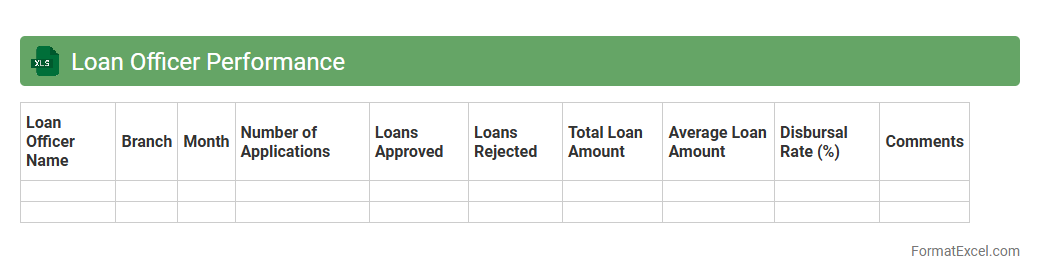
Loan Officer Performance Excel document is a comprehensive tool designed to track, analyze, and evaluate the productivity and effectiveness of loan officers by recording key metrics such as loan volume, approval rates, and client interactions. This document helps financial institutions identify top performers, pinpoint areas needing improvement, and make data-driven decisions to optimize overall lending operations. By consolidating performance data in an organized, easy-to-navigate format, it enhances transparency and supports strategic planning in loan management.
Loan Restructuring History
The
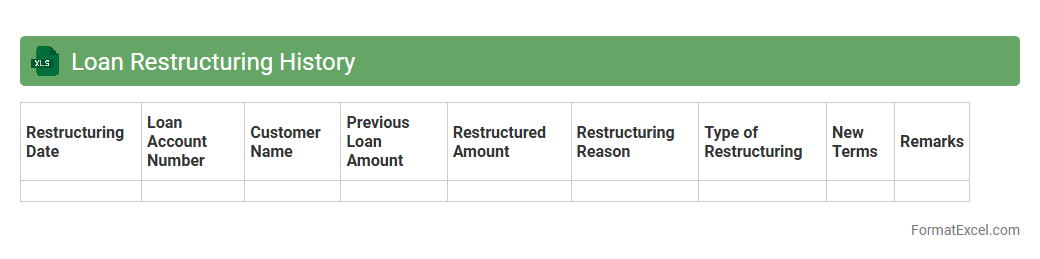
Loan Restructuring History Excel document tracks all modifications made to loan terms, including changes in repayment schedules, interest rates, and principal amounts. This record helps financial institutions monitor borrower compliance, assess risk levels, and make informed decisions about future lending. The document also facilitates transparent communication between lenders and borrowers, enhancing loan management efficiency.
Interest Rate Types
The
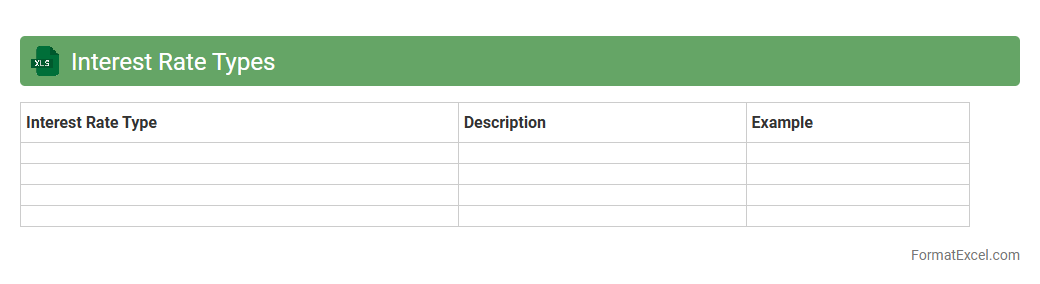
Interest Rate Types Excel document categorizes and organizes various interest rates such as fixed, variable, and compound rates, enabling clear comparison and analysis. It helps users track changes in rates over time, forecast financial outcomes, and make informed decisions regarding loans, investments, and savings. By providing structured data and built-in formulas, this tool enhances accuracy and efficiency in financial planning and management.
Monthly Repayment Collection
The
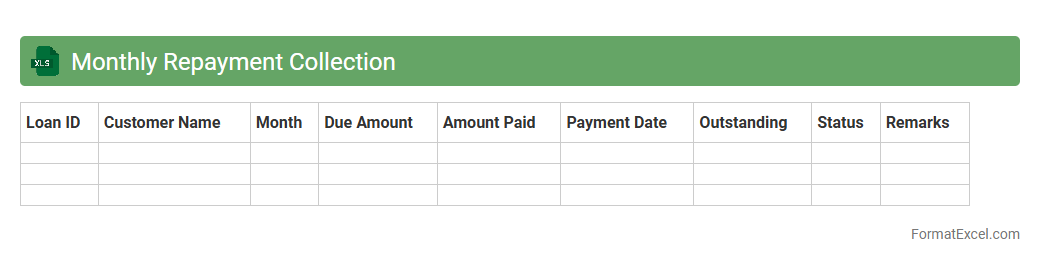
Monthly Repayment Collection Excel document is a structured tool designed to track and manage monthly payments for loans, subscriptions, or other recurring financial obligations. It helps users monitor due dates, payment amounts, and outstanding balances, ensuring timely collections and reducing the risk of missed payments. By organizing repayment data efficiently, it enhances financial planning and improves cash flow management for businesses or individuals.
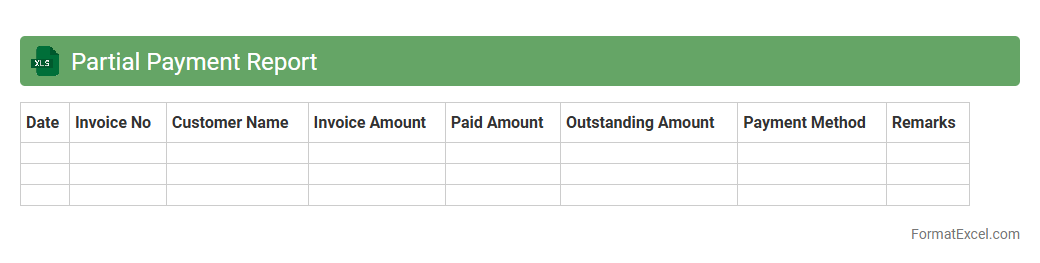
Partial Payment Report
A
Partial Payment Report Excel document tracks payments made in installments towards invoices or bills, providing a clear overview of outstanding balances and payment history. It enables efficient financial management by highlighting partial payments, reducing errors, and improving cash flow monitoring. This report is essential for accounting teams to reconcile accounts accurately and ensure timely follow-up on pending payments.
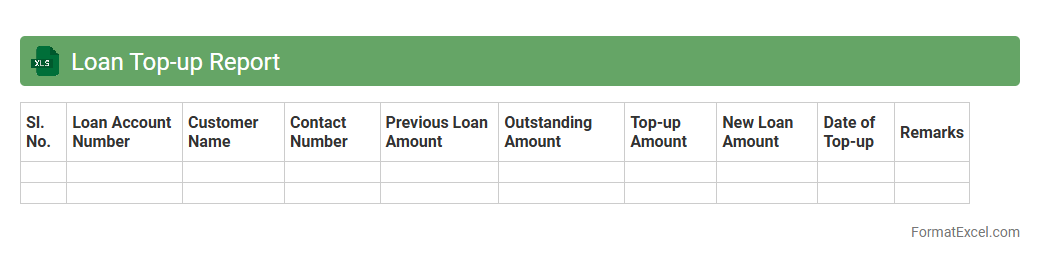
Loan Top-up Report
A
Loan Top-up Report Excel document tracks additional loan amounts added to existing loans, detailing borrower information, updated loan balances, and repayment schedules. This report is useful for monitoring loan growth, managing credit risk, and ensuring accurate financial forecasting. Financial institutions and borrowers benefit from clear insights into top-up trends and outstanding liabilities.
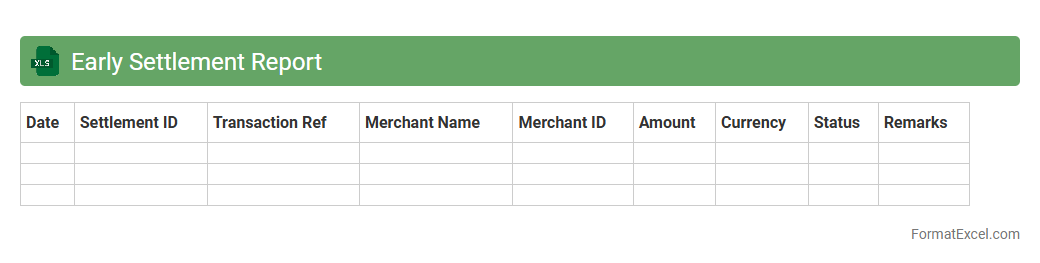
Early Settlement Report
The
Early Settlement Report Excel document is a detailed financial record that tracks transactions settled before their due dates, providing crucial insights into payment behaviors. It helps businesses monitor early payments, improve cash flow forecasting, and identify trends in customer settlement patterns. Utilizing this report enables more accurate financial planning and enhances decision-making related to credit and collections.
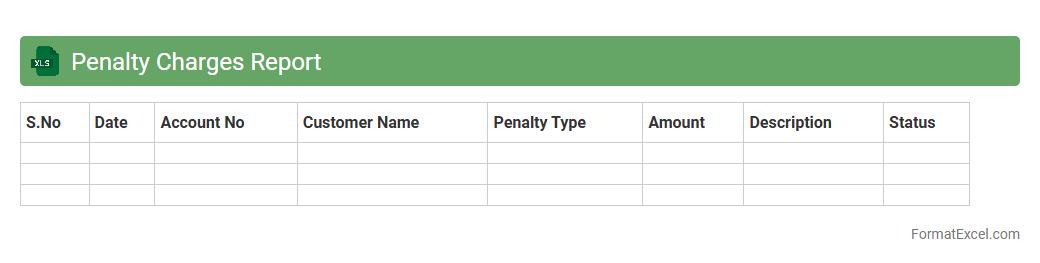
Penalty Charges Report
The
Penalty Charges Report Excel document is a detailed financial tool designed to track and analyze penalty fees incurred over a specific period, enabling businesses to monitor compliance issues and payment delays effectively. It consolidates data on individual transactions, dates, and amounts, providing clear visibility into penalty trends and helping identify frequent offenders or areas requiring process improvements. By leveraging this report, organizations can implement strategies to reduce penalties, improve cash flow management, and ensure better adherence to contractual or regulatory obligations.
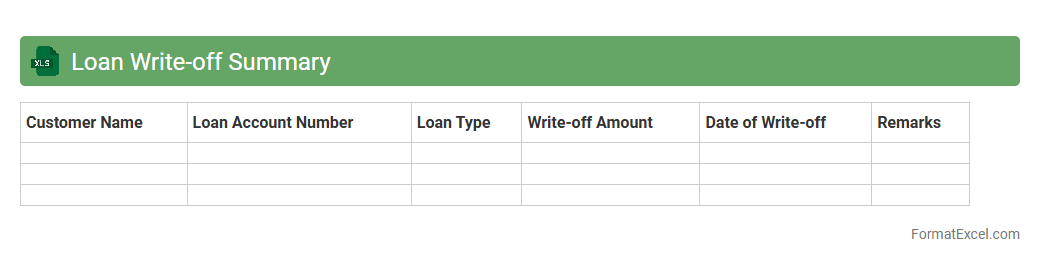
Loan Write-off Summary
A
Loan Write-off Summary Excel document consolidates all information related to loans that have been deemed uncollectible and subsequently written off by a financial institution. This summary provides a clear financial overview for accounting teams, aiding in accurate financial reporting and regulatory compliance by tracking loan amounts, write-off dates, and responsible accounts. It streamlines the monitoring of loan portfolios, helping risk management professionals identify trends in default rates and improve credit evaluation processes.
Introduction to Loan Report Formats
A loan report format in Excel provides a structured way to present loan details systematically. It helps track loan disbursement, repayment schedules, and outstanding balances. Using an organized format simplifies the analysis and monitoring of loan portfolios.
Importance of Loan Reports in Financial Management
Loan reports are crucial for effective financial management as they offer insights into credit risks and liquidity. They enable businesses and individuals to monitor payments and forecast cash flows accurately. Regularly updated reports help in maintaining transparency and accountability.
Key Components of a Loan Report
Essential components include borrower information, loan amount, interest rate, repayment schedule, and due dates. The loan balance and payment status are integral to track loan health consistently. This data ensures comprehensive monitoring and decision-making.
Standard Structure of Loan Report in Excel
A typical loan report in Excel consists of headers for borrower details, loan terms, payment records, and outstanding balances. The tabular format allows easy data entry and sorting functionalities. Proper structuring enhances readability and data integrity.
Essential Excel Functions for Loan Reporting
Functions such as SUM, IF, VLOOKUP, and PMT are indispensable in calculating totals, conditional checks, and loan payment amounts. The PMT function specifically helps compute loan installment payments over time. Leveraging these functions automates calculations and reduces errors.
Sample Loan Report Templates in Excel
Pre-designed Excel templates provide a ready-to-use framework for various loan scenarios. These sample templates include formulas and formatting tailored for personal or business loan tracking. Using templates saves time and ensures consistency.
Step-by-Step Guide to Creating a Loan Report in Excel
Start by setting up columns for key loan details and inputting relevant data. Next, incorporate Excel formulas to automate calculations like interest and balances. Finally, format the sheet with conditional formatting to highlight overdue payments and enhance visualization.
Common Mistakes in Loan Report Formatting
Avoid inconsistent data entry, missing formulas, and lack of proper documentation. One common error is overlooking the repayment schedule alignment, which misguides financial decisions. Attention to detail ensures accuracy and usability.
Tips for Customizing Loan Reports in Excel
Customize reports by adding pivot tables for dynamic summaries and charts for visual insights. Applying conditional formatting helps flag critical information like late payments. Tailoring the report to specific needs improves its functionality.
Downloadable Loan Report Excel Templates
Various websites offer downloadable and customizable loan report templates free or for purchase. These templates typically include built-in calculations and clear layouts to streamline loan tracking. Using them can significantly cut down setup time.