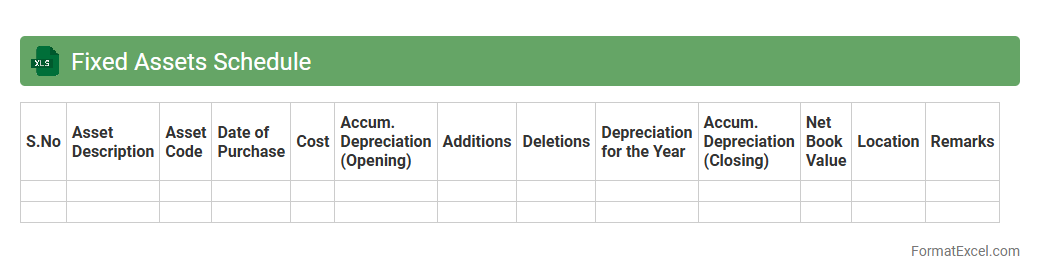
Fixed Assets Schedule
A
Fixed Assets Schedule Excel document is a comprehensive record that details an organization's fixed assets, including purchase dates, asset values, depreciation, and current book values. It streamlines asset management by enabling accurate tracking, facilitating depreciation calculations, and supporting financial reporting compliance. This schedule is essential for maintaining transparency in asset valuation and enhancing decision-making in budgeting and forecasting.
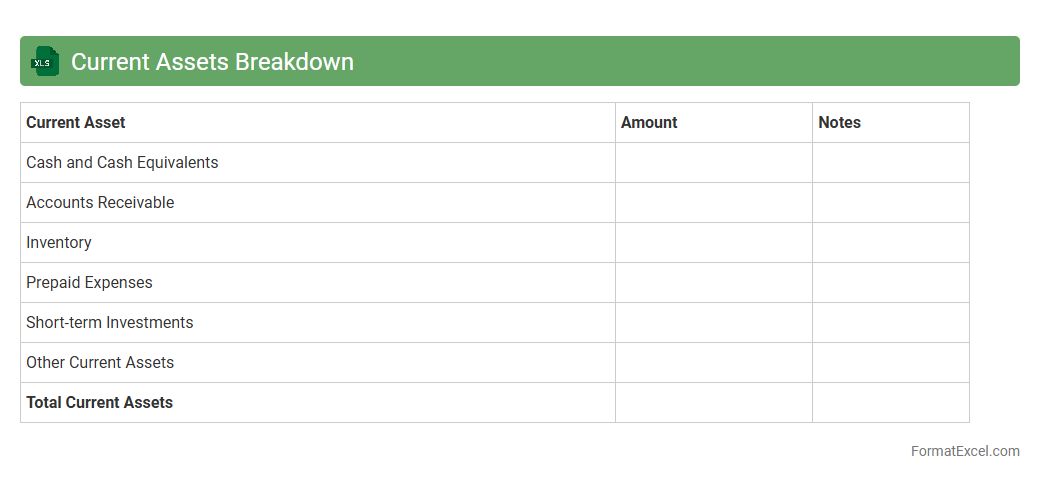
Current Assets Breakdown
The
Current Assets Breakdown Excel document provides a detailed categorization of a company's short-term assets such as cash, accounts receivable, inventory, and prepaid expenses. This breakdown helps in assessing the liquidity position and ensuring that the business has sufficient assets to cover its short-term liabilities. Financial analysts and accountants utilize this document to monitor working capital efficiency and make informed decisions about cash flow management.
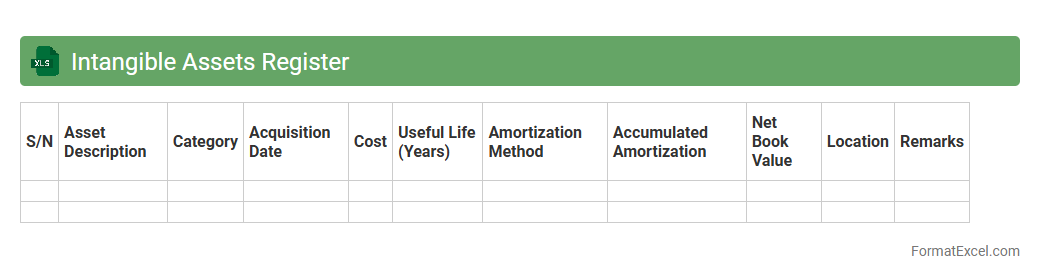
Intangible Assets Register
An
Intangible Assets Register Excel document systematically records non-physical assets such as patents, trademarks, copyrights, and goodwill, ensuring accurate tracking and valuation. This register supports effective asset management, compliance with accounting standards, and better financial reporting by providing a clear overview of intangible assets' acquisition dates, amortization schedules, and current values. Maintaining this register helps organizations optimize asset utilization, plan depreciation strategies, and improve audit readiness.
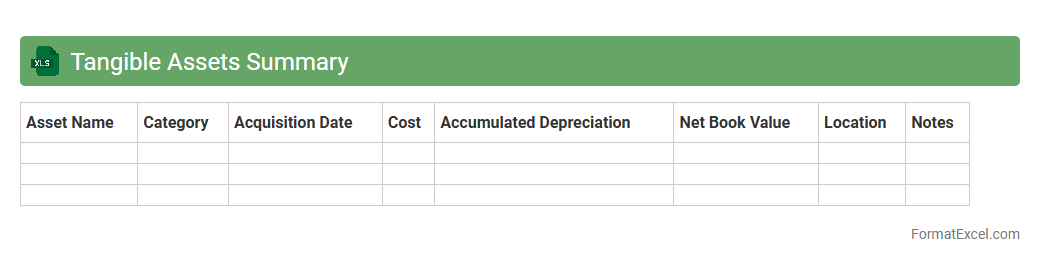
Tangible Assets Summary
The
Tangible Assets Summary Excel document provides a consolidated overview of a company's physical fixed assets such as machinery, buildings, and equipment, including their acquisition cost, accumulated depreciation, and net book value. This comprehensive summary helps in tracking asset lifecycles, managing depreciation schedules, and facilitating accurate financial reporting for auditing and tax purposes. It also supports strategic decision-making by offering clear insights into asset utilization and investment planning.
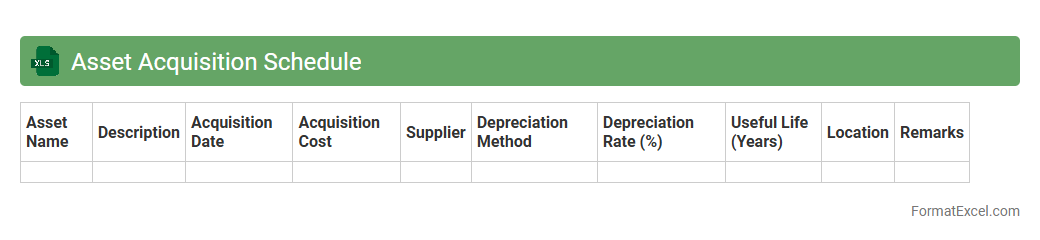
Asset Acquisition Schedule
An
Asset Acquisition Schedule Excel document is a structured spreadsheet that tracks the purchase dates, costs, and depreciation of assets acquired by a business. It helps in organizing asset information for accurate financial reporting, budgeting, and tax compliance. Using this schedule enhances decision-making by providing clear visibility into asset lifecycle and capital expenditure planning.
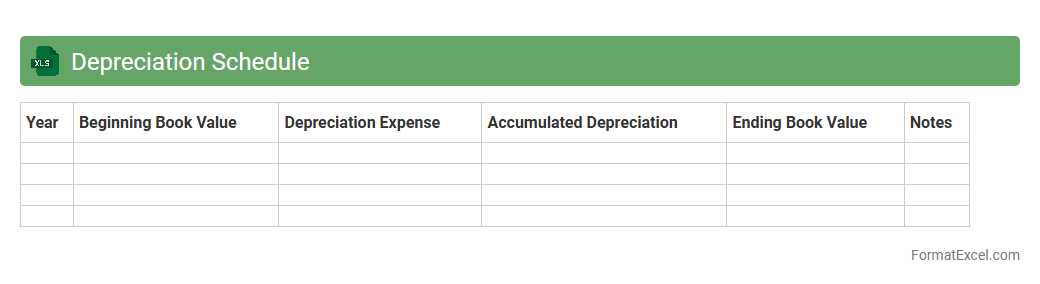
Depreciation Schedule
A
Depreciation Schedule Excel document systematically tracks asset value reduction over time, helping businesses accurately calculate depreciation expenses for accounting and tax purposes. This tool enhances financial reporting by providing clear, organized data on asset lifespans and depreciation methods like straight-line or declining balance. Utilizing a depreciation schedule ensures compliance with accounting standards while optimizing asset management and budget planning.
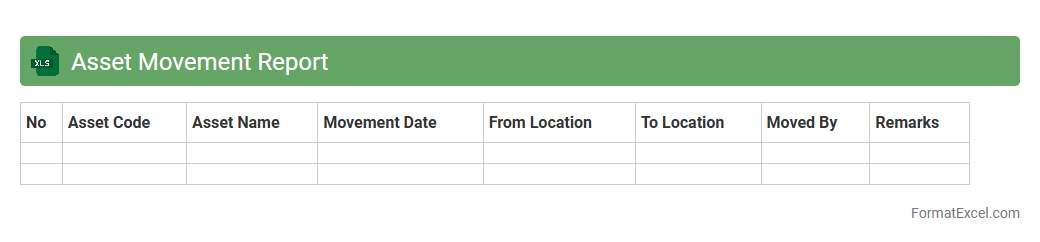
Asset Movement Report
The
Asset Movement Report Excel document tracks the transfer, acquisition, and disposal of company assets over a specific period. It provides detailed insights on asset locations, status changes, and responsible departments, enabling better asset management and accountability. Utilizing this report helps optimize resource allocation, prevent losses, and support financial auditing processes effectively.
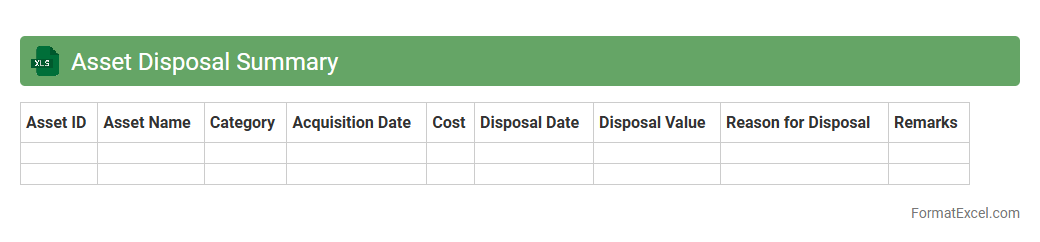
Asset Disposal Summary
An
Asset Disposal Summary Excel document provides a detailed record of assets that have been sold, discarded, or otherwise removed from service. It helps organizations track the financial impact, ensuring accurate accounting and compliance with audit requirements. This summary also aids in informed decision-making by highlighting asset lifecycle management and depreciation outcomes.
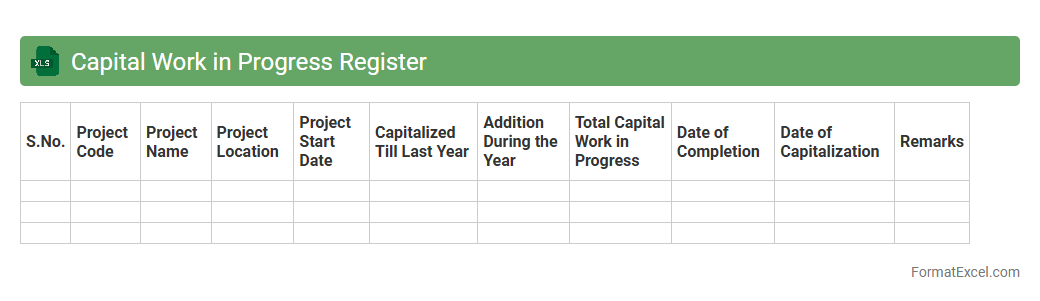
Capital Work in Progress Register
A
Capital Work in Progress Register Excel document tracks ongoing capital projects and expenditures before they are capitalized as fixed assets. It helps organizations monitor project budgets, timelines, and costs, ensuring accurate financial reporting and effective asset management. This register provides a clear overview of work status, facilitating better decision-making and resource allocation during asset construction or acquisition phases.
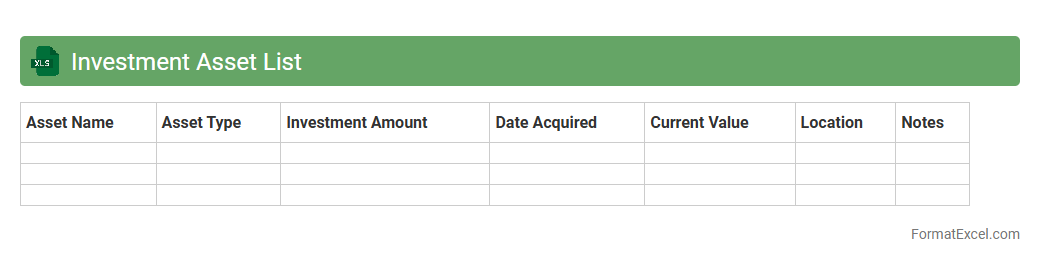
Investment Asset List
An
Investment Asset List Excel document is a structured spreadsheet that helps track and organize various investment holdings such as stocks, bonds, real estate, and mutual funds. It provides clear visibility into asset allocation, performance metrics, and portfolio diversification, enabling better financial decision-making and risk management. By maintaining this detailed record, investors can efficiently monitor returns and adjust strategies to maximize growth.
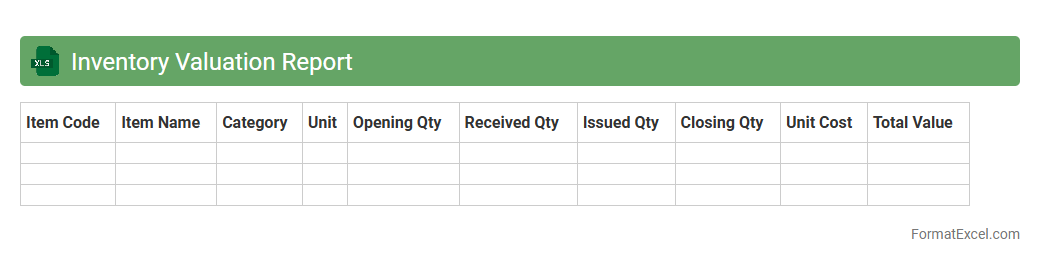
Inventory Valuation Report
Inventory Valuation Report Excel document provides a detailed analysis of the value of stock items based on cost methods like FIFO, LIFO, or weighted average. It enables accurate tracking of inventory costs, helping businesses manage cash flow, optimize stock levels, and make informed purchasing decisions. Using this report, companies can improve financial reporting accuracy and enhance overall inventory management efficiency.
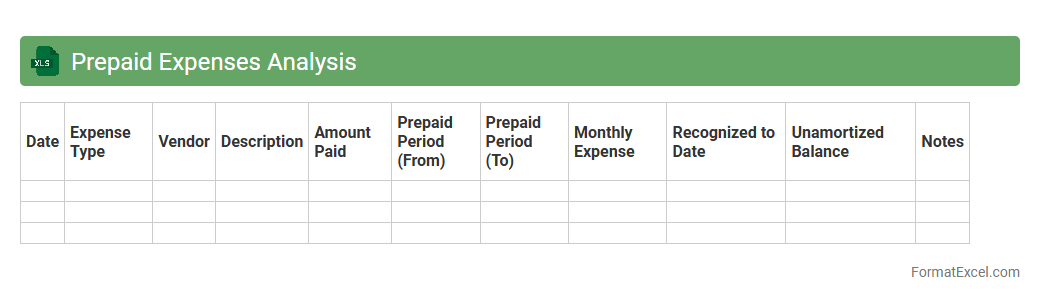
Prepaid Expenses Analysis
The
Prepaid Expenses Analysis Excel document systematically tracks and allocates expenses paid in advance, ensuring accurate financial reporting and cash flow management. It helps organizations monitor the timing of expense recognition, preventing misstated profits by matching costs with the appropriate accounting periods. This tool enhances budgeting accuracy, supports compliance with accounting standards, and facilitates strategic financial planning.
Receivables Aging Statement
A
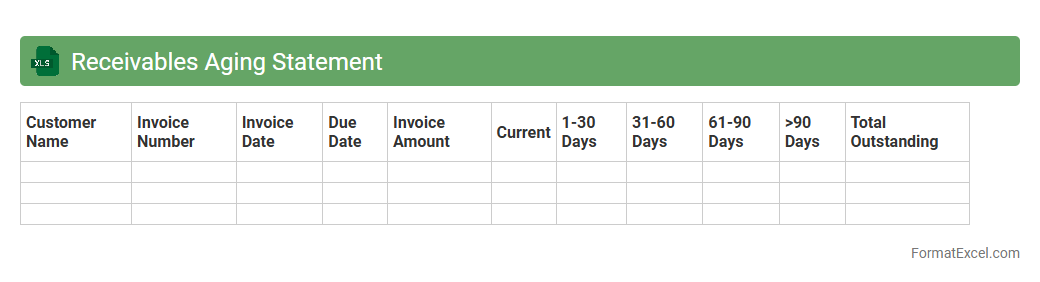
Receivables Aging Statement Excel document categorizes outstanding customer invoices based on the length of time they have been unpaid, typically segmented into periods like 30, 60, 90, and 120 days. This tool helps businesses monitor overdue payments, prioritize collection efforts, and assess the overall health of their accounts receivable. By providing a clear overview of payment delays, it supports effective cash flow management and reduces the risk of bad debt.
Asset Impairment Register
The
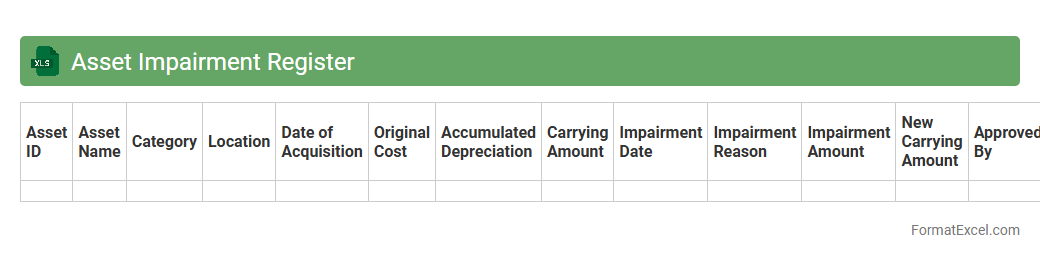
Asset Impairment Register Excel document systematically tracks and records reductions in the recoverable value of company assets. It helps businesses identify, document, and quantify asset impairments, ensuring compliance with accounting standards and providing clear visibility into asset value adjustments. This register supports accurate financial reporting and informed decision-making regarding asset management and capital allocation.
Lease Assets Register
A
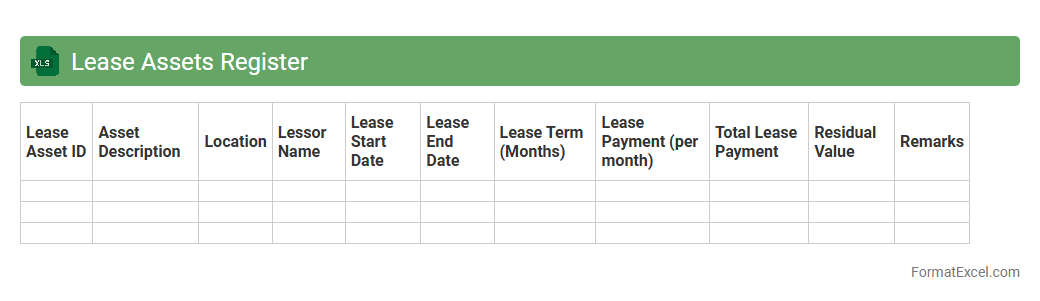
Lease Assets Register Excel document is a comprehensive tool used to record and manage all lease-related assets within an organization, including lease start and end dates, payment schedules, and asset details. It helps businesses keep track of lease obligations, ensuring compliance with accounting standards such as IFRS 16 or ASC 842, and assists in accurate financial reporting. This register enhances decision-making by providing clear visibility into lease commitments and asset utilization over time.
Asset Revaluation Report
An
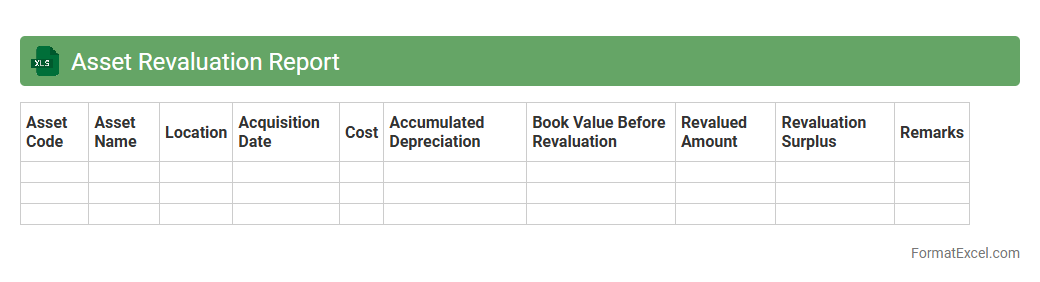
Asset Revaluation Report Excel document provides a detailed analysis of asset values based on current market conditions, allowing businesses to update their financial statements accurately. It helps track changes in asset worth, ensuring compliance with accounting standards and enhancing decision-making for investments or disposals. Using this report facilitates transparent asset management and supports strategic financial planning.
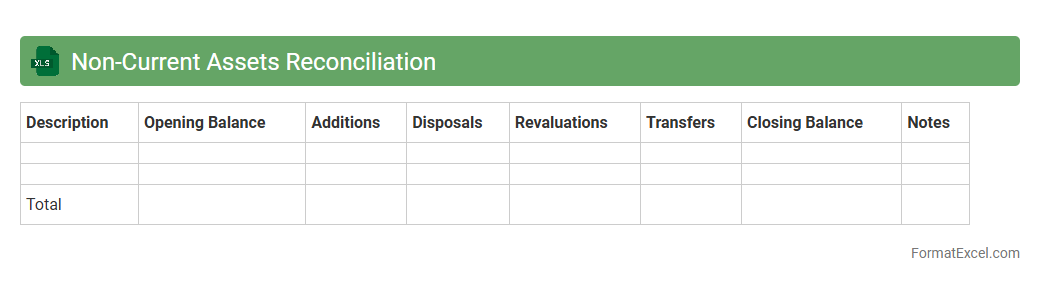
Non-Current Assets Reconciliation
A
Non-Current Assets Reconciliation Excel document systematically tracks and verifies the changes in long-term assets such as property, plant, and equipment over a specific period. It helps ensure accuracy in financial reporting by matching asset depreciation, additions, disposals, and revaluations with general ledger balances. This tool enhances asset management, supports compliance with accounting standards like IFRS or GAAP, and improves decision-making by providing clear insights into asset valuation and lifecycle.
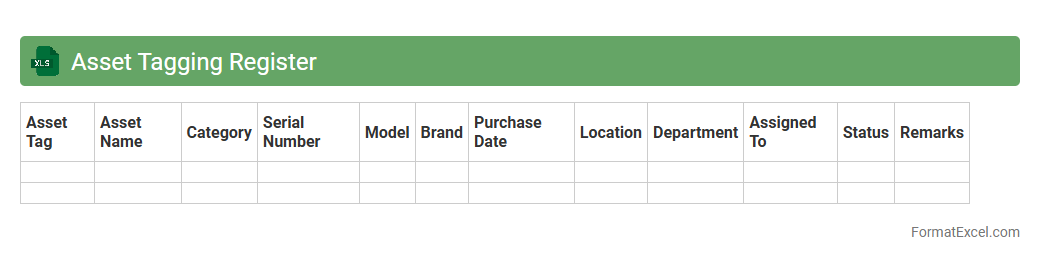
Asset Tagging Register
An
Asset Tagging Register Excel document is a structured spreadsheet used to record and track physical assets within an organization, including information such as asset ID, description, location, purchase date, and status. This document enhances asset management by providing a centralized and easily accessible database that improves inventory accuracy, simplifies audits, and supports maintenance scheduling. Efficient use of the register reduces asset loss, optimizes resource allocation, and ensures compliance with organizational policies and financial reporting requirements.
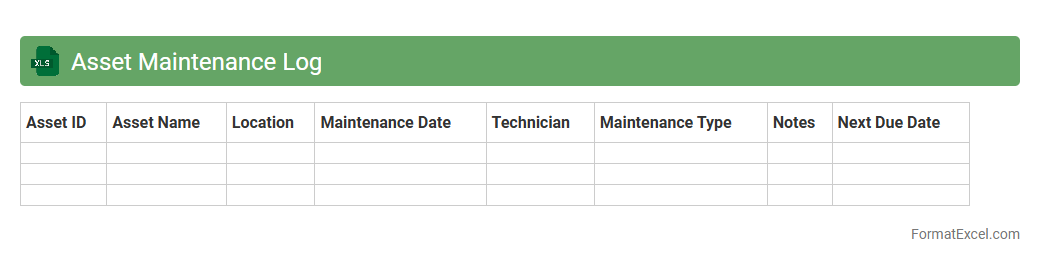
Asset Maintenance Log
An
Asset Maintenance Log Excel document is a structured spreadsheet designed to track and record the maintenance activities of physical assets, such as machinery, equipment, or vehicles. This log helps organizations monitor maintenance schedules, document repairs, and ensure timely servicing, thereby reducing downtime and extending asset lifespan. By maintaining accurate records, businesses can optimize operational efficiency, manage costs effectively, and comply with regulatory requirements.
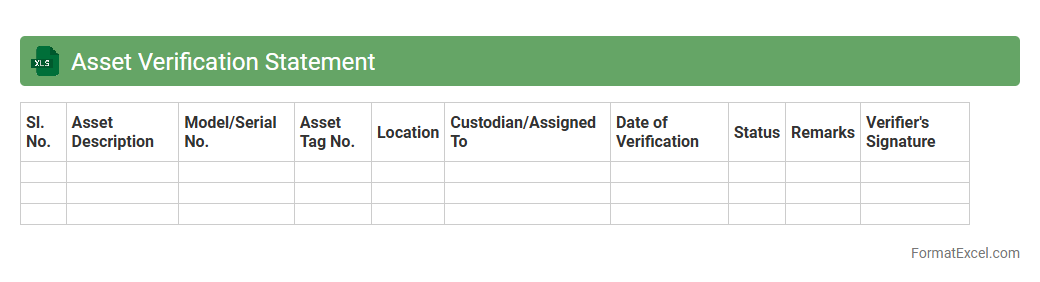
Asset Verification Statement
The
Asset Verification Statement Excel document is a structured tool designed to systematically record, verify, and track physical and financial assets within an organization. It helps ensure accuracy in asset management by providing clear documentation for audits, compliance, and internal controls, thereby minimizing the risk of discrepancies and asset misplacement. This document enhances transparency and accountability, facilitating efficient asset monitoring and decision-making processes.
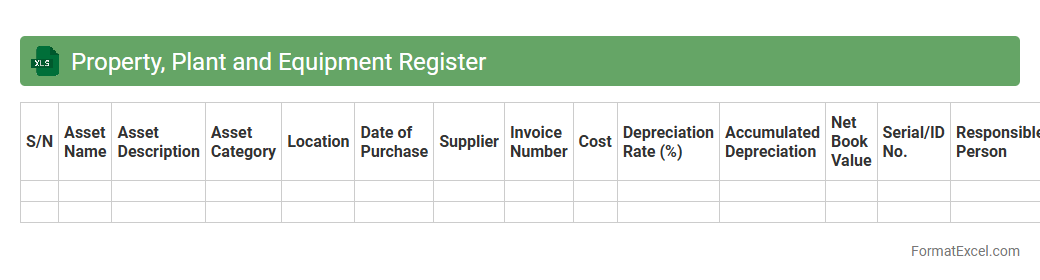
Property, Plant and Equipment Register
A
Property, Plant and Equipment Register Excel document is a comprehensive file used to track and manage an organization's fixed assets, including buildings, machinery, and land. It records critical details such as acquisition dates, costs, depreciation methods, and asset locations, enabling accurate financial reporting and asset management. This register helps ensure compliance with accounting standards, supports maintenance scheduling, and improves decision-making regarding asset utilization and capital expenditures.
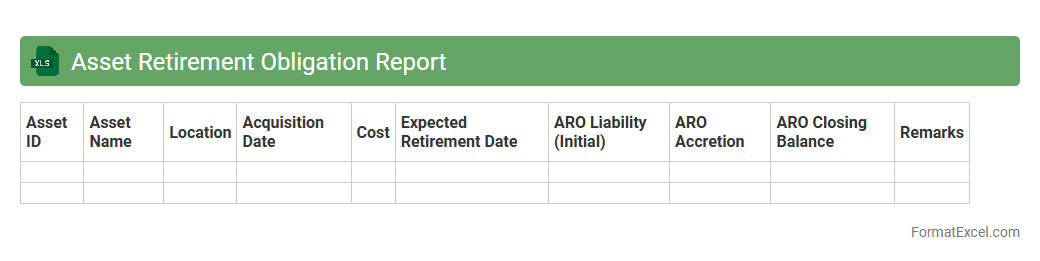
Asset Retirement Obligation Report
The
Asset Retirement Obligation Report Excel document is a comprehensive tool designed to track and manage the financial liabilities associated with retiring fixed assets. It helps organizations calculate present and future obligations, ensuring compliance with accounting standards such as ASC 410 or IFRIC 1. Utilizing this report enables accurate forecasting of remediation costs and supports strategic financial planning for asset decommissioning.
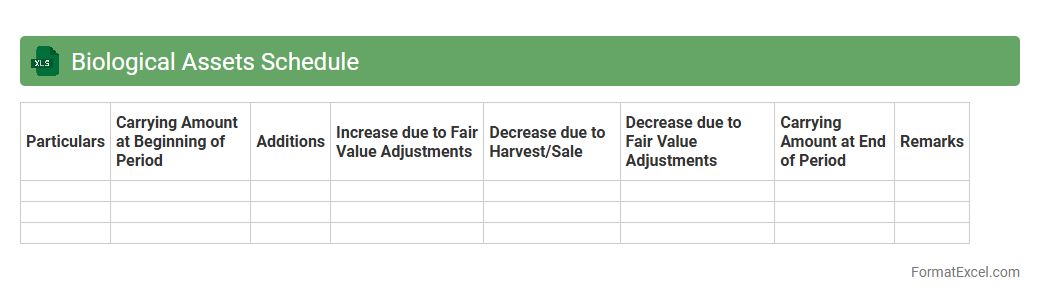
Biological Assets Schedule
A
Biological Assets Schedule Excel document is a structured tool used to track and manage living plants or animals owned by a business, often in agriculture or forestry sectors. It helps record critical details such as species, quantity, growth stages, costs, and valuations, ensuring accurate financial reporting and inventory management. This schedule enables improved decision-making by providing clear insights into the status and value of biological assets over time.
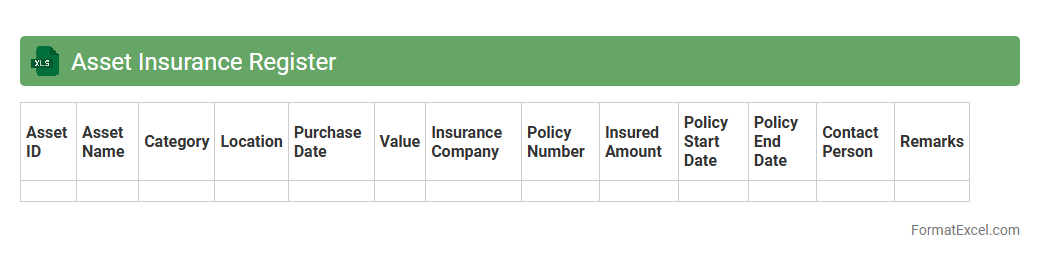
Asset Insurance Register
An
Asset Insurance Register Excel document systematically records all insured assets, including details like policy numbers, coverage limits, premium amounts, and renewal dates. This tool enables efficient tracking of insurance information, ensuring timely renewals and accurate claim processing. Maintaining this register minimizes risks of asset loss and financial discrepancies by providing a clear overview of insurance coverage status.
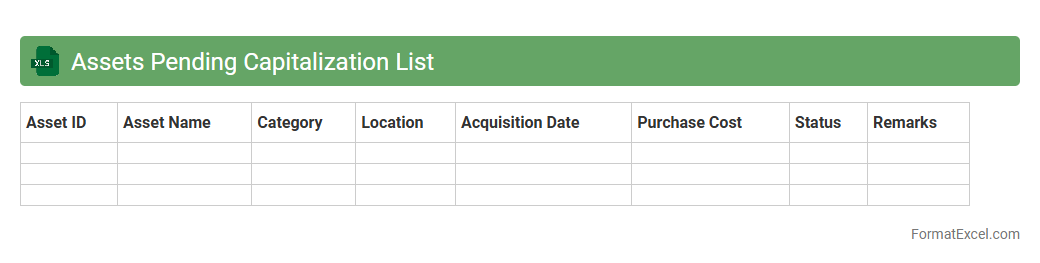
Assets Pending Capitalization List
The
Assets Pending Capitalization List Excel document tracks assets acquired but not yet recorded as capital expenditures, enabling accurate financial reporting and asset management. It helps organizations monitor the status of pending assets, ensuring timely capitalization according to accounting policies and improving asset lifecycle tracking. This tool optimizes financial accuracy, supports audit readiness, and enhances decision-making related to capital investments.
Introduction to Assets Statement in Excel
An assets statement is a financial document summarizing the value of an individual or organization's assets. Using Excel for this purpose allows for easy data entry, calculation, and customization. It provides a clear overview of current asset holdings in a structured and accessible format.
Importance of Assets Statement for Financial Management
An assets statement is crucial for effective financial management, helping track asset growth, depreciation, and valuation over time. It aids in budgeting, planning, and preparing for audits or financial reviews. Keeping an accurate statement improves decision-making and financial transparency.
Key Components of an Assets Statement
The key elements include asset name, purchase date, purchase cost, current value, and depreciation. Each component is necessary for a comprehensive understanding of asset worth and status. Proper categorization enhances the clarity of your assets statement.
Setting Up an Assets Statement Format in Excel
Start by creating headers for each data point like asset type and value. Use Excel features such as formulas and tables to automate calculations and improve readability. Establishing a clean layout is essential for an effective assets statement format.
Essential Columns and Data Fields
Important columns include Asset ID, Description, Acquisition Date, Cost, Depreciation, and Current Value. Accurate data entries in these fields ensure reliable asset tracking. These fields form the backbone of your assets statement in Excel.
Sample Assets Statement Template in Excel
A sample template typically includes predefined columns with automatic sum and depreciation formulas. It offers a practical starting point to simplify asset tracking and reporting. Utilizing a template speeds up the creation of your assets statement.
Tips for Customizing Your Excel Assets Statement
Customize by adding additional columns like location or condition to meet your specific needs. Employ conditional formatting for quick identification of asset statuses. Personalizing your Excel assets statement enhances its usability.
Common Errors to Avoid in Asset Tracking
Common mistakes include inaccurate data entry, outdated values, and ignoring depreciation. Avoiding these errors ensures your asset records remain precise and useful. Regular audits help maintain the integrity of your assets statement.
Best Practices for Maintaining Asset Records
Update asset information regularly and back up your Excel files frequently. Use standardized naming conventions and document all changes systematically. Consistently maintaining your asset records ensures ongoing accuracy and reliability.
Frequently Asked Questions about Assets Statement in Excel
Common questions often cover how to calculate depreciation, set up formulas, and secure asset data. Excel offers robust tools to address these challenges efficiently. Mastering these aspects of Excel improves the usefulness of your assets statement.