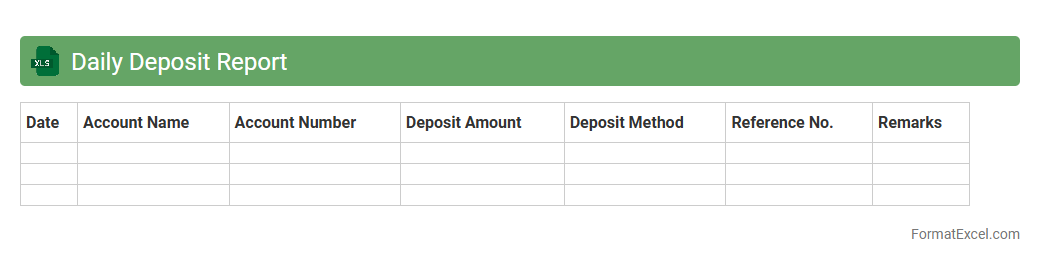
Daily Deposit Report
The
Daily Deposit Report Excel document is a structured financial record that tracks all deposits made within a specific day, including amounts, sources, and timestamps. It provides clear visibility into cash flow and helps ensure accuracy in daily reconciliations, preventing discrepancies between recorded and actual deposits. Businesses use this report to monitor financial health, streamline auditing processes, and make informed decisions based on real-time deposit data.
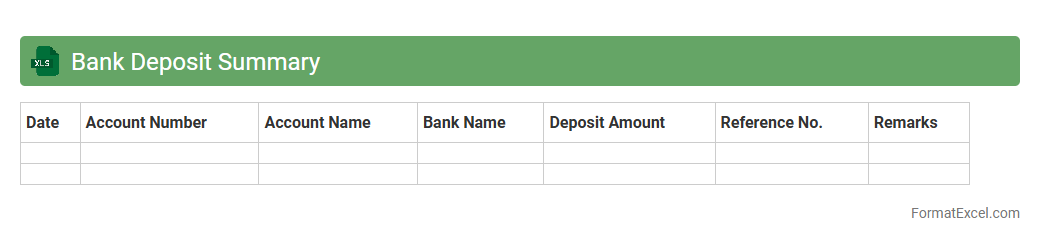
Bank Deposit Summary
A
Bank Deposit Summary Excel document consolidates all deposit transactions within a specified period, detailing amounts, dates, and sources for easy tracking. It simplifies financial reconciliation by providing a clear overview of cash inflows, enabling businesses to manage cash flow efficiently and identify discrepancies quickly. This document enhances accuracy in accounting records and supports informed decision-making based on reliable deposit data.
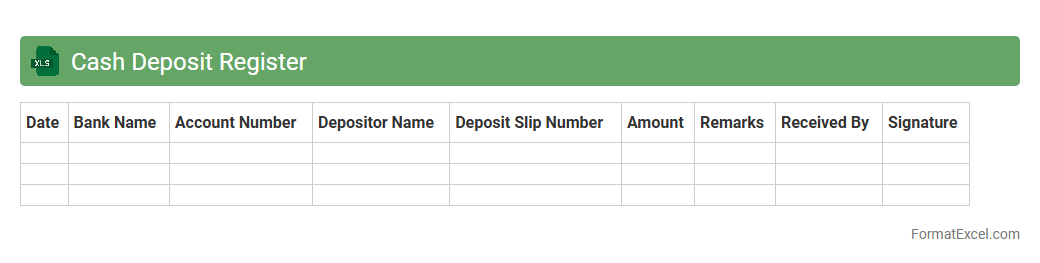
Cash Deposit Register
The
Cash Deposit Register Excel document is a structured spreadsheet used to record and track all cash deposits made into a business or personal bank account. It provides a clear record of deposit dates, amounts, and sources, helping maintain accurate financial records and facilitating easier reconciliation with bank statements. This document is essential for effective cash flow management, audit preparation, and ensuring transparency in financial transactions.
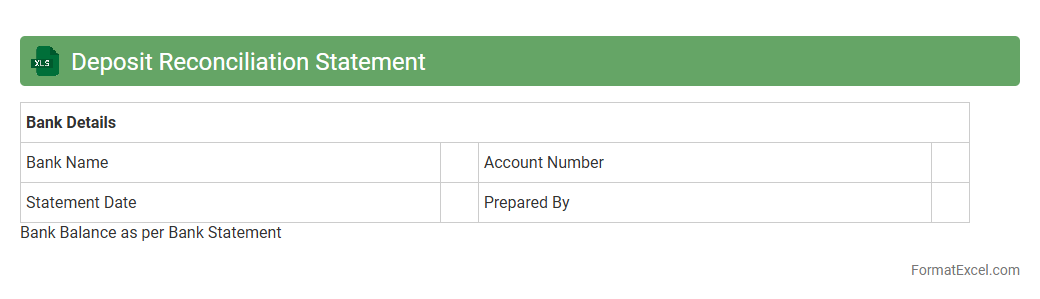
Deposit Reconciliation Statement
A
Deposit Reconciliation Statement Excel document is a financial tool used to compare and verify deposit records between a company's bank statement and its accounting ledger. It helps identify discrepancies such as missing deposits, timing differences, or bank errors, ensuring accurate cash flow management and financial reporting. Utilizing this statement enhances transparency, prevents fraud, and supports effective auditing processes.
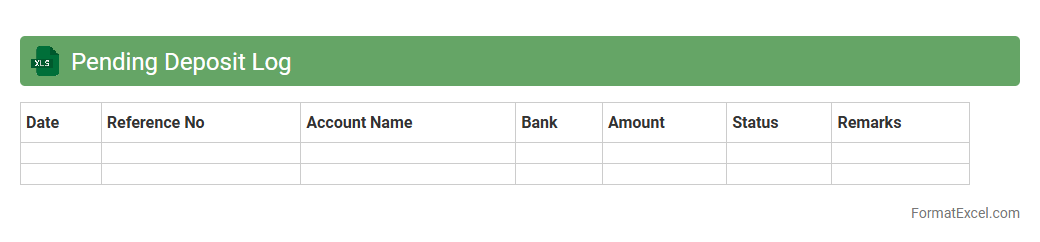
Pending Deposit Log
The
Pending Deposit Log Excel document is a detailed record used to track all financial deposits that have been initiated but not yet completed or cleared. It helps businesses monitor outstanding transactions, ensuring accurate cash flow management and timely follow-up on delayed payments. By organizing deposit data efficiently, this log enhances transparency and supports effective financial reconciliation.
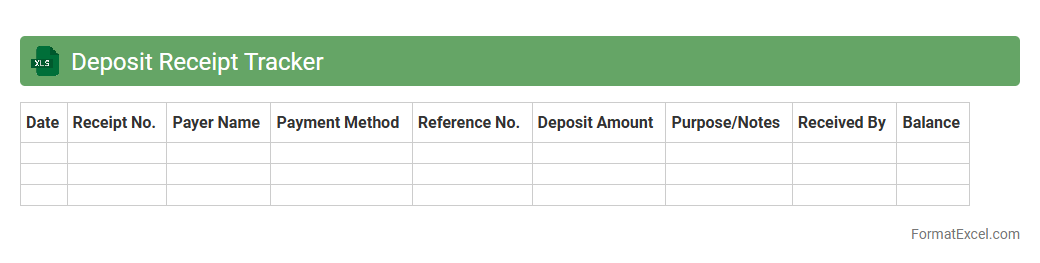
Deposit Receipt Tracker
A
Deposit Receipt Tracker Excel document is a digital tool used to record and monitor all deposit transactions efficiently. It helps maintain accurate financial records by organizing details such as date, amount, payer, and receipt number, ensuring transparency and ease of access during audits. This tracker enhances cash flow management by providing quick insights into outstanding deposits and simplifying reconciliation processes.
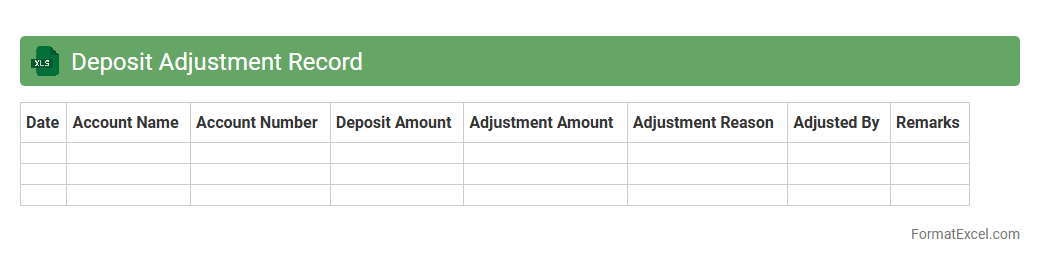
Deposit Adjustment Record
A
Deposit Adjustment Record Excel document is a financial tracking tool used to document and manage modifications in deposit transactions, including corrections, refunds, or reallocations. It provides a clear audit trail of changes made to original deposits, enhancing transparency and accuracy in financial records. This document is useful for reconciling discrepancies, ensuring proper fund allocation, and facilitating efficient financial reporting and compliance.
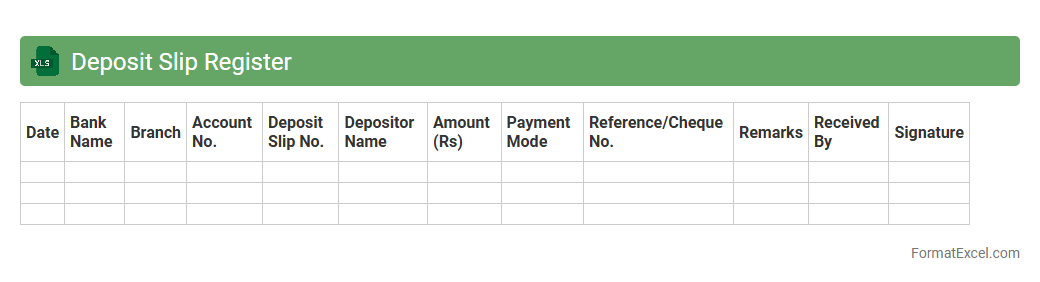
Deposit Slip Register
A
Deposit Slip Register Excel document is a structured spreadsheet used to systematically record and track all deposit slips issued by a business or individual. It helps maintain accurate financial records by detailing deposit dates, amounts, bank information, and transaction references, facilitating easier reconciliation with bank statements. This tool enhances financial organization, minimizes errors, and supports efficient auditing and cash flow management.
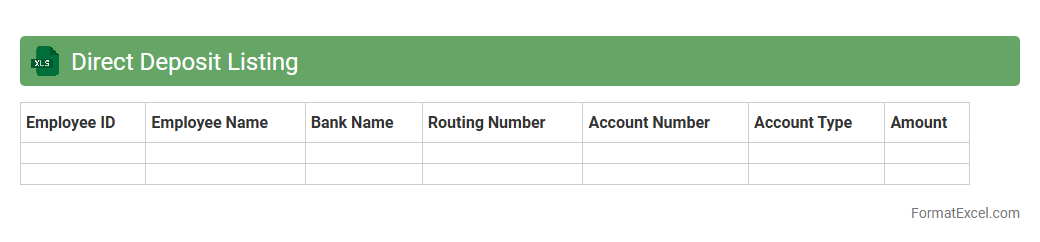
Direct Deposit Listing
A
Direct Deposit Listing Excel document organizes employee payment information, including bank account details, payment amounts, and transaction dates, facilitating accurate and efficient payroll processing. This document helps businesses streamline salary disbursements, reduce errors, and maintain compliance with financial regulations. By providing a clear record of direct deposit transactions, it enhances transparency and simplifies reconciliation for accounting teams.
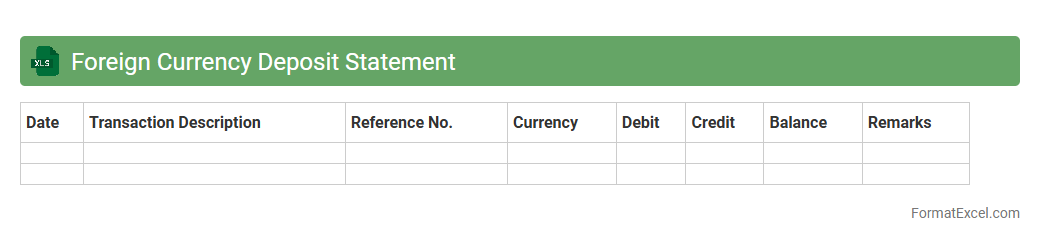
Foreign Currency Deposit Statement
A
Foreign Currency Deposit Statement Excel document is a detailed financial record that tracks deposits, withdrawals, and balances in multiple foreign currencies within a bank account. This document helps users monitor foreign currency transactions, manage exchange rates, and maintain accurate accounting for international funds. It is essential for businesses and individuals dealing with multi-currency finances to analyze cash flow and ensure compliance with regulatory requirements.
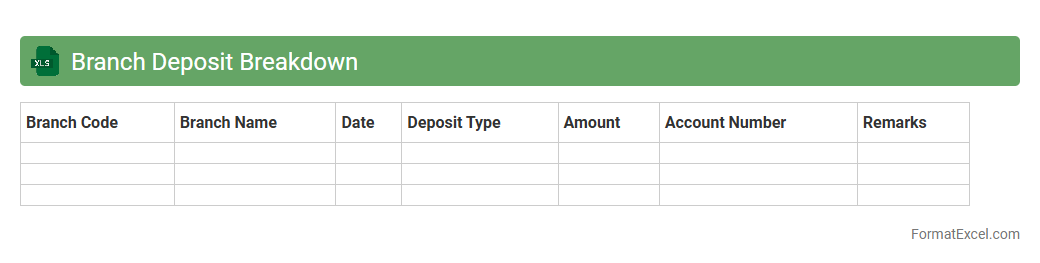
Branch Deposit Breakdown
The
Branch Deposit Breakdown Excel document provides a detailed analysis of deposits collected across various branches, categorizing data by type, date, and customer segment. This tool enables efficient tracking of deposit trends, helping financial institutions identify high-performing branches and optimize resource allocation. Utilizing this document enhances decision-making by offering clear insights into deposit patterns and branch-level performance.
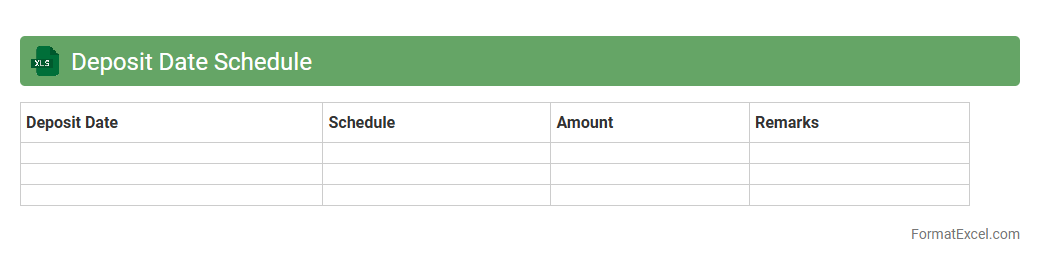
Deposit Date Schedule
A
Deposit Date Schedule Excel document is a structured spreadsheet that tracks and organizes deposit deadlines, ensuring timely financial transactions. It helps businesses and individuals manage cash flow effectively by providing clear visibility into upcoming deposit dates, minimizing late fees and enhancing budgeting accuracy. This tool increases financial efficiency and accountability by consolidating key payment information in a single, easily accessible format.
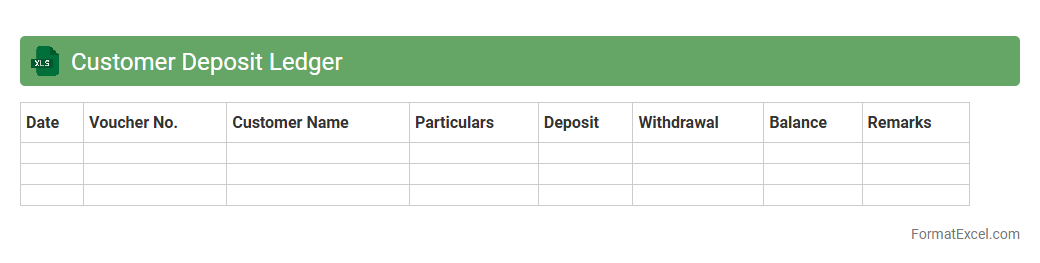
Customer Deposit Ledger
The
Customer Deposit Ledger Excel document is a detailed financial record that tracks customer deposits, payments, and outstanding balances in an organized spreadsheet format. It allows businesses to monitor cash inflows, reconcile customer accounts, and ensure accurate financial reporting, improving cash flow management and customer relationship tracking. Using this tool enhances transparency and provides quick access to transaction histories, facilitating effective accounting and audit processes.
Deposit Error Log
The
Deposit Error Log Excel document records discrepancies and irregularities detected during deposit processing, allowing organizations to track and resolve transaction errors efficiently. It provides a systematic way to document error types, timestamps, amounts, and corrective actions, improving accuracy in financial reconciliations. Utilizing this log enhances audit trails, minimizes financial losses, and streamlines communication between accounting and deposit management teams.
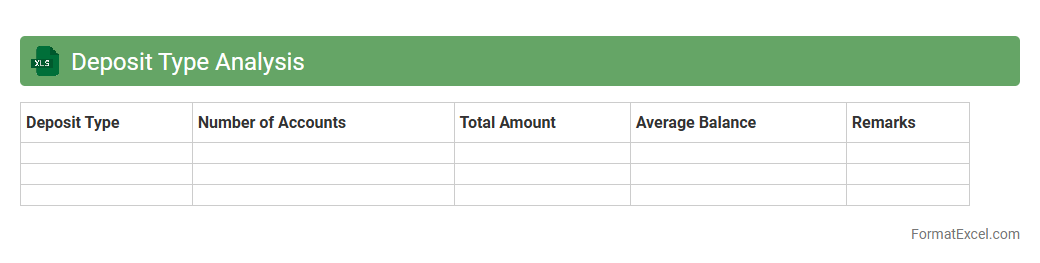
Deposit Type Analysis
Deposit Type Analysis Excel document is a powerful tool designed to categorize and evaluate various deposit accounts such as savings, checking, and fixed deposits. It enables financial institutions and businesses to monitor deposit trends, assess customer preferences, and optimize liquidity management. By providing detailed insights into deposit behaviors, the
Deposit Type Analysis helps enhance strategic decision-making and improve overall financial performance.
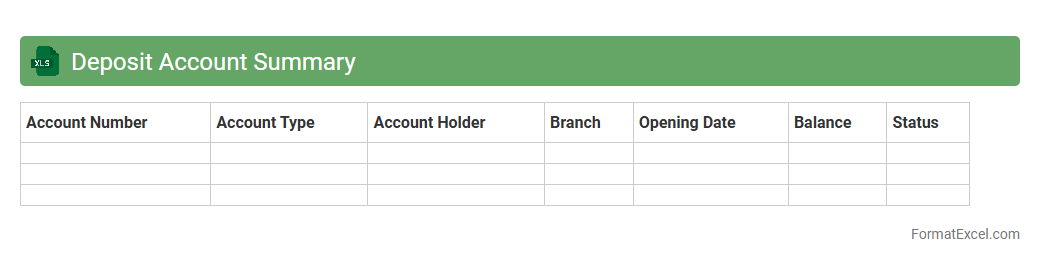
Deposit Account Summary
A
Deposit Account Summary Excel document consolidates detailed information on all deposit accounts, including balances, transaction history, interest rates, and maturity dates. It enables users to track and manage their financial assets efficiently by providing a clear overview of account performance and liquidity. This tool is essential for budgeting, financial planning, and ensuring accurate record-keeping in personal or business finance management.
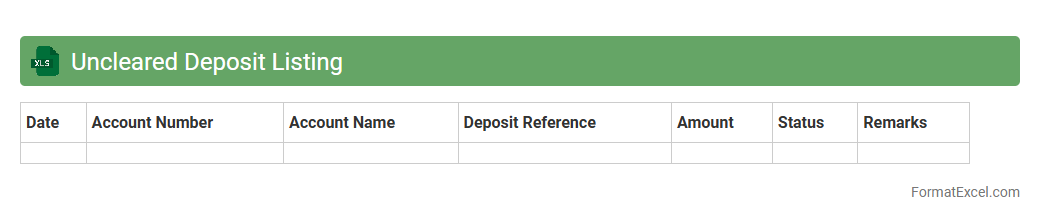
Uncleared Deposit Listing
An
Uncleared Deposit Listing Excel document tracks deposits that have been made but not yet cleared by the bank, providing a clear view of outstanding funds. This listing is useful for accurate cash flow management and reconciliation of bank statements with accounting records. It helps identify discrepancies and ensures timely follow-up on uncleared transactions to maintain financial accuracy.
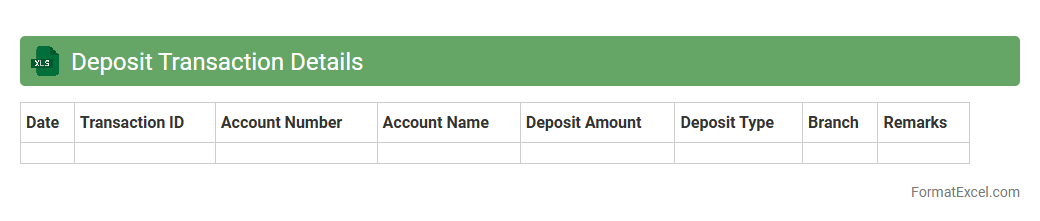
Deposit Transaction Details
The
Deposit Transaction Details Excel document is a comprehensive record of all deposit-related financial activities, including dates, amounts, account information, and transaction IDs. It provides a clear overview for tracking cash flow, verifying transaction accuracy, and reconciling bank statements with internal records. This document is essential for maintaining organized financial management and facilitating audits or reports.
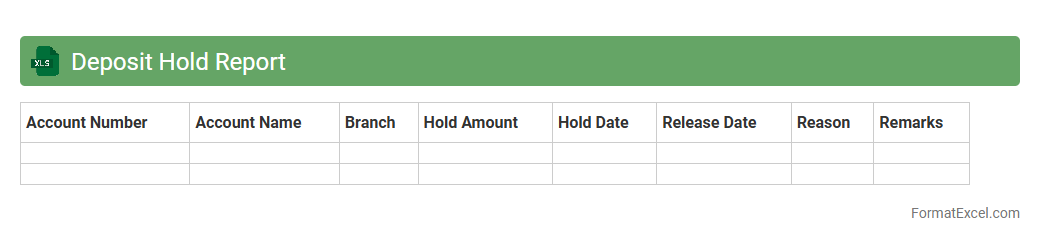
Deposit Hold Report
The
Deposit Hold Report Excel document tracks funds temporarily unavailable due to holds on deposits, providing detailed data on transaction dates, amounts, and hold durations. It is useful for financial teams to monitor pending funds, manage cash flow accurately, and identify any delays affecting account balances. This report enhances transparency and aids in timely decision-making regarding fund availability.
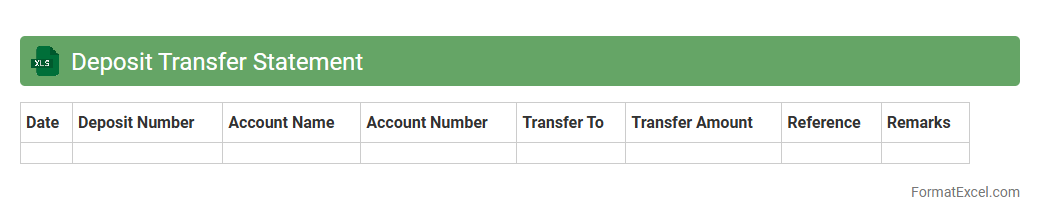
Deposit Transfer Statement
A
Deposit Transfer Statement Excel document organizes detailed records of funds transferred between accounts, including dates, amounts, and transaction references. It simplifies financial tracking and reconciliation by providing a clear, structured overview of deposit movements. This document enhances accuracy in accounting and aids in identifying discrepancies swiftly.
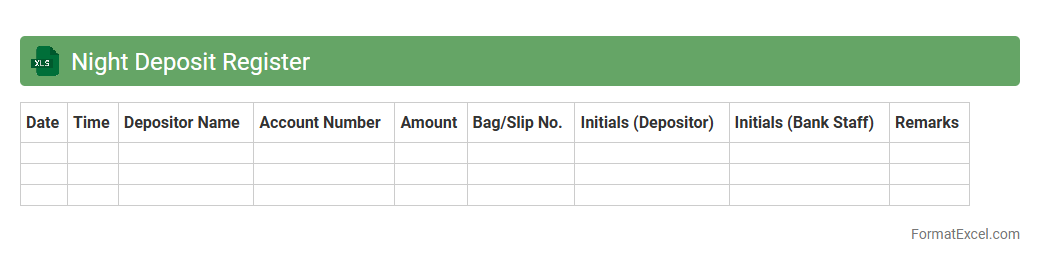
Night Deposit Register
The
Night Deposit Register Excel document is a digital ledger used to record and track cash or valuable deposits made during off-hours at financial institutions or businesses. It ensures accurate record-keeping by logging deposit amounts, dates, and depositor information, facilitating reconciliation and audit processes. This tool enhances security and accountability by providing a clear, organized history of all deposits made outside regular business hours.
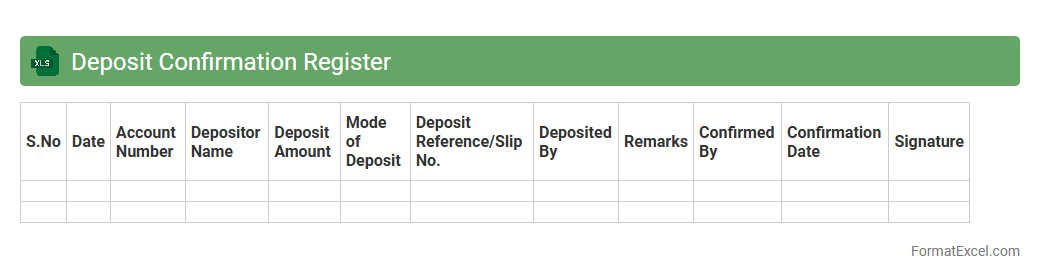
Deposit Confirmation Register
The
Deposit Confirmation Register Excel document is a structured spreadsheet used to track and confirm all deposit transactions within an organization or financial institution. It helps ensure accuracy by recording deposit dates, amounts, payer details, and confirmation status, facilitating efficient reconciliation and audit processes. This document is essential for maintaining transparent financial records and preventing errors or discrepancies in cash flow management.
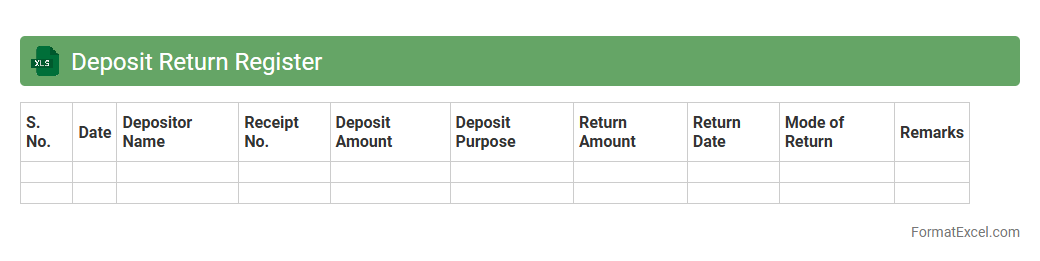
Deposit Return Register
A
Deposit Return Register Excel document is a structured spreadsheet used to record and track deposits made and returned, ensuring accurate financial management and accountability. It helps businesses monitor the status of deposits, preventing errors and delays in refund processing while maintaining transparent transaction records. This tool enhances cash flow management by providing quick access to deposit information, supporting efficient financial decision-making.
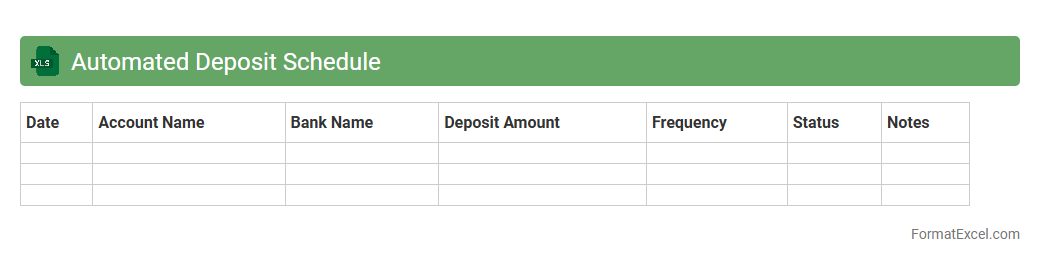
Automated Deposit Schedule
An
Automated Deposit Schedule Excel document streamlines the tracking and management of recurring deposits by automatically calculating deposit dates, amounts, and balances. This tool enhances financial organization, reduces manual errors, and saves time by providing real-time updates and customizable inputs tailored to individual or business needs. Utilizing this document improves cash flow planning and ensures timely deposit management, supporting effective financial decision-making.
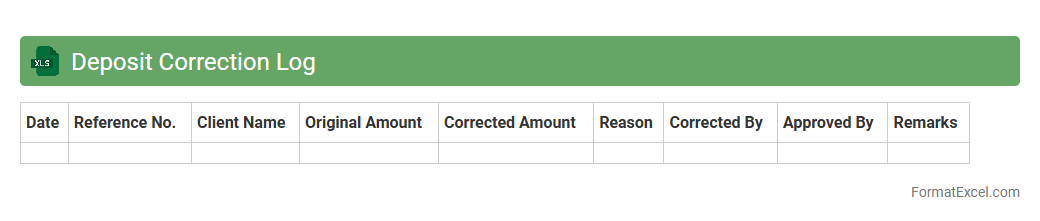
Deposit Correction Log
The
Deposit Correction Log Excel document is a detailed record used to track and manage amendments related to deposit transactions, ensuring accuracy in financial reporting. It helps identify discrepancies, document reasons for corrections, and maintain a clear audit trail for reconciliation purposes. Utilizing this log enhances transparency, reduces errors, and supports efficient financial controls within an organization.
Introduction to Deposit Statement Formats
A deposit statement format serves as a structured template to record all deposit transactions systematically. It helps in organizing financial data clearly and efficiently for both personal and business use. Adopting a standardized format ensures consistency and ease of understanding.
Importance of Maintaining Deposit Statements
Maintaining accurate deposit statements is crucial for tracking financial inflows and ensuring transparency. It aids in reconciliation, budget monitoring, and audit preparation. Timely updates prevent discrepancies and support effective financial management.
Key Components of a Deposit Statement
A comprehensive deposit statement typically includes essential components such as date, description, deposit amount, and balance. These elements provide a clear snapshot of transactional details. Including a reference number enhances traceability and accountability.
Benefits of Using Excel for Deposit Statements
Excel offers powerful tools like formulas, sorting, and filtering to manage deposit statements efficiently. It enables real-time updates and easy data analysis through pivot tables and charts. Excel's compatibility with other software simplifies record sharing and reporting.
Essential Columns in an Excel Deposit Statement
Key columns in an Excel deposit statement include Date, Deposit Description, Amount, Mode of Payment, and Running Balance. Including a column for Transaction ID adds clarity and helps in verifying entries. Proper column headers ensure data is understandable and well-organized.
Step-by-Step Guide to Creating Deposit Statements in Excel
Begin by setting up column headers that capture relevant deposit details. Next, input transactions and use Excel formulas to calculate running balances automatically. Finally, format the sheet for readability by using borders, colors, and font styles.
Best Practices for Formatting Deposit Statements
Use consistent fonts, colors, and cell alignment to enhance the readability of deposit statements. Freeze header rows to keep column titles visible during scrolling. Incorporate conditional formatting to highlight significant transactions or discrepancies.
Downloadable Deposit Statement Excel Templates
Numerous free and premium Excel templates are available online for deposit statements, tailored to various needs. Utilizing templates saves time and ensures a professional layout. Templates can be customized to fit specific financial tracking requirements.
Common Mistakes to Avoid in Excel Deposit Statements
Avoid errors such as inconsistent data entry, missing transactions, and improper formula usage. Ensure all monetary values are formatted correctly to prevent calculation mistakes. Regularly back up files to avoid data loss and maintain accuracy.
Tips for Automating Deposit Statements in Excel
Leverage Excel features like macros and VBA scripts to automate repetitive tasks in deposit statements. Use data validation to reduce entry errors and streamline workflows. Integration with external databases can further enhance automation efficiency.