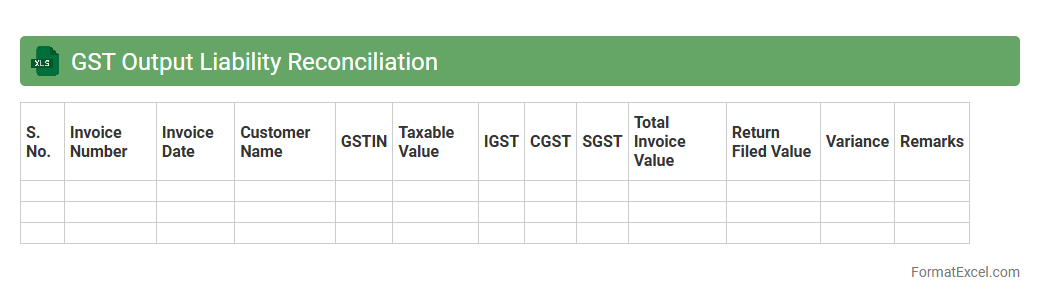
GST Output Liability Reconciliation
The
GST Output Liability Reconciliation Excel document is designed to accurately reconcile the GST output tax payable by comparing sales invoices and GST returns filed. It helps identify discrepancies between reported sales and tax liability, ensuring compliance with tax regulations and preventing potential penalties. This tool streamlines the verification process, making tax audit preparedness and financial accuracy more manageable for businesses.
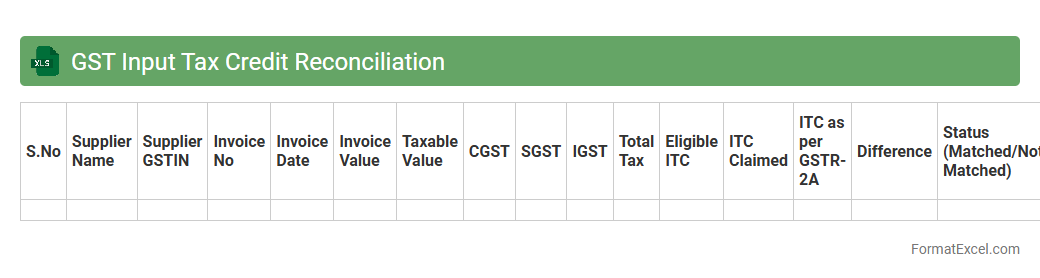
GST Input Tax Credit Reconciliation
The
GST Input Tax Credit Reconciliation Excel document is a tool designed to match and verify the input tax credit claimed against the tax paid on purchases and expenses under the Goods and Services Tax system. This reconciliation ensures accuracy in tax filings, helps identify discrepancies between GSTR-2A/2B and GSTR-3B returns, and supports compliance with GST regulations. Using this document streamlines the audit process, reduces errors, and maximizes eligible input tax credits, leading to optimized tax liability management.
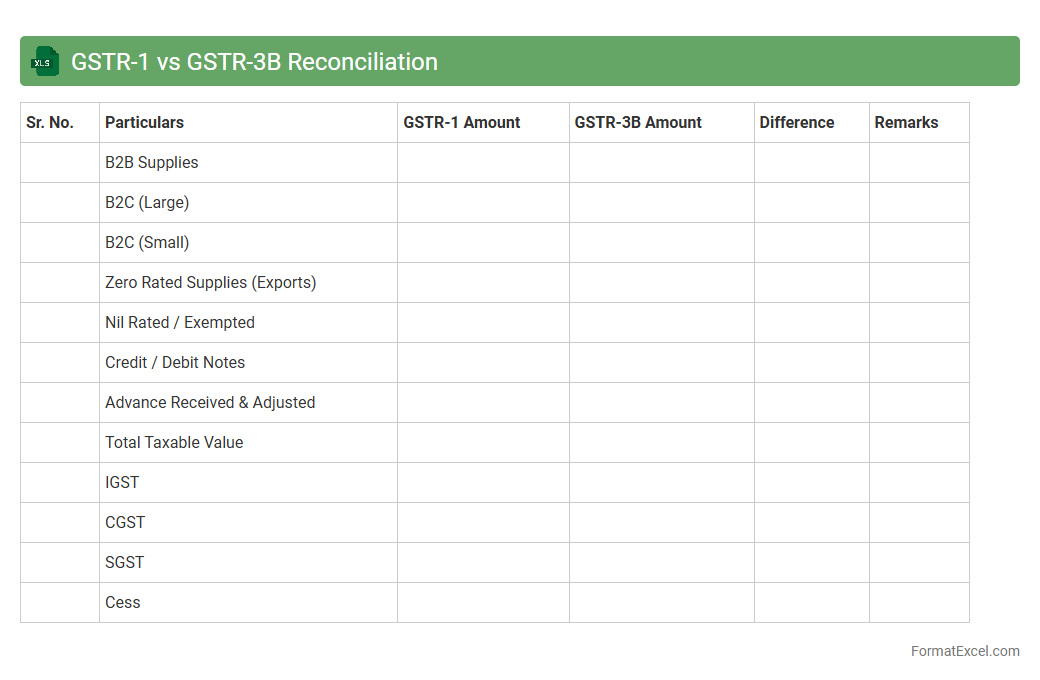
GSTR-1 vs GSTR-3B Reconciliation
The
GSTR-1 vs GSTR-3B Reconciliation Excel document is a vital tool used to compare the outward supplies reported in GSTR-1 with the summary declared in GSTR-3B returns, identifying discrepancies and mismatches. This reconciliation helps businesses ensure accuracy in GST reporting, reduce the chances of penalties due to errors, and maintain compliance with tax regulations. By providing a systematic way to validate invoice-level data against summary returns, it streamlines the GST filing process and improves overall tax management efficiency.
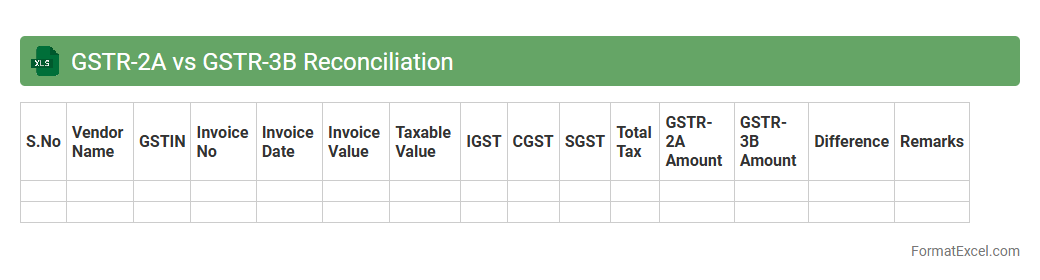
GSTR-2A vs GSTR-3B Reconciliation
A
GSTR-2A vs GSTR-3B Reconciliation excel document helps compare the auto-populated purchase data in GSTR-2A with the summary of outward supplies declared in GSTR-3B returns to identify mismatches or discrepancies. This reconciliation ensures the accuracy of Input Tax Credit claims and compliance with GST regulations by highlighting missing invoices or incorrect tax details. Using this tool improves filing precision, reduces the risk of notices or penalties, and facilitates smoother audits for businesses.
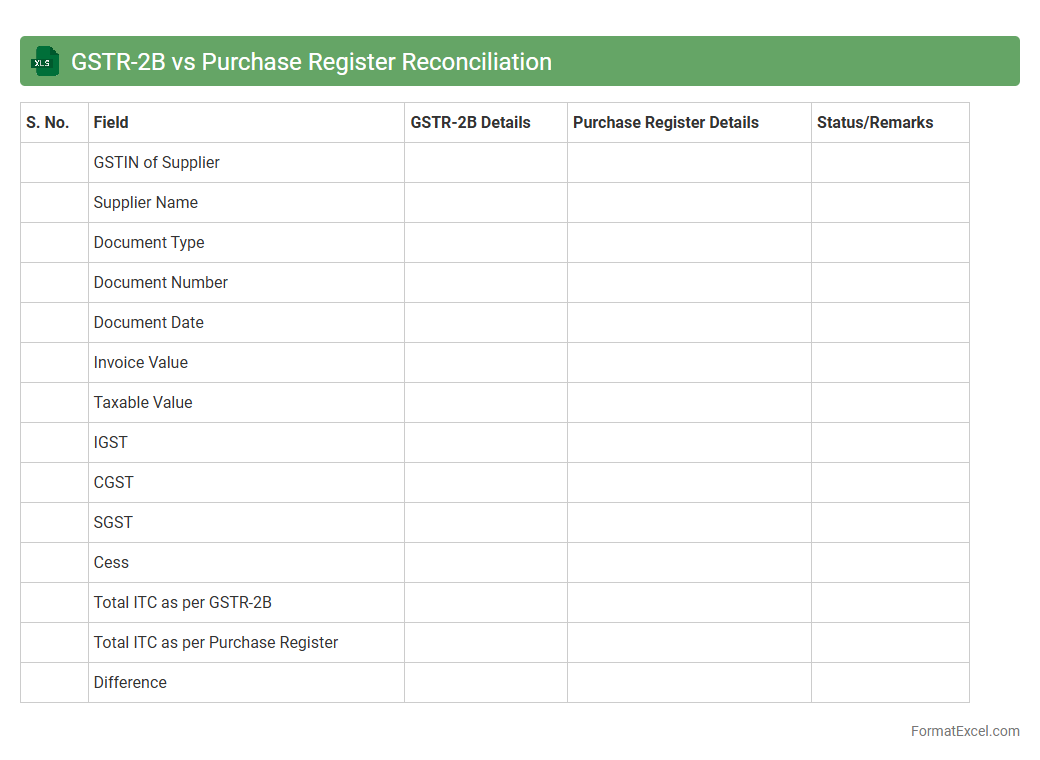
GSTR-2B vs Purchase Register Reconciliation
GSTR-2B is an auto-drafted GST return statement generated by the government that contains details of inward supplies from registered suppliers, serving as a crucial source for input tax credit matching. The Purchase Register Reconciliation Excel document is a customized tool used to systematically compare transactions recorded in the purchase register with the data filed in GSTR-2B, helping identify discrepancies and missing entries. This reconciliation process ensures accurate tax credit claims and compliance, ultimately preventing mismatches between purchase records and GST filings.
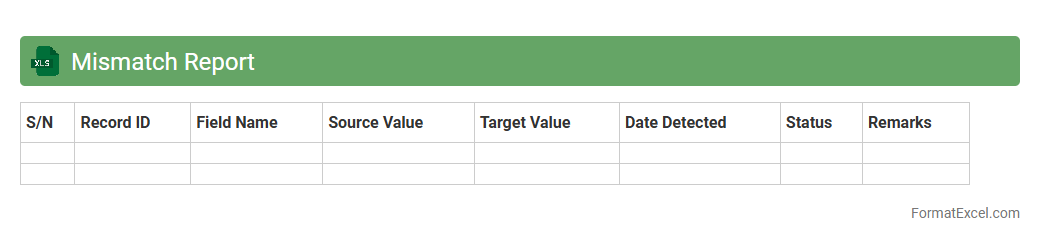
Mismatch Report
A
Mismatch Report Excel document systematically highlights discrepancies between datasets, such as inventory records, financial statements, or database entries. This report enables organizations to quickly identify errors, inconsistencies, or data alignment issues, improving accuracy and decision-making. Using a Mismatch Report reduces risks of operational mistakes and facilitates timely corrective actions in data management processes.
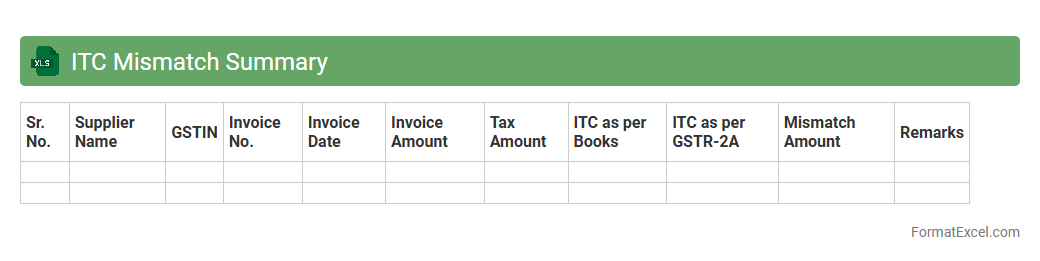
ITC Mismatch Summary
The
ITC Mismatch Summary Excel document consolidates discrepancies between Input Tax Credit claims and supplier information, enabling businesses to quickly identify and resolve mismatches in GST filings. It streamlines reconciliation by highlighting invoice-level differences, thus reducing compliance risks and potential tax liabilities. This summary enhances accuracy in tax reporting and supports timely rectification to maintain proper GST credit claims.
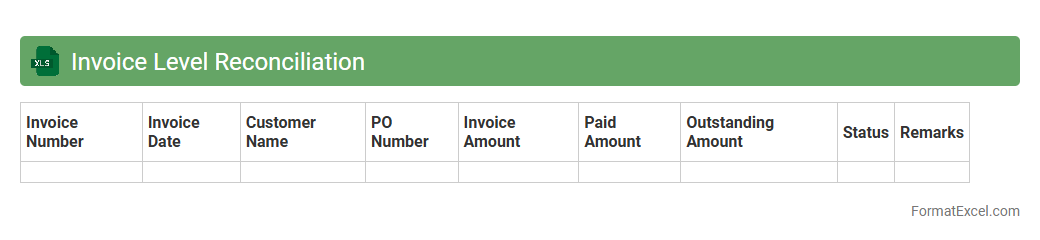
Invoice Level Reconciliation
The
Invoice Level Reconciliation Excel document is a detailed financial tool designed to match individual invoices with corresponding payments and purchase orders, ensuring accuracy in accounting records. It helps identify discrepancies such as overpayments, underpayments, or missing invoices, enabling timely resolution and improved cash flow management. This document enhances transparency and efficiency by consolidating data into a single, easy-to-analyze format, facilitating audit readiness and financial reporting.
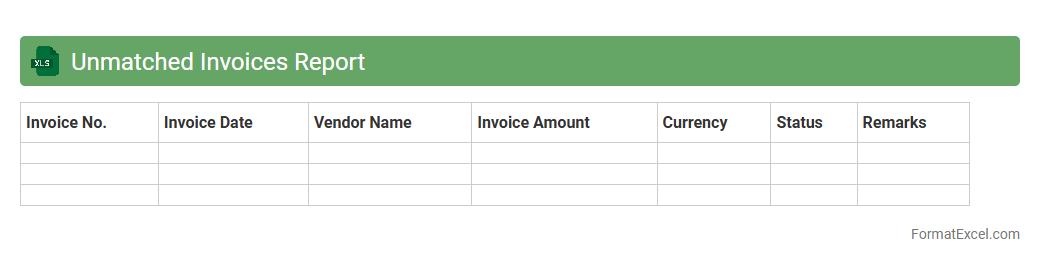
Unmatched Invoices Report
The
Unmatched Invoices Report Excel document identifies invoices that do not correspond to any purchase orders or payment records, enabling organizations to quickly spot discrepancies in their accounts payable processes. This report is crucial for improving financial accuracy, preventing duplicate payments, and enhancing audit readiness by highlighting outstanding or problematic invoices. Utilizing this document helps streamline invoice reconciliation and supports efficient cash flow management.
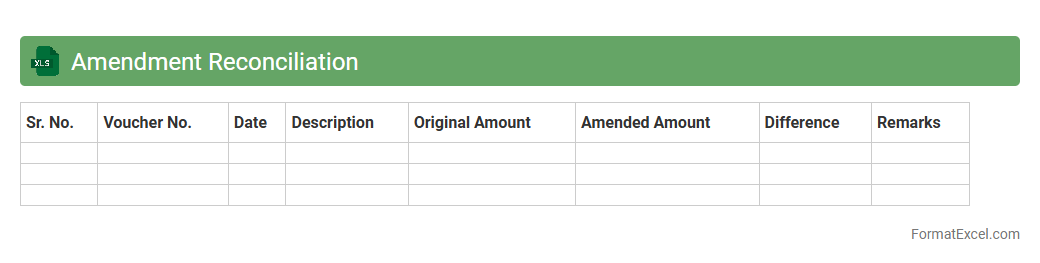
Amendment Reconciliation
The
Amendment Reconciliation Excel document is a tool designed to track and compare amendments made to agreements, contracts, or project plans, ensuring all changes are accurately recorded and easily reviewed. It helps organizations identify discrepancies, maintain version control, and streamline the audit process by providing a clear, organized summary of modifications. Using this document improves transparency, reduces errors, and supports effective decision-making during contract management or project execution.
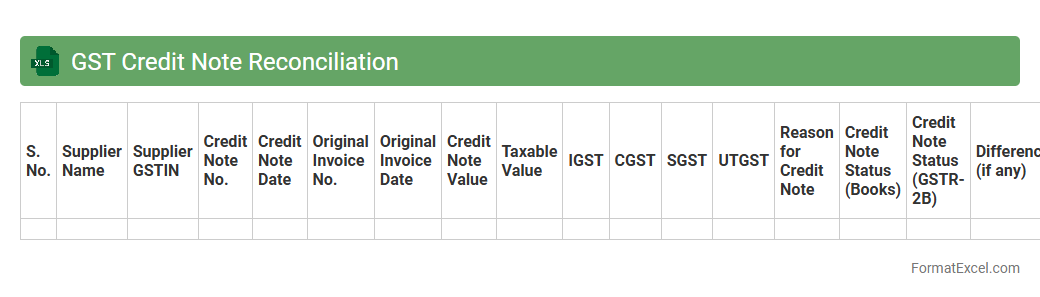
GST Credit Note Reconciliation
A
GST Credit Note Reconciliation Excel document systematically matches credit notes issued against purchase invoices to ensure accurate tax reporting and compliance. It helps identify discrepancies, avoid duplication, and streamline GST input tax credit claims, thereby improving financial accuracy and audit readiness. Utilizing this tool enhances transparency in tax records and supports efficient GST filing processes.
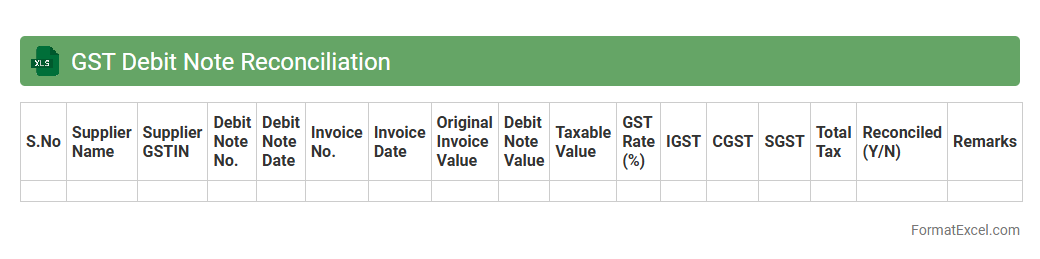
GST Debit Note Reconciliation
A
GST Debit Note Reconciliation Excel document is a structured tool designed to match and verify debit notes issued under the Goods and Services Tax (GST) system against the corresponding purchase or sales invoices. It helps businesses ensure accuracy in tax reporting by identifying discrepancies such as incorrect GST amounts or mismatched entries, facilitating timely corrections. This reconciliation process improves compliance, reduces audit risks, and streamlines financial record-keeping for effective tax management.
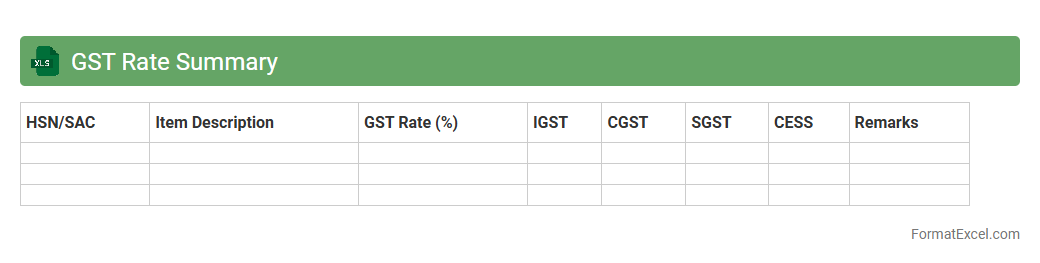
GST Rate Summary
The
GST Rate Summary Excel document compiles all applicable Goods and Services Tax rates across various categories in a clear, organized format for easy reference. It helps businesses and accountants ensure accurate tax calculations by providing updated GST percentages for goods and services, minimizing errors in invoicing and tax filings. This tool streamlines compliance with tax regulations and improves financial reporting efficiency.
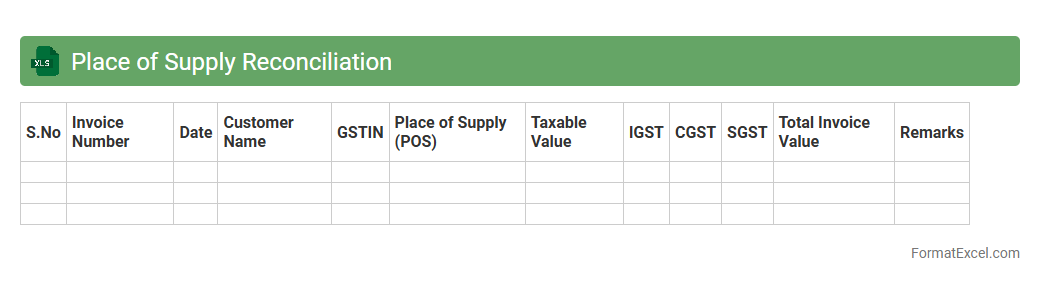
Place of Supply Reconciliation
The
Place of Supply Reconciliation Excel document is a tool designed to track and verify the accuracy of supply locations for tax compliance, especially under GST regulations. It helps businesses ensure that the declared place of supply matches transaction records, minimizing errors and potential penalties. By providing a clear reconciliation between invoices and tax filings, it supports accurate tax reporting and efficient audit readiness.
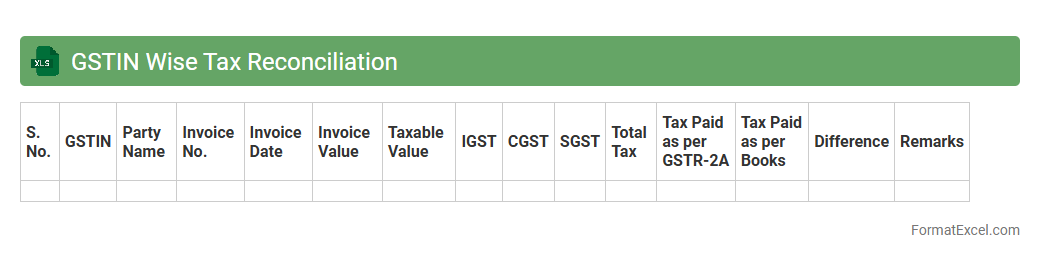
GSTIN Wise Tax Reconciliation
The
GSTIN Wise Tax Reconciliation excel document is a tool designed to systematically compare and verify tax data across multiple GST Identification Numbers (GSTINs), ensuring accuracy in tax returns and payments. It helps businesses identify discrepancies between GSTR-2A/GSTR-3B filings, input tax credits, and supplier declarations, minimizing errors and optimizing compliance. This reconciliation process strengthens financial transparency and reduces the risk of audits or penalties by maintaining consistent GST records.
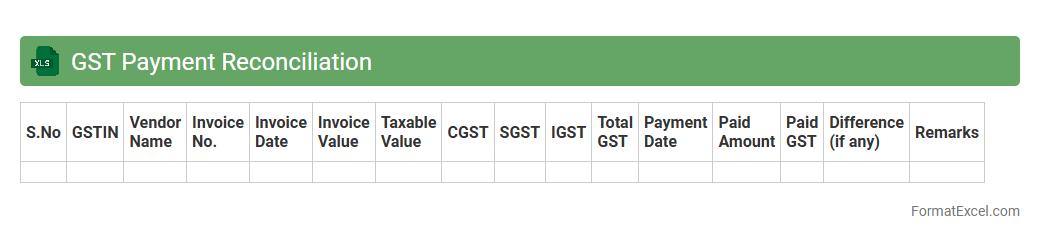
GST Payment Reconciliation
GST Payment Reconciliation Excel document is a systematic tool designed to compare and verify GST payments against GSTR returns and ledger entries, ensuring accuracy in tax records. It helps businesses identify discrepancies, prevent errors, and maintain compliance with tax authorities, reducing the risk of penalties. Using this document streamlines financial audits, enhances transparency, and improves tax filing efficiency by consolidating payment data in one organized spreadsheet.
HSN Summary Reconciliation
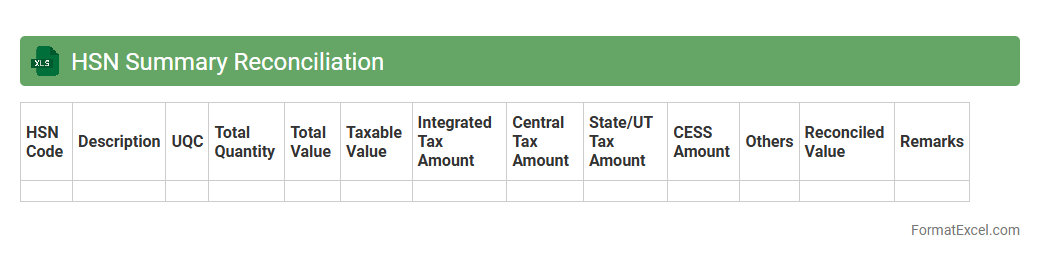
The
HSN Summary Reconciliation Excel document consolidates Harmonized System of Nomenclature (HSN) codes with corresponding transaction details, ensuring accurate classification of goods for GST compliance. It helps businesses verify and reconcile reported sales and purchase data against GST returns, minimizing discrepancies and errors in tax filings. This tool streamlines audit preparation and enhances financial accuracy by providing clear summaries of HSN-wise tax liabilities and input tax credits.
Vendor Wise ITC Reconciliation
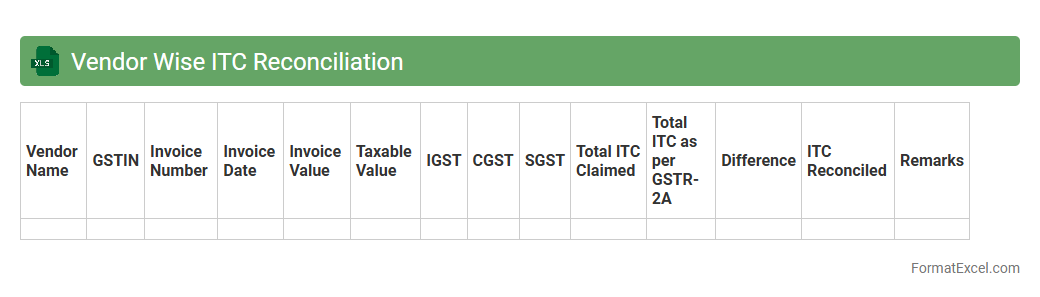
The
Vendor Wise ITC Reconciliation Excel document systematically matches Input Tax Credit (ITC) details with vendor purchase data to ensure accuracy and compliance with tax regulations. It helps identify discrepancies between the recorded ITC and vendor invoices, minimizing errors in GST filings and preventing potential financial losses. This tool enhances transparency and streamlines the audit process by providing a clear, vendor-specific view of tax credits.
Tax Liability Mismatch
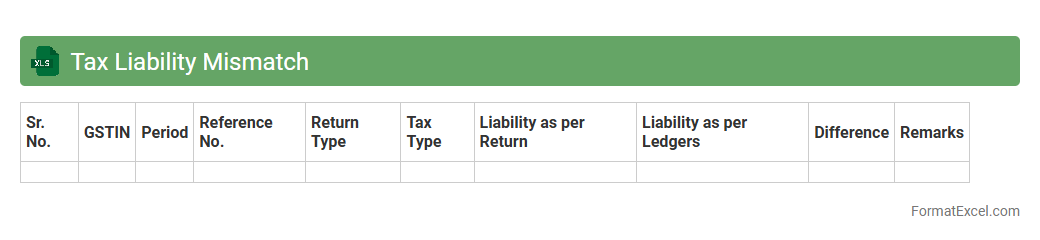
The
Tax Liability Mismatch Excel document is designed to identify discrepancies between reported tax obligations and payments made, enabling businesses to detect potential errors or compliance issues. It helps organizations reconcile tax records accurately, ensuring proper financial reporting and avoiding penalties from tax authorities. This tool streamlines tax audits and enhances the accuracy of tax liability assessments, ultimately supporting effective tax management.
Reverse Charge Reconciliation
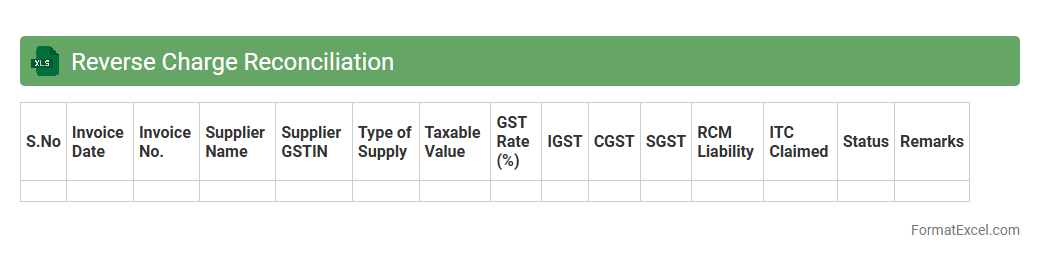
The
Reverse Charge Reconciliation Excel document is a detailed financial tool used to match and verify reverse charge tax transactions between buyers and sellers. It helps ensure accuracy in reporting Goods and Services Tax (GST) liabilities by reconciling purchase invoices with reverse charge mechanisms applied. This reconciliation minimizes errors, facilitates compliance, and streamlines tax audits by providing clear documentation of reverse charge tax payments.
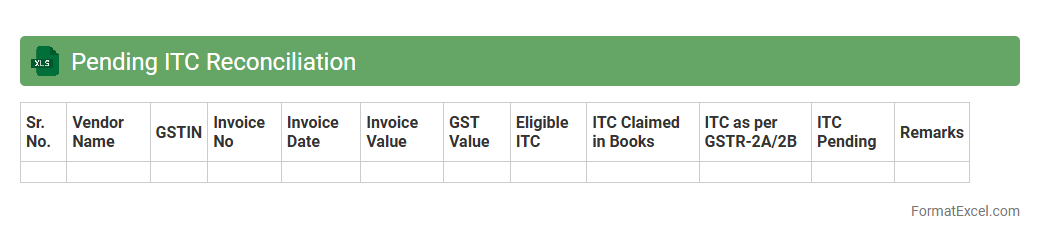
Pending ITC Reconciliation
The
Pending ITC Reconciliation Excel document tracks input tax credit discrepancies between purchase records and ITC claims, highlighting transactions yet to be matched or verified. It allows businesses to identify mismatches, ensuring accurate tax filings and compliance with GST regulations. Regular use of this document helps in timely reconciliation, reducing potential penalties and improving financial transparency.
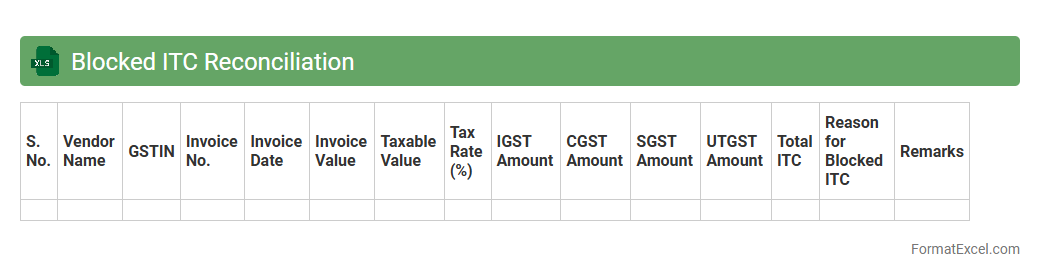
Blocked ITC Reconciliation
The
Blocked ITC Reconciliation excel document is a critical tool used to identify and resolve discrepancies in Input Tax Credit claims by comparing vendor invoices with recorded entries in the ERP system. It helps ensure compliance with GST regulations by flagging blocked or unmatched ITC amounts, enabling accurate tax reporting and avoiding penalties. This document streamlines the reconciliation process, enhances financial accuracy, and supports efficient audit readiness.
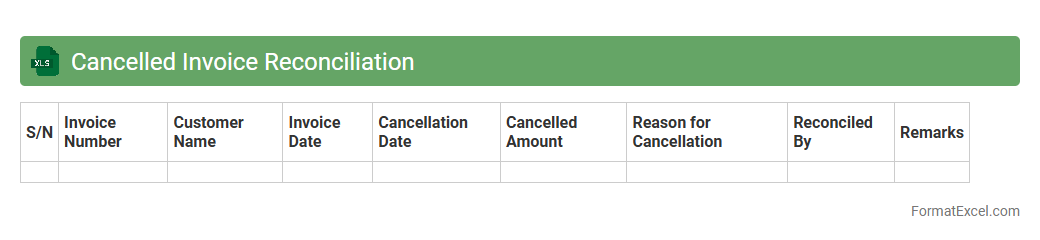
Cancelled Invoice Reconciliation
A
Cancelled Invoice Reconciliation Excel document is a specialized financial tool designed to track and verify invoices that have been cancelled, ensuring accuracy in accounts payable and receivable records. It helps identify discrepancies between issued invoices and payment status, reducing errors and preventing potential financial losses. By maintaining transparency and control over cancelled transactions, this document improves financial reporting and audit readiness.
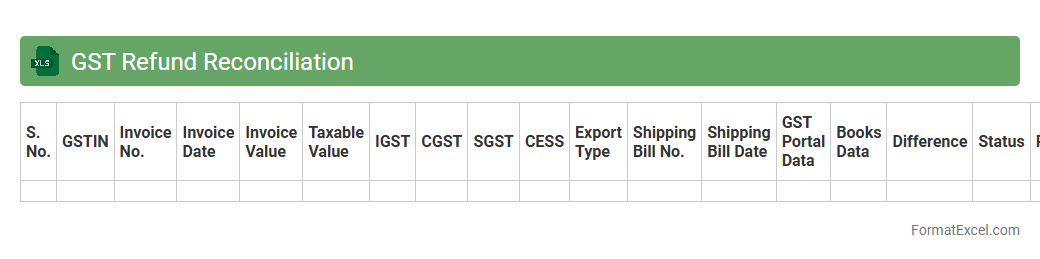
GST Refund Reconciliation
GST Refund Reconciliation excel document is a specialized tool designed to match and verify GST refund claims against the official tax returns and payment records, ensuring accuracy and compliance with tax regulations. It helps businesses identify discrepancies in input tax credits and refund amounts, thereby reducing errors and facilitating timely recovery of eligible refunds. Using this document streamlines the audit process and enhances financial control by providing a clear, organized summary of all GST refund transactions.
Annual Return (GSTR-9) Reconciliation
The
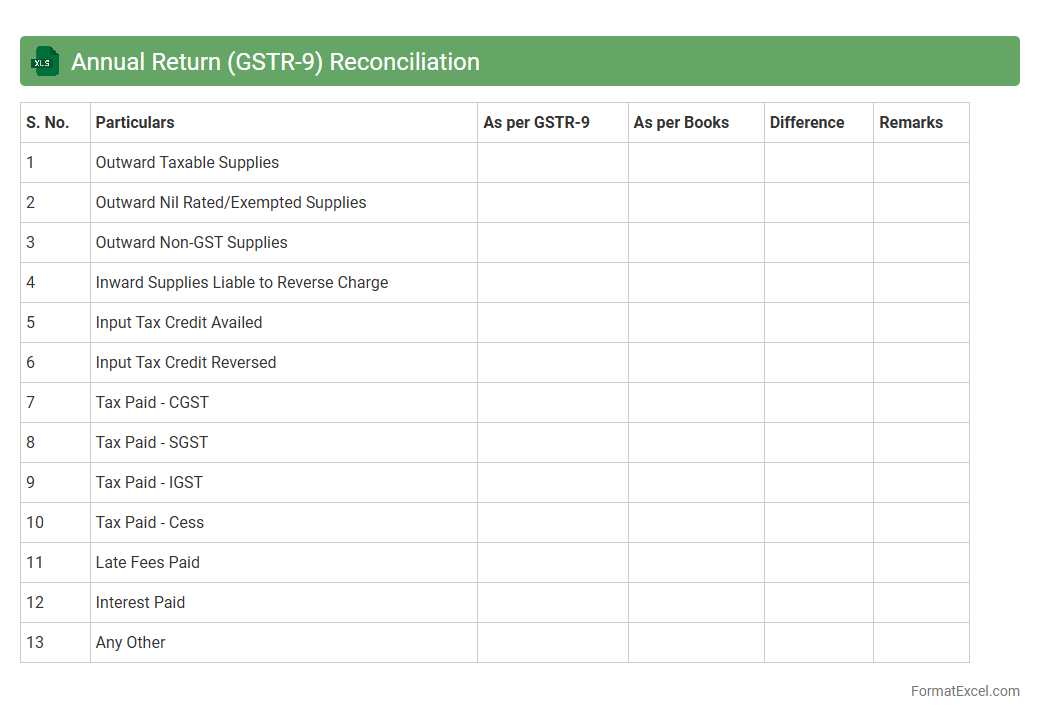
Annual Return (GSTR-9) Reconciliation Excel document is a detailed tool used to cross-verify and consolidate data from various GSTR filings, such as GSTR-1, GSTR-2A/2B, and GSTR-3B, to ensure accuracy in the reported annual return under GST compliance. It helps identify discrepancies, mismatches, or omissions in sales, purchases, and tax declarations, facilitating error correction before submission. This reconciliation enhances compliance accuracy, reduces the risk of penalties, and streamlines the filing process for businesses.
GSTR-1A Reconciliation
The
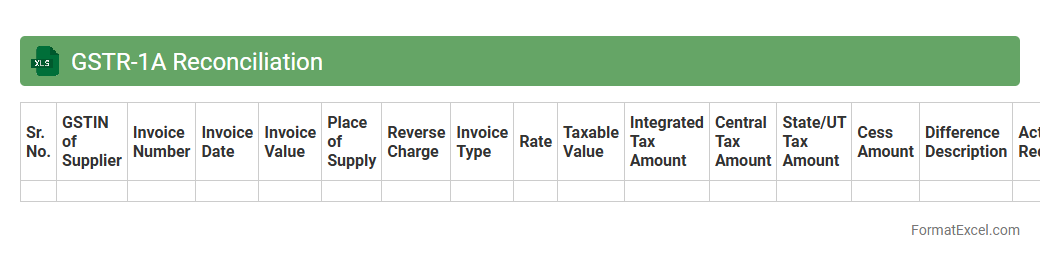
GSTR-1A Reconciliation Excel document is a structured tool designed to compare and reconcile data between GSTR-1 and GSTR-1A forms filed under the GST regime. It helps businesses identify discrepancies in outward supplies, ensuring accuracy in reported sales and input tax credit claims. Utilizing this document enhances compliance by streamlining mismatch resolution and improving the integrity of GST filings.
Introduction to GST Reconciliation Statement
A GST Reconciliation Statement is a financial document that matches the GST returns filed with the actual transactions recorded in the books of accounts. It helps businesses ensure accuracy and compliance with tax regulations. This statement is crucial for identifying discrepancies between GST paid and collected.
Importance of GST Reconciliation in Tax Compliance
GST reconciliation plays a pivotal role in maintaining tax compliance by verifying that the GST liabilities reported are accurate. It prevents penalties and interest from incorrect filings or mismatches. Proper reconciliation builds trust and transparency with tax authorities.
Key Components of GST Reconciliation Statement
The main components include outward supplies, inward supplies, input tax credit, and tax payments. Each element is carefully analyzed to ensure data integrity across all GST returns. These components provide a comprehensive view of a business's tax position.
Overview of GST Reconciliation Statement Format
The format consists of columns for invoice details, taxable value, GST rates, tax amounts, and discrepancies identified. It is designed for easy comparison between ledger data and GST returns filed. This template helps streamline the reconciliation process.
Step-by-Step Guide to Prepare GST Reconciliation in Excel
Start by collecting all GST return data, then import transaction details into Excel. Use formulas to compare and highlight mismatches in tax amounts or invoice numbers. Finally, verify and adjust entries to ensure complete accuracy.
Essential Fields in Excel GST Reconciliation Template
Key fields include invoice number, invoice date, taxable value, GST rate, CGST, SGST, IGST amounts, and remarks for discrepancies. These fields capture all relevant GST transaction details for effective reconciliation. Accurate data entry is vital for meaningful results.
Sample GST Reconciliation Statement Format in Excel
A typical format has rows for each invoice and columns segregated by GST components like CGST and SGST. Conditional formatting can be used to flag errors automatically. This sample aids businesses in adopting a structured reconciliation approach.
Tips for Accurate GST Data Entry in Excel
Ensure consistency in invoice numbering and date formats to avoid confusion. Double-check tax rates applied and use dropdown lists to prevent input errors. Regularly update and back up the Excel file to maintain data integrity.
Common Errors in GST Reconciliation and Their Solutions
Frequent mistakes include mismatched invoice numbers, incorrect tax rates, and omission of invoices. Using Excel's lookup functions can help identify discrepancies quickly. Prompt correction of these errors ensures timely and accurate GST filing.
Downloadable GST Reconciliation Statement Excel Template
A downloadable GST Reconciliation Template in Excel format simplifies the preparation process for businesses. It includes predefined fields, formulas, and formatting to reduce manual effort. Access to such templates boosts efficiency and compliance readiness.