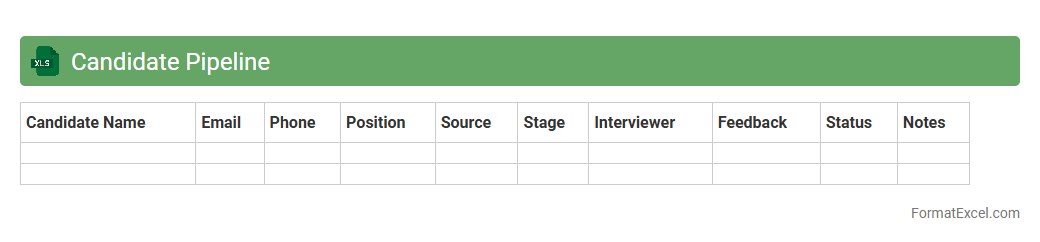
Candidate Pipeline
A
Candidate Pipeline Excel document is a structured spreadsheet used to track and manage job applicants throughout the recruitment process. It helps organize candidate information, monitor application stages, and evaluate qualifications efficiently, enabling better decision-making and streamlined hiring workflows. Utilizing this tool improves recruitment transparency, reduces time-to-hire, and ensures a consistent approach to talent acquisition.
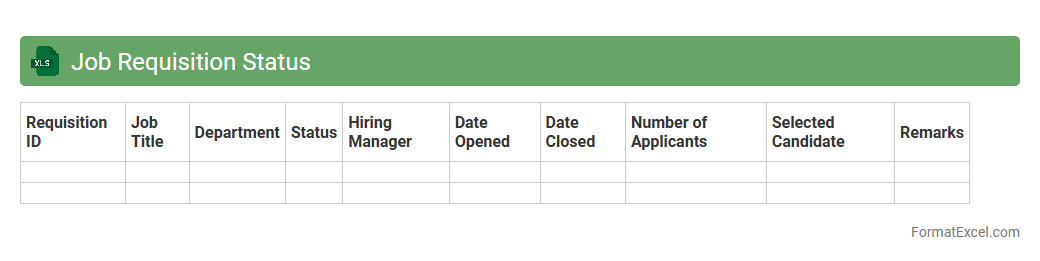
Job Requisition Status
The
Job Requisition Status Excel document tracks and monitors the progress of job openings within an organization, providing real-time updates on each requisition's approval stage, interview scheduling, and candidate selection. It streamlines recruitment workflows by consolidating essential hiring data, enabling HR teams to identify bottlenecks and improve time-to-fill metrics. This tool enhances communication between hiring managers and recruiters, ensuring transparency and efficient resource allocation throughout the hiring process.
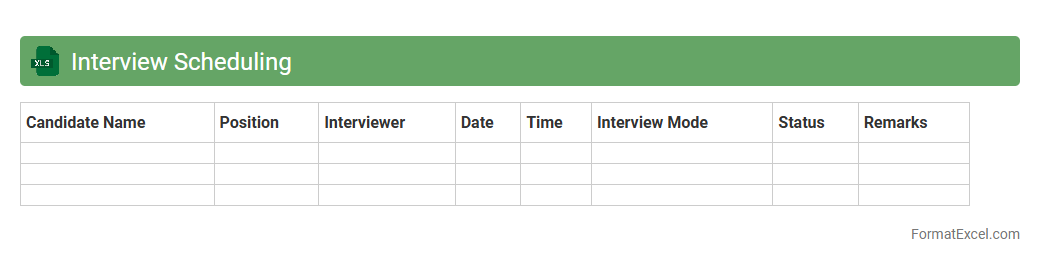
Interview Scheduling
An
Interview Scheduling Excel document is a structured spreadsheet designed to organize and manage interview appointments efficiently. It allows users to track candidate details, interview times, interviewer availability, and status updates in one centralized location. By streamlining the scheduling process, it reduces conflicts and saves time, improving overall recruitment workflow and communication.
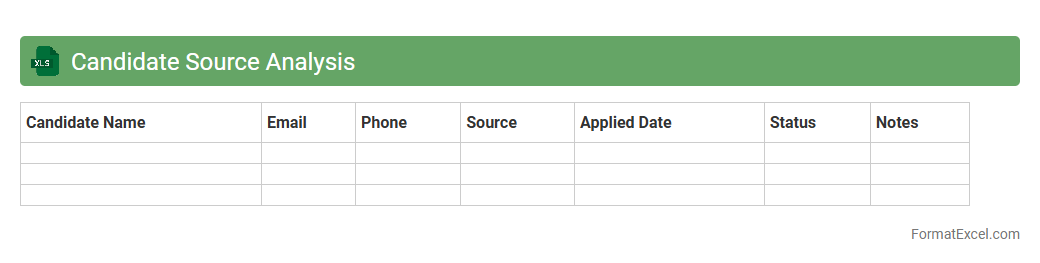
Candidate Source Analysis
The
Candidate Source Analysis Excel document tracks and evaluates the effectiveness of various recruitment channels by compiling data on candidate origins, applications, and hiring rates. This tool helps HR teams identify the most productive sources, optimize recruitment budgets, and improve talent acquisition strategies. It provides actionable insights to enhance sourcing efficiency and reduce time-to-hire.
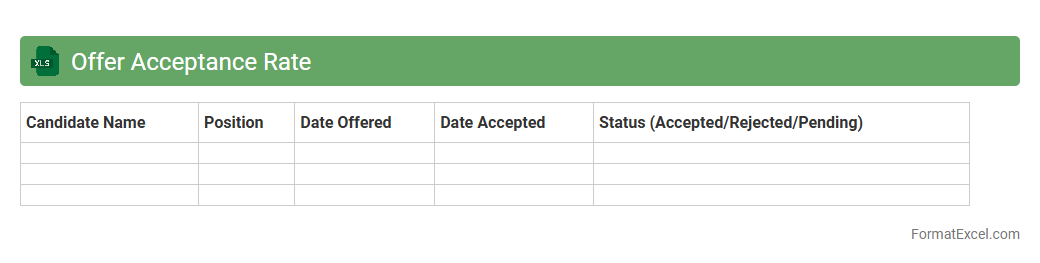
Offer Acceptance Rate
The
Offer Acceptance Rate Excel document tracks the percentage of job offers accepted by candidates, providing valuable insights into recruitment success and candidate engagement. This data helps HR teams identify trends, improve hiring strategies, and optimize communication to reduce offer rejections. Regularly analyzing this metric enhances talent acquisition efficiency and supports informed decision-making.
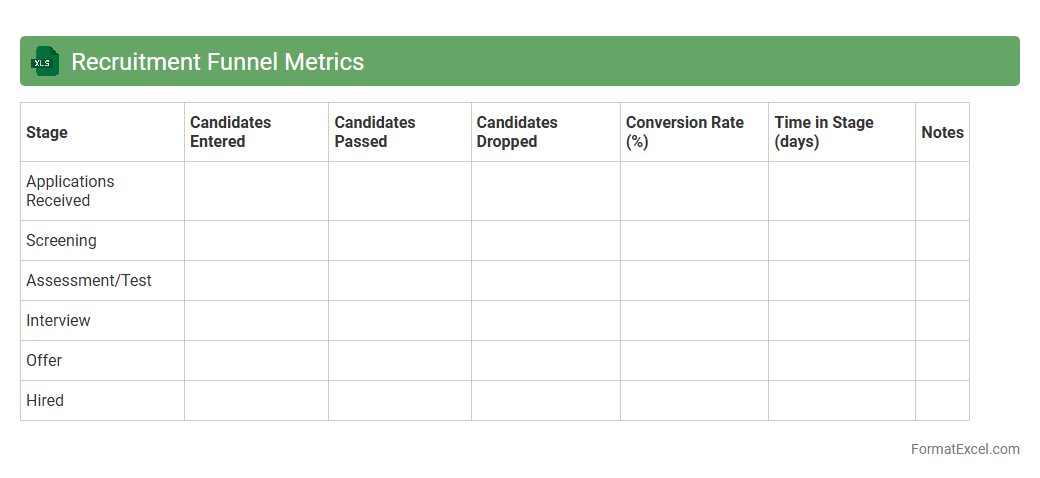
Recruitment Funnel Metrics
The
Recruitment Funnel Metrics Excel document is a structured tool designed to track and analyze the efficiency of various stages in the hiring process, such as application rates, interview-to-offer ratios, and time-to-fill positions. This detailed data enables HR professionals to identify bottlenecks, optimize recruitment strategies, and improve candidate quality by making data-driven decisions. Using this document enhances transparency and accountability, ultimately reducing hiring costs and accelerating the talent acquisition cycle.
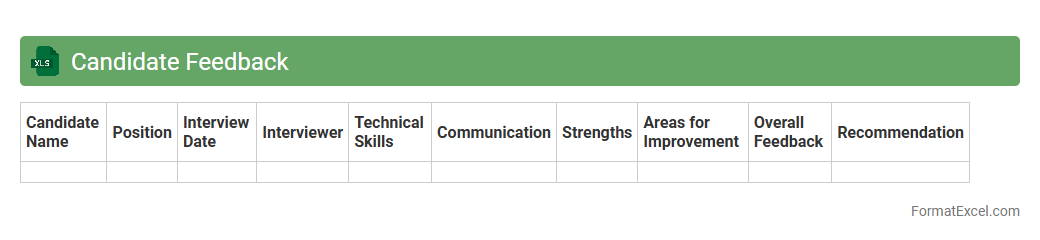
Candidate Feedback
The
Candidate Feedback Excel document is a structured tool designed to collect, organize, and analyze feedback from interviewers regarding job applicants. It streamlines the evaluation process by consolidating qualitative and quantitative insights in one place, facilitating informed hiring decisions. This document enhances recruitment efficiency by enabling clear comparisons and identifying top candidates based on consistent criteria.
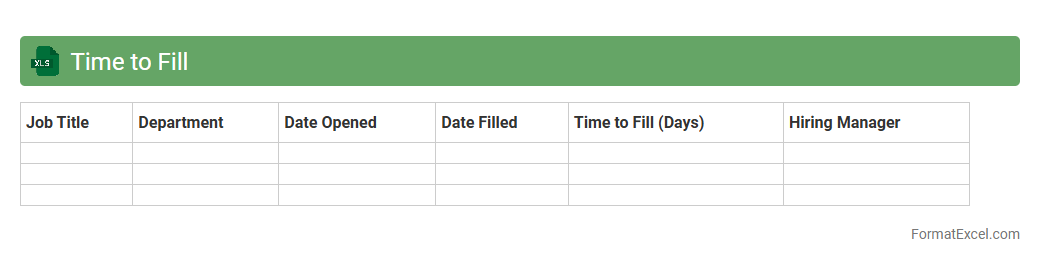
Time to Fill
Time to Fill excel document is a
recruitment metric tracking tool that measures the number of days taken to fill job vacancies from the day a position opens to when an offer is accepted. It helps organizations identify bottlenecks in the hiring process, optimize recruitment strategies, and improve workforce planning. By analyzing this data, HR teams can reduce hiring time and enhance overall talent acquisition efficiency.
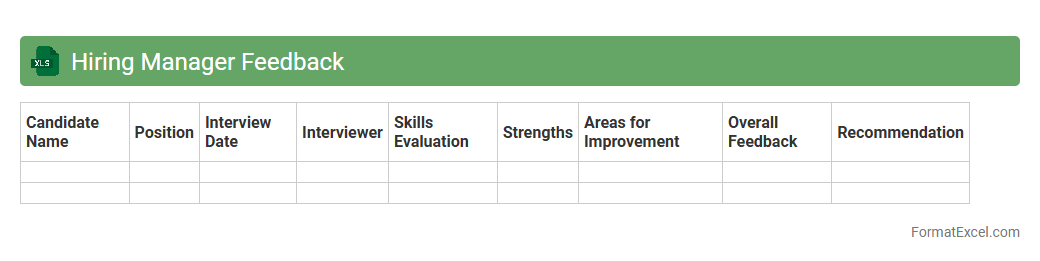
Hiring Manager Feedback
The
Hiring Manager Feedback Excel document is a structured tool designed to collect and organize inputs from hiring managers during the recruitment process. It streamlines evaluation by centralizing candidate feedback, facilitating objective comparison, and enhancing decision-making efficiency. Utilizing this document improves communication between recruiters and hiring teams, ensuring alignment on candidate selection criteria and accelerating the hiring timeline.
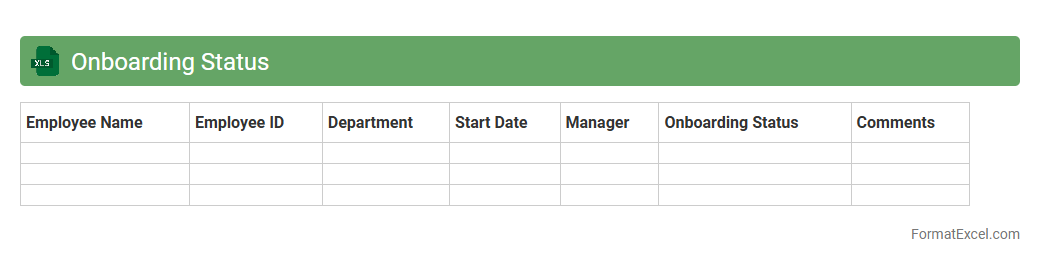
Onboarding Status
An
Onboarding Status Excel document is a tool used to track and manage the progress of new employees through various stages of the onboarding process. It consolidates key information such as completion of training, submission of required documents, and status of background checks, enabling HR teams to monitor and ensure timely onboarding. This document improves organization, reduces errors, and enhances communication between departments, leading to a smoother integration of new hires into the company.
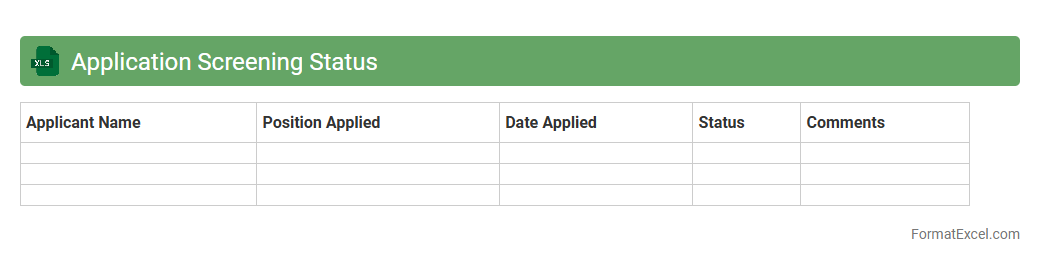
Application Screening Status
The
Application Screening Status Excel document systematically tracks the progress of job applications, highlighting candidate stages such as initial screening, interview scheduling, and final decision. This organized overview enables HR teams to efficiently manage recruitment pipelines, identify bottlenecks, and ensure timely follow-ups. Using this document enhances transparency and improves collaboration among hiring managers and recruiters.
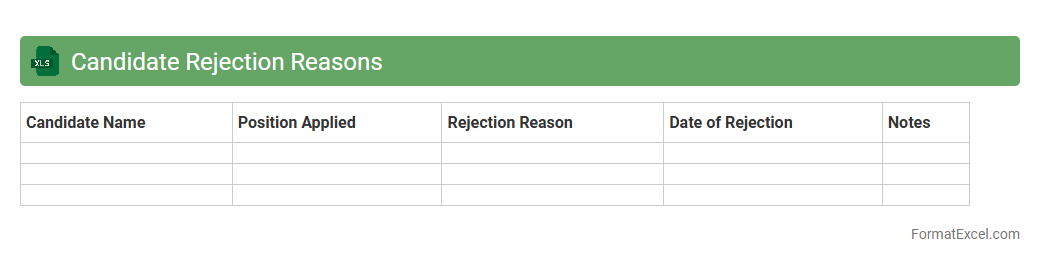
Candidate Rejection Reasons
The
Candidate Rejection Reasons Excel document systematically records specific causes for rejecting job applicants during the recruitment process, enabling organizations to identify common selection barriers. This data-driven tool helps refine hiring criteria, improve candidate screening methods, and enhance communication clarity with applicants. Utilizing this document supports more efficient talent acquisition strategies and promotes continuous improvement in recruitment workflows.
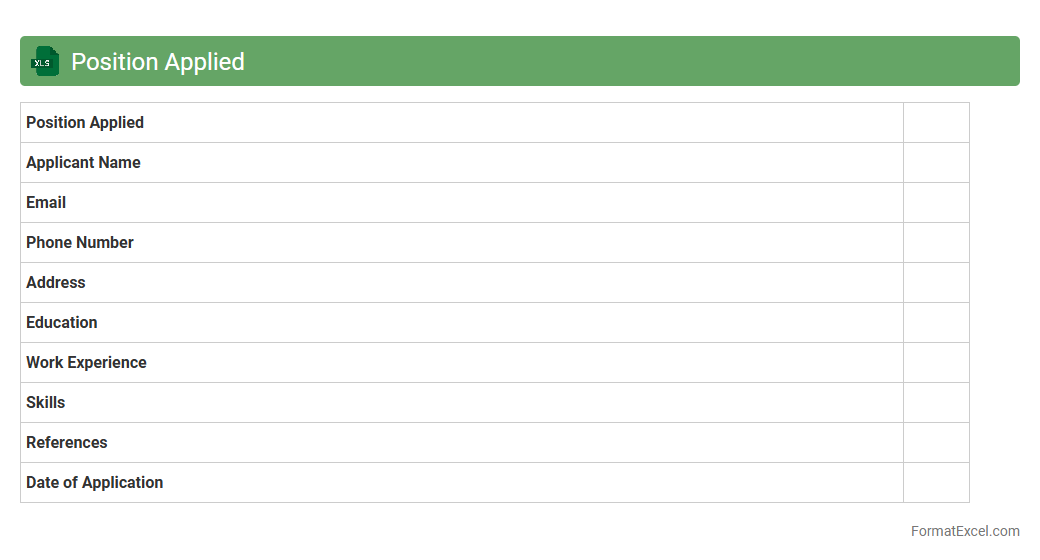
Position Applied
The
Position Applied Excel document is a structured spreadsheet designed to track job applications, including details such as company name, job title, application date, and status. It helps streamline the job search process by organizing all relevant information in one place, enabling easier follow-up and analysis of application progress. This document is invaluable for job seekers aiming to maintain an efficient and transparent record of their employment pursuits.
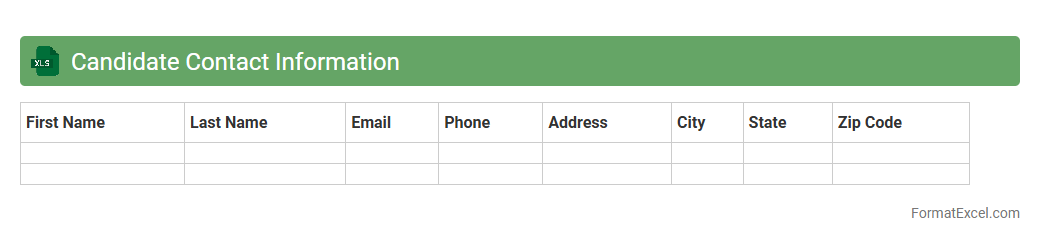
Candidate Contact Information
A
Candidate Contact Information Excel document organizes essential details such as names, phone numbers, email addresses, and application statuses of job applicants in a structured format. This document streamlines recruitment by enabling quick access to candidate data, facilitating efficient communication and follow-up. It supports better decision-making and enhances the overall hiring process by maintaining accurate and up-to-date contact information.
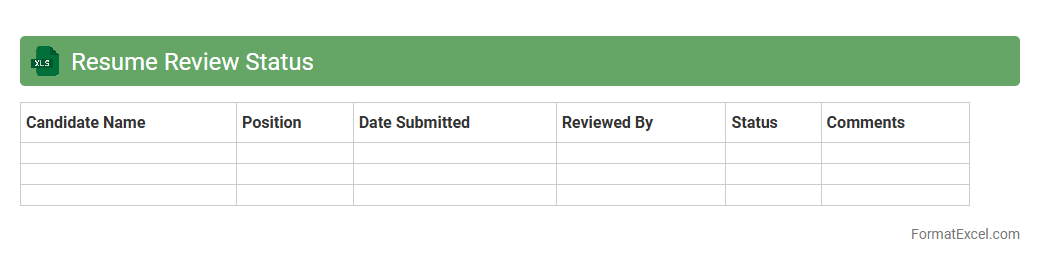
Resume Review Status
The
Resume Review Status Excel document is a structured tool used to track and manage the progress of candidate resume evaluations throughout the hiring process. It organizes essential data such as candidate names, review dates, reviewer comments, and status updates, enabling recruiters to monitor application flow efficiently. This document enhances collaboration, streamlines decision-making, and ensures timely follow-up on potential hires.
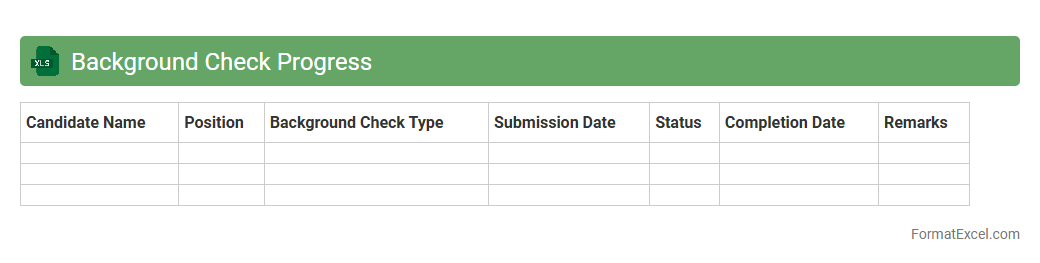
Background Check Progress
The
Background Check Progress Excel document tracks the status of employee or candidate background verifications in real time, offering clear visibility into each stage of the process. It is useful for HR teams and hiring managers to efficiently monitor compliance, identify pending checks, and ensure timely completion to streamline onboarding. This tool enhances organizational security by maintaining accurate, up-to-date records of verification progress and helps minimize risks associated with incomplete background screening.
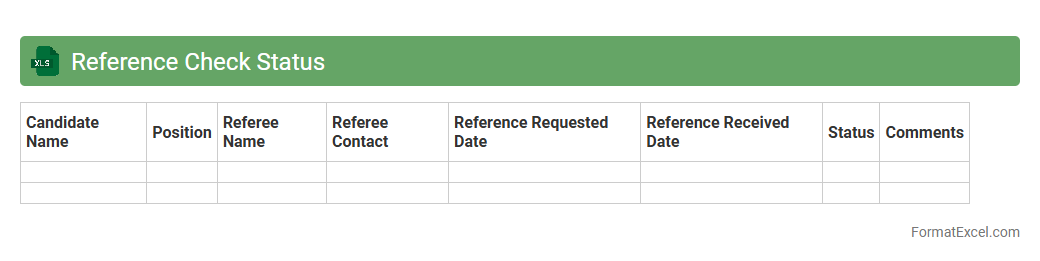
Reference Check Status
The
Reference Check Status Excel document tracks the progress and outcomes of candidate reference verifications during the hiring process. It consolidates information such as referee contact details, verification dates, and feedback, ensuring that hiring managers have a clear overview of candidate reliability. This tool enhances recruitment efficiency by enabling quick access to verified candidate histories and streamlining decision-making.
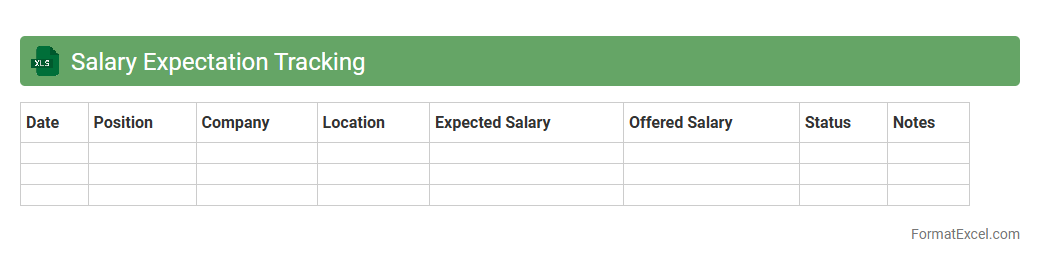
Salary Expectation Tracking
A
Salary Expectation Tracking Excel document helps individuals organize and compare salary ranges from different job offers or market research, enabling informed career decisions. It allows users to input variables such as job titles, companies, locations, and offered salaries, facilitating clear visualization of compensation trends. This tool is essential for negotiating fair wages and aligning salary goals with industry standards.
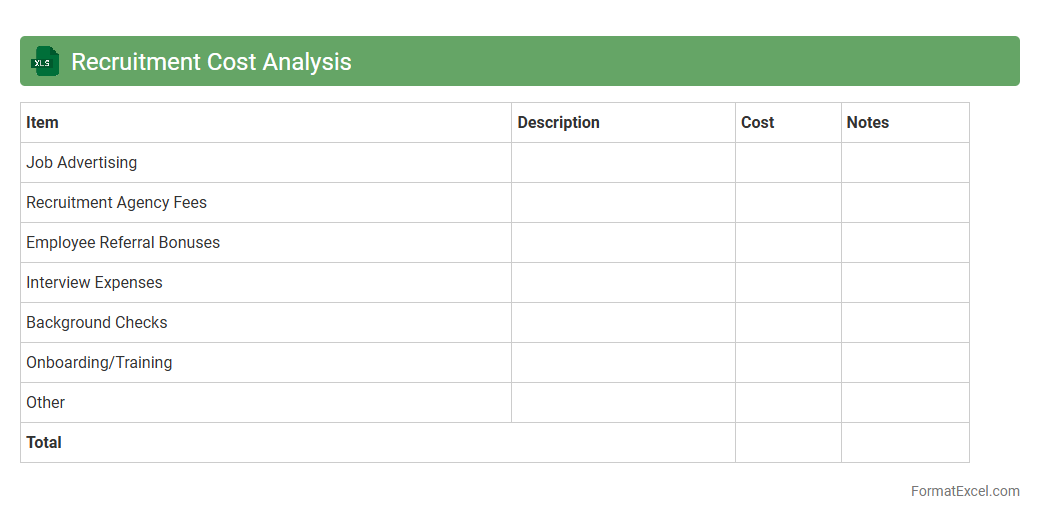
Recruitment Cost Analysis
A
Recruitment Cost Analysis Excel document systematically tracks and evaluates all expenses related to hiring, including advertising, agency fees, and onboarding. This tool helps organizations optimize their recruitment budget by identifying cost-effective hiring strategies and highlighting areas of excess spending. By providing clear, data-driven insights, it supports more efficient resource allocation and improves overall recruitment ROI.
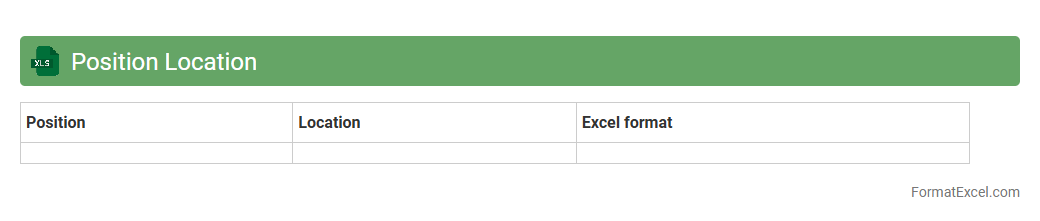
Position Location
The
Position Location Excel document serves as a detailed record of geographic or organizational positions, helping to accurately track and manage spatial data or job roles within a company. It enhances decision-making by providing clear, structured information on location coordinates or employee roles, improving efficiency in logistics, workforce management, and project planning. This type of document is especially valuable for businesses requiring precise location mapping and role assignment to optimize resource allocation and operational workflows.
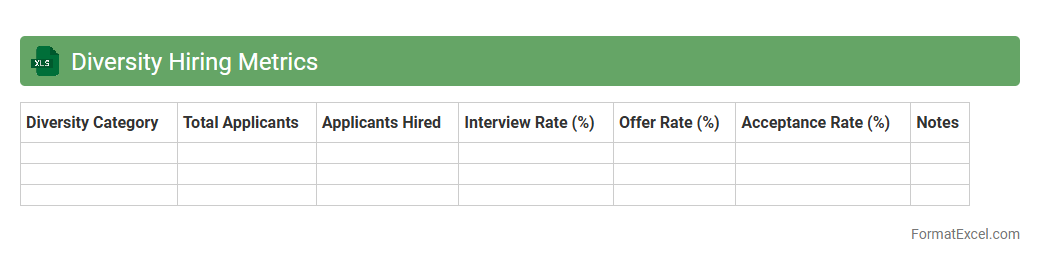
Diversity Hiring Metrics
The
Diversity Hiring Metrics Excel document is a tool designed to track and analyze the representation of various demographic groups throughout the recruitment process. It helps organizations measure hiring outcomes by gender, ethnicity, age, and other diversity parameters, enabling data-driven decisions to improve inclusivity. By systematically monitoring these metrics, companies can identify gaps, set benchmarks, and implement strategies that foster a more equitable workforce.
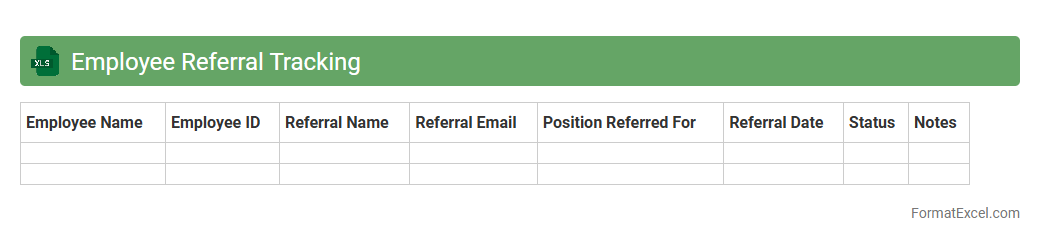
Employee Referral Tracking
An
Employee Referral Tracking Excel document is a spreadsheet designed to systematically record and manage employee referral data, including candidate details, referral dates, and hiring status. It streamlines recruitment processes by organizing information in an accessible and analyzable format, enhancing the ability to monitor referral effectiveness and reward programs. This tool improves transparency and efficiency by providing clear insights into referral trends and the overall impact on talent acquisition.
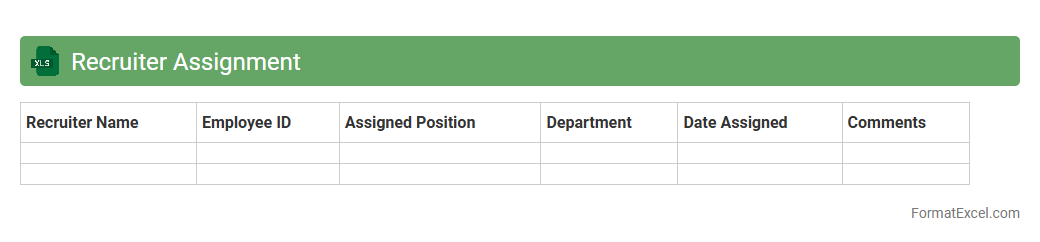
Recruiter Assignment
The
Recruiter Assignment Excel document is a structured spreadsheet designed to track and manage recruiter tasks, candidate allocations, and hiring progress efficiently. It helps streamline recruitment workflows by organizing data such as candidate details, interview schedules, and recruiter responsibilities in one centralized location. This tool enhances collaboration, improves accountability, and accelerates the talent acquisition process by providing clear visibility into recruitment status and performance metrics.
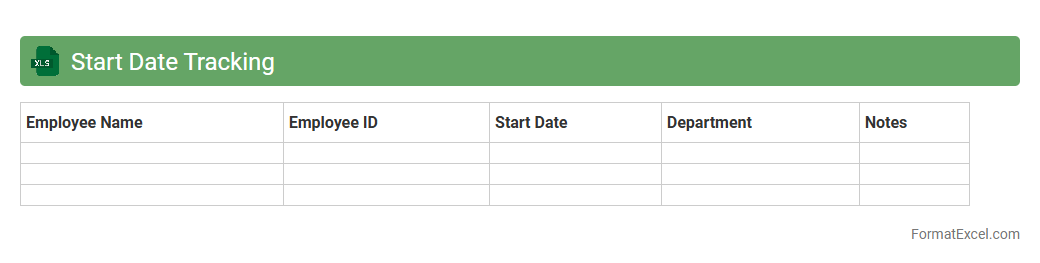
Start Date Tracking
A
Start Date Tracking Excel document systematically records project or task initiation dates, enabling efficient monitoring and scheduling. It helps teams ensure timely progress by highlighting upcoming deadlines and facilitating resource allocation. This tool improves project management accuracy and supports on-time delivery of goals.
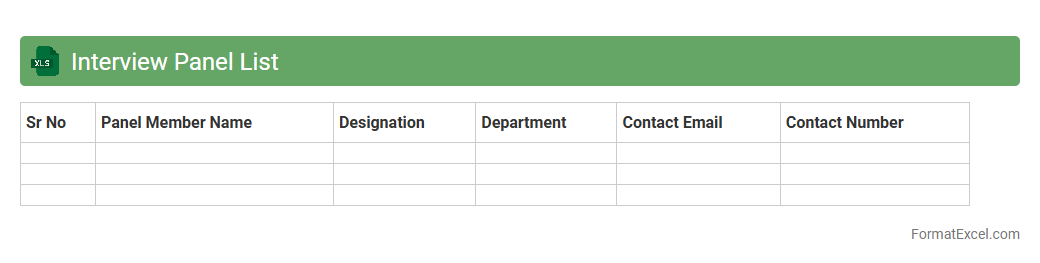
Interview Panel List
An
Interview Panel List Excel document organizes the names, roles, and contact details of interviewers for a hiring process, ensuring clear communication and scheduling. It helps streamline coordination by tracking panel members' availability, assigned candidates, and interview timings in one centralized location. This tool enhances efficiency, reduces scheduling conflicts, and supports structured evaluation during recruitment.
Introduction to Recruitment Tracker Format in Excel
A Recruitment Tracker Format in Excel is a structured template designed to monitor the hiring process efficiently. It helps HR teams organize candidate information, track application status, and manage recruitment workflows. This format streamlines data entry and improves overall hiring transparency.
Key Benefits of Using Excel for Recruitment Tracking
Excel offers flexibility and ease of use for recruitment tracking, making it a preferred tool for many HR professionals. The platform supports data sorting, filtering, and visual analysis essential for managing candidates. Its customizable features enable tailored solutions to fit specific recruitment needs.
Essential Columns in a Recruitment Tracker Spreadsheet
A well-designed recruitment tracker includes columns such as Candidate Name, Contact Information, Position Applied For, and Application Status. Other crucial columns are Interview Dates, Feedback, and Hiring Decision. Including a Status column helps quickly identify candidates' progress through the hiring stages.
Step-by-Step Guide to Creating a Recruitment Tracker in Excel
Start by defining key headers relevant to your hiring process and enter candidate data systematically. Use Excel functions like dropdown lists and conditional formatting to enhance usability. Incorporate formulas to calculate metrics such as time-to-hire and applicant flow for efficient tracking.
Sample Recruitment Tracker Format Templates
Various sample templates are available online, offering pre-built frameworks to facilitate recruitment tracking. These templates usually come with predefined fields and formulas to help quickly get started. Using a template can save time and ensure comprehensive data management.
Best Practices for Maintaining Accurate Recruitment Data
Regularly update candidate details and application statuses to keep the tracker reliable and useful. Establish clear guidelines for data entry to avoid inconsistencies and errors. Implementing data validation rules in Excel is a key best practice for accuracy.
Customizable Features for Enhanced Recruitment Tracking
Excel allows customization such as adding pivot tables, charts, and macros to improve data analysis and reporting. You can also tailor dropdown menus and color codes to reflect different hiring stages. Leveraging these customizable features enhances user experience and efficiency.
Common Mistakes to Avoid in Recruitment Tracker Excel Sheets
Avoid cluttering the sheet with unnecessary columns and neglecting data backup protocols. Inconsistent data entry and failing to update statuses timely lead to inaccurate tracking. Preventing these common errors ensures your tracker remains a valuable recruitment tool.
Tips for Analyzing Recruitment Data in Excel
Use filters and conditional formatting to quickly identify candidates based on specific criteria. Employ pivot tables to summarize recruitment metrics and visualize trends over time. Consistent data structuring is crucial for effective data analysis.
Frequently Asked Questions About Recruitment Tracker Formats
Common inquiries include how to customize templates, integrate analytical tools, and ensure data security in Excel-trackers. Users often seek guidance on automating updates and optimizing tracker accessibility for multiple users. Addressing these FAQs helps maximize the tracker's effectiveness and user adoption.