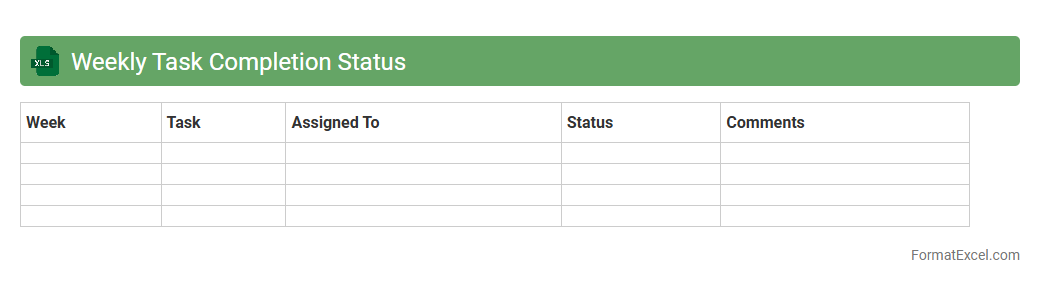
Weekly Task Completion Status
The
Weekly Task Completion Status Excel document is a structured tool designed to track and monitor the progress of assigned tasks within a specific week. It enables teams and managers to visualize completed, pending, and overdue activities, facilitating better time management and productivity analysis. By providing clear insights into task statuses, it supports improved accountability and efficient allocation of resources.
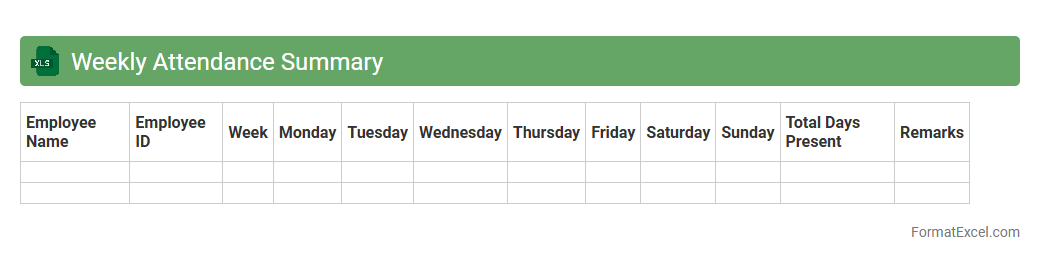
Weekly Attendance Summary
The
Weekly Attendance Summary Excel document consolidates daily attendance data into a clear and concise report, tracking employee presence, absences, and punctuality over a week. It allows managers to quickly identify attendance patterns, monitor compliance with work schedules, and address any discrepancies promptly. Utilizing this summary enhances workforce management efficiency and supports accurate payroll processing.
Weekly Sales Performance
The
Weekly Sales Performance Excel document is a comprehensive tool designed to track, analyze, and visualize sales data on a weekly basis, enabling businesses to monitor sales trends and identify top-performing products or regions efficiently. By consolidating key metrics such as total sales, units sold, and growth percentages, it provides actionable insights that help optimize sales strategies and forecast future performance. This document facilitates data-driven decision-making, improves team accountability, and enhances overall sales productivity.
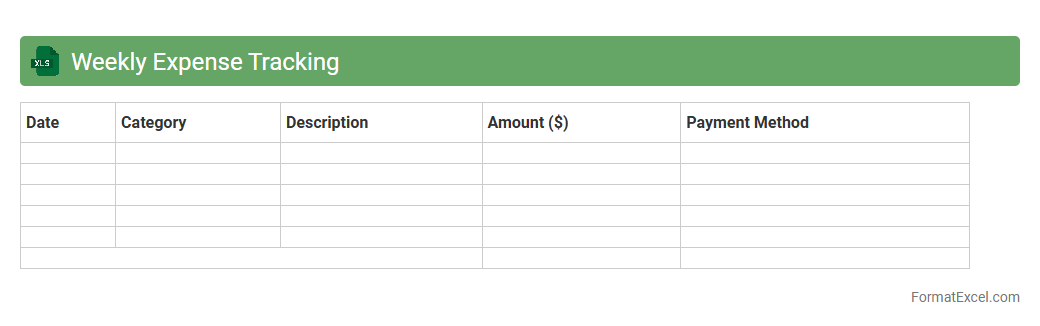
Weekly Expense Tracking
A
Weekly Expense Tracking Excel document is a structured spreadsheet designed to record and monitor all financial outflows on a weekly basis. It helps users identify spending patterns, manage budgets effectively, and ensure financial goals are met by providing clear visibility into where money is being spent. This tool is essential for maintaining disciplined financial habits and making informed decisions to optimize savings.
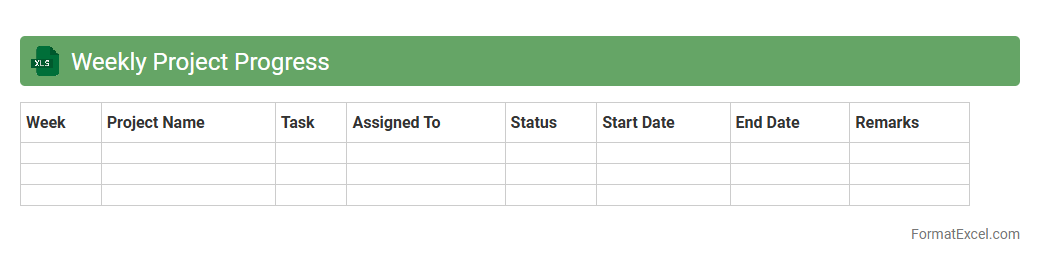
Weekly Project Progress
The
Weekly Project Progress Excel document is a comprehensive tool designed to track and monitor project milestones, task completion rates, and resource allocation on a weekly basis. It enables teams to visualize project timelines, identify bottlenecks early, and maintain clear communication among stakeholders. By consolidating data in one place, it supports informed decision-making and ensures projects stay aligned with deadlines and objectives.
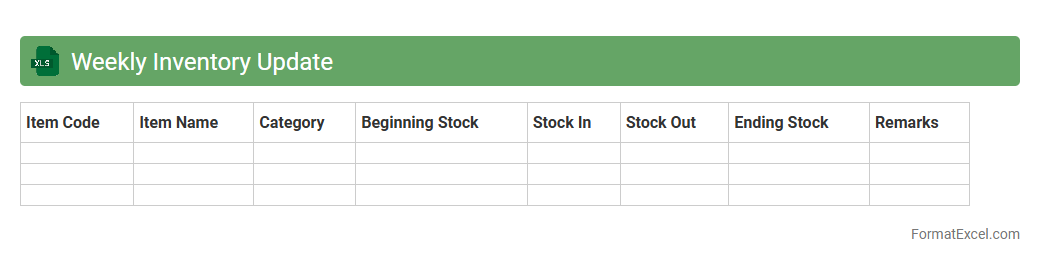
Weekly Inventory Update
The
Weekly Inventory Update Excel document is a structured tool designed to track and manage stock levels on a regular basis. It provides accurate data on inventory quantities, helping businesses avoid stockouts and overstock situations by enabling timely restocking decisions. This document streamlines inventory control, improves supply chain efficiency, and supports financial accuracy through consistent monitoring of product availability.
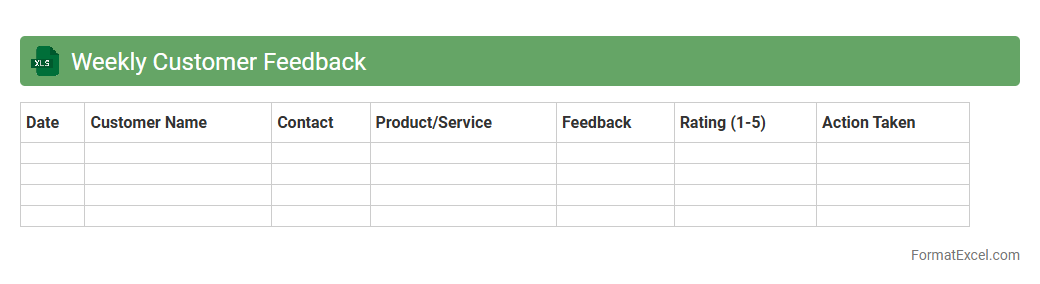
Weekly Customer Feedback
The
Weekly Customer Feedback Excel document is a structured tool designed to collect, organize, and analyze customer opinions on a regular basis. It enables businesses to track trends in satisfaction, identify recurring issues, and measure the impact of recent changes over time. Utilizing this data supports informed decision-making, enhances customer experience, and drives continuous improvement in products and services.
Weekly Support Tickets
The
Weekly Support Tickets Excel document is a structured compilation of customer service requests submitted and resolved within a week, providing detailed insights into ticket volume, response times, and resolution status. This data-driven tool enables effective tracking of support efficiency, identification of recurring issues, and resource allocation optimization. By analyzing trends in ticket types and resolutions, it helps improve service quality and enhances overall customer satisfaction.
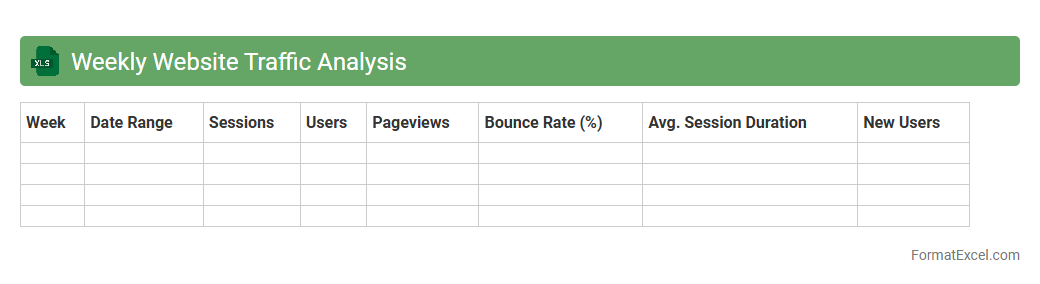
Weekly Website Traffic Analysis
The
Weekly Website Traffic Analysis Excel document tracks key metrics such as page views, unique visitors, bounce rate, and average session duration over weekly intervals, providing a clear overview of website performance trends. It helps identify patterns in user behavior, gauge the effectiveness of marketing campaigns, and detect issues impacting visitor engagement. By leveraging this data, businesses can make informed decisions to optimize content strategy, improve user experience, and boost overall online presence.
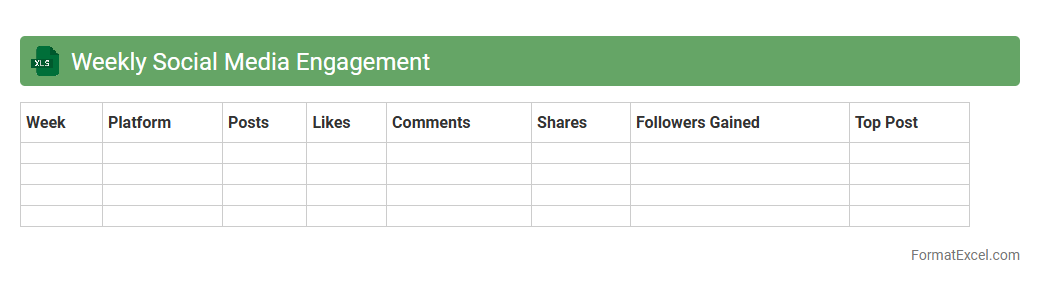
Weekly Social Media Engagement
The
Weekly Social Media Engagement Excel document tracks metrics such as likes, comments, shares, and follower growth across various platforms on a weekly basis, providing clear insights into audience interaction. This organized data allows marketers to evaluate the effectiveness of their content strategies and make data-driven decisions to enhance reach and engagement. By monitoring trends and identifying high-performing posts, businesses can optimize their social media efforts to maximize brand visibility and customer connection.
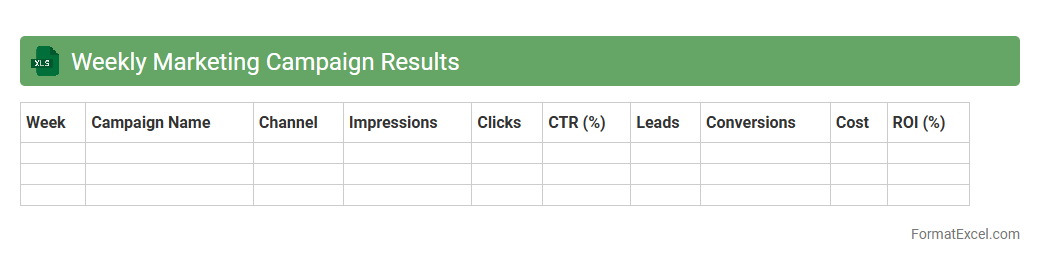
Weekly Marketing Campaign Results
The
Weekly Marketing Campaign Results Excel document systematically tracks key performance indicators such as click-through rates, conversion metrics, and ad spend efficiency to evaluate the success of marketing efforts. It consolidates data into clear, actionable insights that help identify trends, adjust strategies promptly, and allocate budget more effectively. This tool empowers marketing teams to make data-driven decisions that improve campaign ROI and overall marketing performance.
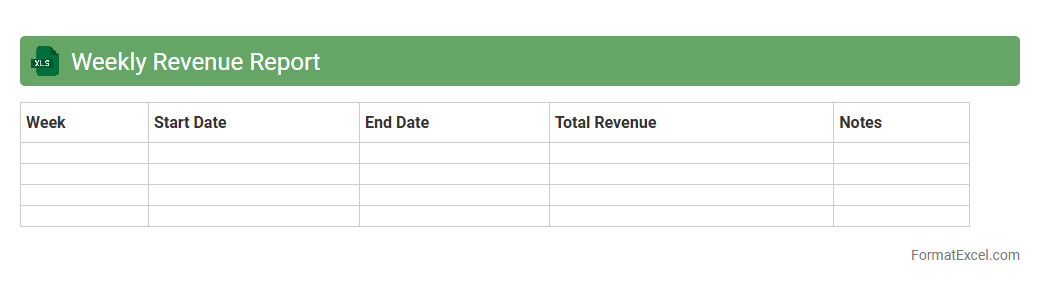
Weekly Revenue Report
The
Weekly Revenue Report Excel document is a tool designed to track and analyze a company's revenue performance on a weekly basis. It consolidates sales data, allowing businesses to monitor trends, identify discrepancies, and make informed decisions quickly. This report enhances financial visibility, enabling better forecasting and resource allocation for sustained growth.
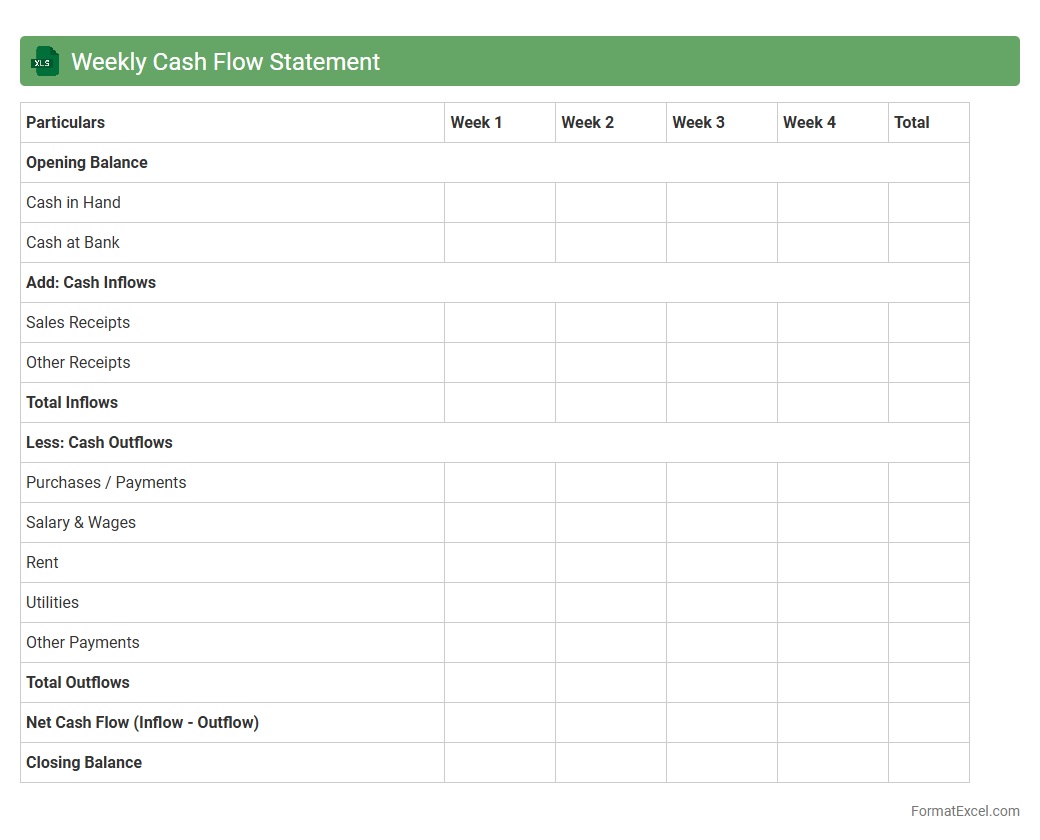
Weekly Cash Flow Statement
A
Weekly Cash Flow Statement Excel document is a financial tool designed to track inflows and outflows of cash on a weekly basis, offering detailed insights into a business's liquidity position. This document helps businesses forecast their cash availability, manage expenses, and optimize working capital to avoid shortfalls. By organizing data in an Excel format, it allows for easy customization, real-time updates, and efficient financial planning.
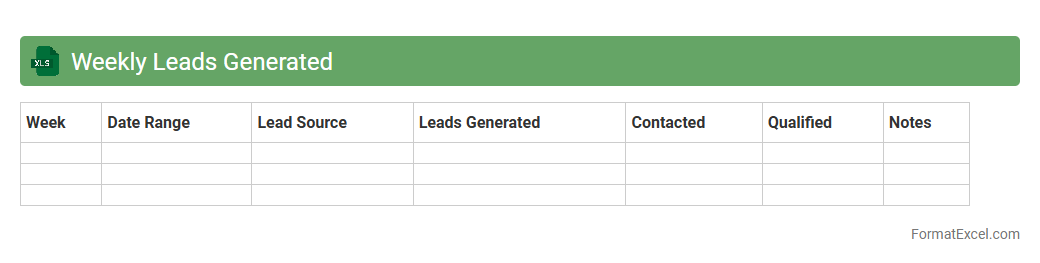
Weekly Leads Generated
The
Weekly Leads Generated Excel document tracks the number of potential customers acquired each week, providing detailed data on lead sources, contact information, and conversion status. This tool helps sales and marketing teams monitor performance trends, identify high-yield channels, and allocate resources effectively to maximize lead generation efforts. By analyzing weekly data, businesses can refine strategies, improve forecasting accuracy, and boost overall revenue growth.
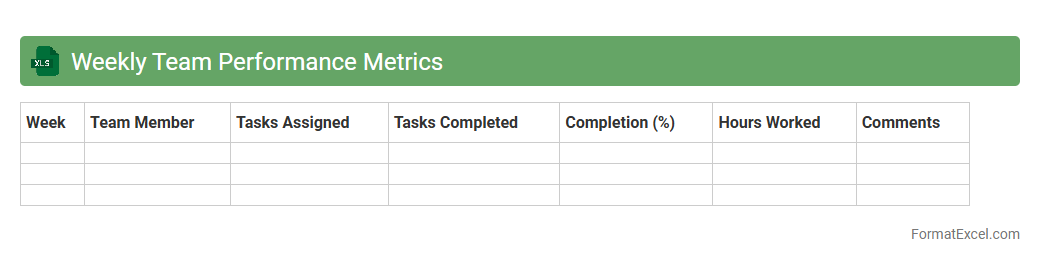
Weekly Team Performance Metrics
The
Weekly Team Performance Metrics Excel document is a structured tool designed to track and analyze key performance indicators (KPIs) of team activities on a weekly basis. It helps managers monitor productivity, identify trends, and address issues promptly by providing clear visualizations and data summaries. Utilizing this document enhances decision-making, promotes accountability, and supports continuous improvement within the team.
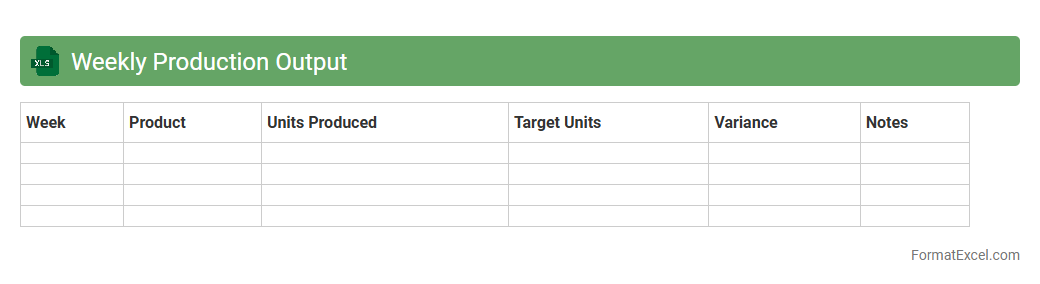
Weekly Production Output
The
Weekly Production Output Excel document tracks manufacturing performance by recording data such as units produced, production hours, and efficiency rates on a weekly basis. It allows managers to monitor workflow, identify bottlenecks, and measure progress against production targets. Utilizing this document enhances decision-making, improves resource allocation, and boosts overall operational productivity.
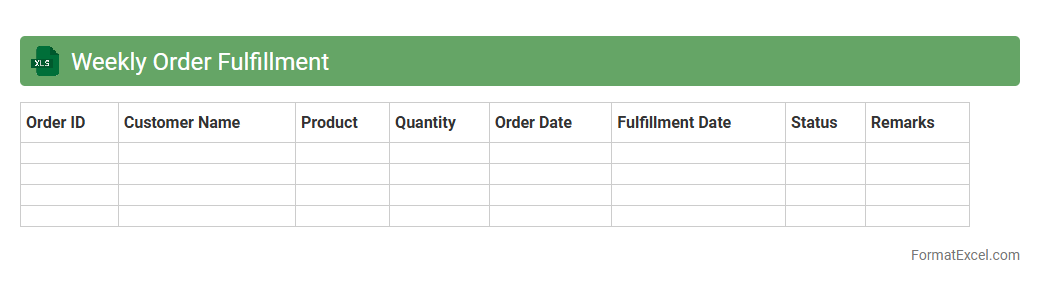
Weekly Order Fulfillment
The
Weekly Order Fulfillment Excel document is a detailed tracking tool designed to monitor the progress of order processing on a weekly basis. It consolidates data such as order quantities, shipment dates, and fulfillment rates, enabling efficient management and timely delivery of products. This document enhances operational visibility, helps identify bottlenecks, and supports decision-making to improve overall supply chain performance.
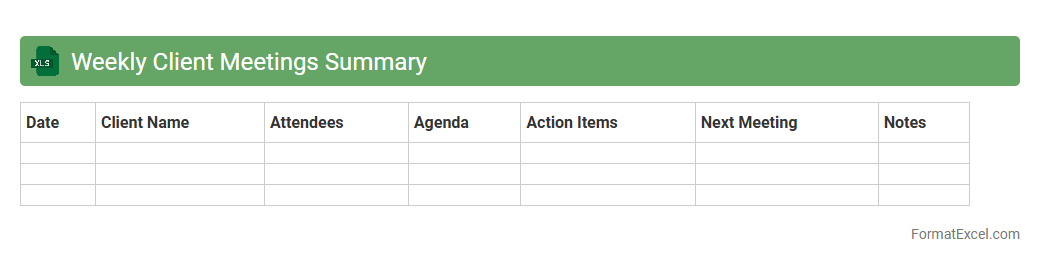
Weekly Client Meetings Summary
The
Weekly Client Meetings Summary Excel document consolidates key points, action items, and follow-up tasks from client meetings into a structured format. It enables efficient tracking of client interactions, helping teams stay aligned on progress and priorities. This summary enhances communication transparency and supports timely decision-making by providing a clear overview of each week's client engagement.
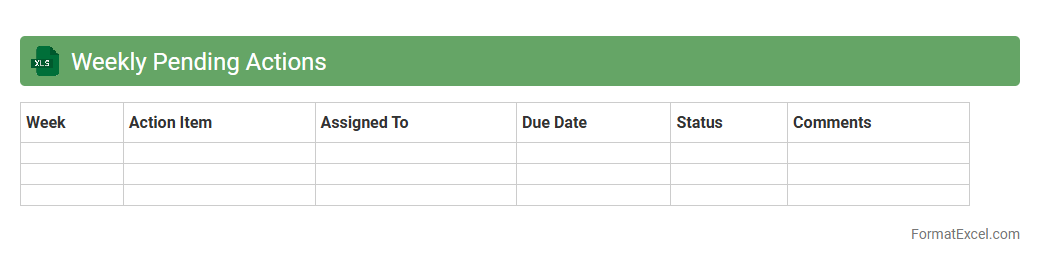
Weekly Pending Actions
The
Weekly Pending Actions Excel document is a structured tool designed to track and manage outstanding tasks systematically throughout the week. It helps teams and individuals prioritize their workload by providing clear visibility of pending actions, deadlines, and responsible parties. This document enhances productivity and accountability by enabling efficient follow-up and timely completion of tasks.
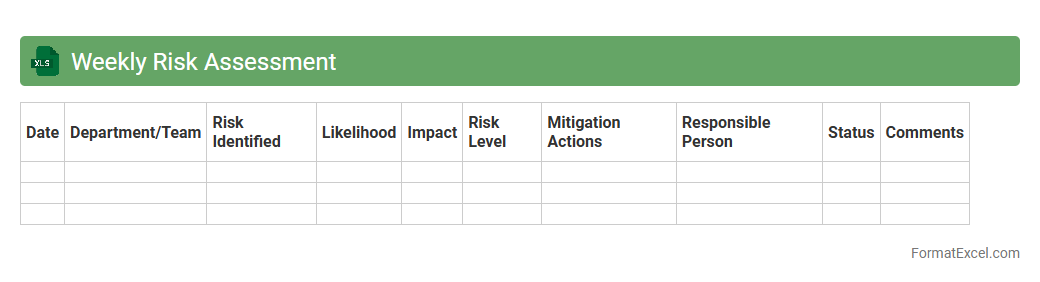
Weekly Risk Assessment
The
Weekly Risk Assessment Excel document is a structured tool used to identify, evaluate, and track potential risks within a project or organization on a weekly basis. It allows teams to systematically record risk categories, likelihood, impact, and mitigation strategies, facilitating proactive decision-making and risk management. This document enhances communication among stakeholders by providing clear insights into evolving risks and ensuring timely responses to minimize negative impacts.
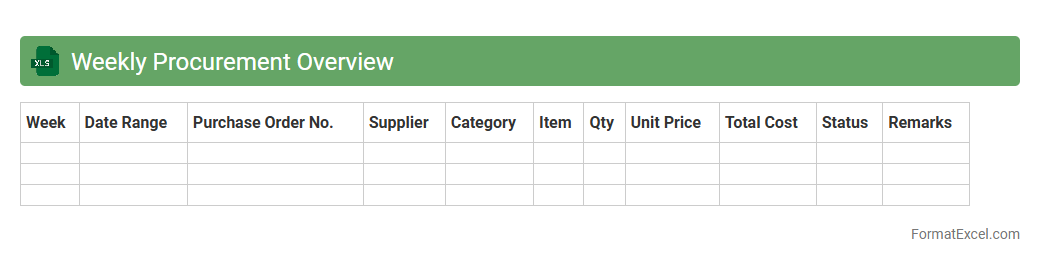
Weekly Procurement Overview
The
Weekly Procurement Overview Excel document provides a comprehensive summary of procurement activities including purchase orders, supplier performance, and inventory levels. It helps track spending trends, identify delays, and optimize supplier relationships, facilitating data-driven decision-making. This tool enhances transparency and efficiency in the procurement process by consolidating key metrics into a single, easy-to-analyze format.
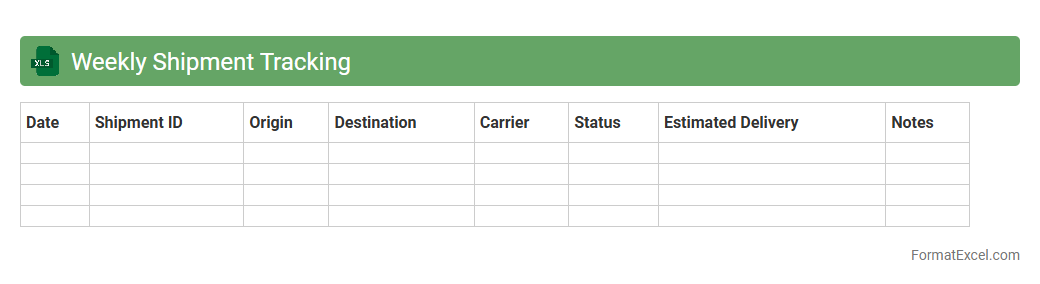
Weekly Shipment Tracking
The
Weekly Shipment Tracking Excel document is a comprehensive tool designed to monitor and record the status of shipments on a weekly basis. It enables businesses to efficiently track shipment dates, delivery times, carrier details, and order statuses, helping to identify delays and streamline supply chain operations. Using this document improves accuracy in logistics planning, enhances communication with suppliers, and supports timely decision-making to ensure on-time deliveries.
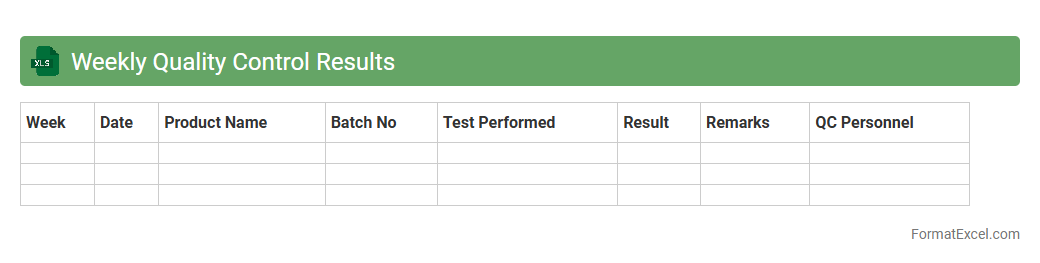
Weekly Quality Control Results
The
Weekly Quality Control Results Excel document systematically compiles quality metrics from manufacturing or service processes, allowing for easy tracking of performance trends over time. It facilitates quick identification of defects, deviations, or non-conformities, enabling teams to implement timely corrective actions and maintain compliance with industry standards. By providing a centralized, organized overview of quality data, this document supports continuous improvement efforts and enhances overall operational efficiency.
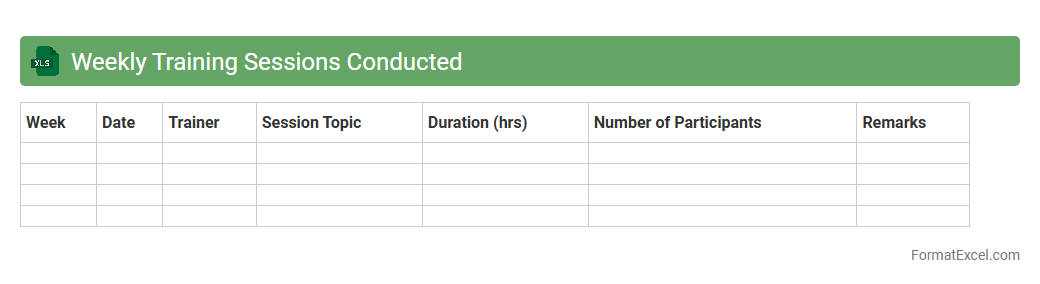
Weekly Training Sessions Conducted
The
Weekly Training Sessions Conducted Excel document meticulously tracks the schedule, attendance, and progress of training programs held each week. It enables managers to monitor employee development, identify skill gaps, and ensure consistent skill enhancement across the organization. This organized data supports informed decision-making and streamlines resource allocation for future training initiatives.
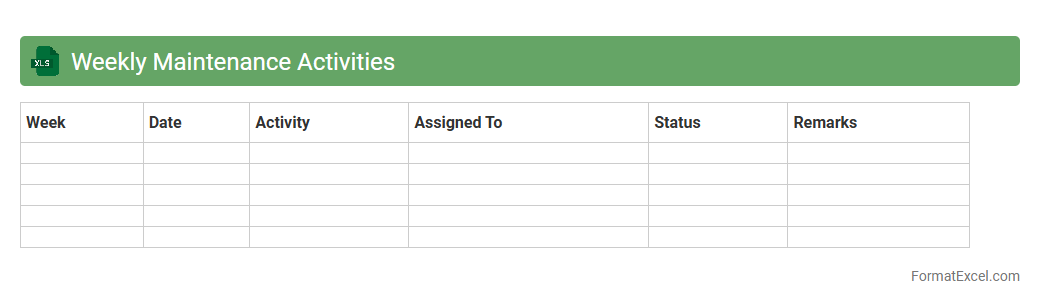
Weekly Maintenance Activities
The
Weekly Maintenance Activities Excel document is a structured tool used to schedule, track, and document routine maintenance tasks within a specified week. It helps ensure timely completion of activities, reduces equipment downtime, and enhances operational efficiency. This document provides clear visibility into maintenance progress, resource allocation, and potential issues, facilitating proactive management and decision-making.
Introduction to Weekly Report Formats in Excel
Weekly report formats in Excel are structured templates that help summarize tasks, progress, and outcomes efficiently. They enable clear communication of weekly activities in a systematic manner. Using Excel enhances accessibility and editing capabilities for weekly reports.
Importance of Weekly Reports for Business Tracking
Weekly reports are crucial for monitoring business performance and project progress regularly. They provide insights into achievements, challenges, and next steps, facilitating informed decision-making. Timely reports ensure business tracking remains consistent and transparent.
Key Components of an Effective Weekly Report
An effective weekly report includes a summary, task status, achievements, issues, and plans for the next period. Clear headers, concise data, and actionable information improve readability and usefulness. Including these key components ensures comprehensive reporting.
Setting Up a Weekly Report Template in Excel
Starting a weekly report template involves defining sections such as date, tasks, progress status, and comments. Use Excel's table and formatting features to organize data clearly and professionally. Setting up a reusable report template saves time and maintains consistency.
Step-by-Step Guide to Creating a Weekly Report in Excel
Create column headers, input relevant data, apply formatting, and use formulas to automate calculations. Organize information logically and add charts if needed for visual representation. Following a step-by-step guide ensures accuracy and completeness.
Essential Excel Functions for Weekly Reporting
Functions like SUM, IF, VLOOKUP, and conditional formatting are essential to analyze and highlight data efficiently. These functions help automate repetitive tasks and bring clarity to reports. Mastering Excel functions boosts report quality and productivity.
Tips for Customizing Your Weekly Report Format
Customize fonts, colors, and layout to align with your company's branding and preferences. Add filters, drop-down lists, and conditional formatting to enhance interactivity and flexibility. Personalizing your weekly report format improves user engagement and clarity.
Common Mistakes to Avoid in Excel Weekly Reports
Avoid data entry errors, inconsistent formatting, and overcomplicated layouts that reduce readability. Ensure formulas are correctly applied and regularly tested to prevent inaccuracies. Steering clear of these common mistakes maintains report integrity.
Downloadable Weekly Report Excel Template
Accessing downloadable templates saves time by offering pre-designed, editable formats for weekly reporting. These templates are designed to cover essential sections and can be customized as necessary. Using a downloadable template simplifies the reporting process.
Best Practices for Sharing and Updating Weekly Reports in Excel
Share reports via cloud platforms or email with clear version control to ensure all stakeholders have the latest information. Schedule regular updates and backups to maintain report accuracy and availability. Adhering to best practices fosters collaboration and up-to-date communication.