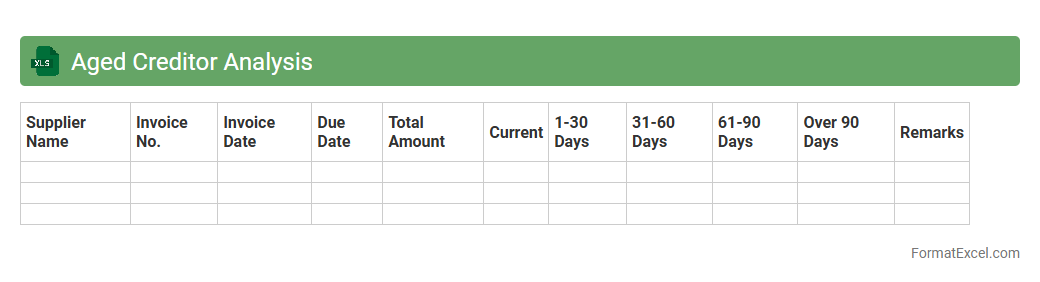
Aged Creditor Analysis
Aged Creditor Analysis Excel document is a financial tool that categorizes outstanding supplier invoices based on the length of time they have been unpaid, typically segmented into 30, 60, 90 days, or more. This analysis helps businesses monitor and manage their
accounts payable, ensuring timely payments and improving cash flow management. It aids in identifying overdue liabilities, prioritizing payments, and enhancing supplier relationships by preventing late fees or disputes.
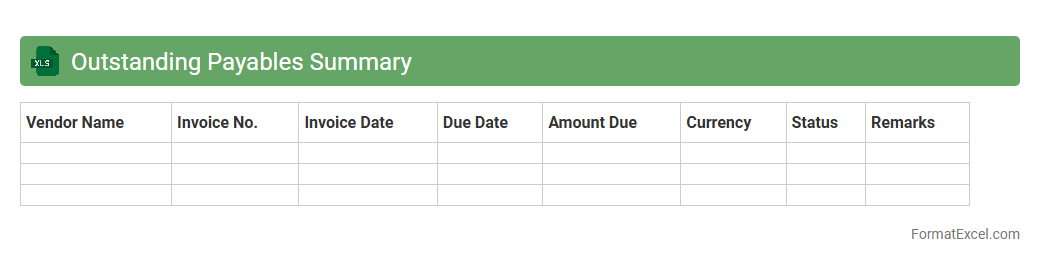
Outstanding Payables Summary
The
Outstanding Payables Summary Excel document consolidates all unpaid vendor invoices, providing a clear overview of the company's current liabilities. This tool enables businesses to track due payments efficiently, optimize cash flow management, and avoid late fees. It also supports better financial planning by highlighting payment priorities and outstanding amounts.
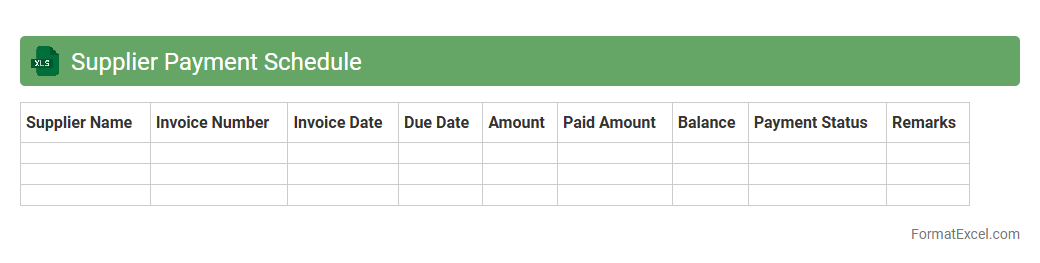
Supplier Payment Schedule
A
Supplier Payment Schedule Excel document is a tool designed to organize and track payment dates, amounts, and supplier details systematically. It helps businesses manage cash flow, avoid late payments, and maintain strong vendor relationships by providing a clear overview of upcoming financial obligations. Utilizing this schedule improves financial planning and ensures timely payments, reducing the risk of penalties and disruptions in supply.
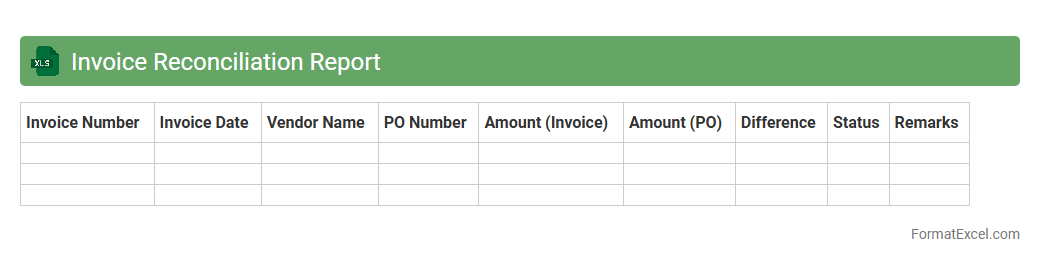
Invoice Reconciliation Report
An
Invoice Reconciliation Report Excel document is a detailed spreadsheet used to compare and verify invoices against purchase orders and payment records. It helps identify discrepancies, prevent overpayments, and ensure accurate financial tracking by providing a clear audit trail of transactions. This report streamlines accounting processes and enhances financial control within organizations.
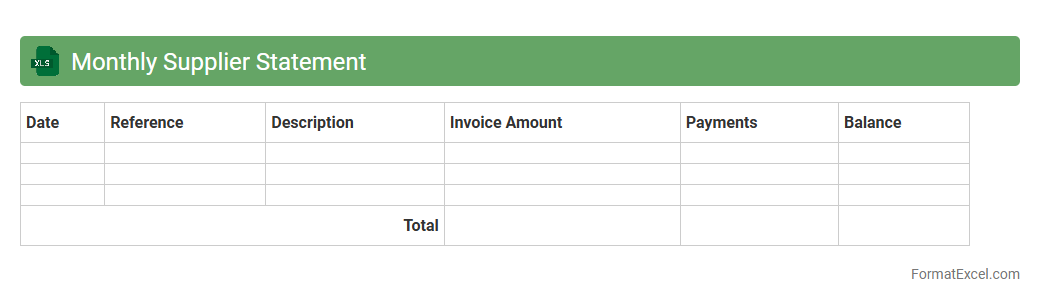
Monthly Supplier Statement
A
Monthly Supplier Statement Excel document is a detailed financial report summarizing transactions between a company and its suppliers over a month, including invoices, payments, and outstanding balances. It helps maintain accurate records, facilitates reconciliation of accounts, and ensures transparent communication regarding supplier payments. Using this statement improves cash flow management and strengthens supplier relationships by promptly addressing discrepancies.
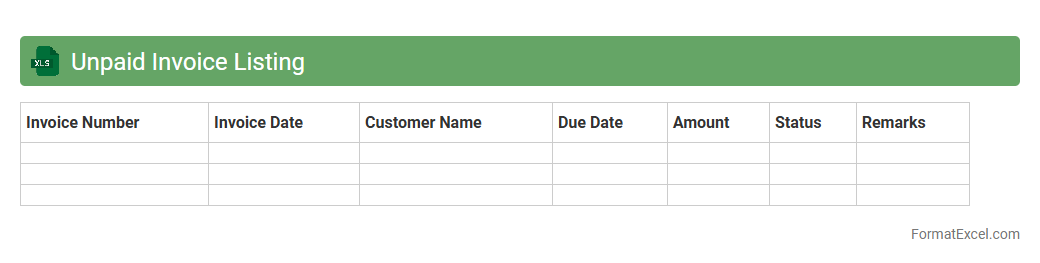
Unpaid Invoice Listing
An
Unpaid Invoice Listing Excel document is a detailed record that tracks all outstanding invoices owed by customers or clients. It helps businesses monitor pending payments, manage cash flow effectively, and prioritize collection efforts to reduce bad debts. By organizing invoice data systematically, this tool enhances financial visibility and supports timely follow-ups.
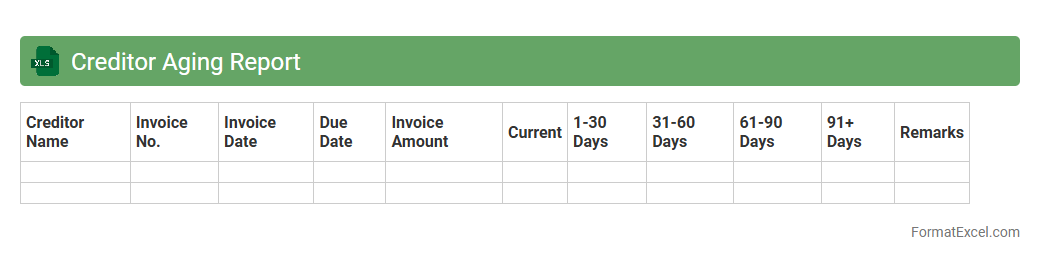
Creditor Aging Report
A
Creditor Aging Report Excel document organizes outstanding payables by the length of time invoices have been unpaid, typically categorized into 30, 60, 90 days and beyond. This report helps businesses manage cash flow efficiently by identifying overdue debts and prioritizing payments to suppliers. It also aids in maintaining strong supplier relationships and improving financial forecasting accuracy.
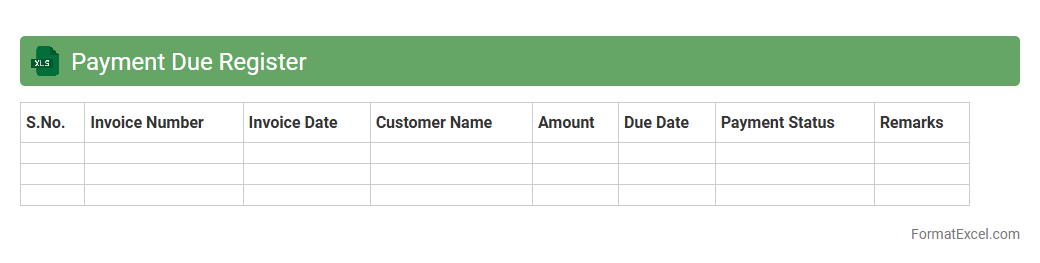
Payment Due Register
A
Payment Due Register Excel document is a structured spreadsheet used to track upcoming payments, including invoices, bills, and financial obligations. It helps businesses and individuals manage cash flow by providing clear visibility of due dates, amounts, and payees, ensuring timely payments and avoiding late fees. By organizing payment schedules, it enhances financial planning and accountability, streamlining the accounts payable process effectively.
Disputed Invoice Log
The
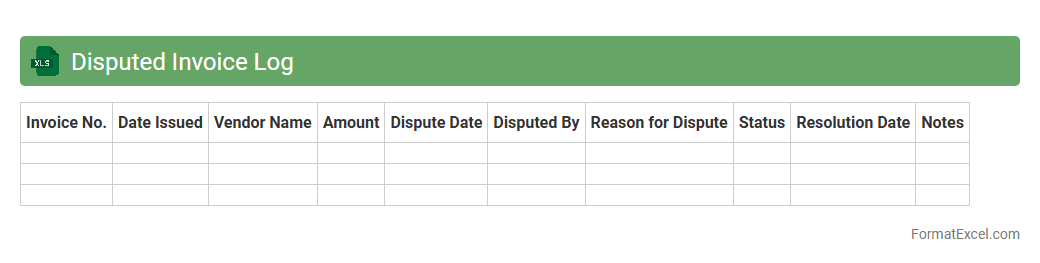
Disputed Invoice Log Excel document serves as a centralized record for tracking all invoices that have discrepancies or require resolution. It helps organizations monitor payment disputes, identify recurring issues with vendors or clients, and streamline communication for faster resolution. By maintaining this log, businesses can improve their accounts payable process, reduce financial errors, and enhance overall cash flow management.
Supplier Credit Note Register
The
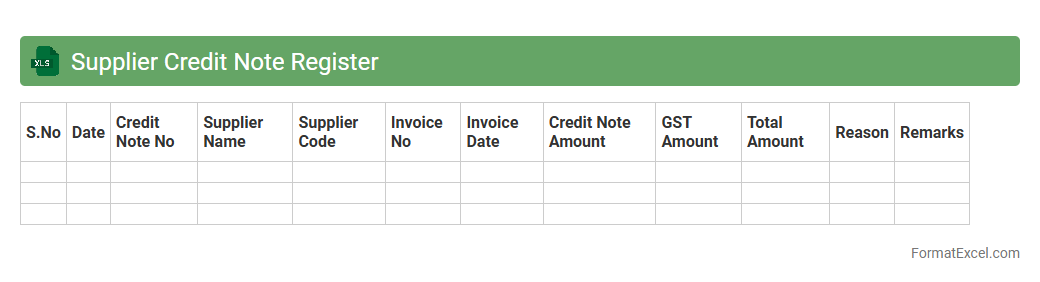
Supplier Credit Note Register Excel document is a comprehensive record that tracks all credit notes received from suppliers, detailing invoice numbers, dates, amounts, and reasons for credit issuance. This register helps businesses efficiently monitor outstanding credits, ensure accurate accounting entries, and streamline reconciliation of supplier accounts. Maintaining this document improves financial transparency and supports effective cash flow management by keeping supplier transactions organized and easily accessible.
Purchase Ledger Summary
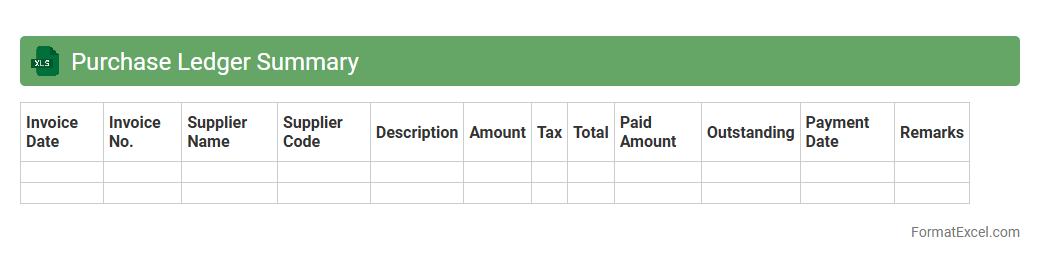
The Purchase Ledger Summary Excel document provides a detailed overview of all outstanding supplier invoices and payment statuses, helping businesses maintain accurate financial records. It allows for efficient tracking of purchase transactions, supplier balances, and payment schedules, ensuring timely payments and improved cash flow management.
This summary supports informed decision-making by offering clear visibility into liabilities and purchasing patterns.
Vendor Balance Confirmation
A
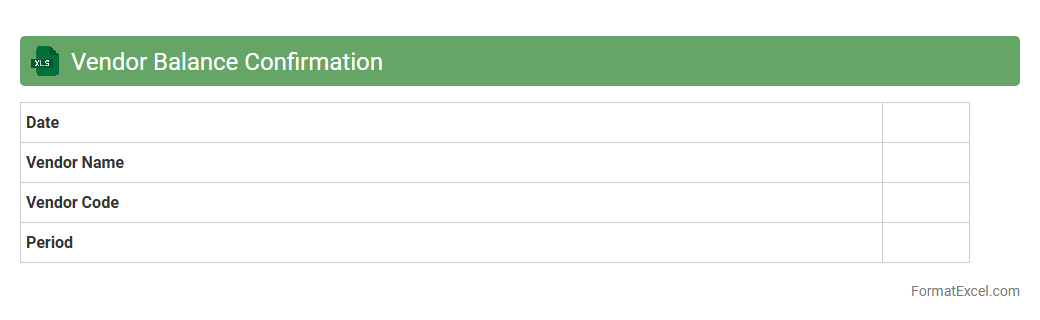
Vendor Balance Confirmation Excel document is a structured file used to verify outstanding balances between a company and its suppliers, ensuring accuracy in accounts payable. It facilitates communication by allowing vendors to confirm or dispute balances, reducing errors and discrepancies in financial reporting. This document supports efficient reconciliation, enhances audit readiness, and helps maintain transparent and trustworthy supplier relationships.
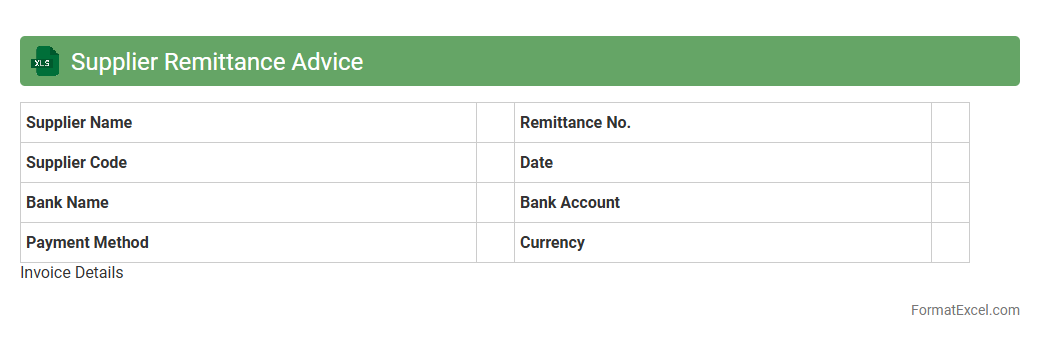
Supplier Remittance Advice
A
Supplier Remittance Advice Excel document is a detailed record that outlines payments made to suppliers, including invoice numbers, payment amounts, and dates. This document is essential for maintaining accurate financial records, ensuring suppliers are paid correctly, and facilitating smooth reconciliation between accounting systems. Using it helps improve transparency in transactions and speeds up dispute resolution when payment discrepancies arise.
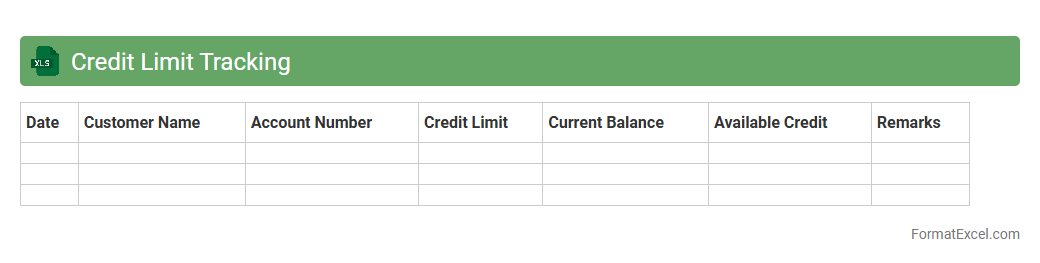
Credit Limit Tracking
A
Credit Limit Tracking Excel document is a structured spreadsheet used to monitor and manage credit limits assigned to customers, vendors, or business accounts. It helps businesses prevent exceeding authorized credit amounts by providing real-time updates on outstanding balances and available credit. This tool is essential for maintaining financial control, reducing risk of bad debts, and improving cash flow management.
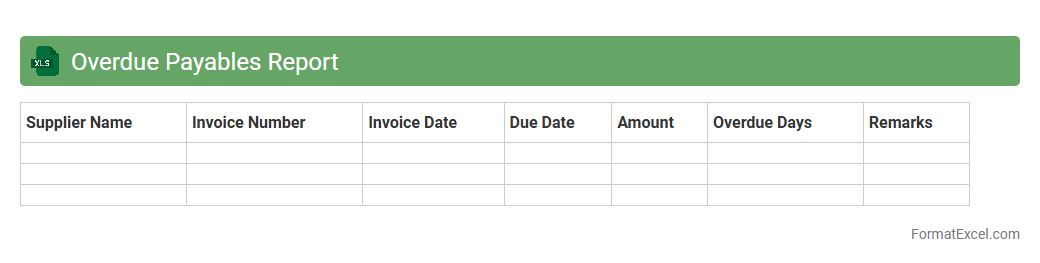
Overdue Payables Report
The
Overdue Payables Report Excel document tracks outstanding invoices and payment deadlines, providing a clear overview of liabilities that require immediate attention. It helps businesses manage cash flow effectively by identifying overdue payments, preventing late fees, and maintaining strong vendor relationships. Utilizing this report enhances financial planning and supports timely decision-making to optimize accounts payable processes.
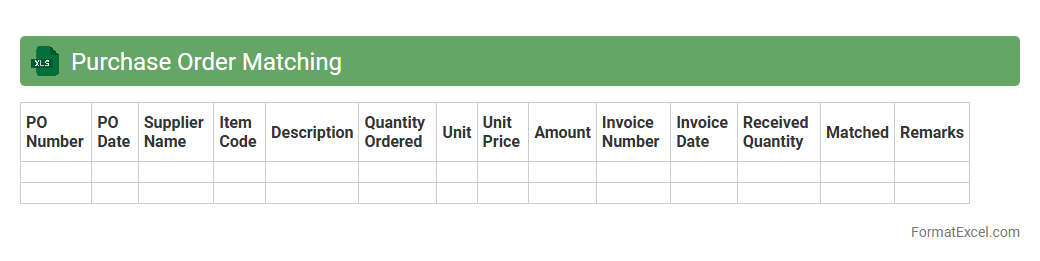
Purchase Order Matching
A
Purchase Order Matching Excel document is a tool designed to compare purchase orders with supplier invoices and delivery receipts, ensuring accuracy in transactions and preventing discrepancies. It streamlines financial reconciliation by highlighting mismatches in quantities, prices, or terms, thus facilitating timely corrections and approvals. This document enhances procurement efficiency, reduces errors, and aids in maintaining accurate accounting records.
Supplier Transaction History
A
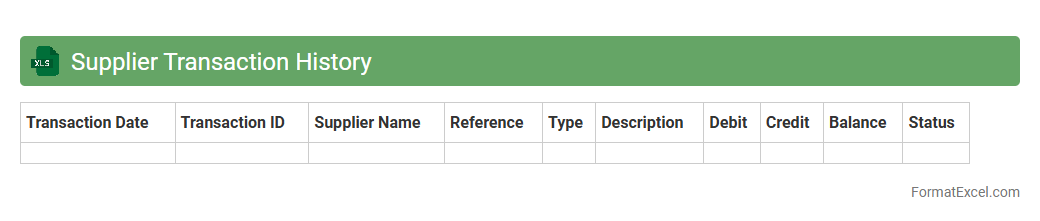
Supplier Transaction History Excel document records all financial exchanges between a company and its suppliers, detailing dates, amounts, invoice numbers, and payment statuses. It is useful for tracking outstanding payments, verifying historical purchase data, and analyzing spending patterns to optimize supplier relationships. This document aids in maintaining accurate accounting records and supports efficient budget management and auditing processes.
Early Payment Discounts Report
The
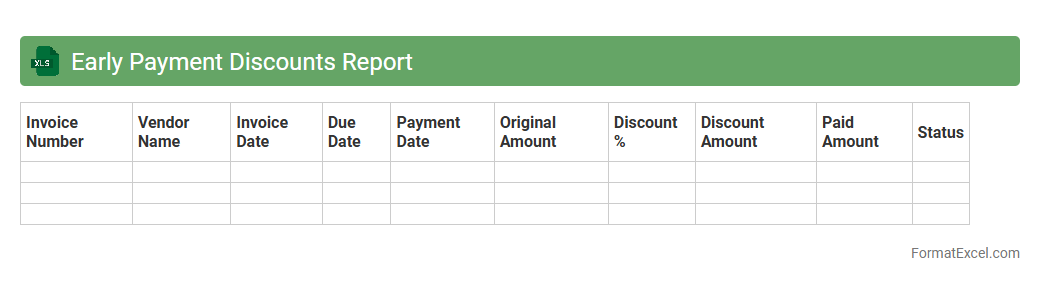
Early Payment Discounts Report Excel document tracks and analyzes discounts received by a company for settling invoices before their due dates. This report helps businesses optimize cash flow management by identifying opportunities to save money through timely payments and monitoring discount utilization rates. By consolidating payment data, it supports informed decision-making and enhances accounts payable efficiency.
Foreign Currency Payables
A
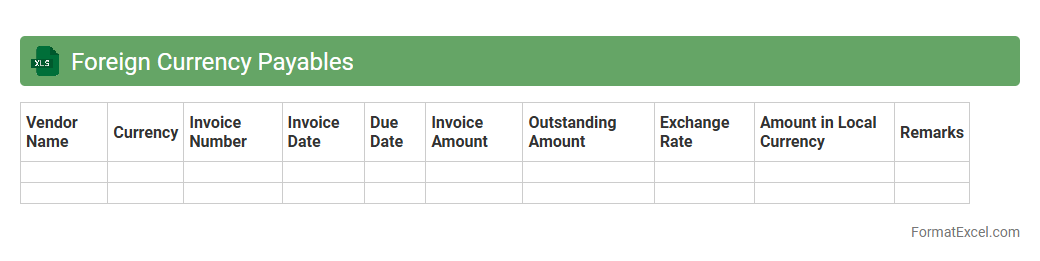
Foreign Currency Payables Excel document is a financial tool designed to track and manage liabilities denominated in various foreign currencies, allowing businesses to record payable amounts, due dates, and currency exchange rates. It helps companies maintain accurate accounts payable records, monitor currency exposure, and forecast cash flow requirements in multiple currencies. This document enhances financial decision-making by providing clear insights into foreign currency obligations and potential risks from exchange rate fluctuations.
Accrued Expenses List
An
Accrued Expenses List Excel document is a detailed record of expenses that have been incurred but not yet paid or recorded in the financial statements. This spreadsheet helps businesses track liabilities for services or goods received, ensuring accurate financial reporting and cash flow management. By maintaining an updated accrued expenses list, companies can improve budgeting accuracy and meet accounting compliance standards.
Supplier Contact Directory
A
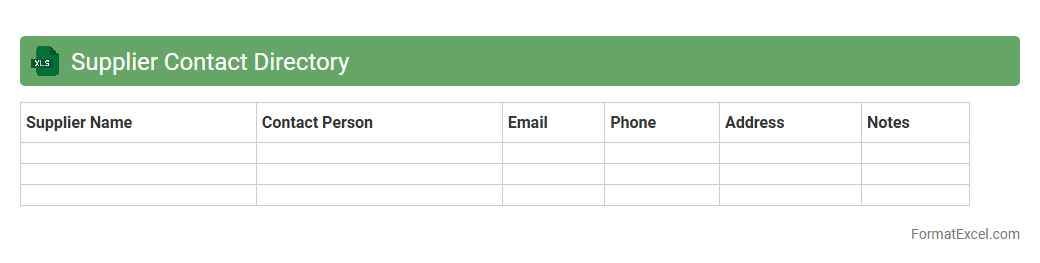
Supplier Contact Directory Excel document is a centralized database containing essential supplier information such as names, addresses, phone numbers, emails, and contact persons. It facilitates quick access to supplier details, streamlines communication, and enhances procurement efficiency by organizing all supplier data in a single, easy-to-update format. This document is invaluable for managing vendor relationships, tracking supplier performance, and ensuring timely follow-ups in supply chain operations.
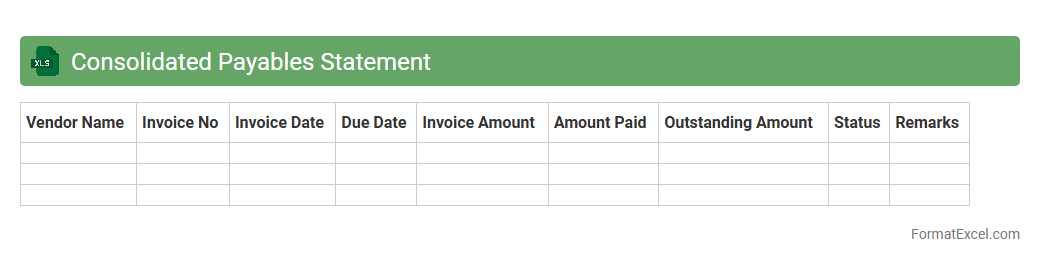
Consolidated Payables Statement
A
Consolidated Payables Statement excel document aggregates all outstanding invoices and payment obligations from multiple vendors into a single comprehensive report. It enables efficient tracking of due payments, helps manage cash flow effectively, and simplifies financial reconciliation. This document is essential for businesses seeking to improve accounts payable accuracy and streamline vendor payment processes.
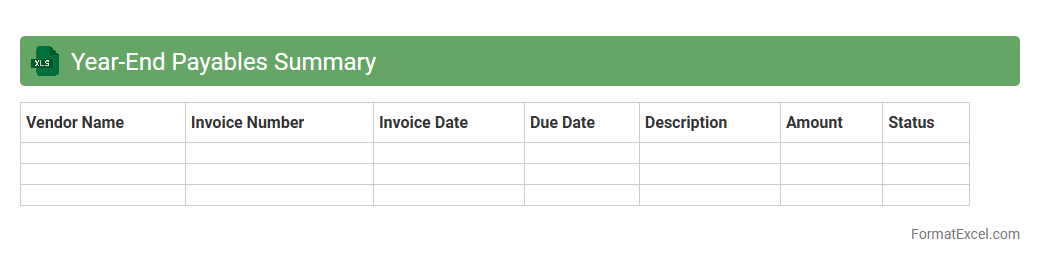
Year-End Payables Summary
The
Year-End Payables Summary Excel document consolidates all outstanding vendor payments and invoices at the close of the fiscal year, providing a clear snapshot of financial obligations. It streamlines the reconciliation process by categorizing payables by vendor, date, and amount, which aids in accurate financial reporting and audit readiness. This summary facilitates strategic cash flow management and ensures compliance with accounting standards by highlighting pending liabilities.
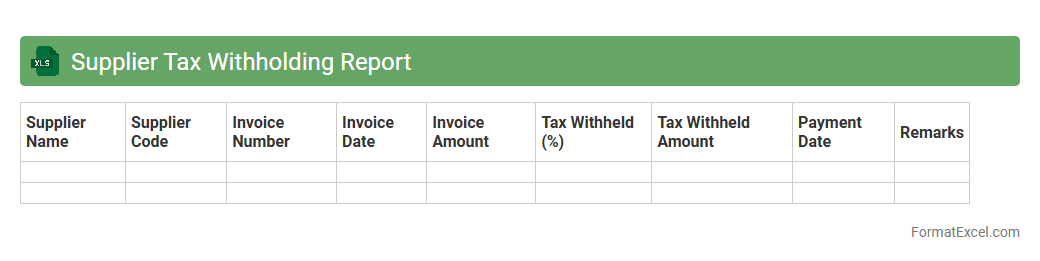
Supplier Tax Withholding Report
The
Supplier Tax Withholding Report Excel document consolidates detailed records of tax withheld from payments made to suppliers, ensuring accurate accounting and compliance with tax regulations. It allows businesses to efficiently track tax deductions, prepare tax filings, and reconcile payments with tax authorities. This report enhances financial transparency and aids in audit preparedness by providing a clear overview of withholding activities.
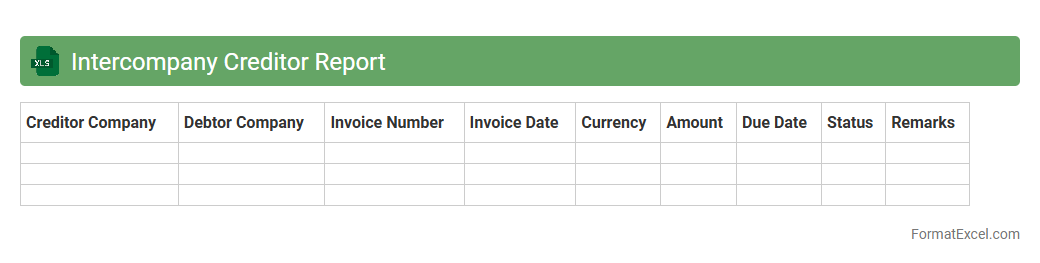
Intercompany Creditor Report
The
Intercompany Creditor Report Excel document provides a detailed overview of outstanding payables between affiliated companies within a corporate group, facilitating accurate tracking and reconciliation of intercompany debts. It consolidates creditor balances, due dates, and transaction details, enabling finance teams to monitor obligations and ensure timely payments, which improves cash flow management and financial transparency. This report is essential for internal audits and helps maintain compliance with accounting standards by clearly documenting intercompany creditor relationships.
Understanding the Creditor Statement Format
The creditor statement format organizes financial data to provide a clear overview of amounts owed to creditors. It highlights key financial transactions and balances, ensuring transparent communication between businesses and their creditors. Proper formatting enhances accuracy and ease of interpretation.
Key Components of a Creditor Statement
Essential elements include creditor names, invoice numbers, dates, outstanding amounts, and payment terms. Each component contributes to a comprehensive summary of financial obligations. Clear headings and consistent data entry improve readability and tracking.
Benefits of Using Excel for Creditor Statements
Excel offers flexibility and powerful tools for creating tailored creditor statements with automated calculations. Data can be quickly updated, analyzed, and shared, enhancing financial management efficiency. Its user-friendly interface supports customization and error reduction.
Essential Columns for Creditor Statement in Excel
Typical columns include Date, Invoice Number, Description, Amount Due, Amount Paid, and Balance. Including a Due Date and Payment Terms column helps manage payment schedules effectively. Well-organized columns streamline data handling and reporting.
Step-by-Step Guide to Creating a Creditor Statement in Excel
Start by setting up the worksheet with appropriate headers and columns. Input creditor details and financial transactions, then use formulas to calculate balances and totals. Regularly review and update the statement to maintain accuracy.
Sample Creditor Statement Template in Excel
A sample template features predefined columns and formulas to track credit balances efficiently. It serves as a practical starting point for businesses to customize according to their specific needs. Using templates saves time and reduces setup errors.
Tips for Customizing Creditor Statement Formats
Adjust column widths, apply cell formatting, and use conditional formatting to highlight overdue payments. Incorporate data validation to minimize input errors and improve data integrity. Tailoring the format ensures clarity and aligns with organizational standards.
Common Mistakes in Creditor Statement Spreadsheets
Frequent errors include inconsistent data entry, missing invoices, and incorrect formula usage. Overlooking these issues can lead to inaccurate balances and confusion. Regular audits and formula checks help maintain statement reliability.
Automating Calculations in Excel Creditor Statements
Using functions like SUM, IF, and VLOOKUP automates total calculations and data retrieval. Automation reduces manual errors and updates balances dynamically as data changes. Leveraging Excel's formula capabilities enhances statement accuracy.
Best Practices for Managing Creditor Data in Excel
Maintain backup copies, protect sensitive data with passwords, and use clear naming conventions for files. Regularly update creditor information to reflect current statuses. Implementing disciplined data management ensures consistent and secure records.