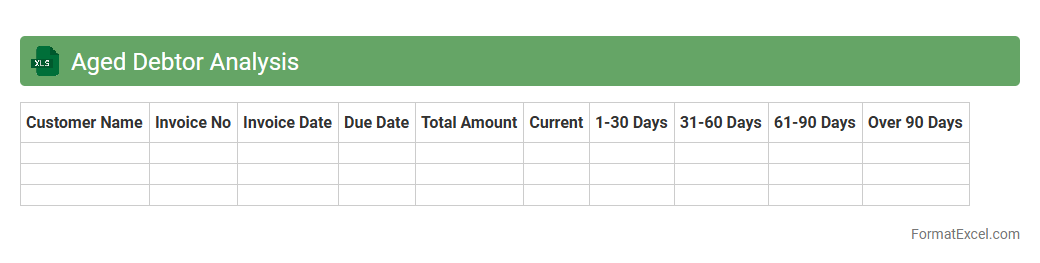
Aged Debtor Analysis
Aged Debtor Analysis Excel document is a
financial tool used to categorize and track outstanding customer invoices based on the length of time they have been unpaid. It helps businesses identify overdue payments, prioritize collection efforts, and manage credit risk effectively. By providing a clear overview of receivables aging, this analysis supports improved cash flow management and enhances decision-making for credit control strategies.
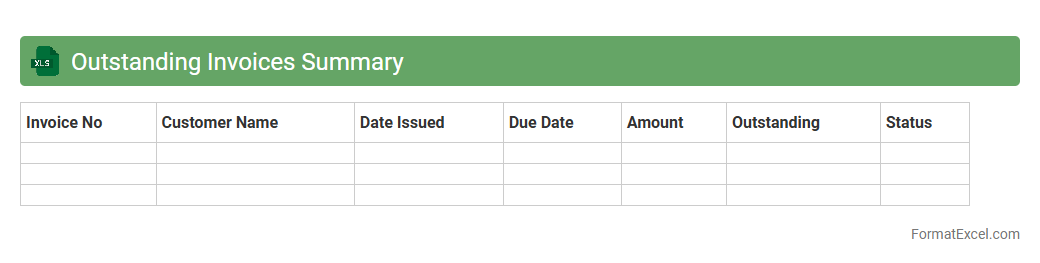
Outstanding Invoices Summary
The
Outstanding Invoices Summary Excel document consolidates all unpaid invoices, providing a clear overview of pending payments, client details, and due dates. This summary helps businesses manage cash flow effectively and prioritize debt collection efforts. By tracking outstanding amounts accurately, it ensures timely follow-ups and improves financial planning.
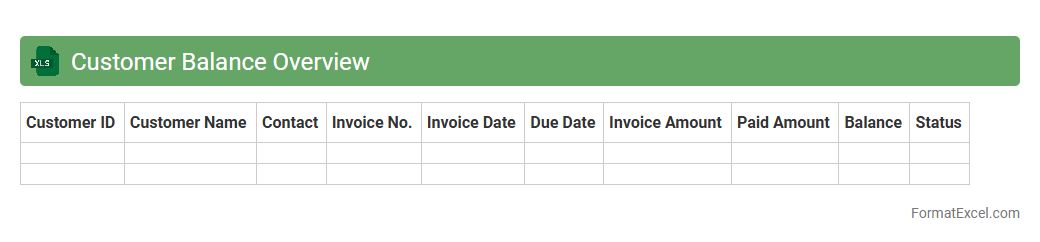
Customer Balance Overview
The
Customer Balance Overview Excel document provides a detailed summary of outstanding balances, payments, and credit limits for each customer, enabling businesses to track financial interactions efficiently. It helps identify overdue accounts, manage credit risk, and streamline cash flow forecasting by consolidating key financial data in one accessible location. This tool enhances decision-making processes for accounts receivable teams and supports proactive customer relationship management.
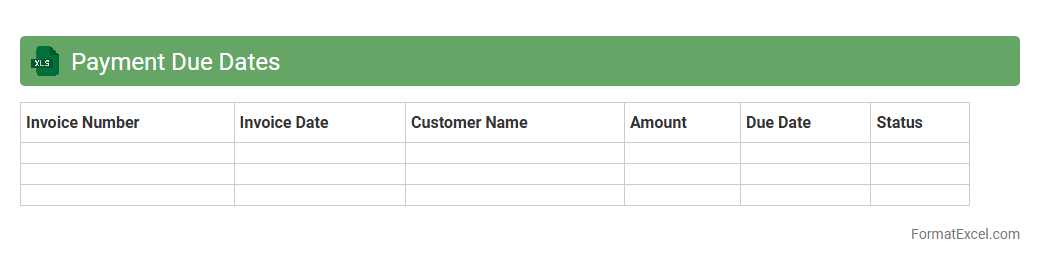
Payment Due Dates
A
Payment Due Dates Excel document is a spreadsheet tool designed to track and manage deadlines for various payments, such as bills, invoices, and subscriptions. It helps users avoid late fees and maintain good credit by providing clear visibility of upcoming and overdue payments. By organizing payment schedules efficiently, it supports better financial planning and cash flow management.
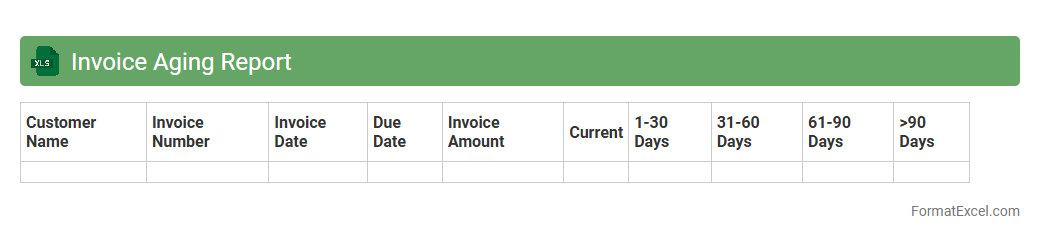
Invoice Aging Report
An
Invoice Aging Report Excel document organizes outstanding invoices by the length of time they have been unpaid, typically categorizing them into periods such as 0-30, 31-60, 61-90, and over 90 days. This report allows businesses to track overdue payments, identify potential cash flow issues, and prioritize follow-ups with customers to improve collections. By maintaining accurate aging data in Excel, companies can enhance financial decision-making and streamline accounts receivable management.
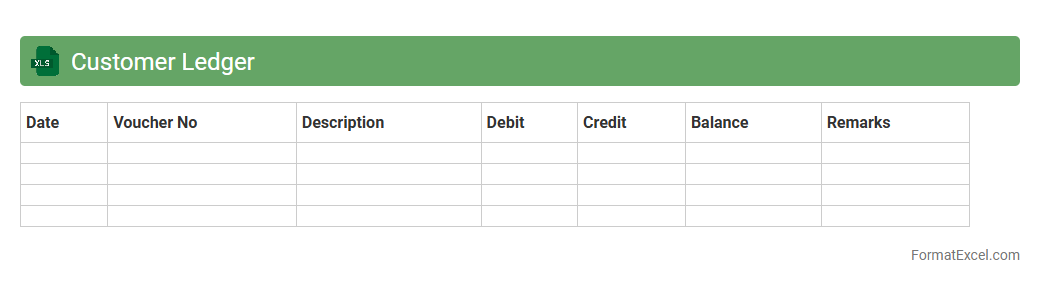
Customer Ledger
A
Customer Ledger Excel document is a detailed financial record that tracks all transactions between a business and its customers, including invoices, payments, and outstanding balances. It helps businesses monitor account activity, manage credit, and ensure accurate financial reporting. Using this ledger enhances cash flow management and improves customer relationship management by providing clear visibility into payment histories and due amounts.
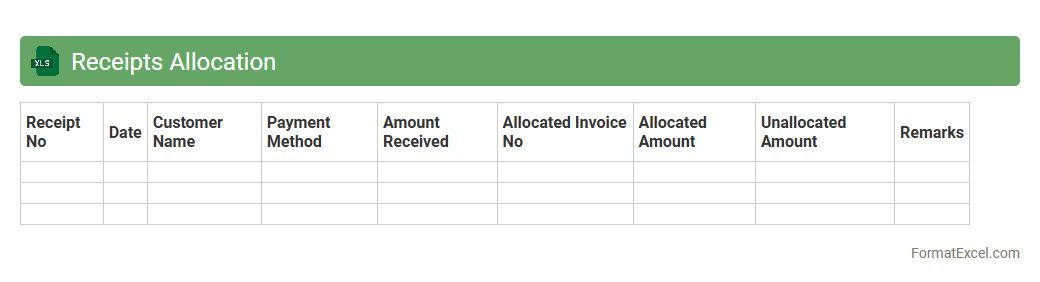
Receipts Allocation
A
Receipts Allocation Excel document is a spreadsheet tool designed to systematically track and distribute incoming payments across different accounts, projects, or expense categories. It enhances financial accuracy by ensuring that all receipts are correctly assigned, facilitating easier reconciliation and reporting. Using this document improves cash flow management and supports informed decision-making within accounting and finance operations.
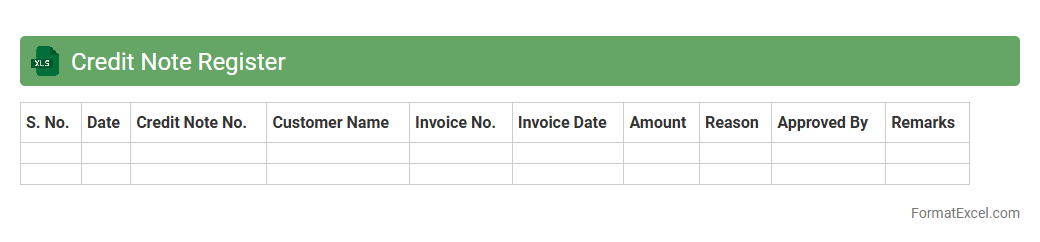
Credit Note Register
A
Credit Note Register Excel document systematically records all issued credit notes, tracking details such as date, invoice number, customer name, and amount credited. This register streamlines financial reconciliation by providing a clear overview of adjustments made to sales or accounts receivable, ensuring accuracy in bookkeeping and auditing processes. Utilizing this document enhances transparency and facilitates effective management of credit transactions within an organization.
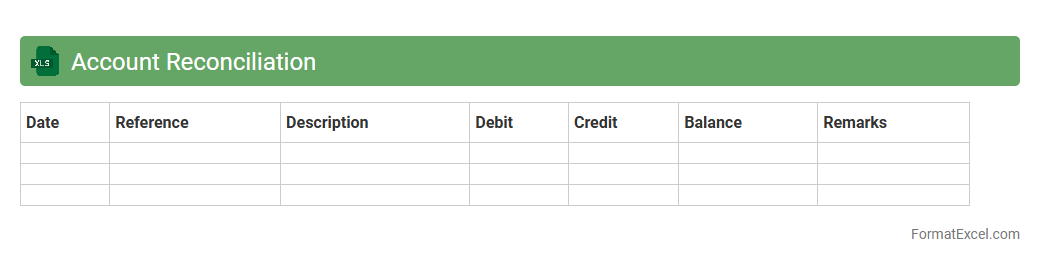
Account Reconciliation
Account Reconciliation Excel document is a
financial tool designed to compare and verify transactions between different accounts, ensuring accuracy and completeness in financial records. It helps identify discrepancies such as errors, omissions, or unauthorized transactions, which is critical for maintaining the integrity of financial statements and supporting compliance audits. By using this document, businesses can streamline the reconciliation process, reduce manual errors, and improve overall financial control and reporting efficiency.
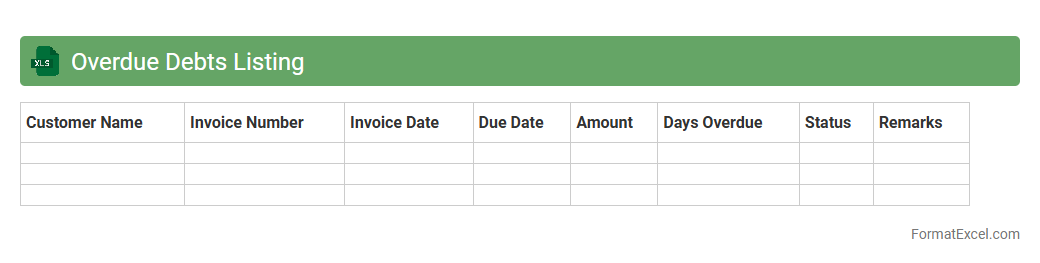
Overdue Debts Listing
An
Overdue Debts Listing Excel document is a detailed record of all outstanding debts that have surpassed their payment due dates, including debtor information, amounts owed, and aging categories. It helps businesses efficiently monitor and manage overdue accounts, prioritize collection efforts, and improve cash flow forecasting. This tool is essential for maintaining financial health by reducing the risk of bad debts and ensuring timely follow-up on receivables.
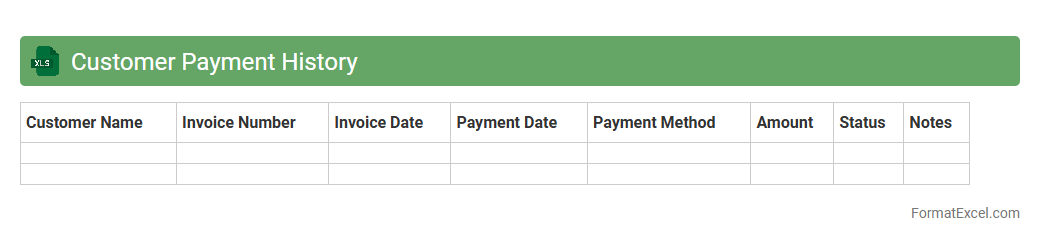
Customer Payment History
A
Customer Payment History Excel document records detailed transactions showing payment dates, amounts, and outstanding balances for each customer. This tool helps businesses track payment patterns, identify overdue accounts, and improve cash flow management. By analyzing this data, companies can make informed decisions to enhance credit policies and maintain healthier customer relationships.
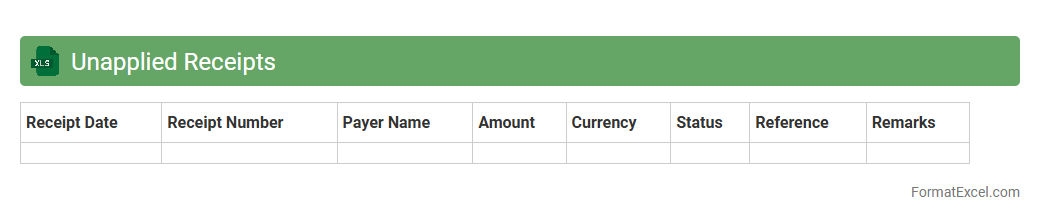
Unapplied Receipts
The
Unapplied Receipts Excel document is a financial tool used to track payments received that have not yet been matched to specific invoices or accounts. It helps businesses identify unapplied funds, enabling accurate cash flow management and reducing discrepancies in accounts receivable. By efficiently organizing unapplied receipts, this document supports timely allocation of payments and improved financial reporting.
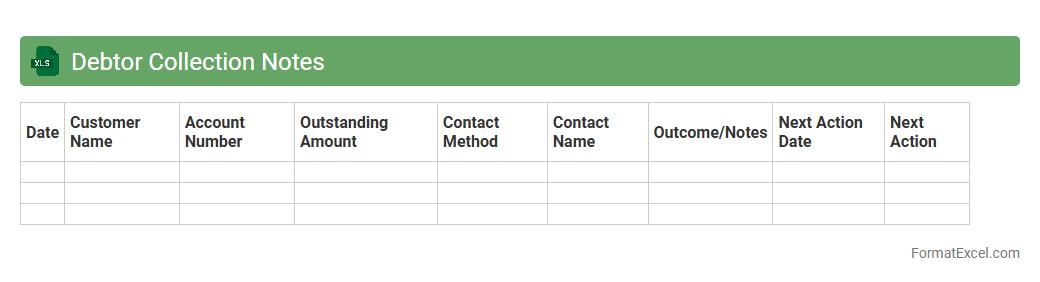
Debtor Collection Notes
The
Debtor Collection Notes Excel document is a structured spreadsheet used to record and track communications, payment statuses, and follow-up actions related to outstanding debts from customers or clients. It enables efficient management of collection efforts by providing clear visibility into debtor history, payment deadlines, and notes from previous contact attempts. This tool enhances cash flow management and reduces bad debt risk by organizing collection activities in a centralized, easily accessible format.
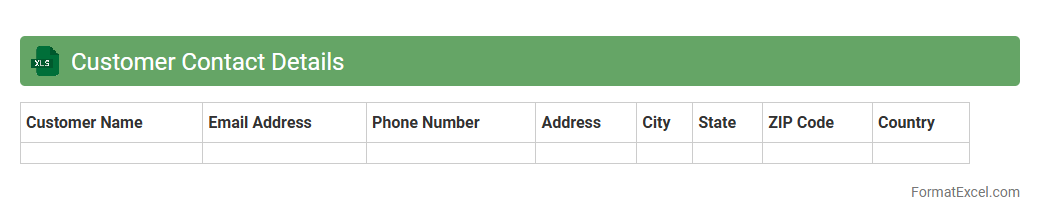
Customer Contact Details
A
Customer Contact Details Excel document is a structured spreadsheet that stores essential customer information such as names, phone numbers, email addresses, and physical locations. This document facilitates efficient communication, targeted marketing campaigns, and personalized customer service by providing quick access to updated contact data. Maintaining an organized Excel file improves data accuracy and helps businesses manage customer relationships effectively.
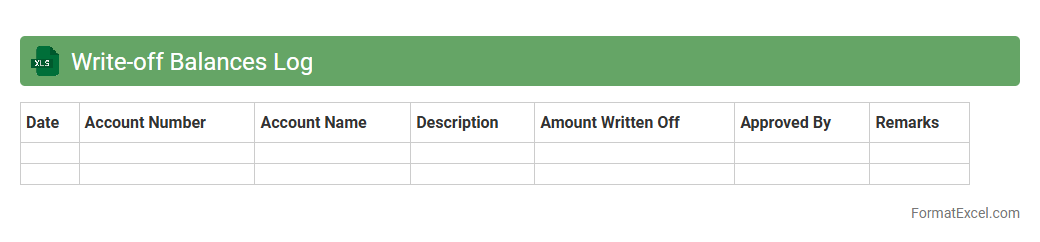
Write-off Balances Log
The
Write-off Balances Log Excel document is a systematic record of financial amounts that have been formally removed from accounts receivable due to non-collectibility. This tool is essential for maintaining accurate financial statements by tracking the history, reasons, and approval process of each write-off transaction. It enhances transparency and accountability, enabling better financial analysis and audit readiness.
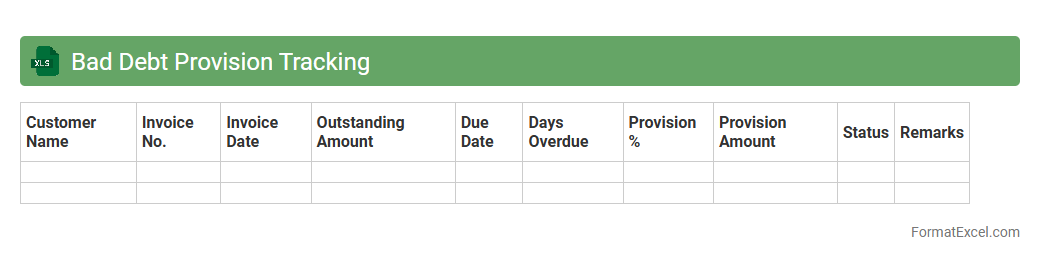
Bad Debt Provision Tracking
The
Bad Debt Provision Tracking Excel document is a financial tool designed to monitor and manage the provisions set aside for potential uncollectible receivables. It helps businesses maintain accurate records of outstanding debts and estimate losses realistically, aiding in better financial forecasting and compliance with accounting standards. By providing clear visibility into bad debt trends, this tool supports informed decision-making and minimizes financial risk.
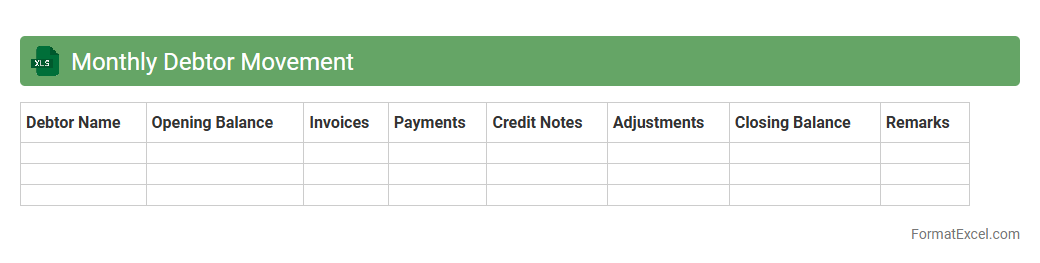
Monthly Debtor Movement
The
Monthly Debtor Movement Excel document tracks changes in accounts receivable over a specific month, detailing opening balances, sales, payments received, and closing balances. It enables businesses to monitor customer payment behavior, identify overdue accounts, and manage cash flow effectively. This document is essential for maintaining accurate financial records and improving credit control strategies.
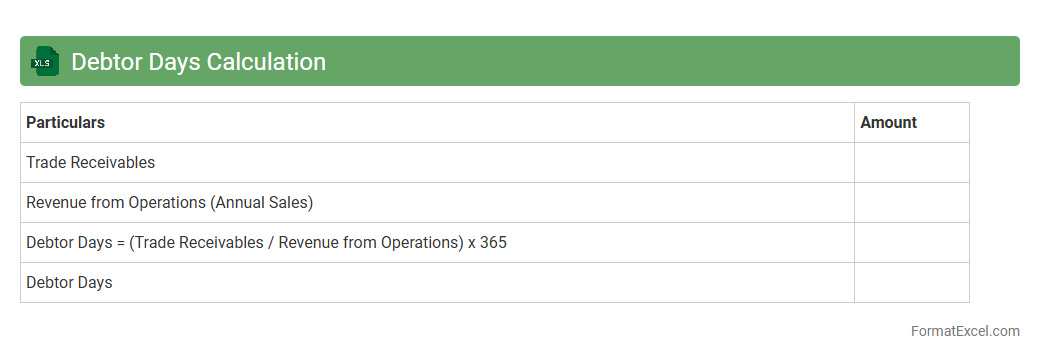
Debtor Days Calculation
The
Debtor Days Calculation Excel document is a financial tool designed to measure the average number of days it takes for a company to collect payments from its customers. It helps businesses monitor their accounts receivable efficiency, identify cash flow issues, and improve credit control strategies. Using this document, companies can optimize working capital management and make informed decisions to enhance financial stability.
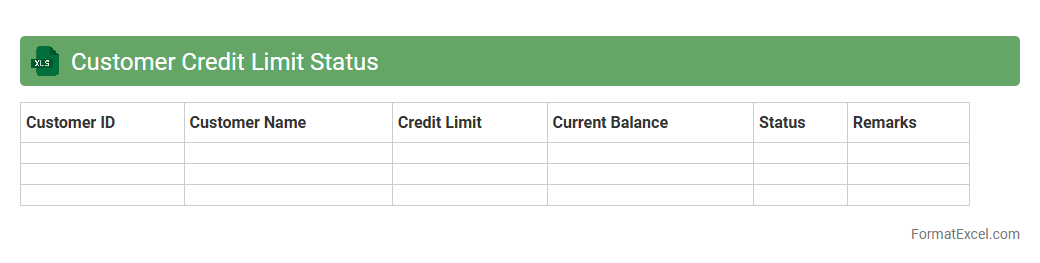
Customer Credit Limit Status
The
Customer Credit Limit Status Excel document tracks individual customer credit limits, outstanding balances, and payment history to provide a clear overview of credit risk and limit utilization. It helps finance teams monitor overdue accounts, prevent credit overextension, and support informed decision-making regarding sales and credit approvals. Maintaining this document enhances cash flow management and reduces the likelihood of bad debt.
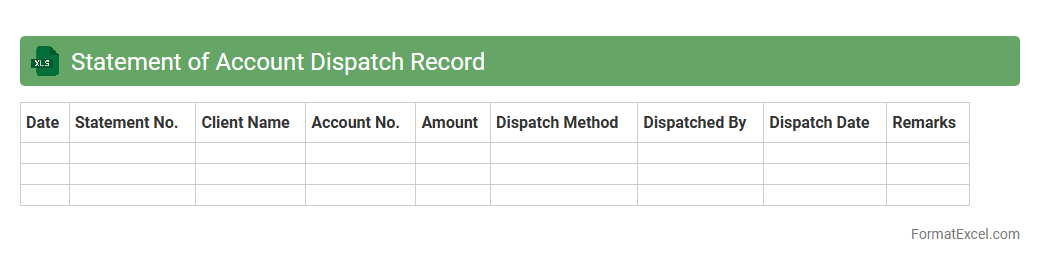
Statement of Account Dispatch Record
A
Statement of Account Dispatch Record Excel document tracks and organizes the dispatch details of account statements to clients, including dates, recipients, and delivery methods. It enables efficient monitoring of financial communications, ensuring timely and accurate statement distribution. This record supports audit trails, improves client relationship management, and streamlines reconciliation processes.
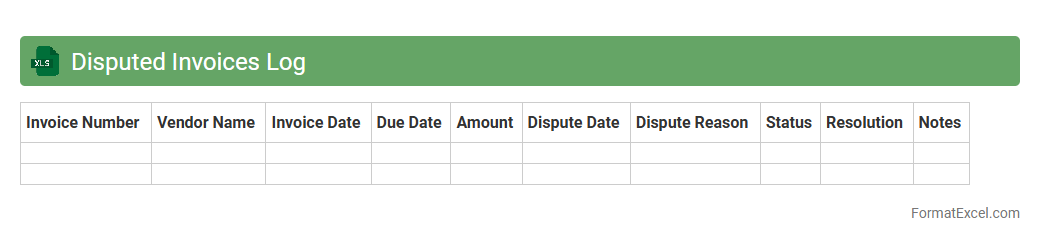
Disputed Invoices Log
The
Disputed Invoices Log Excel document is a detailed record that tracks all invoices flagged for discrepancies or payment issues. It provides crucial data on invoice numbers, dispute reasons, dates, and resolution statuses, enabling efficient monitoring and management of financial conflicts. This log streamlines communication between departments, reduces payment delays, and supports accurate financial reporting and audit trails.
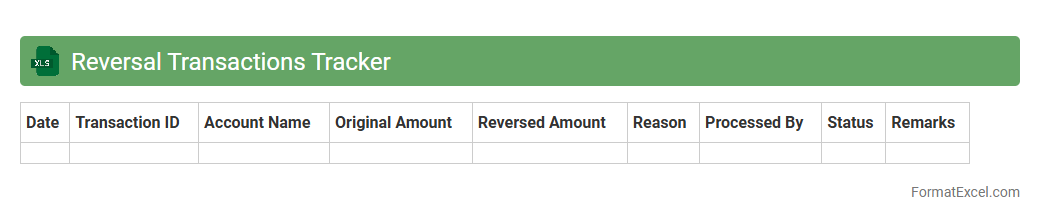
Reversal Transactions Tracker
The
Reversal Transactions Tracker Excel document is a specialized tool designed to monitor and manage transaction reversals systematically. It enables businesses to record, track, and analyze reversed transactions, ensuring accurate financial reconciliation and reducing errors. By providing real-time insights into reversal trends, this tracker helps improve cash flow management and strengthens internal controls.
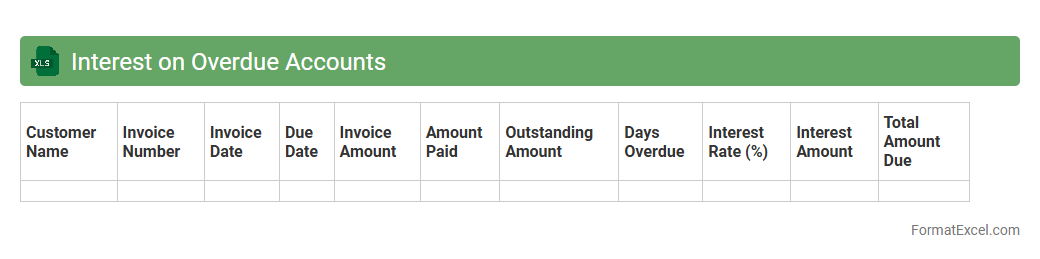
Interest on Overdue Accounts
The
Interest on Overdue Accounts Excel document calculates the interest charges on unpaid invoices based on overdue periods and predefined interest rates, helping businesses monitor outstanding payments. It automates the process of tracking overdue accounts, ensuring accurate financial records and aiding in cash flow management. This tool enables companies to enforce payment terms effectively and improve their accounts receivable efficiency.
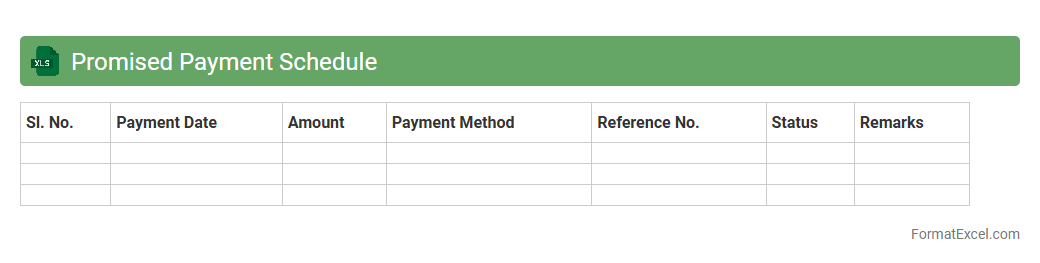
Promised Payment Schedule
The
Promised Payment Schedule Excel document is a structured tool designed to track and manage agreed-upon payment commitments between parties. It allows users to organize payment dates, amounts, and statuses clearly, ensuring transparency and accountability in financial arrangements. This document enhances cash flow management and helps prevent missed or delayed payments by providing a centralized and easy-to-update record.
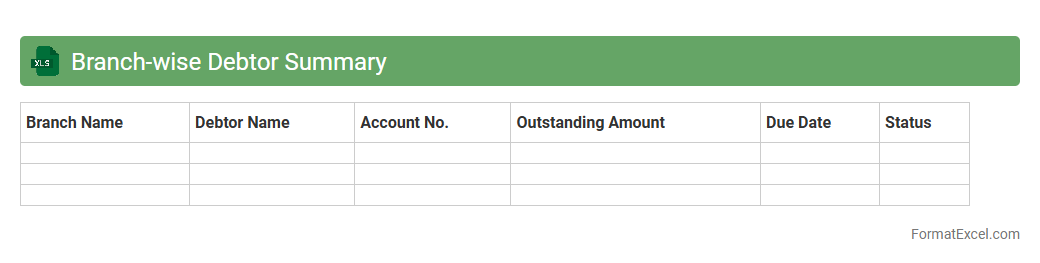
Branch-wise Debtor Summary
The
Branch-wise Debtor Summary Excel document consolidates outstanding receivables across multiple branches, providing a clear snapshot of debtor balances segmented by location. This facilitates efficient monitoring of credit exposure, streamlines the tracking of overdue payments, and supports strategic decision-making to enhance cash flow management. By organizing data branch-wise, it improves accuracy in financial reporting and enables targeted follow-up on delinquent accounts.
Introduction to Debtor Statement in Excel
A Debtor Statement in Excel is a financial document that tracks amounts owed by customers. It helps businesses monitor outstanding payments and manage credit efficiently. Excel is widely used due to its flexibility and powerful data management features.
Importance of a Debtor Statement
Maintaining a Debtor Statement is crucial for ensuring timely payments and reducing credit risk. It provides a clear overview of all outstanding debts, improving cash flow management. Regularly updated statements enable better customer relationship management.
Key Components of a Debtor Statement Format
The format of a debtor statement should include the debtor's name, invoice numbers, dates, amounts owed, and payment status. Including a running balance column enhances clarity. This structure facilitates easy tracking and reconciliation.
Step-by-Step Guide to Creating Debtor Statements in Excel
Begin by listing all debtor details and invoices in separate columns. Use Excel's data sorting and filtering features to organize the information efficiently. Finally, apply formulas to calculate totals and balances automatically.
Essential Columns for Debtor Statement Templates
Core columns include Invoice Number, Invoice Date, Due Date, Amount, Payments Made, and Balance Outstanding. These fields ensure comprehensive tracking of each transaction. Accurate column selection reduces errors and simplifies analysis.
Automating Calculations with Excel Formulas
Excel formulas like SUM, IF, and VLOOKUP help automate balance calculations and overdue flags. Using conditional formatting highlights late payments for quick visual identification. Automation reduces manual errors and saves time.
Customizing the Debtor Statement Layout
Personalize the layout by adjusting fonts, colors, and adding your logo to reflect your brand identity. Including filters or drop-downs enhances user interaction. A clean and professional design improves readability and usability.
Sample Debtor Statement Template in Excel
A sample debtor statement template typically includes headers, formatted columns, and pre-set formulas. It serves as a reliable starting point for customization. Using a template accelerates setup and standardizes reporting.
Best Practices for Managing Debtor Data
Regularly update debtor records to maintain accuracy and consistency. Back up your Excel files and secure sensitive data with password protection. Implementing data validation ensures correct and consistent inputs.
Conclusion and Additional Resources
Creating accurate debtor statements in Excel improves financial oversight and credit control. Utilize available online templates and tutorials to enhance your skills. Continuous learning will optimize your debtor management process.