Monthly Salary Slip
A
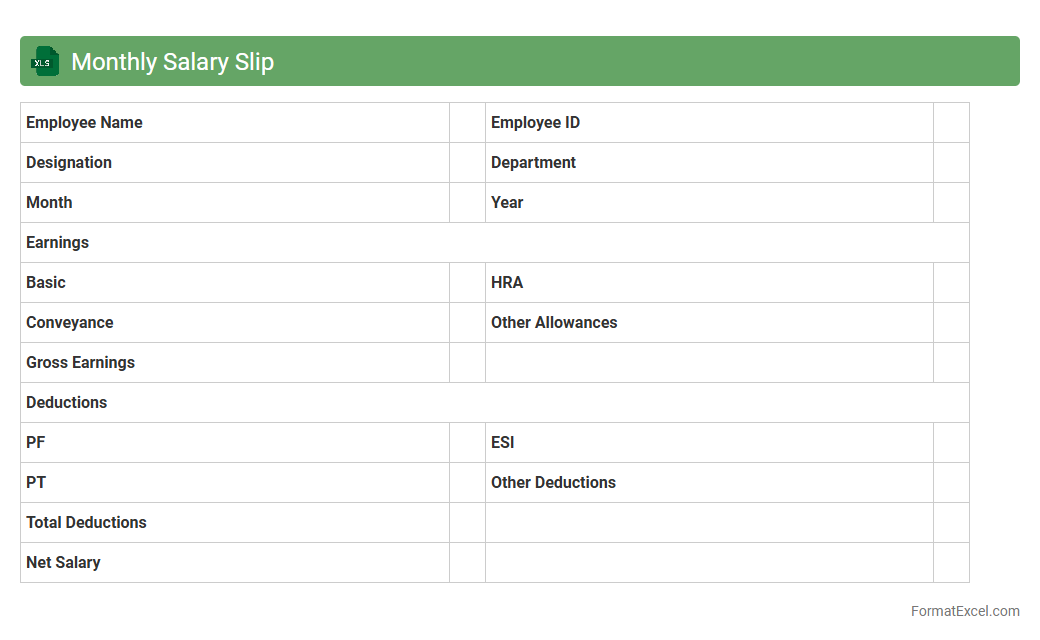
Monthly Salary Slip Excel document is a structured spreadsheet that details an employee's monthly earnings, including basic salary, allowances, deductions, and net pay. It provides a clear and organized record for both employees and employers to track salary components, ensuring transparency and accuracy in payroll management. This document is essential for financial planning, tax filing, and verifying income for loans or other official requirements.
Annual Salary Summary
An
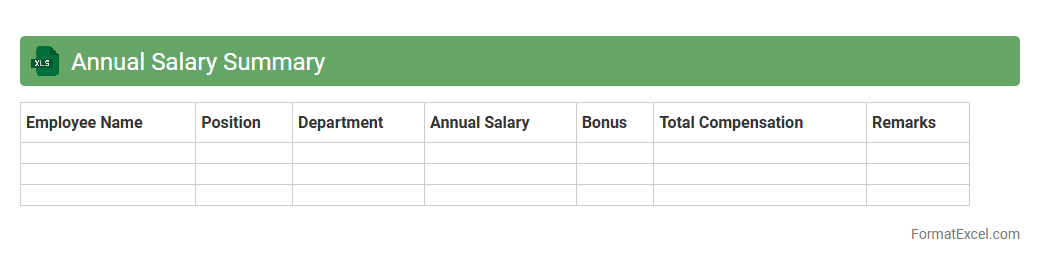
Annual Salary Summary Excel document consolidates employee salary data over a year, including base pay, bonuses, and deductions, enabling clear financial tracking. This tool simplifies payroll management by providing a comprehensive overview of compensation details, which aids in budgeting and financial planning. Employers and HR professionals benefit from enhanced transparency and quick access to critical salary information for audits or performance reviews.
Employee Earnings Register
An
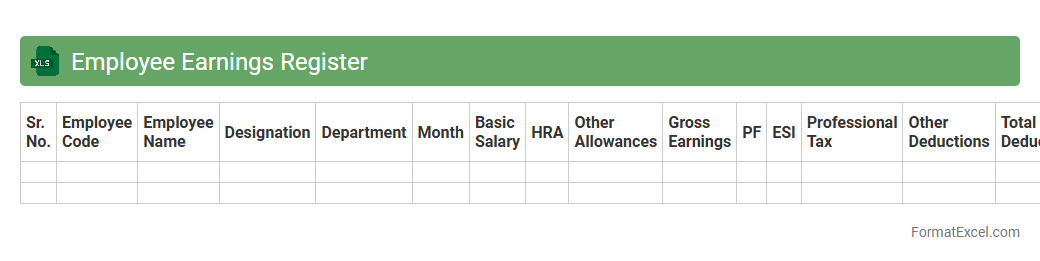
Employee Earnings Register Excel document systematically records detailed information on employee wages, bonuses, deductions, and net pay for specific pay periods. This register aids in accurate payroll processing, tax calculations, and financial auditing by providing a clear, organized format to track all earnings-related data. Businesses use this document to ensure compliance with labor laws and facilitate transparent communication between payroll departments and employees.
Pay Period Breakdown
A
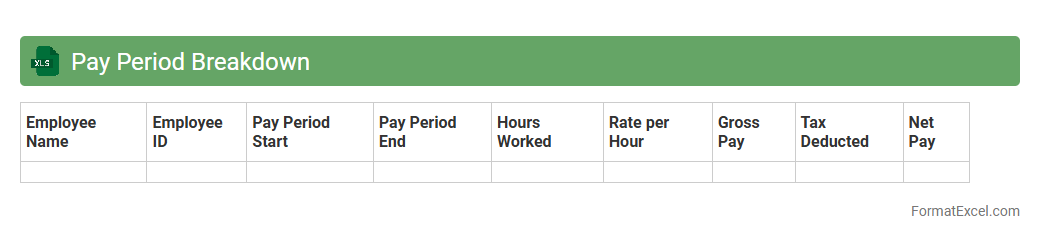
Pay Period Breakdown Excel document organizes employee work hours, wages, and deductions for each pay period, providing a clear financial summary. It helps businesses accurately calculate payroll, track overtime, and ensure compliance with labor laws. This tool enhances payroll efficiency and reduces errors, making employee compensation transparent and manageable.
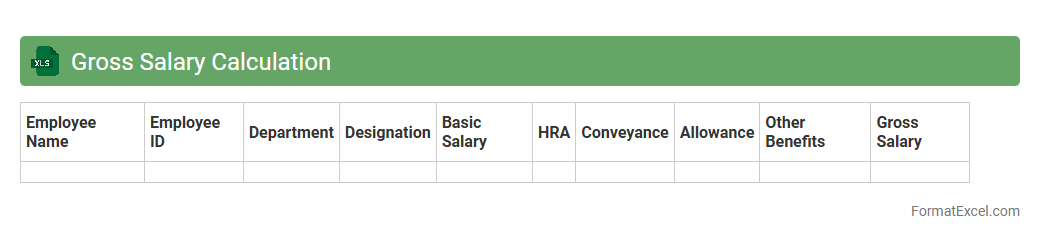
Gross Salary Calculation
A
Gross Salary Calculation Excel document is a structured spreadsheet used to determine an employee's total earnings before deductions like taxes and social security. It allows for accurate input of basic salary, allowances, bonuses, and other compensation components, providing a clear overview of the overall salary package. This tool facilitates payroll management, helps in budgeting, and ensures transparency in salary processing for both employers and employees.
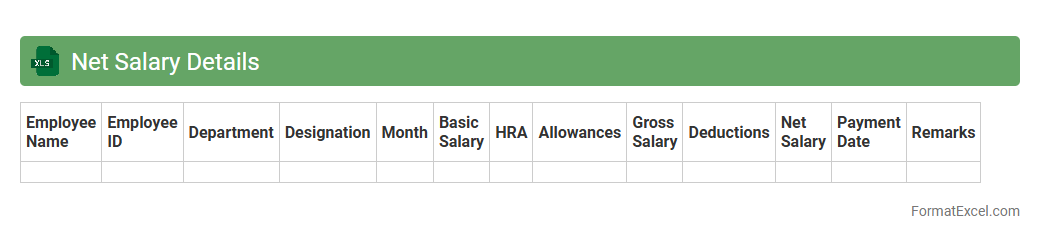
Net Salary Details
The
Net Salary Details Excel document provides a comprehensive breakdown of an employee's take-home pay after deductions such as taxes, insurance, and other contributions. It allows users to accurately track and analyze payroll data, ensuring transparency and simplifying financial planning. This document is essential for HR professionals and accountants to manage salary disbursements effectively and maintain detailed records for compliance and auditing purposes.
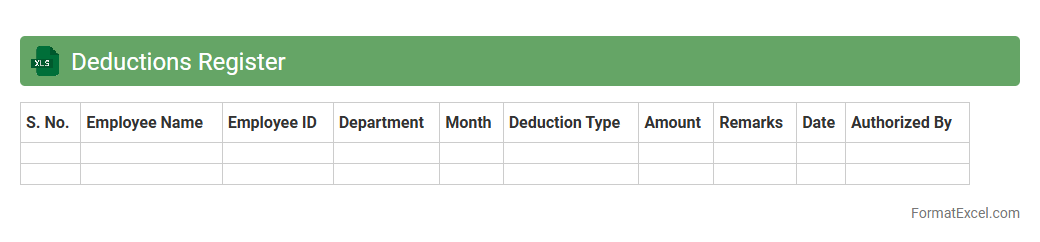
Deductions Register
The
Deductions Register Excel document is a structured spreadsheet designed to track all employee deductions such as taxes, insurance premiums, and retirement contributions. It helps businesses maintain accurate payroll records, ensuring compliance with legal requirements and simplifying financial audits. By consolidating deduction data in one place, the register enables efficient monitoring and reconciliation of payroll expenses.
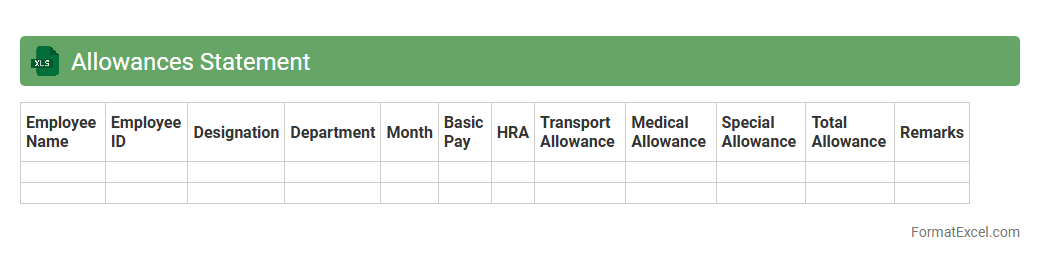
Allowances Statement
An
Allowances Statement Excel document is a detailed spreadsheet that tracks employee allowances such as travel, housing, and meal reimbursements. It helps organizations maintain accurate records for payroll processing, ensuring compliance with tax regulations and simplifying financial audits. This document improves transparency and efficiency in managing employee compensation and budgeting.
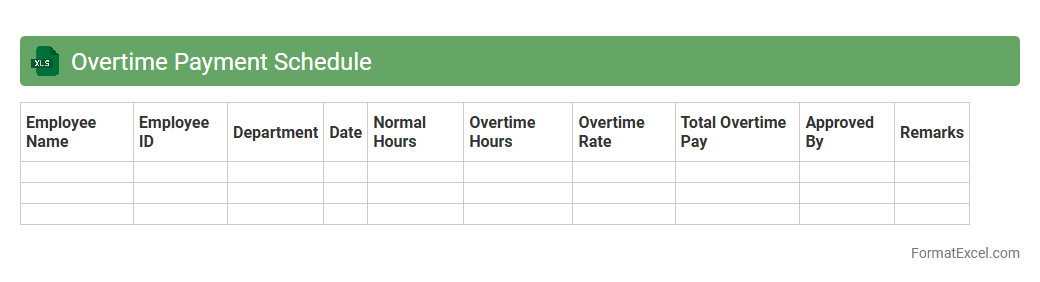
Overtime Payment Schedule
An
Overtime Payment Schedule Excel document is a structured spreadsheet used to accurately track and calculate employee overtime hours and corresponding wages. It helps organizations maintain compliance with labor laws, streamline payroll processes, and ensure timely compensation for extra work hours. By automating calculations and maintaining organized records, this tool enhances transparency and reduces errors in overtime payment management.
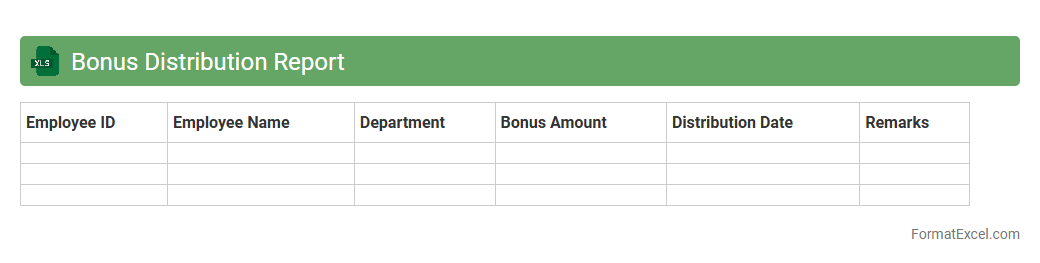
Bonus Distribution Report
A
Bonus Distribution Report Excel document is a detailed spreadsheet that tracks and calculates employee bonuses based on pre-defined criteria such as performance metrics, sales targets, or company profits. This report enables HR and finance teams to allocate bonuses accurately, ensuring transparency and fairness in reward distribution. Using this document helps organizations efficiently manage payroll expenses while motivating employees with clear, data-driven incentives.
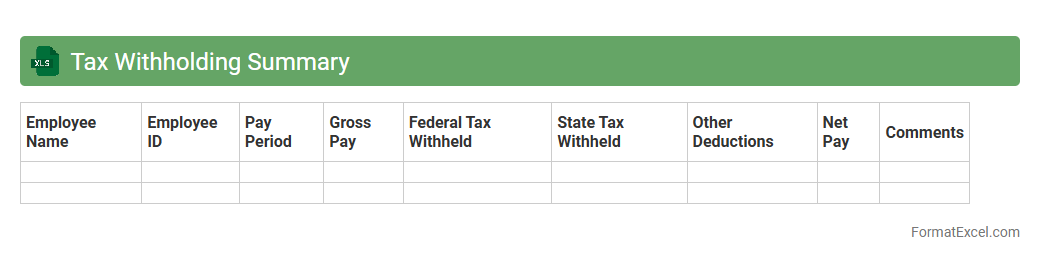
Tax Withholding Summary
A
Tax Withholding Summary Excel document compiles detailed records of employee income tax withholdings for a specified period, including federal, state, and local taxes. This summary aids businesses and payroll departments in accurately tracking tax liabilities, ensuring compliance with tax regulations, and simplifying the process of filing tax returns. By organizing withholding data systematically, it reduces errors, saves time during audits, and facilitates efficient financial reporting.
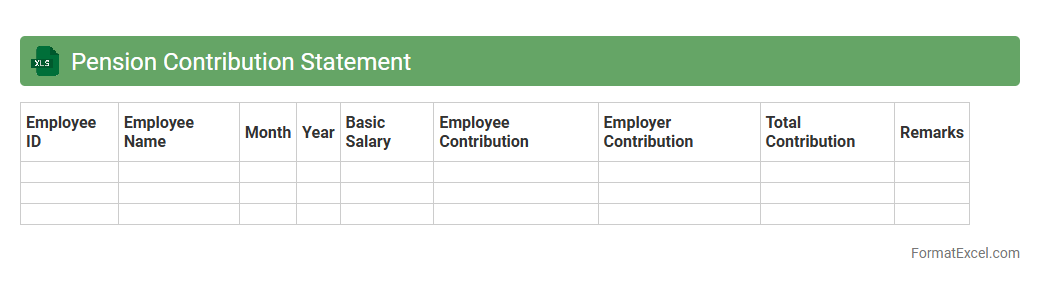
Pension Contribution Statement
A
Pension Contribution Statement Excel document provides a detailed record of the amounts contributed to a pension fund over a specific period. It enables individuals and employers to track pension payments accurately, ensuring transparency and compliance with retirement planning requirements. This document is essential for financial planning, verifying contributions for tax purposes, and preparing for future retirement benefits.
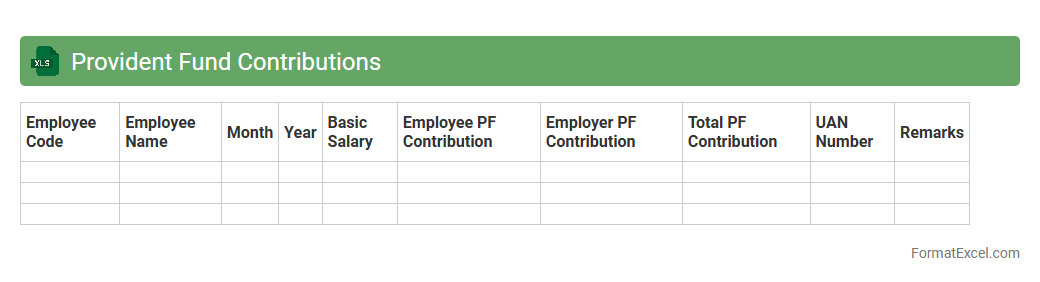
Provident Fund Contributions
A
Provident Fund Contributions Excel document is a structured file used to track and manage employee provident fund payments, including monthly contributions, balances, and employer matching amounts. It helps employers ensure accurate record-keeping, simplifies compliance with regulatory requirements, and enables employees to monitor their savings growth over time. This document facilitates efficient financial planning and auditing by consolidating essential provident fund data in an organized format.
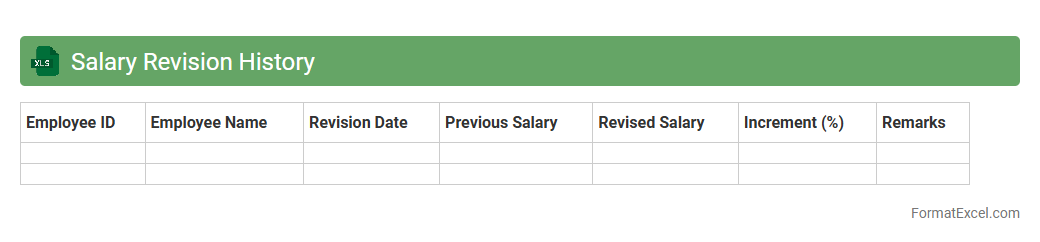
Salary Revision History
A
Salary Revision History Excel document records detailed data about employee salary changes, including dates, revised amounts, and reasons for adjustments. This document helps track compensation trends over time, ensuring transparency and aiding in performance appraisals or budget planning. Utilizing such a record supports informed decision-making in HR management and payroll processing.
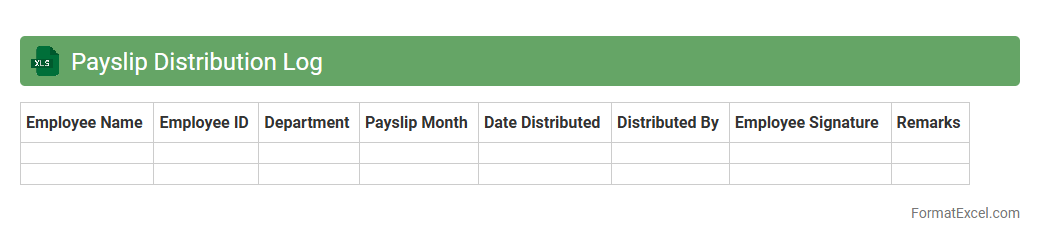
Payslip Distribution Log
The
Payslip Distribution Log Excel document is a detailed record that tracks the issuance of employee payslips, including dates, employee names, and distribution methods. This log enhances payroll accuracy and accountability by providing a clear audit trail for HR and finance teams. It streamlines payroll management, ensuring timely delivery and easier reconciliation of salary payments.
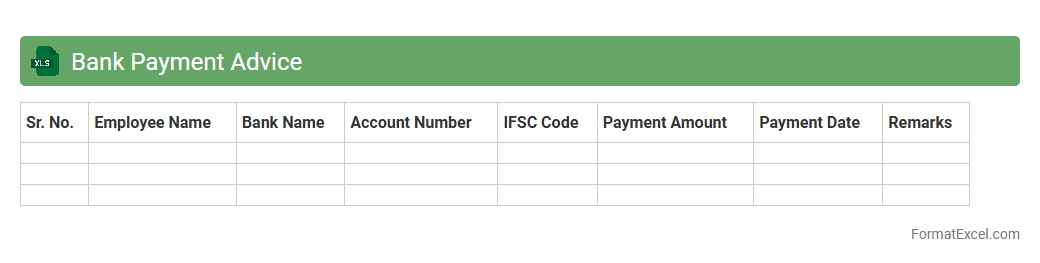
Bank Payment Advice
A
Bank Payment Advice Excel document is a detailed record that outlines payment transactions made by a company to its vendors or employees, including transaction dates, amounts, and references. It helps in verifying payments, reconciling bank statements, and maintaining transparent financial records. This document enhances accuracy in accounting and facilitates efficient communication between the company and its bank or payees.
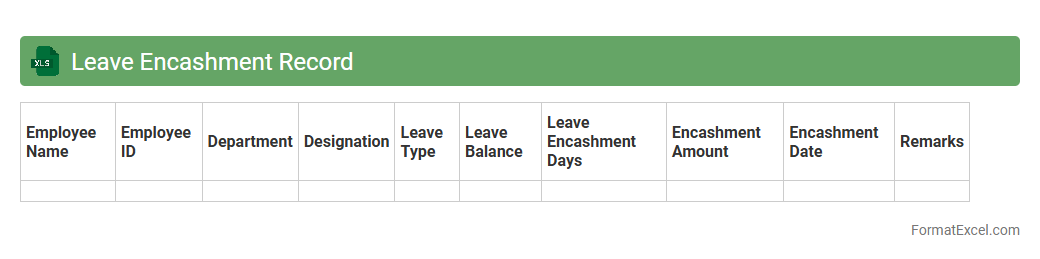
Leave Encashment Record
The
Leave Encashment Record excel document tracks and calculates the monetary value of unused employee leave over a specific period. It streamlines the process of managing leave balances, ensuring accurate payroll adjustments and compliance with company policies. This document enhances transparency in employee benefits and aids in financial planning by providing a clear record of leave encashment transactions.
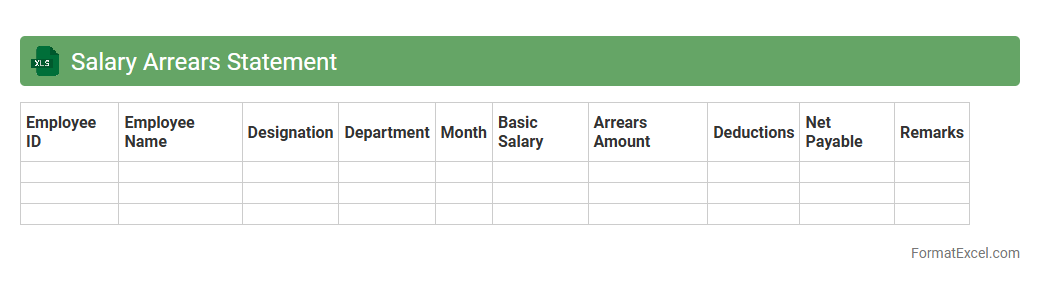
Salary Arrears Statement
A
Salary Arrears Statement Excel document is a detailed record that tracks pending salary payments owed to employees for previous periods. It provides clarity on outstanding amounts, dates, and reasons for arrears, helping the HR and payroll departments manage accurate salary disbursements. This document is essential for ensuring timely reconciliation, maintaining financial transparency, and avoiding disputes related to unpaid wages.
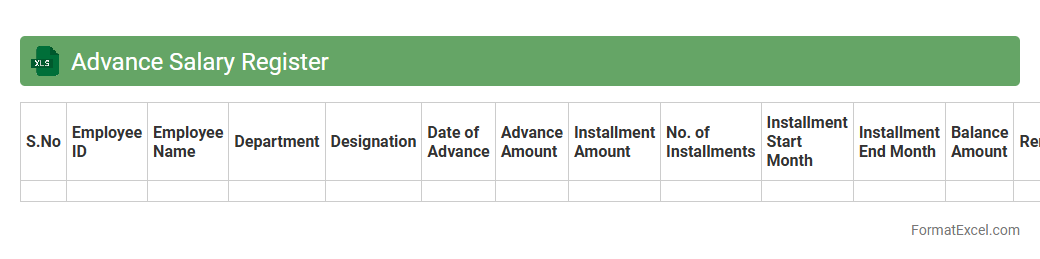
Advance Salary Register
The
Advance Salary Register Excel document is a structured spreadsheet designed to record and track employee salary advances efficiently. It helps businesses monitor the amounts given as salary advances, repayment schedules, and outstanding balances, ensuring accurate financial management and transparency. Using this register minimizes payroll errors and simplifies salary advance reconciliation processes.
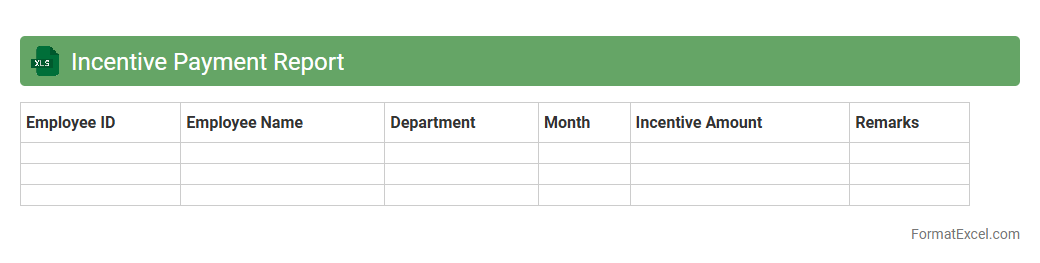
Incentive Payment Report
The
Incentive Payment Report Excel document is a detailed record that tracks and calculates employee bonuses based on performance metrics and organizational goals. It enables businesses to efficiently monitor payout schedules, verify accuracy, and maintain transparency in compensation processes. This report supports data-driven decision-making by highlighting incentive trends and facilitating payroll audits.
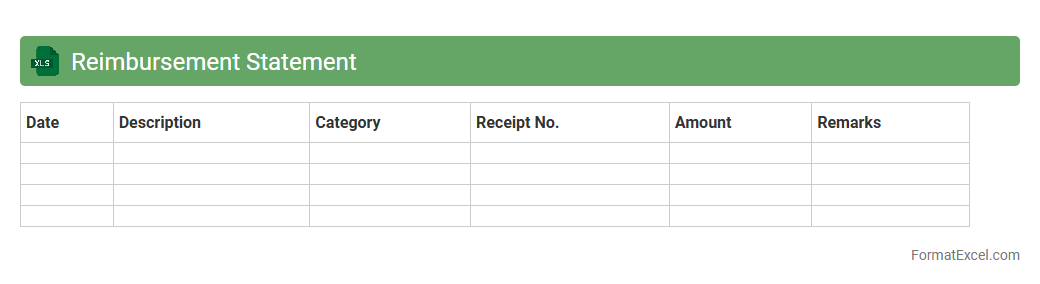
Reimbursement Statement
A
Reimbursement Statement Excel document serves as a detailed record of expenses incurred by an individual or employee that are eligible for repayment by an organization. It allows for systematic tracking, categorization, and summarization of expenditure data, streamlining the reimbursement process and ensuring accurate financial accounting. This document is useful for maintaining transparency, facilitating quicker approvals, and simplifying audit compliance in expense management.
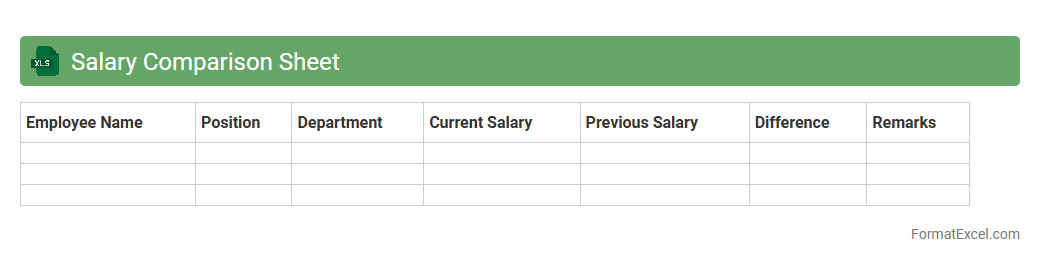
Salary Comparison Sheet
A
Salary Comparison Sheet Excel document is a structured tool designed to organize and analyze salary data across different roles, companies, or industries. It helps individuals and HR professionals benchmark compensation, identify pay disparities, and make informed decisions about salary adjustments or negotiations. By consolidating pay information methodically, it simplifies complex data into clear insights for effective financial planning and career growth.
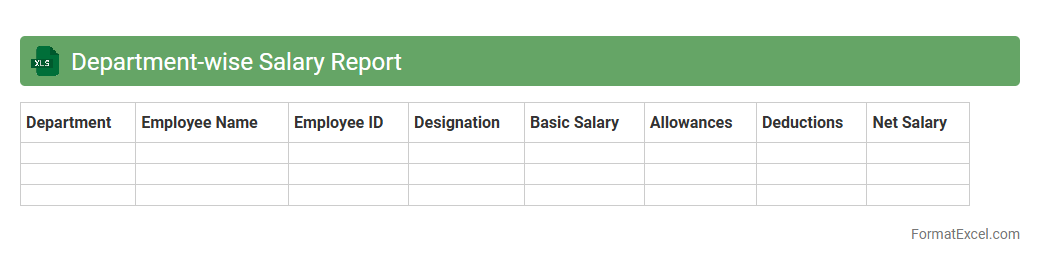
Department-wise Salary Report
A
Department-wise Salary Report Excel document consolidates salary data segmented by each department, enabling precise payroll analysis and budget management. It helps organizations monitor compensation trends, identify discrepancies, and ensure equitable salary distribution across teams. This report streamlines financial planning, supports compliance with labor regulations, and aids in strategic decision-making for workforce costs.
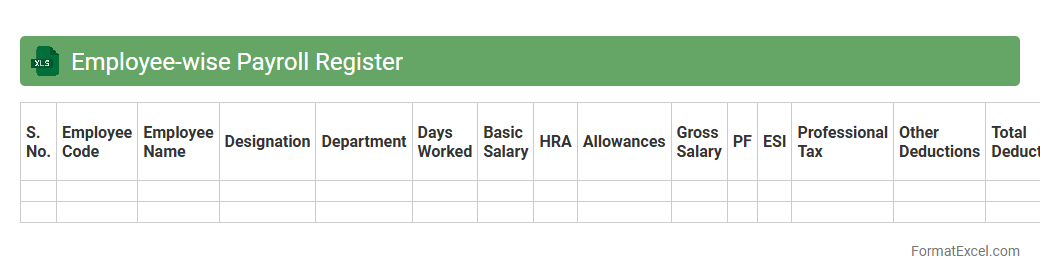
Employee-wise Payroll Register
An
Employee-wise Payroll Register Excel document is a detailed record that tracks individual employee salary components, deductions, and net pay for each payroll period. It streamlines payroll management by consolidating data like attendance, bonuses, taxes, and leave adjustments in one accessible spreadsheet. This register enhances accuracy in salary disbursement, simplifies auditing, and supports compliance with tax and labor regulations.
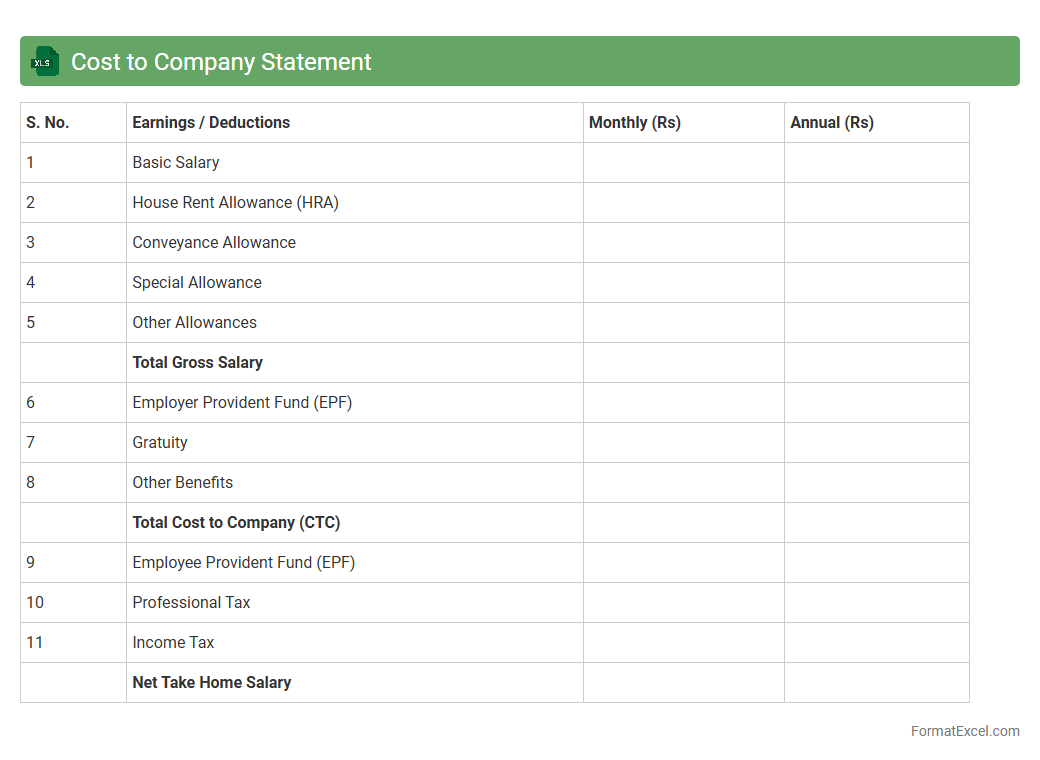
Cost to Company Statement
A
Cost to Company (CTC) Statement Excel document details the complete salary package, including basic pay, bonuses, benefits, taxes, and employer contributions. It helps employees and employers clearly understand the total financial commitment and compensation structure, facilitating transparent payroll management and effective budgeting. Using this document ensures accurate cost analysis, which is essential for salary negotiations and financial planning.
Introduction to Salary Statement Formats
A salary statement is a document that details an employee's earnings, deductions, and net pay for a specific period. It provides transparency and clarity regarding compensation. Different formats exist to suit various company needs and compliance requirements.
Importance of Salary Statements for Employees
Salary statements are crucial for employees as they serve as official proof of income and help track financial records. They provide detailed information on salaries, bonuses, taxes, and deductions. Understanding the salary statement can aid in better personal financial management.
Key Components of a Salary Statement
A comprehensive salary statement includes employee details, pay period, basic salary, allowances, deductions, and net pay. These components ensure the document is complete and informative. Accurate components prevent discrepancies and build trust.
Advantages of Using Excel for Salary Statements
Excel offers flexibility, ease of customization, and automation capabilities for salary calculations. It allows quick updates and formula-based accuracy, reducing manual errors. Using Excel streamlines salary statement generation and record-keeping.
Essential Columns in an Excel Salary Statement
Key columns typically include Employee ID, Name, Pay Period, Basic Pay, Allowances, Deductions, Tax, and Net Salary. These columns cover all critical data for salary processing and reporting. Proper column setup ensures accuracy and clarity.
Step-by-Step Guide to Creating a Salary Statement in Excel
Start by defining essential columns and entering employee data. Use formulas to calculate totals, deductions, and net pay to automate the process. Finalize the format for clear presentation, making the salary statement both functional and professional.
Downloadable Salary Statement Excel Templates
Pre-designed Excel templates save time and reduce errors by providing ready-made formats for salary statements. Many reputable sources offer free and customizable templates that can be adapted to any organization's needs. These templates simplify the preparation process significantly.
Tips for Customizing Your Salary Statement Format
Adjust column widths, add company logos, and use color coding to enhance readability and branding. Ensure formulas are error-free and compliant with local tax laws and regulations. Tailoring the format improves usability and employee satisfaction.
Common Errors to Avoid in Excel Salary Statements
Typical mistakes include incorrect formula references, missing data entries, and ignoring tax or deduction rules. Double-checking inputs and calculations is essential to maintain accuracy. Avoiding these errors prevents payroll disputes and compliance issues.
Frequently Asked Questions About Salary Statement Format in Excel
FAQs often cover how to add new allowances, update tax rates, and protect data within Excel files. Understanding how to customize and secure the salary statement format helps organizations maintain confidentiality and compliance. Addressing these questions aids smooth payroll management.