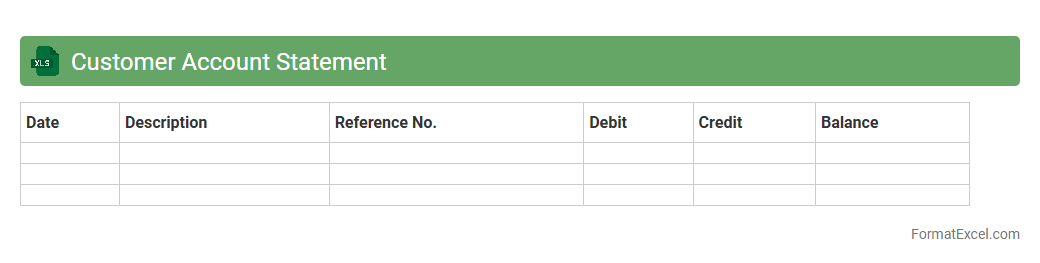
Customer Account Statement
A
Customer Account Statement Excel document is a structured spreadsheet that records detailed financial transactions between a business and its customers, including invoices, payments, and outstanding balances. This document helps monitor payment histories, manage credit, and ensure accurate reconciliation of accounts, improving financial transparency. It is useful for tracking customer activity, identifying overdue payments, and streamlining accounting processes for better cash flow management.
Vendor Account Statement
A
Vendor Account Statement excel document is a detailed financial record that summarizes transactions between a company and its suppliers, including invoices, payments, credits, and outstanding balances. It facilitates efficient tracking of vendor payments, helps reconcile accounts accurately, and improves cash flow management by providing clear visibility into payables. Businesses use this document to ensure timely payments, maintain good vendor relationships, and support audit and compliance processes.
Bank Account Statement
A
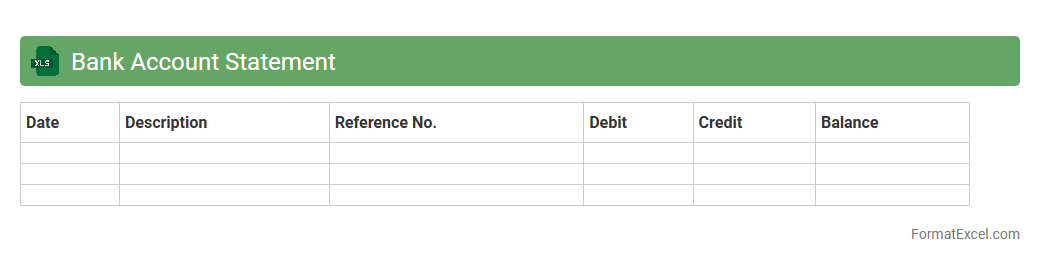
Bank Account Statement Excel document is a digital spreadsheet that organizes and tracks all financial transactions within a bank account, including deposits, withdrawals, and balances. This tool enhances financial management by providing a clear, structured view of account activity, helping users monitor expenses, identify fraudulent charges, and prepare for tax reporting. Its customizable format allows effortless data analysis and financial planning, making it essential for both personal budgeting and business accounting.
Credit Card Account Statement
A
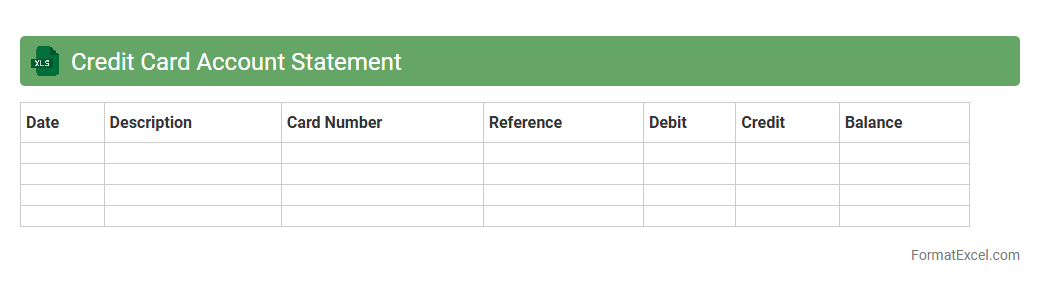
Credit Card Account Statement Excel document is a digital file that organizes and records detailed information about credit card transactions, balances, payments, and charges in a spreadsheet format. It helps users track their spending patterns, monitor due dates, and manage finances efficiently by providing a clear overview of credit card activity. This tool is essential for budgeting, ensuring timely payments, and avoiding interest charges or penalties.
Receivables Account Statement
A
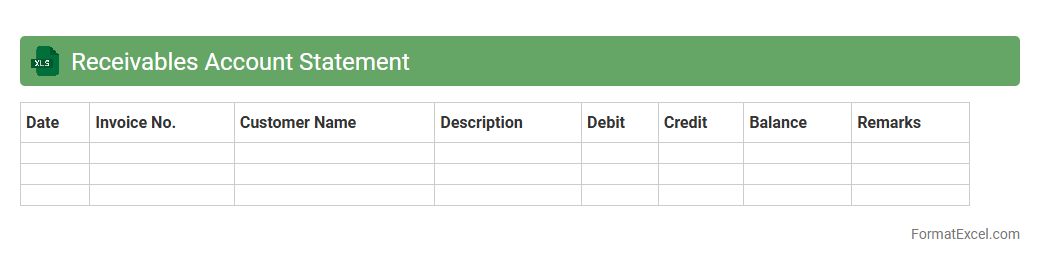
Receivables Account Statement Excel document is a detailed financial record that tracks customer debts and payments over a specific period, enabling businesses to monitor outstanding invoices and due amounts efficiently. It serves as a crucial tool for managing cash flow by providing clear visibility into unpaid receivables, helping to identify overdue accounts and prioritize collection efforts. The customizable format of Excel allows for easy updates, analysis, and reporting tailored to specific business needs, making it invaluable for maintaining accurate financial records and improving credit management.
Payables Account Statement
A
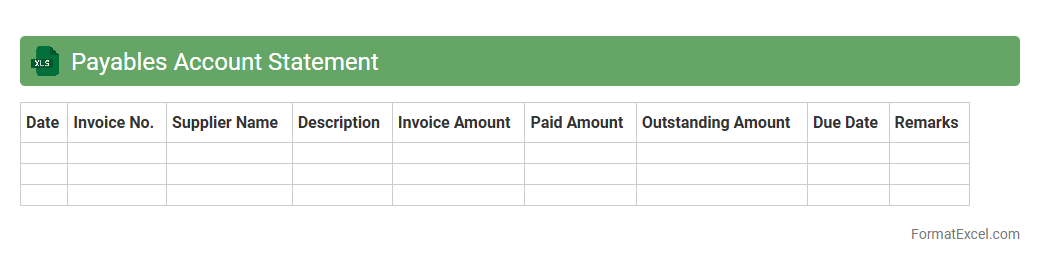
Payables Account Statement Excel document is a detailed financial record that tracks all outstanding amounts a business owes to its suppliers and vendors. It helps manage cash flow by providing clear visibility into payment schedules, due dates, and total liabilities. Utilizing this statement improves accuracy in financial reporting and supports timely decision-making for maintaining strong supplier relationships.
Loan Account Statement
A
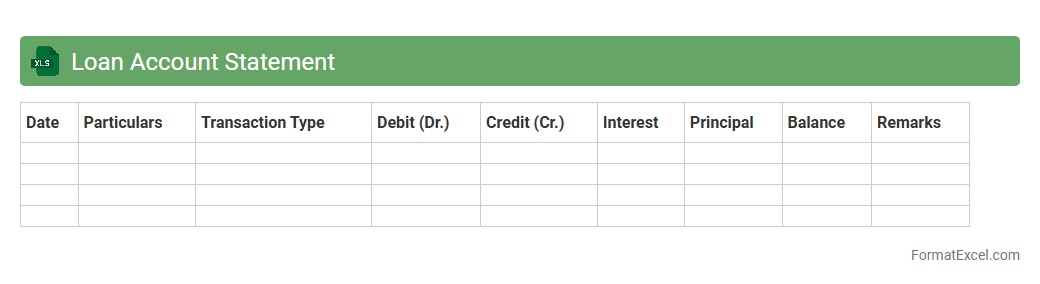
Loan Account Statement Excel document is a detailed financial record that tracks all transactions related to a specific loan, including principal repayments, interest calculations, and payment dates. This spreadsheet allows users to monitor loan balances, assess payment schedules, and evaluate overall loan progress systematically. It is useful for borrowers and lenders to maintain transparency, ensure accurate financial management, and plan future payments effectively.
Intercompany Account Statement
An
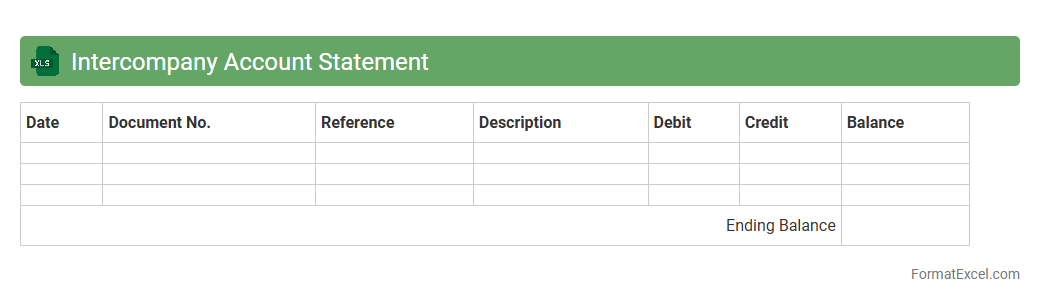
Intercompany Account Statement Excel document is a financial record that tracks transactions and balances between different entities within the same organization. It provides a clear overview of intercompany receivables and payables, helping reconcile accounts and ensure accurate internal audits. This document enhances transparency, reduces errors, and streamlines the intercompany reconciliation process, improving overall financial management.
Employee Account Statement
An
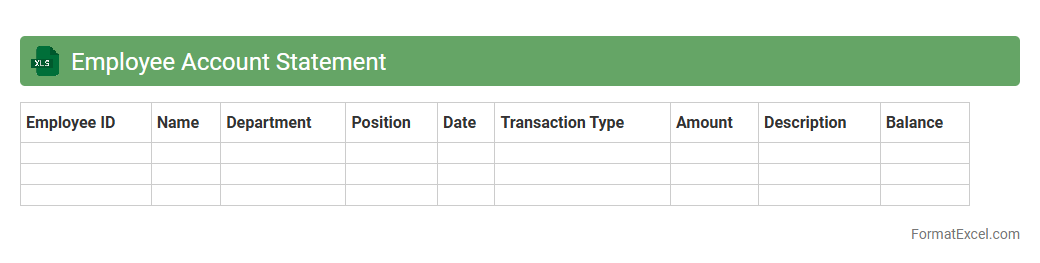
Employee Account Statement Excel document is a detailed financial record that summarizes an employee's salary, deductions, bonuses, and other financial transactions over a specific period. This document helps HR professionals and employees track earnings, tax payments, and benefits, ensuring transparency and accuracy in payroll management. It is essential for budgeting, financial audits, and resolving any payroll discrepancies efficiently.
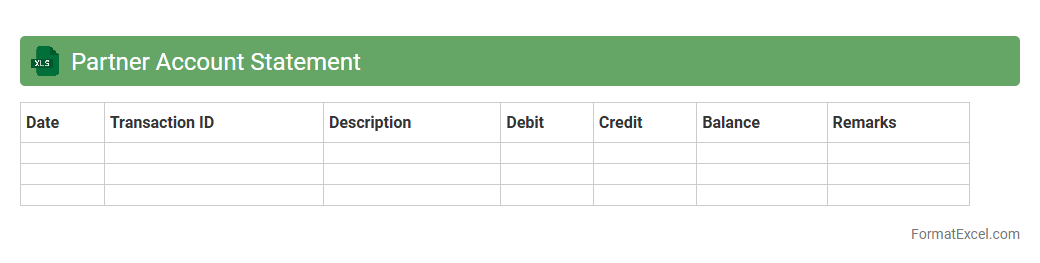
Partner Account Statement
A
Partner Account Statement Excel document is a detailed financial record that tracks transactions, outstanding balances, and payment histories between a company and its business partners. It helps organizations monitor account activities efficiently, ensuring transparency and accuracy in financial dealings. This document is essential for reconciling accounts, managing cash flow, and maintaining strong business relationships through clear communication of financial status.
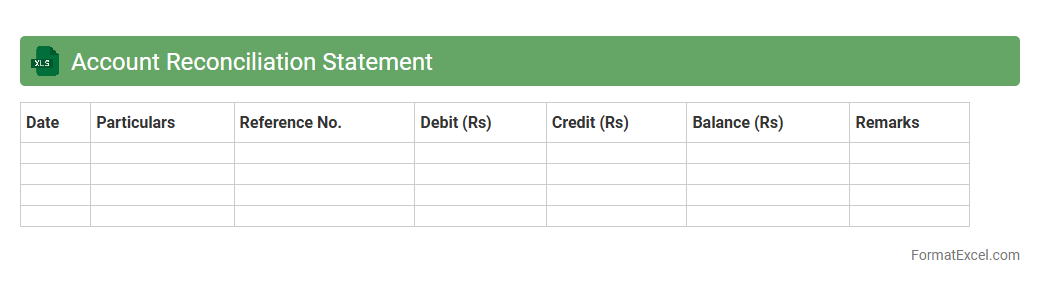
Account Reconciliation Statement
An
Account Reconciliation Statement Excel document is a financial tool used to compare and verify the balances between two accounts to ensure accuracy and consistency. It helps identify discrepancies, errors, or fraudulent transactions by systematically matching entries from bank statements and accounting records. This process is essential for maintaining accurate financial records, enhancing audit readiness, and ensuring compliance with accounting standards.
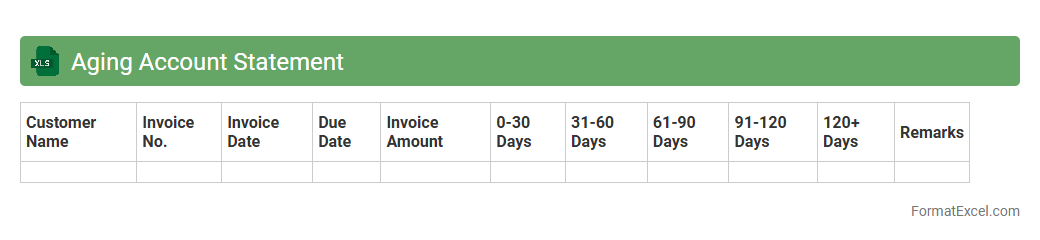
Aging Account Statement
An
Aging Account Statement Excel document is a financial tool that categorizes outstanding invoices based on their due dates, typically grouping them into 30, 60, 90 days, or more past the due date. It helps businesses track overdue payments, assess credit risk, and prioritize collection efforts effectively. This organized overview improves cash flow management and supports informed decision-making regarding customer creditworthiness.
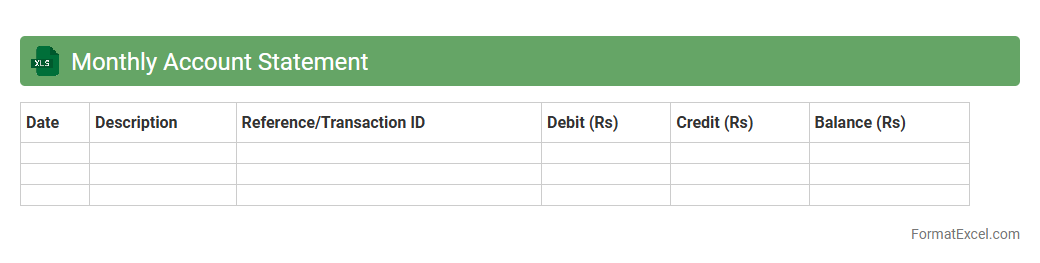
Monthly Account Statement
A
Monthly Account Statement Excel document is a digital file used to track and summarize financial transactions over a specific month, including income, expenses, and balances. It provides a clear and organized view of an individual's or organization's financial activities, enabling easy identification of spending patterns and account discrepancies. This tool is essential for budgeting, financial planning, and ensuring accurate record-keeping for audit and tax purposes.
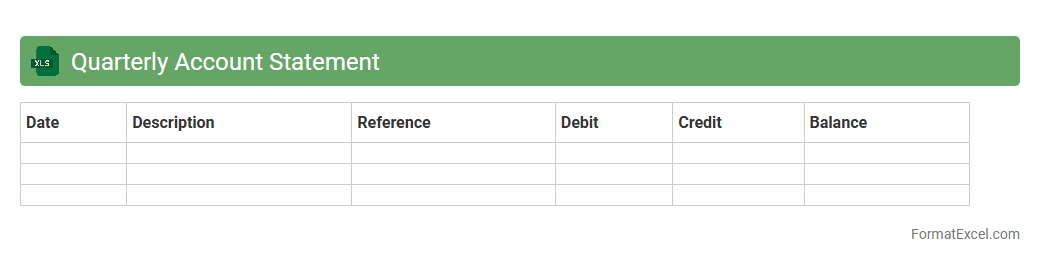
Quarterly Account Statement
A
Quarterly Account Statement Excel document summarizes financial transactions, balances, and activity within a specific three-month period for an individual or organization. It helps track income, expenses, investments, and outstanding balances with clear, organized data that supports budgeting, financial analysis, and decision-making. This structured format enhances accuracy, facilitates audit trails, and improves overall financial transparency.
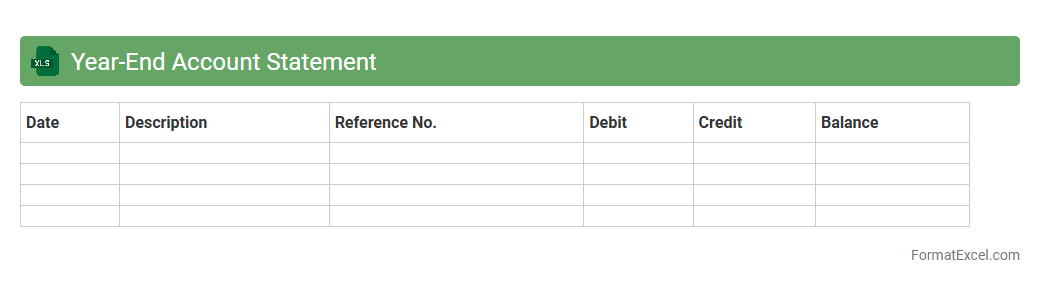
Year-End Account Statement
A
Year-End Account Statement Excel document summarizes all financial transactions and balances within an account over the course of a year, providing a clear overview of income, expenses, assets, and liabilities. This statement helps individuals and businesses track their financial performance, identify trends, and prepare accurate tax reports. Using Excel enhances data organization, ease of updates, and the ability to generate detailed charts and reports for better financial decision-making.
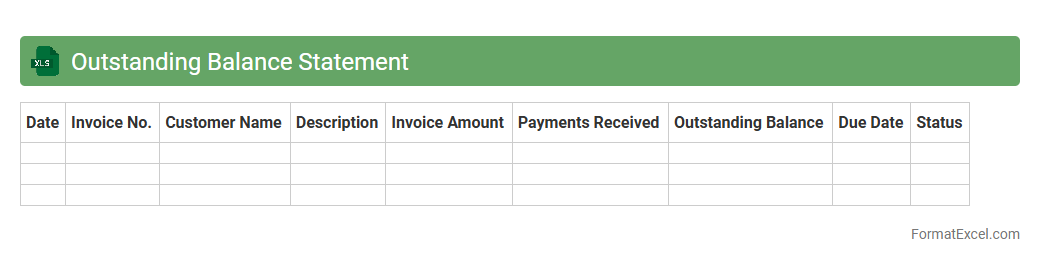
Outstanding Balance Statement
An
Outstanding Balance Statement Excel document is a spreadsheet designed to track and manage unpaid financial obligations, such as loans, invoices, or credit card balances. It allows users to monitor due amounts, payment dates, and interest accrual, facilitating effective financial planning and timely debt repayment. By maintaining an organized record in Excel, individuals or businesses can optimize cash flow management and avoid late payment penalties.
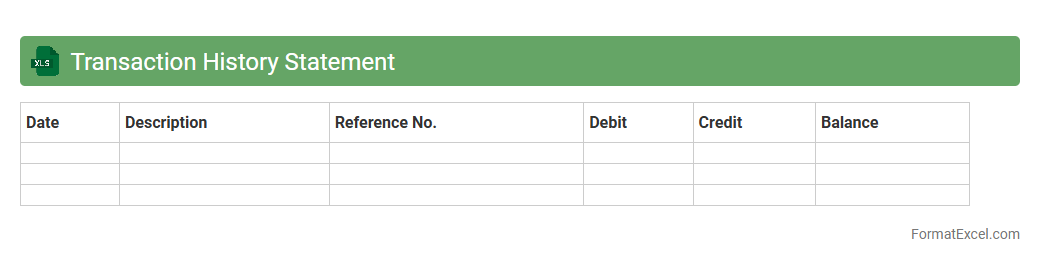
Transaction History Statement
A
Transaction History Statement Excel document is a detailed record of financial transactions organized in a spreadsheet format. It enables users to track income, expenses, and account activity systematically, enhancing financial transparency and management. This document is useful for budgeting, auditing, tax preparation, and making informed financial decisions based on historical transaction data.
Investment Account Statement
An
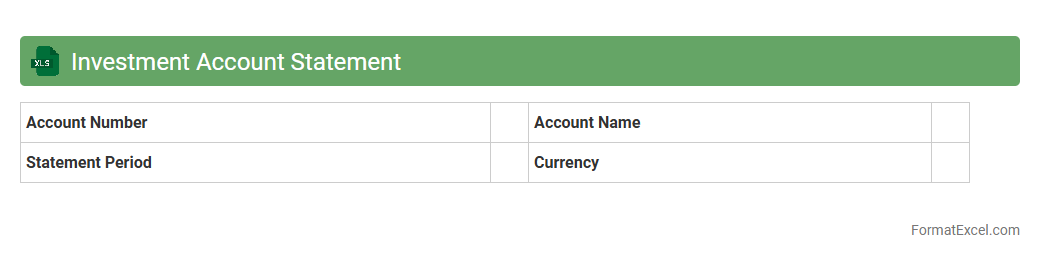
Investment Account Statement Excel document is a structured spreadsheet that records detailed information about your investment transactions, holdings, dividends, and portfolio performance over time. This document helps investors track their asset allocation, monitor gains and losses, and analyze historical investment trends efficiently. Utilizing this tool enhances financial decision-making by providing clear visibility into portfolio health and facilitating tax reporting and strategic planning.
Savings Account Statement
A
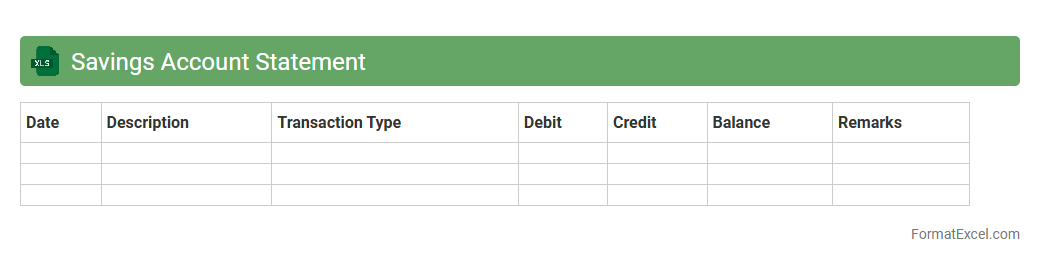
Savings Account Statement Excel document is a digital file that organizes and records all transactions, balances, and interest accrued in a savings account over a specific period. It allows users to efficiently track their income, expenses, and growth of savings through clear, searchable, and customizable data entries. This document enhances financial management by providing a transparent overview, enabling better budgeting and informed decision-making.
Deposit Account Statement
A
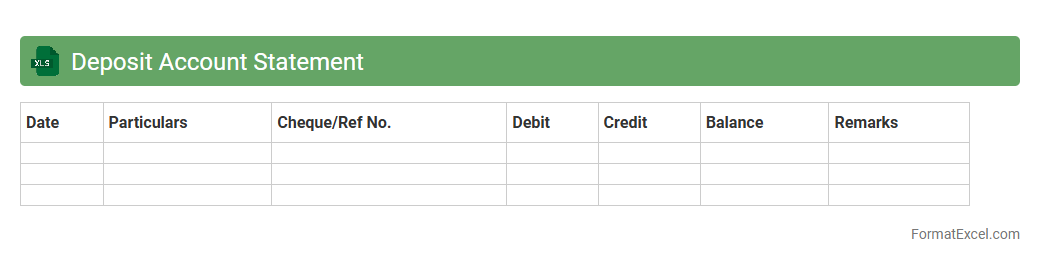
Deposit Account Statement Excel document is a detailed financial record that tracks all transactions within a deposit account, including deposits, withdrawals, interest earned, and fees. It allows users to monitor their account activity, reconcile balances, and identify discrepancies efficiently. This document is essential for personal finance management, auditing, and ensuring accurate financial reporting.
Escrow Account Statement
An
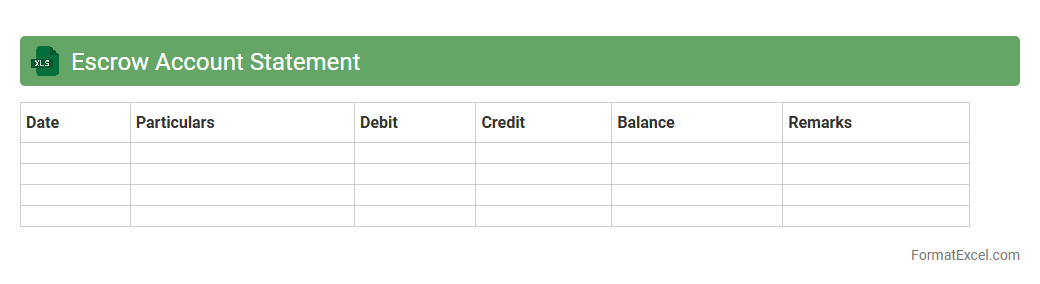
Escrow Account Statement Excel document is a detailed financial record that tracks deposits, disbursements, and balances within an escrow account over a specific period. It helps users monitor transactions related to property purchases, loan payments, or legal settlements, ensuring transparency and accuracy in fund management. This statement is crucial for reconciling accounts, verifying escrow activity, and maintaining compliance with contractual obligations.
Retirement Account Statement
A
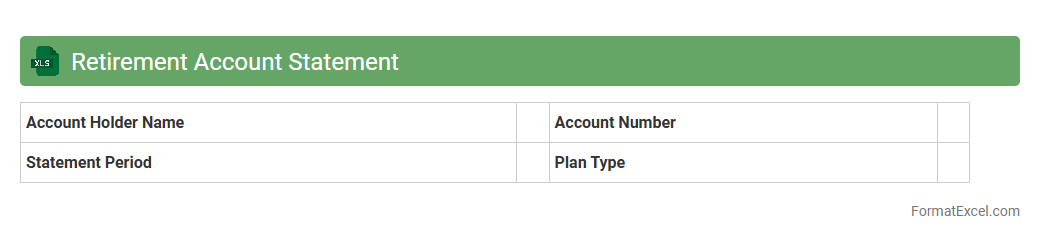
Retirement Account Statement Excel document is a detailed record that tracks contributions, earnings, withdrawals, and balances of a retirement savings plan over time. It helps individuals monitor their financial progress, assess investment performance, and plan future retirement goals effectively. Using this document simplifies managing complex data, enabling clearer insights and informed decision-making for long-term financial security.
Trust Account Statement
A
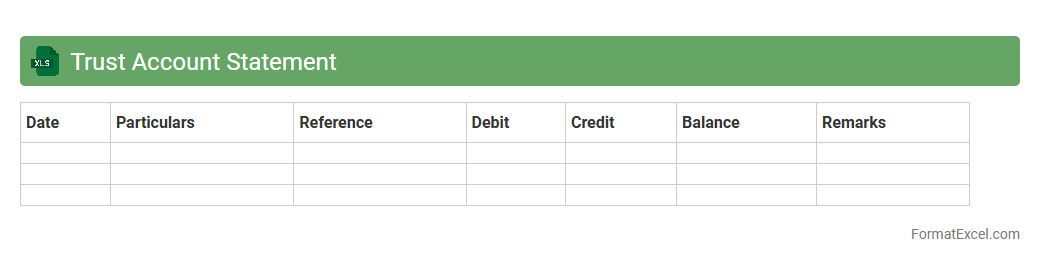
Trust Account Statement Excel document is a financial record that details the transactions and balances within a trust account, providing transparency and accountability for funds held on behalf of clients or beneficiaries. It is useful for tracking deposits, withdrawals, and interest, ensuring compliance with legal and regulatory requirements. This document aids in accurate reconciliation and financial reporting, helping stakeholders monitor the trust's financial health.
Advance Account Statement
An
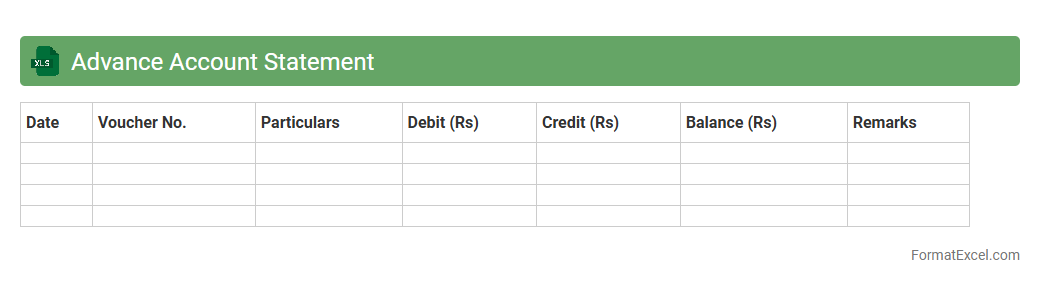
Advance Account Statement Excel document is a detailed financial report that summarizes anticipated income, expenses, and transactions over a specific period, providing a clear forecast of account activities. It is useful for budgeting, financial planning, and ensuring accurate cash flow management by allowing users to review and adjust financial strategies proactively. This tool enhances decision-making efficiency by offering organized, easily accessible data in a structured format.
Prepaid Account Statement
A
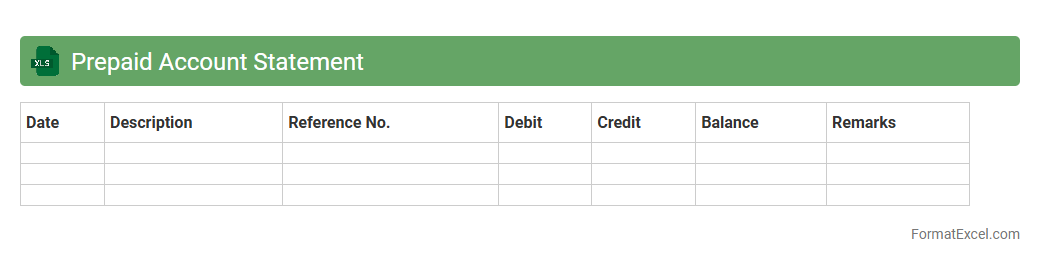
Prepaid Account Statement Excel document is a detailed financial record that tracks prepaid expenses and payments within an organization or individual account. It helps monitor the balance of prepaid funds, ensuring accurate accounting and timely reconciliation of expenses against the prepaid amounts. This document is essential for maintaining transparency, managing budgets effectively, and preventing overspending on prepaid accounts.
Introduction to Account Statement Formats
An account statement format is a structured template that summarizes financial transactions for a specific period. It serves as a crucial record for both individuals and businesses to track their financial activities. Understanding various formats helps in presenting data clearly and professionally.
Importance of Account Statements in Business
Account statements provide a detailed overview of financial transactions, enhancing financial transparency and accountability. They aid in reconciling accounts, managing cash flow, and identifying discrepancies. Regular statements help businesses make informed financial decisions.
Key Components of an Account Statement
Essential elements include transaction dates, descriptions, debit and credit amounts, and the running balance. The account holder's information and statement period are also critical components. These components collectively ensure comprehensive financial tracking.
Advantages of Using Excel for Account Statements
Excel offers flexibility and ease in customizing account statements with its vast array of functions and formatting tools. It enables automatic calculations, reduces errors, and enhances data organization. Additionally, Excel's compatibility allows easy sharing and printing of statements.
Basic Structure of an Account Statement in Excel
A basic Excel account statement includes columns for date, description, debit, credit, and balance. Rows represent individual transactions, maintaining chronological order. This simple layout ensures clarity and easy data analysis.
Step-by-Step Guide to Creating an Account Statement in Excel
Begin by setting up column headers, then input transaction data sequentially. Use formulas to calculate balances and totals automatically. Finally, apply formatting to improve readability and validate accuracy of your account statement.
Essential Excel Formulas for Account Statements
Key formulas include SUM for totals, IF for conditional calculations, and running balance formulas using simple arithmetic. The SUMIF and VLOOKUP functions enhance data retrieval and consistency. These formulas streamline financial summarization.
Customizing Your Account Statement Template
Tailor templates by adjusting columns, incorporating branding elements, and setting date ranges. You can add conditional formatting for better visual cues on transaction types. Customization ensures the template suits specific business or personal needs.
Common Mistakes to Avoid in Excel Account Statements
Avoid data entry errors, incorrect formula references, and inconsistent formatting. Neglecting to protect cells with formulas can lead to accidental modifications. Maintaining accurate, well-structured account statements prevents financial misinterpretations.
Downloadable Account Statement Format Samples in Excel
Accessing pre-designed Excel templates can save time and provide structurally sound examples. Many templates include editable features tailored for different business scenarios. Downloadable account statement formats facilitate quick implementation and customization.