Sales Summary
A
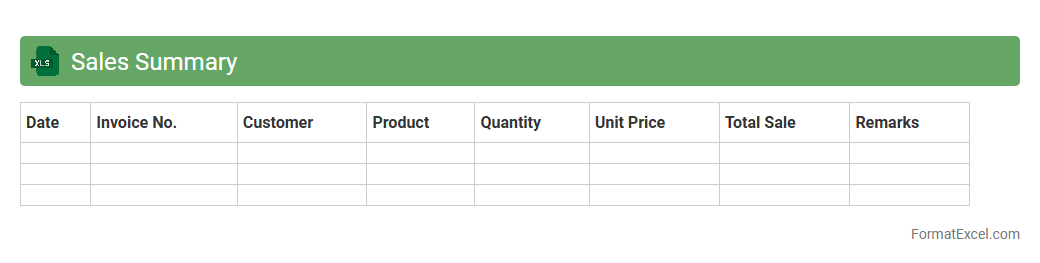
Sales Summary Excel document consolidates sales data into an organized format, allowing users to quickly analyze revenue, identify trends, and measure performance over specific periods. It efficiently tracks key metrics such as total sales, units sold, and customer segments, providing essential insights for informed decision-making. Businesses leverage this document to optimize sales strategies, forecast future growth, and improve overall profitability.
Cash Collection Report
A
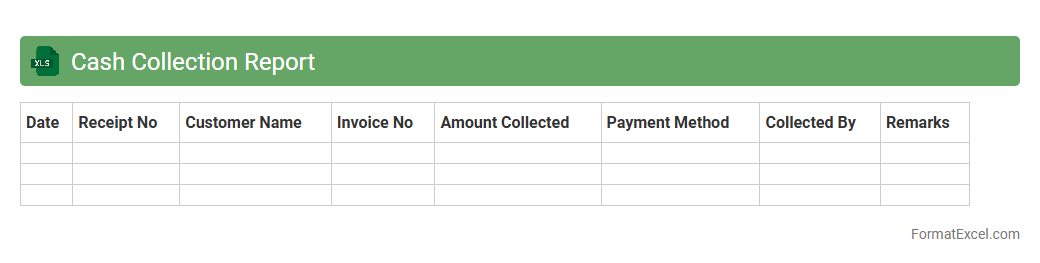
Cash Collection Report Excel document is a financial tool used to track and record cash inflows from various sources over a specific period. It provides clear visibility into daily or monthly cash receipts, helping businesses monitor outstanding payments and improve cash flow management. By organizing payment data efficiently, this report aids in timely decision-making and enhances financial accountability.
Bank Deposit Summary
A
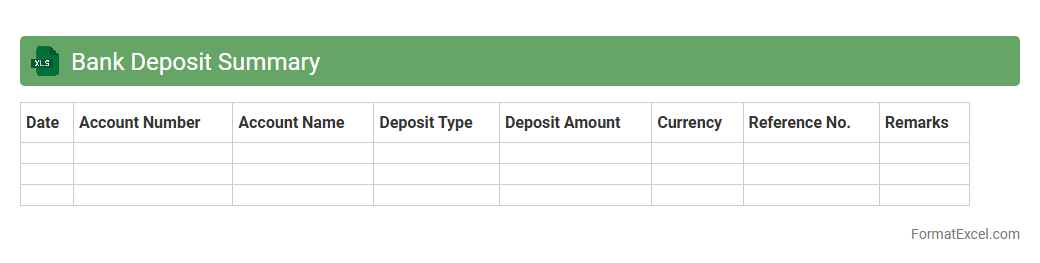
Bank Deposit Summary Excel document consolidates all deposit transactions within a specific period, providing a clear overview of the total amounts deposited into various bank accounts. This summary helps in tracking cash flow, reconciling bank statements, and ensuring accurate financial reporting. Businesses and individuals benefit from this document by streamlining account management and improving financial decision-making.
Credit Card Transaction Report
A
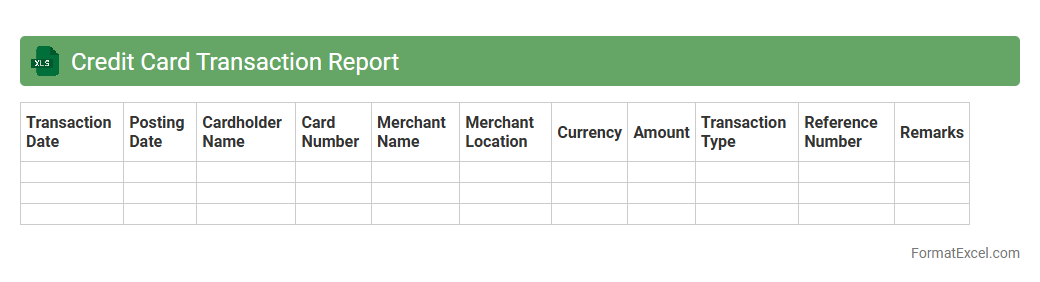
Credit Card Transaction Report Excel document itemizes all credit card activities, including purchases, payments, and fees, within a specified period. This report helps users track spending patterns, reconcile statements, and detect any unauthorized transactions. Businesses and individuals rely on this detailed financial data to manage budgets, ensure accurate accounting, and optimize credit card usage.
Petty Cash Record
A
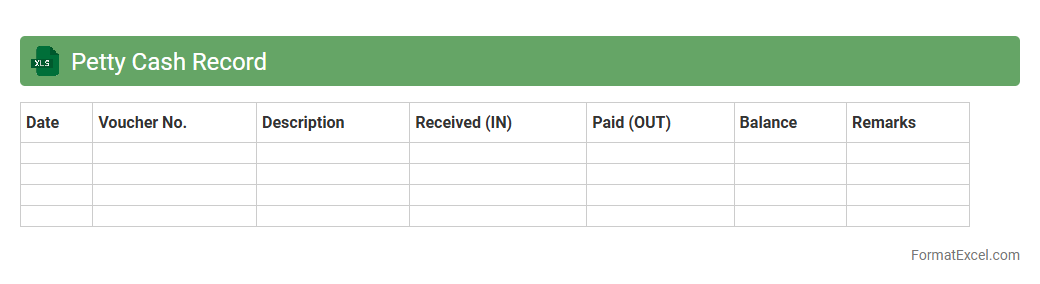
Petty Cash Record Excel document is a digital spreadsheet used to systematically track small cash transactions within a business or organization. It helps maintain accurate records of minor expenses, ensuring transparency and easy reconciliation with physical cash on hand. This tool is crucial for efficient financial management, simplifying expense monitoring and supporting budget control.
Inventory Movement Log
An
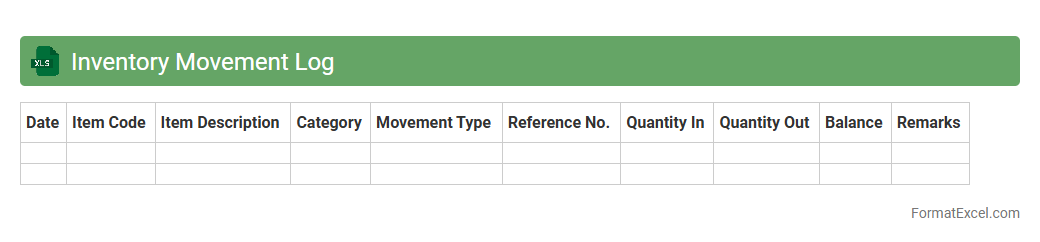
Inventory Movement Log Excel document tracks the flow of stock items, recording each transaction by date, quantity, and item details to maintain accurate inventory levels. It enables businesses to monitor stock inflows and outflows, identify discrepancies, and optimize reorder points for efficient inventory management. By providing real-time visibility into inventory changes, it supports data-driven decision-making and reduces the risk of stockouts or overstock situations.
Expense Summary
An
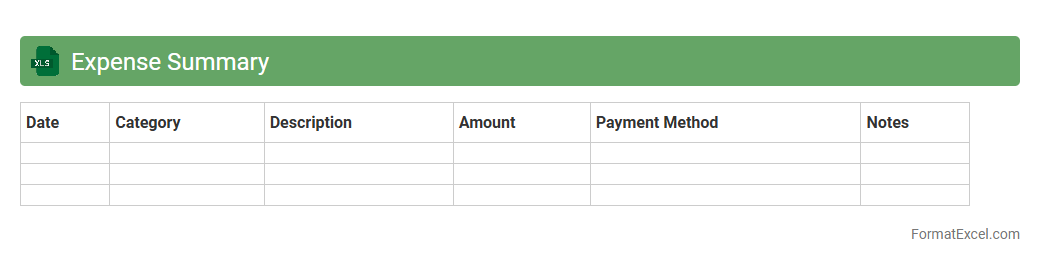
Expense Summary Excel document is a structured spreadsheet that consolidates all financial outflows into categorized entries for easy tracking and analysis. It helps individuals and businesses monitor spending patterns, identify cost-saving opportunities, and maintain accurate financial records for budgeting and tax purposes. By offering clear, organized insights, it enhances financial decision-making and ensures accountability.
Accounts Receivable Log
An
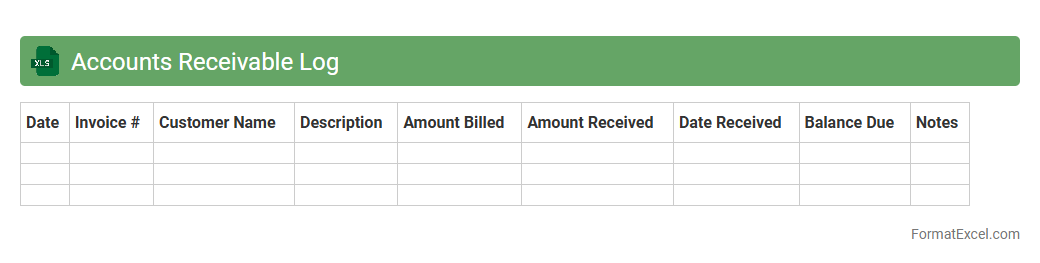
Accounts Receivable Log Excel document is a structured spreadsheet used to track outstanding invoices and payments owed by customers. It helps businesses monitor payment statuses, manage cash flow, and reduce the risk of bad debts by providing clear visibility of due dates, amounts, and client details. This tool enhances financial accuracy and efficiency by allowing quick updates and easy reporting.
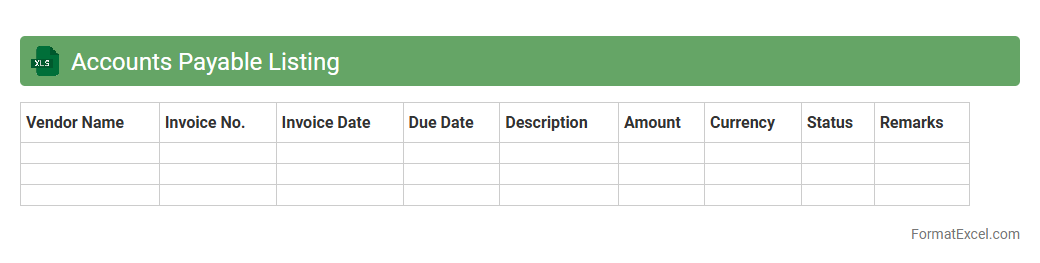
Accounts Payable Listing
The
Accounts Payable Listing Excel document is a detailed record of all outstanding invoices and payments owed by a business to its suppliers and vendors. It helps track due dates, payment amounts, and vendor details, ensuring timely payments and maintaining healthy cash flow management. This listing is essential for accurate financial reporting, budget planning, and preventing late fees or discrepancies in accounts payable.
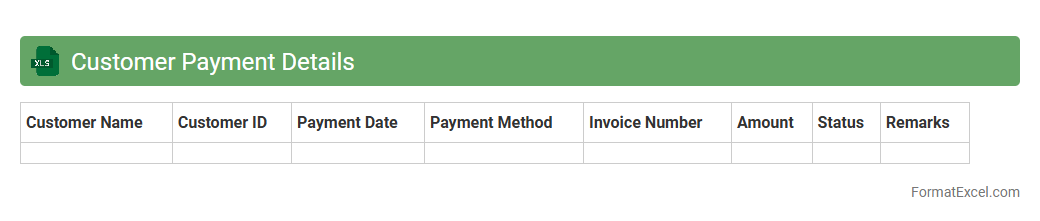
Customer Payment Details
The
Customer Payment Details Excel document is a structured file that records comprehensive information about customer transactions, including payment dates, amounts, methods, and invoice numbers. This document assists in tracking payment histories, managing accounts receivable, and identifying outstanding balances for efficient financial monitoring. It serves as a critical tool for improving cash flow management and ensuring accurate financial reporting.
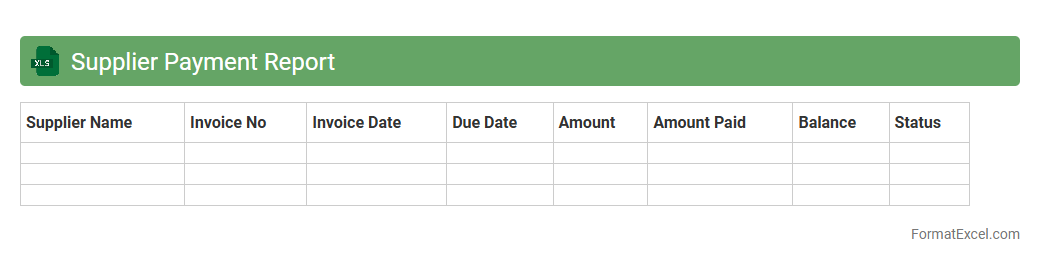
Supplier Payment Report
The
Supplier Payment Report Excel document is a detailed financial record that tracks all payments made to suppliers over a specified period. It helps businesses monitor outstanding invoices, verify payment accuracy, and maintain transparent financial records for audit purposes. This report streamlines cash flow management and supports timely decision-making by providing clear insights into payment statuses and supplier relationships.
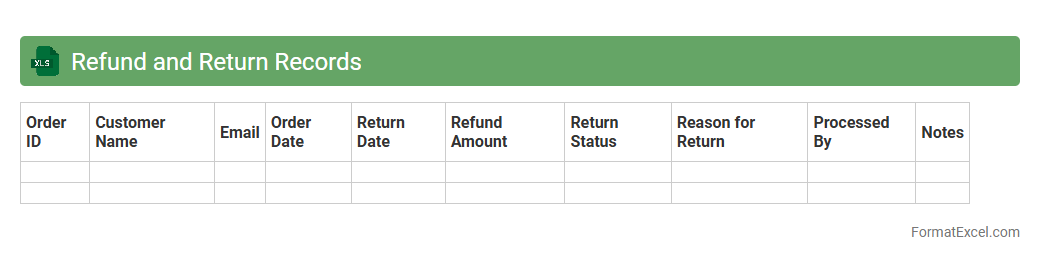
Refund and Return Records
A
Refund and Return Records Excel document is a structured spreadsheet used to track and manage customer refund and return transactions efficiently. It helps businesses maintain accurate records of product returns, refund amounts, dates, and customer details, enabling quick analysis of return patterns and financial impacts. Utilizing this document improves customer service, streamlines accounting processes, and supports informed decision-making for inventory and sales strategies.
Discount and Allowance Report
The
Discount and Allowance Report Excel document tracks all price reductions provided to customers, including discounts, rebates, and allowances, allowing businesses to analyze financial impact and sales performance. This report helps identify trends in promotional effectiveness, ensuring strategic pricing decisions and improved profit margins. By systematically organizing discount data, companies can optimize revenue management and enhance budgeting accuracy.
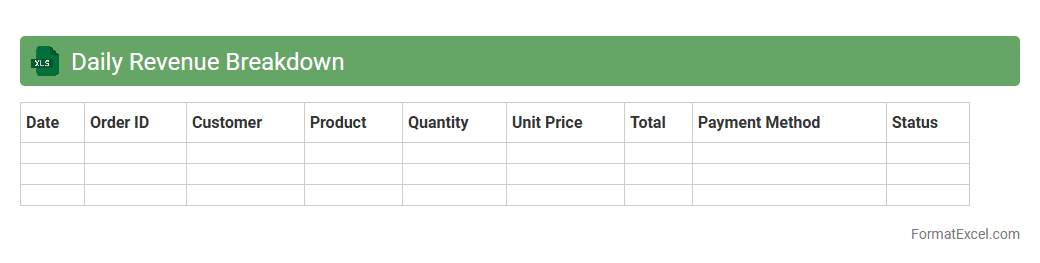
Daily Revenue Breakdown
The
Daily Revenue Breakdown Excel document provides a detailed analysis of daily income streams, categorizing revenue by product, service, or sales channel to offer a clear financial snapshot. It empowers businesses to identify trends, monitor performance, and make data-driven decisions for optimizing profitability. Consistently tracking daily revenue enhances budgeting accuracy and supports strategic planning efforts.
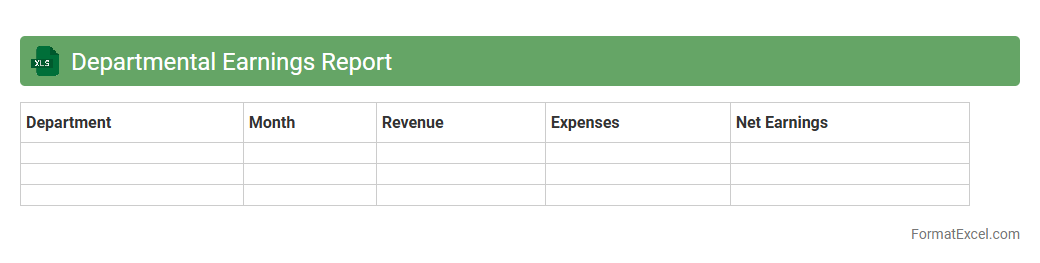
Departmental Earnings Report
The
Departmental Earnings Report Excel document is a detailed financial record that tracks revenue, expenses, and profitability across different departments within an organization. It enables managers to analyze performance metrics, identify cost-saving opportunities, and make data-driven decisions to improve overall business efficiency. This report supports budget planning, forecasting, and strategic resource allocation by providing clear insights into each department's financial contribution.
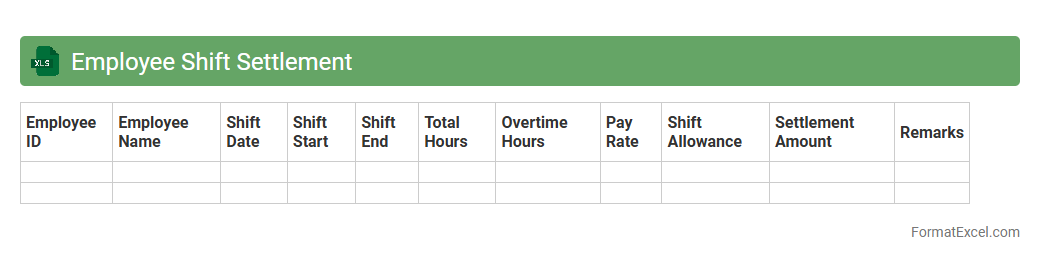
Employee Shift Settlement
The
Employee Shift Settlement Excel document is a detailed tool designed to track and reconcile employee work hours, shifts, and attendance records efficiently. It helps businesses ensure accurate payroll processing by calculating overtime, shift differentials, and leave balances, reducing manual errors. This document streamlines workforce management through organized data analysis, improving operational productivity and transparency.
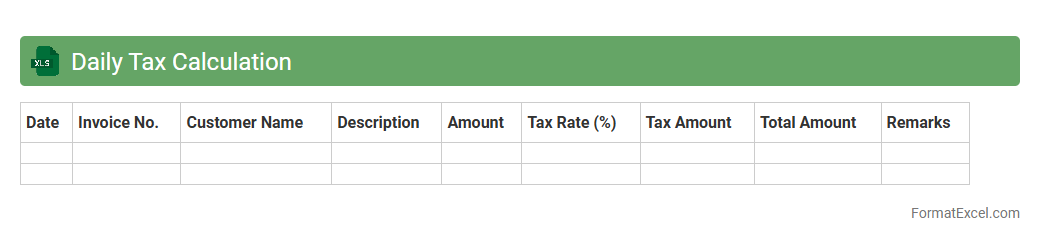
Daily Tax Calculation
The
Daily Tax Calculation Excel document is a spreadsheet tool designed to automate the computation of daily tax liabilities based on income and expenses. It helps users accurately track tax obligations in real-time, minimizing errors and ensuring compliance with tax regulations. By providing clear daily summaries, it enhances financial planning and cash flow management for individuals and businesses.
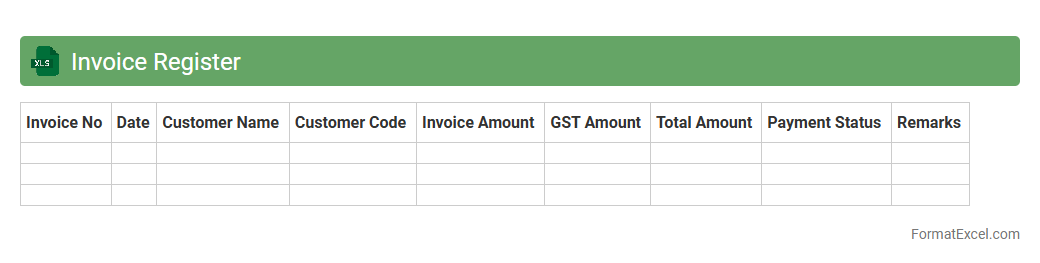
Invoice Register
An
Invoice Register Excel document is a comprehensive spreadsheet used to systematically record and track all invoices issued and received by a business. It helps maintain accurate financial records, ensures timely payment processing, and simplifies auditing by consolidating invoice details such as invoice numbers, dates, amounts, and payment statuses in one place. Utilizing an Invoice Register enhances cash flow management and improves overall financial organization for businesses of all sizes.
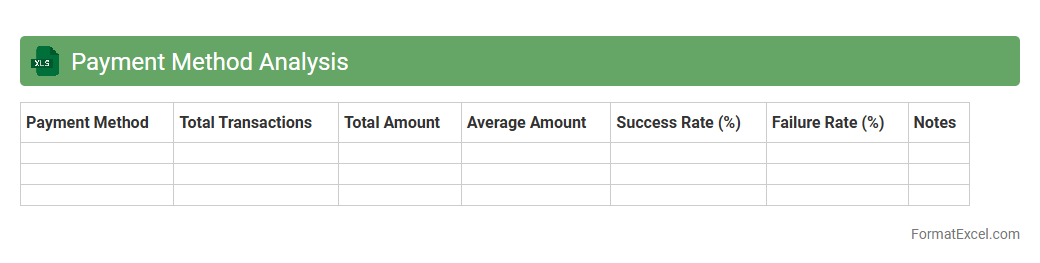
Payment Method Analysis
Payment Method Analysis Excel document is a powerful tool designed to track and evaluate different payment methods used in transactions, such as credit cards, digital wallets, and bank transfers. It provides detailed insights into payment trends, customer preferences, and transaction volumes, enabling businesses to optimize their payment processing strategies. Using this document helps improve financial management, reduce transaction costs, and enhance overall customer experience by identifying the most efficient and popular payment methods.
Payment Method Analysis facilitates data-driven decision-making for better business performance.
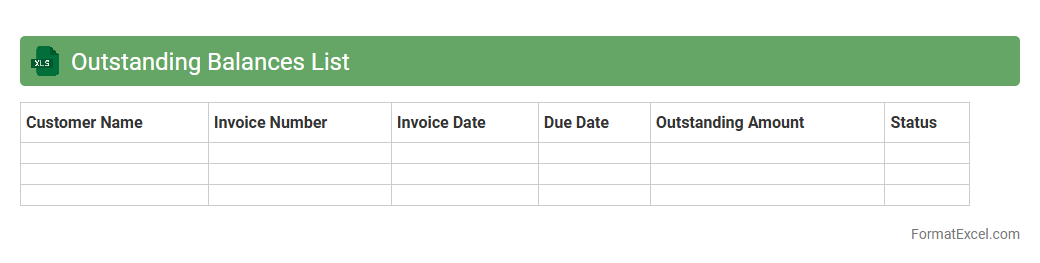
Outstanding Balances List
The
Outstanding Balances List Excel document is a comprehensive spreadsheet used to track unpaid invoices and pending payments from clients or customers. It organizes financial data by due dates, amounts, and payment statuses, enabling businesses to efficiently monitor cash flow and identify overdue accounts. This tool helps improve financial management by facilitating timely follow-ups and reducing the risk of bad debt.
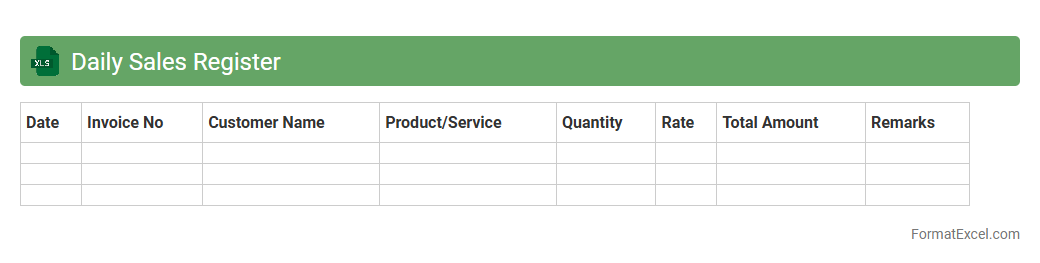
Daily Sales Register
The
Daily Sales Register Excel document is a structured workbook designed to record daily sales transactions systematically, capturing details such as date, product, quantity sold, and total revenue. It helps businesses monitor sales performance, identify trends, and manage inventory effectively, enabling timely decision-making. By maintaining accurate sales records, the register also facilitates financial reporting and compliance with tax regulations.
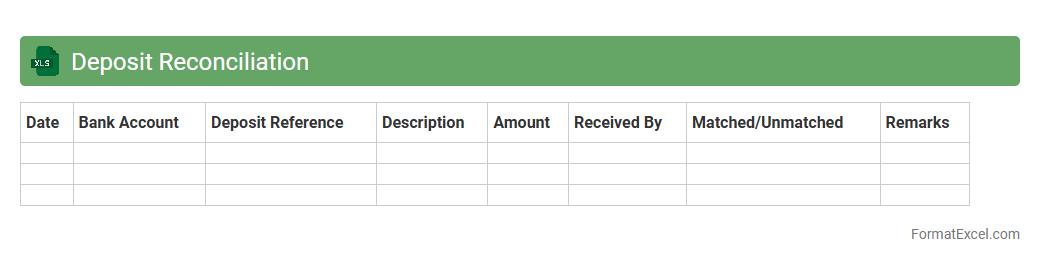
Deposit Reconciliation
A
Deposit Reconciliation Excel document is a financial tool used to match and verify deposit records against bank statements, ensuring accuracy in cash flow management. It helps identify discrepancies, prevent errors, and enhance transparency in tracking funds deposited into accounts. By organizing transaction details systematically, it supports effective financial auditing and timely reporting.
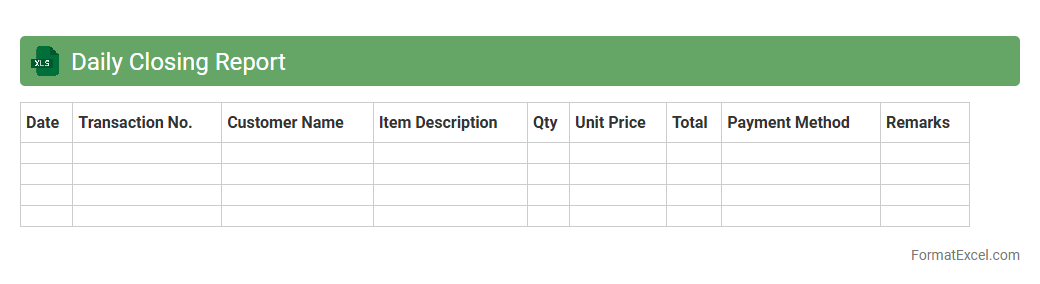
Daily Closing Report
A
Daily Closing Report Excel document is a structured file used to record and summarize daily financial transactions, sales, inventory changes, and cash flow activities. It helps businesses track performance, identify discrepancies, and maintain accurate records for auditing and decision-making purposes. This report streamlines end-of-day processes by consolidating critical data into an easy-to-analyze format, improving overall operational efficiency.
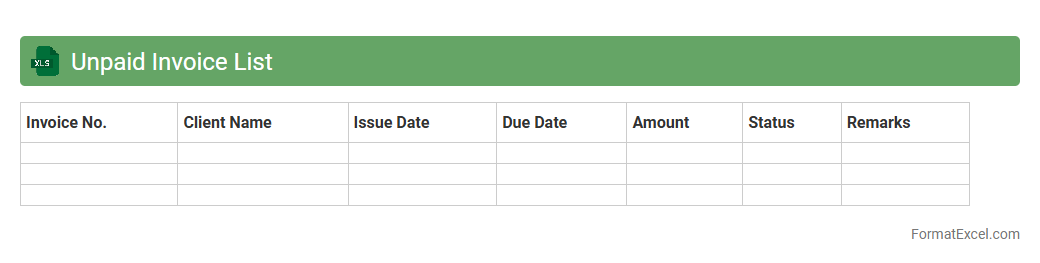
Unpaid Invoice List
An
Unpaid Invoice List Excel document is a structured spreadsheet that tracks outstanding invoices, detailing amounts owed, due dates, and client information. It helps businesses maintain financial accuracy, prioritize collections, and manage cash flow effectively. By organizing unpaid invoices, the document supports timely follow-ups and reduces the risk of overdue payments impacting operations.
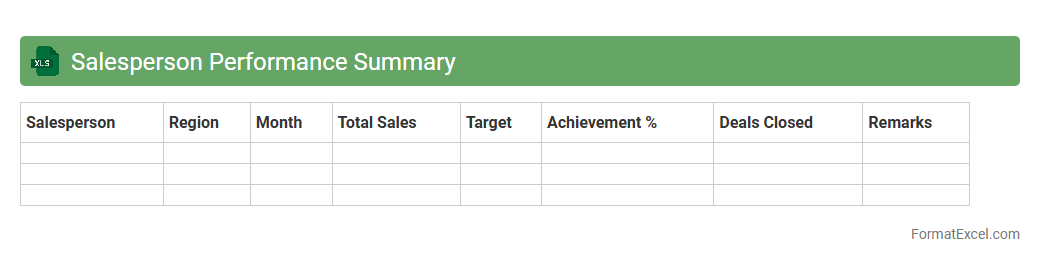
Salesperson Performance Summary
The
Salesperson Performance Summary Excel document consolidates individual sales data, tracking metrics such as total sales, conversion rates, and customer interactions. This report enables managers to assess each salesperson's effectiveness, identify top performers, and target areas requiring improvement. Utilizing this summary helps optimize sales strategies, boost team productivity, and drive revenue growth.
Introduction to Daily Statement Format in Excel
The daily statement format in Excel provides a structured way to record and review daily financial transactions. This format helps businesses maintain clear records, improving financial transparency. Leveraging Excel's grid layout simplifies organization and data analysis.
Importance of Daily Statements for Business
Daily statements are crucial for tracking cash flow and monitoring daily business activities. They enable timely decision-making by providing up-to-date financial statuses. Maintaining daily statements minimizes errors and helps ensure compliance with accounting standards.
Key Components of a Daily Statement Template
A comprehensive daily statement includes essential components such as date, transaction details, amount, and balance. The template should also feature columns for payment methods and remarks for clarity. These elements facilitate easy tracking and reconciliation of transactions.
Step-by-Step Guide to Creating a Daily Statement in Excel
Start by setting up columns for Date, Description, Debit, Credit, and Balance in Excel. Utilize formulas to calculate running totals automatically and format cells for clarity. This step-by-step approach ensures a functional and user-friendly statement format.
Essential Excel Formulas for Daily Statements
Key formulas such as SUM, IF, and VLOOKUP enhance the functionality of daily statements by automating calculations. These formulas help in summarizing totals and fetching relevant transaction data efficiently. Mastery of these functions saves time and reduces errors.
Customizing the Format for Different Industries
Adapting the daily statement format to industry-specific needs improves relevance and usability. For example, retail may include inventory codes, while service industries track hours billed. Custom fields make statements more insightful and tailored to business operations.
Common Mistakes to Avoid in Excel Daily Statements
Common errors include misaligned formulas, missing data, and incorrect cell references, impacting accuracy. Avoiding manual errors and ensuring consistent data entry are key for reliable reports. Regular review and testing of the statement prevent costly mistakes.
Automating Daily Statements Using Excel Features
Excel features like Macros, PivotTables, and Data Validation automate routine tasks for daily statements. Automation boosts efficiency by reducing manual input and enhancing data consistency. This leads to faster generation of accurate financial reports.
Downloadable Daily Statement Format Templates
Free and customizable Excel templates simplify implementing daily statements for any business. These templates come pre-designed with essential fields and formulas, saving time in setup. Templates can be adapted and enhanced based on specific business needs.
Tips for Securing and Sharing Excel Statement Files
Protect sensitive financial information by using Excel's password protection and file encryption features. Sharing via secure cloud storage platforms ensures controlled access. Regular backups and version control maintain data integrity and prevent losses.