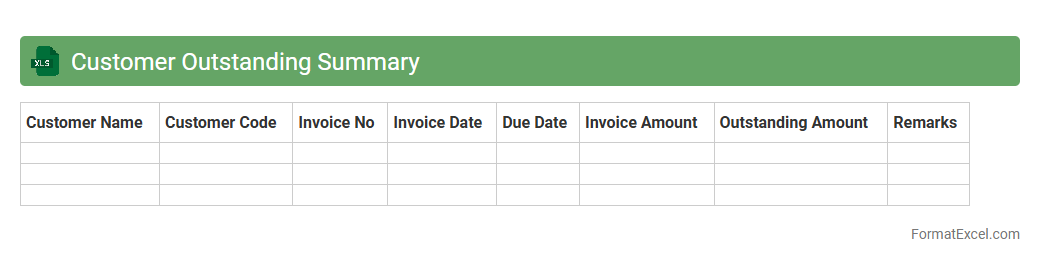
Customer Outstanding Summary
The
Customer Outstanding Summary Excel document consolidates all unpaid invoices and balances owed by customers into a clear, organized format. It helps businesses monitor receivables, assess credit risk, and prioritize follow-ups to improve cash flow management. By providing an up-to-date overview of customer debts, it enhances financial decision-making and supports timely collection efforts.
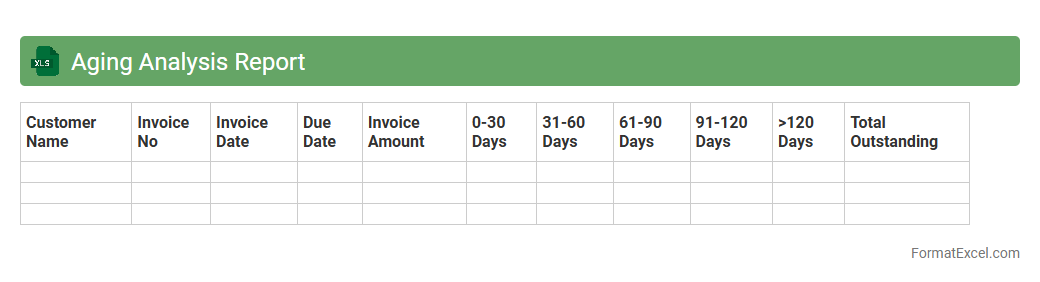
Aging Analysis Report
An
Aging Analysis Report Excel document categorizes outstanding invoices based on their due dates, helping to track the length of time debts have been unpaid. This report is essential for managing accounts receivable, identifying overdue payments, and improving cash flow by prioritizing collections. It provides a clear overview of customer payment patterns, enabling businesses to reduce credit risk and make informed financial decisions.
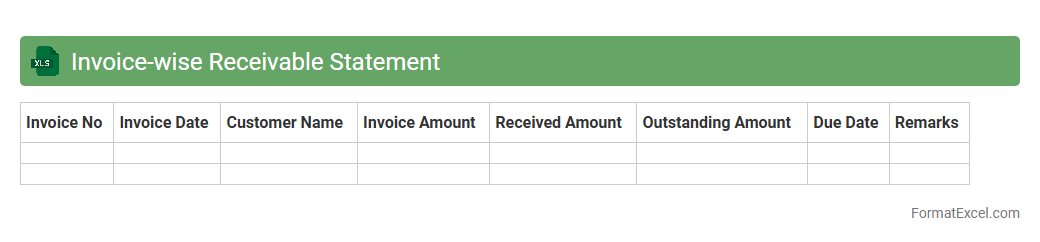
Invoice-wise Receivable Statement
An
Invoice-wise Receivable Statement Excel document is a detailed financial report that tracks outstanding invoices against payments received from customers. It helps businesses monitor pending payments by listing each invoice with related dates, amounts, and payment status, enabling effective credit control and cash flow management. This tool facilitates timely follow-up on overdue accounts, ensuring improved financial accuracy and operational efficiency.
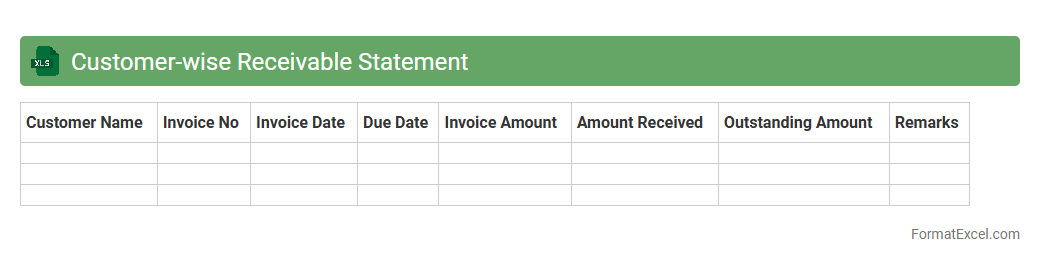
Customer-wise Receivable Statement
A
Customer-wise Receivable Statement Excel document provides a detailed summary of outstanding invoices and payments for each customer, organized in a clear, easy-to-analyze format. It helps businesses track aging receivables, manage cash flow effectively, and identify overdue accounts to prioritize collection efforts. Using this statement improves financial transparency and supports better credit control policies.
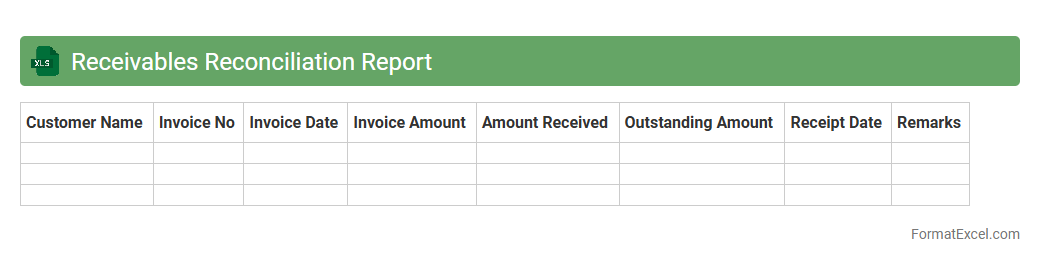
Receivables Reconciliation Report
The
Receivables Reconciliation Report Excel document is a detailed financial tool designed to match and verify outstanding customer invoices against payments received, ensuring accuracy in accounts receivable records. It helps identify discrepancies such as unpaid invoices, overpayments, or errors, thus facilitating efficient cash flow management and improving financial reporting integrity. Utilizing this report streamlines the credit control process, reduces the risk of revenue losses, and supports timely decision-making for collections and account adjustments.
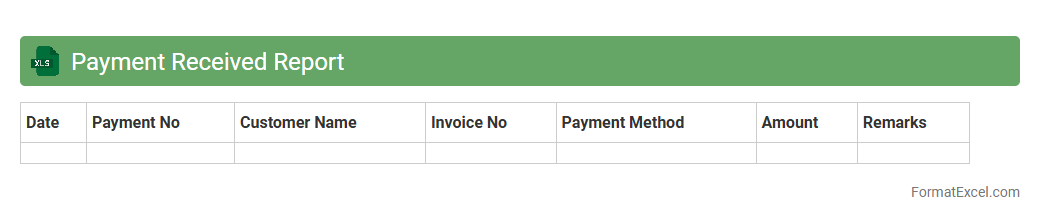
Payment Received Report
A
Payment Received Report Excel document tracks all incoming payments, detailing transaction dates, amounts, payer information, and payment methods. This report helps businesses monitor cash flow, reconcile accounts, and identify outstanding or overdue payments quickly. Using this organized data enhances financial management accuracy and improves decision-making related to budgeting and forecasting.
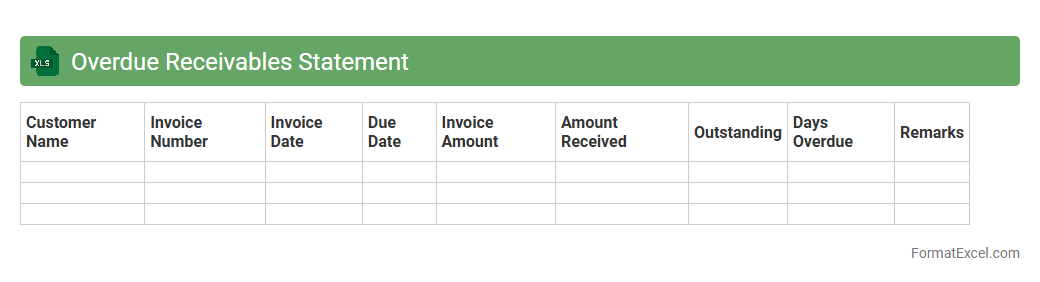
Overdue Receivables Statement
An
Overdue Receivables Statement Excel document is a detailed report that tracks outstanding customer invoices past their due dates, helping businesses identify unpaid accounts efficiently. It organizes data such as invoice numbers, customer names, amounts owed, and aging periods, enabling effective follow-up and improved cash flow management. This tool streamlines credit control processes by providing clear visibility into overdue payments and prioritizing collection efforts.
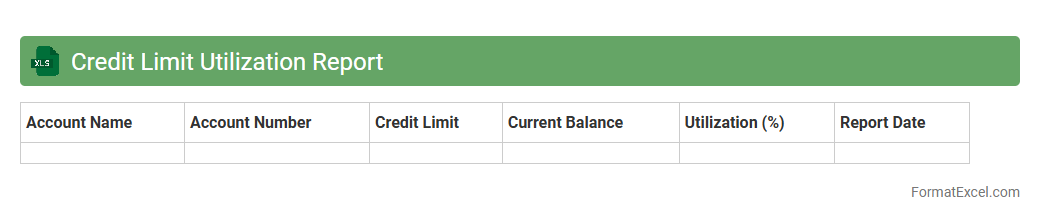
Credit Limit Utilization Report
A
Credit Limit Utilization Report Excel document tracks the percentage of available credit a borrower is using across multiple accounts, providing a clear snapshot of financial health. It helps individuals and businesses monitor their credit usage to avoid exceeding limits, which can negatively impact credit scores and borrowing capacity. The report is essential for managing debt responsibly and planning future credit needs effectively.
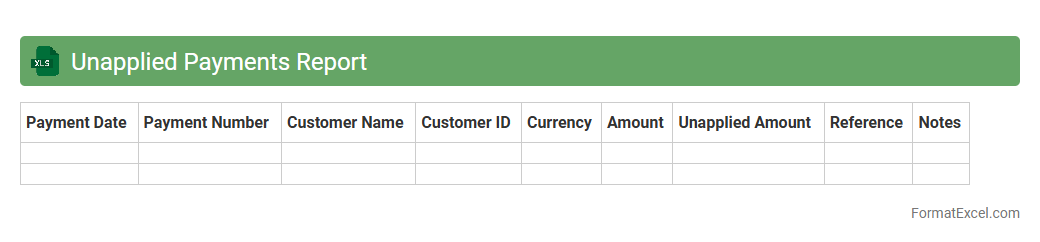
Unapplied Payments Report
The
Unapplied Payments Report Excel document lists customer payments that have been received but not yet matched to specific invoices, helping businesses track outstanding transactions. This report is crucial for identifying unapplied cash, ensuring accurate accounts receivable management and improving cash flow visibility. It supports finance teams in timely allocation of payments, reducing errors and enhancing reconciliation efficiency.
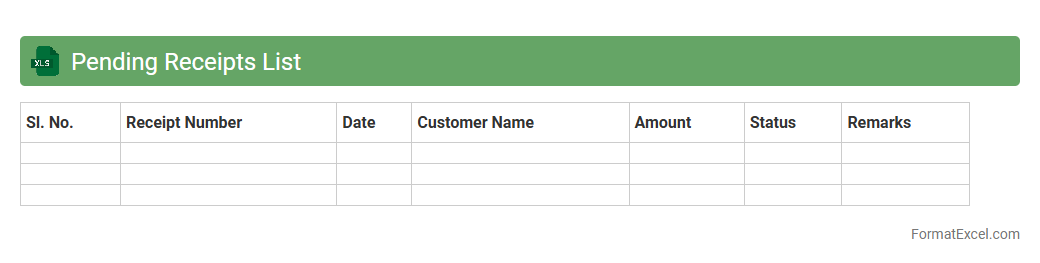
Pending Receipts List
The
Pending Receipts List Excel document tracks all outstanding receipts, enabling efficient monitoring of unpaid invoices and pending payments. It helps maintain accurate financial records by providing a centralized view of due transactions, which aids in timely follow-ups and cash flow management. Utilizing this list ensures better control over accounts receivable, reducing the risk of delayed collections and improving overall financial stability.
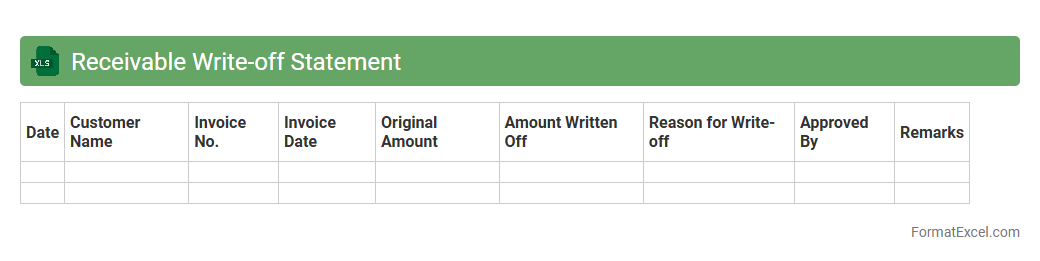
Receivable Write-off Statement
A
Receivable Write-off Statement Excel document is a financial tool used to track and document accounts receivable amounts that a company has identified as uncollectible and formally written off. This statement helps businesses maintain accurate financial records by clearly distinguishing outstanding receivables from bad debts, enabling better credit risk management and informed decision-making. Using this Excel document improves transparency in accounting processes and supports compliance with financial reporting standards.
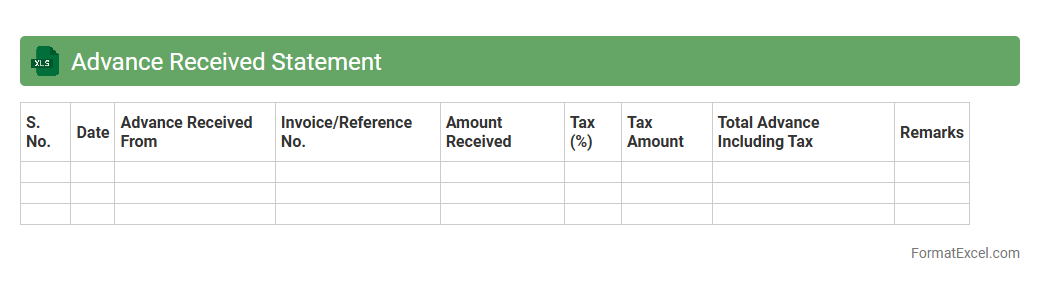
Advance Received Statement
An
Advance Received Statement Excel document records and tracks advances paid to vendors or employees before actual expenses occur, providing a clear overview of outstanding advance amounts. It helps businesses maintain accurate financial control by monitoring repayments and ensuring transparency in cash flow management. This document simplifies reconciliation processes and supports compliance with accounting standards.
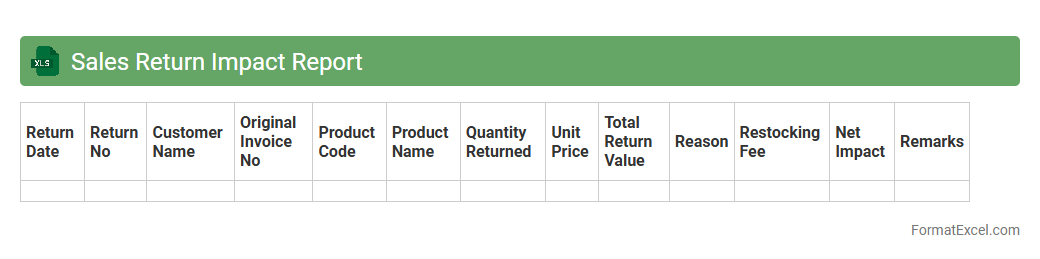
Sales Return Impact Report
The
Sales Return Impact Report Excel document provides a detailed analysis of returned sales, allowing businesses to identify patterns, quantify financial losses, and track inventory adjustments. It offers insights into customer return behaviors, product defects, and operational inefficiencies, enabling informed decision-making to minimize future returns. Using this report helps improve profitability, optimize inventory management, and enhance customer satisfaction through targeted corrective actions.
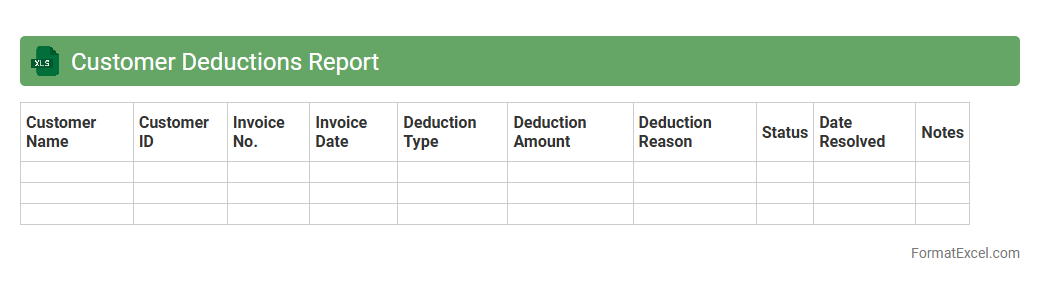
Customer Deductions Report
The
Customer Deductions Report Excel document details all financial deductions customers have applied against invoices, including returns, discounts, and disputes. This report is essential for identifying discrepancies in payments, improving cash flow management, and streamlining accounts receivable reconciliation. By providing transparency into deduction patterns, it helps businesses reduce revenue leakage and enhance customer relationship management.
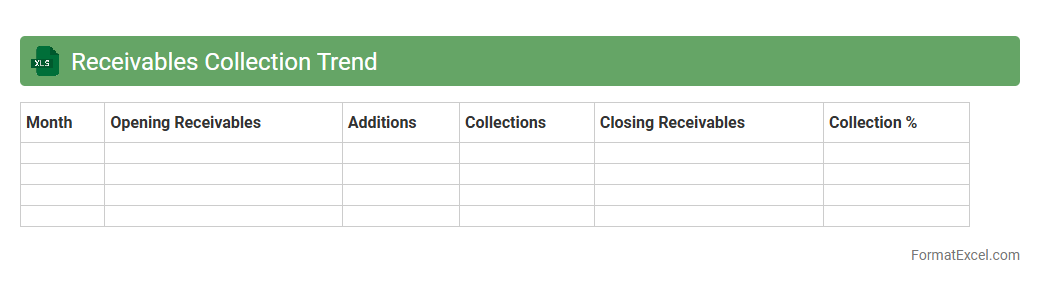
Receivables Collection Trend
The
Receivables Collection Trend Excel document tracks the historical data and patterns of accounts receivable collections over time, highlighting payment delays and cash inflow consistency. This tool enables businesses to analyze trends, identify potential collection issues early, and improve forecasting accuracy for cash flow management. By leveraging these insights, companies can enhance their credit policies and optimize working capital.
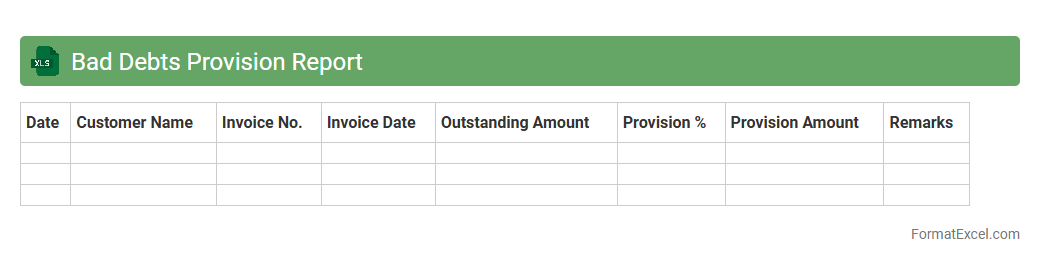
Bad Debts Provision Report
The
Bad Debts Provision Report Excel document is a financial tool used to estimate and record potential losses from uncollectible accounts receivable. It helps businesses maintain accurate financial statements by accounting for doubtful debts, ensuring compliance with accounting standards. Utilizing this report enhances cash flow management and aids in making informed credit and collection decisions.
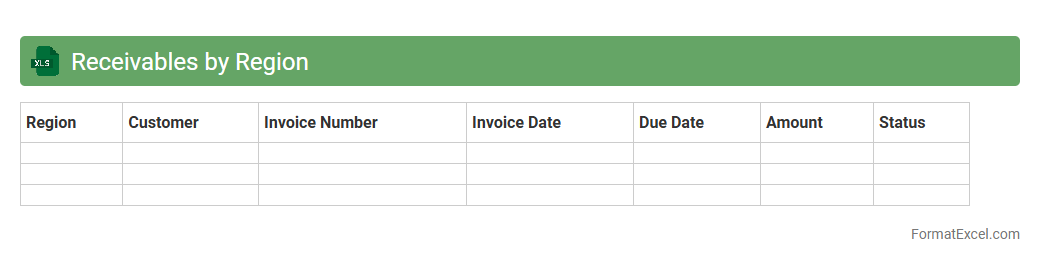
Receivables by Region
The
Receivables by Region Excel document organizes outstanding customer payments segmented by geographic areas, enabling precise financial tracking and analysis. This detailed breakdown helps identify regional trends in cash flow, assess credit risk, and prioritize collection efforts efficiently. Businesses use this tool to optimize working capital management and improve overall financial forecasting.
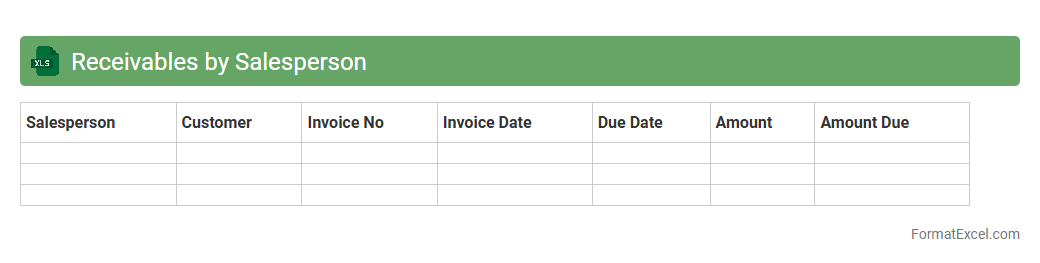
Receivables by Salesperson
The
Receivables by Salesperson Excel document is a financial report that tracks outstanding payments owed to a company, categorized by individual sales representatives. This tool helps businesses monitor each salesperson's credit sales and manage cash flow by identifying overdue accounts efficiently. It enables targeted follow-ups, improves collection processes, and supports performance analysis by linking unpaid invoices to specific sales personnel.
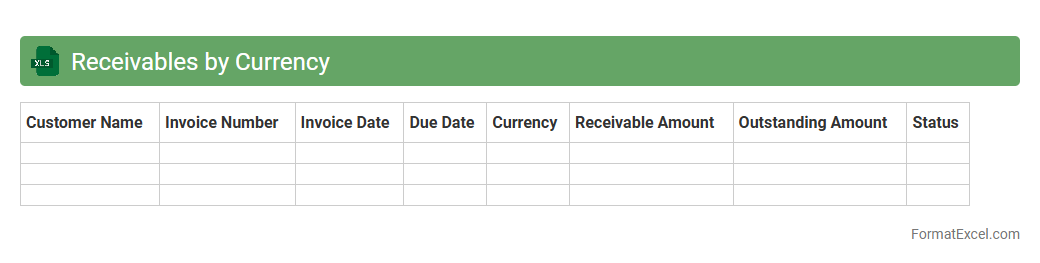
Receivables by Currency
The
Receivables by Currency Excel document tracks outstanding customer payments categorized by different currencies, enabling accurate monitoring of international accounts receivable. It helps businesses manage exchange rate risks, streamline cash flow forecasting, and improve financial reporting by providing clear visibility into currency-specific receivables. This tool is essential for companies operating globally to maintain financial accuracy and optimize working capital management.
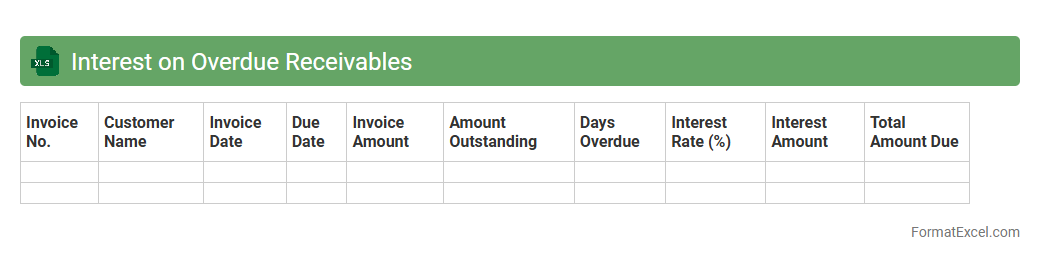
Interest on Overdue Receivables
The
Interest on Overdue Receivables Excel document calculates and tracks the interest accrued on unpaid invoices beyond their due dates, enabling businesses to monitor outstanding payments efficiently. It automates interest computations based on defined rates and overdue periods, reducing errors and saving time compared to manual methods. This tool helps improve cash flow management by providing clear insights into overdue balances and potential revenue from interest charges.
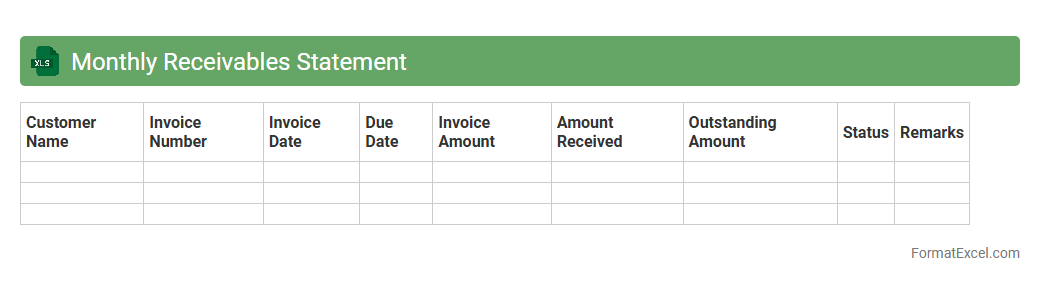
Monthly Receivables Statement
A
Monthly Receivables Statement Excel document is a detailed financial report that tracks all outstanding invoices and payments due within a specific month. It helps businesses monitor cash flow by providing clear visibility into amounts owed by clients, enabling timely follow-up on overdue payments. This tool enhances financial management by facilitating accurate forecasting and improving accounts receivable efficiency.
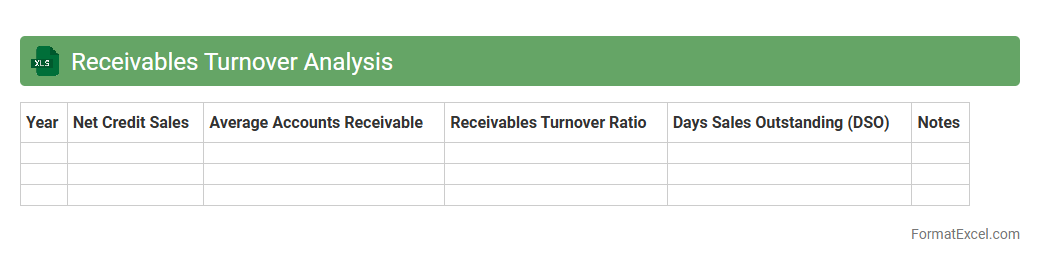
Receivables Turnover Analysis
Receivables Turnover Analysis Excel document is a powerful tool that tracks how efficiently a company collects its accounts receivable by calculating the ratio of net credit sales to average accounts receivable. This analysis helps businesses identify the effectiveness of their credit policies and cash flow management by providing clear insights into the frequency of receivables collection. Using this
Receivables Turnover Analysis in Excel enables companies to monitor financial health, optimize working capital, and make informed decisions to improve liquidity.
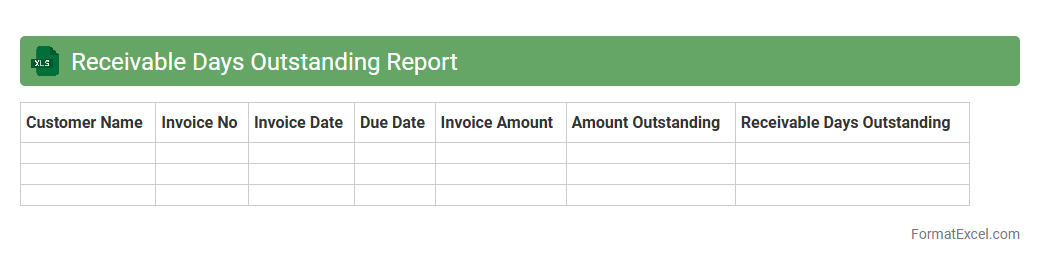
Receivable Days Outstanding Report
Receivable Days Outstanding Report Excel document tracks the average number of days it takes for a company to collect payments from its customers, providing crucial insights into cash flow efficiency. This report helps identify delayed payments and improve credit control by offering a clear view of outstanding invoices and customer payment patterns. Utilizing this data enables businesses to optimize working capital management and enhance overall financial health by reducing the
accounts receivable turnover period.
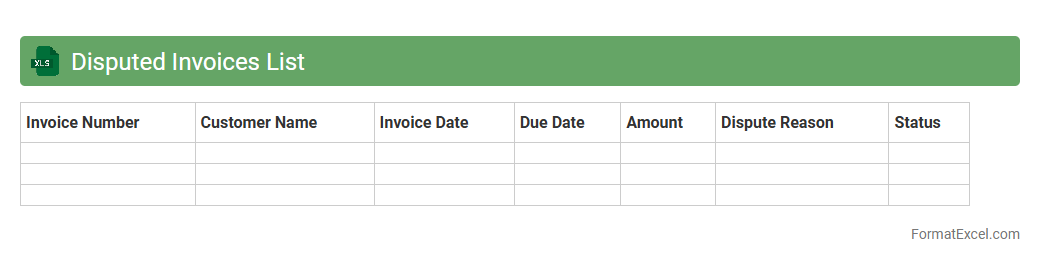
Disputed Invoices List
The
Disputed Invoices List Excel document is a comprehensive record that tracks invoices flagged for discrepancies or payment disputes, enabling efficient management and resolution of billing issues. It provides detailed information such as invoice numbers, dispute reasons, amounts, and status updates, facilitating clear communication between finance, sales, and accounts receivable teams. This tool enhances cash flow management by prioritizing dispute resolution and reducing outstanding unpaid invoices.
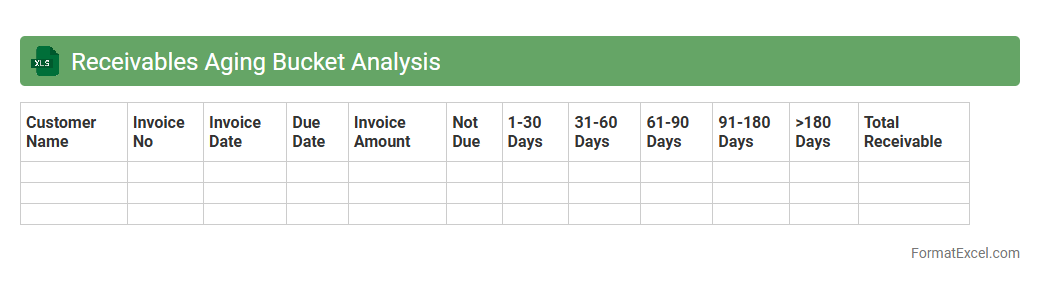
Receivables Aging Bucket Analysis
The
Receivables Aging Bucket Analysis Excel document categorizes outstanding invoices based on their due dates, such as current, 30, 60, 90 days, and beyond, providing a clear view of overdue payments. This analysis helps businesses identify delayed payments, manage cash flow effectively, and prioritize collection efforts. By tracking aging buckets, companies can reduce bad debts and improve overall financial health.
Introduction to Receivable Statement Format in Excel
The receivable statement in Excel is a critical tool for businesses to monitor outstanding customer invoices. It provides a clear overview of amounts owed and payment statuses. Using Excel allows easy customization to fit specific business requirements.
Importance of Receivable Statements for Businesses
Receivable statements help maintain healthy cash flow by tracking customer payments and outstanding debts. They facilitate informed financial decisions and credit management. Effective tracking reduces the risk of bad debts and improves overall financial health.
Key Components of a Receivable Statement
A typical receivable statement includes customer names, invoice numbers, invoice dates, amounts due, payment terms, and outstanding balances. These elements allow for comprehensive tracking of receivables. Clear presentation of these components is essential for accurate reporting and analysis.
Setting Up an Excel Template for Receivable Statements
Creating an Excel template involves designing columns for all key data points and adding headers for clarity. Formatting cells and applying consistent styles enhances readability. Templates save time by providing a reusable structure for receivables tracking.
Essential Excel Functions for Receivable Management
Functions such as SUM, IF, VLOOKUP, and conditional formatting are vital for managing receivables efficiently. These functions automate calculations and highlight overdue payments. Mastering these tools improves accuracy and reduces manual errors in statements.
Step-by-Step Guide to Creating a Receivable Statement in Excel
Start by inputting customer and invoice data, then apply formulas to calculate totals and balances. Next, use conditional formatting to identify overdue items visually. Finally, validate your data and save the file as a reusable template for ongoing use.
Customizing the Format for Different Business Needs
Receivable statements can be tailored by adding columns for discounts, payment terms, or aging analysis. Customization helps reflect unique business processes and reporting preferences. A flexible format ensures the statement meets diverse operational requirements.
Tips for Ensuring Accuracy in Receivable Tracking
Regularly update the data and cross-check invoices against payments received. Use Excel's data validation features to prevent entry errors. Maintaining data integrity is crucial for reliable receivables management and financial reporting.
Automating Receivable Statements Using Excel Features
Automation can be achieved by integrating pivot tables, macros, and Excel dashboards to generate dynamic receivable reports. This saves time and minimizes human errors in data processing. Automated statements provide real-time insights into outstanding payments.
Best Practices for Managing Receivables in Excel
Consistently back up your Excel files and maintain version control to avoid data loss. Implement standardized input procedures and review statements periodically to ensure accuracy. Using Excel effectively supports improved collections and business cash flow.