Customer Account Summary
A
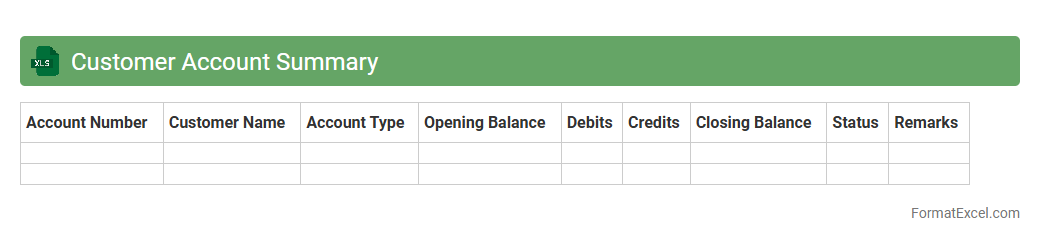
Customer Account Summary Excel document consolidates all essential financial interactions and transactions between a business and its customers, including outstanding balances, payment histories, and credit limits. This summary enables efficient tracking of receivables, ensuring timely follow-ups on overdue accounts and helping to maintain healthy cash flow. Businesses use this document to enhance customer relationship management, streamline accounting processes, and make informed decisions based on comprehensive financial data.
Revenue and Expense Summary
A
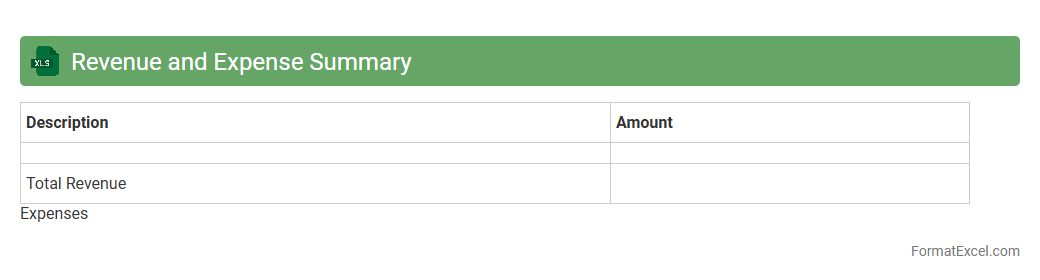
Revenue and Expense Summary Excel document consolidates financial data, providing a clear overview of income and expenditures over a specific period. It enables effective tracking of cash flow, budgeting accuracy, and identification of cost-saving opportunities. This summary aids businesses and individuals in making informed financial decisions and maintaining better control over their financial health.
Bank Reconciliation Statement
A
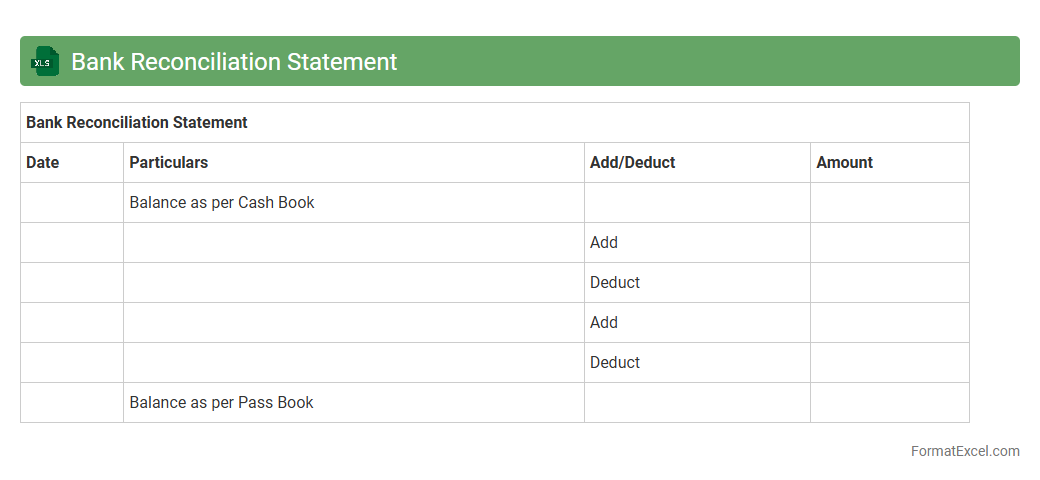
Bank Reconciliation Statement Excel document is a financial tool used to compare and match the bank statement with a company's ledger or cash book records, identifying discrepancies like outstanding checks or bank errors. It helps maintain accurate cash balances, ensures all transactions are recorded correctly, and detects potential fraud or mistakes. Using this Excel document streamlines the reconciliation process, improves financial control, and supports timely decision-making for cash management.
Aging Receivables Report
The
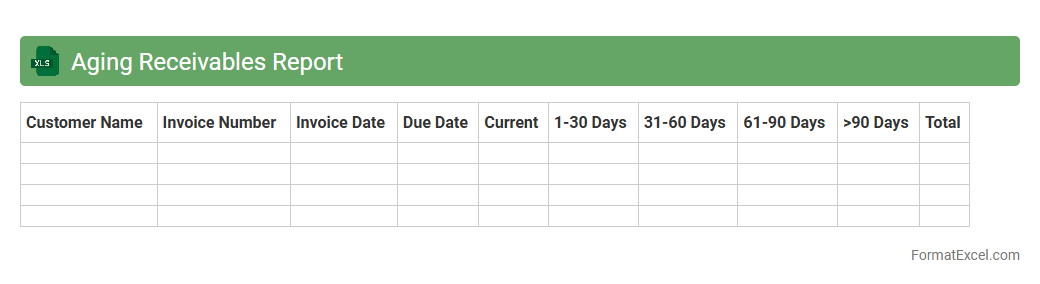
Aging Receivables Report Excel document categorizes outstanding customer invoices based on their due dates, typically segmented into periods like 30, 60, and 90 days past due. It is useful for tracking overdue payments and assessing the overall credit risk by highlighting which receivables require immediate collection efforts. This report supports cash flow management and helps maintain healthy financial operations by identifying potential bad debts early.
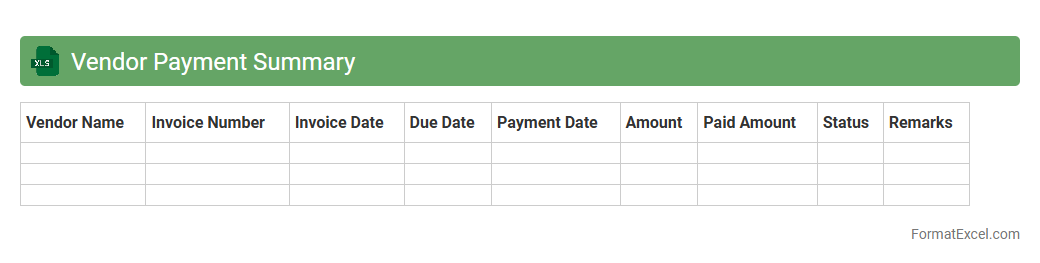
Vendor Payment Summary
The
Vendor Payment Summary Excel document consolidates all transactions and payment details related to vendors, providing a clear overview of amounts paid, outstanding balances, and payment dates. This organized record facilitates efficient financial management, improves cash flow tracking, and supports auditing processes by ensuring transparency and accountability in vendor payments. Businesses can use this summary to streamline vendor relations, prevent payment errors, and enhance budgeting accuracy.
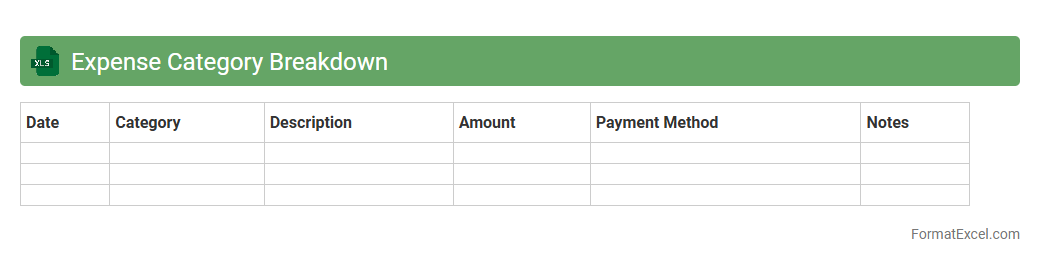
Expense Category Breakdown
An
Expense Category Breakdown Excel document organizes financial expenditures by specific categories, allowing for clear visualization and detailed tracking of where money is being spent. This structured approach helps identify spending patterns, manage budgets efficiently, and pinpoint areas for potential cost savings. Utilizing such a breakdown supports improved financial decision-making and facilitates accurate expense analysis for both personal and business finances.
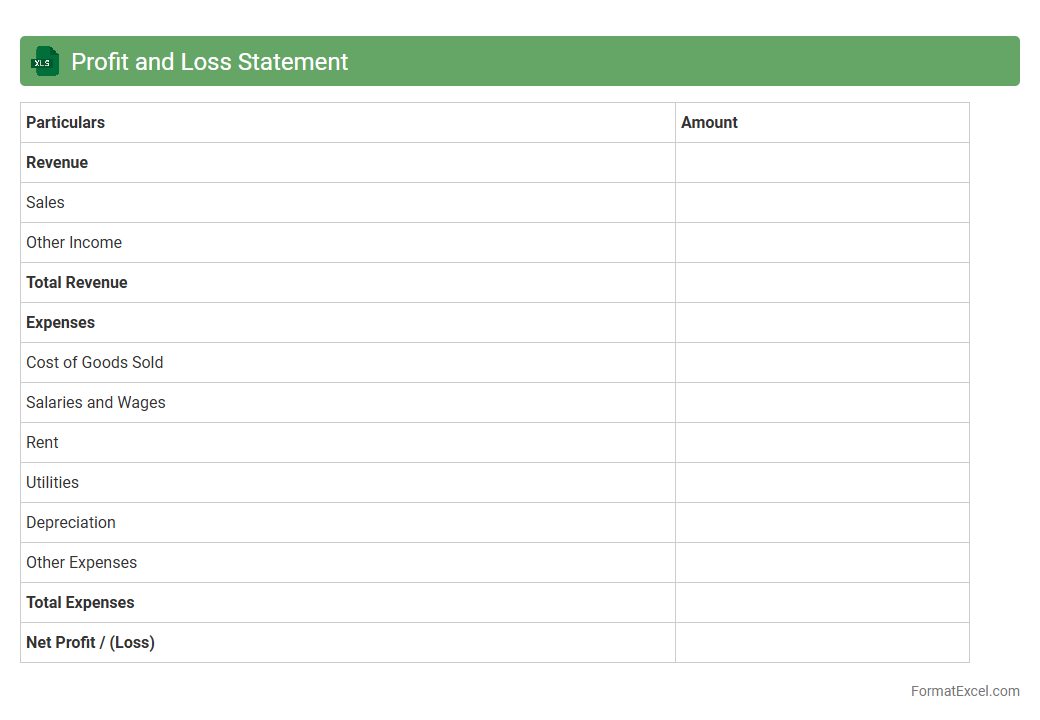
Profit and Loss Statement
A
Profit and Loss Statement Excel document is a financial report that summarizes revenues, costs, and expenses incurred during a specific period, providing a clear view of a business's profitability. It helps users track financial performance, identify trends, and make informed decisions based on operational results. Using this tool enhances budgeting accuracy, cash flow management, and strategic planning for business growth.
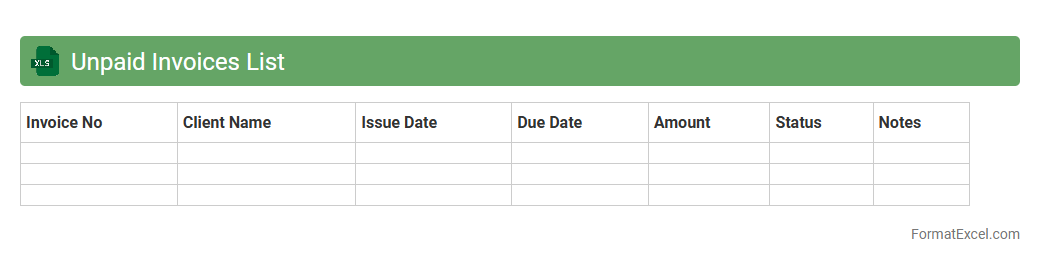
Unpaid Invoices List
An
Unpaid Invoices List Excel document is a spreadsheet that organizes and tracks all outstanding invoices, helping businesses monitor pending payments efficiently. It provides critical information such as invoice numbers, due dates, client details, and amounts owed, enabling timely follow-ups and improved cash flow management. Using this document reduces the risk of missed payments and supports accurate financial forecasting and reporting.
Credit Card Statement
A
Credit Card Statement Excel document is a structured digital file that organizes monthly credit card transactions, including purchases, payments, interest charges, and fees, in a clear and accessible spreadsheet format. It enables users to track spending patterns, identify discrepancies, and manage budgets efficiently by analyzing categorized expenses and payment histories. This document is essential for maintaining financial discipline, preparing accurate tax records, and improving overall credit management.
Transaction Detail Report
A
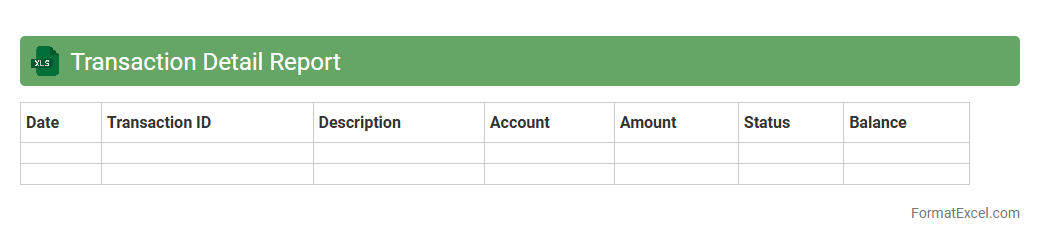
Transaction Detail Report Excel document provides a comprehensive record of individual financial transactions, including dates, amounts, descriptions, and account details. It is useful for tracking expenses, reconciling accounts, and identifying discrepancies in financial data. Businesses and individuals rely on this report for accurate bookkeeping and informed financial decision-making.
Sales Tax Summary
A
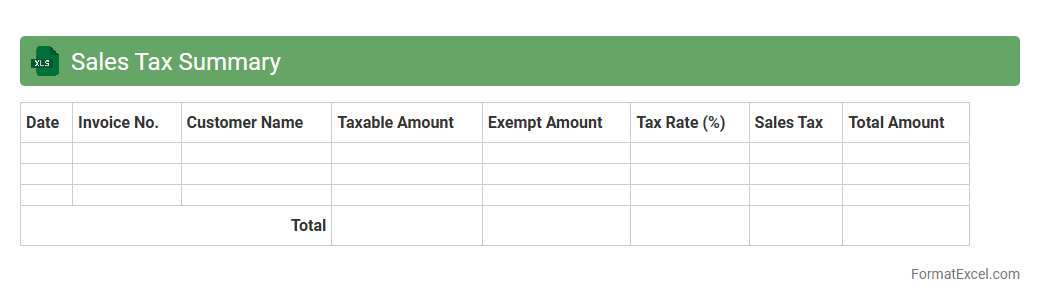
Sales Tax Summary Excel document consolidates all sales tax data from transactions, providing a clear overview of tax collected, rates applied, and jurisdictions involved. It streamlines tax reporting, simplifies compliance with state and local tax regulations, and aids in accurate filing during tax periods. This document is essential for businesses to monitor sales tax liabilities, detect discrepancies, and prepare for audits efficiently.
Payroll Summary
A
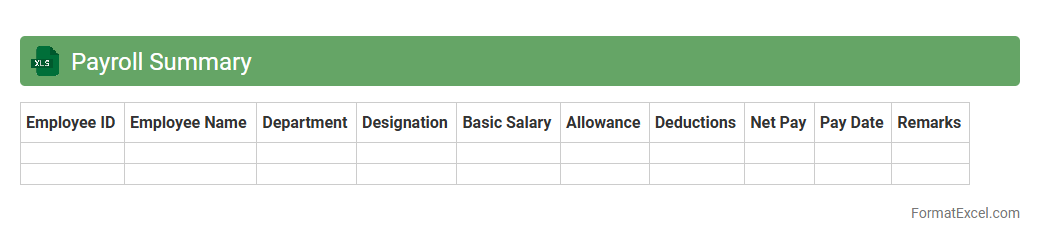
Payroll Summary Excel document consolidates employee payment details, including wages, deductions, and taxes, into an easily accessible format. It streamlines payroll management by providing a clear overview of salary distributions, ensuring accuracy and compliance with tax regulations. Employers use this summary to efficiently monitor payroll expenses, generate reports, and facilitate auditing processes.
Budget Variance Analysis
A
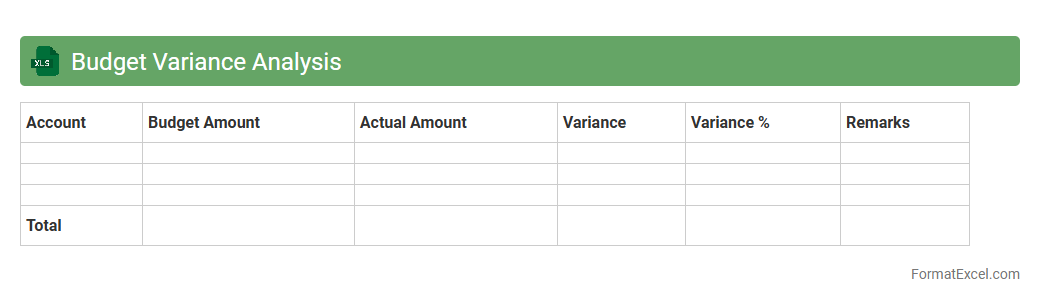
Budget Variance Analysis Excel document is a tool designed to compare actual financial performance against budgeted figures, highlighting discrepancies for effective financial management. It enables organizations to identify areas where spending exceeds or falls short of projections, facilitating informed decision-making and resource allocation. This analysis enhances budgeting accuracy and financial accountability by providing clear insights into operational efficiency and cost control.
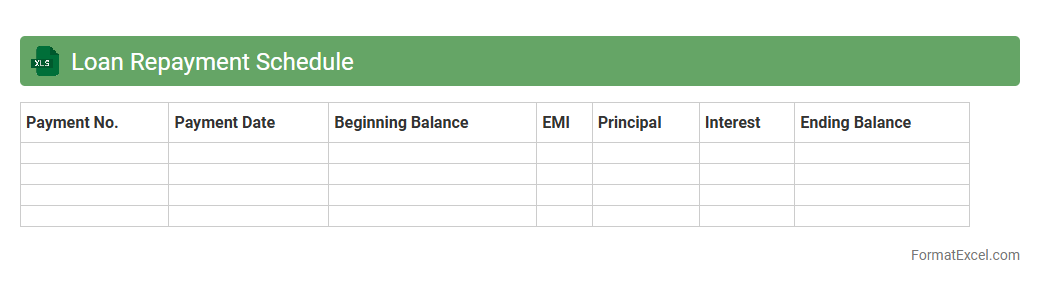
Loan Repayment Schedule
A
Loan Repayment Schedule Excel document is a detailed spreadsheet that outlines the periodic payments required to repay a loan over time, including principal, interest, and remaining balance. It helps borrowers and lenders track payment due dates, amounts, and outstanding loan balances, ensuring transparency and accurate financial planning. This tool is essential for budgeting, preventing missed payments, and understanding the impact of different repayment scenarios on loan duration and interest paid.
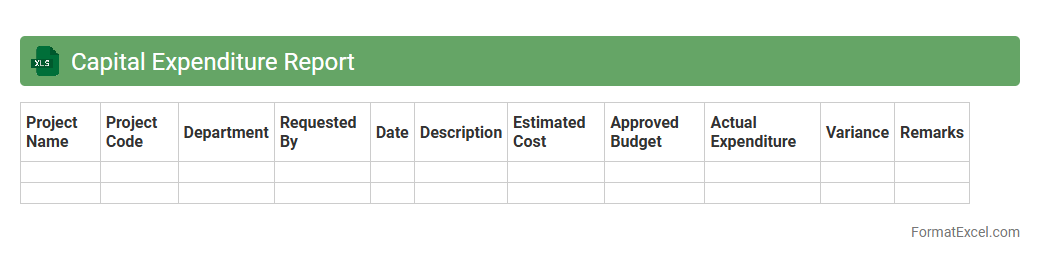
Capital Expenditure Report
A
Capital Expenditure Report Excel document is a detailed financial tool used to track and manage investments in long-term assets such as property, equipment, and infrastructure. It helps organizations monitor spending, forecast budgets, and ensure compliance with financial plans by providing clear visibility into capital project costs and timelines. This report is essential for informed decision-making, optimizing resource allocation, and improving financial control over large-scale investments.
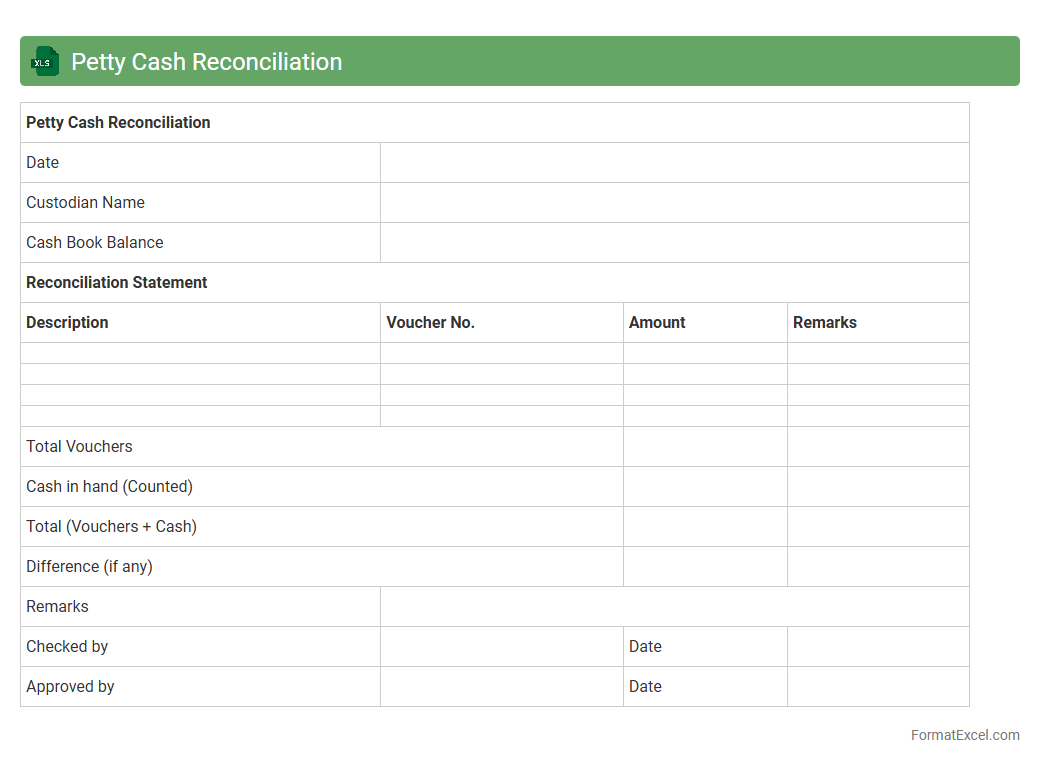
Petty Cash Reconciliation
The
Petty Cash Reconciliation Excel document is a tool designed to track and verify small cash transactions within an organization, ensuring accuracy between the physical cash on hand and recorded expenses. It helps maintain financial control by highlighting discrepancies, preventing misuse, and simplifying the process of documenting petty cash usage. This spreadsheet aids businesses in improving budget management, enhancing transparency, and streamlining internal audits for petty cash accounts.
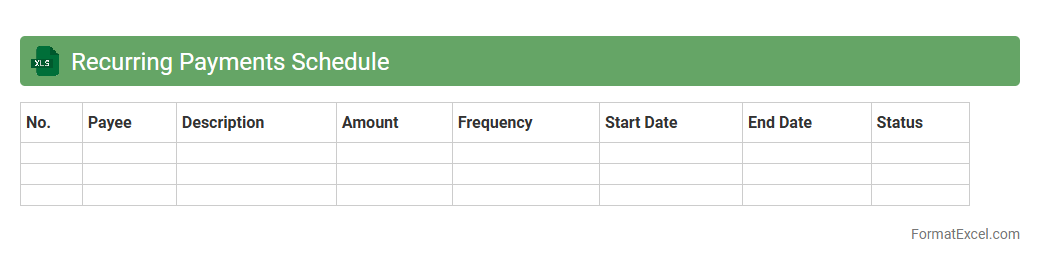
Recurring Payments Schedule
A
Recurring Payments Schedule Excel document is a structured spreadsheet designed to track and manage regular financial transactions such as subscriptions, loan payments, or utility bills. It helps users maintain accurate records of payment dates, amounts, and frequencies, ensuring timely payments and improved budgeting. This tool is essential for optimizing cash flow management and preventing missed or late fees in both personal and business finances.
Project Costing Statement
A
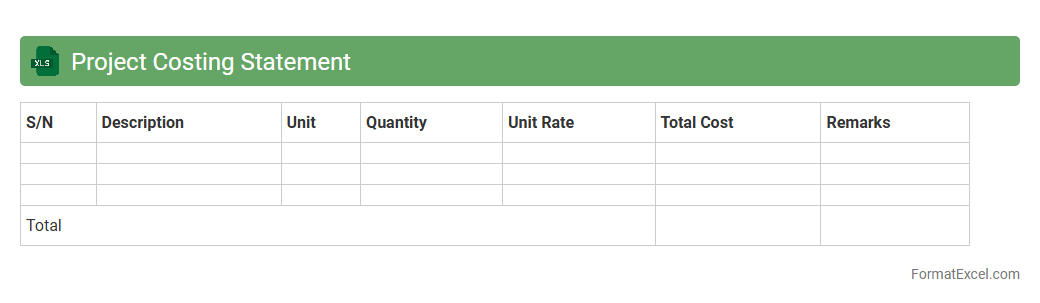
Project Costing Statement Excel document is a detailed financial tool designed to track and manage all expenses related to a specific project. It enables accurate budgeting, expense monitoring, and cost control by organizing data such as labor, materials, overheads, and other expenditures in a structured format. This document is essential for ensuring projects stay within budget, improving financial transparency, and facilitating informed decision-making throughout the project lifecycle.
Monthly Inventory Valuation
A
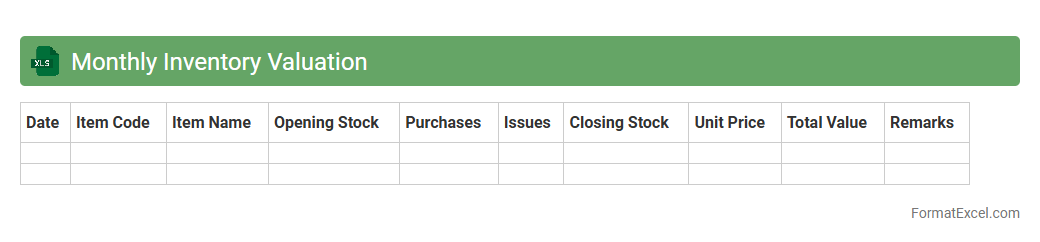
Monthly Inventory Valuation Excel document is a tool used to track and calculate the value of inventory on a monthly basis, providing accurate data on stock levels and costs. It helps businesses maintain updated financial records, assess stock performance, and optimize purchasing decisions. By offering clear insights into inventory turnover and carrying costs, this document supports effective inventory management and financial planning.
Cash Flow Statement
A
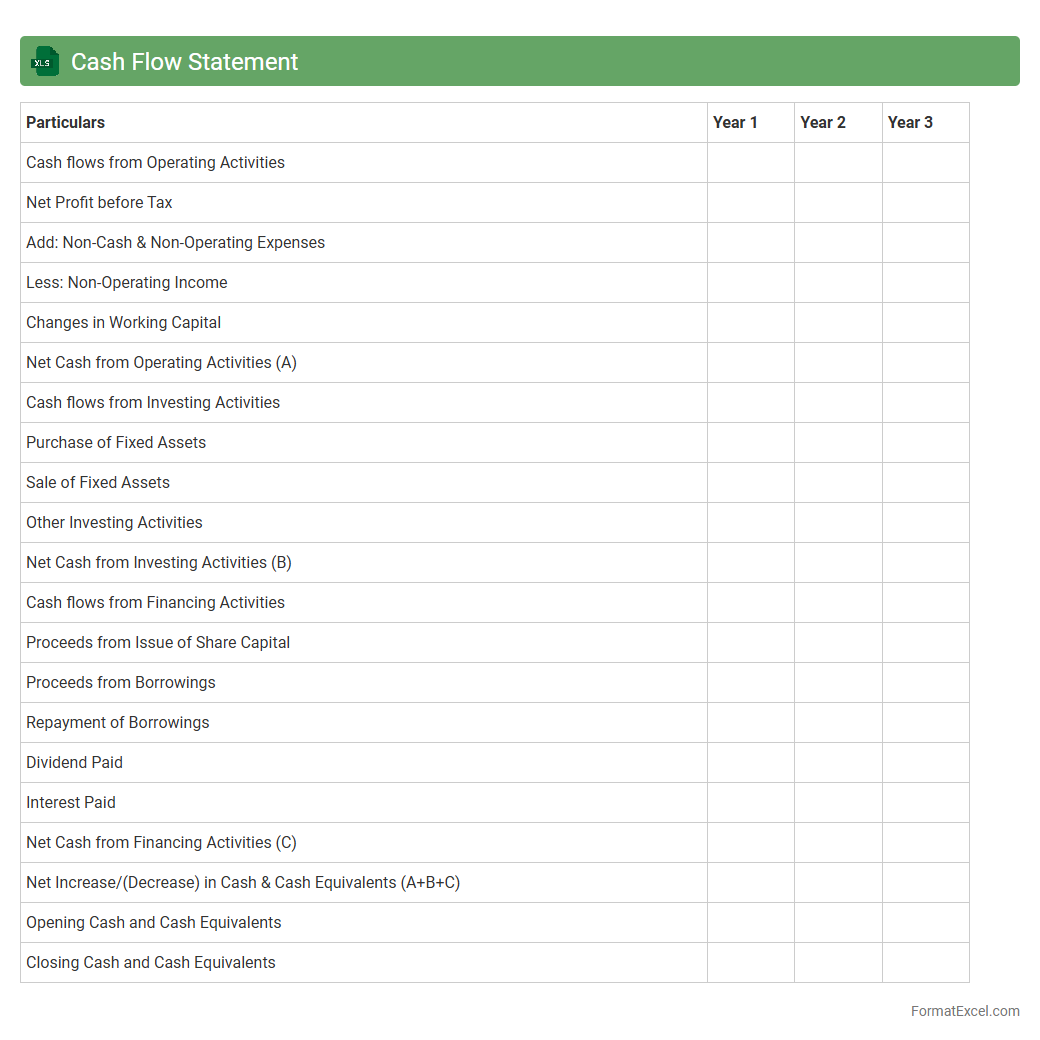
Cash Flow Statement Excel document is a structured spreadsheet used to track and analyze the inflows and outflows of cash within a business over a specific period. It helps businesses monitor their liquidity by categorizing cash activities into operating, investing, and financing sections, enabling better financial decision-making. This tool is essential for forecasting cash availability, managing expenses, and ensuring enough funds for operational needs.
Outstanding Checks Report
The
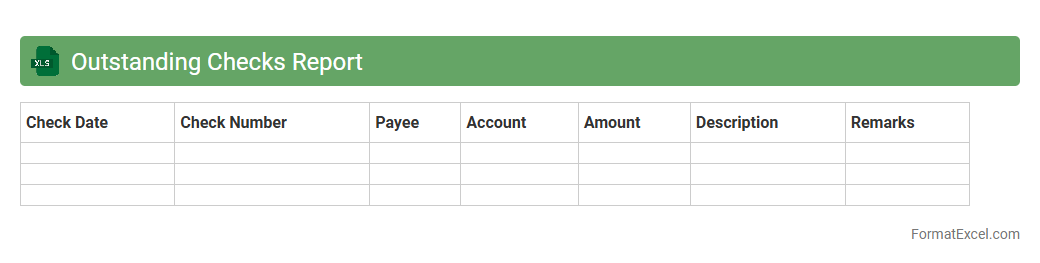
Outstanding Checks Report Excel document tracks checks issued by a company that have not yet cleared the bank, providing a clear view of pending financial obligations. It helps businesses manage cash flow accurately by identifying unpaid checks, preventing overdrafts and ensuring timely reconciliation of bank statements. This report is essential for maintaining accurate accounting records and improving financial decision-making.
Utility Expense Summary
The
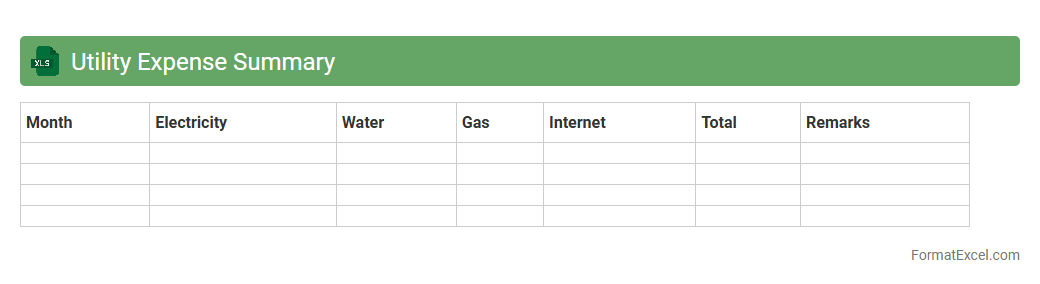
Utility Expense Summary Excel document consolidates all utility costs such as electricity, water, gas, and waste management into a clear and organized format. It enables efficient tracking, analysis, and budgeting by providing monthly or yearly cost breakdowns, helping businesses or households identify usage patterns and areas to reduce expenses. This tool supports financial management by improving expense visibility and aiding in strategic decision-making related to utility consumption.
Intercompany Transactions Report
The
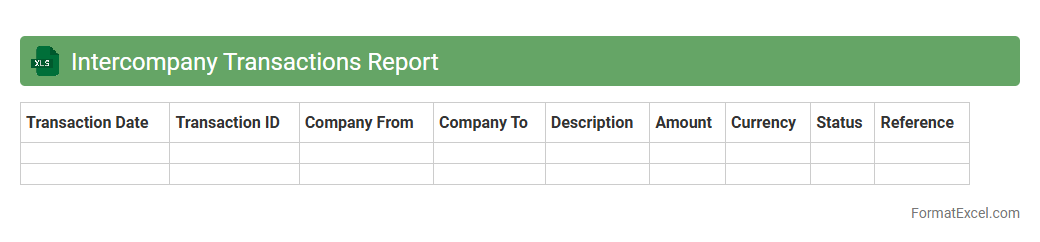
Intercompany Transactions Report Excel document provides a detailed overview of financial activities between related business entities within a corporate group. It enables accurate tracking, reconciliation, and auditing of intercompany invoices, payments, and balances, ensuring compliance with accounting standards and regulatory requirements. This report is essential for improving financial transparency, simplifying consolidation processes, and enhancing decision-making in multi-entity organizations.
Depreciation Schedule
A
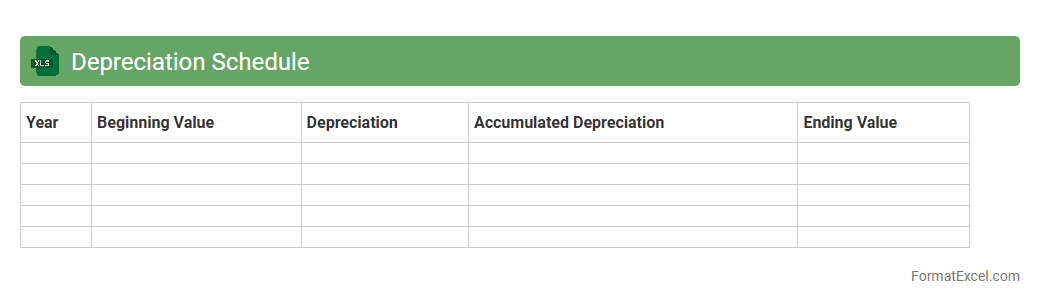
Depreciation Schedule Excel document is a tool used to systematically track the reduction in value of assets over time according to accounting standards. It helps businesses calculate accurate depreciation expenses, ensuring compliance with tax regulations and aiding in financial reporting. Using this schedule enhances budgeting and asset management by providing clear visibility into asset lifespan and residual values.
Commission Payment Summary
The
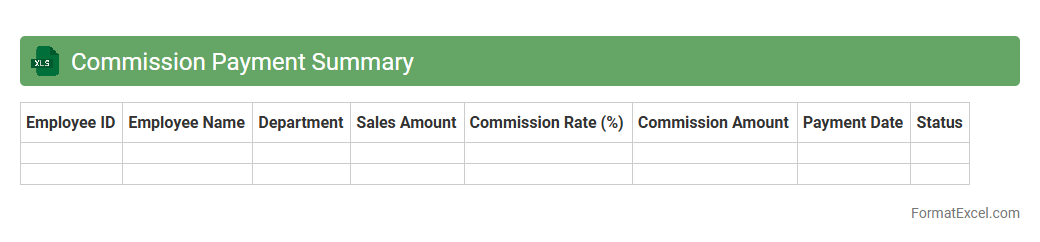
Commission Payment Summary Excel document consolidates all commission-related transactions, providing a clear overview of payments made to sales representatives or agents. It helps track earnings, calculate total commissions, and ensures accuracy in financial records, facilitating timely and transparent payment processing. This summary is essential for monitoring sales performance and maintaining organized financial documentation within an organization.
Introduction to Monthly Statement Format in Excel
The Monthly Statement Format in Excel is designed to organize and present financial data clearly and efficiently. Excel provides a versatile platform for creating detailed statements that track income, expenses, and balances over a month. This format helps users monitor financial performance regularly.
Benefits of Using Excel for Monthly Statements
Excel offers powerful tools for data manipulation and visualization, making it ideal for monthly statements. The ease of customization and integration with other Office applications enhance productivity. Additionally, Excel's formulas and functions automate calculations, reducing errors and saving time.
Essential Components of a Monthly Statement
A comprehensive monthly statement includes the date range, transaction details, amounts, and balances. It should clearly display income and expenses in separate categories. Including a summary section with totals and net balance is crucial for quick financial reviews.
Step-by-Step Guide to Setting Up the Format
Begin by creating columns for dates, descriptions, debit, credit, and balance. Use Excel formulas like SUM and IF to automate calculations and updates. Format the layout for readability by adjusting column widths and applying cell borders and shading.
Sample Monthly Statement Template in Excel
A typical template starts with a header for company and statement period, followed by transaction entries. The template includes formulas for running balances and totals. Using pre-built templates can streamline setup and ensure accuracy.
Key Excel Functions for Monthly Statements
Functions such as SUM, IF, VLOOKUP, and TODAY enhance statement functionality. The SUM function calculates totals, while IF can categorize entries based on conditions. VLOOKUP helps pull data from different sheets, improving data management.
Customizing Monthly Statement Layouts
Adjusting fonts, colors, and column arrangements makes statements more user-friendly and visually appealing. Use conditional formatting to highlight important data points like overdue payments. Custom layouts can reflect branding and improve clarity.
Tips for Data Accuracy and Validation
Implement data validation rules to restrict incorrect entries, such as invalid dates or negative amounts. Double-check formulas to prevent calculation errors and use Excel's auditing tools to trace dependencies. Regularly update data and back up files to maintain accuracy.
Automating Monthly Statements with Excel
Utilize macros and VBA scripts to automate repetitive tasks like data entry and report generation. Linking Excel with external data sources through Power Query enhances dynamic updates. Automation reduces manual errors and improves reporting speed.
Best Practices for Monthly Statement Management
Maintain organized and dated files to track financial history efficiently. Regularly review and reconcile statements to ensure accuracy. Protect sensitive information with password encryption and limit editing access to authorized users.