Opening Statement of Affairs
The
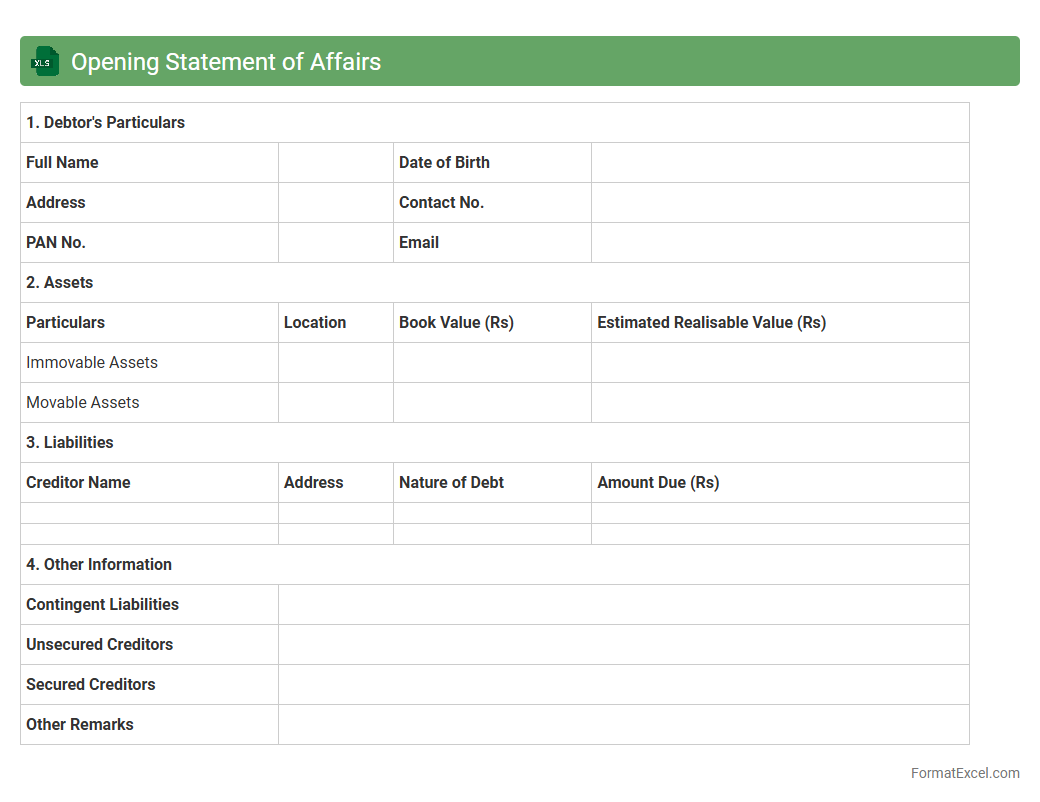
Opening Statement of Affairs Excel document provides a detailed summary of an individual's or company's financial position at the start of a formal process such as bankruptcy or liquidation. It organizes assets, liabilities, and other financial data into a clear format, enabling accurate assessment and decision-making. This document is essential for stakeholders to evaluate the extent of financial obligations and resources, ensuring transparency and facilitating efficient financial management.
Closing Statement of Affairs
The
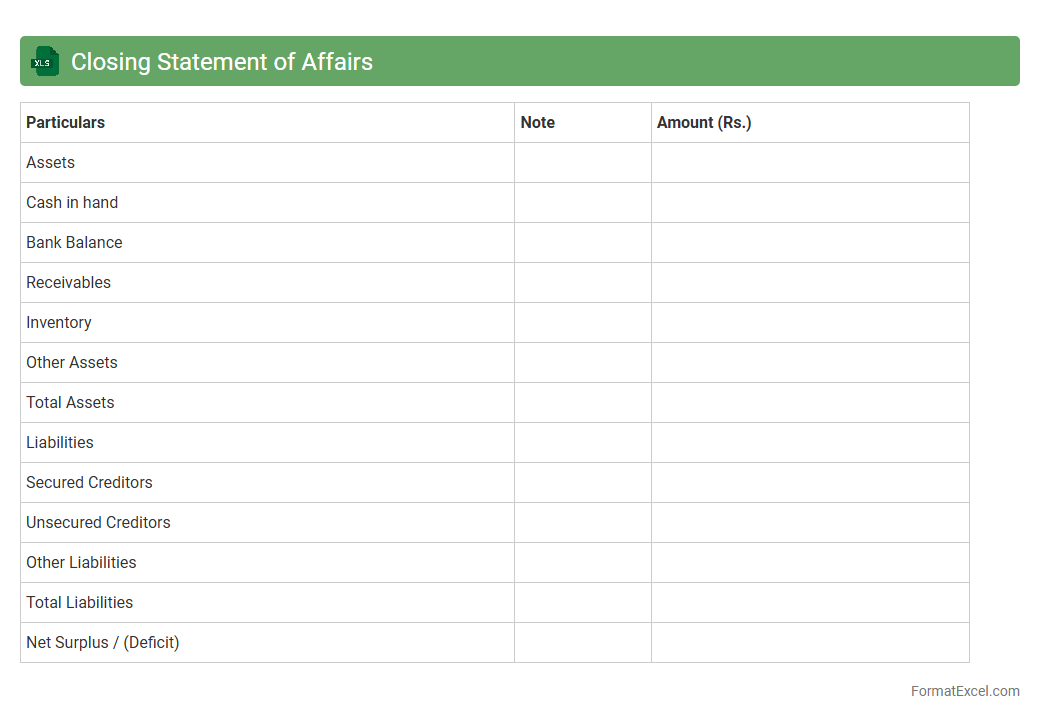
Closing Statement of Affairs Excel document summarizes an individual's or company's financial position at the end of a specific period, detailing assets, liabilities, and net worth. It is useful for assessing financial stability, facilitating insolvency or liquidation processes, and providing transparent data for stakeholders or creditors. This comprehensive overview aids in decision-making by offering clear insights into the current economic standing.
Assets Schedule
An
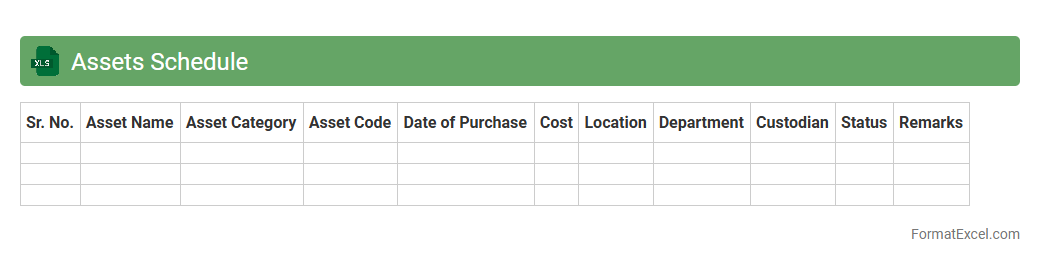
Assets Schedule Excel document is a detailed spreadsheet that tracks and manages an organization's fixed assets, including purchase dates, depreciation, and current values. It is useful for maintaining accurate financial records, ensuring compliance with accounting standards, and facilitating effective asset management and budgeting. By providing a clear overview of asset status and lifecycle, it supports informed decision-making and simplifies audit processes.
Liabilities Schedule
A
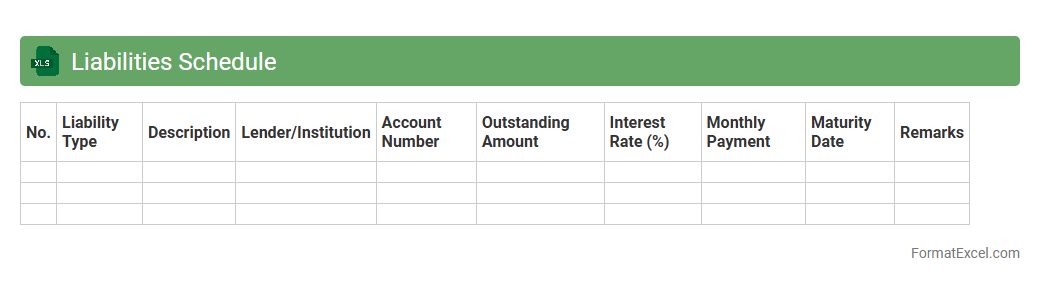
Liabilities Schedule Excel document is a structured spreadsheet used to record and track a company's debts and financial obligations over time. It helps businesses organize details such as loan amounts, interest rates, repayment dates, and outstanding balances, providing a clear overview of total liabilities. This tool supports effective financial planning, risk management, and accurate reporting for stakeholders and regulatory compliance.
List of Secured Creditors
A
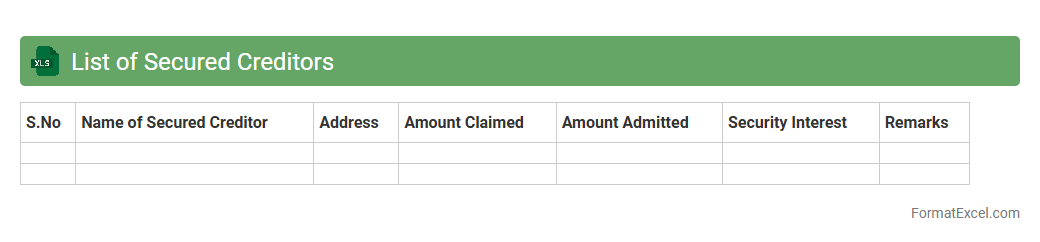
List of Secured Creditors Excel document organizes detailed information about creditors holding security interests in a debtor's assets, including names, loan amounts, collateral details, and payment schedules. This tool is essential for financial analysis, helping businesses and insolvency practitioners track debt obligations, prioritize claims during restructuring, and manage risk exposure effectively. Maintaining an updated list supports transparent communication with stakeholders and streamlines the decision-making process in credit management.
List of Unsecured Creditors
The
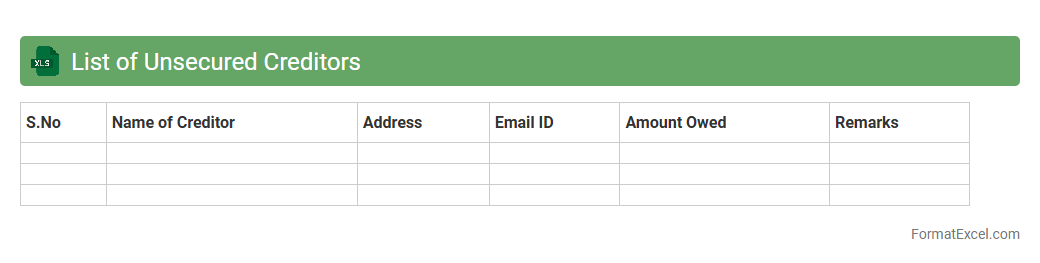
List of Unsecured Creditors Excel document compiles detailed information about creditors without secured claims, including names, contact details, and outstanding amounts. It streamlines the management of debt obligations by providing a clear overview of liabilities, facilitating accurate financial analysis and timely repayment planning. This document is essential for businesses during bankruptcy proceedings or debt restructuring to ensure transparent communication with all unsecured parties.
List of Preferential Creditors
A
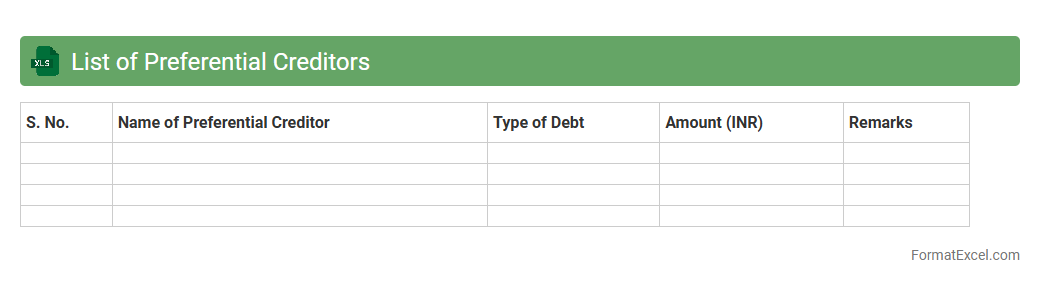
List of Preferential Creditors Excel document organizes and ranks creditors who have priority claims during insolvency or liquidation processes, ensuring compliance with legal payout orders. This structured spreadsheet helps businesses and insolvency practitioners quickly identify and calculate the amounts owed to preferential creditors, streamlining financial reporting and decision-making. Utilizing this tool reduces errors and enhances transparency in distributing funds according to statutory obligations.
Summary of Debts
The
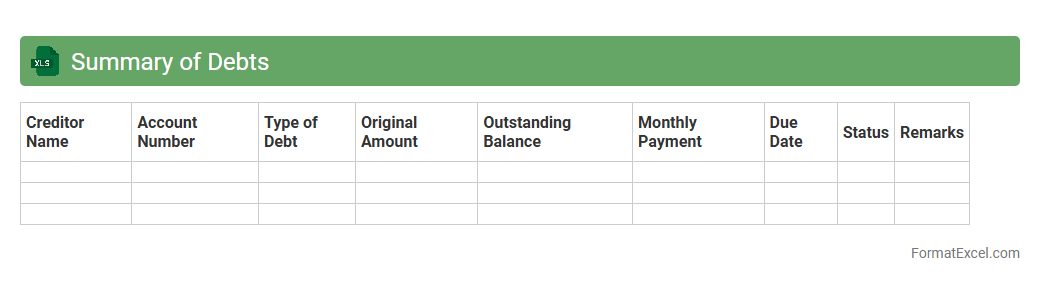
Summary of Debts Excel document consolidates all outstanding liabilities into a clear and organized format, helping users track balances, interest rates, and payment schedules efficiently. This tool aids in financial planning by providing a comprehensive overview of debts, making it easier to prioritize payments and manage cash flow. Businesses and individuals can improve decision-making and reduce financial stress through accurate debt monitoring and quick access to critical data.
Statement of Assets Realisable Value
A
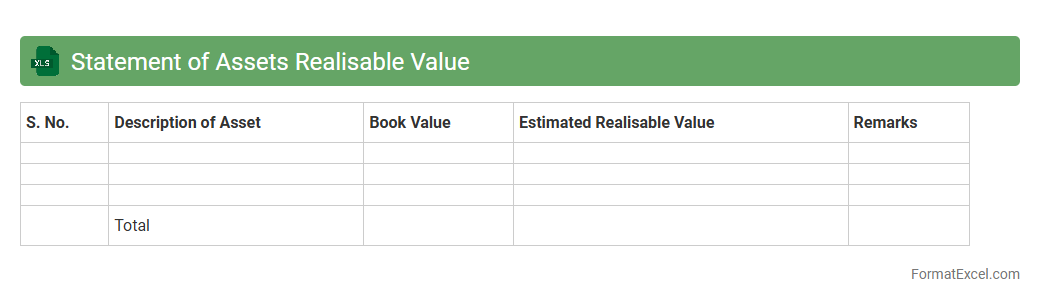
Statement of Assets Realisable Value (SARV) Excel document is a detailed financial tool used to itemize and assess the market value of assets, helping in liquidation or bankruptcy scenarios. It provides a clear, organized format for listing assets, estimating their realizable value, and calculating total recoverable amounts, which is essential for accurate financial reporting and decision-making. This document aids businesses and creditors in understanding asset liquidity, supporting effective asset management, and facilitating transparent communication during insolvency processes.
Comparative Statement of Affairs
The
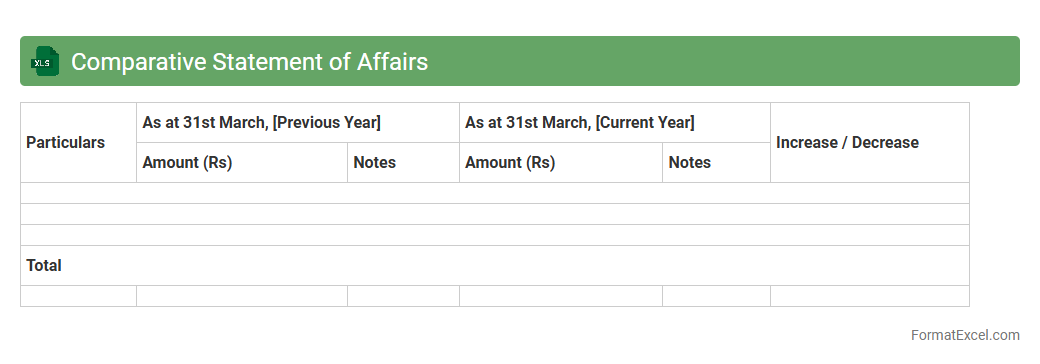
Comparative Statement of Affairs Excel document is a financial tool used to compare the assets, liabilities, and equity of an individual or business across different periods. It helps track changes in financial position by providing a clear side-by-side analysis of two or more balance sheets, facilitating better decision-making and financial planning. This document is particularly useful for identifying trends, assessing solvency, and evaluating the impact of financial activities over time.
List of Debtors
The
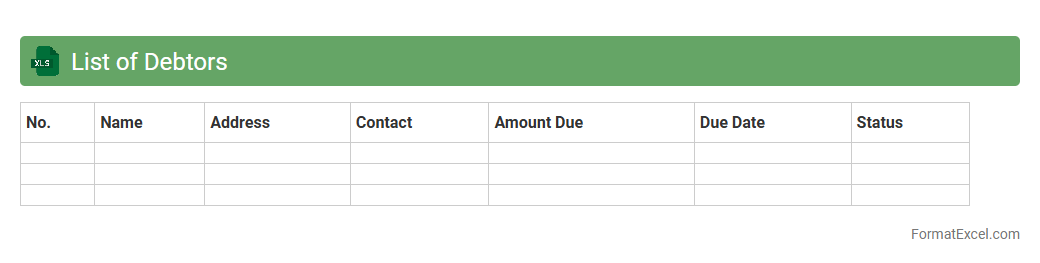
List of Debtors Excel document is a structured spreadsheet that tracks outstanding debts owed by clients or customers, detailing debtor names, amounts due, payment statuses, and due dates. It streamlines debt management by allowing businesses to monitor receivables efficiently, prioritize collection efforts, and improve cash flow forecasting. Using this document enhances financial control and reduces the risk of bad debts by providing clear, up-to-date information on credit exposure.
List of Creditors
A
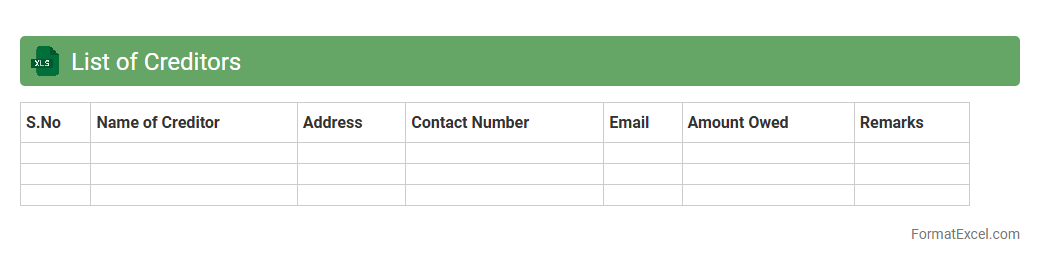
List of Creditors Excel document is a structured spreadsheet that records all creditors to whom a business or individual owes money, including details like names, contact information, outstanding balances, and payment terms. This tool is invaluable for efficient debt management, allowing users to track liabilities, prioritize payments, and maintain clear financial obligations. Using such a document enhances cash flow planning and supports accurate financial reporting and auditing processes.
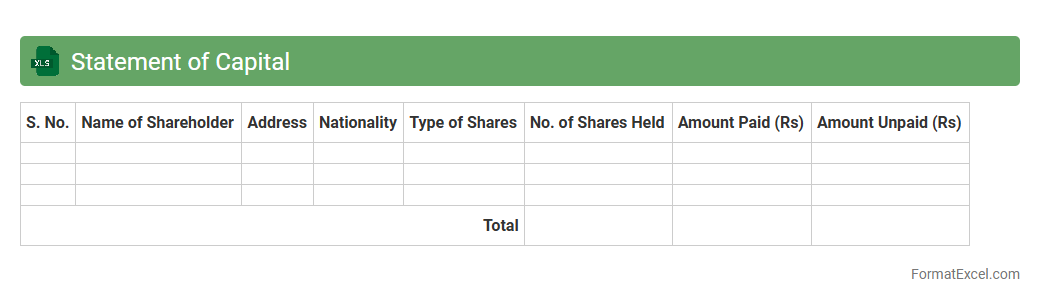
Statement of Capital
A
Statement of Capital Excel document details the total shares, their nominal value, and shareholder information of a company. It helps ensure accurate tracking of ownership distribution and share capital changes for legal compliance and financial reporting. This document streamlines data management, making it easier to update and analyze share structure efficiently.
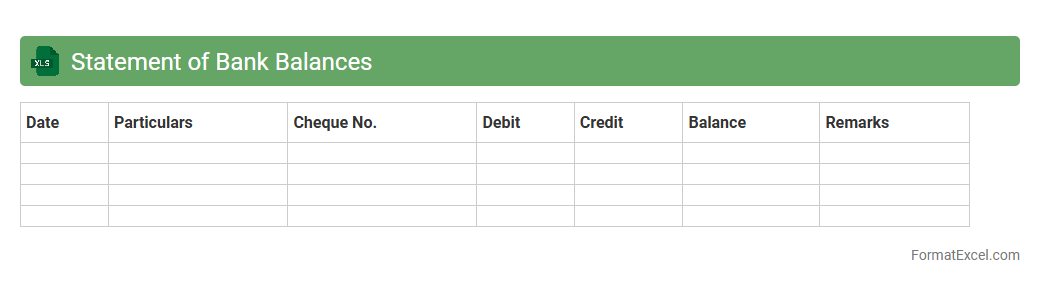
Statement of Bank Balances
A
Statement of Bank Balances Excel document is a detailed financial report that tracks and summarizes account balances across multiple bank accounts over a specified period. It allows for efficient monitoring of cash flow, reconciliation of accounts, and quick identification of discrepancies, ensuring accurate financial management. This tool is useful for businesses and individuals to maintain clarity on their liquidity status and support budgeting and forecasting processes.
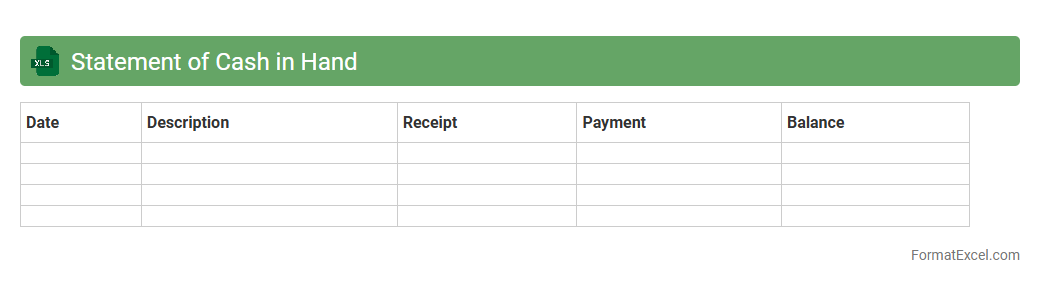
Statement of Cash in Hand
A
Statement of Cash in Hand Excel document tracks the daily cash transactions and balances, providing a clear snapshot of available cash resources. It is useful for managing liquidity effectively, ensuring that cash inflows and outflows are accurately monitored to prevent shortages. This document aids businesses in maintaining financial control and supports informed decision-making by offering real-time insights into cash fluctuations.
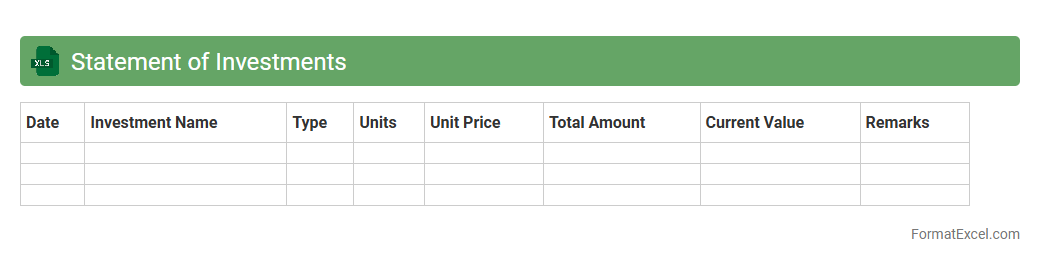
Statement of Investments
The
Statement of Investments Excel document is a detailed financial report that tracks and summarizes an individual's or organization's investment portfolio, including assets such as stocks, bonds, mutual funds, and other securities. It helps users monitor investment performance, asset allocation, and transaction history, providing crucial data for informed decision-making and financial planning. By organizing investment data in a clear, accessible format, this document enhances portfolio management and supports accurate tax reporting.
Statement of Fixed Assets
A
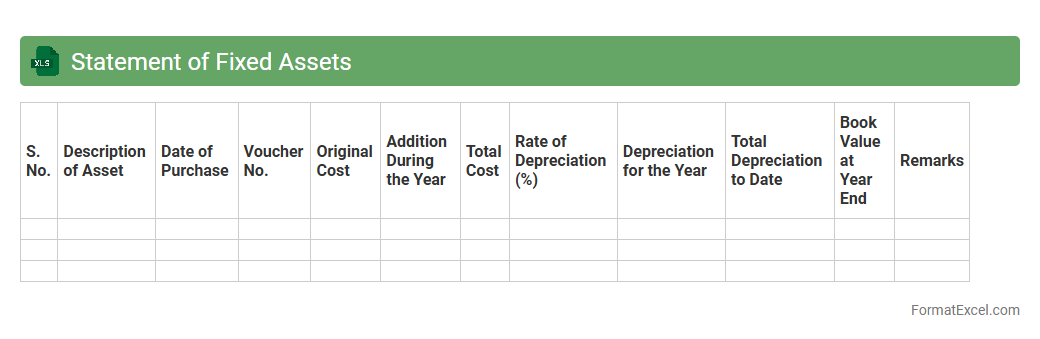
Statement of Fixed Assets Excel document is a structured spreadsheet used to record, track, and manage an organization's tangible fixed assets such as machinery, buildings, and equipment. It provides essential data on asset acquisition dates, depreciation, net book value, and useful life, enabling accurate financial reporting and compliance with accounting standards. This tool is crucial for monitoring asset value, planning maintenance schedules, and informing investment decisions to optimize resource allocation.
Statement of Current Assets
The
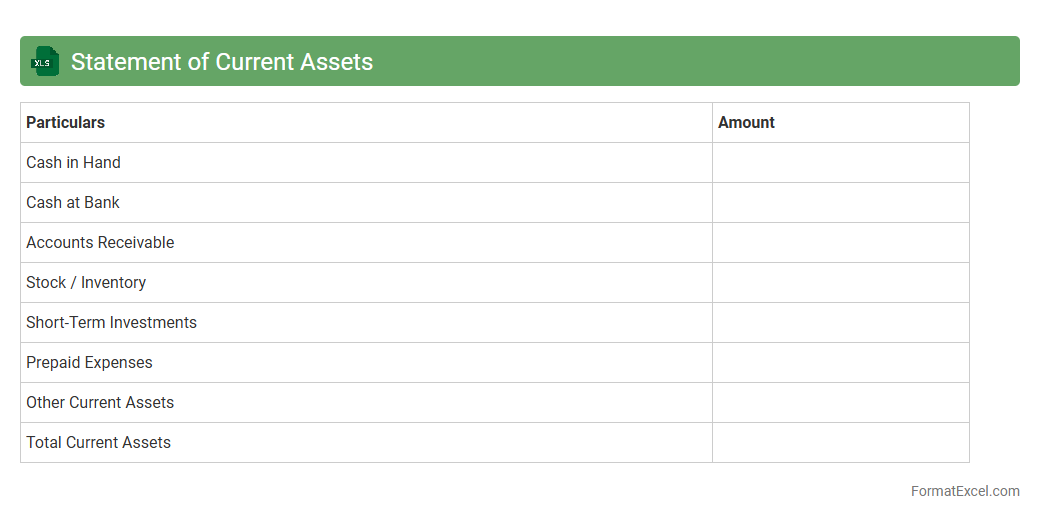
Statement of Current Assets Excel document is a financial tool that organizes and tracks all short-term assets such as cash, accounts receivable, and inventory within a specified period. This document enables businesses to quickly assess liquidity and make informed decisions regarding cash flow management and resource allocation. By providing a clear snapshot of current assets, it improves accuracy in financial reporting and aids in efficient budgeting and strategic planning.
Statement of Current Liabilities
A
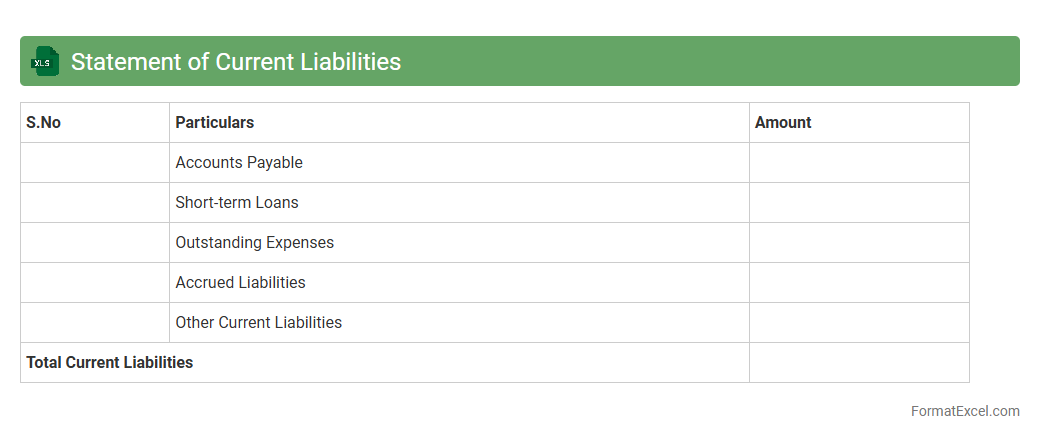
Statement of Current Liabilities Excel document is a financial tool that organizes and tracks a company's short-term debts and obligations due within one year, such as accounts payable, short-term loans, and accrued expenses. It enables businesses to monitor liquidity, manage cash flow effectively, and ensure timely payments to creditors. Using this Excel document enhances financial planning by providing clear insights into outstanding liabilities and helping maintain accurate financial records for decision-making.
Statement of Contingent Liabilities
The
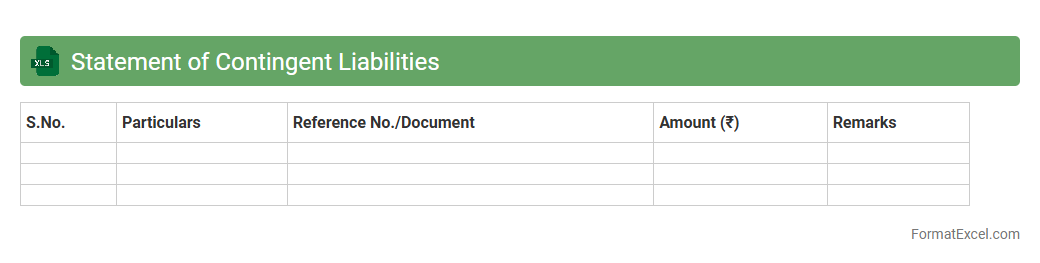
Statement of Contingent Liabilities Excel document is a structured financial tool used to record and analyze potential liabilities that may arise from uncertain future events. It helps businesses track possible obligations, such as lawsuits or guarantees, enabling better risk management and accurate financial reporting. This document is essential for maintaining transparency and supporting informed decision-making by providing clear visibility of contingent risks.
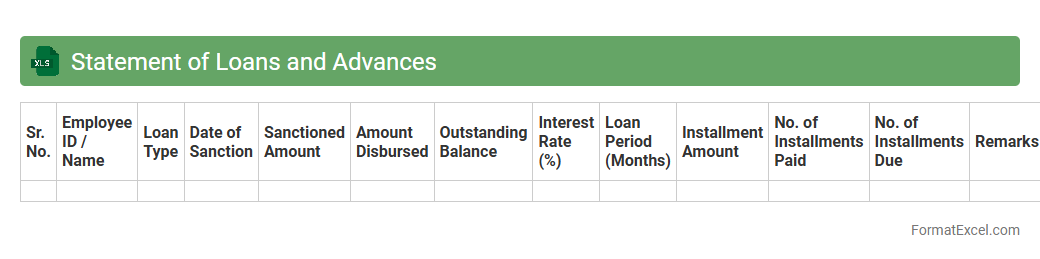
Statement of Loans and Advances
The
Statement of Loans and Advances Excel document is a detailed financial record that tracks outstanding loans and advances given by an organization or individual. It helps in monitoring repayment schedules, interest calculations, and outstanding balances efficiently, ensuring accurate financial management and transparency. This document is essential for auditing purposes and maintaining up-to-date financial status reports.
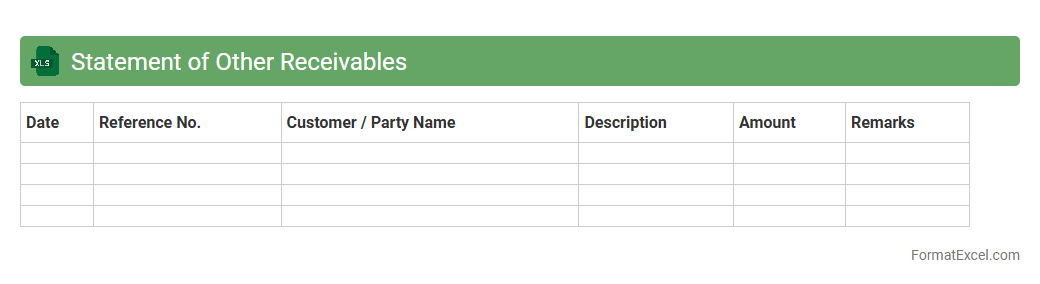
Statement of Other Receivables
A
Statement of Other Receivables Excel document is a detailed record that tracks outstanding amounts owed to a business aside from regular account receivables, such as loans, advances, or miscellaneous credits. This statement enhances financial management by providing clear visibility into non-trade receivables, enabling accurate cash flow forecasting and effective credit control. It is essential for maintaining organized accounts, ensuring timely collections, and supporting comprehensive financial reporting.
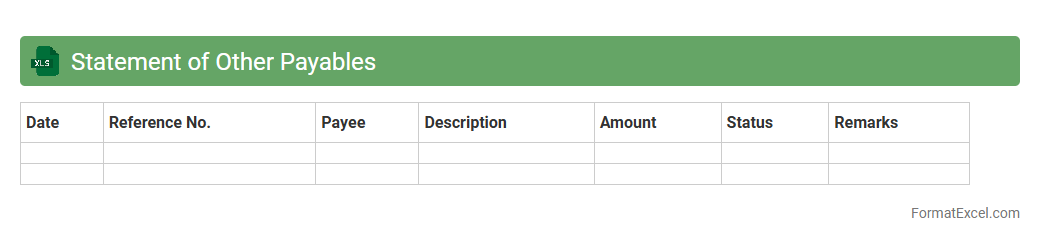
Statement of Other Payables
The
Statement of Other Payables Excel document is a financial report that consolidates outstanding liabilities excluding primary payables such as loans or accounts payable. This detailed record helps businesses track miscellaneous debts like accrued expenses, taxes payable, and employee reimbursements, ensuring accurate financial management and compliance. Using this document improves cash flow forecasting and strengthens accountability by providing clear visibility into all other payable obligations.
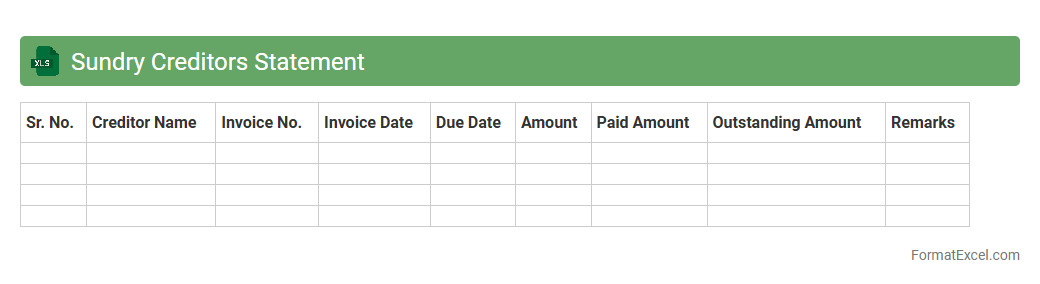
Sundry Creditors Statement
A
Sundry Creditors Statement Excel document is a financial record that details outstanding amounts owed to various small or miscellaneous suppliers and creditors. It helps businesses track payment deadlines, manage cash flow efficiently, and maintain accurate accounts payable information. By organizing creditor data in a structured format, this statement aids in ensuring timely payments and improving vendor relationships.
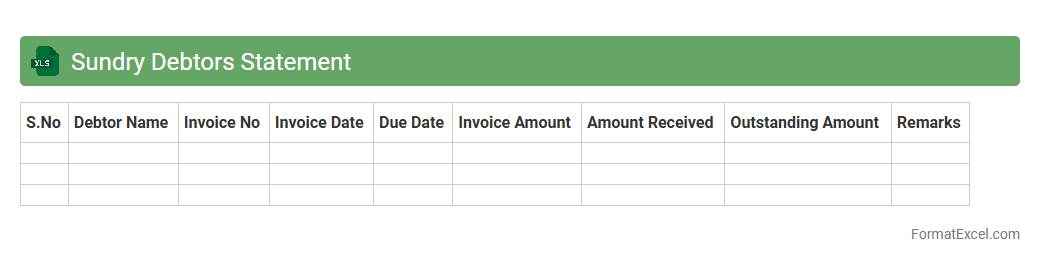
Sundry Debtors Statement
The
Sundry Debtors Statement Excel document is a financial report that lists all outstanding amounts owed by various debtors, other than regular customers, to a business. It helps track individual balances and payment statuses, enabling effective credit management and timely follow-up on dues. This document improves cash flow monitoring and supports accurate financial reporting by consolidating debtor information in a structured, easy-to-analyze format.
Introduction to Statement of Affairs
A Statement of Affairs is a financial document that provides an overview of a company's assets, liabilities, and equity at a particular point in time. It serves as a snapshot of the business's financial health and is often used during insolvency or financial analysis. Understanding this statement helps in assessing the company's ability to meet its obligations.
Importance of Statement of Affairs in Accounting
The Statement of Affairs is crucial for accountants and stakeholders because it offers a clear view of the firm's solvency status. It helps identify financial discrepancies, track debts, and informs decision-making during restructuring or liquidation. Maintaining accurate statements ensures compliance and financial transparency.
Key Components of a Statement of Affairs
The main components of a Statement of Affairs include assets, liabilities, capital, and sometimes contingencies. Assets are listed separately as current and fixed, while liabilities cover short-term and long-term obligations. These components collectively determine the company's net worth.
Benefits of Using Excel for Statement of Affairs
Using Excel for Statement of Affairs streamlines data management, allows easy updates, and supports complex calculations through built-in functions. Excel's flexibility enables customization to suit different business needs and enhances accuracy. Plus, it simplifies sharing and collaboration among financial teams.
Step-by-Step Guide to Creating Statement of Affairs in Excel
Start by listing all assets and their values in separate rows. Next, input liabilities and indicate their categories, followed by capital balances. Use formulas to calculate totals and net worth, ensuring all data links for automatic updates.
Essential Columns and Rows for the Statement of Affairs Format
Essential columns include item description, amount, classification (asset or liability), and notes. Rows should detail individual assets, liabilities, and capital entries for clarity. This structure enhances readability and helps maintain organized financial records.
Sample Statement of Affairs Format in Excel
A sample Excel format consists of asset listings in the left column, liabilities on the right, and a summary section showing net capital. Highlighted totals ensure quick review and accuracy checks. Formats usually employ bold fonts and borders for key figures.
Common Mistakes to Avoid in Statement of Affairs Excel Template
Avoid omitting key liabilities or assets, which can distort the company's financial position. Double-check formula accuracy to prevent calculation errors and inconsistencies. Ensure consistent data entry to maintain reliable and audit-ready statements.
Tips for Automating Calculations in Excel
Utilize Excel formulas like SUM, IF, and VLOOKUP to automate total and conditional calculations. Protect formula cells to avoid accidental overwrites and use named ranges for better clarity. Automation reduces errors and speeds up the reporting process.
Downloadable Statement of Affairs Excel Template
Access a free downloadable Statement of Affairs Excel Template that includes pre-built formulas and structured layouts. This template saves time and ensures accuracy for financial reporting. Users can customize it to fit specific business requirements easily.