Stock Valuation Summary
A
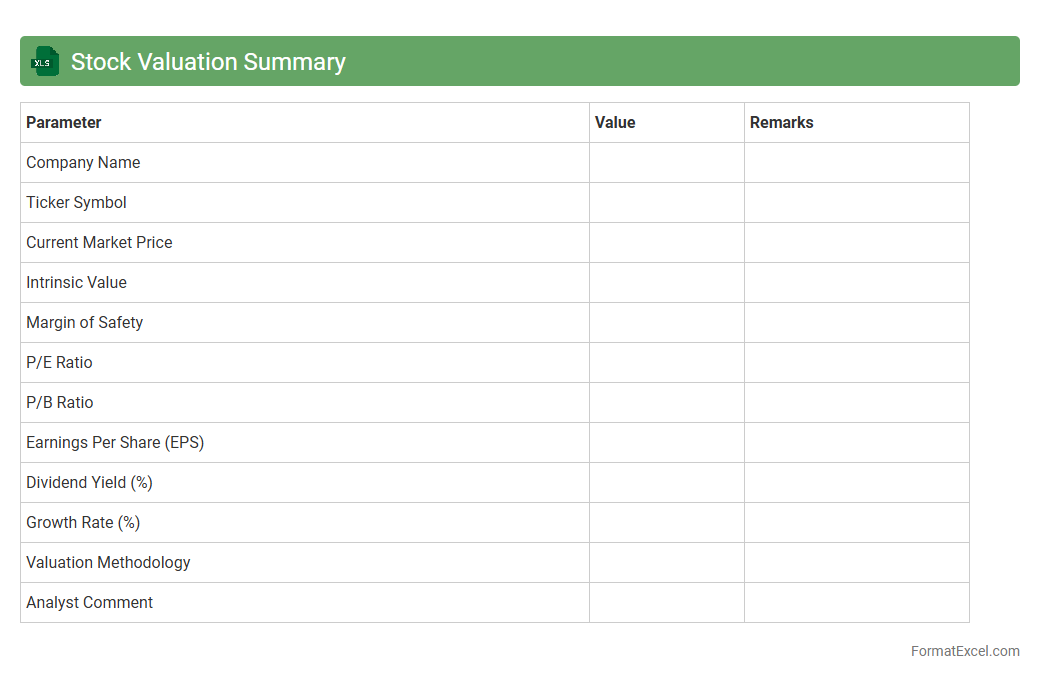
Stock Valuation Summary Excel document consolidates key financial metrics and valuation models to assess the fair value of stocks efficiently. It enables investors to analyze price-to-earnings ratios, discounted cash flow projections, and dividend yields in a structured format for informed decision-making. The organized presentation of data helps identify investment opportunities and monitor portfolio performance effectively.
Opening Stock Statement
An
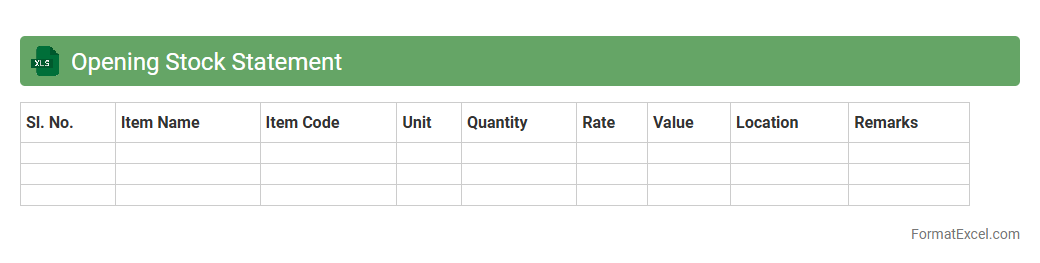
Opening Stock Statement Excel document is a detailed inventory record that captures the quantity and value of stock at the beginning of an accounting period. It helps businesses accurately track their initial inventory levels, facilitating effective stock management, financial reporting, and cost control. Utilizing this statement ensures consistency in inventory assessment, supports seamless audit processes, and enhances decision-making related to purchasing and production planning.
Closing Stock Statement
A
Closing Stock Statement Excel document is a financial tool used to record and calculate the value of inventory remaining at the end of an accounting period. It helps businesses accurately assess their stock levels, enabling efficient inventory management and cost control. By providing a clear snapshot of unsold goods, this statement supports better decision-making in budgeting, profit calculation, and financial reporting.
Stock Movement Report
A
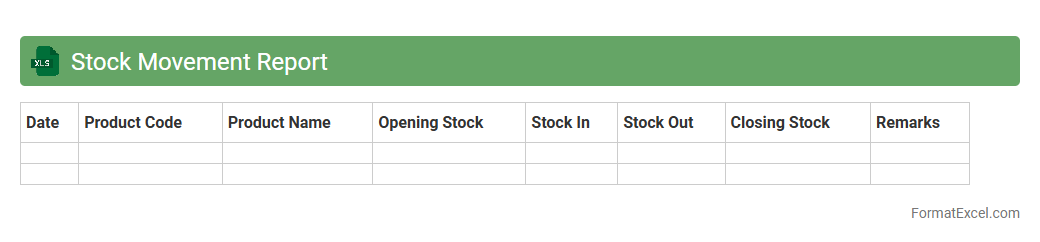
Stock Movement Report in Excel is a comprehensive document that tracks the inflow and outflow of inventory items within a specific period, providing detailed data on quantities, dates, and item descriptions. This report is essential for monitoring stock levels, identifying trends, preventing stockouts or overstock situations, and enabling accurate inventory management. Businesses use this data to optimize procurement, streamline operations, and improve demand forecasting.
Stock Aging Report
A
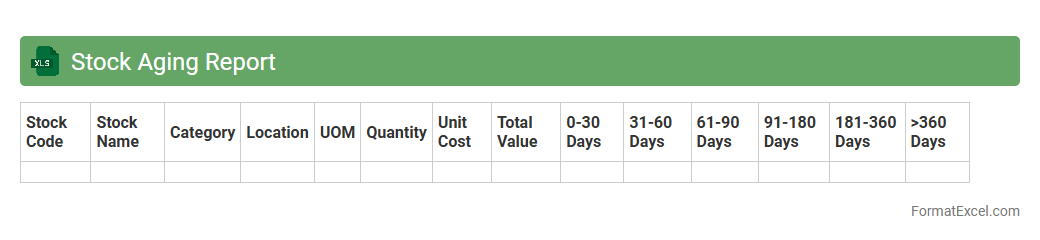
Stock Aging Report Excel document categorizes inventory based on the duration items have been in stock, highlighting aging products to optimize inventory management. This report helps businesses identify slow-moving or obsolete items, enabling timely decisions on stock clearance or replenishment. Efficient use of a Stock Aging Report improves cash flow, reduces carrying costs, and enhances overall supply chain efficiency.
Reorder Level Statement
A
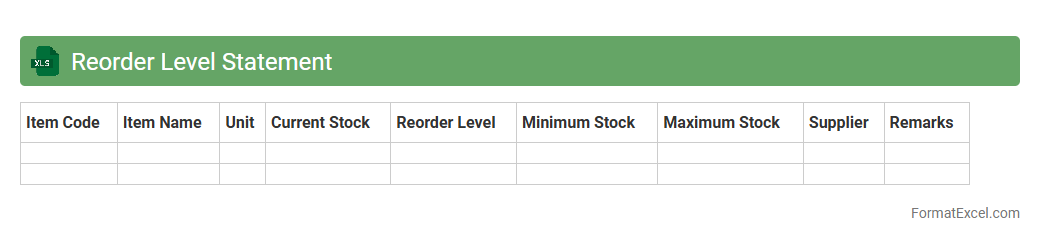
Reorder Level Statement Excel document is a systematic tool used to track inventory thresholds, signaling when stock levels fall below a predefined point to prompt timely restocking. By maintaining accurate reorder levels, businesses prevent stockouts and overstocking, optimizing supply chain efficiency and reducing carrying costs. This document enhances inventory management by providing clear visibility into reorder needs, ensuring seamless production and customer satisfaction.
Slow Moving Items Statement
The
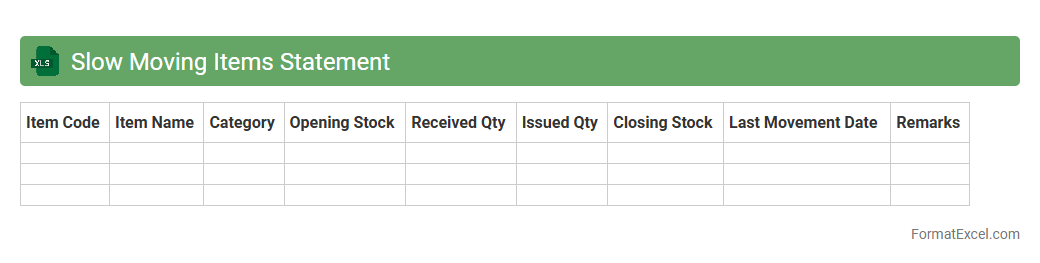
Slow Moving Items Statement Excel document tracks inventory items with low sales velocity, helping businesses identify products that are not selling quickly. It provides valuable data on stock aging, turnover rates, and holding costs, enabling better inventory management and reducing storage expenses. This analysis supports informed decision-making for optimizing stock levels and improving cash flow.
Non-Moving Stock Statement
A
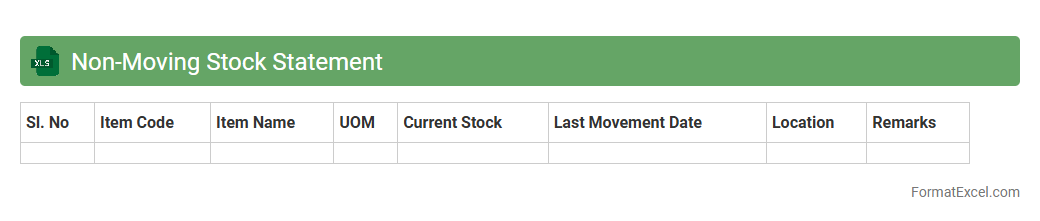
Non-Moving Stock Statement Excel document identifies inventory items that have remained unsold or unused over a specific period, helping businesses pinpoint stagnant products. This tool aids in optimizing inventory management by highlighting slow-moving or obsolete stock, enabling companies to make informed decisions on discounting, liquidation, or procurement adjustments. Efficient use of this statement improves cash flow, reduces holding costs, and enhances overall supply chain performance.
Stock Discrepancy Statement
A
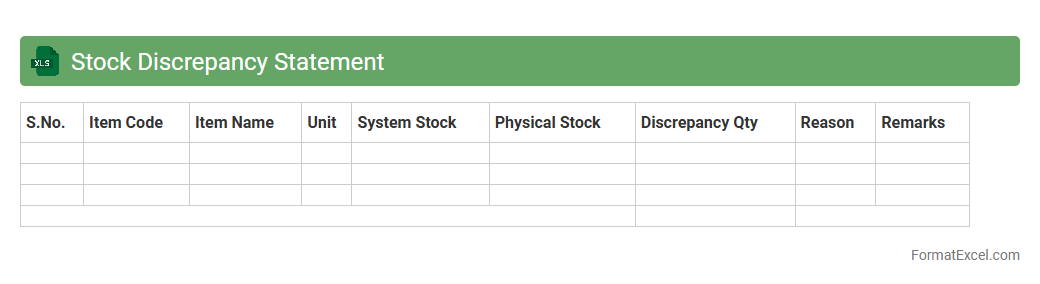
Stock Discrepancy Statement Excel document is a detailed report that highlights differences between recorded inventory levels and actual stock counts. It helps identify inaccuracies caused by errors in recording, theft, or loss, allowing businesses to maintain accurate inventory records. By providing clear data on stock variances, this tool supports effective inventory management and decision-making processes.
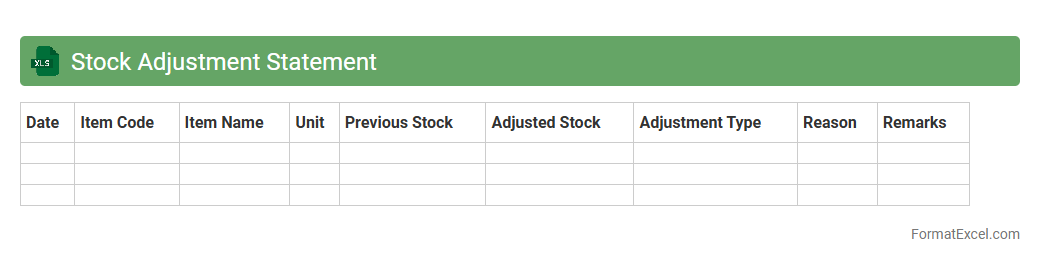
Stock Adjustment Statement
A
Stock Adjustment Statement Excel document is a detailed record used to track changes in inventory levels due to various factors such as damages, theft, or miscounts. It allows businesses to accurately reconcile physical stock with accounting records, ensuring precise inventory management and financial reporting. This document helps identify discrepancies, streamline inventory control, and improve decision-making for procurement and sales strategies.
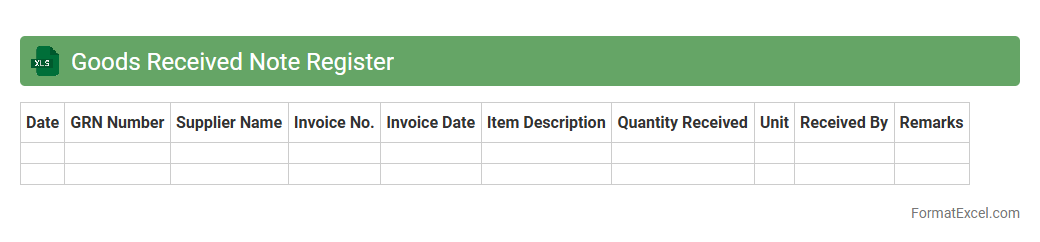
Goods Received Note Register
The
Goods Received Note Register Excel document is a systematic record of all goods received by a business, capturing details such as date, supplier, quantity, and condition of items. This register enhances inventory accuracy by providing a transparent audit trail for stock validation and supplier accountability. Using this document improves procurement efficiency and supports timely reconciliation between received goods and purchase orders, reducing errors and discrepancies.
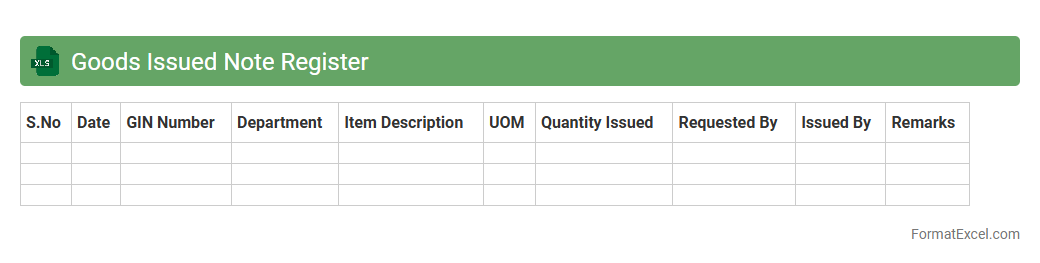
Goods Issued Note Register
A
Goods Issued Note Register Excel document is a detailed record of all goods issued from inventory, tracking item descriptions, quantities, issue dates, and recipient details. It helps streamline inventory management by providing clear visibility on stock movements and ensuring accountability in the supply chain process. Using this register enhances accuracy in stock control, aids in auditing inventory transactions, and supports effective procurement planning.
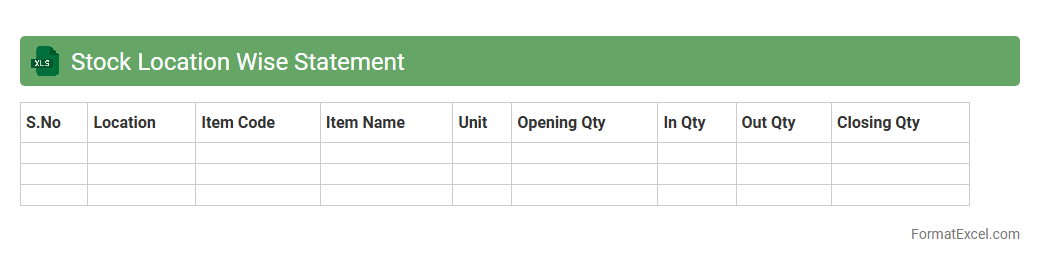
Stock Location Wise Statement
The
Stock Location Wise Statement Excel document systematically organizes inventory data based on specific storage sites, enabling precise stock tracking across multiple locations. It enhances inventory management by providing clear visibility of stock levels, movements, and discrepancies per location, facilitating informed decision-making and efficient resource allocation. This tool is invaluable for businesses aiming to optimize supply chain operations and minimize stockouts or overstock situations.
Batch Wise Stock Statement
A
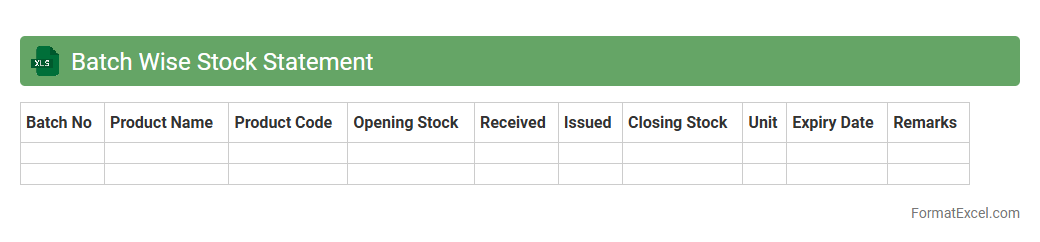
Batch Wise Stock Statement Excel document systematically organizes inventory data by individual batches, enabling precise tracking of stock levels, expiry dates, and batch-specific attributes. This detailed record helps businesses manage inventory efficiently, minimize stockouts, and optimize reorder processes by providing accurate batch-wise stock visibility. Using this tool improves stock control, reduces wastage, and supports regulatory compliance through traceability of batch movements.
Category Wise Stock Statement
A
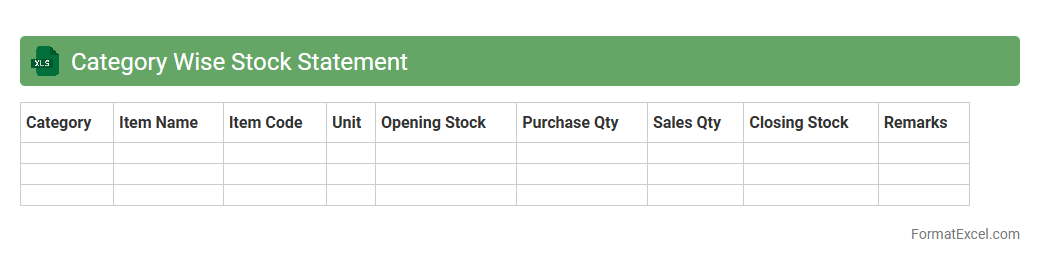
Category Wise Stock Statement Excel document organizes inventory data by specific product categories, allowing businesses to track stock levels efficiently. It enables quick analysis of stock availability, movement, and valuation within each category, facilitating informed purchasing and sales decisions. This tool is essential for maintaining balanced inventory, minimizing stockouts or overstock situations, and optimizing overall inventory management.
Item Wise Stock Statement
An
Item Wise Stock Statement Excel document provides a detailed record of inventory levels for each product or item over a specific period. It helps businesses track stock quantities, monitor stock movements, and identify discrepancies efficiently. This tool is essential for optimizing inventory management, preventing stockouts, and ensuring accurate financial reporting.
Supplier Wise Stock Statement
A
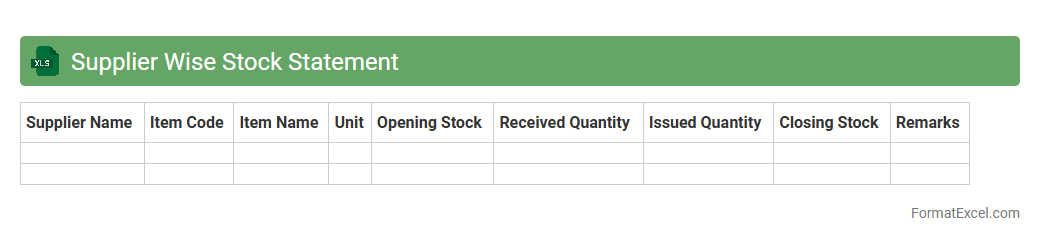
Supplier Wise Stock Statement Excel document is a detailed report that organizes inventory data based on individual suppliers, showing quantities, item descriptions, and stock status. It helps businesses monitor stock levels accurately, manage supplier relationships, and optimize reorder processes, ensuring timely procurement and reducing stockouts. This document enhances decision-making by providing clear insights into supplier-wise inventory distribution and performance.
Stock Consumption Report
A
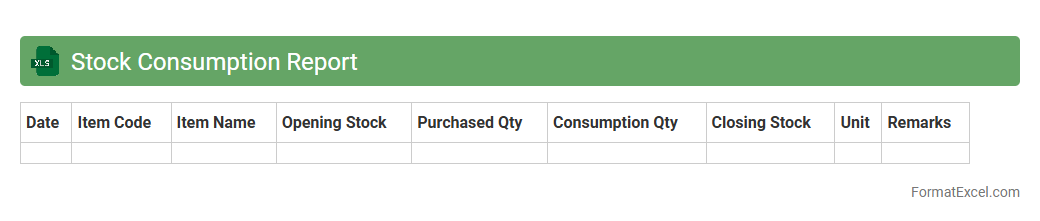
Stock Consumption Report Excel document tracks the quantity of inventory used over a specific period, providing detailed insights into stock depletion patterns. It enables businesses to monitor product usage, forecast future demand, and optimize inventory levels to reduce carrying costs. This report supports efficient supply chain management by identifying fast-moving items and preventing stockouts or overstock situations.
Stock Transfer Statement
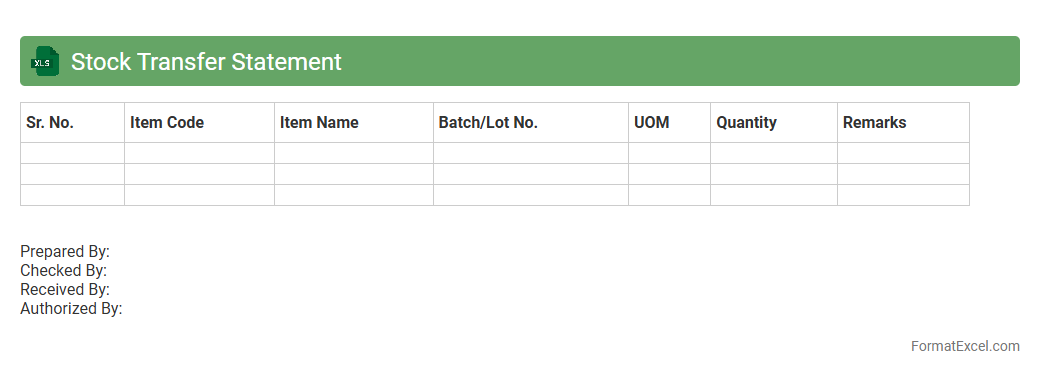
A
Stock Transfer Statement Excel document is a detailed report that tracks the movement of inventory items between different locations or departments within an organization. It helps businesses maintain accurate records of stock levels, improving inventory management and reducing discrepancies. This document is essential for auditing, financial reconciliation, and optimizing supply chain operations by providing clear visibility into stock transfers.
Physical Stock Verification Statement
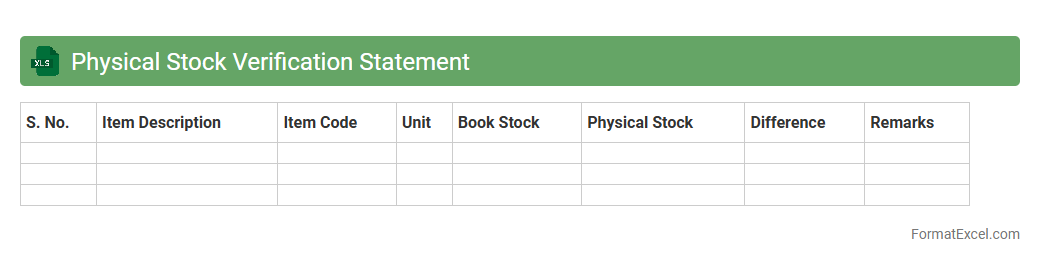
A
Physical Stock Verification Statement Excel document is a tool used to systematically record and compare actual inventory levels with recorded data in accounting or inventory management systems. It helps identify discrepancies, prevent stock theft or loss, and ensures accurate financial reporting by maintaining precise inventory counts. This document enhances inventory control, supports audit processes, and improves decision-making related to stock replenishment and management.
Stock In Transit Statement
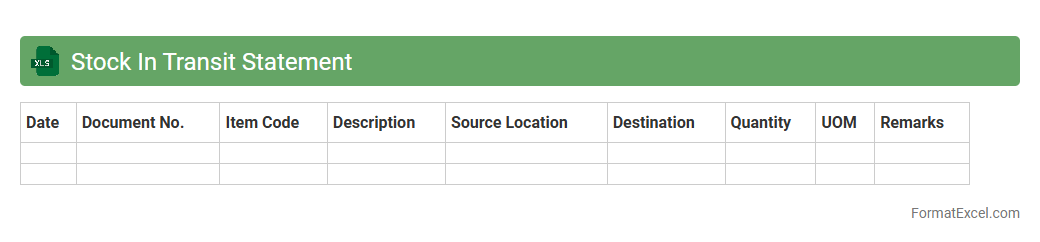
A
Stock In Transit Statement Excel document tracks inventory items currently moving between locations, providing real-time visibility of goods en route. This statement helps businesses manage supply chain efficiency, reduce discrepancies, and plan inventory replenishment accurately. Using this document enhances decision-making by offering clear data on transit stock status, improving overall inventory control.
Shortage And Excess Report
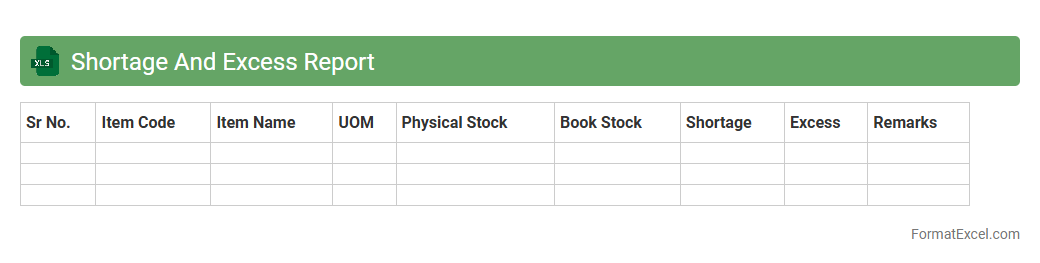
The
Shortage and Excess Report Excel document is a crucial inventory management tool that tracks discrepancies between expected and actual stock levels. It helps businesses identify shortages that may lead to stockouts and excess inventory that ties up capital and storage space. By providing clear data on inventory variances, this report enables efficient decision-making to optimize stock control and reduce operational costs.
Damaged Stock Statement
A
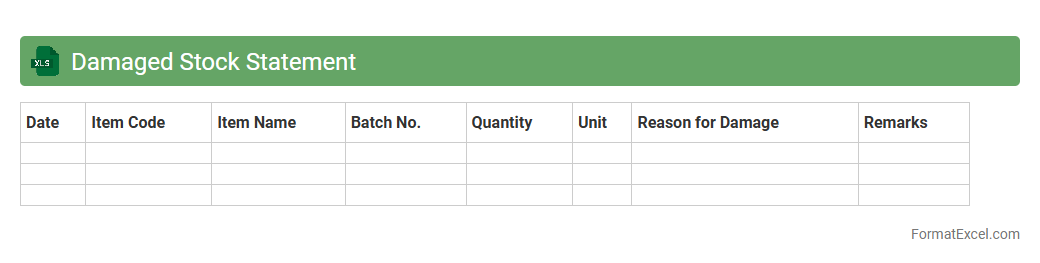
Damaged Stock Statement Excel document is a detailed record that tracks inventory items that are damaged, unusable, or unsellable within a business. This document helps organizations monitor and quantify losses, facilitating accurate stock management and financial reporting. By identifying damaged stock, businesses can make informed decisions about write-offs, replacements, or supplier negotiations, ultimately improving inventory accuracy and reducing waste.
Stock Return Statement
A
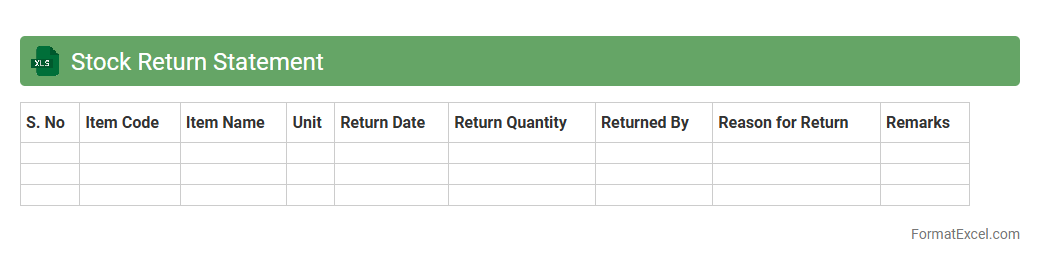
Stock Return Statement Excel document is a structured spreadsheet used to record and analyze the returns on stock investments over a specific period. It helps investors track dividend income, capital gains, and overall portfolio performance with clarity and precision. This tool is essential for making informed financial decisions and optimizing investment strategies based on accurate historical data.
Monthly Stock Summary
A
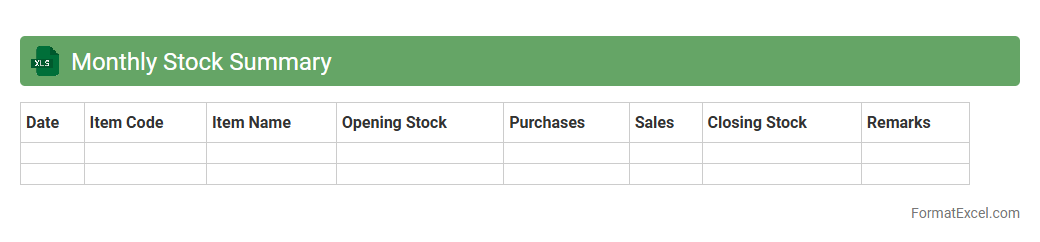
Monthly Stock Summary Excel document consolidates key inventory data, tracking stock levels, purchases, and sales within a specific month. This tool enhances inventory management by providing clear visibility into stock movement, enabling accurate forecasting and reducing the risk of stockouts or overstock. Businesses gain actionable insights to optimize supply chain efficiency and improve financial reporting.
Introduction to Stock Statement Formats
A stock statement format organizes data about inventory levels, movements, and balances. It provides a clear snapshot of stock status for businesses. Using a standard format ensures consistency and accuracy in reporting.
Importance of Stock Statements in Business
Stock statements help businesses monitor inventory levels to prevent shortages or overstocking. They enable better decision-making by tracking stock flow accurately. Effective stock management impacts profitability and operational efficiency.
Key Components of a Stock Statement
A typical stock statement includes opening stock, purchases, sales, and closing stock values. It tracks quantity and value over a specific period. Accurate data input is vital for reliable stock analysis.
Advantages of Using Excel for Stock Statements
Excel offers flexibility and powerful tools for creating customized stock statements. It allows easy data entry, calculations, and updates in real-time. Additionally, Excel supports graphical data representation, enhancing stock monitoring.
Essential Excel Functions for Stock Management
Functions like SUMIF, VLOOKUP, and IF formulas help automate stock calculations efficiently. These functions reduce manual error and speed up data analysis. Mastery of these aids in effective stock tracking and management.
Step-by-Step Guide to Creating a Stock Statement in Excel
Start by setting up headers for dates, description, quantities, and values. Enter opening stock data, record purchases and sales, then calculate closing stock using formulas. Ensure regular updates to maintain an accurate stock statement.
Sample Stock Statement Template in Excel
A sample template includes columns for item codes, descriptions, opening stock, receipts, issues, and closing balance. Templates save time and provide a consistent format for stock reporting. Using a well-built template ensures clarity and ease of use.
Tips for Customizing Stock Statement Formats
Customize your stock statement by adding relevant columns like batch numbers or expiry dates. Use color coding and conditional formatting for quick insights. Tailor the format based on business needs to enhance usability and accuracy.
Common Mistakes to Avoid in Stock Statements
Avoid errors such as incorrect data entry, inconsistent updating, and missing documentation. Miscalculations or ignoring stock movement lead to inaccurate stock reports. Regular auditing and reconciliation prevent these common pitfalls.
Downloadable Stock Statement Format in Excel
Many websites offer free downloadable stock statement formats in Excel for immediate use. These templates can be customized to fit your specific business requirements. Utilizing downloadable formats accelerates the setup process and minimizes initial errors.